






Making a music video once meant hiring professionals, renting costly equipment, which is often possible only with high budgets. But with AI, anyone with a vision can bring their ideas to life cost-effectively.
However, the outcome depends heavily on the quality of the prompts you give while generating music videos. Hence, the difference between an average and a professional music video often comes down to the clarity, detail, and intent in your prompt.
In this blog, you will learn how to craft effective AI music video prompts that can actually deliver professional music videos using invideo AI, which makes the entire process even more handy.
So, let’s dive in!
Understanding the Anatomy of a Perfect Music Video Prompt
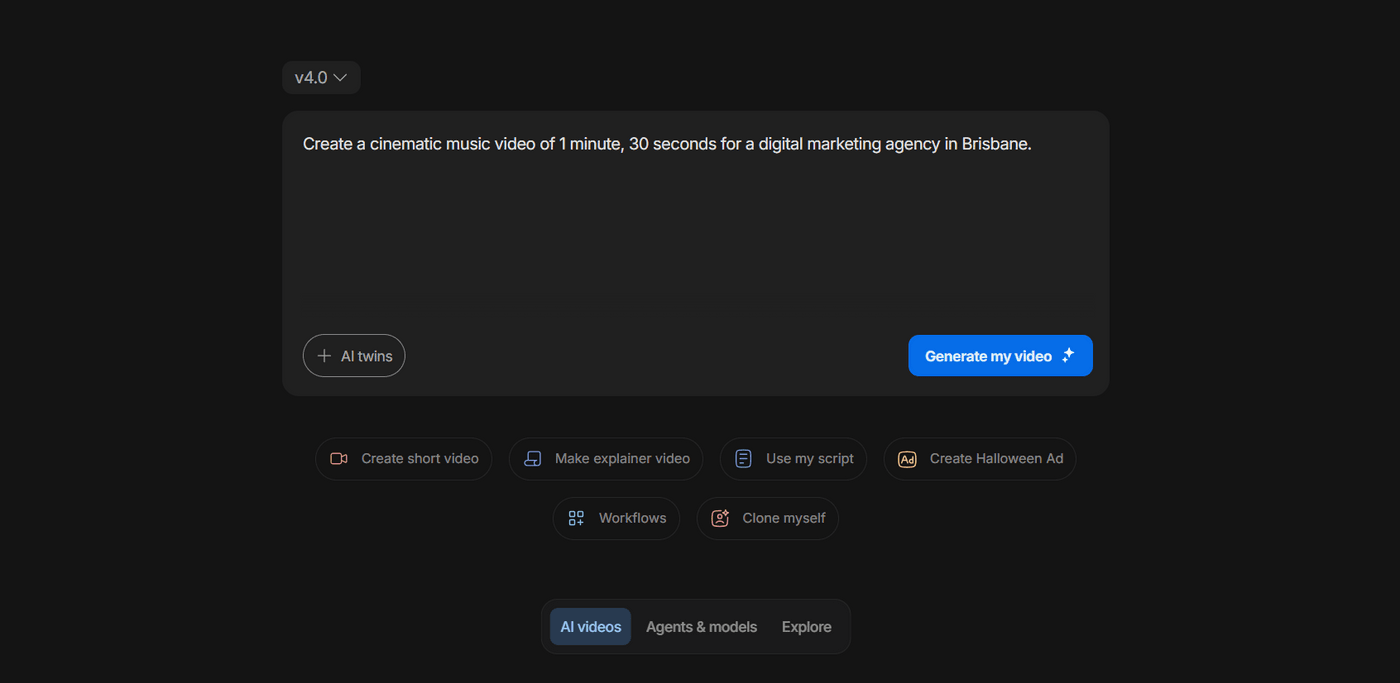
While creating music videos using AI, the results will always reflect the clarity and creativity of the instructions you provide. For instance, this one is too broad and leaves it to the AI to interpret the mood, visuals, and pacing on its own.
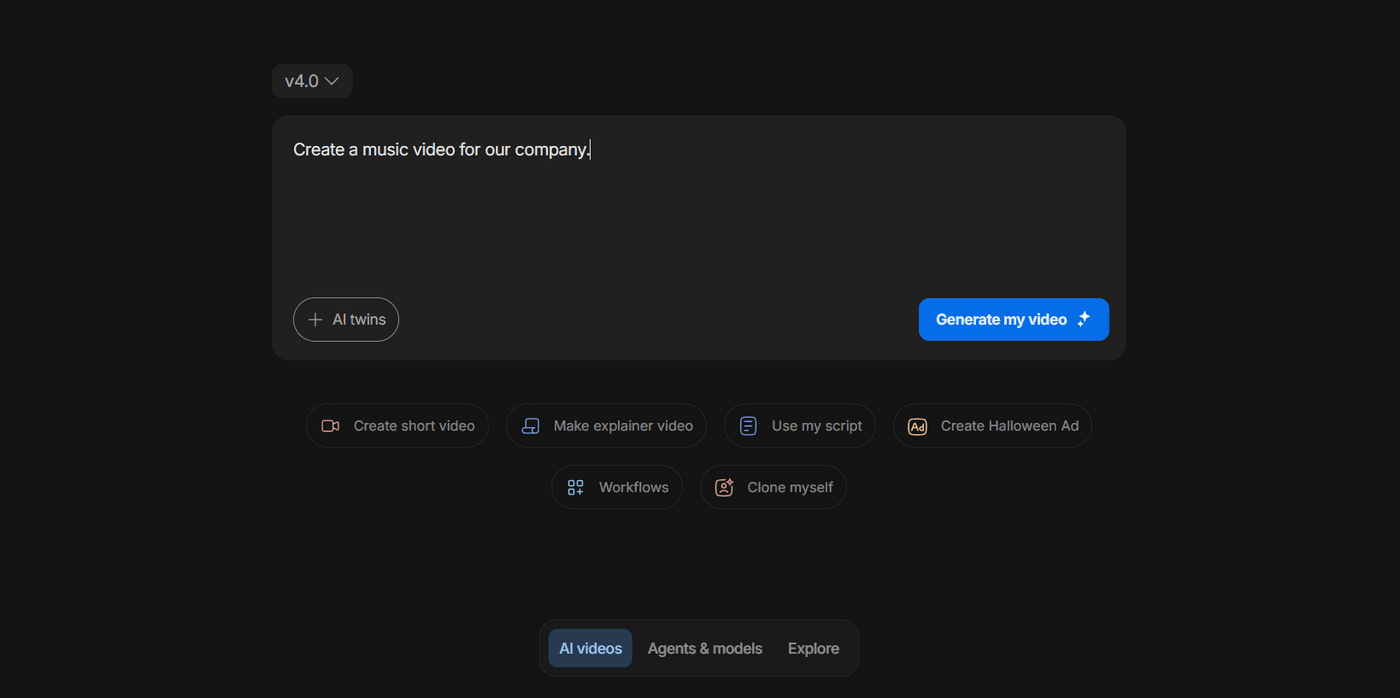
Such prompts usually give you a generic output. Meanwhile, a clear and detailed prompt like the one below gives the AI a sense of atmosphere, movement, and tone.
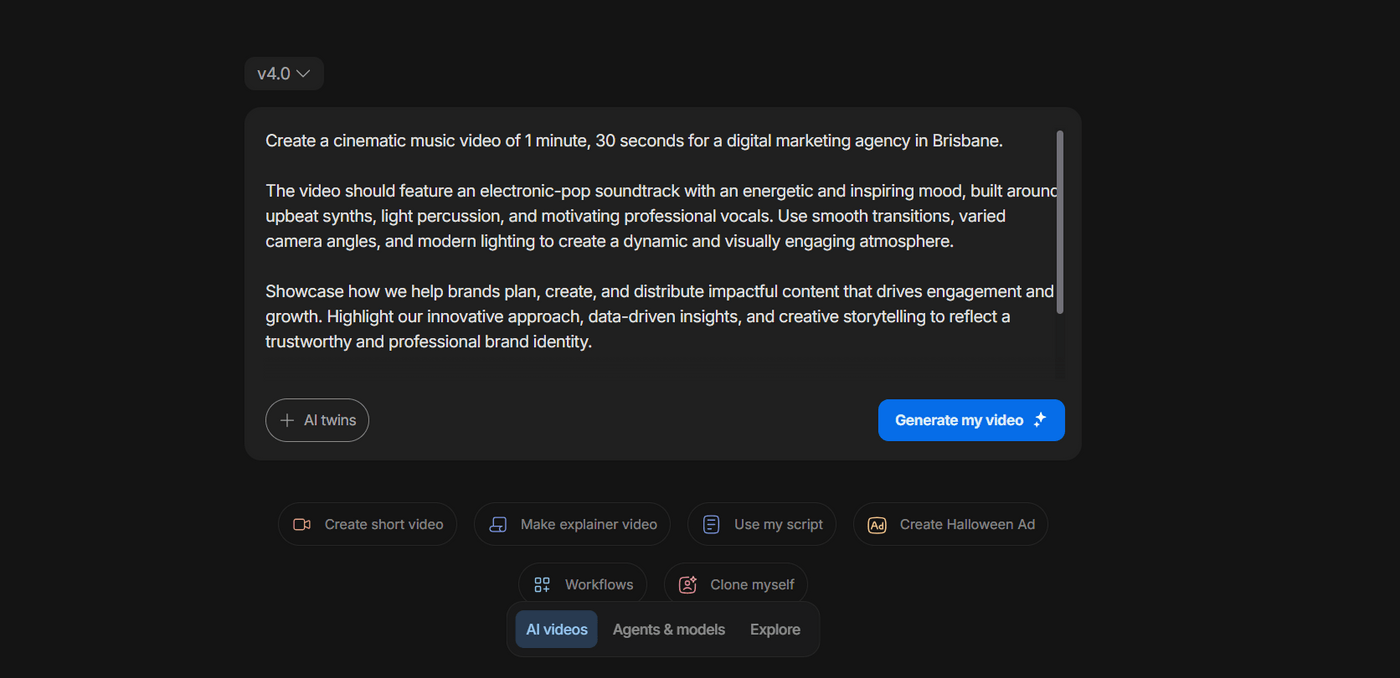
When you feed AI with precise details, the AI will follow accordingly. These prompts usually fall into 3 broad types:
1. Basic Prompt: This type focuses on the essential elements like the video type, duration, brand, and genre.
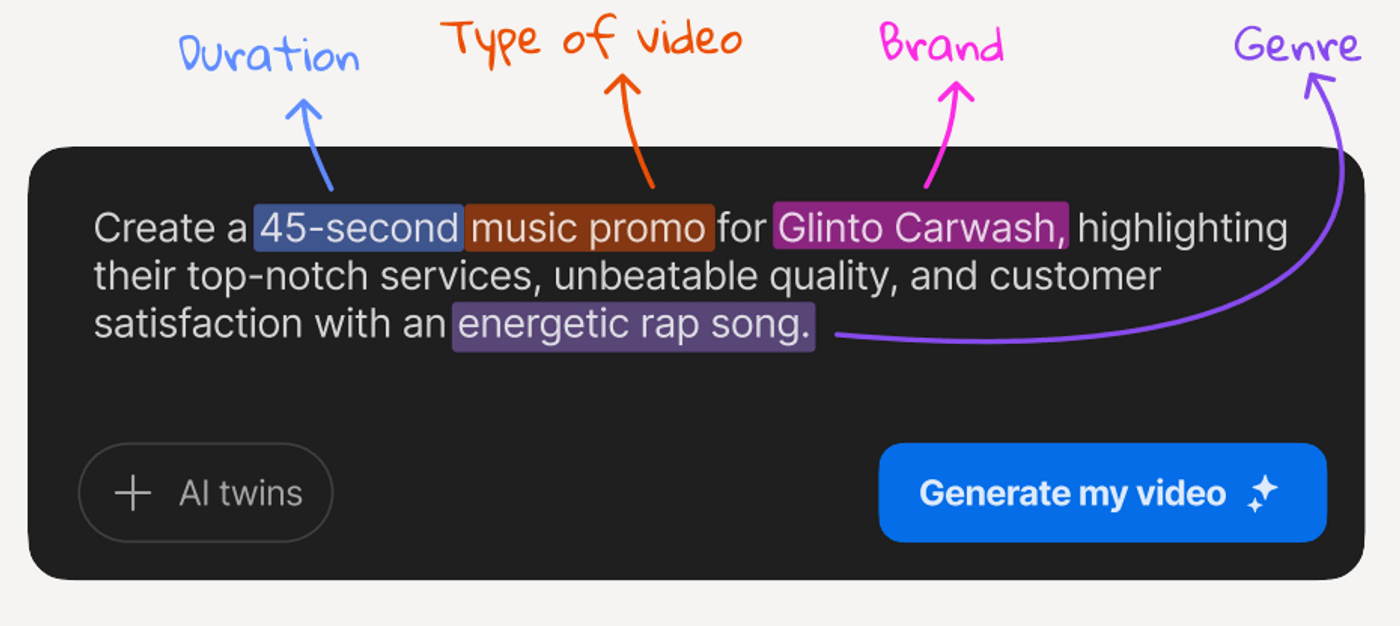
It’s best for use cases where only the core information is needed.
2. Specific Prompt: This is a more detailed version that adds sharper creative direction.
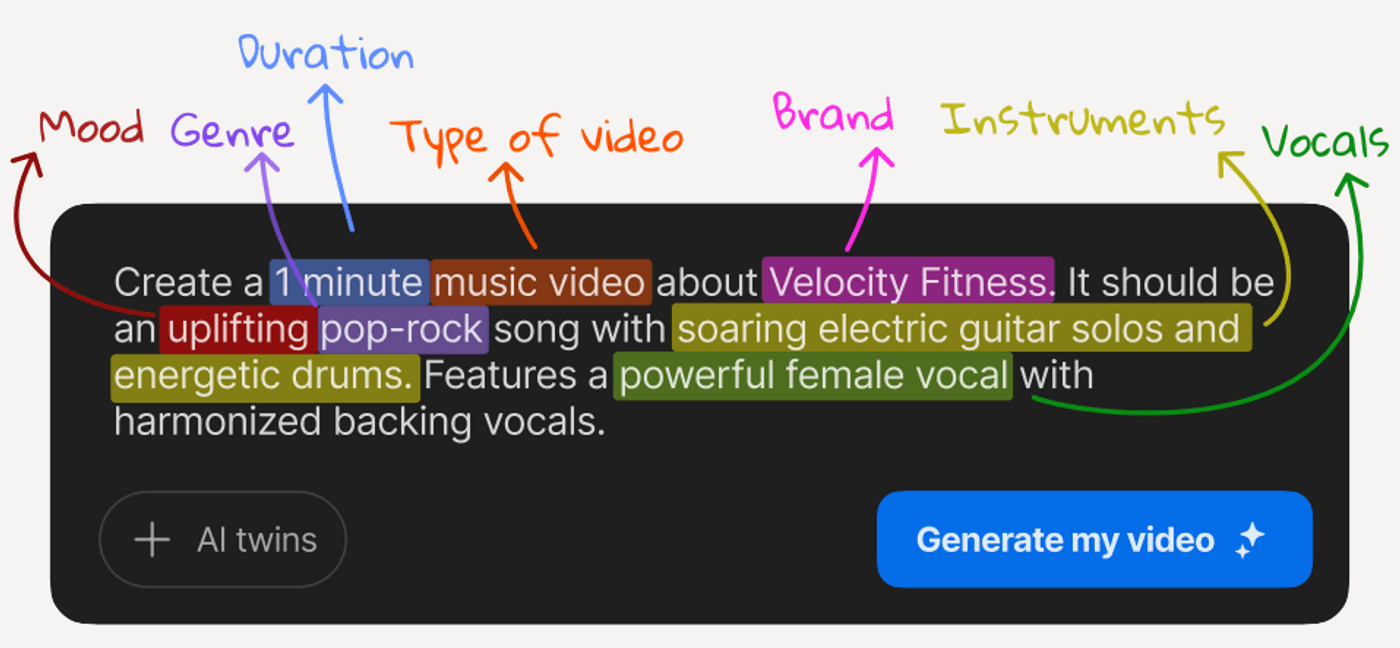
Along with the basic elements, it includes mood, instruments, and vocal style to define the tone and energy of the video.
3. Referencing a Song or Artist: This prompt uses the style of a known artist or song as inspiration.
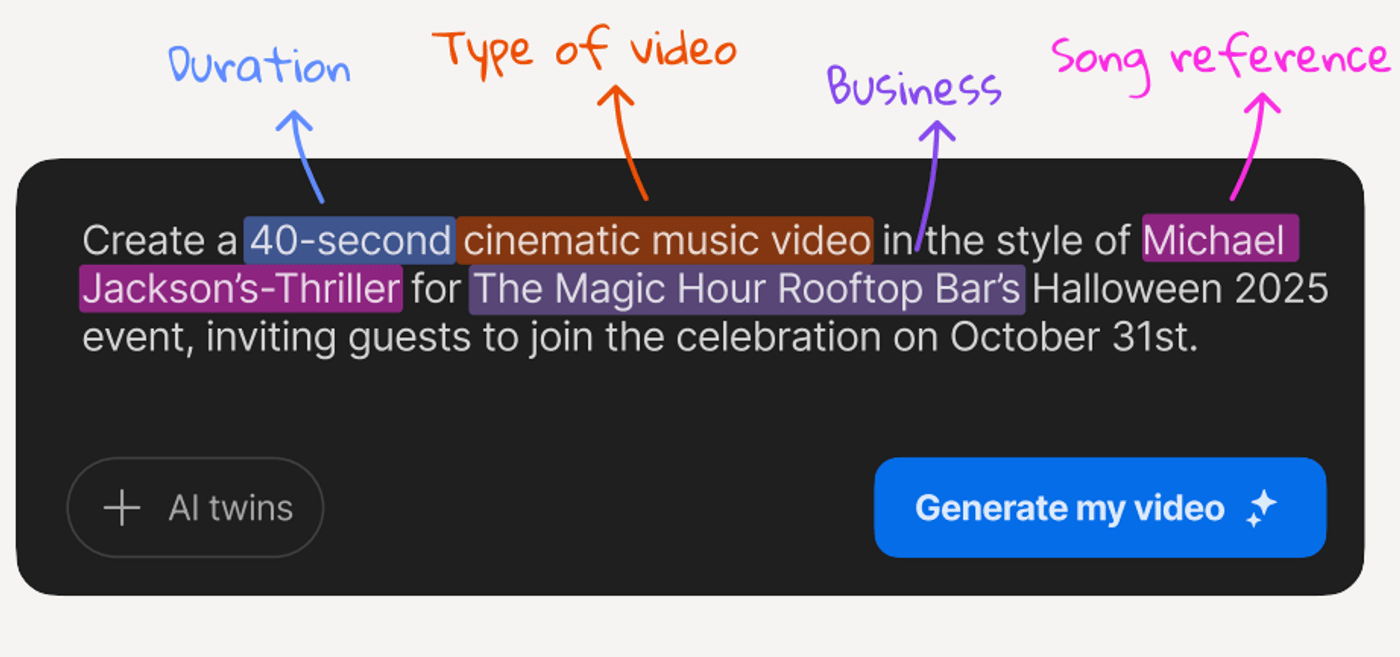
It gives the AI a creative benchmark to follow, which helps it capture a particular mood, theme, or visual aesthetic.
Once you start structuring your prompts strategically, you will be able to create much better and well-defined prompts.
Steps for Building a Perfect Prompt For AI Music Videos
Now that we’ve seen what all you should ideally include in your prompt, let’s look at how to use these prompts to create AI music videos.
Step 1: Start With The Idea
In your first prompt, mention the essentials like video type and duration, purpose, and tone.
Step 2: Add Your Music Prompt
Next, add music specifications, including genre, tempo, or any signature elements you wish to have in your video.
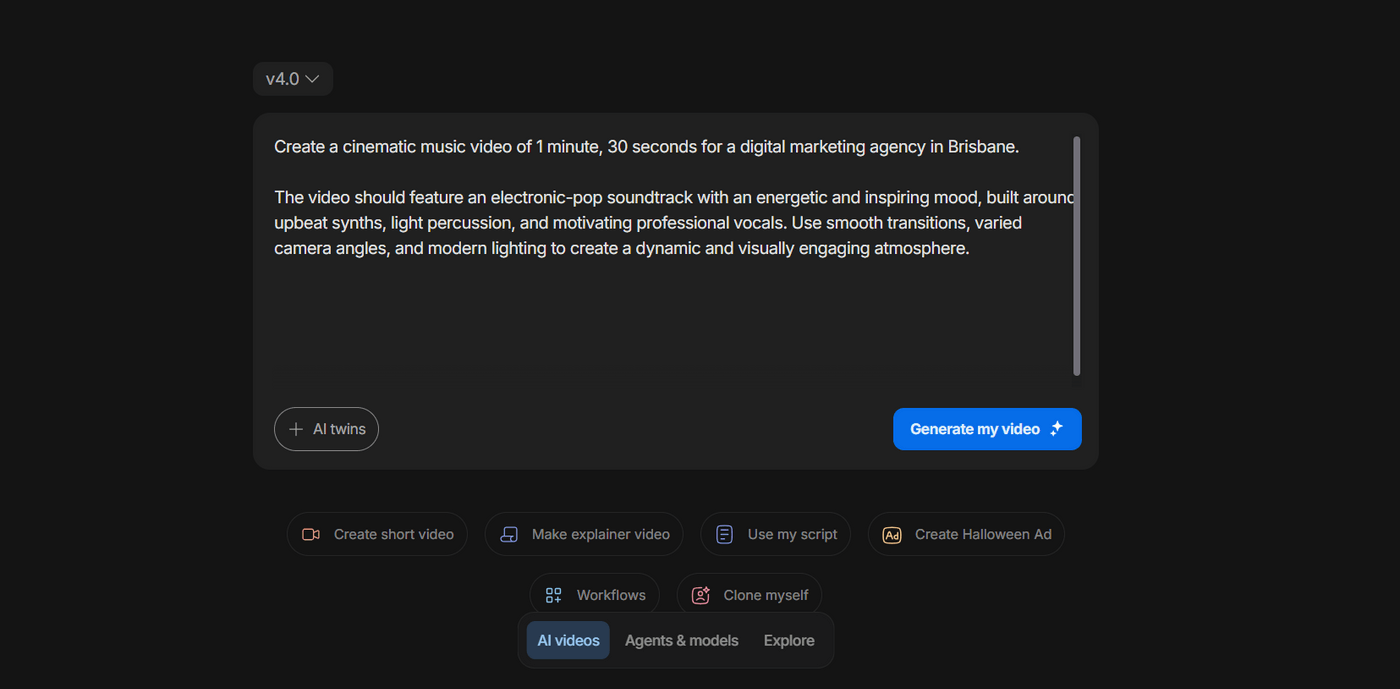
This ensures visual transitions, pacing, and atmosphere all sync with the kind of music you want.
Step 3: Define The Story/Concept
Now, expand the narrative and messaging you want in your video and the story you want it to tell. It should include:
-
What the audience should see
-
What the audience should feel
-
What your video should highlight
This is where your prompt evolves from a simple command into a full concept.
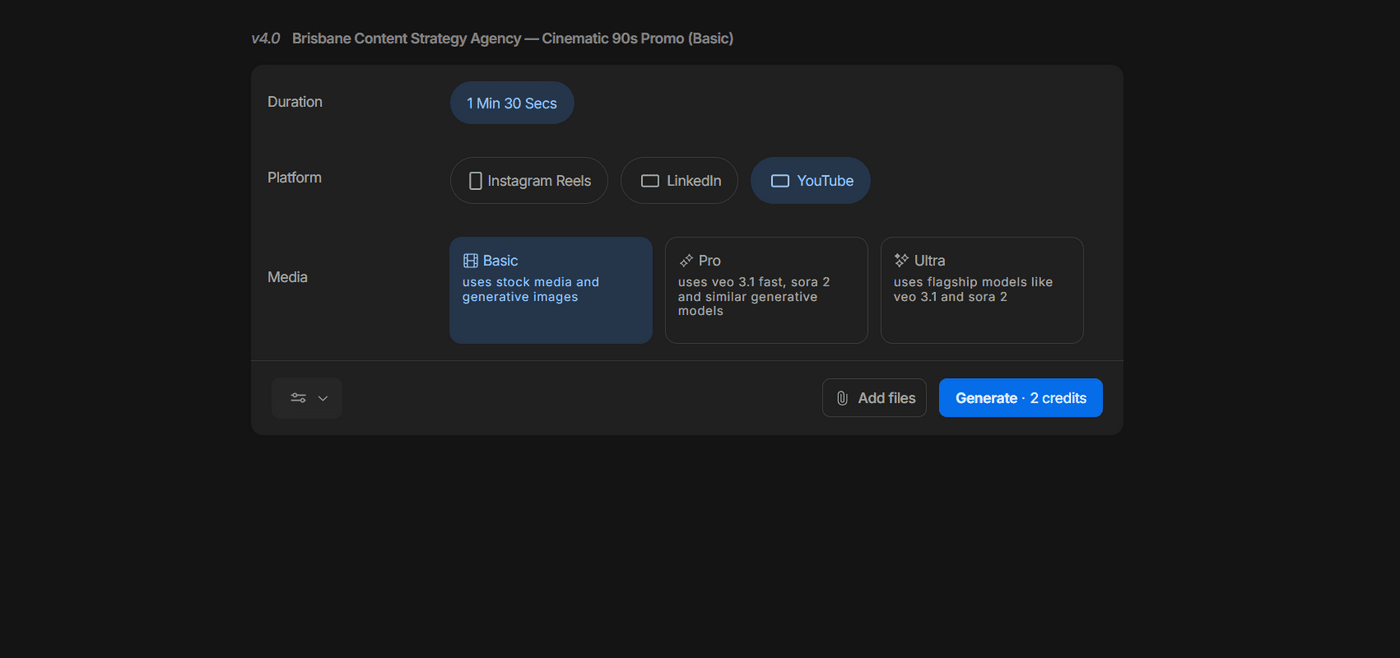
Step 4: Attach (The Creative Steering Wheel)
Next up, make technical choices that align with your vision. Choose the duration, platform, and mode you prefer for your video. You can also add your own media to include in the video.
Step 5: Generate
Once your prompt and settings are set, click on Generate to proceed.
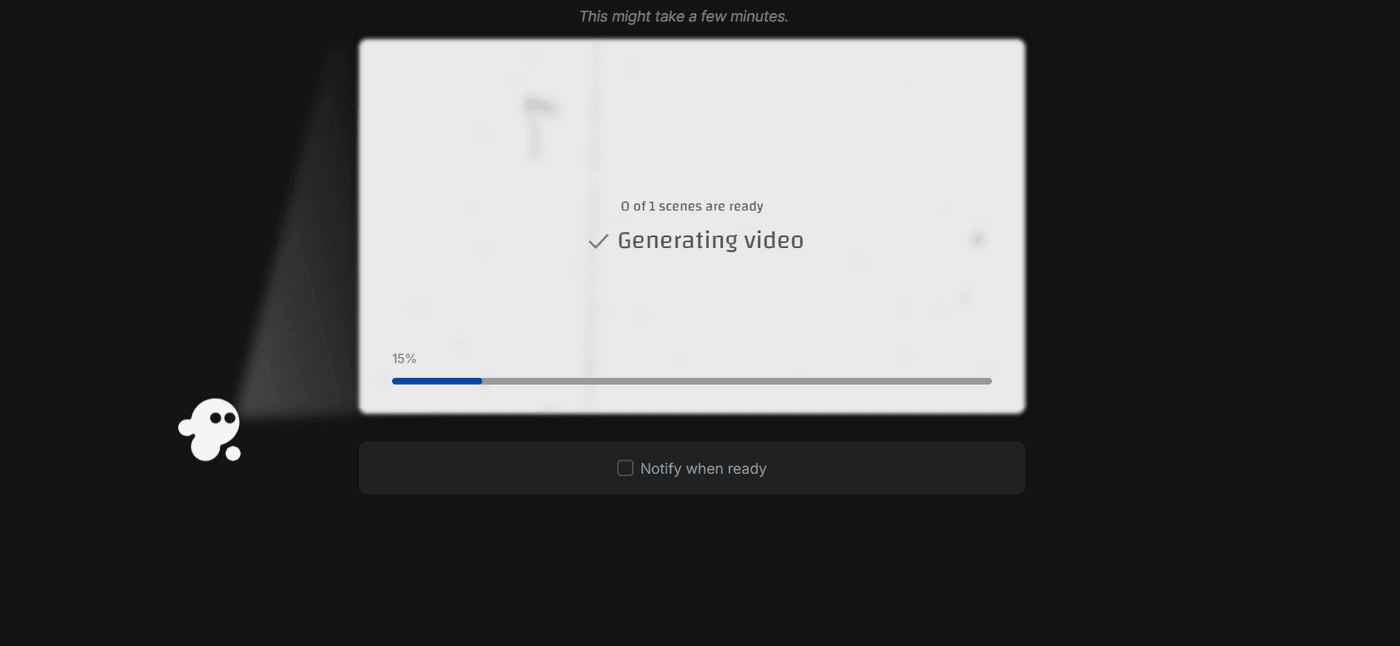
This step usually takes a few minutes. You can either wait or choose the option to be notified when it’s ready.
Step 6: Edit & Refine
If you wish to tweak or edit, simply enter the command, and the changes will take place automatically.
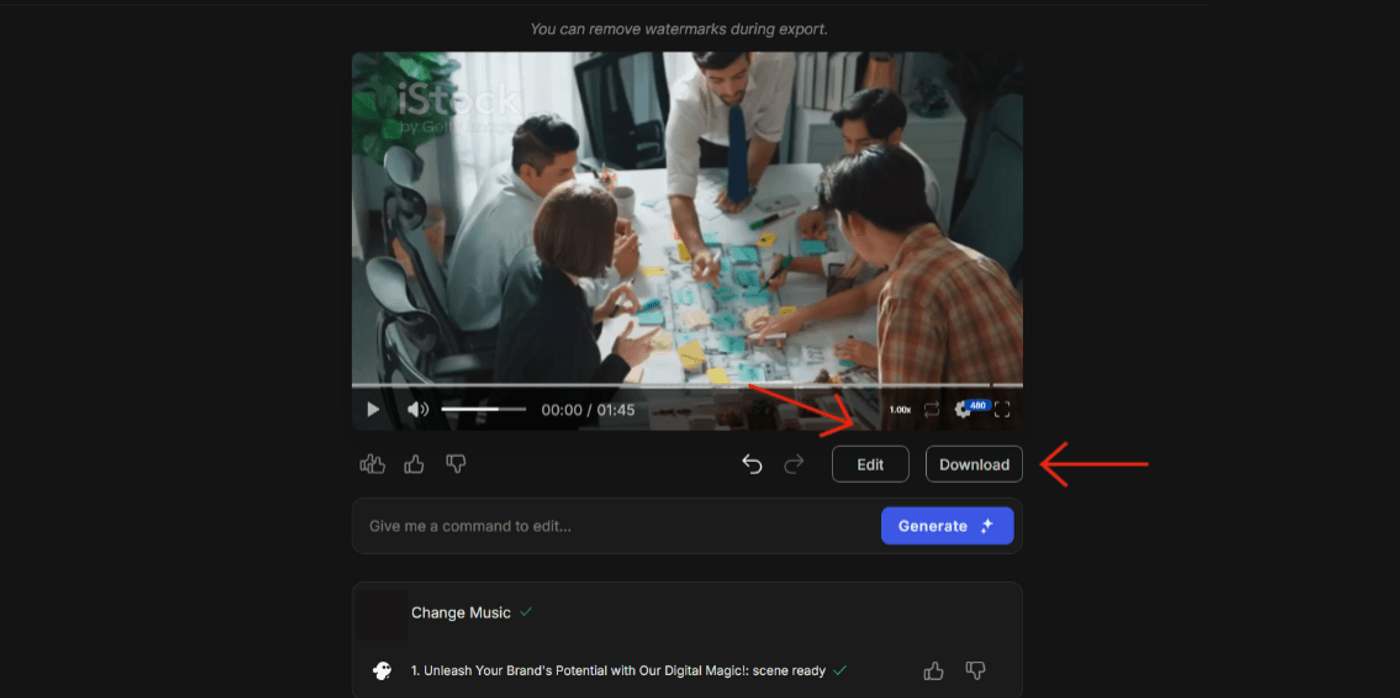
Once the final version looks good, download and save it on your device.
Pro AI Music Prompting Tips
AI can do exactly what you ask, but you need to be specific about what you want. Here are some tips to ensure that and level up the results.
Use Sensory Language (Vibrant, Smooth, Explosive)
Don't just tell the AI you want a specific feel, describe it with words that evoke feeling and texture. The more sensory detail you provide, the better the AI understands the exact vibe you're going for.
Think In Scenes, Not Just Concepts
Describe what's happening, where it's happening, and what the mood feels like. This scene-based thinking gives structure to your video and helps the AI generate more coherent, story-driven content rather than random stock footage.
Include Your Own Supporting Visuals
AI tools work best when they have concrete visual references to build around. So, if you have product photos or brand images, upload them to ensure your video stays on-brand.
Always Include A Hook For The First 3 Seconds
Be explicit about this in your prompt and don't leave those critical first seconds to chance. Tell the AI exactly what attention-grabbing element needs to appear immediately.
Test Different Prompt Variations
Always try concepts with different descriptive words, different scene structures, or different music styles. Each variation teaches you what works and helps you refine your prompting skills for next time.
Real-World Prompt Examples by Use Case
Let’s now look at 5 ready-to-use prompt templates across different use cases that you can copy, adapt, and apply to your own brand.
-
Brand Music Video
For brand music videos, your prompt should focus on visual identity, tone, and message clarity. This reel, “Invideo powered by Veo 3.1,” clearly shows how a brand video can be created using simple AI prompts and tools.
It explains how you only need to type in a prompt, add some images, and select a mode to instantly generate a polished video. Here are some prompts you can use to create similar brand music videos:
Create a 45-second brand music video for (brand name) showcasing teamwork, innovation, and growth. Use an upbeat electronic track with smooth transitions between office scenes, brainstorming shots, and client meetings.
Generate a cinematic brand video for (brand name), featuring dynamic visuals of code, servers, and global connectivity. The video should reflect innovation, trust, and forward-thinking energy.
Make a short AI-generated music video for (brand name) with a motivational tone. Show professionals achieving goals, using bold typography and uplifting background music.
-
Nursery Rhymes
For children’s content, prompts must balance fun visuals, bright colors, and rhythmic storytelling. This video from the channel “singlittle_star” features the popular nursery rhyme “Johny Johny Yes Papa” in a bright, 3D-animated style similar to Cocomelon or Pinkfong.
It shows a cheerful baby character singing and interacting playfully, something you can easily replicate with AI by describing the visuals, music, and tone in your prompt. Here are some prompts you can use to create similar nursery rhymes:
Create a 2-minute 3D animated video for the nursery rhyme “Johny Johny Yes Papa.” Show a smiling baby character singing and moving playfully in a colorful house environment.
Generate a cheerful, Cocomelon-style video with bright backgrounds, lively animation, and friendly expressions on all characters.
Make a music video with upbeat, child-friendly background music, focusing on learning and fun through animation.
-
Meditation Video
Meditation visuals rely on calm tones, slow transitions, and soothing color palettes. A good prompt should emphasize serenity and flow over complexity. For instance, this reel by DJR Music shows how AI can produce immersive visuals with simple, well-structured prompts.
It features a serene figure meditating, surrounded by glowing violet energy. Here are some prompts you can use to create similar meditation videos:
Create a 5-minute meditation video featuring a person meditating in a glowing violet lotus surrounded by soft cosmic light. Use ambient instrumental music and gentle motion effects.
Generate a visual meditation video with flowing light patterns, nature-inspired backgrounds, and calming soundscapes.
Produce an AI music video for mindfulness practice. Focus on slow pacing, pastel tones, and atmospheric sounds for a tranquil effect.
-
Product Music Video
For brands showcasing products, the prompt should include product type, mood, and intended visual style. This reel showcases exactly how AI can turn simple prompts into cinematic visuals.
It features a sleek car drifting dramatically under moody lighting, created using only a few descriptive lines. Here are some prompts you can use to create similar product music videos:
Create a 60-second product music video for a luxury car. Show the car drifting on a wet city road at night, with cinematic lighting, and use an intense instrumental soundtrack.
Generate a futuristic-style product video featuring close-up motion shots, neon reflections, and high-energy transitions.
Make a product video with dramatic sound design, focusing on speed, power, and elegance.
-
Music Anthem
Here’s an anthem made entirely using AI for FIFA World Cup '26. It takes a classic theme and plays around it with some interesting visuals and energetic music.
The video features both real media and AI-generated stunning visuals, which makes it a perfect blend of both. Here are some prompts you can use to create similar music videos:
Common AI Music Prompting Pitfalls to Avoid
Even with advanced AI tools, the outcome is only as strong as the direction you give. Here are a few common mistakes to avoid:
-
Being Too Vague: Keep your prompt very specific and describe the tone, visuals, tempo, or feeling you want in the video.
-
Overloading With Contradictory Instructions: Avoid covering all bases and keep a focused prompt.
-
Ignoring Platform Requirements: If your prompt doesn’t specify where the video will appear, the AI won’t optimize the format, pacing, or aspect ratio for that space.
-
Forgetting About Brand Consistency: Including cues like brand palette, messaging tone, or mood helps the AI maintain consistency while still allowing creativity to unfold.
Your Prompting Checklist
Before you hit generate, take a moment to review your prompt and make sure it includes:
-
Duration: How long the video should run.
-
Type of Video: Brand, product, anthem, or story.
-
Genre and Mood: Tone, pacing, and emotional intent.
-
Platform: Where the video will be published.
-
Brand Elements: Logo, color palette, or key message.
-
Visual Direction: Setting, lighting, and style cues.
-
Audio Elements: Instruments, vocals, or soundtrack style.
A complete prompt ensures the AI understands both your creative vision and your brand context.
Before You Go…
The quality of an AI music video begins with the prompt, because every detail you include directly shapes the outcome. At the same time, experimentation is essential. By testing different prompts and refining them step by step, you learn how small adjustments can dramatically improve the final video. Ultimately, the more precise and intentional you are, the closer the output aligns with your vision!
