






Every competitor in your feed is posting promo videos because your customers expect them. And every marketer talks about how video is non-negotiable.
But here's what they don't mention, actually creating a promo video used to be a nightmare.
Hire an agency? That's $5,000 minimum, weeks of back-and-forth, and three rounds of revisions that somehow make it worse.
Find a freelancer? You're still looking at $500-$2,000, hoping their "portfolio" isn't just stolen work, and praying they understand your brand.
DIY it yourself? Congratulations, you now need to learn Adobe Premiere Pro, source stock footage that doesn't look like stock footage, write a script, record voiceover, pick music, and figure out why your export keeps failing.
Most small businesses give up and post static images while watching competitors steal all their prospects with video. They look smaller than they are, less legitimate, and less capable.
That gap between knowing you need promo videos and actually making them has been quietly killing businesses for years.
Until now!!
AI has eliminated every traditional barrier to creating professional promo videos. The cost, the time, the technical skills, and the production complexity are all gone. You can now go from idea to polished, publish-ready promo video in about 30 minutes, using nothing but a text prompt.
This guide shows you exactly how to do it without film school qualifications or expensive equipment.
What makes a promo video actually work?
Most promo videos fail before the first frame is even generated.
The problem?
Businesses try to cram everything into one video. The result is a 90-second mess that says nothing to no one. Here's the rule every promo video must follow. Focus on one message, one audience, and one goal. Not three messages for three audiences, hoping one sticks.
The four elements every promo needs
These are the four elements every promo video needs. To make it easy to understand we are going to use this ad we made for Orkin (a pest control company) as an example. It’s from our Million Dollar Ads series.
1. The hook (First 3 Seconds)
This isn't where you show your logo or talk about yourself, it's where you stop the scroll. Your hook needs to either call out a specific problem ("Spending $5,000 per video ad?") or promise a specific outcome ("Professional promo videos in 30 minutes").
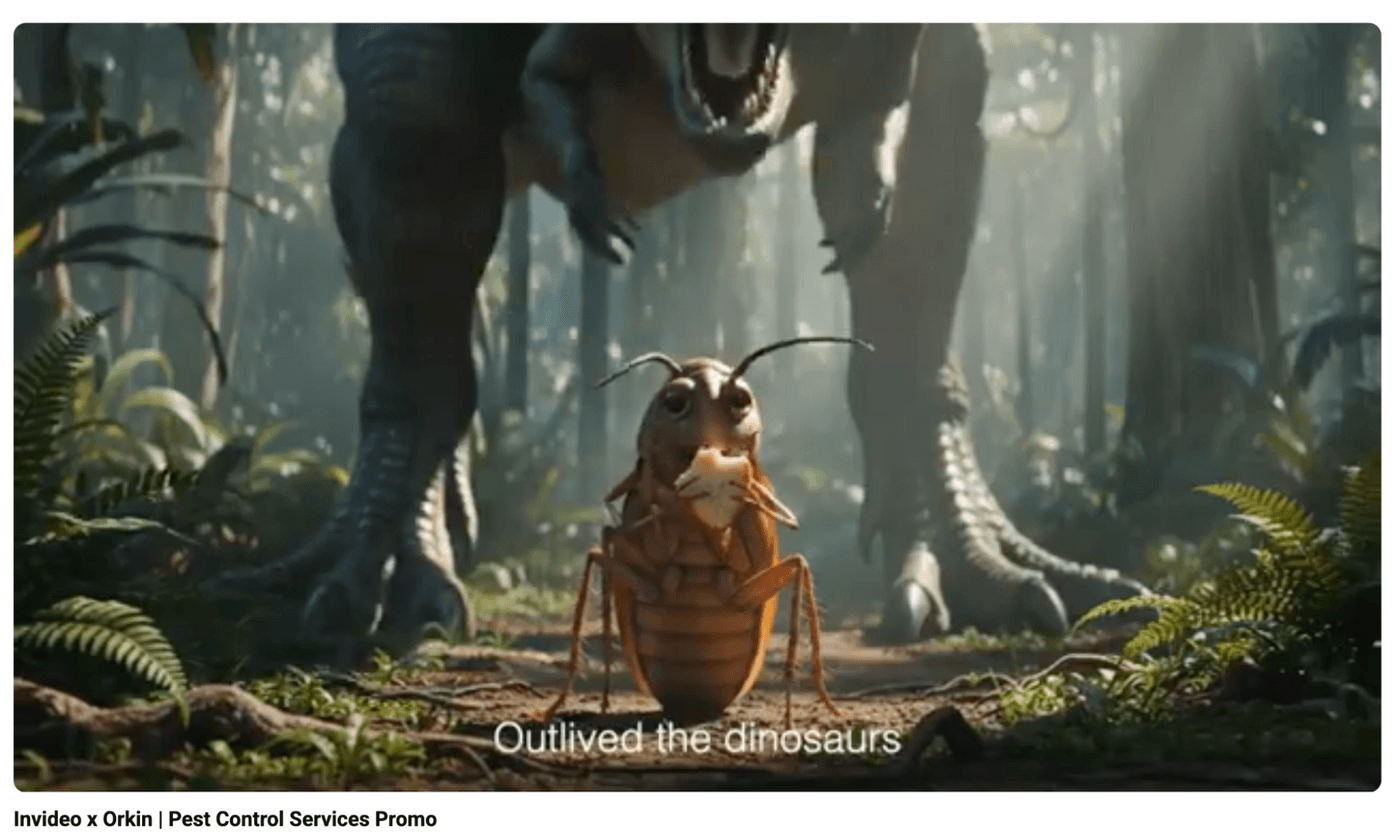
For our Orkin ad, we started with a cockroach talking about a problem the audience is currently facing. We showed a cockroach happily going on about its life without a worry.
A talking cockroach acts as a pattern interrupt. People get curious and want to watch the rest.
2. The problem or desire
Show them you understand where they are right now. Not in generic terms, but in specific, painful detail. For example, "You need video content to compete, but agencies are too expensive and DIY tools have a learning curve you don't have time for." When your prospects feels seen, they keep watching.
For the Orkin video, we just continued showing the cockroach talking about how it ruins peoples lives.
3. Your solution
This is where most promos go wrong. They list features. "Our platform has 10,000 templates and drag-and-drop editing and cloud rendering." Your target audience doesn’t cares about that, they care about transformation. "Turn a text prompt into a finished promo video in 30 minutes."
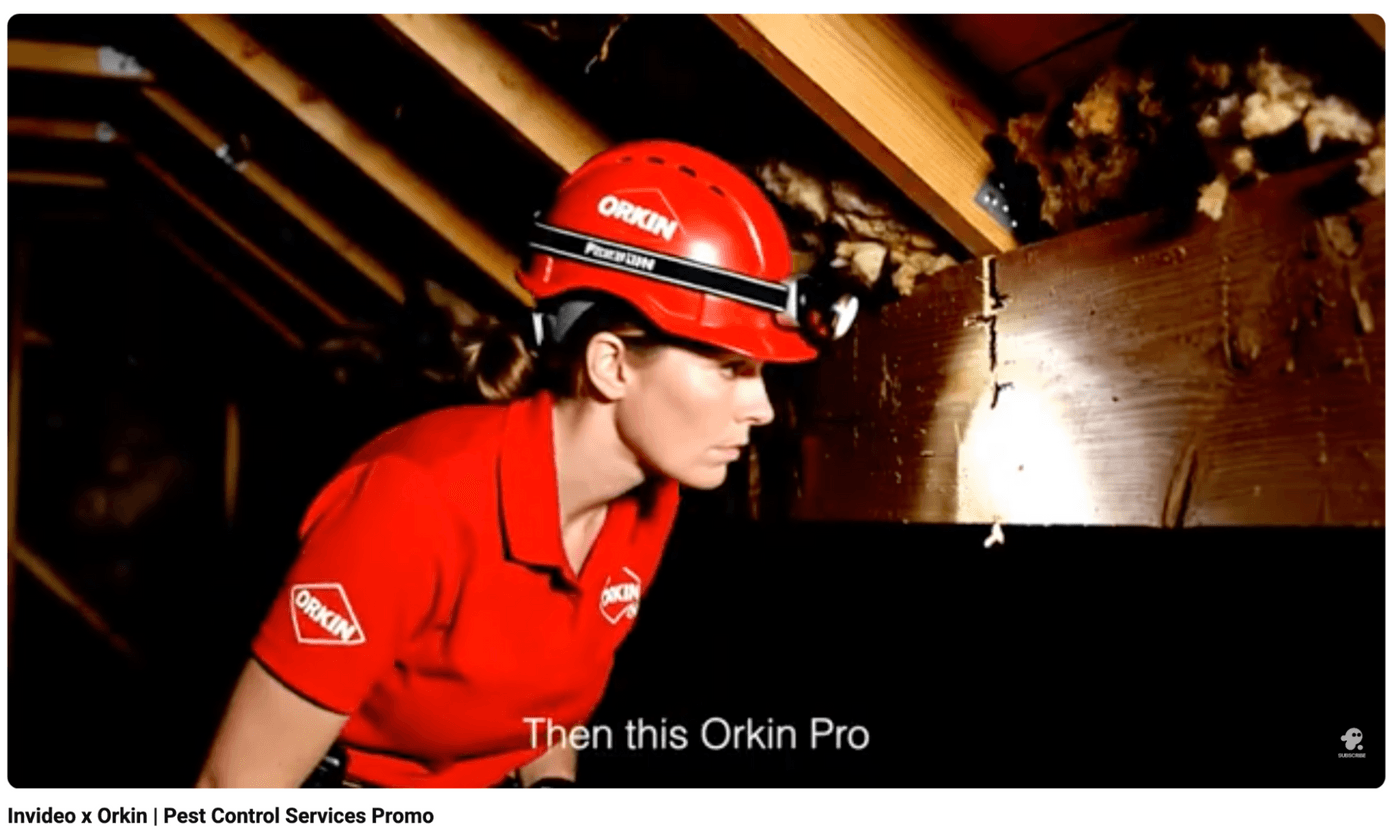
In our video, we showed a pest control officer from Orkin doing their job, eliminating the pests and how this scared the life out of the roach.
4. Clear call to action
Your video needs to include an action that adds to your bottom line. Don’t just ask people to "visit our website, follow us on social, and check out our blog." Use a call to action that will lead to purchase "Try it free." "Book a demo." "Start creating."
If it is just a promo + branding video like this one we did for Orkin, adding your logo and tagline will suffice.
Why this matters
Your promo video isn't about your business, it's about showing your audience who they become after using what you offer. It could be a small business owner who finally looks legitimate, an agency that can say yes to clients they used to turn down, or a marketer who ships content without bottlenecks.
Promising a realistic transformation makes someone take action.
What are the different types of promo videos
Not all promo videos serve the same purpose. Knowing which type matches your goal saves you from creating the wrong video for the right moment.
Product or service promos
These showcase what you sell and why someone should buy it.
They could be…
- A software demo showing your platform in action
- A real estate agent walking through a property
- A skincare brand displaying products in premium settings
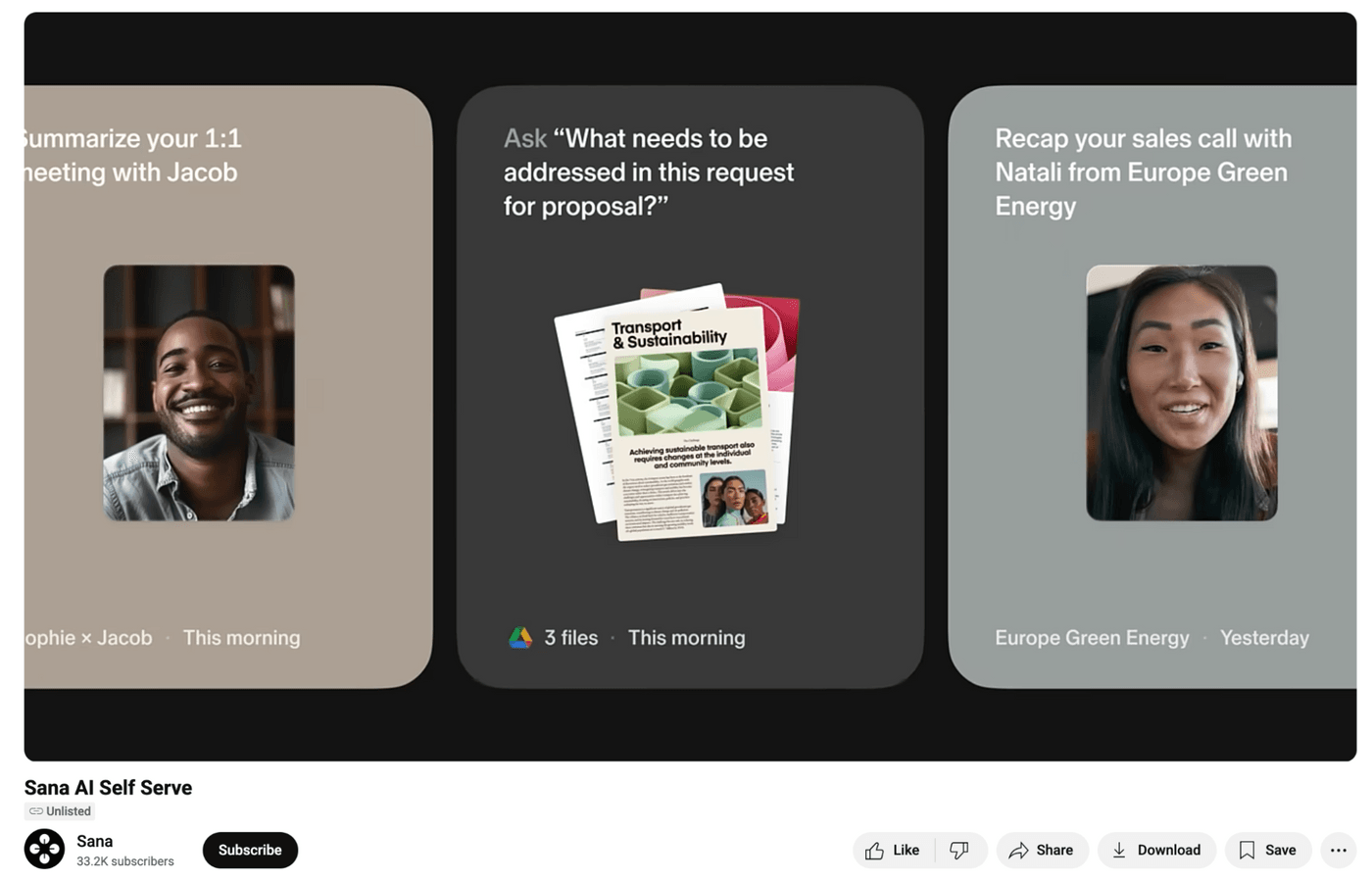
These need to be direct, conversion-focused, and built to drive sales or sign-ups like this ad from Sana AI that focuses on generating intro sign ups for their software.
Brand story videos
In these videos, you don’t talk about your product, but your mission, your why, or your founder's journey. When you need to build an emotional connection or differentiate in a crowded market, brand stories create the context that makes people care. They answer "Why should I trust you?" before asking for the sale.
One of the best brand story videos is Parisian Love from Google
They show how their product has helped people through a screen recording of a user using their software. That’s how brands you love are built.
Limited-time offer promos
Do you want to run a sale for Black Friday, end-of-season, or just a flash deal? When urgency drives the message, your promos should lean into scarcity. They're short, punchy, and built around a deadline that forces action now, not later.
A good example is this promo from Nordstrom.
It focuses on how the lower prices for their New Arrivals sale are only available for a limited time.
Music video promos
Here's what most businesses don't know: custom jingles used to cost $50,000+. So, only big brands could afford memorable music.
However, AI changed that…
Now you can create a catchy music video for your business, the kind of audio branding that gets stuck in people's heads and makes you impossible to forget.
The traditional way vs. the AI way
When you create videos the traditional way, you have three options.
Agencies cost $5,000 to $50,000 per video. They require weeks of meetings, revisions, and a lot of waiting. Great if you're Nike, but impossible if you're a local business trying to compete.
Freelancers run $500 to $2,000 and take days or weeks. You're gambling on quality, hoping they understand your vision, and managing yet another contractor relationship.
DIY tools are "affordable" but demand a learning curve you don't have time for. You need hours watching tutorials, sourcing stock footage, writing scripts, recording voiceover and editing.
By the time you're done, you've spent 10 hours making a 60-second video that looks fine.
However, AI gets you a finished video in 30 minutes.
You describe your vision, add your website URL or product images, and AI makes over 20 creative decisions: script writing, visual generation using cinema-quality models, human-sounding voiceovers, music selection, transitions, pacing, and captions.
Everything a production team used to handle.
The barrier between you and professional video just disappeared.
How to create your promo video in under 2 hours
Start with strategy, not production
Most people open a tool and start creating immediately. However, before you touch anything, you need to answer these questions…
- What's the one goal?
- Are you driving conversions?
- Building brand recognition?
- Announcing a launch?
- Who is this for?
- What's the transformation?
Write one sentence describing where your target audience is now and where they'll be after using what you offer. This becomes your script foundation. Once you have this, everything else becomes easier.
Choose your promo workflow
Log into your invideo account.
Below the prompt box, you'll see workflow options. Click on it.
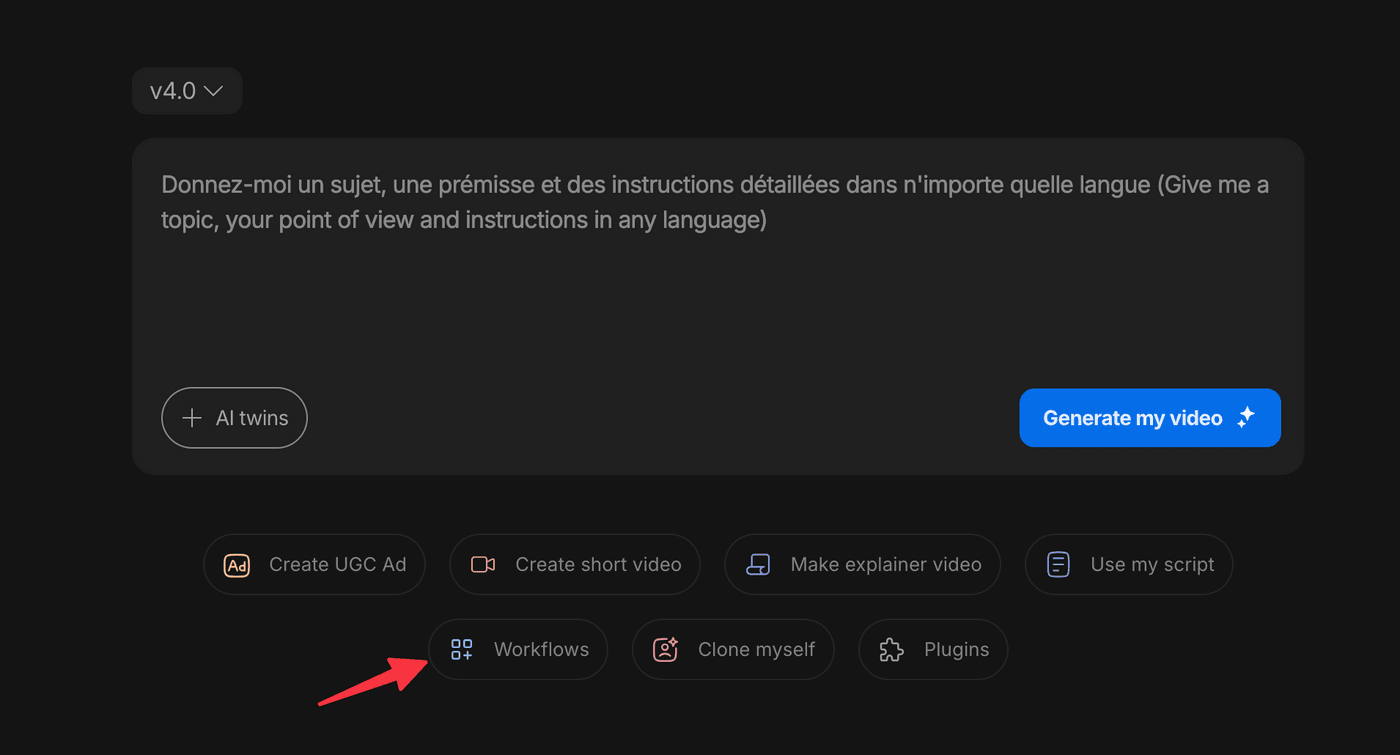
You can choose a wide range of Workflows depending on the type of promo you are creating.
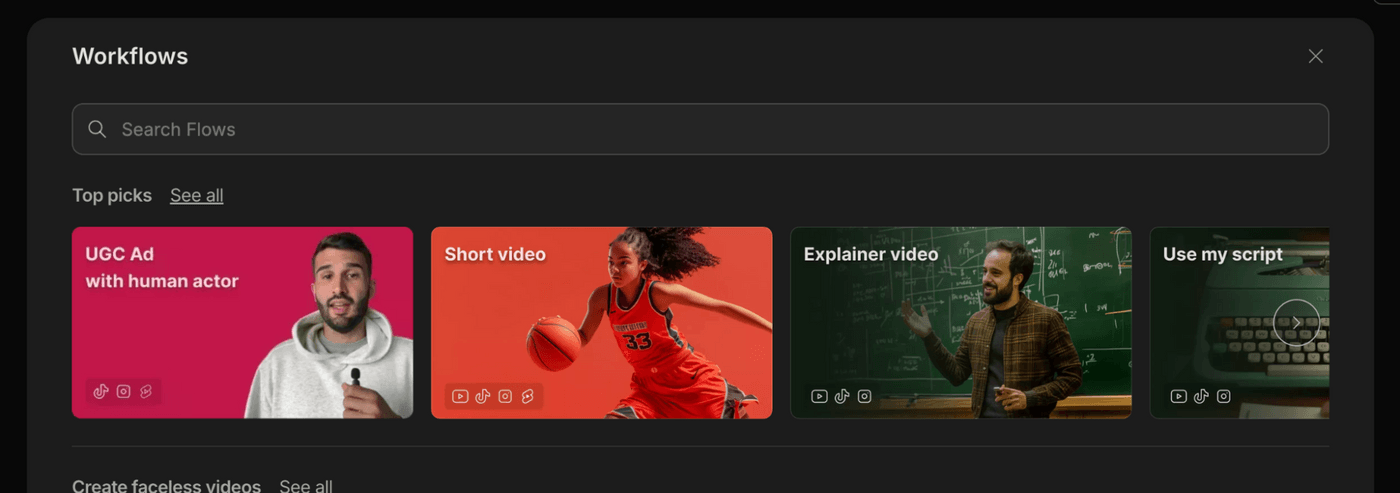
There are workflows for brand story, Shopify link to video, Script to ad, and TiktTok shop video. Browse through them and pick one depending on the video type you want to make.
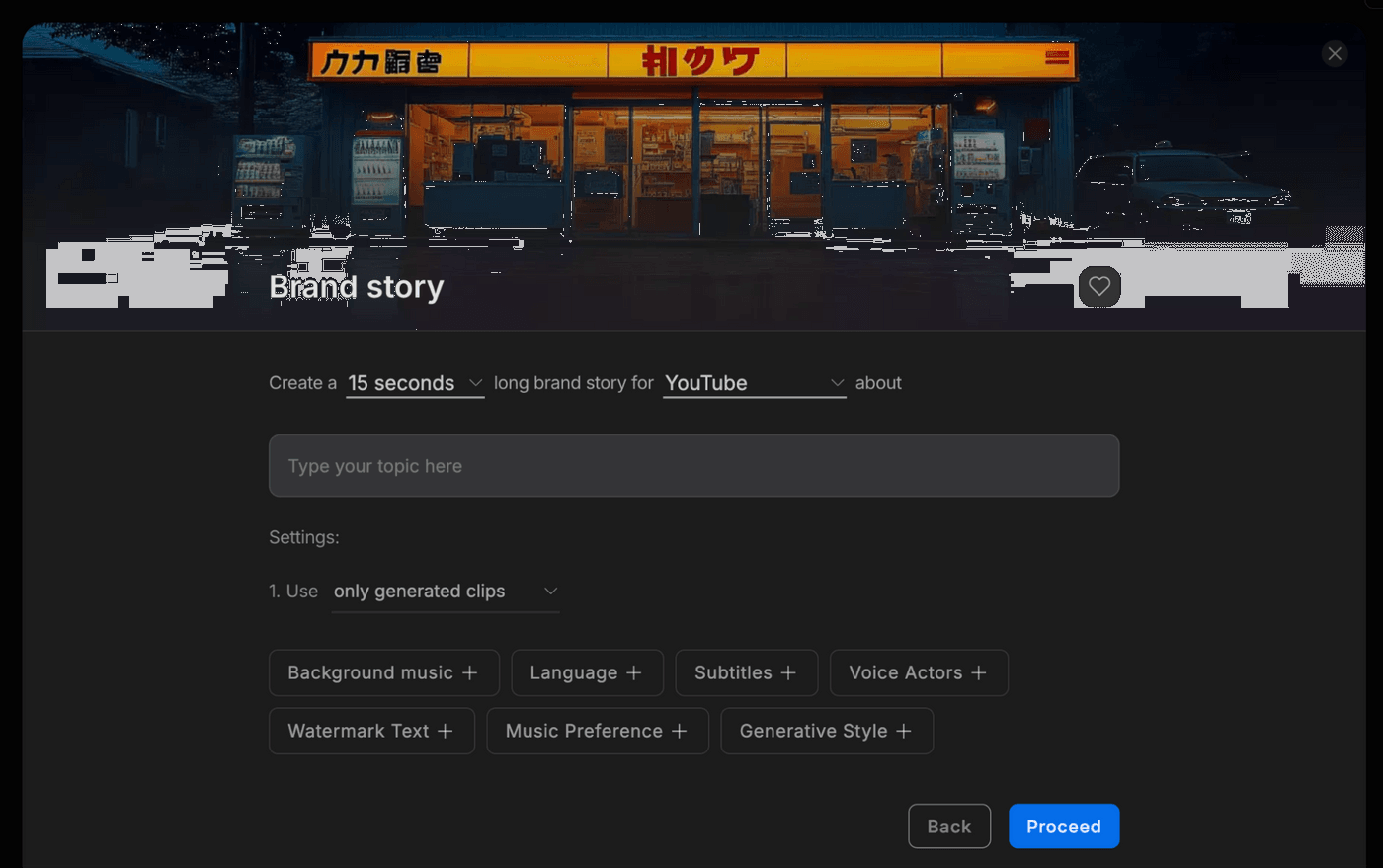
This opens a settings panel which simplifies defining your output parameters before writing a single word.
Here's what you'll configure…
Length: Set your duration from 15 to 120 seconds.
Platform: Choose the platform you will publish the video on here. The AI adjusts pacing, framing, and style based on whether it's Instagram, YouTube, LinkedIn, or your website.
Topic: Enter what you're promoting. "New bookkeeping software launch" or "Grand opening sale for bakery."
Stock vs. Generative: For promo videos, select only generated clips for the best results.
Background Music: Describe the mood. It could be "Upbeat and energetic" or "Warm and trustworthy" or "Cinematic and premium."
Language: Pick from 50+ languages if you're targeting non-English markets
Subtitles: Choose style and placement. Always use them as 80% of social videos are watched without sound.
Voice Selection: Set gender, accent, and tone. Match this to your brand personality and audience expectations.
Then add your watermark text, music preferences, and generative style and click Proceed.
Write a prompt that actually works
The AI uses your settings to auto-generate a starting prompt, but don't stop there. ‘
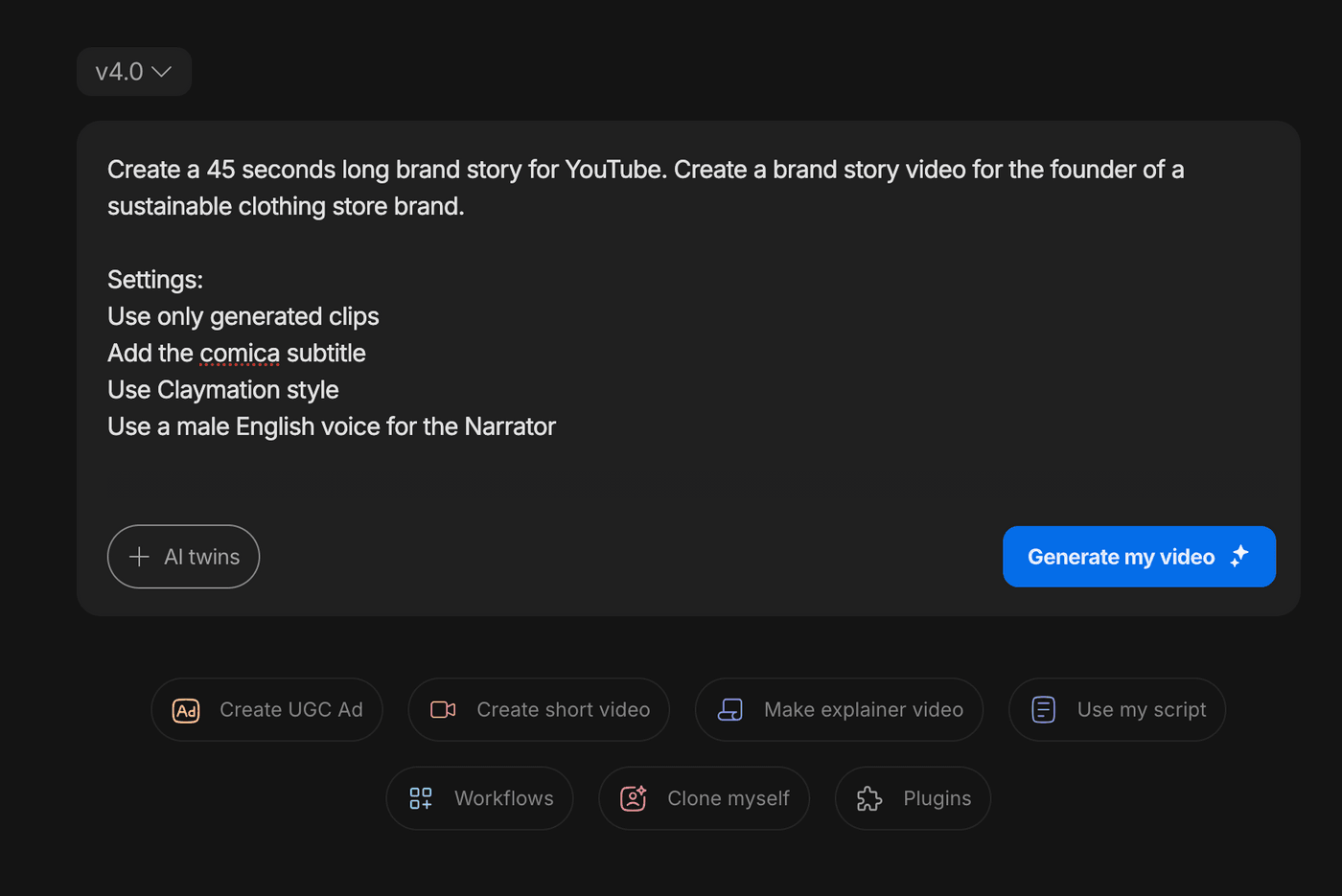
The difference between a generic promo and one that converts is in the details you add.
Your prompt should include these essentials…
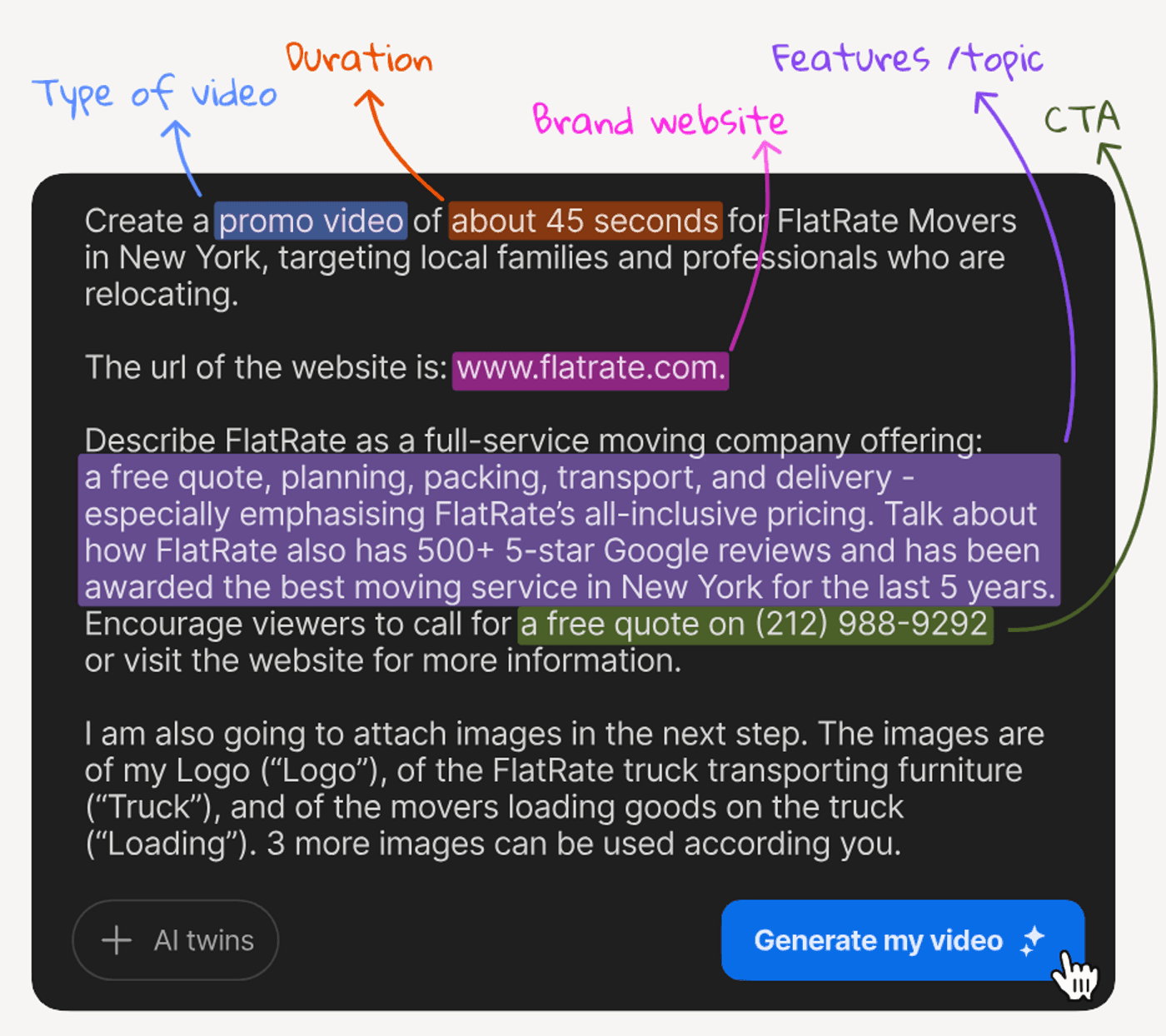
Video Type: "Create a promo video for..." Be as granular as possible on the type of promo video and what you are using it for.
Video length: How many seconds long should the video be?
Your Website URL: Add your URL so the AI can pull brand assets, learn your voice, understand your offering, and integrate your actual products or services. This is how small details like your logo, your product images, even photos of you end up in the final video without you manually placing them.
Key Features or Benefits: If you're promoting software, mention "automated invoicing and real-time reporting." If it's a physical product, describe "organic ingredients, cruelty-free, made in small batches."
Call to Action: Don't just write write "visit website." Write "Visit CleanHomeNow.com and use code CLEAN20 for 20% off your first order."
You can go even deeper with these additions…
The Why: "We're launching this promo because our grand opening is next Saturday and we need 100+ attendees."
The Outcome: "Generate foot traffic and social shares from local families."
The Context: "We're a family-owned bakery in a neighborhood with three other bakeries, so we need to stand out with our focus on allergen-free baking."
The Expert Lens: "Act as a local business marketing strategist who understands how to drive in-person visits."
The Audience: "Busy parents in the 30-45 age range who value quality ingredients and convenience."
The Constraints: "Avoid corporate stock footage. Use warm, inviting visuals. No hard-sell language."
Write like you're briefing a creative director who actually cares about results. Use the most natural language you can. Don't copy-paste a generic prompt from ChatGPT. Those create the most generic videos.
Add your brand assets
After you add your prompt and click on Generate my video, you will be taken to a new page.
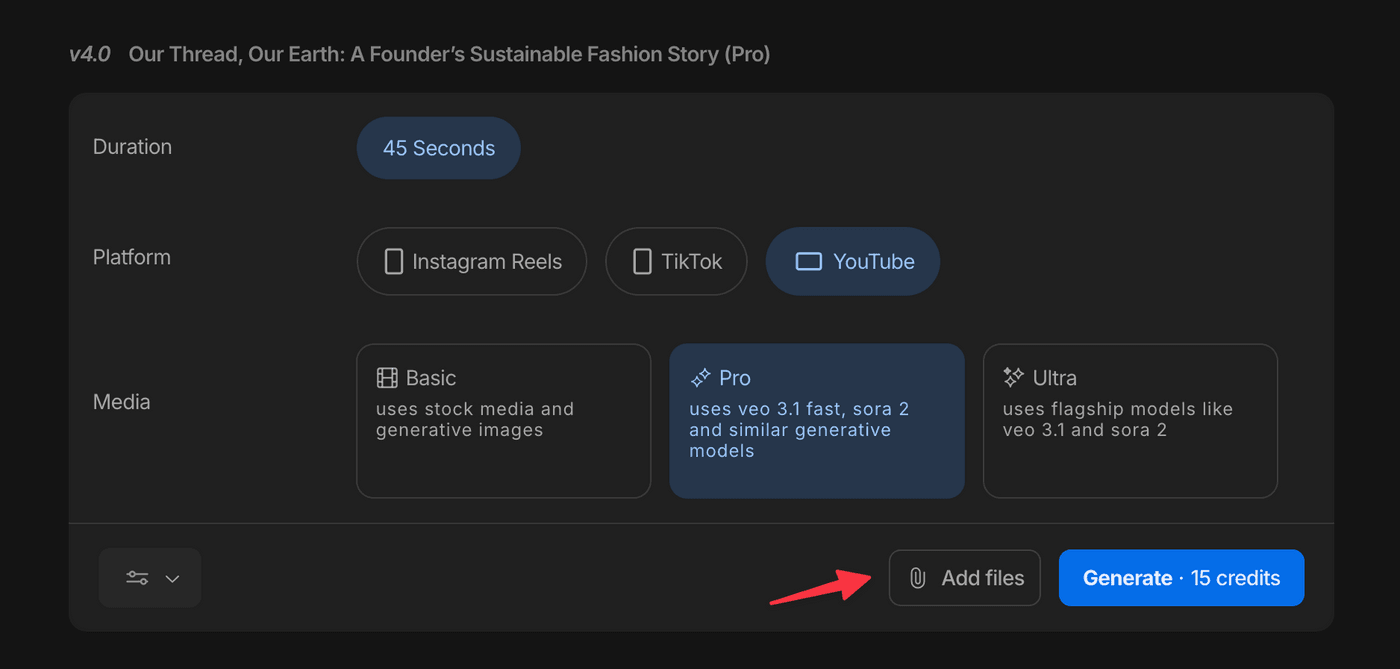
The most important thing you need to do here is click on "Add files" and upload your logo, product photos, or a headshot.
This is where AI's intelligent asset integration becomes magic. If you add product images they'll appear in premium, professionally styled settings. Include your logo, and it gets placed naturally without looking slapped on. If you run a service business, add photos of your workspace, your team, or past projects and our AI weaves them into the narrative.
Select your creative strategy
On this page you can also turn on creative strategy options by click on More Options under the filter towards the bottom left.
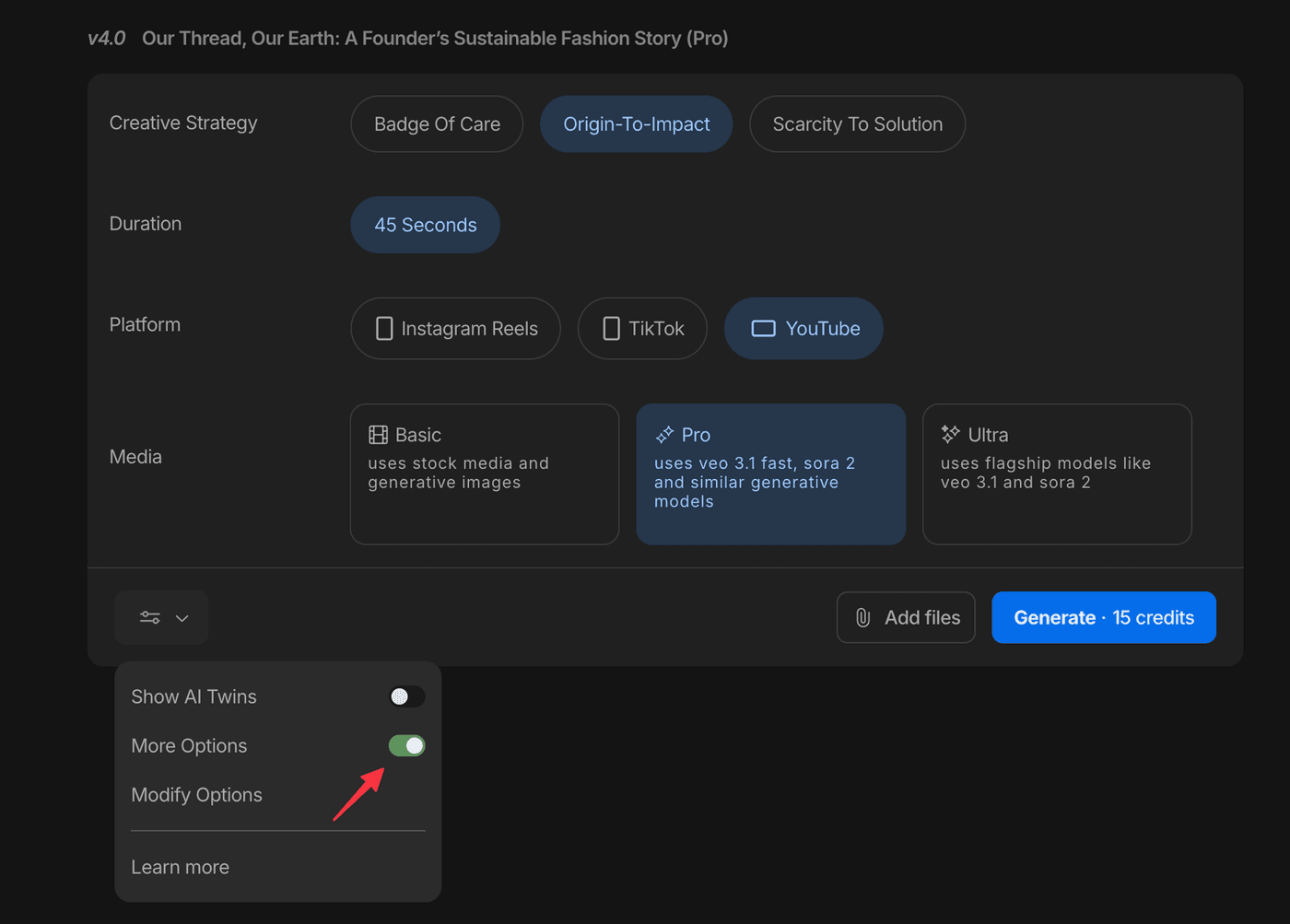
You will have three different options to choose from depending on the Workflow you chose earlier.
If you turn on AI Twins, you will also be able to add your AI twin or choose an AI actor.
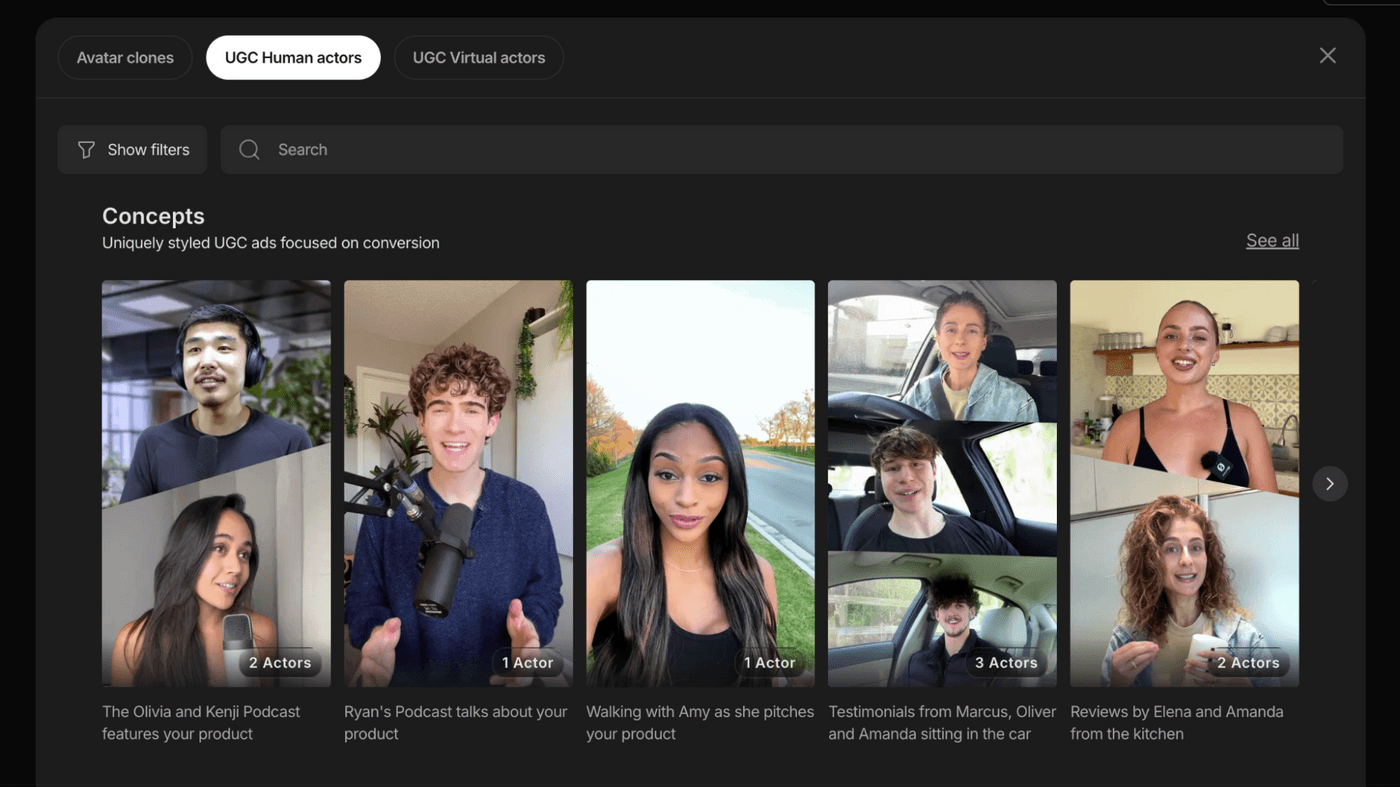
Under Media Quality, choose between Pro or Ultra and then click Generate to create your video.
Let AI make 300+ creative decisions
Here's what happens in the next 10 minutes while you grab coffee…
The AI writes a complete script based on your prompt. It structures the hook, problem, solution, and CTA automatically, using your brand voice if you provided a URL. It generates or sources visuals, cinema-quality clips using models like Sora 2 and Veo 3, and stock footage where appropriate. It creates human-sounding voiceover in the tone and accent you specified.
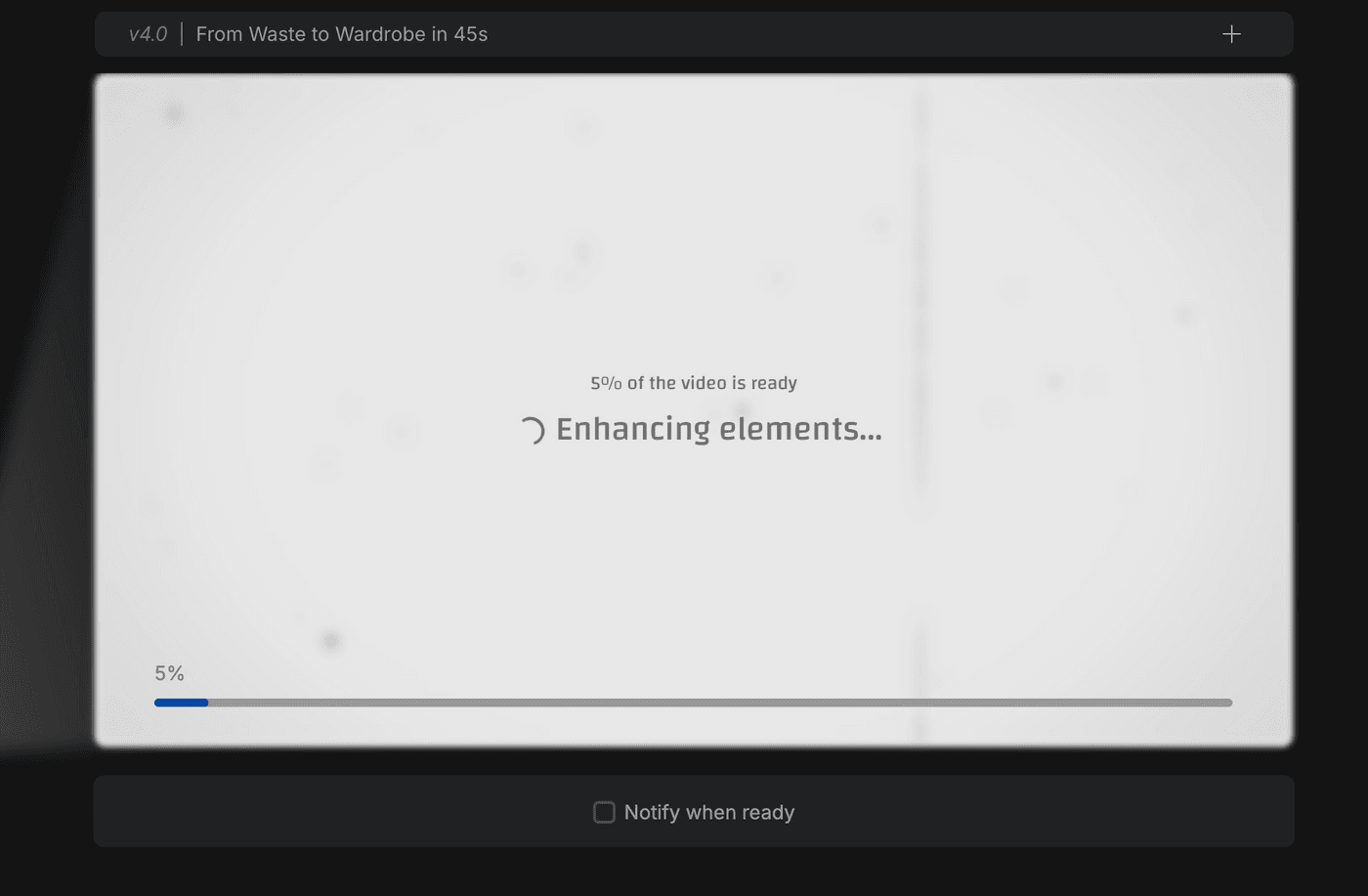
It selects background music that matches the mood you described. It adds transitions, pacing adjustments, and captions. It places your logo and branding elements naturally throughout. When it's done, you get a publish-ready first draft that looks like a production team spent days on it.
Review and refine with text commands - edit like you think
Start by playing the video a few times. If something's off you can make edits. It could be that the pacing feels slow, or you want a different music track, or one visual doesn't match.
And you don’t need to use a sophisticated timeline for this.
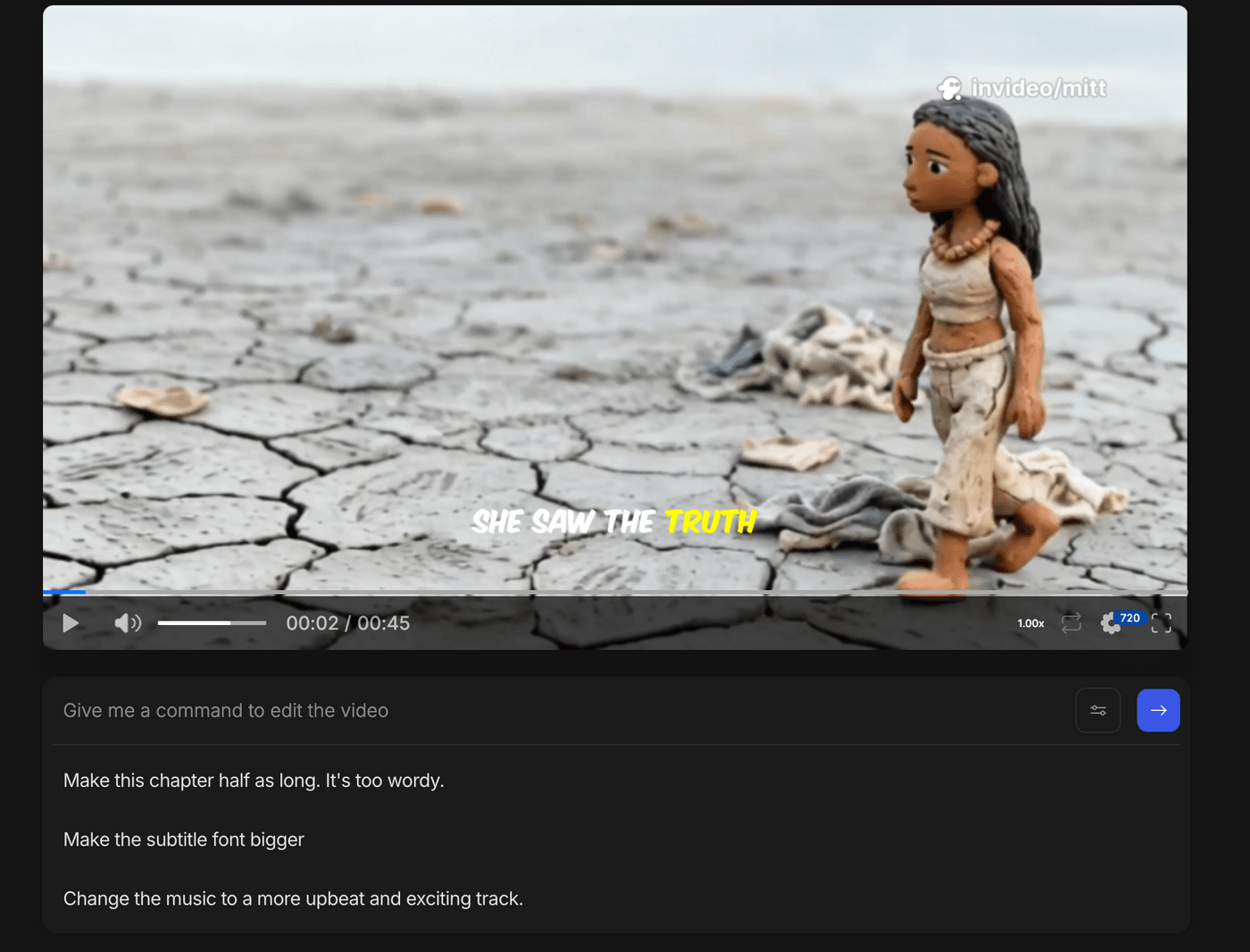
You can just type commands in the prompt box in plain English. You can ask it to…
- Make the intro faster
- Change the background music to something more upbeat
- Replace the visual at 0:15 with something showing families
- Make the voiceover warmer and friendlier
- Add my phone number to the end screen
The AI makes the changes and shows you a new version. You can iterate as many times as needed. Every version is saved in your edit history, so you can always roll back.
Manual control when you want It
Need more precise control? You can click the Manual Edit button.
You can swap any clip with generative media, stock footage from the library, or upload your own B-roll. You can also generate new music, browse stock tracks, or upload your own audio file.
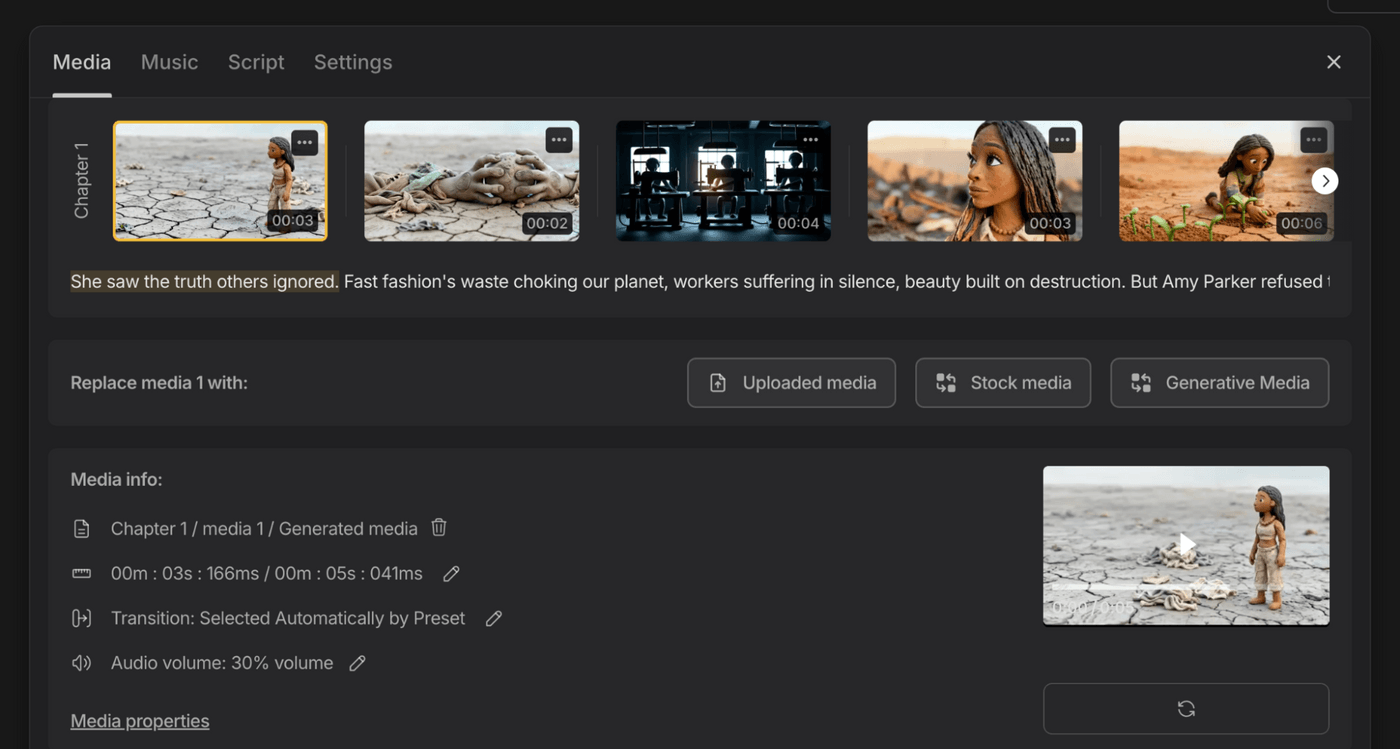
It also lets you change which character speaks if you're using multiple voices. This gives you the precision of traditional editing without the complexity.
Export and publish
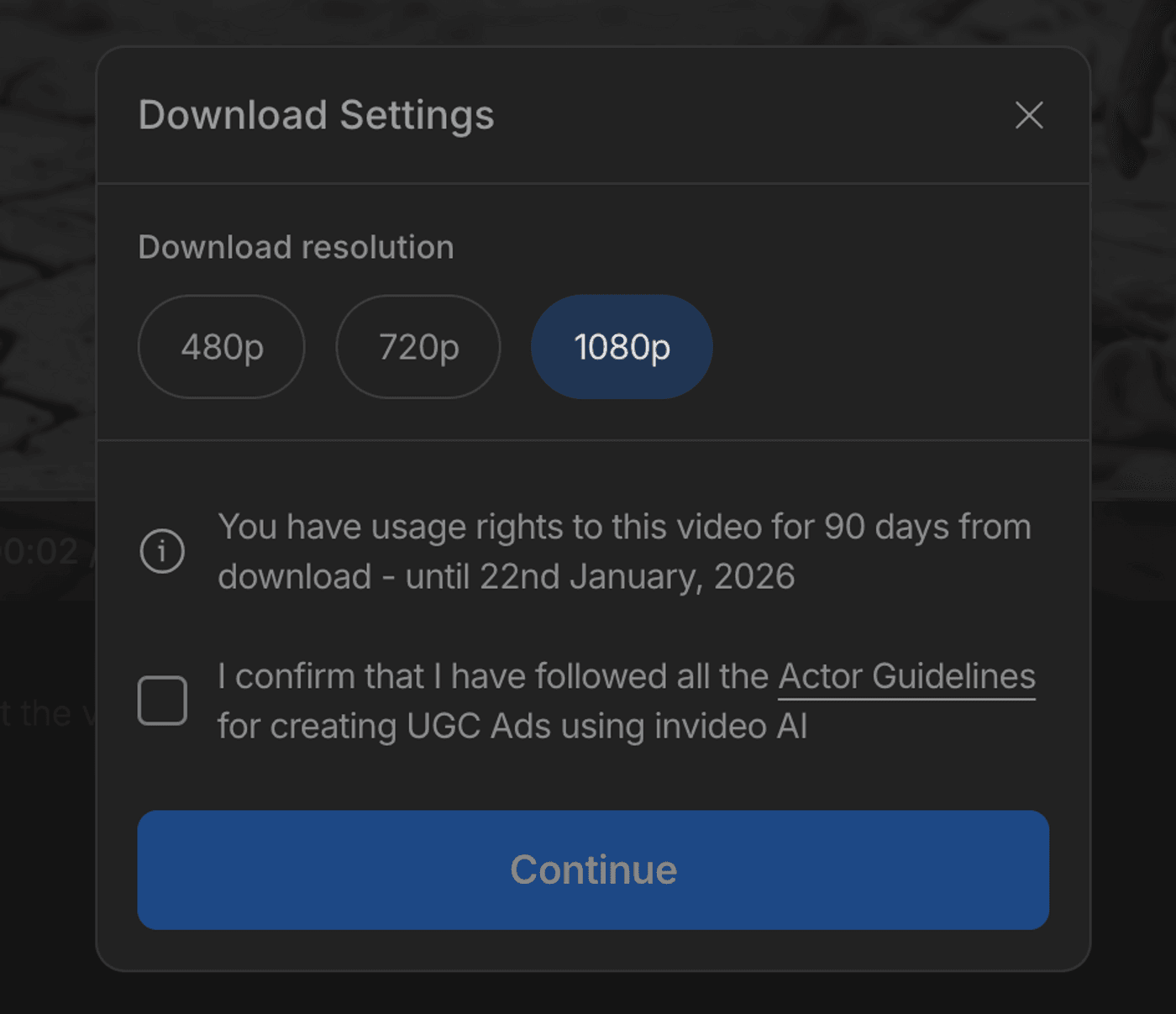
Once you're satisfied, download the video in up to 1080p resolution. No watermarks are added if you're on a paid plan.
Now create your promo video in 30 minutes
The barrier between you and professional video just disappeared. For years, video creation was gatekept by cost, technical complexity, and time.
Small businesses watched competitors with bigger budgets dominate while they stayed stuck with static posts and text. Agencies turned away good clients because the economics didn't work. Marketers knew video drove results but couldn't produce it fast enough to matter.
That era is over. You now have access to what used to be a $50,000 production house.
Small businesses can finally look as legitimate and polished as enterprise brands. Agencies can say yes to clients they used to decline and build those relationships into bigger accounts. Solo entrepreneurs can ship video content without hiring teams or learning software they'll never master.
The customers scrolling past your static posts are watching your competitors' videos instead. Not because those competitors are better, but because they're showing up in the format people actually engage with.
Now you can too. What will you make first with invideo?
