






Key Takeaways
-
Grok Imagine is designed as an "idea accelerator," prioritizing rapid generation over deep cinematic controls.
-
It works best for short, social-ready clips and rapid concept testing.
-
It is not ideal for long-form storytelling or highly structured brand videos.
-
For professional results, use Grok Imagine to spark the idea and then use invideo to provide the structure, brand assets, and long-form polish.
-
Limits and subscription tiers matter if you are creating at scale.
-
Powered by the Aurora model, it excels at creating high-energy, post-ready clips with synced audio that are native to the social media ecosystem.
Say you are building something important one day. A product demo. A paid ad. A brand video that needs to look intentional and controlled. You open Runway or Synthesia, refine every detail, and wait for the render because quality matters.
On another day, you just need to see if an idea works.
A bold hook. A strange visual metaphor. A meme-style concept for social. You do not want to spend 20 minutes perfecting it. You want to know, right now, whether it has potential.
That is where Grok Imagine enters the picture.
Instead of polishing one concept carefully, you can test five in the same time window. Drop in a rough prompt. Generate. Adjust. Try again. Within minutes, you have something you can post, pitch, or build on.
It’s not about declaring Grok Imagine the best AI video tool. It is about understanding what it actually does well.
What is Grok Imagine?
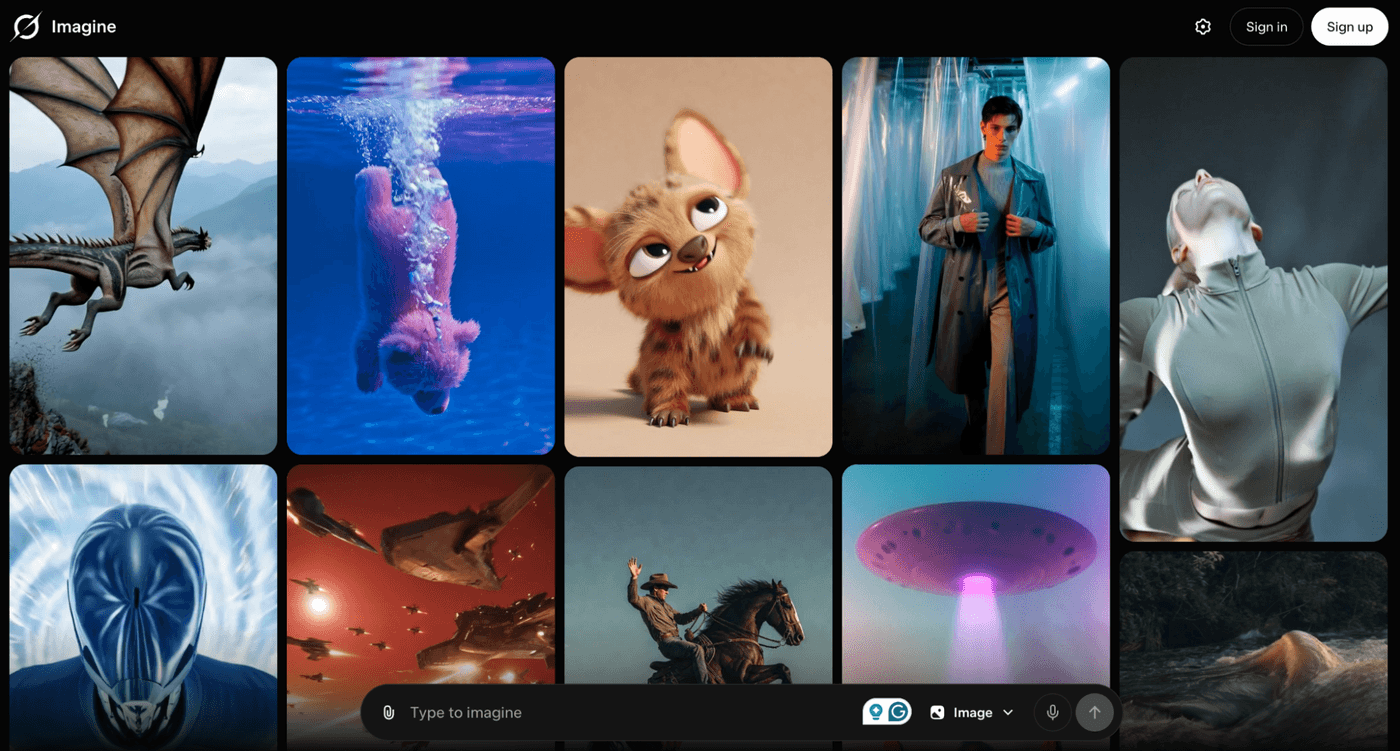
Grok Imagine is xAI’s text-to-image and text or image-to-video generator built into the Grok and X ecosystem. It turns simple prompts or uploaded images into short, social-ready video clips.
Powered by the Aurora model, Grok Imagine focuses on speed and immediacy. It typically creates 6 to 15 second clips, often with audio, designed to feel post-ready rather than deeply edited. There is no complex timeline or advanced scene control. The goal is fast creation, not detailed production.
Compared to other AI models, which offer greater control, Grok Imagine sits at the ideation stage. Grok Imagine, when used with tools like invideo, not only helps you generate and test visual ideas quickly but also create full-length videos.
Grok Imagine Review: Strengths And Limitations For AI Video Creators
Most independent reviews of Grok Imagine tend to revolve around the same themes: speed, simplicity, and creative freedom. The generation time is fast enough to change how you think. You can test multiple tones, moods, or visual angles within minutes.
The interface is intentionally lightweight. You are not buried under technical sliders or complex motion settings. Tutorials consistently highlight how easy it is to go from idea to output in a few clicks. Creative modes, including Spicy mode, add a layer of playfulness that makes it particularly suited for bold, social-first content.
The limitations are equally clear. Clips are short, usually in the 6 to 15 second range. Fine-grained control over camera paths, scene continuity, and detailed choreography is limited compared to other AI video models. It is also not ideal for long-form storytelling, structured training modules, or UGC-style talking-head videos where message clarity and consistency matter most unless used with a full-stack video creation platform such as invideo.io
Also Read: Best AI video generators in 2026
Best Grok Imagine Use Cases For AI Video And Social Content
Grok Imagine thrives in moments where you need motion fast. Not polished storytelling. Not brand-perfect lighting. Just momentum.
1. Meme Style Videos
One of its most natural use cases is meme-style content. Social platforms reward bold visuals, absurd exaggeration, and quick hooks. If you are reacting to a trend or testing a playful brand voice, Grok Imagine lets you turn an idea into a moving visual almost instantly.
2. Early Ad Concept
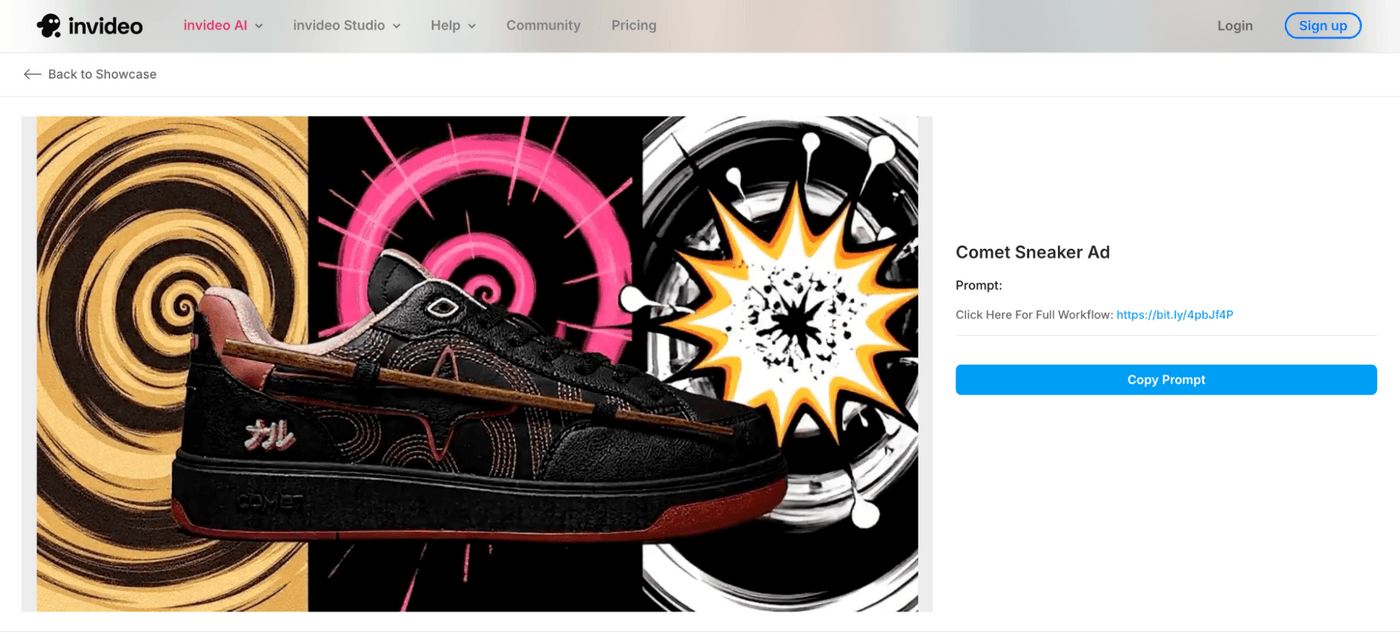
Early ad concepts are another strong fit. Instead of writing three different scripts and debating internally, you generate three short clips that express different emotional angles. Use it to test a visual hook before investing in full production.
3. Visual Mood Boards
When teams discuss campaign tone, conversations often get stuck in abstract language. Words like bold, futuristic, premium, or disruptive can mean different things to different people. Short animated clips solve that ambiguity.
4. Teaser Clips
If you are launching a feature, opening early access, or announcing something new, you do not always need a full explainer right away. A short, visually intriguing clip can spark curiosity and signal momentum.
Grok Imagine does not replace other tools. It complements them. Synthesia and HeyGen are better for structured explainers and training content, while Veed and invideo handle timeline control, captions, branding, and final exports. Grok Imagine simply feeds these platforms with fast visual ideas.
For example, a SaaS founder testing a new feature might generate three quick story angles in Grok Imagine. After seeing which one resonates, she rebuilds the winning concept with more control in Runway, adds a clear walkthrough in Synthesia, and finalizes everything inside invideo. In this workflow, Grok Imagine is not the finished product. It is the creative spark that speeds up decision-making.
How to use Grok Imagine
You can access Grok Imagine directly inside invideo. You can move from idea generation to structured editing in one continuous workflow. Let’s see how it works:
Step 1: Select Grok Imagine as Your Model
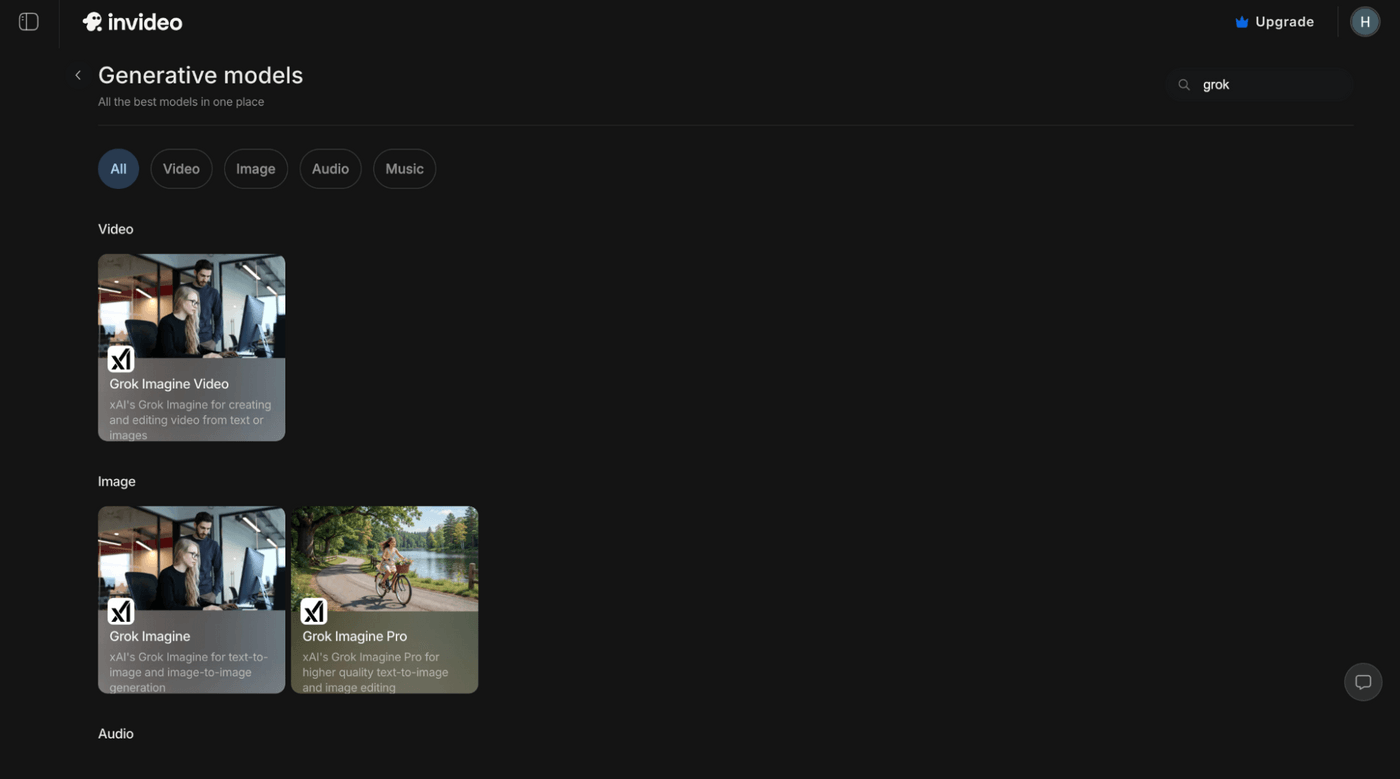
Start by opening a new project in invideo and choosing your format, such as vertical for reels or shorts. Before writing anything, head to the model selection area and choose Grok Imagine from the available AI video models.
Step 2: Write a Clear, Outcome-Focused Prompt
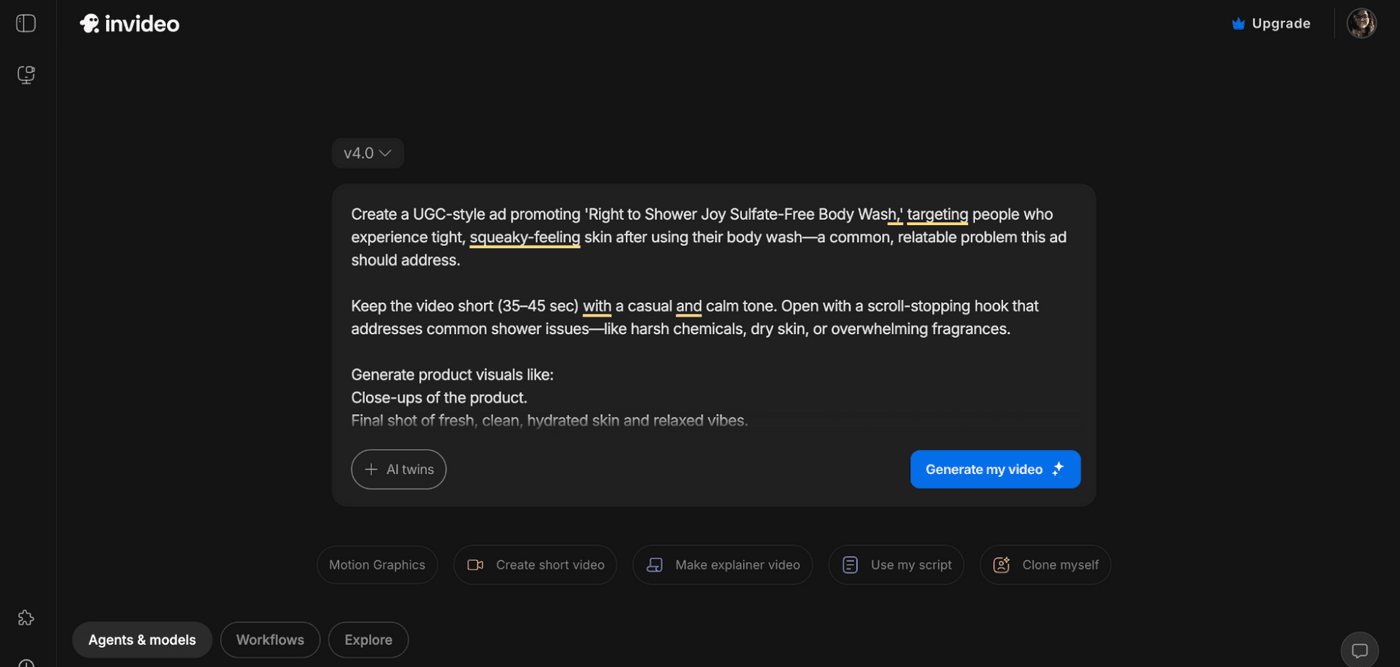
Write a clear, outcome-focused prompt. Think about the subject, mood, movement, and energy of the scene rather than technical details.
Step 3: Refine and Publish with Invideo
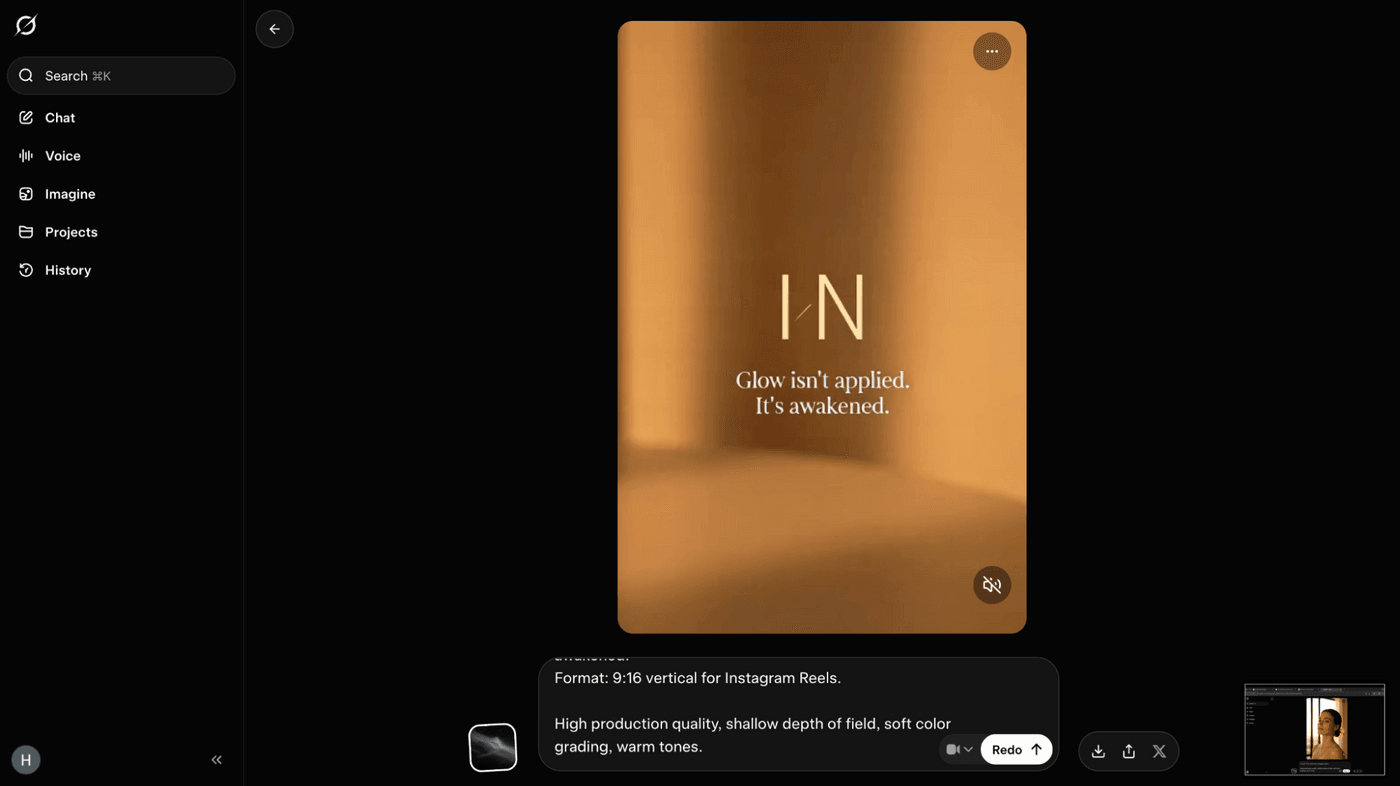
Once you have a strong clip, drop it into the invideo timeline. Add captions, branding, music, voiceover, and adjust pacing. If the concept needs expansion, you can combine it with other AI models available inside invideo to build a more structured piece.
This way, Grok Imagine becomes your idea engine, and invideo becomes the place where those ideas turn into polished, distribution-ready videos.
So what are you waiting for? Get generating today!
FAQs
1. Is Grok Imagine free for AI video generation?
Grok Imagine usually requires a subscription to X Premium services. However, you can access Grok imagine on invideo as part of its various pricing plans to generate clips and full-length videos.
2. How do you use Grok Imagine to turn an image into an AI video clip?
You simply upload your image into the prompt bar. Once uploaded, you provide a "Motion Prompt." Instead of just describing the scene, you tell the AI how to animate it. You can then add a text instruction to tell the AI how you want that specific image to move or change.
3. What is Grok Imagine Spicy mode, and how does Grok Imagine handle content moderation?
Spicy mode allows for more creative freedom with fewer restrictions on the types of images generated. However, the platform still maintains standard safety guidelines to prevent harmful content.
4. Are Grok Imagine videos private or public on X after generation and download?
Your generations are generally private to your account. They only become public if you choose to post them to your feed or share them with others. While private from the public, your data is used to train future xAI models unless you opt-out in your account settings. If you are working on confidential brand assets, ensure you have adjusted your privacy and data-sharing toggles accordingly.
5. What is the maximum Grok Imagine video length, resolution, and aspect ratio for exports?
Videos are typically 6 to 15 seconds long. They are optimized for social media viewing, generally favoring portrait or square aspect ratios.
6. How does Grok Imagine compare to Runway and Pika for fast AI video creation and iteration speed?
Grok Imagine is significantly faster for quick iterations. While it lacks the "surgical" editing tools found in Runway, it wins on the time taken from idea to first draft.
7. How can marketers write effective Grok Imagine prompts for social media ads and promo videos?
Focus on action verbs and specific lighting. Instead of saying "a car," try "a sleek red car driving through a neon city at night with motion blur."
8. Can brands safely use Grok Imagine for confidential or IP sensitive content without leaking assets?
Exercise caution as you would with any cloud based AI. For brands needing a more secure and controlled environment for their specific brand assets, invideo offers a professional alternative.
9. Why does Grok Imagine show a “video limit reached” message and how can users reset Grok Imagine limits?
This message appears once you have hit your daily cap. If you find these limits too restrictive for your daily workflow, using invideo can provide a more flexible solution with access to multiple powerful models.
10. Is Grok Imagine a better choice than Synthesia or HeyGen for creating TikTok and YouTube Shorts style videos?
For abstract or artistic clips, Grok Imagine is excellent. However, for videos that require a consistent human spokesperson or a complex story structure, invideo is often the better choice because it gives you access to a wider variety of models and editing tools in one place.
