






The "one-ad-fits-all" campaign is doomed.
Most brands or marketers fail at Black Friday or Cyber Monday (BFCM) sale season because they create one ad and run it to everyone, everywhere. For example, they'll use a single "50% OFF" template, simply changing the product name, and push that one asset to their entire audience. This lazy approach gets ignored by most users and, in effect, just wastes money.
A high-performing campaign is not one ad. It's a structured system. It’s an engine designed to show the right message to the right person at the right time.
In this article, you’ll learn how to build that engine, from strategic planning to automated execution. Let’s get started.
Part #1: The 3 Phases of Your BFCM Budget
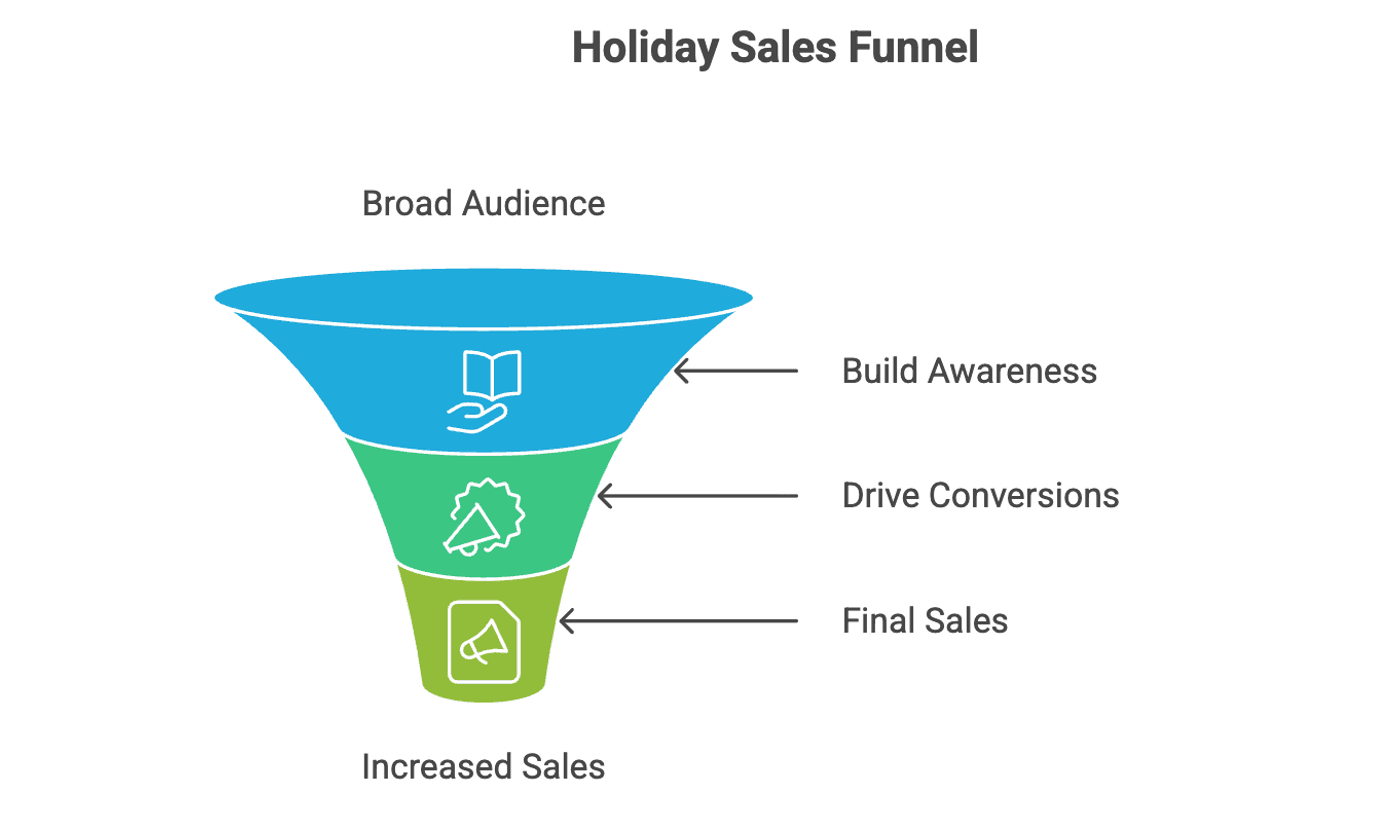
Before you build any ads, you need a timeline. A high-performing campaign isn't just about what you spend, but when you spend it. "Budget pacing" is the strategy of allocating your money to match your audience's mindset at each stage of the sales event.
We can break this down into three distinct phases.
-
Phase 1: The Hype Phase (Early to Mid-November)
-
Goal: Build awareness and capture "early bird" email signups.
-
Audience: Broad, new customers (Cold Traffic).
-
Your message should be one of anticipation, like, "Our best sale is coming. Get on the VIP list for early access." This phase should consume about 15–20% of your total spend to build a pipeline of interested leads.
-
-
Phase 2: The Peak Phase (Thanksgiving to Cyber Monday)
-
Goal: Drive massive conversions.
-
Audience: Everyone.
-
While you'll be advertising broadly, your focus must be on your Warm retargeting lists (site visitors, cart abandoners) and your Hot audiences (VIPs and past buyers). Your messaging should be direct, loud, and urgent: "50% OFF IS LIVE!" or "Your VIP Access is Here."
-
-
Phase 3: The "Last Chance" Phase (Week After Cyber Monday)
-
Goal: Squeeze out final sales from procrastinators.
-
Audience: Cart abandoners and non-purchasers.
-
This is where you'll spend the remaining 10–20% of your budget. Your audience narrows significantly to focus on cart abandoners and anyone who browsed during the sale but failed to purchase. Your message must communicate extreme scarcity: "Cyber Week Deals Extended!" or "Last Chance: Sale Ends Tonight!"
-
Part #2: The Strategy
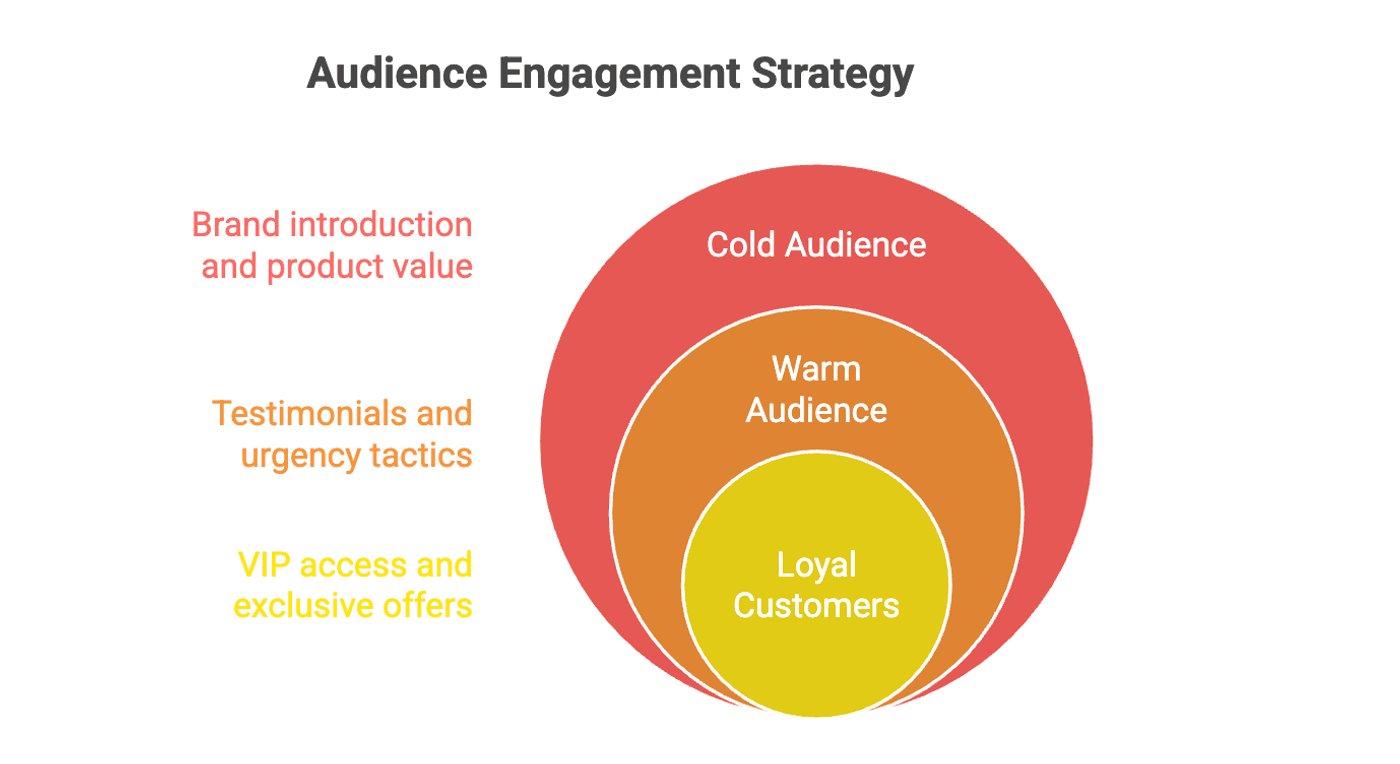
You cannot show the same ad to a stranger and a loyal customer. Your campaign must be segmented.
Here are the three types of audience:
-
Audience 1: Cold (The stranger)
-
Who: People who have never heard of you.
-
Goal: Introduce your brand and the value of your product.
-
Message: "This is who we are, and this is why our product is amazing. Get it now for 50% off."
-
For these types of audience, you need to use a video that explains your product's benefits.
-
-
Audience 2: Warm (The window shopper)
-
Who: People who visited your site, added to cart, or watched your videos.
-
Goal: Overcome their objections and build trust.
-
Message: "Still thinking about it? See what this customer had to say." (Testimonial) or "Did you forget this? Free shipping ends tonight!" (Urgency).
-
Make sure to show user-generated content (UGC), testimonials, or remind them of the specific product they viewed.
-
-
Audience 3: Hot (The loyal customer)
-
Who: Your email list and past purchasers.
-
Goal: Make them feel special and drive a repeat purchase.
-
Message: "As a thank you... Your VIP access is UNLOCKED. Get 60% off before anyone else."
-
Use "insider" language. Make it feel exclusive. This is your best and most aggressive offer.
-
Part #3: The Execution
Now that you have identified the audience and the right messaging, it is time to design the actual ads that will represent them on each platform.
This is where the “manual” part of the workflow slows campaigns down. Your "Warm Audience" ad needs to be a 9:16 video for TikTok, a 1:1 square video for the Instagram feed, and a 600px-wide GIF for an email. Manually re-designing your ad for all these formats is a seriously tedious workflow.
To put things into perspective, here are the typical requirements for each major channel:
-
TikTok or Instagram Reels: 9:16 mobile format vertical video
-
Instagram or Facebook Feed: 1:1 square or 4:5 vertical images and videos
-
Email Marketing: 600px-wide banner images (GIFs or static)
-
Google Display Ads: A full asset pack including landscape (16:9), square (1:1), and vertical (4:5) images and videos
If you do the math: (3 Audiences) × (4 Channels) × (3 Creative Variations) = 36+ individual assets to design, export, and manage.
This is precisely why marketers cut corners and default to the "one-ad-fits-all" model. You don't "make 36 ads" one by one. You use an AI-powered web app like invideo to generate them based on your strategy.
Invideo is an AI-powered web app that can generate full-blown, high-quality video ads from a simple text description. It intelligently accesses thousands of copyright-free media assets, stitches them together with your own product photos, and produces a customized video ad. It also has a feature called "presets," which are pre-built creative concepts designed for a specific purpose, like a "high-converting video ad" or a "UGC-style testimonial."
Let’s do one campaign ad example using invideo’s preset feature. Suppose you are selling a pickled cucumber and offering it at a 40% discount for the Black Friday sale. You can choose the “3D Billboard” preset and upload the image below as your reference photo:
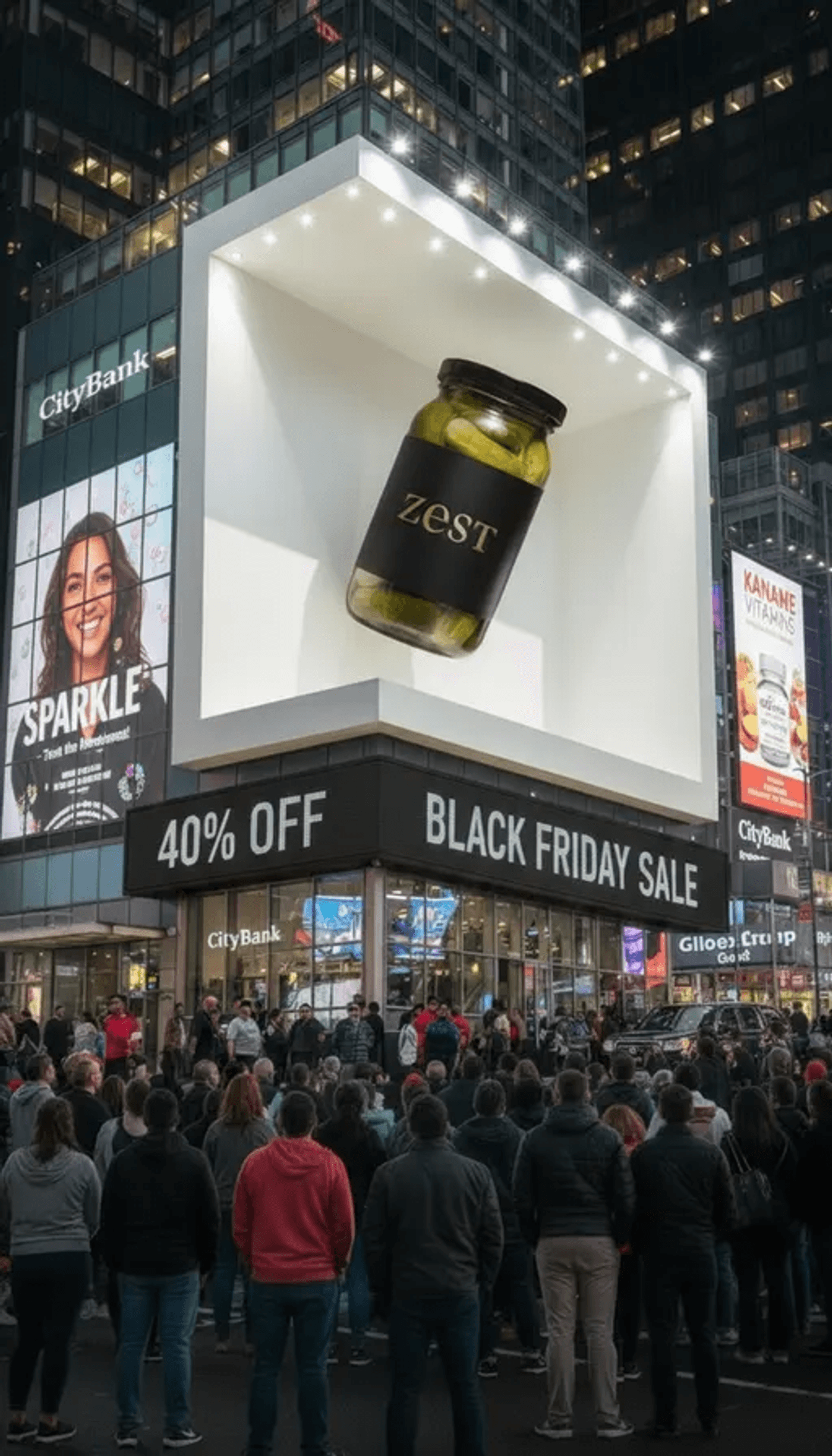
Prompt: Make the product in the billboard hover up and down very, very slowly and subtly, and a few of the people below should be clicking images of the billboard on their smartphones.
Awesome. I love how the product and the discount offer are clearly emphasized in the video. The lighting and animation look well-rendered, making the billboard feel like a massive attraction in a real city street.
You can always modify the prompt if you want a different vibe. You may ask the AI to make the crowd react more strongly or increase the motion of the product to give it more presence in the frame.
To repurpose this campaign ad for other aspect ratios, simply change the aspect ratio in invideo’s video generator and regenerate.
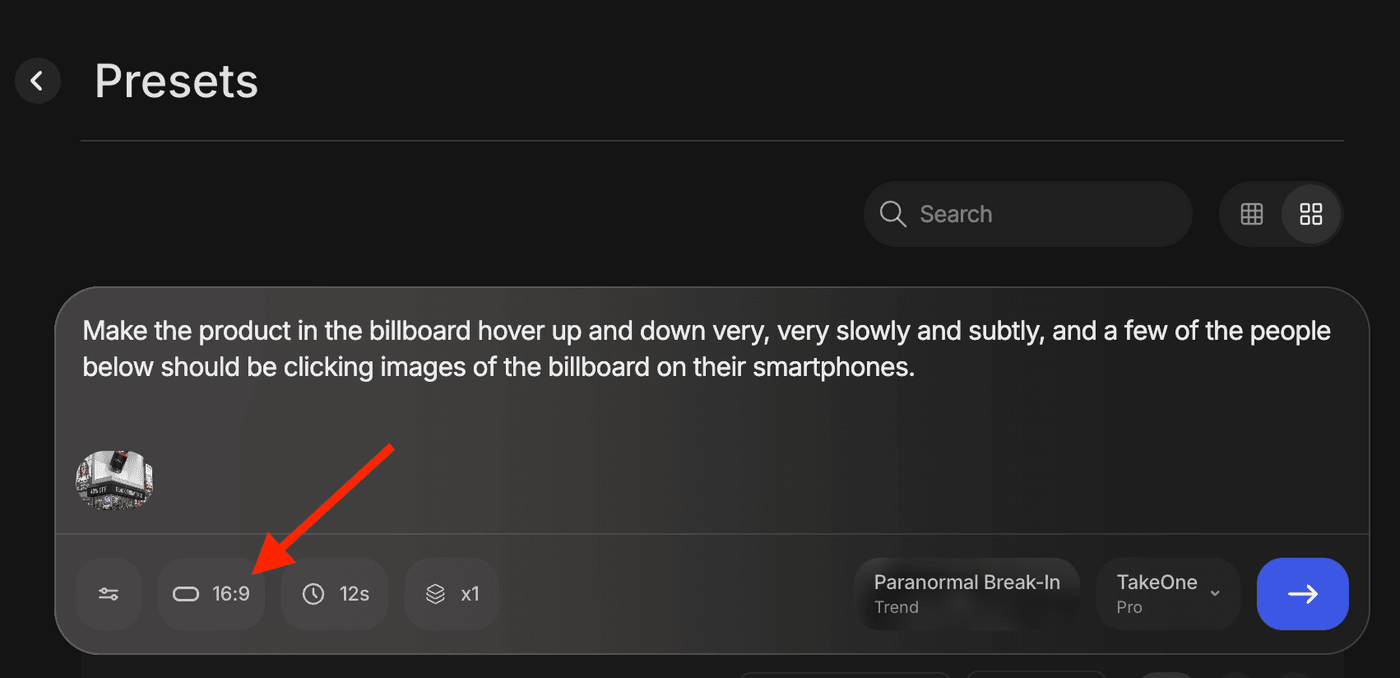
The AI will intelligently reformat the same concept into a 9:16 for TikTok, a 1:1 for Instagram, and a 16:9 for YouTube. You can also tweak the prompt to generate videos for the audience type. Check out these examples:
-
For your HOT Audience:
-
Prompt: A video for my VIP list. Show my new shoe brand. Text 'Your 60% Off VIP Access is Here!' Use a luxury gold-and-black theme.
-
-
For your WARM Audience:
-
Prompt: UGC-style video for cart abandoners. Show a customer using the 'Scrub Daddy' product. The streamer screams, 'Wait, is that 30% OFF?!'
-
-
For your COLD Audience:
-
Prompt: A video for Instagram explaining my product's main benefit. Show the product on a clean background. Text 'The Best Black Friday Deal is Here.'
-
This is a smart way to actually execute a high-performing, segmented campaign without an army of designers.
Final Thoughts
A winning Black Friday campaign is not about having the single "best" ad. It's about having the most relevant ad for every single customer segment. In the past, this level of personalization was impossible for most brands. The strategy was great, but the execution was too slow and expensive.
Now, strategy and automation work together. Use the blueprint in this manual to plan your audiences, budgets, and channels. Then, use a powerful tool like invideo to execute that plan at a scale and speed that your competitors, who are still stuck in the old template trap, simply cannot match.
The presets featured in this article are only a few of the many tools offered by invideo. I highly recommend checking out the platform to explore its other powerful tools. You can use the full AI video agents to generate entire ad campaigns from scratch with a single prompt or use the AI avatar creator for engaging and consistent UGC-style videos.
Exploring these tools will help you create an even more diverse and powerful lineup of ads for this Black Friday and Cyber Monday.
Still not sure which Ads will work best for your business?
- Here are 7 Black Friday Ad ideas for Fashion Brands.
- Need to create trending AI ads for your e-commerce business on Cyber Monday - These 7 presets will capture your viewer's attention.
- Similarly, if you are running a Health & Wellness brand - these Black Friday Ad strategies are designed just for you.
- Want to combat Black Friday ad fatigue? - check this playbook for a refreshed approach with AI
- Get the best out from Invideo by using these prompting techniques and kick-start your BFCM marketing campaign
