





Key Takeaways
-
Ideogram AI excels at text rendering: It is the industry leader for keeping letters sharp and legible.
-
Prompts are everything: Using quotes around your text tells the AI exactly what to write.
-
Short text works best: While it can handle sentences, single words or short phrases yield the cleanest results.
-
Ideal for quick design needs: Perfect for logos, posters, and YouTube thumbnails.
-
Pair with video tools: Turn your static Ideogram designs into high-engagement videos using invideo.
If you have ever tried using an AI image generator to create a poster, thumbnail, or quote graphic, you already know the struggle. The visuals look stunning, the colors are perfect, but the text looks like complete nonsense. Random letters. Broken words. Typography that makes no sense.
This “AI spaghetti text” problem has been one of the biggest frustrations for creators. ‘That is exactly where Ideogram AI on invideo changes the game. Instead of treating text as an afterthought, Ideogram AI focuses on typography and layout as a core strength. It is built to generate images where the text actually looks clean, readable, and intentional.
For creators, brand owners, and social media managers, this is has been a massive shift. You can finally generate posters, thumbnails, and branded visuals without jumping between multiple design tools.
If you are looking for an AI poster generator or wondering what’s the best AI text-to-image generator for text-heavy visuals, this is the tool you need to understand.
Why Text in AI Images Has Always Been a Problem
Generating an image of a cat is easy for AI because a cat’s fur can look a thousand different ways and still be a "cat." However, text is different. Typography requires mathematical precision, specific spacing, and consistent letter shapes. Most AI tools struggle with this, often producing distorted letters or nonsensical symbols.
For creators, this is a major roadblock. If you are trying to create images with text AI for a Facebook ad or a professional presentation, "gibberish" text makes the work unusable. You end up spending more time fixing the text in Photoshop than you did generating the image. Ideogram AI was built specifically to solve this, making it a favorite among AI design tools for creators
What Is Ideogram AI?
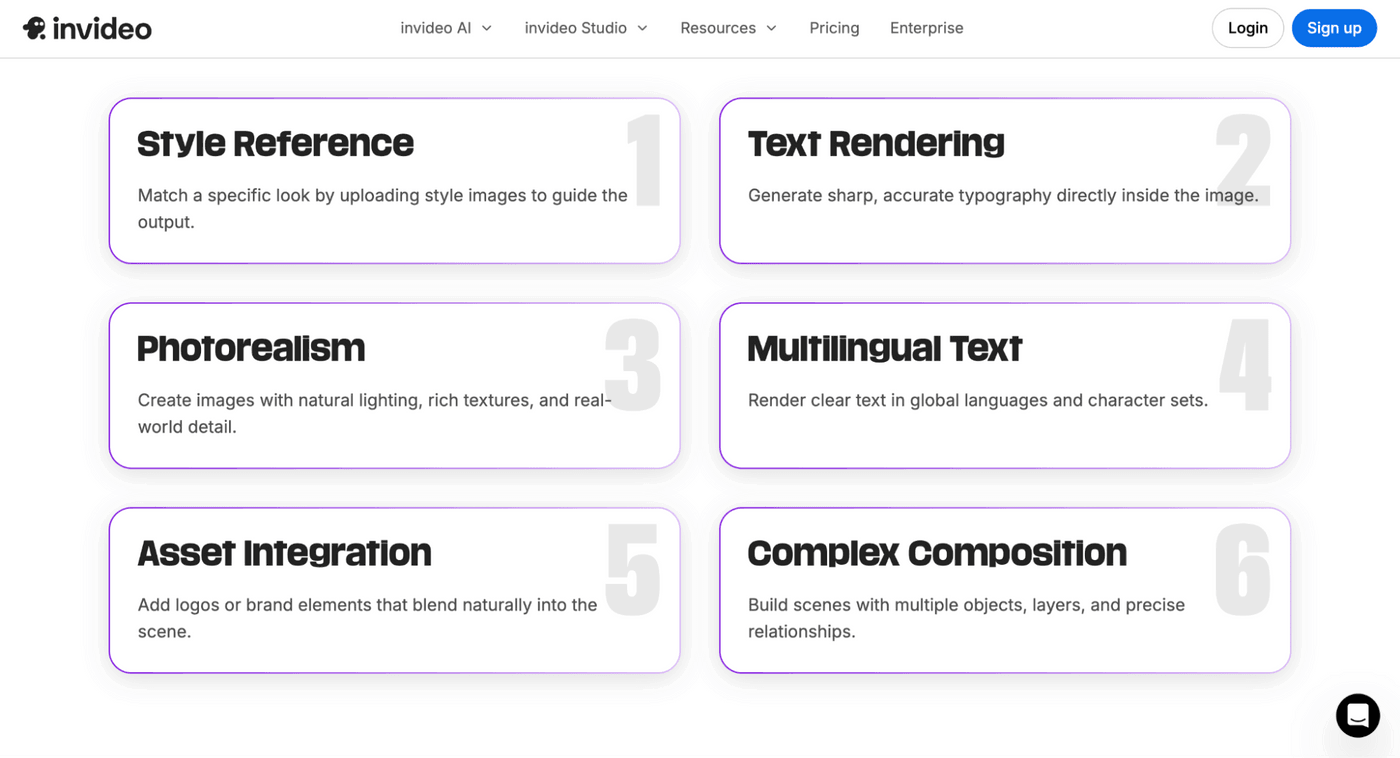
Ideogram AI is a generative platform designed with a "text-first" philosophy. While it can certainly create stunning portraits and landscapes, its true power lies in its ability to render typography within an image exactly how you envisioned it. It is an essential tool for:
- Marketers: Who need instant ad mockups with readable CTAs.
- Small Business Owners: Who want to generate a professional-looking AI poster generator result without a graphic design degree.
- Social Media Managers: Who need to produce high-quality quote cards and announcements at scale
Creative Use Cases for Ideogram AI in 2026
By 2026, the demand for instant, high-fidelity content has skyrocketed. Here is how you can use the ideogram AI image generator to stay ahead:
1. Logo Design
Forget generic icons. You can use Ideogram to create vector-style brand marks that actually include your company name in a font that matches your brand’s personality.
2. Merchandise and Print-on-Demand
If you run a T-shirt or sticker business, this tool is a goldmine. You can generate a "Vintage 70s style sunset with the text 'Golden Vibes Only'" and have a production-ready design in seconds.
3. Social Media Graphics
Engagement often comes down to how quickly a user can read your post. Use Ideogram to craft bold, high-contrast quote cards for Instagram or X that stand out in a crowded feed.
4. Book Covers and Digital Products
Self-publishing a book? You can generate a full layout with the title and author name perfectly placed, giving you a professional "first draft" of your cover.
5. UI/UX Placeholders
Designers can use Ideogram to create mock interfaces with real text labels instead of random gibberish. This makes presentations and prototypes feel more realistic.
How to Use Ideogram AI on Invideo
Using Ideogram AI within your workflow is simple, especially when combined with other video tools.
Step 1: Sign Up and Access the Tool
Start by accessing Ideogram AI through the invideo platform. Once you log in, under ‘Agents & Models, you will find Ideogram. Once selected, you are directed to the prompt box. The prompt box becomes your main workspace.
No complicated setup is required.
Step 2: Write a Clear Prompt
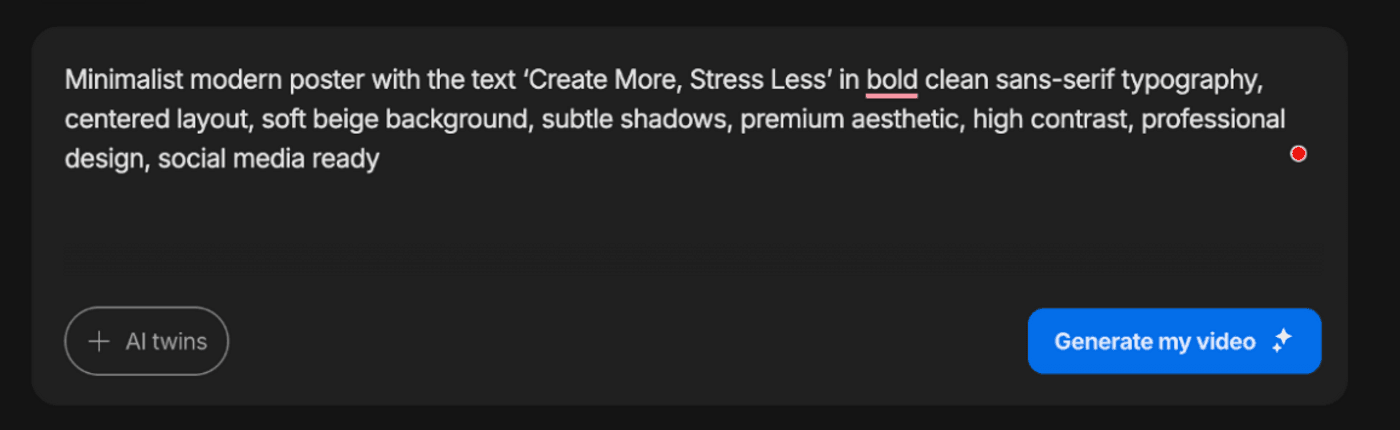
Ideogram AI depends heavily on how clearly you describe your idea. When writing your prompt, always include the exact text you want in quotation marks so the tool understands what needs to appear in the image.
Step 3: Choose Style and Settings
You can experiment with different aesthetics such as minimalist, cinematic, neon, or vintage. You can also adjust the aspect ratio depending on where you plan to use the image.
Step 4: Generate and Refine Results
Click generate and review the outputs. You will usually get multiple variations after which you can adjust prompt wording, simplify text if needed, specify font style or placement, and iterate until it feels right!
Once you generate your visuals, you can:
- Turn posters into reels
- Animate quote graphics
- Convert thumbnails into short videos
This is where invideo Ideogram becomes a full content engine.
Step 5: Download and Use
Once satisfied, download your image and use it across:
- Social media
- Ads
- Thumbnails
- Merchandise
The output is ready to go, saving hours of manual design work.
Best Ideogram AI Prompts for Text-Based Images
To get the most out of Ideogram AI, you need to use specific, visually grounded language. Below are high-performing prompt templates categorized by style to help you create images with text AI that look professional and intentional.
1. Brand & Logo Design
Ideogram is a favorite for AI logo design because it understands kerning and font weight.
- Minimalist Wordmark: "A high-end wordmark logo for a luxury skincare brand named 'AURA' in a sophisticated serif font with gold foil texture, centered on a clean white background, minimalist aesthetic."
- Modern Tech Emblem: "A sleek geometric logo for a startup named 'NEXUS', featuring a stylized letter N integrated into a hexagonal shape, vibrant blue and silver gradient, futuristic vector style."
- Mascot & Title: "A playful mascot logo of a friendly robot holding a wrench, with the text 'TECH BUDDY' in a bold, rounded sans-serif font below the character, flat design, vibrant orange and charcoal color palette."
2. Social Media & Content Creation
These prompts are designed to stop the scroll on Instagram, X, or YouTube.
- Neon Quote Card: "A dark, moody room with a glowing neon sign on a brick wall that says 'STAY CURIOUS' in electric cyan, cinematic lighting, realistic textures, 8k resolution."
- YouTube Thumbnail: "High-impact YouTube thumbnail featuring a surprised person pointing at a large 3D chrome text that reads 'AI IS MAGIC', vibrant purple and yellow background, high contrast, bold editorial style."
- Aesthetic Lifestyle: "A top-down view of a marble desk with a laptop, a cup of coffee, and a small notebook that has the text 'Daily Wins' written in elegant gold foil calligraphy, soft morning sunlight, Pinterest aesthetic."
3. Merchandise & Print-on-Demand
Perfect for t-shirts, posters, and stickers.
- Retro 70s Poster: "A vintage 1970s style travel poster with a sunset and palm trees, featuring the text 'MALIBU SUNSET' in a thick, groovy retro font with warm orange and yellow stripes, distressed paper texture."
- Urban Streetwear: "A bold streetwear graphic featuring a stylized skull wearing sunglasses, with the word 'CHAOS' written in aggressive, dripping graffiti-style letters across the center, high-contrast black and white."
- Whimsical Greeting Card: "A delightful illustration of a hedgehog holding a giant cupcake, with the text 'HAPPY BIRTHDAY!' written in colorful, bouncy hand-drawn letters, soft watercolor style on textured paper."
4. Professional Layouts & Mockups
Use these to visualize products or marketing materials.
- Book Cover: "A professional book cover for a mystery novel titled 'THE SILENT WITNESS' by 'A.G. WHITE', featuring a foggy alleyway at night, bold serif typography, moody teal and black tones."
- Product Packaging: "A sleek matte black dropper bottle for a face serum, featuring a minimalist white label with the text 'PURE BOTANICS' and 'VITAMIN C' in clean sans-serif font, luxury product photography style."
- Magazine Ad: "A modern magazine layout for a high-end furniture brand, featuring a minimalist chair and the headline 'COMFORT REIMAGINED' in large, elegant typography with plenty of white space."
Leveling Up Your Design Workflow
Ideogram AI simplifies the creative process by fixing one of the biggest pain points in AI design: messy, unreadable text. You can now create clean, text-based visuals like posters, thumbnails, and social media graphics without relying on multiple tools for corrections. This makes it especially useful for creators who need speed, consistency, and quality in their everyday content.
The real advantage comes when you extend these visuals into video. By pairing Ideogram AI with tools like invideo, you can turn a single image into engaging video content for reels and ads. This helps you scale your content output, improve reach, and build a more efficient workflow without starting from scratch each time.
FAQs
-
1.
What makes Ideogram AI different from other AI image generators?
Ideogram AI stands out because of its ability to render clear, readable text inside images. Most tools struggle with typography, but Ideogram is specifically optimized for it.
-
2.
How can I write better prompts in Ideogram AI?
Use clear instructions, keep text short, and always include the exact wording in quotation marks. Adding style details like “minimalist” or “cinematic” also improves results. Start with the core subject, followed by the specific text you want to include in double quotation marks (e.g., "a neon sign that says 'Open 24/7'").
-
3.
Can Ideogram AI handle long text inside images?
Ideogram AI handles long text inside images, but shorter text works much better. Long sentences may still reduce clarity and visual quality. However, for the best visual balance, it is recommended to keep primary text concise. For professional layouts, it is best to use Ideogram to create images with text for headlines and logos, then use the built-in Ideogram Canvas to refine or add smaller details.
-
4.
Is Ideogram AI suitable for beginners?
Yes, Ideogram AI is suitable for beginners. The interface is simple, and results are easy to generate with basic prompts, allowing beginners to start quickly without design experience.
-
5.
Can Ideogram AI be used for professional content creation?
Absolutely. It is already being used for social media graphics, ad creatives, merchandise design, and more. With the right prompts, it can produce high-quality, professional visuals. Beyond simple image generation, it offers professional-grade features like Style Reference (uploading an image to mimic its aesthetic) and Color Palette control to ensure brand consistency. Whether you are building ad creatives, t-shirt designs for print-on-demand, or corporate logos, Ideogram provides the "Figma-like" control needed to produce high-fidelity, career-ready assets that require minimal post-processing.
