






Storyboards exist for one reason. Traditionally, artists map out each scene as a quick sketch and arrange them similar to a comic strip.
These drawings show where the camera stands, how the subject is framed, and what the audience should focus on.
AI generation now offers a similar creative workflow. AI video and image models can keep any subject consistent from one scene to the next. You can build short films or multi-scene promotional videos without filming anything or setting up a physical studio.
The challenge is how to control the camera inside an AI model, the same way you would do on a storyboard? The solution is through prompting techniques.
In this guide, I will show you how to generate images from different angles while keeping the subject consistent. This works for products, people, scenes, and many other subjects.
Let’s get started.
Getting Started with invideo
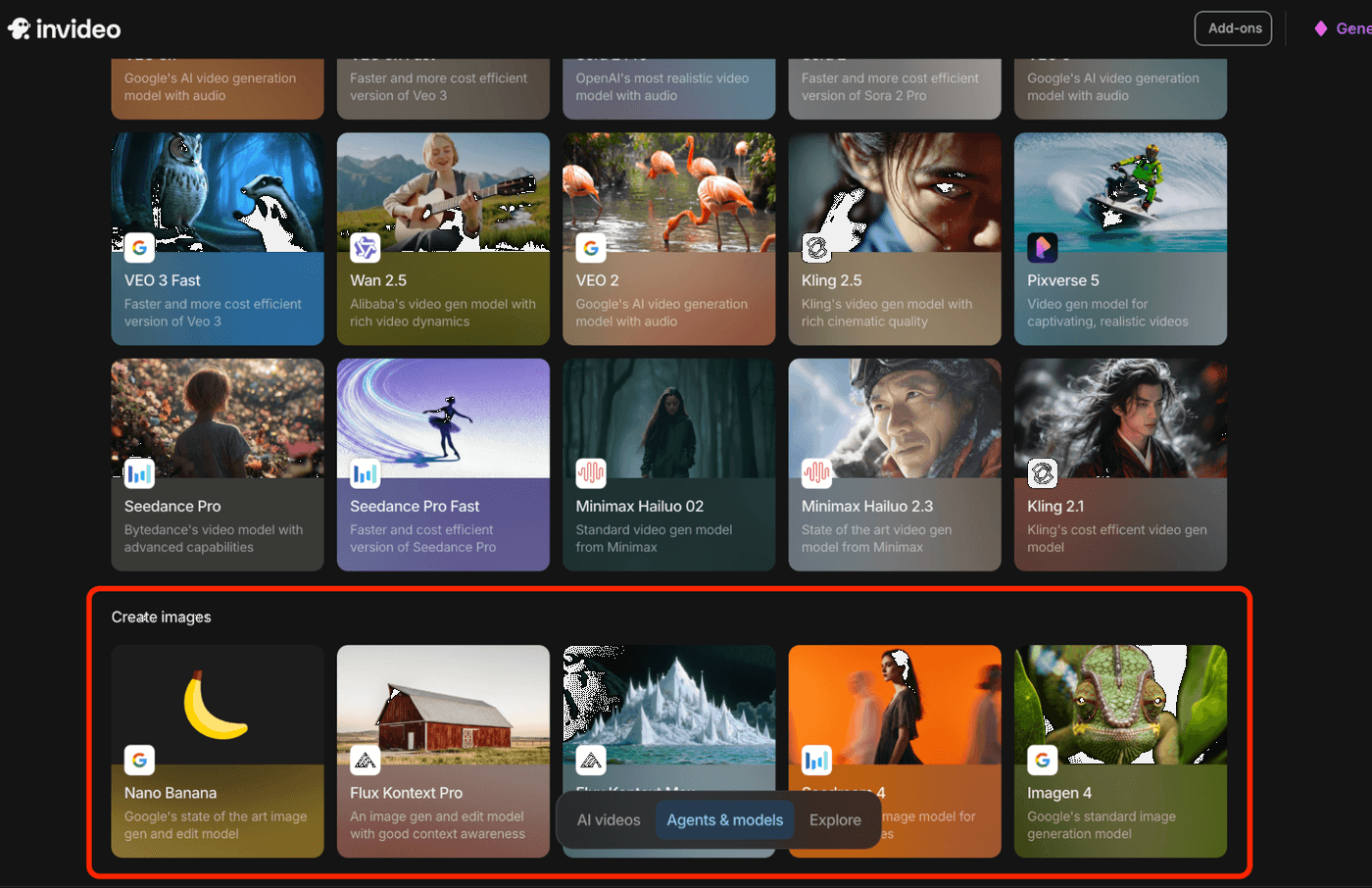
Head over to invideo and create an account for free. Once you're logged in, open the AI agents & models tab and under the list of image models, choose the one that you like the most. If you are not sure which one to choose, select Nano Banana.
It is also important that you already have an input image with a clear subject that will be used if you plan to follow along with the tutorial.
We will be using the full shot photo of a handbag product as a starting point.
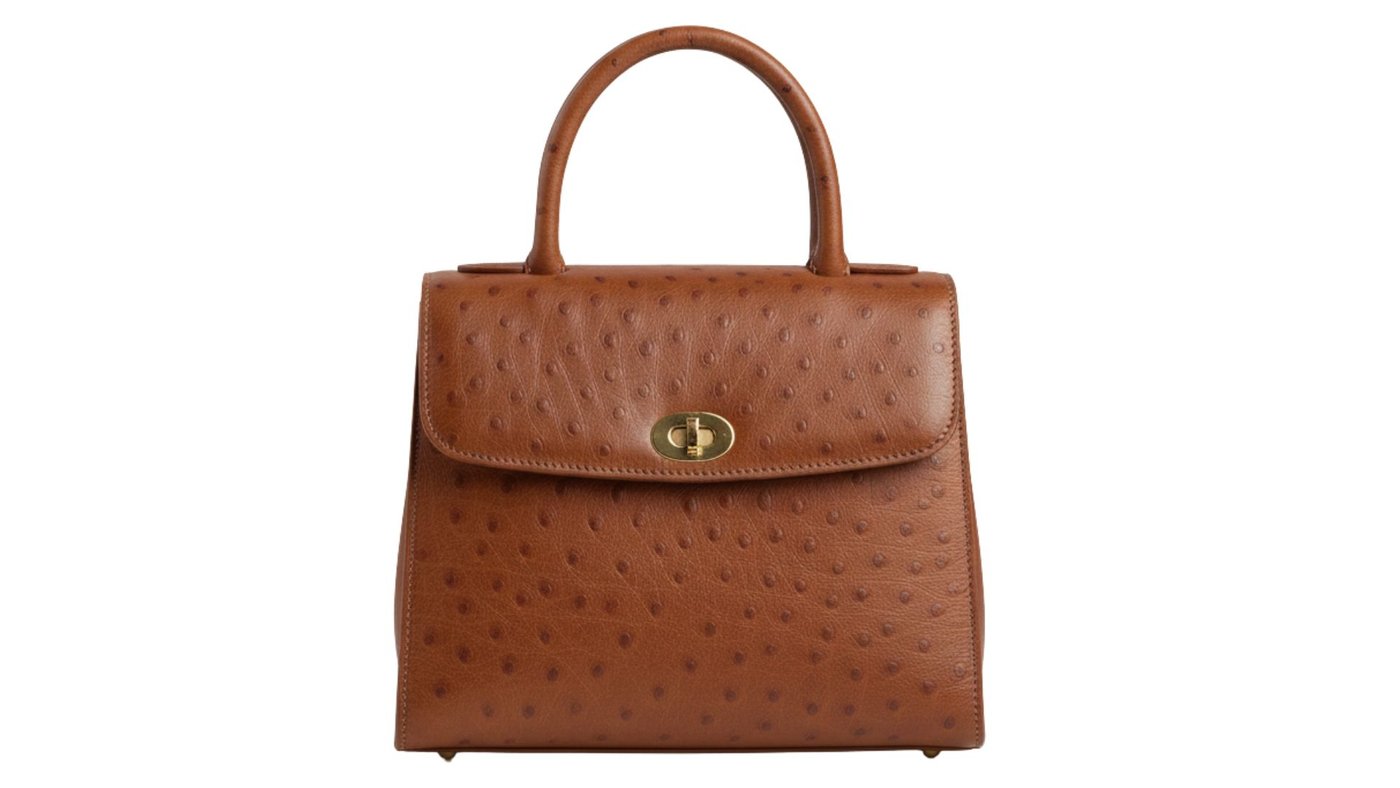
This reference image is the key to keeping your product consistent across all the new angles.
Once you're in the generator, you'll see your main prompt box. This is where you add the prompt or describe how the final image should look.
Before you start prompting, set your base parameters.
-
Reference Photo: Make sure your handbag photo is active. There might be a "strength" slider. You can leave it at the default for now.
-
Aspect Ratio: For product shots, 1:1 (Square) or 4:3 (Standard) is great. If it's for a video or website banner, use 16:9 (Widescreen).
-
Negative Prompt: You can access this in the advanced settings page. In the negative prompt box, type in all the stuff you don't want to see. A good starting point is: blurry, distorted, ugly, bad quality, extra handles, deformed, text, watermark, bad lighting
-
Number of Outputs: I like to set this to 2 or 4. This gives you a few options to pick from for each prompt.
Now, let's get into the process of reimagining this product from various angles.
Reimagining Your Product in Various Angles
With your reference image of the handbag locked in, all you have to do now is change the main text prompt to get your new angles.
Slightly angled shot
Prompt: Product shot of the handbag, slightly angled view, sitting on a polished wooden desk.
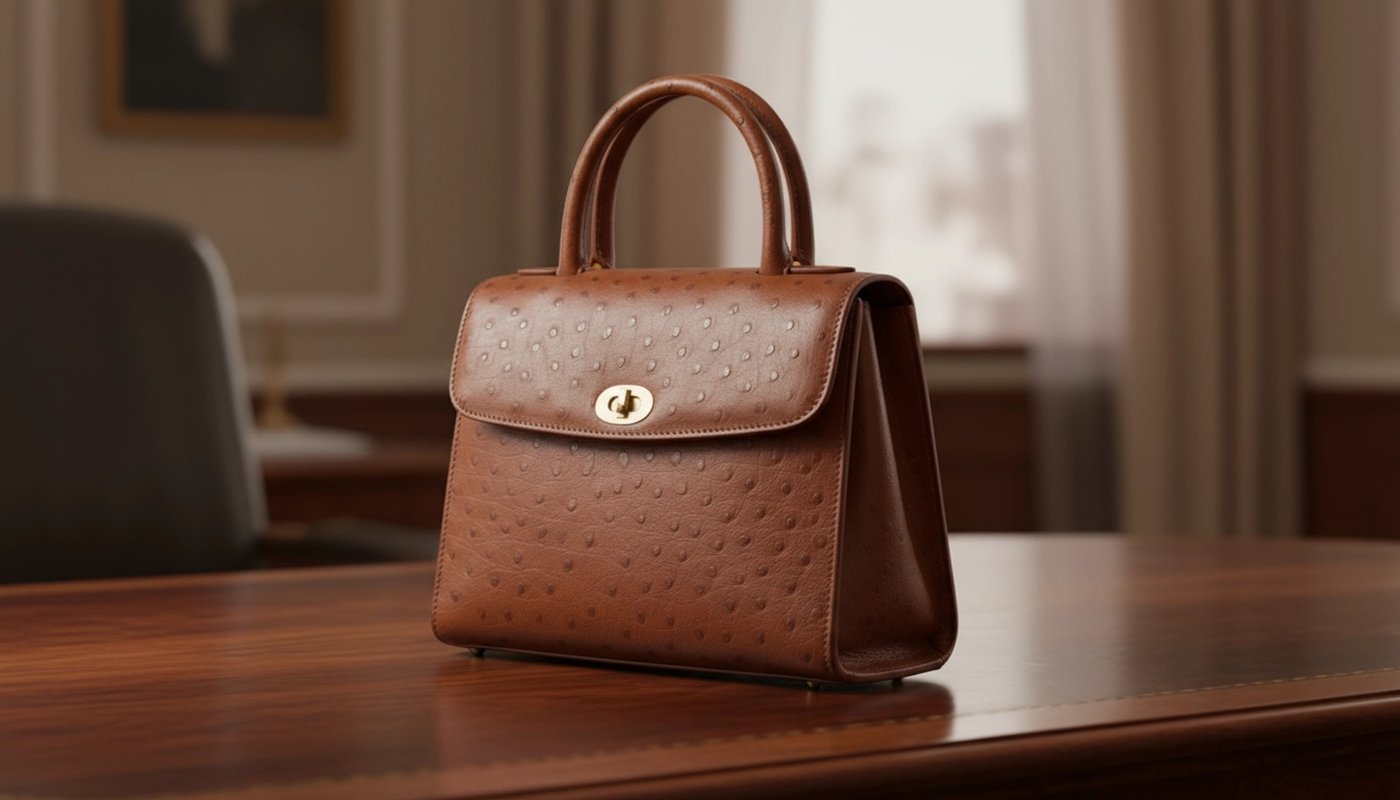
You can specify the surface or background to your liking. Try "minimalist display stand" or the "polished wooden desk" for other styles.
Insert Shot (or Extreme Close-Up)
This is even closer than a close-up. It's a shot of a tiny detail of the product.
Prompt: Insert shot, extreme close-up of the stitching on the handbag's surface
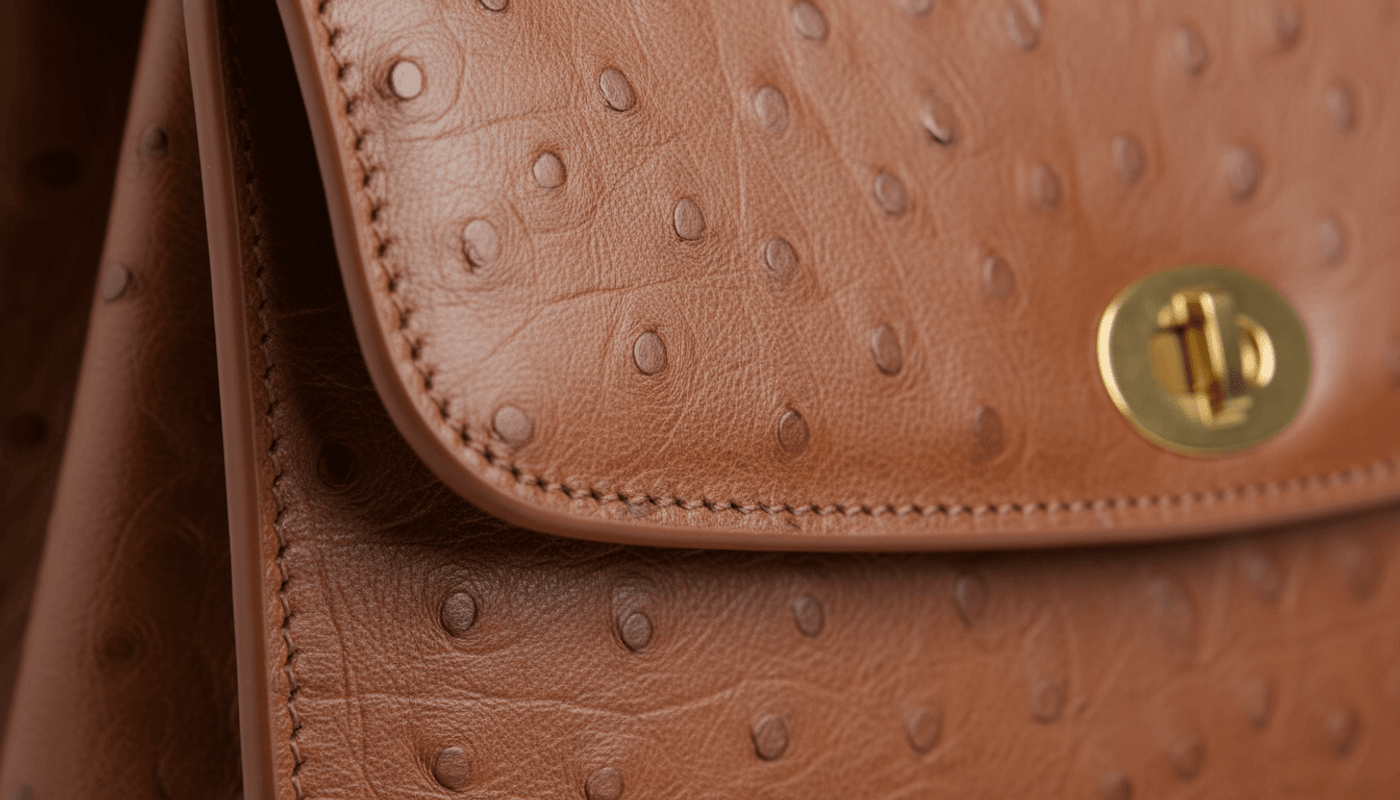
This shot is all about detail. You must tell the AI exactly which small part of the product to focus on. It's perfect for showing off quality.
Side View Shot
This one is crucial for showcasing the profile, depth, and overall shape of your product. For a handbag, this might show off its thickness or unique side details.
Prompt: Side view shot of the handbag, sitting on a polished wooden desk.
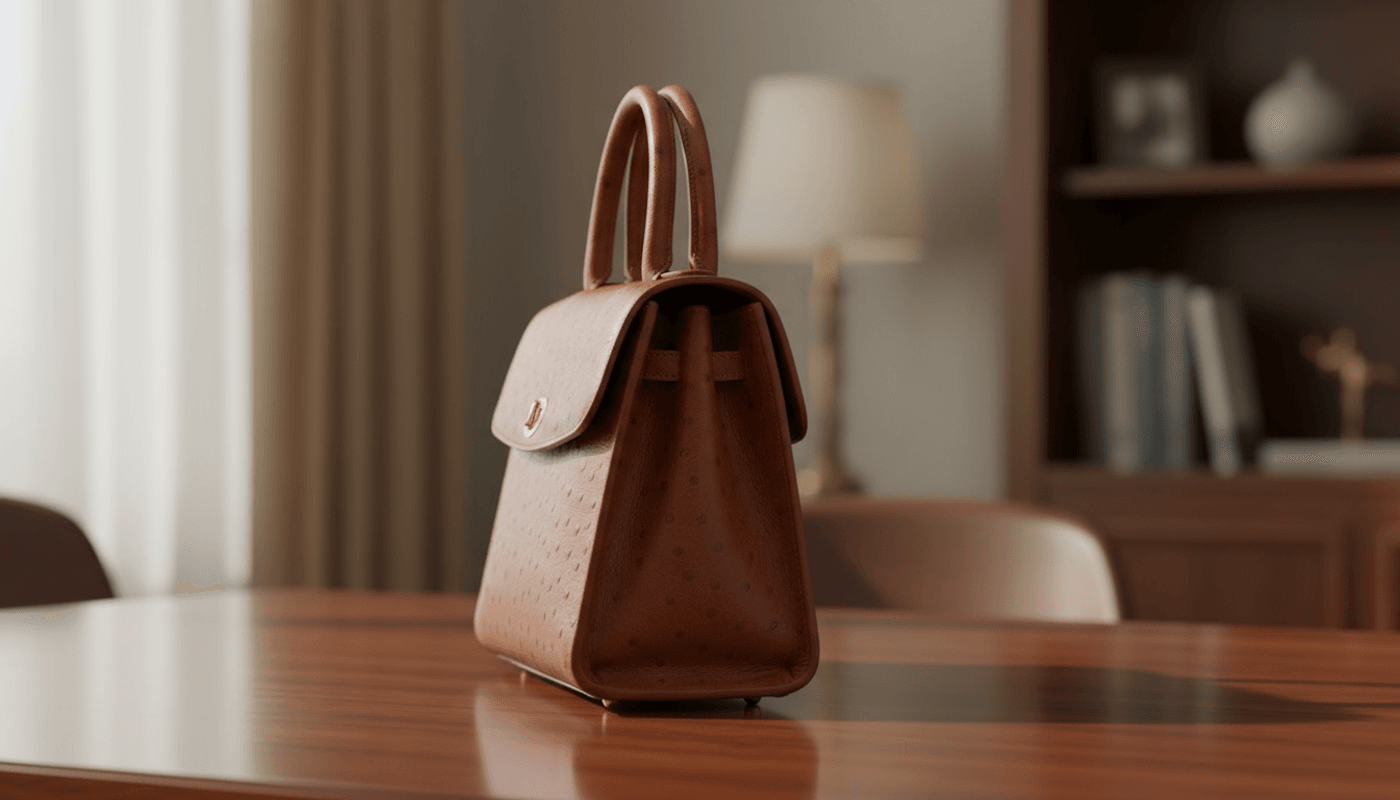
Again, you can continue to tweak the prompt if you want a more zoomed-in shot or if you want to use a different lighting or background.
Shot Worn by a Model (in Side View)
For fashion accessories like handbags, seeing the product on a person is vital for customers to understand its scale, how it drapes, and how it looks in real-world use.
Prompt: Side view shot of a female model wearing the handbag, showing only the torso of the model to put more focus on the product.
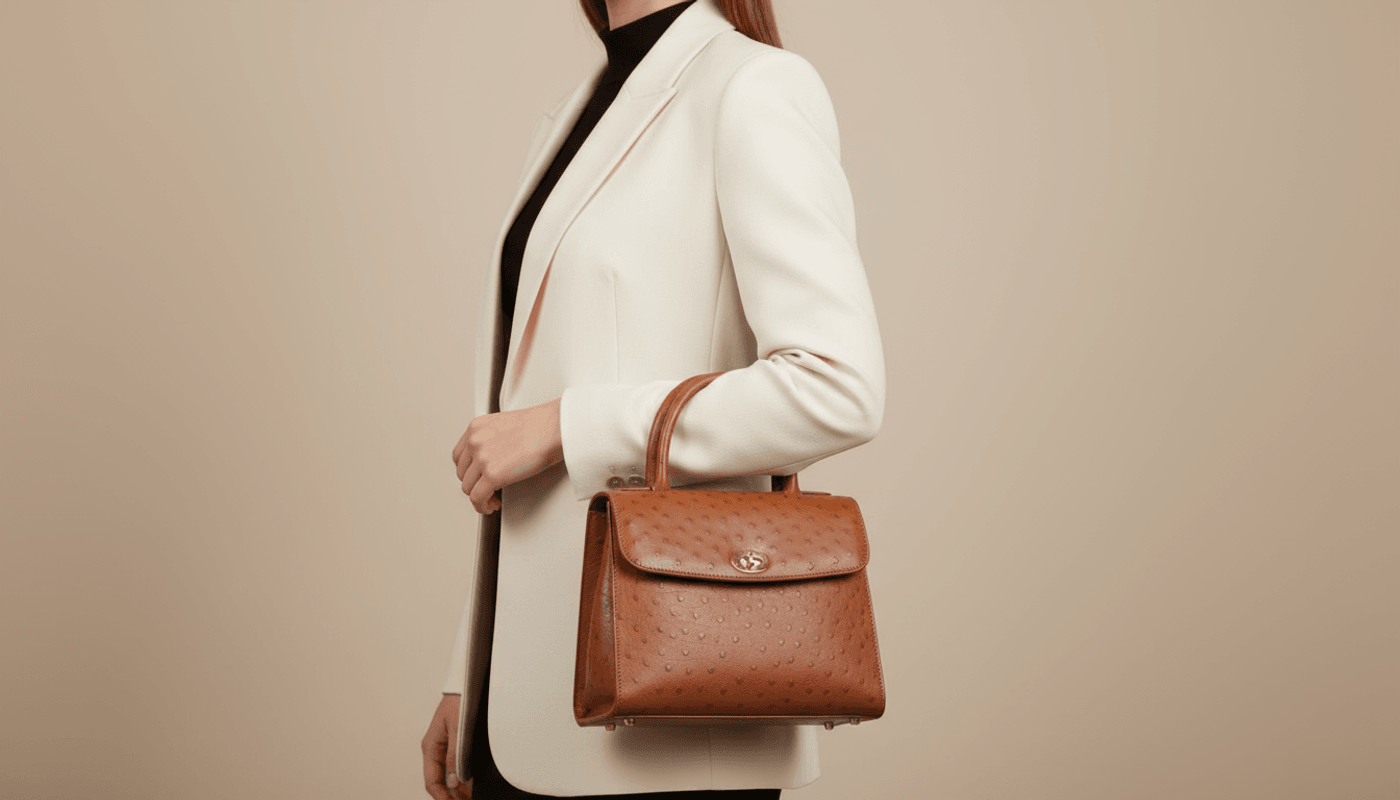
A side view is excellent for showing how it hangs naturally. Using the "female model wearing the handbag" helps with understanding the scale and how it fits.
For other prompt keywords, let’s use another product image. Suppose you are trying to sell or promote a T-shirt or any other garment. You can reimagine it from various angles. Here’s a front view of the sample apparel we’ll be using:
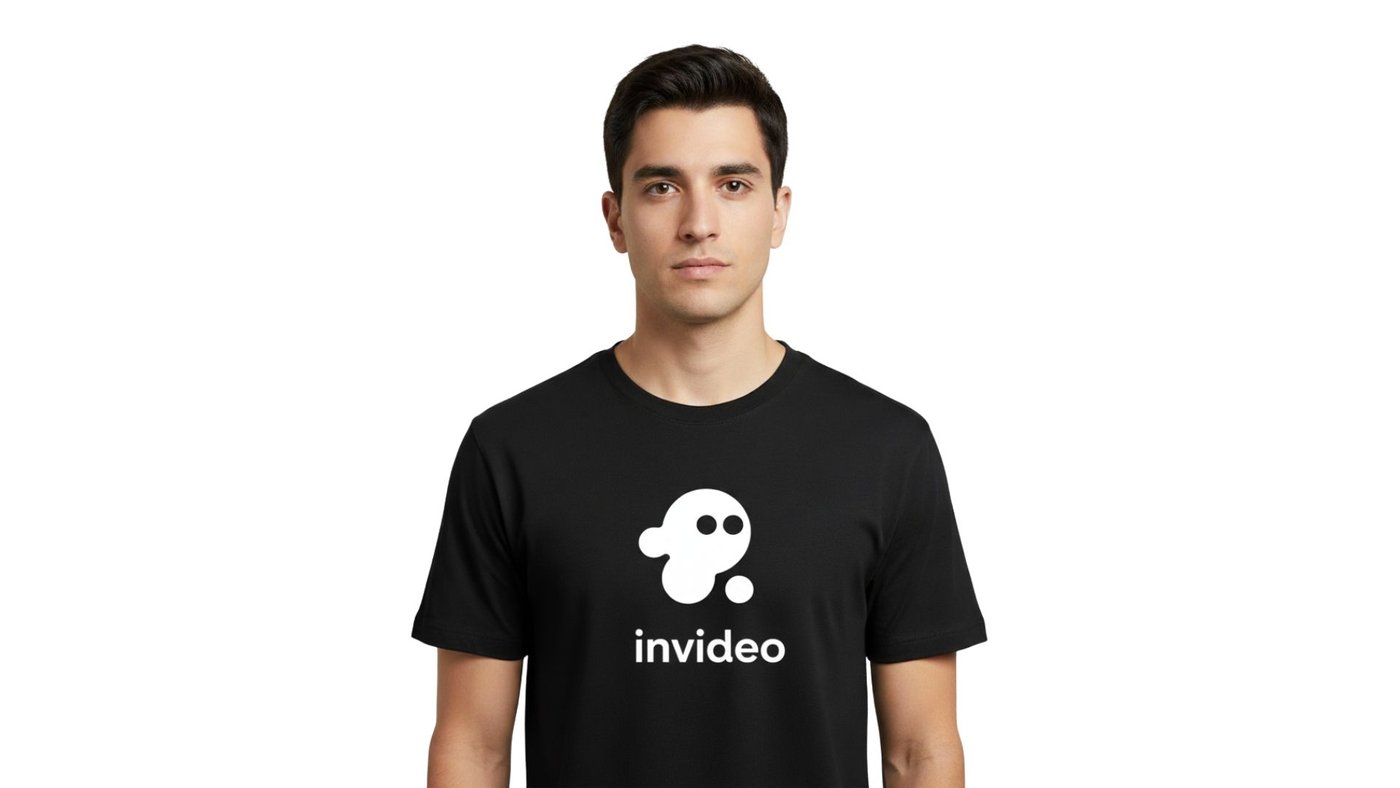
Now let’s reimagine this shirt in different angles and zoom levels.
Full shot
This shot shows how the T-shirt looks in full scale, usually on a model or a mannequin, zoomed out enough to capture the entire garment and its fit.
Prompt: Full shot
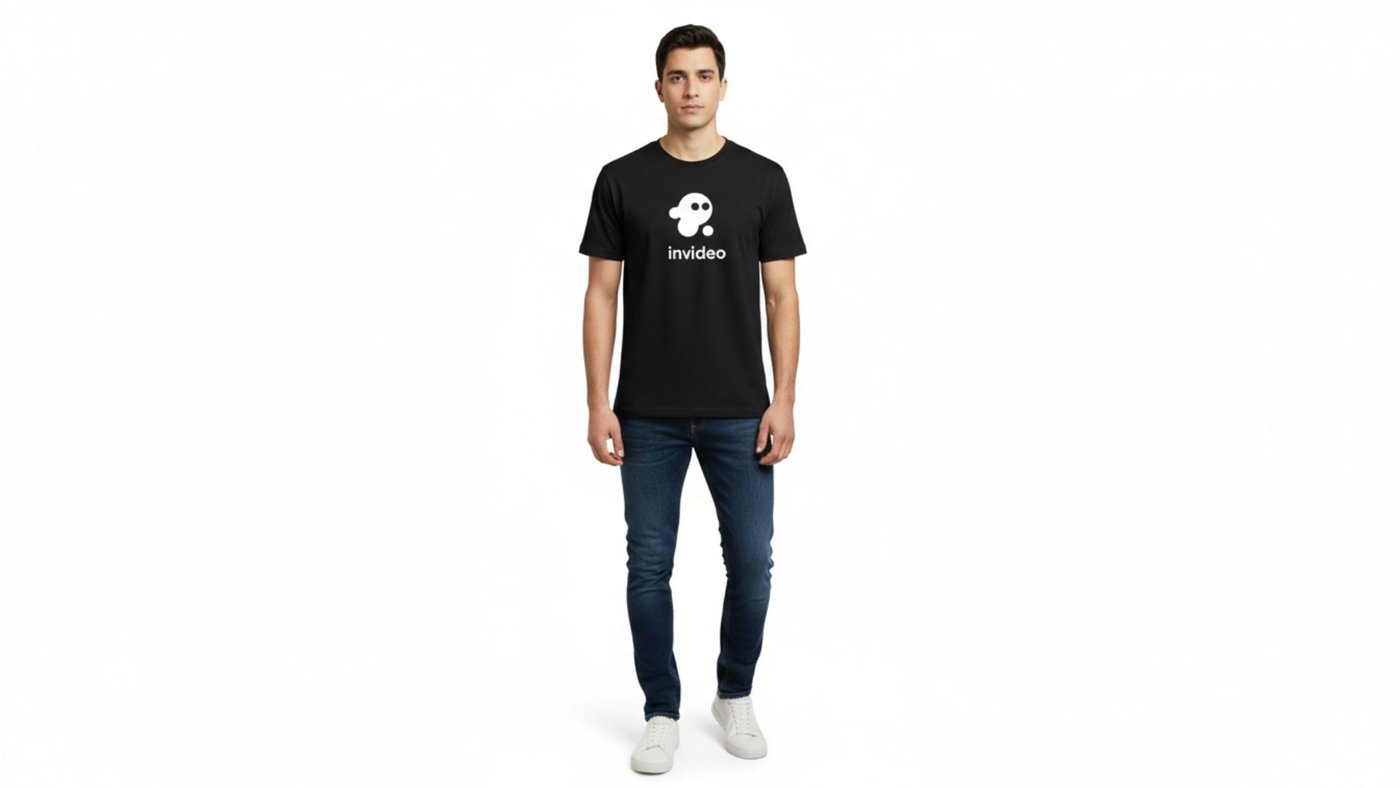
You can continue to tweak the prompt to adjust the background or look of the subject. You can use something like “He is standing casually in an urban park, bright daylight” to make the shot more dramatic.
Zoomed-in and Slightly Angled View
Just like with the handbag, a slightly angled view for a T-shirt can add dimension and make the image more dynamic than a straight-on shot. It can reveal details on the side seams or how the fabric falls.
Prompt: Slightly angled shot from above with focus on the t-shirt's print, showing the details of the fabric
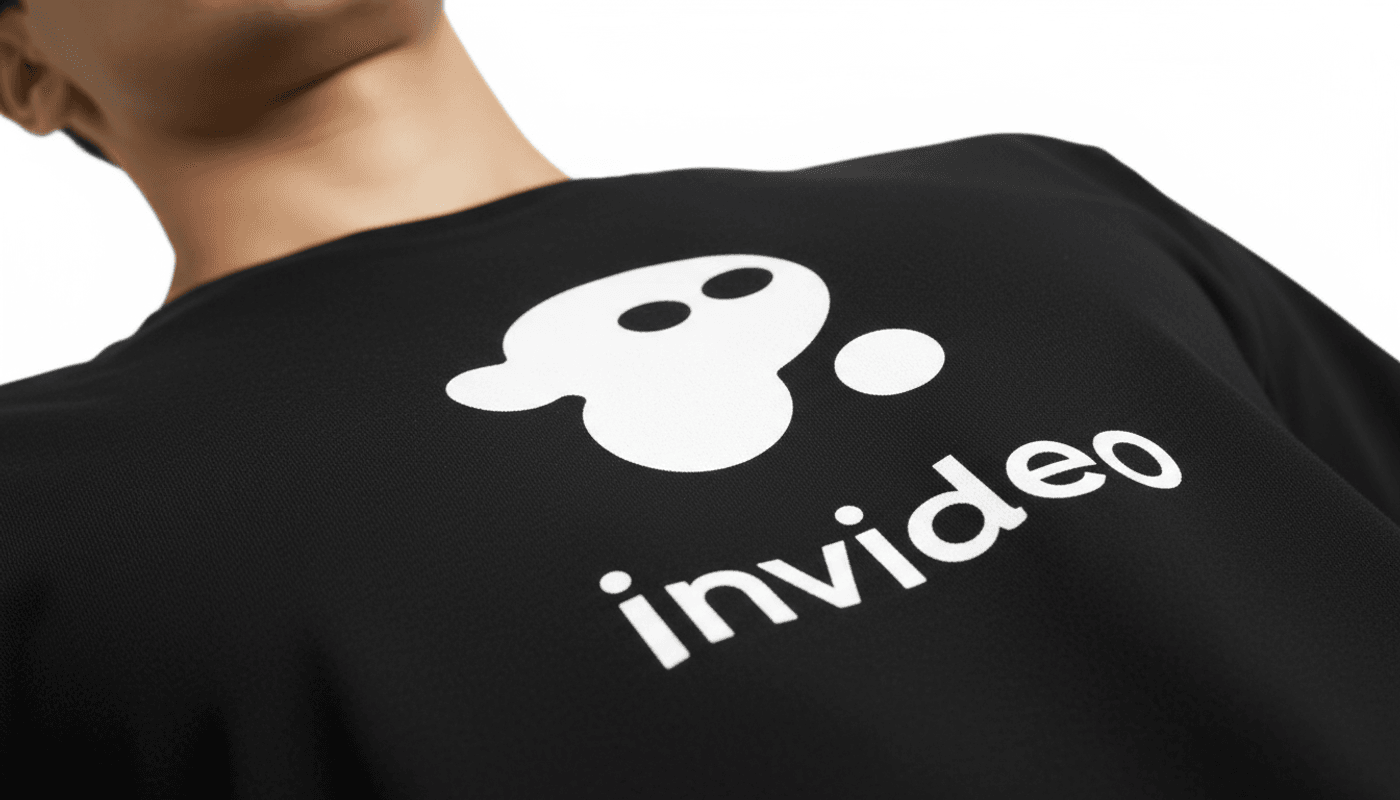
Here, we're showing the shirt while still worn by the subject. The "slightly angled view" creates a more dynamic look, and by adding "close-up... focusing on the printed logo and the texture of the fabric," you're directing the AI to highlight the most important selling points: the design and the quality of the material.
Multi-subject Shot
Another cool thing that you can do is put the shirt on multiple subjects inside one frame. This is useful to let the customers know that you offer the product in different sizes. They can also visualize how the shirt looks when worn by models of different ages and genders.
Prompt: 4 subjects in different races and body sizes, all wearing the same shirt, expressive faces, dynamic poses, torso-level shot.
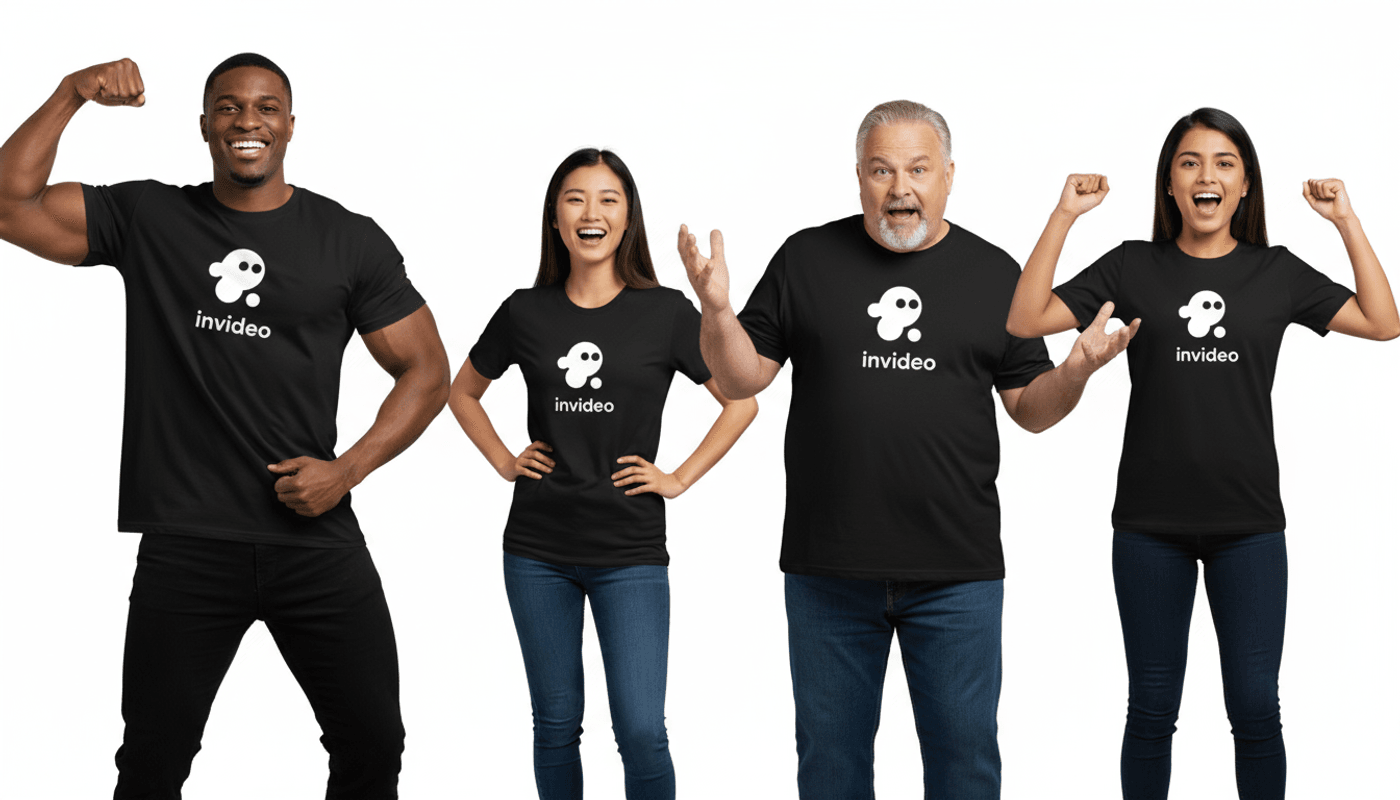
Awesome. You can adjust the prompt to make them pose more professionally, change the age group, or even introduce different shirt colors.
Who Are The Target Users?
Here are the types of users who can take advantage of this prompting technique:
-
Marketing experts: You can use this prompting technique to generate multiple shots of a product from any angle and scene.
-
Ad agencies: To those looking to create promotional videos for apparel or food, you'd know how important it is to get the perfect shot of the product.
-
Digital and print magazines: Fashion photoshoots can also take advantage of the prompting technique to get that perfect shot for a printed format or page for a magazine.
-
E-commerce Store Owners: You can generate all the product photos you need for your online store, from the hero shot to detailed close-ups and lifestyle images, all without a physical camera.
-
Film-makers: To those who are using AI to create multi-scene short films, this is an incredibly helpful technique to create the perfect shot for each scene.
Final Thoughts
These AI models have become so powerful these days, they're able to follow instructions really good. Although there are times when the output isn't the same as you expected. When that happens, you just need to either regenerate or tweak the prompt to be even more specific with what you want.
You can also experiment with the different image models to see which one fits your workflow best and produces the style of product shots you’re aiming for.
Go and experiment with invideo. It's great because the platform offers most, if not all, of the powerful image models available today. This means you don't need to pay for a bunch of different subscriptions just to get access to them. The user interface is also really fast and intuitive. Plus, the website has been around for years, so you know there's guaranteed reliability there.
Choosing the correct image model also plays a big role in achieving the perfect shot. Although this depends on your personal preference, one that I highly suggest is Nano Banana, Imagen 4, or Seadream 4.
Feel free to experiment with these models and see which one fits into your workflow.
Prompting techniques don't only apply to short films. Some of the great use cases are product shots, promotional videos, and model photoshoots for magazines. There could be more awesome use cases. Let me know if you have other ideas in the comments.
