






For most e-commerce brands, product videos are not the problem, but the process around creating them is. Making one video already needs significant time and coordination. But if you need to do that across multiple variants and launches, things can quickly become unmanageable.
This is why video ads often stay limited to a few key products even when you know you could perform better across the catalogue. That’s exactly the gap invideo’s Money Shot is designed to close. Instead of planning a shoot or juggling multiple AI tools, you can turn the product photos you already have into cinematic, multi-shot commercials in minutes.
Let’s see how standard e-commerce images can become studio-grade video ads, and the different styles you can use across products and channels.
The $10K Problem Most Brands Can't Solve
In niches like e-commerce, every product lives on a product page. And sooner or later, you want pages with professional e-commerce video ads that can run on Meta, YouTube, and Shorts. That’s where things get complicated. This usually breaks in three places.
1. The Cost Barrier
A traditional product shoot treats every video like a standalone project. For e-commerce, that’s risky. You don’t know which SKU will convert best until it’s live. But by the time you find out, the shoot is already done. So the video ends up reserved for a few “safe” products, making it hard to move from catalog to commercial.
2. The DIY Trap
To move faster, many e-commerce teams turn to AI tools or templates. On paper, this feels like the right thing to do, but a lot of time goes into checking small things. You think about whether the product shape looks right, whether the label text changed, and whether the color still matches what’s on the PDP.
The gap often looks like this:
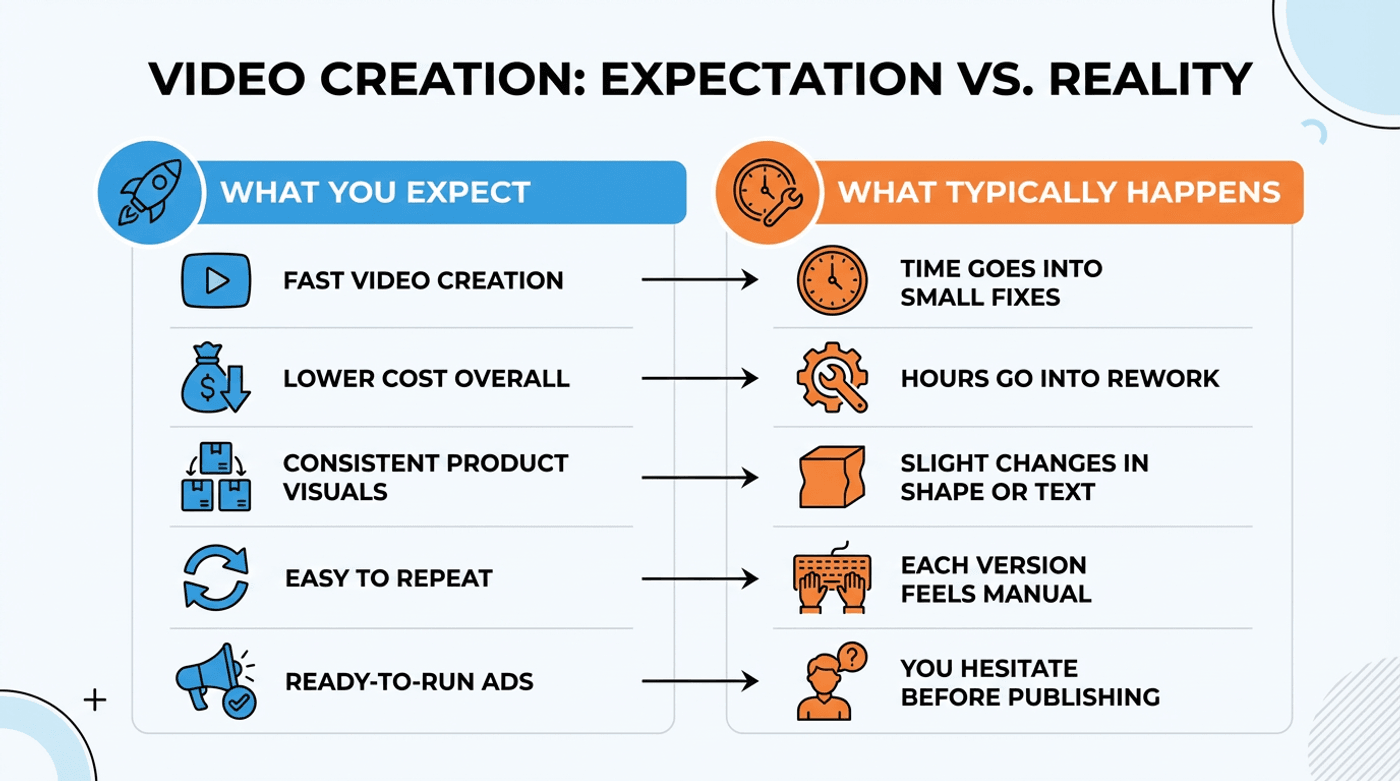
And while none of these issues feel big on their own, together they slow you down.
3. The Scaling Problem
Then comes the scaling issue. Most brands don’t sell a single product, and each variant or new launch needs the same level of quality. Traditional shoots don’t scale efficiently here, and as a result, video ads end up limited to a few key products, while everything else stays static.
What Exactly Is Money Shot?
Money Shot is the solution to all the above production problems. It turns your normal product photos into a finished video ad. The flow is simple. You pick a style that matches the kind of ad you want, give a short prompt in normal language describing the ad, and upload 4-8 product images, ideally clean photos from different angles, ideally generated by an AI image generator.
That’s it. Money Shot takes these images and turns them into a 25-30 second commercial, with smooth transitions and consistent visuals.
Pick Your Aesthetic: 11 Ready-Made Styles
To get started, simply choose one of the following ready-made styles, each meant for a specific kind of product or mood.
1. 3D: Best for rotating footwear and clean 360° product spins
2. Automotive Action: Designed for cinematic, golden-hour driving scenes
3. Indoor Studio: Ideal for eyewear and jewelry with controlled, studio-style lighting
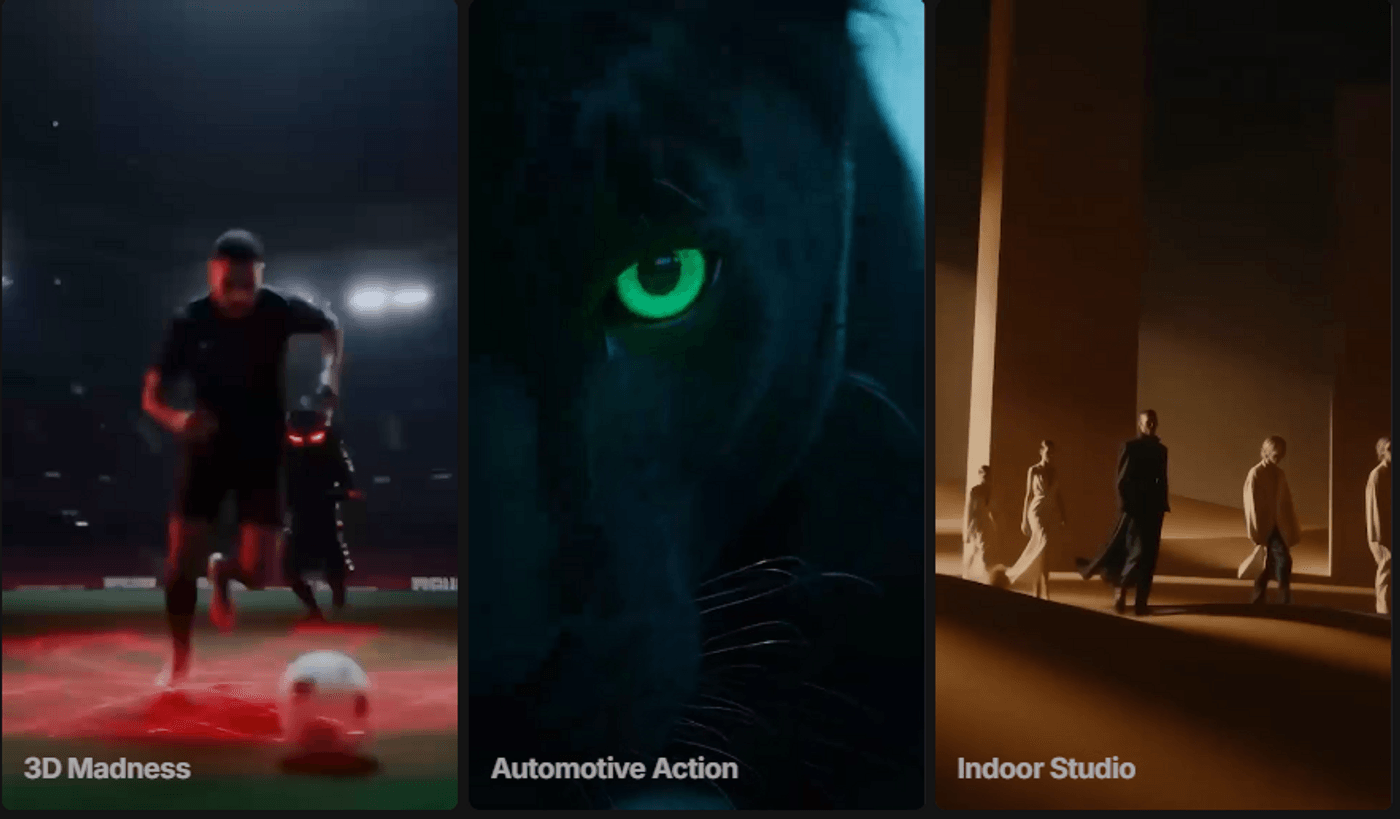
Money Shot Presets: 3D, Automotive, Indoor
4. Cinematic Noir: Dark, dramatic visuals for bold and mood-driven products
5. Iconic Locations: Places your product in visually striking, well-known settings
6. Retro Modern: A mix of classic and modern styling for lifestyle products
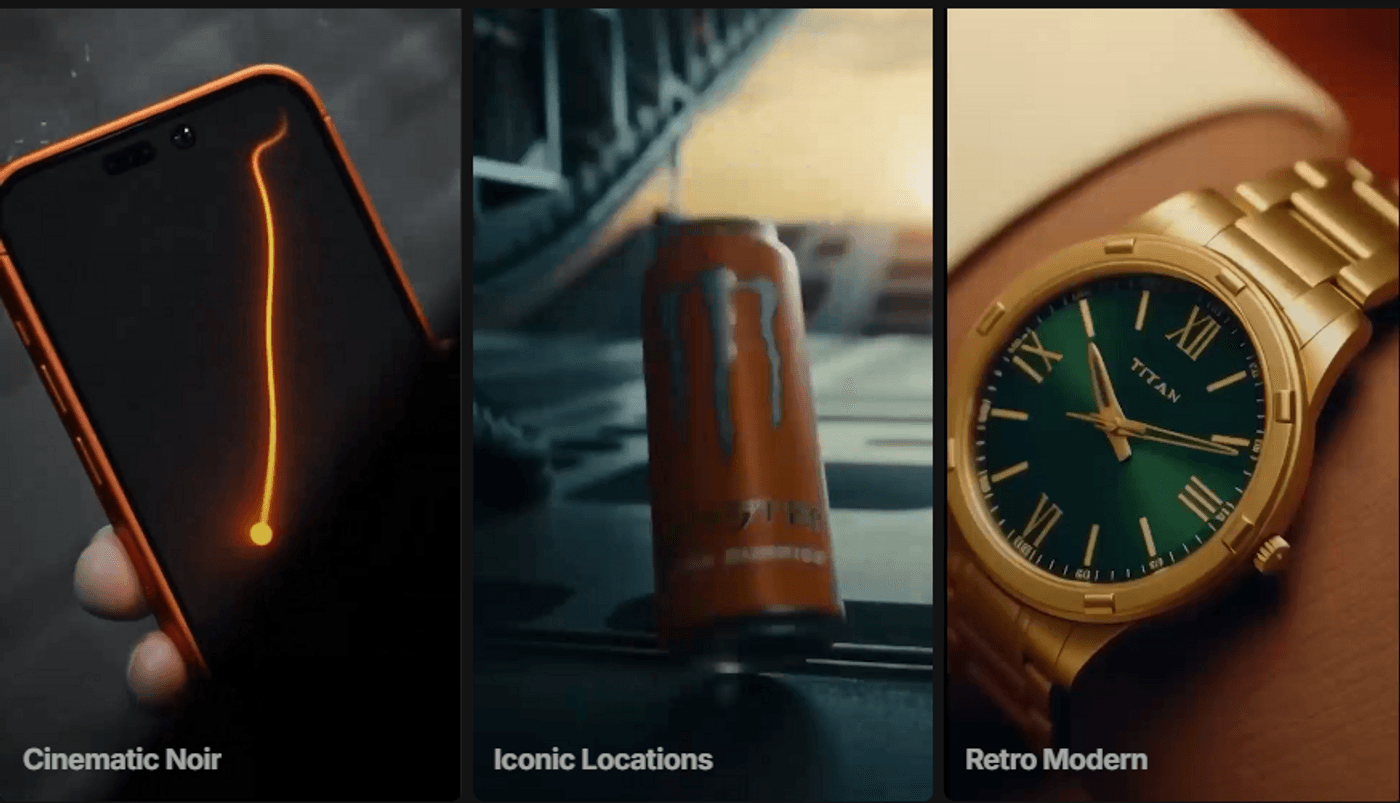
Money Shot Presets: Cinematic, Iconic and Retro
7. The Great Outdoor: Suited for products meant to feel rugged, active, or outdoorsy
8. High-End Luxury: Polished, elegant visuals for premium and luxury brands
9. Fashion & Lifestyle: Everyday, real-world scenes for apparel and accessories
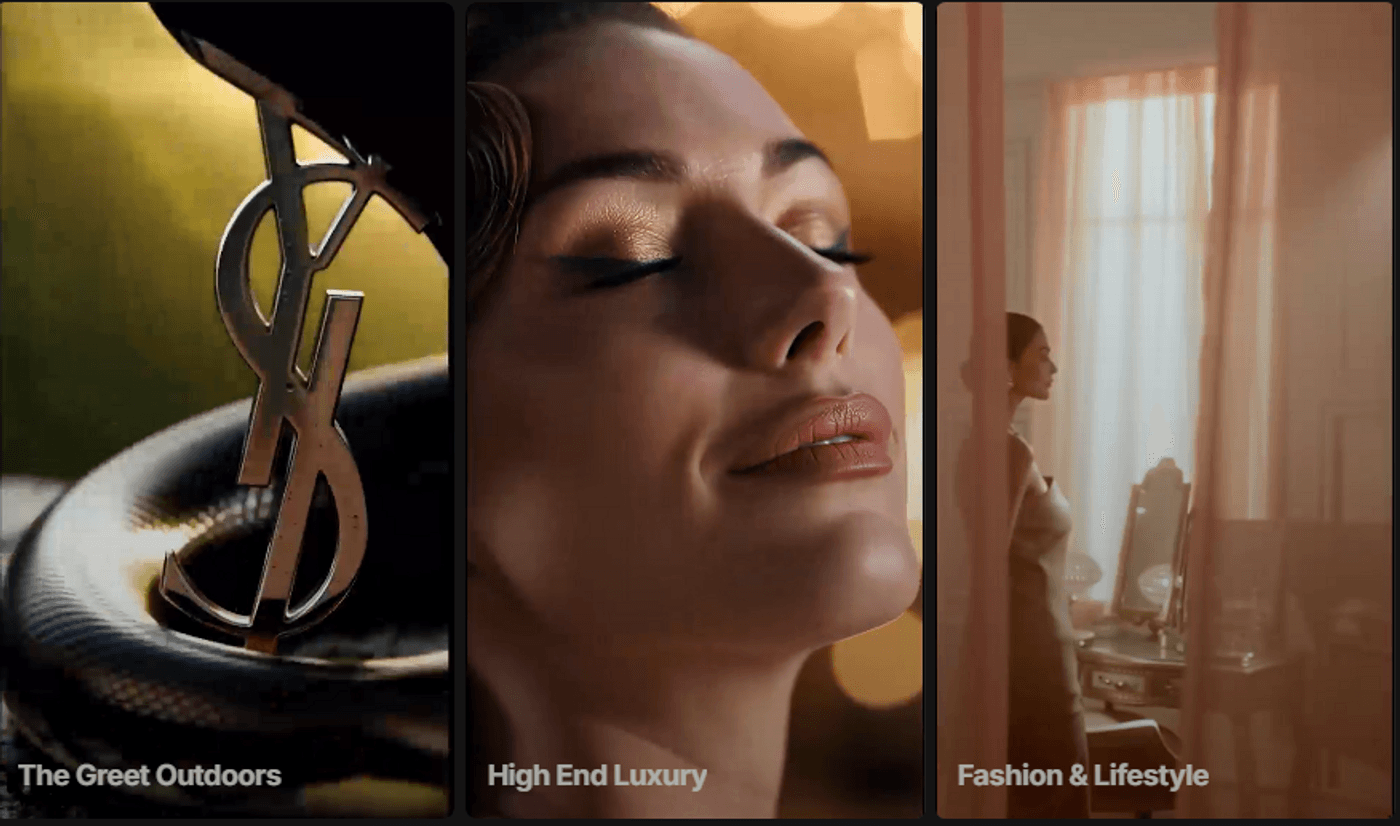
Money Shot Presets: Outdoors, High-End Luxury and Fashion & Lifestyle
10. Food Porn: Close-up shots that highlight texture, motion, and freshness
11. Reviewer: Works well for UGC-style ads with a person presenting the product
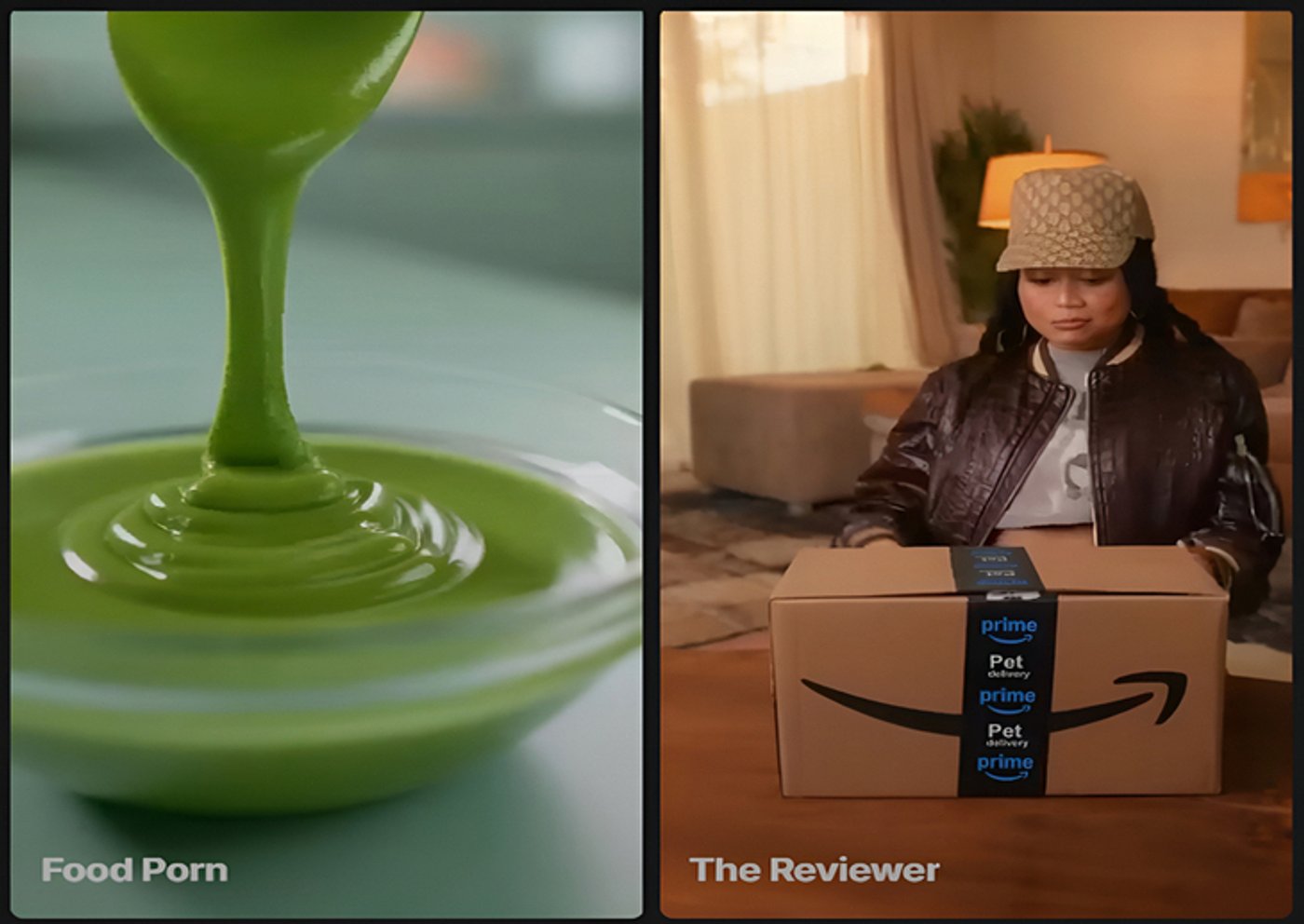
Money Shot Presets: Food Porn and Reviewer
Advanced Mode For The Pros
If you already know what you want and prefer more control, Money Shot also offers an Advanced Director mode.
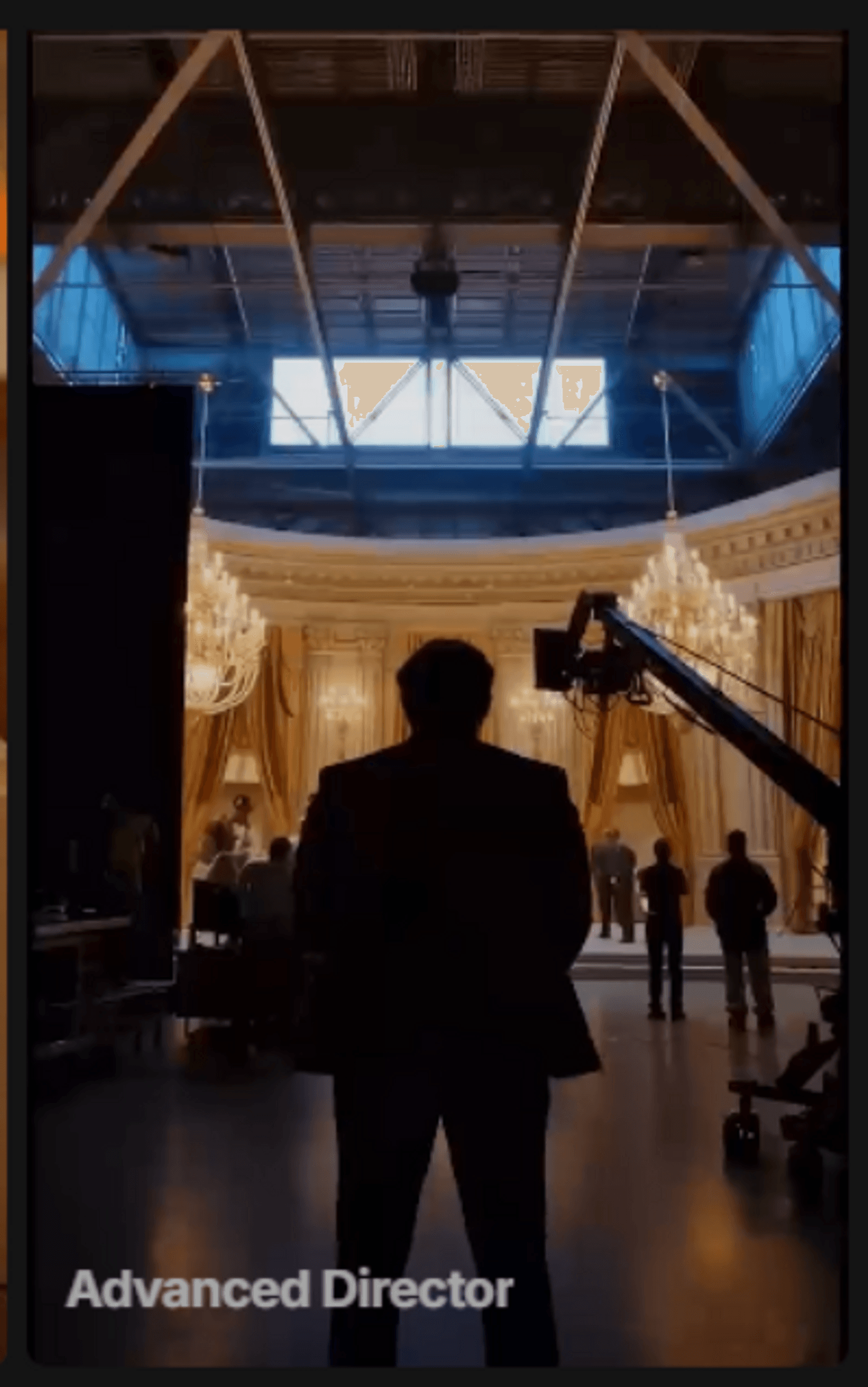
Money Shot Preset: Advanced Director
It gives a more precise definition of camera movement, mood, framing, and overall storytelling. All in all, it’s a preset if you want deeper control later.
Why This Beats Everything Else You've Tried?
You’ve probably experimented with traditional shoots, played around with AI tools, or stuck to static images because they were easier to manage. None of those options is wrong, though. They just don’t fit how most teams actually work day to day. Money Shot stands out because it removes friction at every level: time, effort, and scale. Here’s how it compares in real terms:
What this really means is that you’re no longer choosing between quality and speed. You get both. That’s how what used to take $10,000 and 3 weeks now takes about 15 minutes. Not just with better videos, but a completely different way of thinking about product ads.
From Product Shots to Polished Ads: Real Examples
So what does this look like when you actually use it?
Let’s now look at real product ads across different categories. Here are a few common situations brands deal with all the time, and how those product images turn into proper video ads using Money Shot.
1. Fashion: When You Need 20 Ads Yesterday
If you’ve worked with fashion or footwear, you already know the problem. One product rarely needs just one ad. You need rotations, close-ups, different angles, and a few variations for different platforms.
With Money Shot, you don’t need anything fancy to get started. Most of the time, you’re simply using:
-
4-8 clean product images
-
A mix of angles, like side, top, sole, and a couple of detailed shots
From there, the 3D style becomes a good choice because it’s built to show shape and form. As an example, here’s a sneaker ad created using Money Shot.
The rotations, close-ups, and transitions make it feel like a planned commercial rather than animated catalog photos.
2. Electronics: Stretching a Startup Budget
For electronics and gadget brands, the challenge usually isn’t creativity but resources. You often need multiple videos for launches, ads, and social posts, but you’re working with a small budget and limited assets. Here too, the inputs stay simple:
-
Product shots from different angles
-
A few close-ups that show buttons, ports, or connectors
This iPlug reel is a good example of this.
With just a few images, the product is turned into a clear, usable ad that explains itself visually without the overhead of a full shoot.
3. Beauty: Making Luxury Look Luxurious
Beauty and skincare are all about feel. For that, the lighting needs to be right, the movement needs to be calm, and nothing should look rushed or harsh. In fact, that’s why traditional beauty shoots are so controlled AND expensive.
With Money Shot, you can start with:
-
Clean product images from different angles
-
One or two close-ups that show packaging or texture
Shot by shot, the output should stay smooth and intentional. This Diddy’s Baby Oil reel shows this clearly.
Simple product images go in, and the final video looks polished, calm, and high-end (exactly what the beauty niche needs).
4. Automotive: The Golden Hour Nobody Shot
Automotive ads are usually built around motion and mood. Wide roads, moving shots, and that perfect golden-hour light are what make them feel cinematic and what also make them difficult to produce. With Money Shot, the starting point is quite practical:
-
Exterior car shots from different angles
-
Close-ups of details like headlights, grills, or wheels
By choosing the Automotive style, you get that cinematic driving feel without actually filming on location. This BMW commercial is a good example here:
It looks like it was filmed on an open road at just the right time of day, even though it’s generated from product images and a simple prompt. Easy, right?
Getting the Best Results With Money Shot
These examples make it look simple, and in many ways, it is. However, getting the best results consistently comes down to knowing a few practical things before you start.
1. Start With Clean, Isolated Product Images
The quality of your output is closely tied to the quality of your input. Money Shot performs best when the product is clearly separated from its background. That needs:
-
White or neutral backgrounds work best
-
Clean edges around the product help the motion look natural
-
Avoid clutter, props, or overlapping elements
Basically, when the product is easy to “read,” the generated shots feel sharper and more consistent across the video.
2. Be Smart About Text and Labels
Money Shot is built to preserve product consistency, but very small or dense text on packaging can still be tricky. To work around this,
-
Rely on close-up shots when text matters
-
Use platform captions or light text overlays in post
-
Let the video show the product, and let the text explain it
This is already how many high-performing ads are made, so it fits naturally into your existing workflows.
3. Know What Standard Mode Is Optimized For
In standard mode, Money Shot is intentionally focused on product-only visuals. This keeps results consistent and brand-safe, especially for paid ads.
Note: If your goal is presenter-style or to create UGC ads, the Reviewer preset is a better fit. Even then, the product remains the main focus, which helps with clarity and control across outputs.
4. Expect Light Polishing, Not Heavy Editing
In most cases, the output is ready to use. Occasionally, you might want to make small tweaks like trimming a second or two for platform fit, adding a CTA or pricing text, or adjusting framing for a specific placement. That’s normal. But the difference is that you’re polishing a finished ad. Not assembling one from scratch.
How to Think About These Constraints
Here’s how you can see and implement these for getting better results:
When you work within these boundaries, Money Shot does exactly what it’s meant to do: remove production friction while keeping creative control in your hands.
Create Your First Commercial in 15 Minutes
Money Shot by invideo lets you create product video ads with 100% product consistency and zero text hallucinations. This ensures the product stays accurate across all shots and the text does not change or distort.
Let's now look at the step-by-step process of how you can create motion ads from product photos in minutes:
1. Sign up on invideo using your email ID or Google/Apple account. If you are an existing user, simply log in to the platform.

Invideo AI: Sign up Page
2. From the three options appearing below, choose “Agents & Models” to proceed.
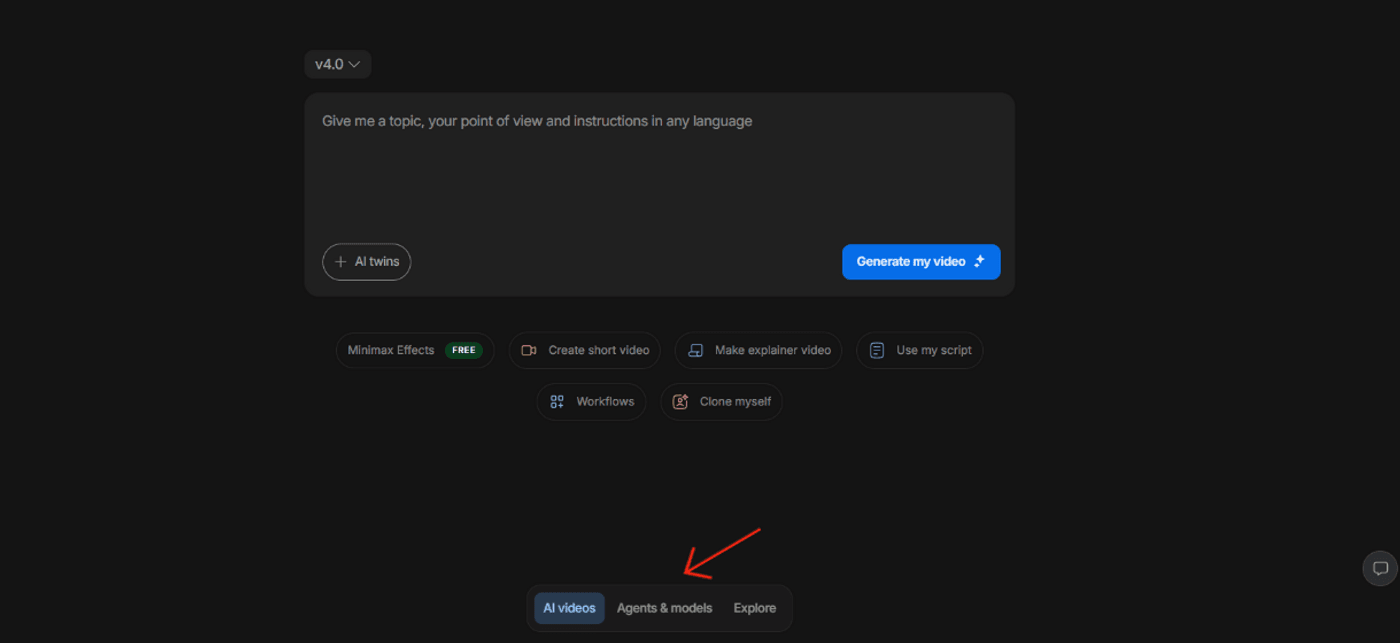
Invideo AI: Agents & Models
3. Scroll down a bit and go to the “Trends” section. Click on “See All.”
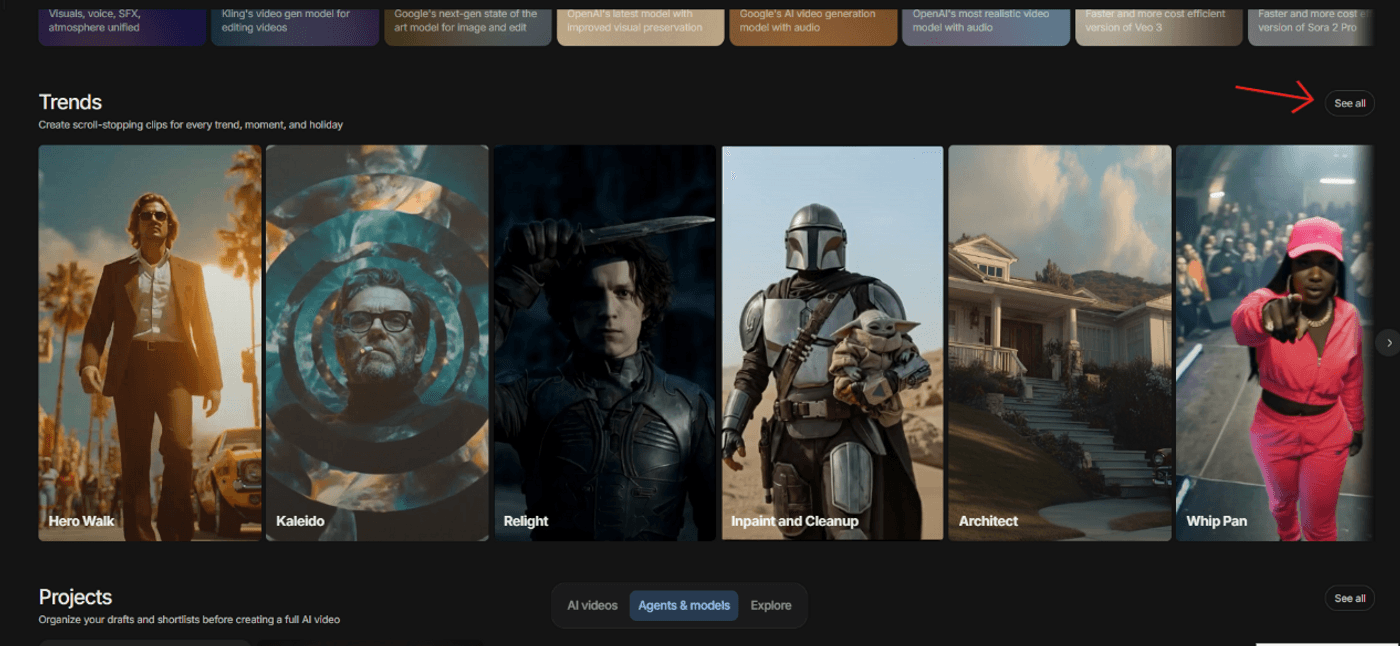
Invideo AI: Trends
4. From the available categories, click on “Money Shot” to access all the presets.
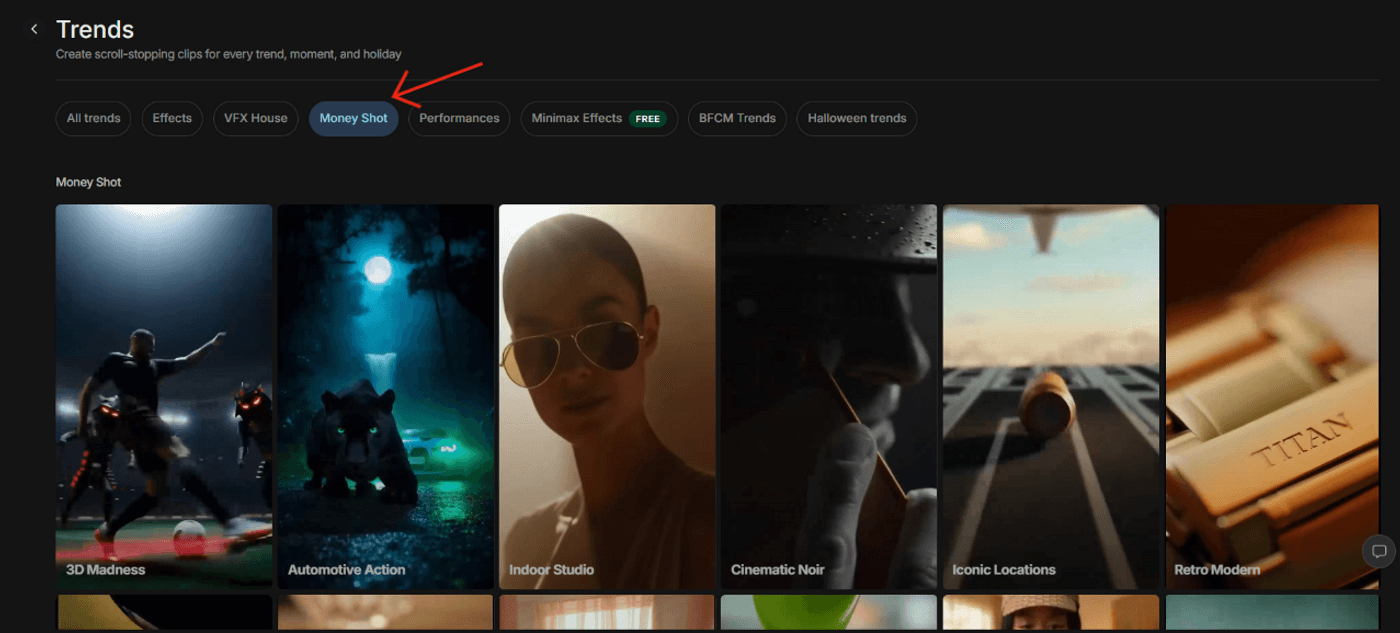
Money Shot: Presets
5. Now, choose a suitable theme for your product video. For now, we’ll go with “Automotive Action.” Once done, create a new project, and the dashboard will show up like below. In the prompt area, enter your prompt and upload the product images.
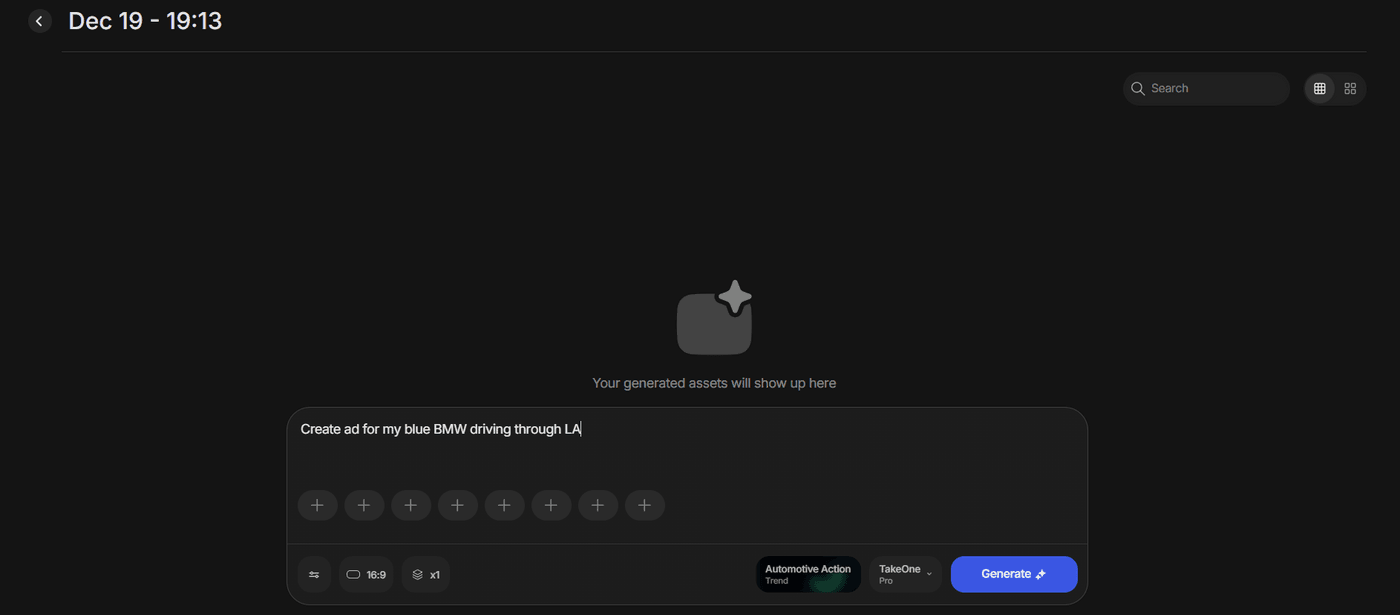
Money Shot: Prompt Area
6. Next, upload your product images, and once done, click on “Generate” to proceed.
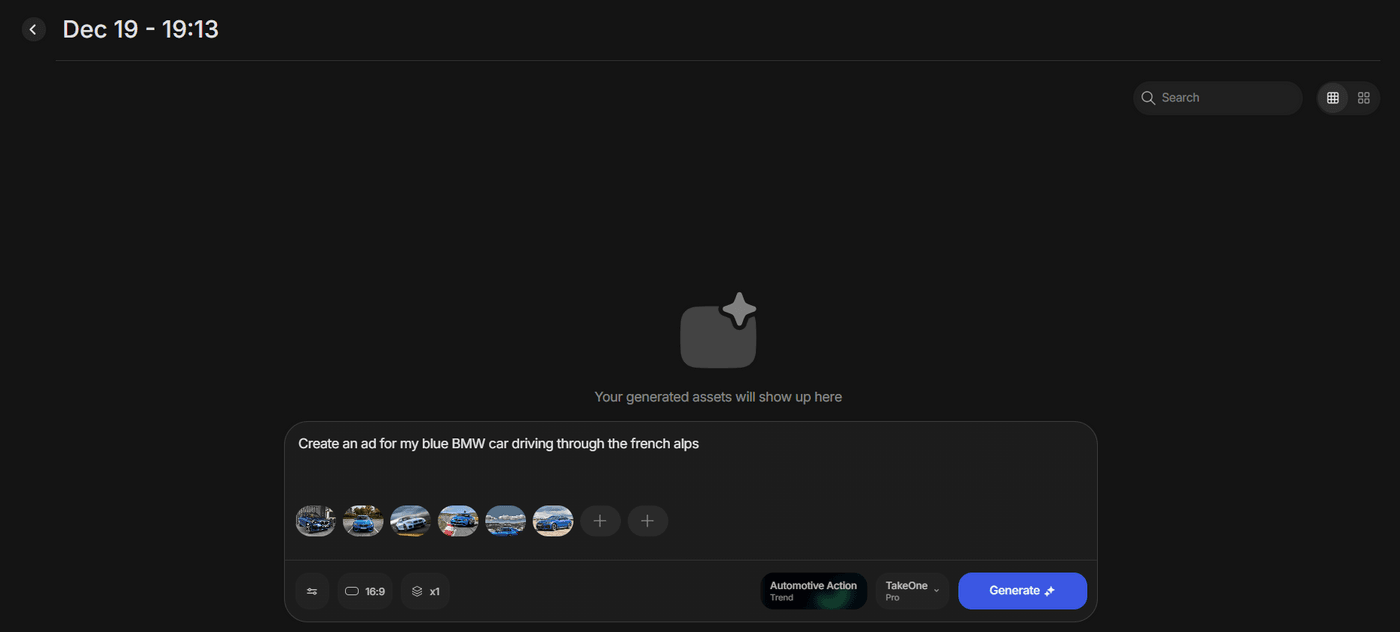
Money Shot: Upload Images
7. Let invideo process your video until it’s generated.
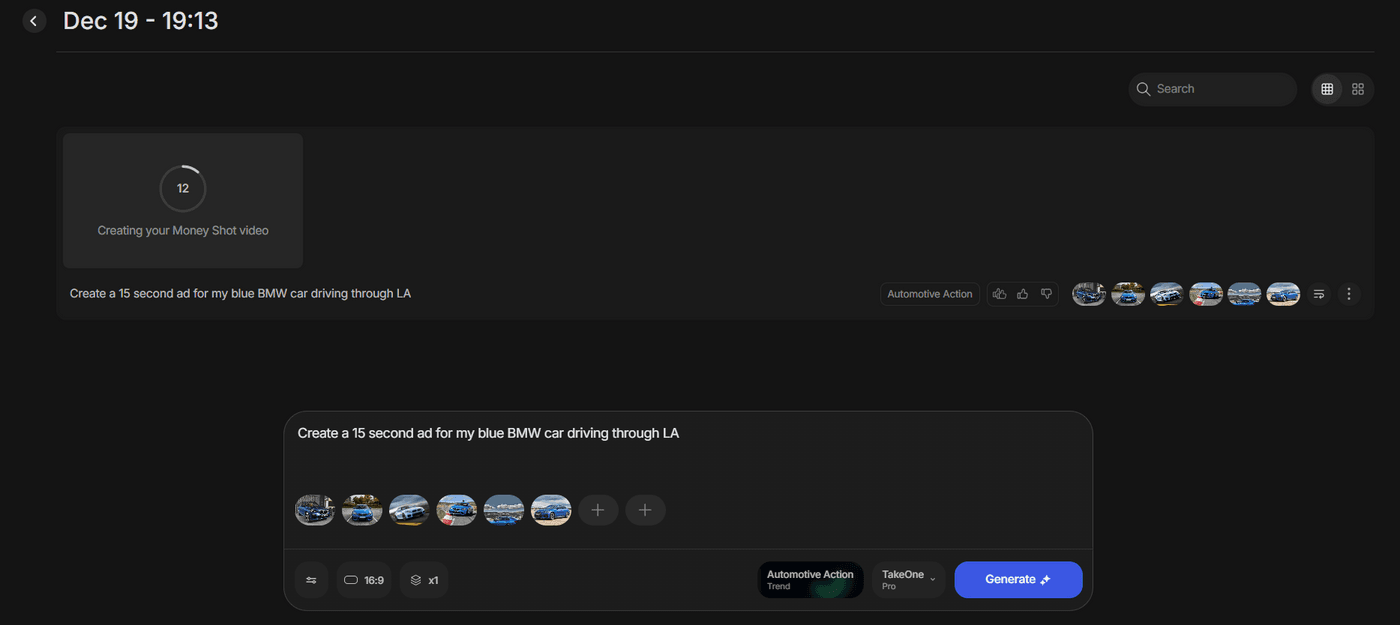
Money Shot: Video Generation
8. Once generated, click on “Download” to save it on your device.
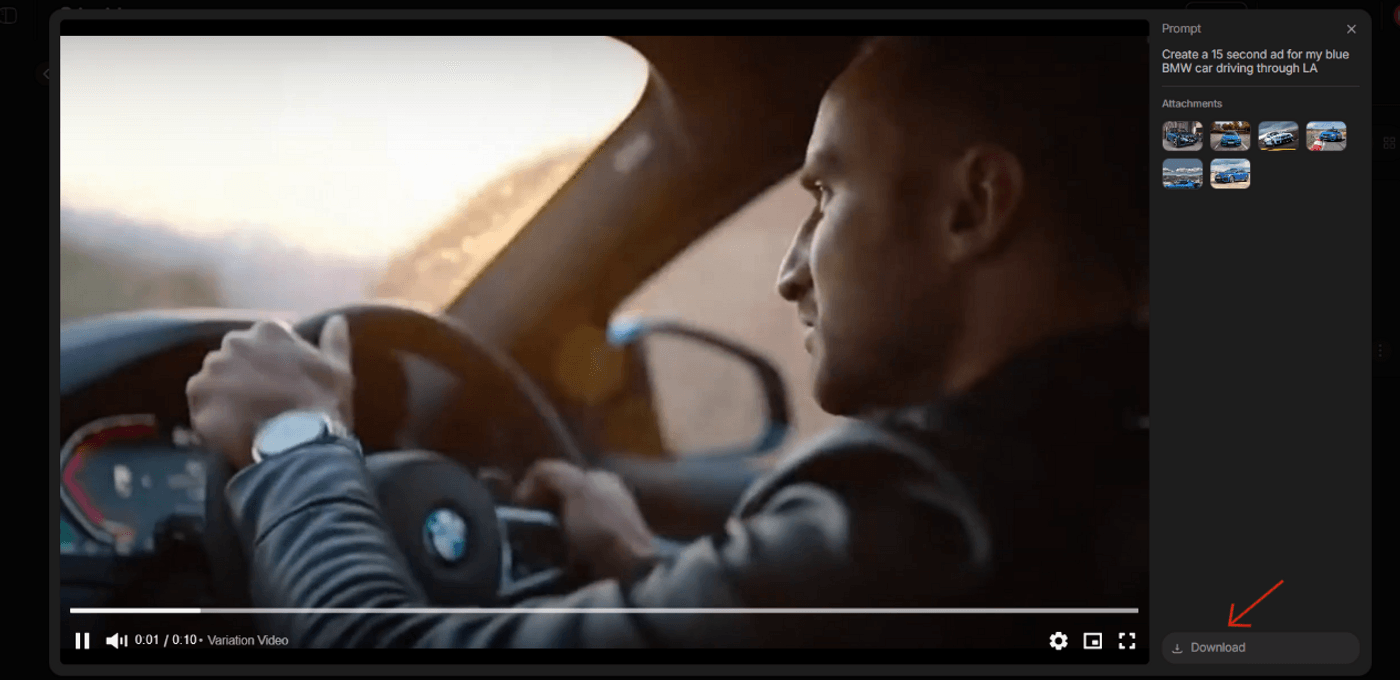
Money Shot: Video Download
When to Use Money Shot vs. Traditional Production?
Money Shot can handle a lot. But it doesn’t replace every kind of video production. So, the real question isn’t which one is better, but which one fits the job you’re trying to do. Here’s a close yet quick look at some use cases and which method is suitable for each:
Most brands don’t need to choose one. Not once, not forever. The smartest idea is to use both, depending on the use case and other factors.
What This Means for Your Business?
Now that the difference is clear, what does this actually change for your business? Two things to note here:
-
First, it speeds things up. You can move from product photos to live ads the same day, which makes it easier to launch faster, react to trends, and keep your campaigns fresh.
-
Second, it changes how you test and scale. You can try more formats, styles, and messages without worrying about reshoot costs.
So, the moral of the story? When your production stops eating the budget, you can redirect more spend toward media and distribution, where results actually improve.
Before You Go…
What really makes Money Shot different is that it finally allows you to create a product that stays true to the actual product. The shape doesn't drift, labels don't change, and text doesn't get made up. You can simply start by taking product photos from different angles, choosing a style, adding your prompt, and getting a professional multi-shot commercial in minutes.
So, create your first AI product commercial today and start scaling video ads without planning shoots, fixing visuals, or rethinking your workflow every time.
Also Read:
- How to A/B Test Dozens of Product Ad Variations in a Single Afternoon Using invideo Money Shot
- How Can You Create Scroll-Stopping Ads from Simple Product Pages with Kling on invideo?
- AI Prompting Techniques To Take Product Shots In Different Angles
- The New Rulebook for Product Photos: How to Shoot Images That Turn into Flawless Commercials
- How to Build “Soul” Into AI-Generated Ads
- How to Create a Commercial Product Video?
FAQs
-
1.
Can I use phone photos, or do I need professional product shots?
Yes, absolutely. Well-lit phone photos on a simple background work well. If needed, you can also upscale them using Nano Banana Pro in invideo before generating your video.
-
2.
How many variations can I create from one set of images?
You can easily create multiple variations by changing the styles or prompts using the same 4-8 images.
-
3.
What file formats work best for upload?
JPG, JPEG, and PNG work best, but make sure the images are high resolution with clean edges and minimal compression.
-
4.
Can I edit the output further, or is it final?
You can always edit your video further for captions, CTAs, or trims for different platforms.
-
5.
Does this work for all product categories?
It works best for physical products like fashion, electronics, beauty, FMCG, and automotive. Complex story-led films are better suited for traditional production.
-
6.
How does pricing work compared to hiring an agency?
Money Shot costs significantly less than agency shoots and even lets you reuse your assets. That's how you get more budget for media and further testing, if needed.
