






Let's talk numbers for a second.
Last year, shoppers spent over $70 billion during Black Friday and Cyber Monday weekend. That's billion with a B. And here's the kicker—most of that spending was influenced by video content. Below are the Top Video Marketing Strategies for Black Friday and Cyber Monday.
Why? Because video is the heavyweight champion of marketing. It gets 1200% more shares than text and images combined. Shoppers are 85% more likely to buy after watching a product video. And during Black Friday and Cyber Monday, when every brand is screaming for attention, video is your megaphone.
But here's the thing. You can't just slap together any video and hope for the best. You need strategy. You need the right type of content at the right time.
That's exactly what this guide is about. I'm going to walk you through 10 proven video marketing strategies that actually work during Black Friday and Cyber Monday. Each one comes with actionable tips, examples you can learn from, and even prompts you can use to create the best AI video fast.
Ready? Let's dive in.
Top Video Marketing Strategies for Black Friday and Cyber Monday
Strategy 1: Create Countdown Videos to Build Anticipation
What It Is
Think of countdown videos as your BFCM campaign's drumroll. They're short, punchy videos that tell people "Hey, something big is coming." You post them leading up to Black Friday, building excitement day by day.
Why It Works
Here's the deal. Most people start planning their BFCM shopping weeks in advance. If you only show up on Black Friday morning, you've already lost half the battle. Countdown videos keep you top-of-mind. They create that "I can't wait" feeling. And when the big day arrives, guess whose store people visit first? Yours.
Tips
-
Start 2-3 weeks before Black Friday
-
Keep them short—10 to 20 seconds max
-
Use the same style for each video so people instantly recognize them
-
Post at the same time every day
-
Tease different deals each day to keep it interesting
Video Prompt & Format
Prompt for invideo: "Create a 15-second countdown video. Show '5 DAYS UNTIL BLACK FRIDAY' in bold, animated text. Background should be dark with gold accents. Include ticking clock animation. Add our logo in the corner. Use upbeat, energetic music. End with 'Get Ready for Our Biggest Sale Ever.'"
Video Format:
-
Primary: 9:16 Social story (for Instagram/Facebook Stories, Reels, TikTok)
-
Secondary: 16:9 Widescreen (for YouTube, website)
Example
Picture this: The video opens with a loud clock tick. Screen goes black. Then BAM—"3 DAYS" appears in massive glowing numbers. Quick flashes of your products—sneakers, watches, bags—each for half a second. Music builds. Text changes: "BLACK FRIDAY IS ALMOST HERE." Final frame: Your logo with the date. Done in 12 seconds. Simple. Hype. Shareable.
To make this even stronger, you can use high-impact, cinematic countdown formats. For example, this UFC-style “48 Hours To Go” video features a ring girl walking around the arena holding a digital board above her head.
The vibe is inspired by the movie Southpaw, with dramatic arena lighting, intense atmosphere, and the product featured right on the board next to the bold text.
The best part? Even the commentators announce the sale on the mic, making it feel like a real event. This kind of creative countdown entertains your audience, grabs attention instantly, and gives your brand a memorable edge before BFCM even begins.
Pro Tip: Use invideo's presets to batch-create all your countdown videos in one sitting. Change the number, export, repeat. You'll have a week's worth of content ready in 30 minutes.
Strategy 2: Showcase Product Demo Videos with Limited-Time Offers
What It Is
These are videos where you show your product in action while highlighting your BFCM discount. Not just "here's a watch"—but "here's how this watch changes your morning routine, and it's 40% off this weekend only."
Why It Works
People are skeptical. They want to see the product work before buying. Demo videos kill two birds with one stone: they educate and sell. Add a time-limited discount? Now you've got urgency too. It's a conversion machine.
Tips
-
Focus on benefits, not features (what it does for them, not just what it does)
-
Show the product being used in real life
-
Make the discount crystal clear—big text, impossible to miss
-
Add urgency markers (countdown timer, "limited stock")
-
Keep it under 60 seconds
Video Prompt & Format
Prompt for invideo: "Create a 45-second product demo video for wireless earbuds. Show person using them while working out, commuting, and relaxing. Include text overlay: 'Crystal Clear Sound. 30-Hour Battery. 50% OFF Black Friday Only.' Add before/after price comparison. Use modern, clean aesthetic. Include upbeat background music."
Video Format:
-
Primary: 9:16 Social story (mobile-first shopping behavior)
-
Secondary: 16:9 Widescreen (for YouTube, product pages)
Example
Open with someone struggling with tangled wires. Cut to them unboxing your wireless earbuds. Show them enjoying music while jogging, working, cooking. Text pops up with features. Then the money shot: "Regular price $99, Black Friday $49.50—50% OFF." Timer counting down: "Sale ends in 48 hours." Final frame: Product shot with "Shop Now" button.
To make these demos feel more premium, use cinematic reveal formats. For example, this video starts with complete darkness. As the light becomes fully visible, the text fades in smoothly: “Limited Stock,” “Black Friday,” “Save Big.”
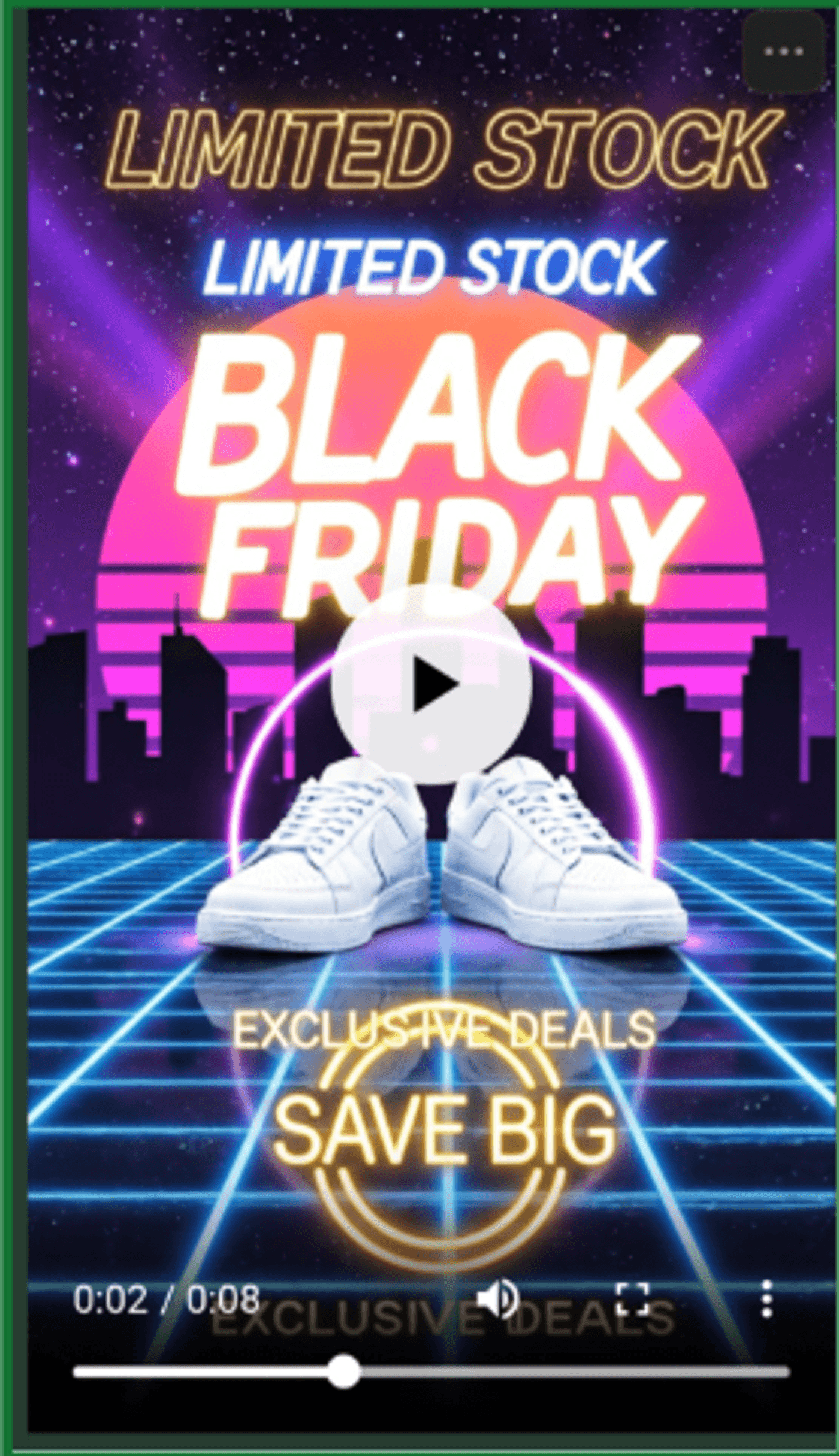
It’s fast but elegant, around 1 to 1.5 seconds for the entire reveal, and instantly tells the viewer, “This product is special.” Combine that with your BFCM discount, and suddenly your demo doesn’t just show but actually sells the product.
Pro Tip: Create multiple versions for different products. invideo lets you swap out footage and text while keeping the same template. One afternoon = ten product demo videos.
Strategy 3: Leverage User-Generated Content (UGC) Videos
What It Is
This is when you take videos your customers have made—unboxings, reviews, testimonials—and compile them into a montage. Real people, real reactions, real trust.
Why It Works
People trust other people more than they trust brands. It's just human nature. When someone sees a real customer raving about your product, it's worth 10x more than your own marketing. UGC videos are social proof on steroids.
Tips
-
Start collecting content early using branded hashtags
-
Always get permission before using someone's video
-
Mix positive reviews with your deal announcements
-
Show diverse customers using the product
-
Keep the raw, authentic feel—don't over-polish it
Video Prompt & Format
Prompt for invideo: "Compile user-generated content clips into 30-second video. Show 5-6 customers unboxing and using our product. Add text overlay: 'Our Customers Love It—And You Will Too.' Include star ratings. End with 'Get 40% Off This Black Friday.' Use feel-good, uplifting music."
Video Format:
-
Primary: 9:16 Social story (matches original UGC format)
-
Secondary: 16:9 Widescreen (for ads, website testimonials)
Example
Video starts with a customer's excited face as they open your package. Cut to someone else using your product at home. Then a gym selfie with your gear. Quick testimonial: "Best purchase ever!" More happy customers. Text appears: "4.8★ Rating from 10,000+ Reviews." Final slide: "Get Yours 40% Off—Black Friday Only."
To elevate this format, you can turn UGC into mini documentary-style ads. For example, this video here shows a curated series of shots featuring different people in NYC, all dressed in effortless streetwear, walking through neon-lit streets and cafes. Each person holds or uses the product while casually talking about it, creating a mix of authenticity and cinematic vibe.
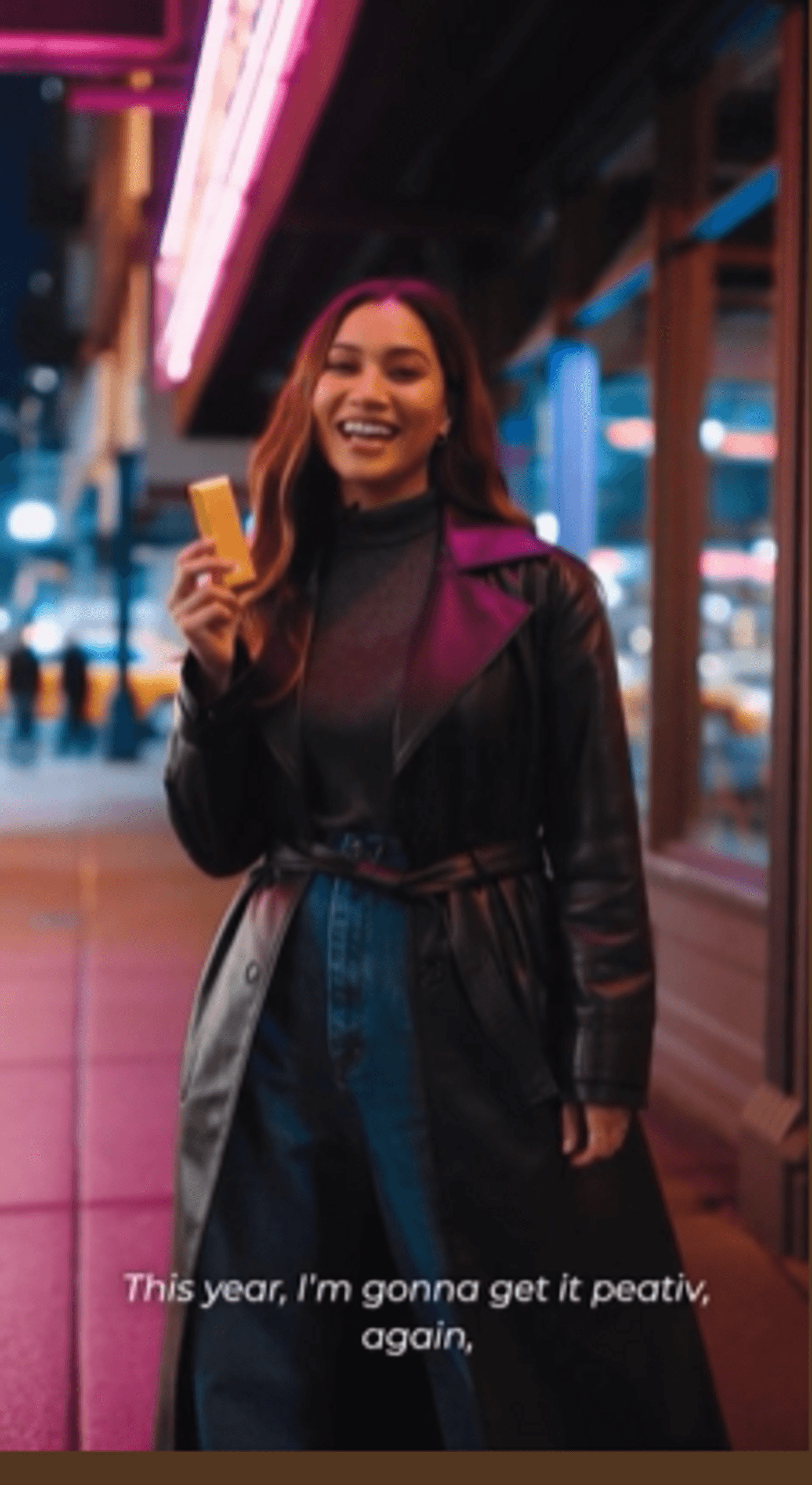
One woman, under the warm pink glow of a neon sign, says: “Bought this last Black Friday, still obsessed! This year, I'm gonna get it again… It's 60% OFF!”
The final line hits right before the video ends, giving a natural punch of excitement and urgency.
This kind of UGC doesn’t feel like an ad but a culture. And that’s exactly why it works.
Pro Tip: Ask customers to tag you in their videos throughout the year. By BFCM, you'll have a library ready to go. Just compile and post.
Strategy 4: Create Teaser Videos for Email Campaigns
What It Is
Short, snappy videos designed specifically for email. These aren't full ads—they're appetizers that make people want to click through to your site.
Why It Works
Emails with video have a 96% higher click-through rate. But here's the trick: the video needs to load fast and grab attention in the first three seconds. That's what teaser videos do. They give just enough to create curiosity.
Tips
-
Keep it under 20 seconds (seriously, shorter is better)
-
Use animated GIFs if video embedding is tricky
-
Make the first frame compelling (it's often the thumbnail)
-
Always include a strong CTA
-
Make it work without sound (add captions)
Video Prompt & Format
Prompt for invideo: "Create a 15-second email teaser video. Show quick product reveals with swipe transitions. Text: 'Our Black Friday Preview Is Here—But Only for Email Subscribers.' Use bold, eye-catching colors. Add 'Click to See Full Deals' button animation. Upbeat music optional."
Video Format:
-
Primary: 16:9 Widescreen (better for email embedding)
Example
Video opens with blurred product images. Text: "Sneak Peek Time..." Products come into focus one by one—flash, flash, flash. "Our Black Friday Sale Is HUGE." Big red button appears: "Click to Unlock All Deals." Everything happens in 12 seconds. Simple. Effective. Click-worthy.
Pro Tip: Export as GIF for better email compatibility. invideo can do this in one click, and it loads faster than embedded video.
Strategy 5: Produce Flash Sale Announcement Videos
What It Is
These are urgent, high-energy videos announcing sudden, time-limited deals. "FLASH SALE: Next 3 hours only!" They're designed to make people drop everything and buy NOW.
Why It Works
FOMO (fear of missing out) is real. Flash sales tap into that primal "act now or lose out" instinct. When people know a deal is disappearing in hours, not days, they act fast.
Tips
-
Make them visually urgent (bold colors, fast cuts)
-
Add a countdown timer—it's psychological gold
-
Use text overlays for sound-off viewing
-
Post across all platforms simultaneously
-
Keep them short and punchy (15-30 seconds)
Video Prompt & Format
Prompt for invideo: "Create a 20-second flash sale video. Red and yellow color scheme. Large text: 'FLASH SALE: 50% OFF!' Show countdown timer ticking down from 3 hours. Include rapid product showcase. Add alarm sound effect. End with 'SHOP NOW BEFORE IT'S GONE.'"
Video Format:
-
Primary: 9:16 Social story (urgent, mobile-first alerts)
Example
Screen flashes red. Alarm sound. Text explodes onto screen: "FLASH SALE!" Countdown timer appears: "2:59:58... 2:59:57..." Products zoom in and out rapidly. "Everything 50% Off!" Timer keeps ticking. Final frame: "GO GO GO!" with your website link. Total chaos. Total urgency. Total effectiveness.
This reel by ChloBo Jewellery uses a word-search puzzle stuck on the wall. As the hand starts circling letters, viewers slowly decode the hidden message: BLACK FRIDAY FLASH SALE — UP TO 50% OFF — FOR 24 HOURS ONLY.
The video turns a simple announcement into a small moment of discovery. It’s playful, creative, and still direct about the limited time frame. That’s exactly what flash sale videos should aim for: attention first, urgency next, action right after.
Pro Tip: Schedule these throughout BFCM weekend—not just Black Friday. Cyber Monday afternoon flash sales catch the "last chance" shoppers.
Strategy 6: Develop Gift Guide Videos
What It Is
Curated video collections showing your products organized by recipient or theme: "Gifts Under $50," "For Him," "For Tech Lovers," etc. You're basically doing the thinking for your customers.
Why It Works
Decision fatigue is real, especially during BFCM when there are a million options. Gift guides simplify the process. Plus, they naturally increase cart values because people buy multiple items from one guide.
Tips
-
Segment clearly (by person, budget, or interest)
-
Show 5-7 products per guide (not too many)
-
Include a range of price points
-
Make it visually appealing with lifestyle shots
-
Create multiple guides for different audiences
Video Prompt & Format
Prompt for invideo: "Create a 45-second gift guide video titled 'Perfect Gifts for Him.' Show 6 products: watch, wallet, cologne, headphones, gym bag, grooming kit. Display each product with price and name. Use masculine color palette (navy, silver, black). Add 'All 30% Off Black Friday' banner. Include smooth transitions."
Video Format:
-
Primary: 9:16 Social story (Instagram/TikTok shopping)
-
Secondary: 16:9 Widescreen (YouTube, blog embeds)
Example
Video opens: "Gifts He'll Actually Love." First product appears—a sleek watch rotating on screen. Price below: "$89." Swipe transition to a leather wallet. Then cologne. Each product gets 5 seconds. Final screen shows all six products together: "The Complete Collection—30% Off Black Friday." Easy. Helpful. Conversion-friendly.
This reel from Ethan, a digital creator, perfectly showcases this strategy, where he showcases PureVis 2 Bottle by LARQ as part of a Black Friday gift guide he’s putting together. The product is introduced within a curated theme, which is exactly how gift guide videos should work.
He presents the item clearly, highlights its utility, and positions it as a thoughtful option within the larger “Black Friday Gift Guide.” This type of content makes the viewer feel like the shopping decisions have already been filtered and simplified for them.
Pro Tip: Make these shoppable on Instagram and TikTok by tagging products. invideo videos work perfectly with these platform features.
Strategy 7: Use Behind-the-Scenes Videos
What It Is
Show what's happening behind the curtain. Your team packing orders. Preparing for the big sale. The controlled chaos of BFCM at your warehouse. Real people, real work.
Why It Works
These videos humanize your brand. They build connection. When people see the faces and effort behind their orders, you're not just a faceless company anymore. You're people they root for.
Tips
-
Keep it authentic—no need for perfect lighting
-
Show your team's excitement (it's contagious)
-
Include challenges (makes it more real)
-
Film during actual prep time
-
Add upbeat, feel-good music
Video Prompt & Format
Prompt for invideo: "Create a 30-second behind-the-scenes video. Show warehouse team packing boxes, high-fiving, and preparing for Black Friday rush. Add text: 'We're Getting Ready for Our Biggest Sale Ever!' Include employee smiles and team energy. Use casual, documentary-style editing. Uplifting background music."
Video Format:
-
Primary: 9:16 Social story (Instagram Stories, Reels)
-
Secondary: 16:9 Widescreen (YouTube vlogs)
Example
Open with a wide shot of your warehouse. Zoom in on someone taping boxes. Cut to another team member organizing products. Someone holds up a "Black Friday Loading..." sign and grins. Quick montage of the team working together. Text: "Getting Ready to Make Your Holiday Shopping Amazing." Final shot: whole team waving. Warm. Human. Memorable.
For instance, Alfie Taylor shares a reel showing a raw look at what Black Friday actually feels like inside a business. The video shows the team packing orders at 8:35 am, moving quickly, sorting items, filling bags, and dealing with the non-stop flow of work.
Behind-the-scenes content is all about humanizing your brand. So when viewers understand that real people are working hard to deliver their purchases, it makes the brand feel more grounded and relatable.
Pro Tip: Film this content in advance but post it just before BFCM starts. It builds anticipation while showing you're ready for the rush.
Strategy 8: Create Comparison Videos (Your Deals vs. Competitors)
What It Is
Side-by-side videos showing why your BFCM offer is better than the competition. Not trash-talking—just facts. "They're offering 20% off. We're offering 40% off plus free shipping."
Why It Works
People comparison shop during BFCM anyway. You're just making their job easier while positioning yourself as the smart choice. It's persuasive without being pushy.
Tips
-
Be factual, never mean-spirited
-
Focus on value (not just price)
-
Don't name competitors directly if you want to stay classy
-
Include multiple comparison points
-
Always end with your clear advantage
Video Prompt & Format
Prompt for invideo: "Create a 30-second comparison video. Split screen format. Left side: 'Other Stores' with 20% discount. Right side: 'Us' with 40% discount + free shipping + extended returns. Use checkmark animations for our advantages. Professional, clean aesthetic. Bold colors to highlight our benefits."
Video Format:
-
Primary: 16:9 Widescreen (better for side-by-side comparisons)
-
Secondary: 9:16 Social story (for social ads)
Example
Split screen appears. Left side shows generic "Competitor" deal: "25% Off." Right side shows "Us": "40% Off." Checkmarks start appearing on your side: ✓ Free Shipping, ✓ 60-Day Returns, ✓ Gift Wrapping Included. Left side gets X marks. Final frame: "Why Settle for Less?" Your logo. Done.
Pro Tip: Keep it classy. The goal is to elevate yourself, not drag others down. Focus on what makes you better, not what makes them worse.
Strategy 9: Launch Short-Form Video Ads for Social Media
What It Is
Paid video ads specifically designed for Reels, TikTok, and YouTube Shorts. These aren't your regular ads—they're vertical, fast, and built for the algorithm.
Why It Works
Short-form video is dominating social media. The algorithm loves it. People watch it. And during BFCM, when organic reach is tough, a well-placed short-form ad can deliver massive ROI.
Tips
-
Hook viewers in the first 2 seconds (or they scroll)
-
Always vertical format (9:16)
-
Add captions (80% watch without sound)
-
Test multiple versions
-
Keep it under 30 seconds
Video Prompt & Format
Prompt for invideo: "Create a 20-second TikTok-style ad. Start with attention-grabbing question: 'Still paying full price?' Show product transformation or before/after. Quick transitions. Add text overlay: '50% Off Black Friday—Today Only.' Include trending background music. End with website URL and 'Link in Bio.'"
Video Format:
-
Primary: 9:16 Social story (Reels, TikTok, Shorts)
Example
Video starts: Girl scrolling phone looking bored. Text: "Still shopping full price?" She looks shocked. Cut to her using your product, huge smile. Text pops: "Smart shoppers use..." Your logo. "50% Off Ends Tonight." Quick cuts of product features. Final frame: "Tap to shop." Simple. Effective. Scroll-stopping.
To make these ads even more scroll-stopping, you can adapt a Streamer Crashout–style format. For example, this bright, high-energy reaction video features a streamer seeing the product demo pop up on screen. The moment the discount appears, he literally screams: “Wait – IS THAT 30% OFF?!”
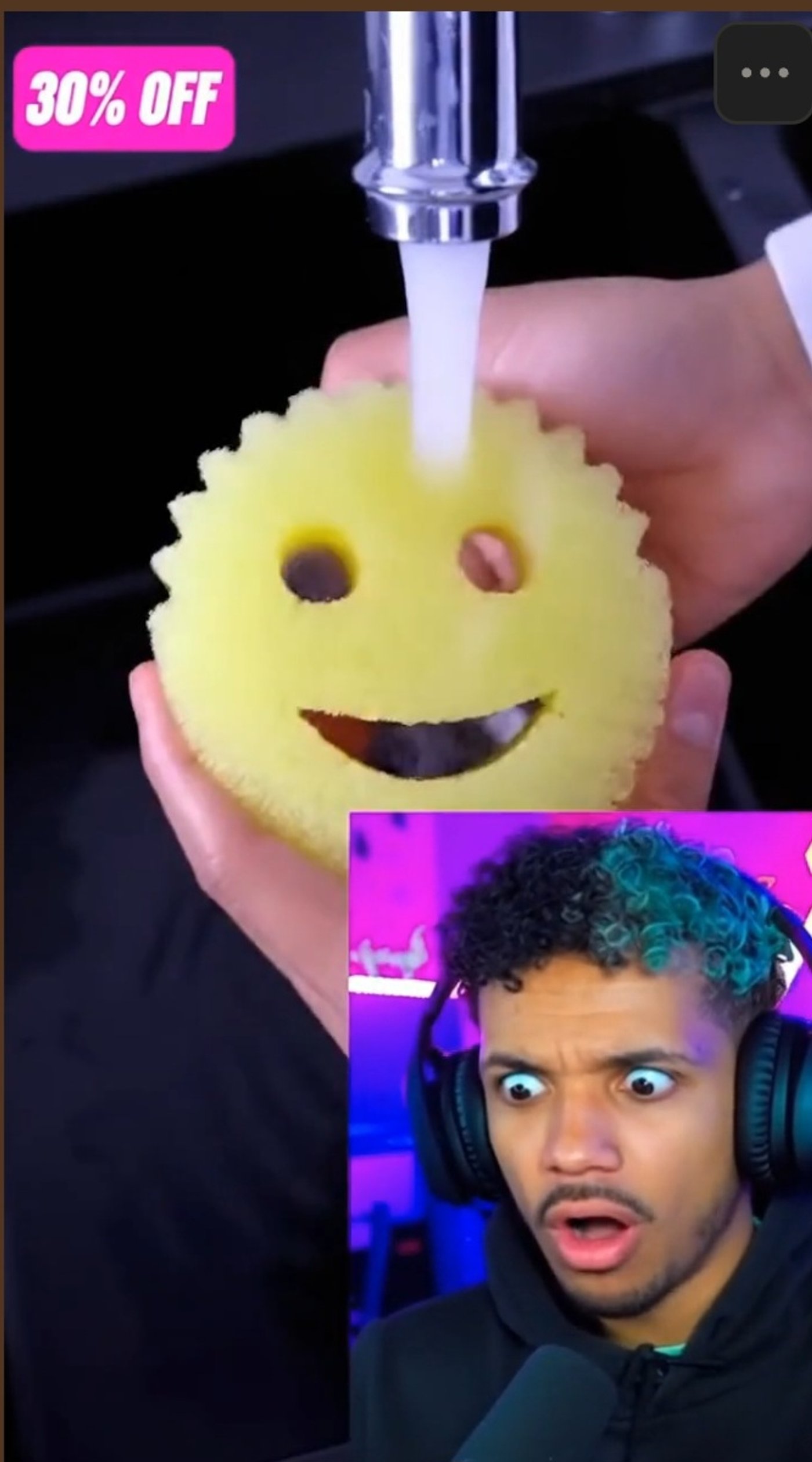
This format works because it injects humor, energy, and authenticity into your ad. It feels native to the platform, not forced. And that’s exactly why viewers stop, watch, and click.
Pro Tip: Create 3-5 variations with different hooks and test them. invideo makes this easy—same core video, different opening line. Let the data tell you which wins.
Strategy 10: Create "Last Chance" Urgency Videos
What It Is
Final push videos posted in the last hours of your sale. These are the "it's now or never" messages designed to capture procrastinators and fence-sitters.
Why It Works
Some people need that final nudge. They've been thinking about it. They almost bought yesterday. Your "last chance" video is the push they need to finally click buy.
Tips
-
Post multiple times in the final hours
-
Use live countdown timers if possible
-
Make the urgency impossible to ignore
-
Keep messaging simple: "This is it"
-
Make them easy to share (friends tag friends)
Video Prompt & Format
Prompt for invideo: "Create a 15-second final hours video. Large countdown timer showing hours and minutes remaining. Text: 'FINAL HOURS: Black Friday Ends at Midnight!' Show best-selling products sold out tags appearing. Use urgent red color scheme. Add clock ticking sound. End with 'Last Chance to Save 50%.'"
Video Format:
-
Primary: 9:16 Social story (immediate mobile alerts)
-
Secondary: 16:9 Widescreen (website banners, email)
Example
Screen shows large clock: "6:47:23 remaining." Text flashes: "LAST CHANCE." Products appear with shrinking stock numbers: "Only 12 left... 11... 10..." Clock keeps ticking. Music builds tension. Final message: "Sale Ends at Midnight. This is your last chance." Screen goes black. Your logo. Done. Pure urgency.
Pro Tip: Schedule these in advance but keep them feeling urgent and real-time. Post at 6 PM, 9 PM, and 11 PM on Cyber Monday for maximum impact.
This reel from Plushshop.anime opens by showcasing their plush characters one by one — soft visuals, easy pacing, and a quick reminder of what customers have been eyeing throughout the sale.
Once the products are showcased, it cuts to the bold, high-contrast graphic announcing “LAST 24 HOURS!” for their Black Friday offer. This structure brings viewers to the product first, and then delivers the urgency right at the end — a simple sequence that feels natural, and still gives that final nudge to complete the purchase.
Bonus Tips for Video Marketing Success During Black Friday and Cyber Monday
A few extra nuggets to make your BFCM video marketing even better:
-
1.
Start Early, Really Early - Don't wait until November 20th. Start creating and posting content in early November. The early bird gets the worm—and the sales.
-
2.
Mobile-First Everything - Over 70% of BFCM shopping happens on mobile. Every video you make should look amazing on a phone screen first, desktop second.
-
3.
Caption Everything - Most people scroll with sound off. If your video needs sound to make sense, you've already lost.
-
4.
Test and Adjust Quickly - Post a video. Check the metrics after 2 hours. If it's flopping, try a different hook. BFCM moves fast—you need to move faster.
-
5.
Repurpose Like Crazy - One good video can become 5 pieces of content. Full version for YouTube. Shortened for Reels. Stills for feed posts. Clips for Stories. Work smarter, not harder.
How InVideo Makes Black Friday and Cyber Monday Video Marketing Easy?
Look, I'll be straight with you. Creating 10+ different video types during the busiest shopping season of the year sounds exhausting — especially when you're trying to create Black Friday ads that actually perform. And it would be—if you were doing it the old way.
That's where invideo comes in.
Time-Saving Features Built for BFCM
Invideo isn't just a video editor. It's your BFCM video marketing command center. Here's how it saves you hours:
-
AI-Powered Creation: Type what you want, and invideo creates it. No more staring at blank timelines.
-
BFCM-Ready Presets: Pre-designed presets specifically for Black Friday and Cyber Monday. Just customize and export.
-
Batch Production: Create multiple videos from one template. Change the text, swap the product, export. Repeat.
-
One-Click Resizing: Made a square video? Turn it vertical in one click. No re-editing needed.
-
Stock Library: Millions of clips and images built in. No hunting for footage.
Quick Creation Workflow
Here's how fast you can work with invideo:
-
1.
Pick a trending BFCM preset
-
2.
Customize with your products, colors, and text
-
3.
Let AI suggest music and transitions
-
4.
Export in multiple formats for different platforms
-
5.
Done in minutes, not hours
Think about it. What used to take half a day now takes 20 minutes. That's the difference between creating 2 videos and creating 20 videos. During Black Friday and Cyber Monday, that's the difference between winning and watching your competitors win.
Start With Black Friday and Cyber Monday Marketing Now!
Here's the truth: the brands that win Black Friday and Cyber Monday are the ones that start early.
Not November 23rd early. Right now early.
Why? Because video marketing isn't a light switch. You can't just flip it on the day before Black Friday and expect magic. You need time to:
-
Test what resonates with your audience
-
Build anticipation with countdown content
-
Create enough variety to stay interesting
-
Learn from early posts and improve
The good news? You now have a complete roadmap. Ten proven strategies. Prompts for each video type. Tips from someone who's seen what works.
All you need to do is start.
Pick one strategy from this list. Just one. Open invideo. Create Cyber Monday video ads today. Post it. See how it performs. Then create the next one.
By the time Black Friday rolls around, you won't be scrambling. You'll be ready. Your content will be polished. Your audience will be primed. And while your competitors are panicking, you'll be counting sales.
