






Creating Product Photos with AI
-
AI product photography lets brands turn a small handful of sample shots into full catalogue of content for any e-commerce marketplace including Product Detail Page (PDP), Primary & Secondary images, and ad‑ready visuals.
-
The real unlock is standardized inputs: consistent angles, clean edges, simple backgrounds, and readable labels that AI can reuse across many variations.
-
With Advertising Studio by invideo, you can generate entire listings (hero, angles, context shots) from as little as a single strong image, then version everything from one workspace.
- Prompt guide to Nano Banana 2
If you run an eCommerce or DTC brand today, your problem usually isn’t “Do we have photos?” It’s “Do we have enough on‑brand photos, in the right formats, for every channel we care about this week?”
AI product photography changes that equation. Instead of booking a studio every time you add an SKU or launch a new offer, you start with a small seed set of product shots and use AI to spin those into a full catalogue of eCommerce‑ and ad‑ready visuals.
Let’s look at how that seed‑to‑catalogue workflow works in practice, where AI shines, where a studio still wins, and how to run the whole process inside an AI workflow like invideo.
How AI is Changing Product Photography?
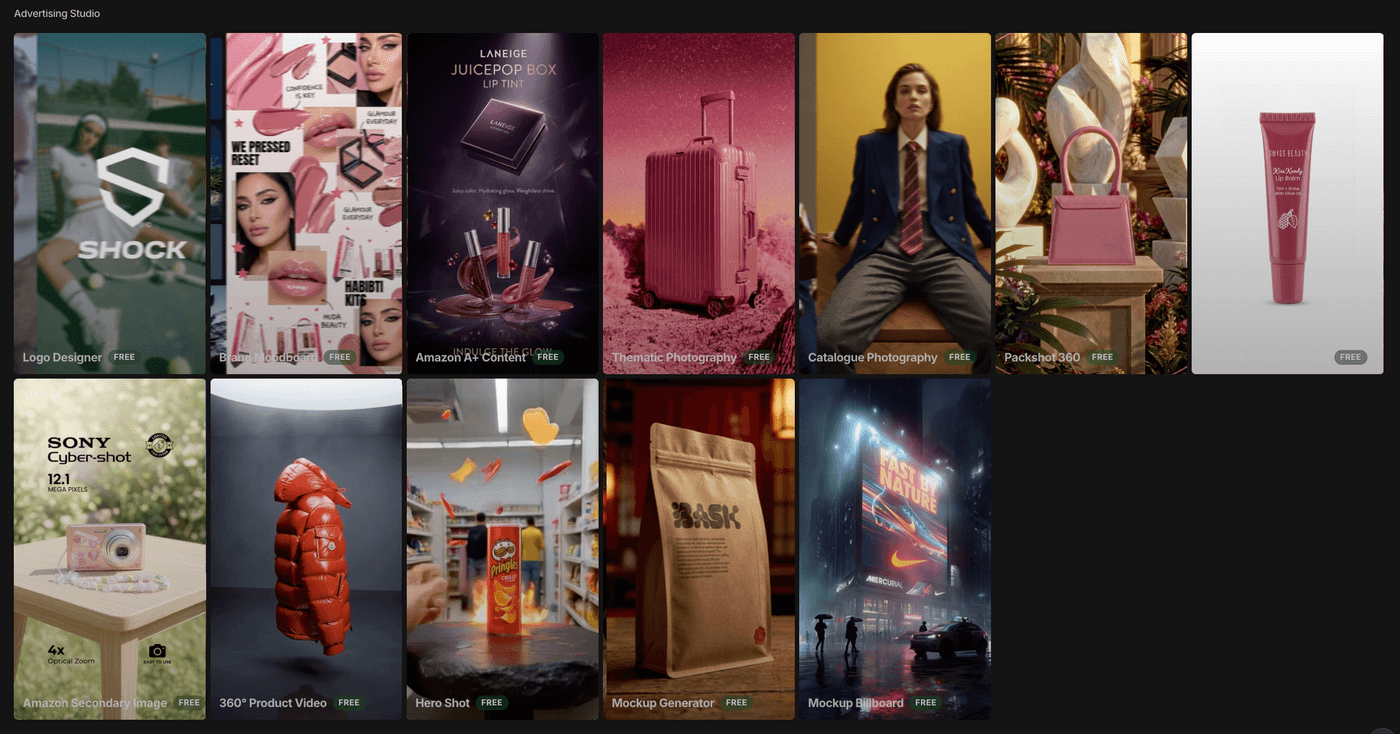
Modern eCommerce and DTC teams need product visuals for PDPs, marketplaces, Amazon‑style galleries, Reels and TikTok ads, YouTube Shorts, email, and performance marketing tests. You are not producing a handful of images per product anymore; you are maintaining a constant pipeline of creative.
Traditional studio workflows still produce beautiful hero shots. But they are still built around slower cycles: brief, schedule, shoot, retouch, deploy. That cadence struggles to support weekly or even daily refreshes where you want to test new backgrounds, bundles, angles, and offers.
This is why the useful question is not “Is AI better than a studio?” but rather “How do we ship consistent catalogue assets faster, without losing quality?” AI product photography, especially when it runs through a single system like invideo, gives you a seed‑to‑catalogue pipeline where you capture strong inputs once and reuse them many times.
Traditional Studio vs AI Product Photography
You do not have to choose one approach forever. Most mature teams use both. But they play different roles in the pipeline.
| Aspect | Traditional Studio | AI Product Photography |
|---|---|---|
| Role in the pipeline | High‑control hero campaigns, model‑driven lifestyle shoots, prestige imagery. | High‑velocity catalogue expansion, performance creative, and rapid testing. |
| Inputs | Full shoot days, crew, complex lighting and sets, physical samples on hand. | A small, standardized seed set per SKU (hero, angles, close‑ups), often from one base shoot. |
| Outputs | A fixed set of photos from each shoot; limited flexibility after the fact. | Many variations per channel: AI backgrounds, scene changes, crops, and product photo‑to‑video ads. |
| Speed and iteration | Slow to reshoot; every change means new time, coordination, and cost. | Built for rapid iteration, seasonal re‑versioning, and aggressive A/B testing across channels. |
| Best fit | Flagship launches, complex human scenes, on‑location stories, high‑stakes work. | Everyday catalogue work, marketplace galleries, performance creative, and frequent refresh cycles. |
AI product photography doesn’t fully replace everything a studio can do. It gives you a different kind of leverage: fast, consistent, repeatable outputs once you have good initial inputs.
How AI Product Photography Works?
A typical workflow looks like this:
You begin with clean, well‑lit product imagery. That might be a single hero image per SKU, or a slightly larger set (front, 3/4 angle, profile, and a couple of close‑ups). These don’t have to be captured in a huge studio; they just need to be sharp, uncluttered, and representative of the product.
You then feed these base images into an AI product photography pipeline. From there, you can:
- Generate alternate angles and crops from a small set of references
- Use an AI background generator to place the product into new environments without re‑shooting
- Create short motion assets and product‑photo‑to‑video ads, turning your stills into vertical, feed‑ready videos
The power comes from feeding one consistent seed set into multiple outputs: PDP images, marketplace galleries, vertical ad videos, and even email hero visuals, all built from the same source of truth.
Strengths: Where AI Product Photography Shines
Three strengths matter most in practice.
1. First, volume and speed. From a small input set, you can generate many variations: different AI backgrounds, crops, props, and aspect ratios. That supports more channels and more creative testing without extra shoot days.
2. Second, catalogue consistency. When your seed images are captured in a standard way, AI can help keep the look and feel aligned across many SKUs: similar lighting, composition, and framing across a category or collection. Your catalogue feels more intentional and premium.
3. Third, creative refresh. Because scene generation happens in software, you can quickly create new looks around the same product: Black Friday themes, summer scenes, gifting angles, or minimalist “evergreen” layouts. You do not have to bring the product back into a studio every time you want a new angle on the same offer.
Where AI Product Photography Falls Short?
AI is not magic, and there are clear boundaries. Weak inputs limit what models can do.
| Also read: Which AI image to model use and when? |
If your original images are low‑resolution, noisy, heavily compressed, or strongly filtered, you’re giving the system poor data. The result can be muddy edges, artifacts, or inconsistent textures.
Highly specific model‑based lifestyle scenes and complex human poses still favor traditional shoots, where casting, styling, and direction are the story. AI can help you ideate and extend, but it is not yet a full substitute for every high‑stakes production.
Reflective or extremely detailed products, like glassware, jewelry, high‑gloss finishes are extremely unforgiving. Any imperfection shows. For these, you either supply very clean source images to AI to get a good result.
In practice, AI works best as a multiplier of quality inputs, not a fix‑it‑later button for poor photography.
When AI Product Photography Is the Better Starting Point
Once you understand the strengths and limitations, some scenarios clearly favor an AI‑first approach.
If you are launching new SKUs often, the bottleneck is usually getting them photographed in time. An AI workflow lets you capture a simple seed image for each product and then build out the catalogue in software, so photography doesn’t slow your go‑to‑market.
If you are managing paid campaigns and need fresh creatives weekly, you probably care a lot about how quickly you can test new concepts.
With AI product photography, a new angle, background, or offer layout is simply a prompt change away.
If you want seasonal or event‑based versions, for example, Black Friday, summer, back‑to‑school, gifting of existing products, AI saves you from dragging products back into a studio just to change the context. You start from a hero shot you already trust and generate alternate AI backgrounds and scenes around it.
If you already have “good enough” product photos, from suppliers or older shoots, an AI workflow lets you get more value from them. Instead of letting those assets sit in a folder, you turn them into full sets of images and videos across channels.
When a Studio Still Wins
There are also moments when traditional studio work remains the right answer.
For flagship brand films or hero campaigns with models, complex lighting, and detailed styling, live production still sets the standard. When casting and performance matter, you want a crew.
For highly reflective or luxury products, where micro‑imperfections can undermine perceived value, a skilled photographer controlling every reflection can make a noticeable difference.
For brands whose core imagery is anchored in a very specific real‑world setting. It could be an iconic storefront, a particular landscape or a distinctive studio build. Capturing that physical space is still a job for cameras and lights.
Hybrid reality: Using AI and a Studio Together
In practice, the most effective brands mix both.
They invest studio time where live production really matters: a handful of hero visuals each year that define the brand. Then they bring those hero shots into an AI workflow to extend them into complete catalogues and ad systems: variant crops, different AI backgrounds, social formats, and motion assets.
Better ones even use AI earlier in the process: to pre‑visualise concepts before big shoots, test visual directions in ads with generated mockups, and reduce the number of reshoots needed.
The studio sets the bar; AI helps you meet that bar at scale.
Best AI Product Photography Tools: Why invideo's Advertising Studio Stands Out
You do not need to overhaul your entire production process to try this. You can start with a single SKU and build from there.
1. Where to work inside invideo
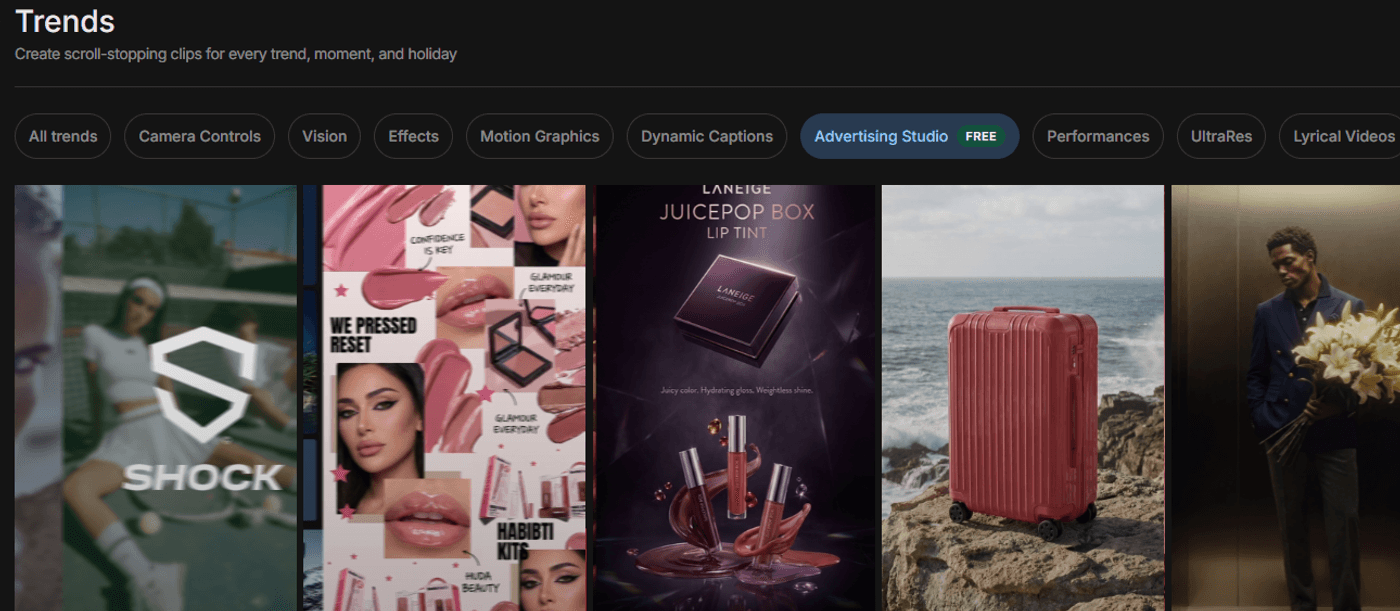
Everything runs through the main invideo workspace.
From your dashboard, open Advertising Studio and choose an AI product photography workflow. This becomes your command center: you bring in base images, apply consistent style systems, generate variations, and keep each product’s assets organized.
Working in one place means you are not juggling a separate best image generation AI, a third‑party AI background generator, and a different tool for exports. You stay inside a single environment designed for product visuals.
2. Prepare and standardize your product photos (the “seed set”)
You can start with just a single strong product photo per SKU. What matters most is quality.
Aim for a clean or simple background, sharp edges, neutral lighting, and a readable label. Avoid heavy filters and aggressive color grading; neutral, well‑exposed shots give the AI model more reliable information.
If you have a slightly larger set:
- Hero/front
- 3/4 angle
- Side/profile
- Close‑ups
Advertising Studio can make good use of it. But a big part of the value of invideo Advertising Studio is that you can still build an entire listing from a single well‑shot image when necessary.
Standardizing how you capture this seed set across SKUs is what makes the whole system scalable. The more consistent your inputs, the more consistent your AI‑generated outputs will look.
3. Generating Your First Listing
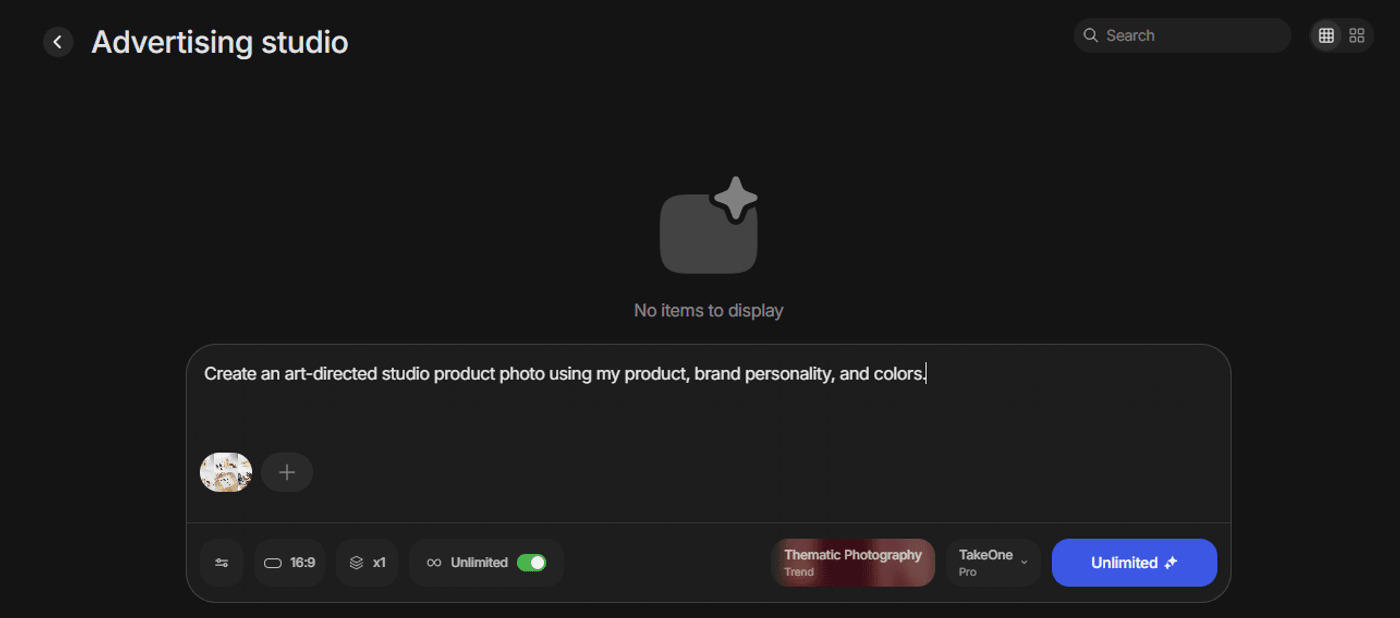
Once you have your seed image, the core workflow is straightforward.
You import a clear product photo into Advertising Studio and choose a style pack or template that matches your brand: clean eCommerce, more textured lifestyle, seasonal or promotional frames, and so on.
The workflow then:
- Generates a main hero image optimized for your PDP or listing
- Suggests or creates alternate angles and close‑ups to round out the gallery, even if your original seed set is limited
- Builds context or lifestyle shots where your product appears in realistic environments aligned with your brand’s look and feel
- Produces platform‑specific crops and aspect ratios so you have ready‑to‑use assets for marketplaces, ads, and social posts
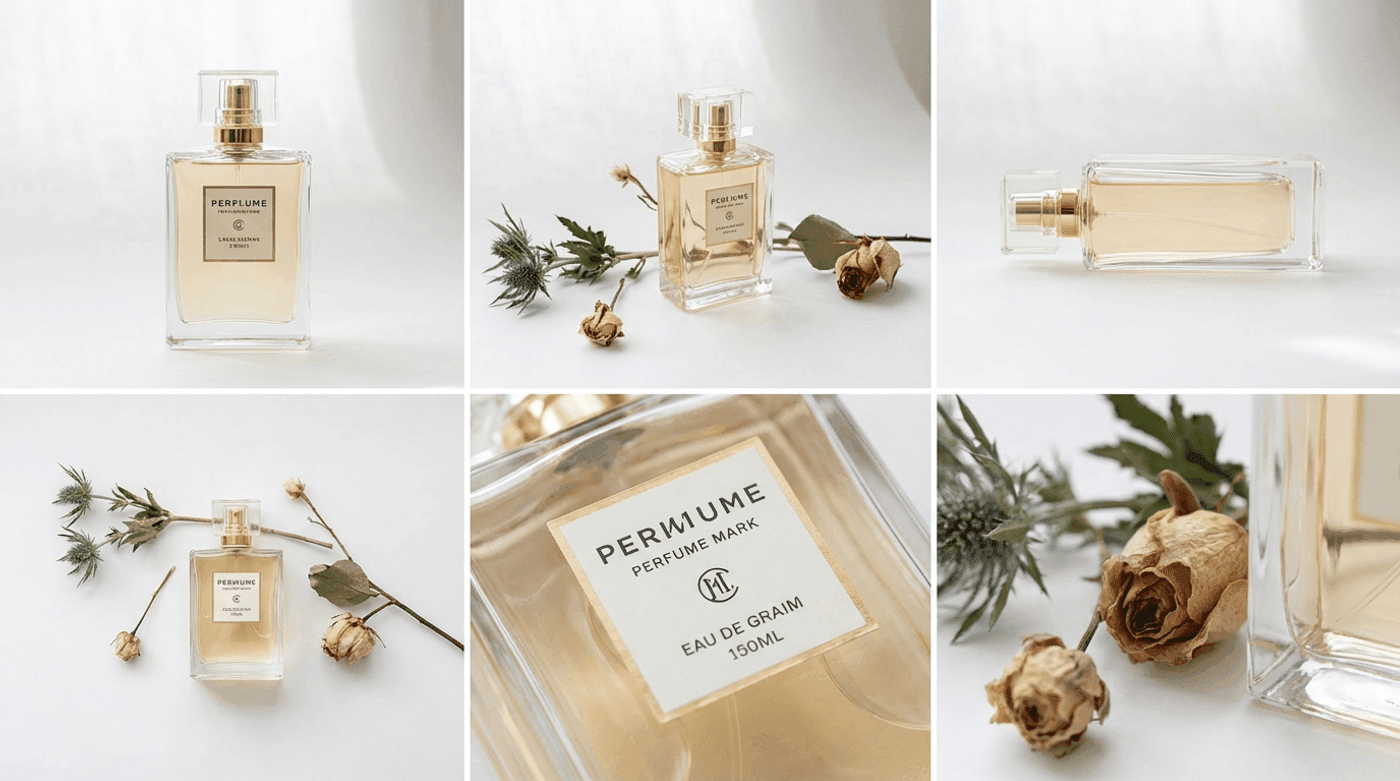
In one pass, you move from “one reference image” to a full visual listing you can deploy across channels.
For reference, you can use something like this:
4. Use an AI Product Photo Generator to Version Creatives at Scale

Once you are happy with the first listing, you can start versioning it rather than starting from scratch.
You adjust prompts or style settings to change backgrounds, color palettes, or environments. Here are some examples:
- Seasonal variations: holiday, summer, back‑to‑school, gifting
- Campaign‑specific looks: “new launch,” “limited edition,” “bundle and save”
- Channel‑specific personalities: bolder, faster‑paced looks for paid social; cleaner, simpler visuals for marketplaces
When you find combinations that perform, you save them as repeatable recipes. The next time you add a SKU, you drop new seed images into the same recipe and get a full set of AI product photos that match the visual language you already validated.
5. Export and reuse across channels
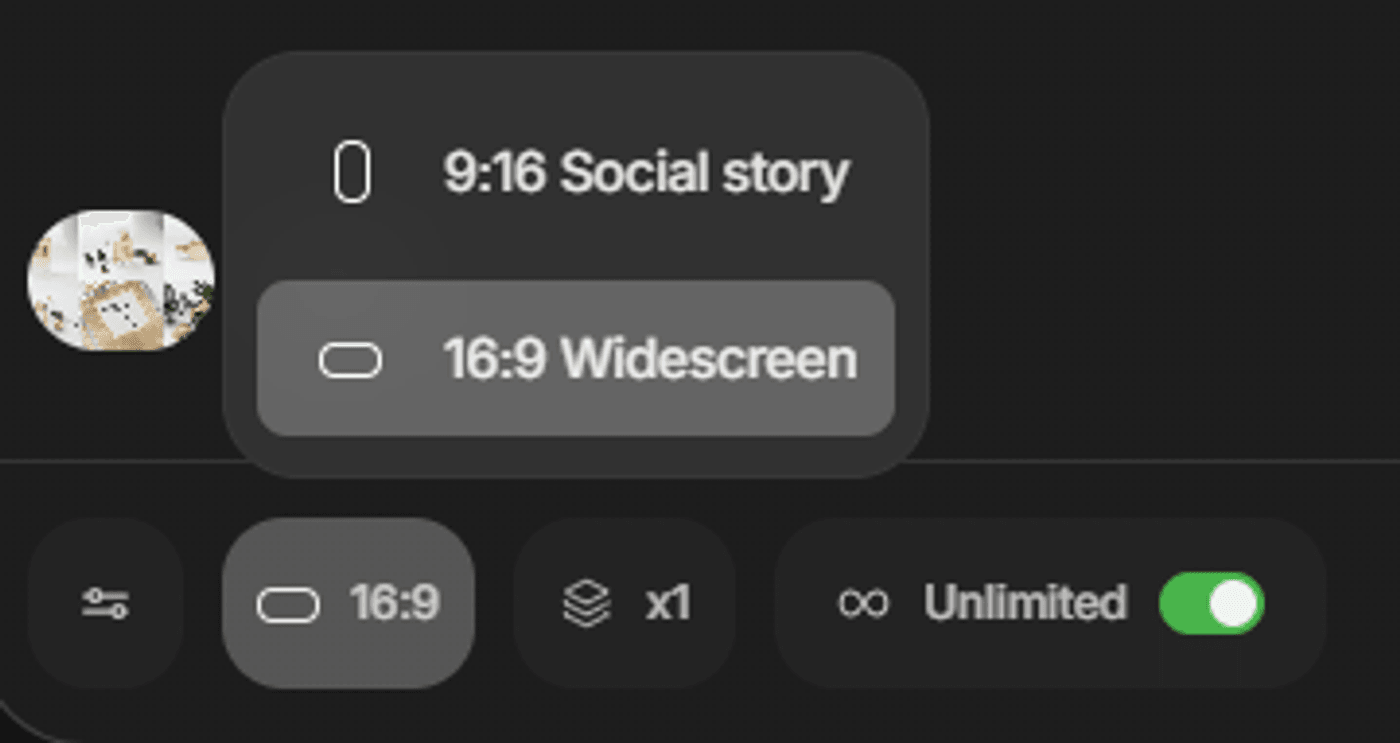
When you are satisfied with the outputs, you export them in the formats and resolutions your channels require: square for marketplaces, 4:5 or 9:16 for social and ads, banner‑friendly dimensions for email and landers.
And because everything lives inside invideo, each product retains its own project. You can return later, duplicate the workflow, and spin up new variations in minutes without rebuilding the process.
At this point, AI product photography will stop feeling like a one‑off experiment and start behaving like a standard part of your content engine. This is exactly how you scale faster.
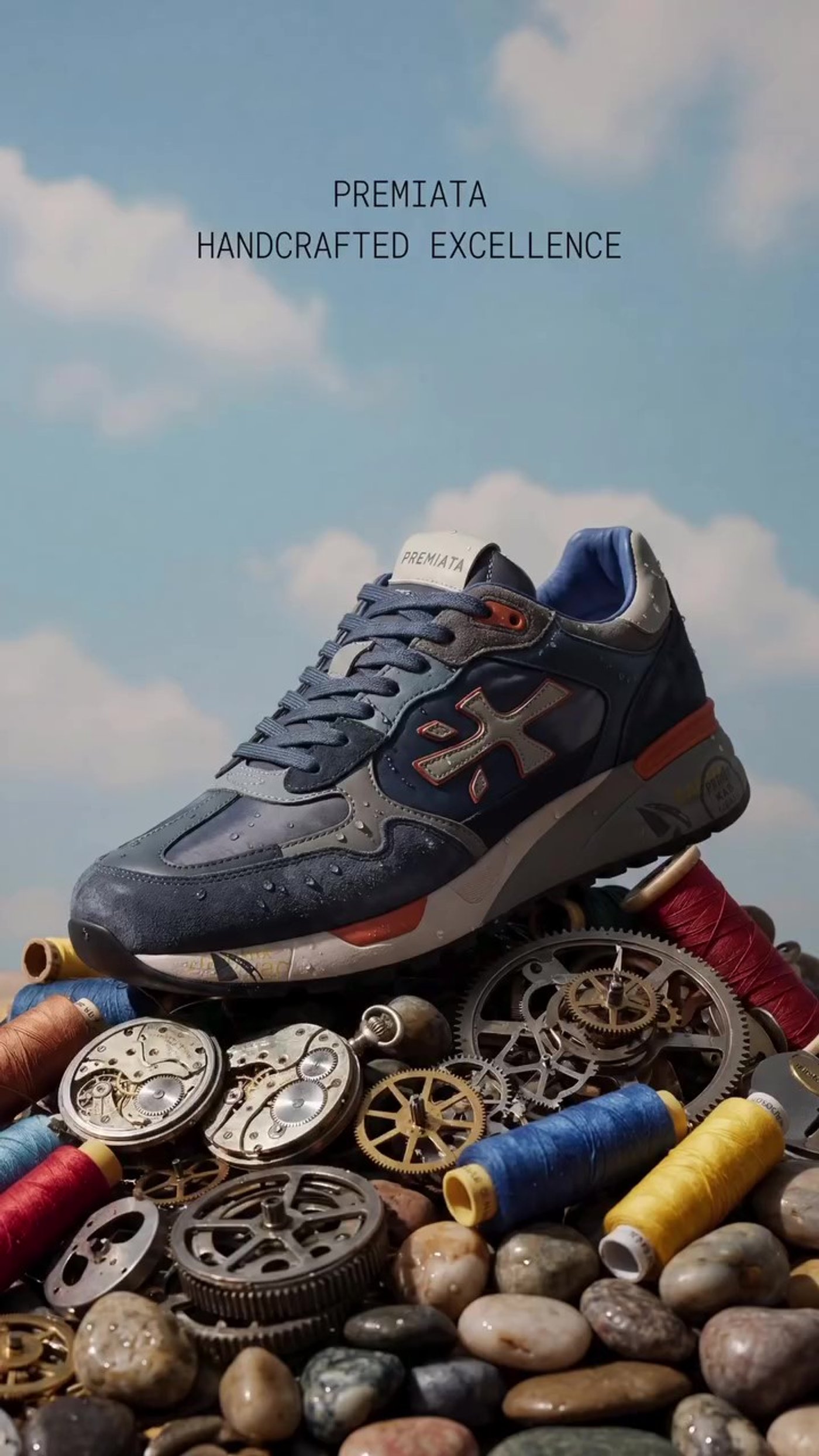
With invideo’s Advertising Studio, this is the kind of result you can expect:
Pick What’s Right for You: AI Product Photography Without a Studio
Choosing how much to lean on AI comes down to where your bottlenecks are.
If your priority is shipping more catalogue and ad creative with the same small team and budget, an AI centered workflow is usually the best starting point. You capture a solid seed set once and let product photography AI handle the scaling.
When you do invest in studio time, treat it as a force multiplier, not the default for everything. Use it for the few hero assets where uniqueness and live production really matter. Then bring those hero shots into invideo and multiply them into complete catalogues, with AI backgrounds, channel‑specific crops, and coordinated video.
The outcome is a system where you move faster, test more ideas, and waste less resources without needing a studio on standby for every new creative concept.
FAQs
-
1.
Can AI product photography completely replace a traditional product shoot?
Not completely. AI can replace many follow‑up shoots: new angles, seasonal variations, ad‑specific layouts, and marketplace‑ready crops. But for complex human scenes, high‑end campaigns, and particularly demanding products, a controlled studio shoot still offers advantages. Most teams get the best results by using AI for high‑volume catalogue work and reserving studio time for truly irreplaceable assets.
-
2.
How many photos do I need per product to start using AI product photography effectively?
WIth the invideo Advertising Studio, you can begin with a single well‑shot image per SKU, especially a clear front or 3/4 view with a readable label and minimal background clutter. However, a small standardized set: hero/front, 3/4 angle, side/profile, and one or two close‑ups gives the model more flexibility to generate convincing AI product photos and alternate angles.
-
3.
How do I make sure labels and small text stay readable in AI‑generated assets?
Start with high‑resolution images where labels and small text are already sharp. Avoid heavy filters and over‑compressed files. If your inputs are marginal, use invideo's enhancement tools, such as Nano Banana 2, to sharpen and clean them before generation. When reviewing outputs, zoom in on labels; regenerate or discard any variants where text looks distorted.
-
4.
Which types of products work best for AI generated product photography?
AI generated product photography works best for clearly defined objects with straightforward materials: packaged goods, cosmetics, electronics, homewares, accessories, and many fashion items. Reflective, transparent, or highly intricate products can still work but may require cleaner source images and more careful review. A simple pilot across a few SKUs is the best way to discover your own "AI‑first" vs "studio‑first" categories.
-
5.
Can I create video ads from my seed sets or AI generated photos?
Yes. That is one of the main advantages of using invideo. You bring in your seed images once, use Advertising Studio to generate PDP and marketplace visuals, and then send the same assets into video‑oriented workflows like Money Shot. Because everything runs in one ecosystem, your static and motion creative share the same style, backgrounds, and product rendering.
-
6.
Can I still do AI product photography if my existing product photos are low resolution or heavily compressed?
Avoid sending them straight into a generation model. In this case, treat enhancement as a first step. Use invideo to upscale, denoise, and sharpen those images so edges and labels are clearer. Once the inputs are closer to studio quality, you can safely use them inside Advertising Studio to generate AI backgrounds, scene variations, and new formats. For any products that remain unusable, plan a focused reshoot aimed purely at creating strong seed images for your AI pipeline.
