






Invideo’s collaboration with Kling is going through a momentous evolution. And with this new release, they are bringing VFX Studio to your fingertips with all the new possibilities. Kling O1 delivers the motion tracking precision that professional studios use for blockbuster films, the multi-shot character consistency that keeps A-list actors looking identical across complex sequences, and the camera control that replicates expensive cinematography rigs.
Kling O1's advanced motion systems, environment controls, and cinematic tools work directly within invideo's interface, giving you professional-grade results in minutes instead of weeks.
Key Takeaways
-
Kling O1 introduces advanced motion tracking, camera angle precision, and character consistency across multiple shots, available exclusively through invideo's platform.
-
Eliminates common pain points: inconsistent product placement, character wardrobe changes between shots, and unnatural motion that breaks viewer immersion
-
Supports 3–10 second outputs optimized for TikTok, Instagram Reels, and YouTube Shorts with platform-specific pacing
-
Reference-first approach maintains visual structure across shot sequences for professional multi-scene videos.
-
Best for: UGC-style ads, product demos, faceless brand videos, launch teasers, and event promotions
-
Key advantage: Direct platform access through invideo means no additional tools or subscriptions needed.
Why Motion Control and Consistency Matter
A study by amra&elma in 2025 found that short-form videos under 15 seconds see completion rates that are 53% higher than longer ads over 30 seconds. For creators and brands, inconsistent lighting or wardrobe between shots breaks immersion, while poor motion tracking makes products look unrealistic. Camera movement that doesn't match professional standards signals low production value, and viewers notice.
The impact is measurable: professional motion control increases perceived brand value, visual consistency strengthens brand recall, and natural physics keeps viewers engaged longer. When your video looks professionally produced, viewers trust your brand more.
What Kling O1 Brings with invideo
-
Advanced Motion Systems: Professional Polish Without the Production Costs
Character and object motion follow realistic physics with Kling O1. That means no more floating products or robotic movements that immediately signal AI generated content to viewers.
The model includes camera path control that mimics professional cinematography rigs, delivering the smooth dolly shots and tracking movements that traditionally require expensive equipment rentals. -
Multi-Shot Character Consistency: Scale Your Brand Ambassador Without the Retainer
Maintaining consistency with single reference images can be a hassle as they often lead to flickers, identity drifting, details getting fudged, etc. Kling O1 solves for this single reference image issue by maintaining appearance across diverse shot types, including close-up, mid, wide, and even special effects sequences.Wardrobe, lighting, and facial features also stay locked throughout your video. This eliminates the most expensive and time-consuming aspect of traditional video production: coordinating talent across multiple shooting days.
-
Environment and Object Control: One Shoot, Infinite Contexts
With Kling O1, you can swap backgrounds while preserving foreground subjects with accurate lighting integration. Insert products or props that blend naturally with the scene.
You can also remove unwanted elements with automatic background reconstruction and adjust specific colors for clothing, products, and brand elements throughout the entire clip without affecting other visual elements. -
Cinematic Tools: Enterprise-Level Creative Capabilities
Preceding or following shots are some of the most widely used in video production. But one of the core challenges here is maintaining continuity. Generating preceding or following shots based on scene context is simplified with Kling O1, as Kling is able to predict what could or will come before or after, thereby extending your narrative naturally. Apply artistic style transfers while keeping motion intact for different brand aesthetics.Create green-screen-ready footage for further compositing in professional workflows and add physics-accurate visual effects like fire, particles, and environmental effects that sync perfectly with character actions.
How to Best Use Kling O1
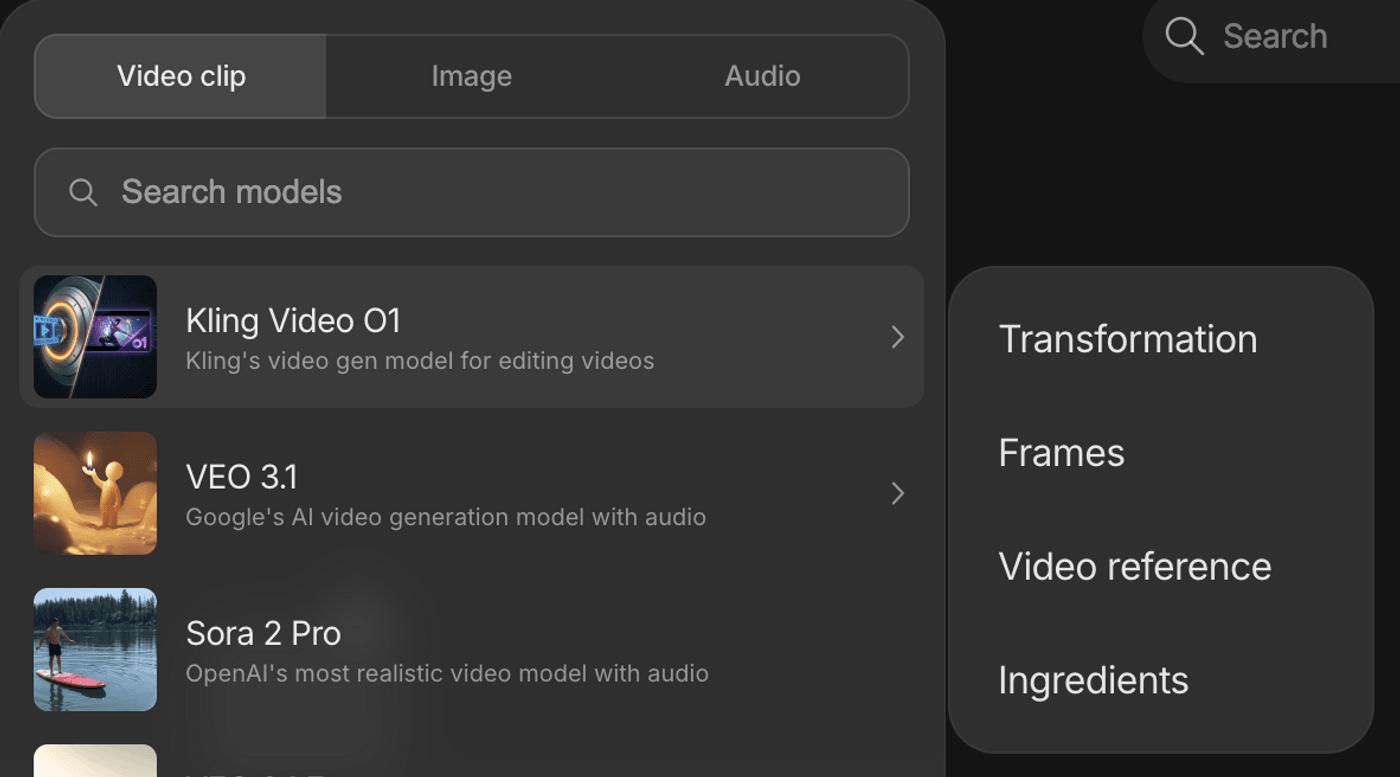
Step 1: Choose Your Asset Structure
Start by deciding your input approach based on your creative needs.
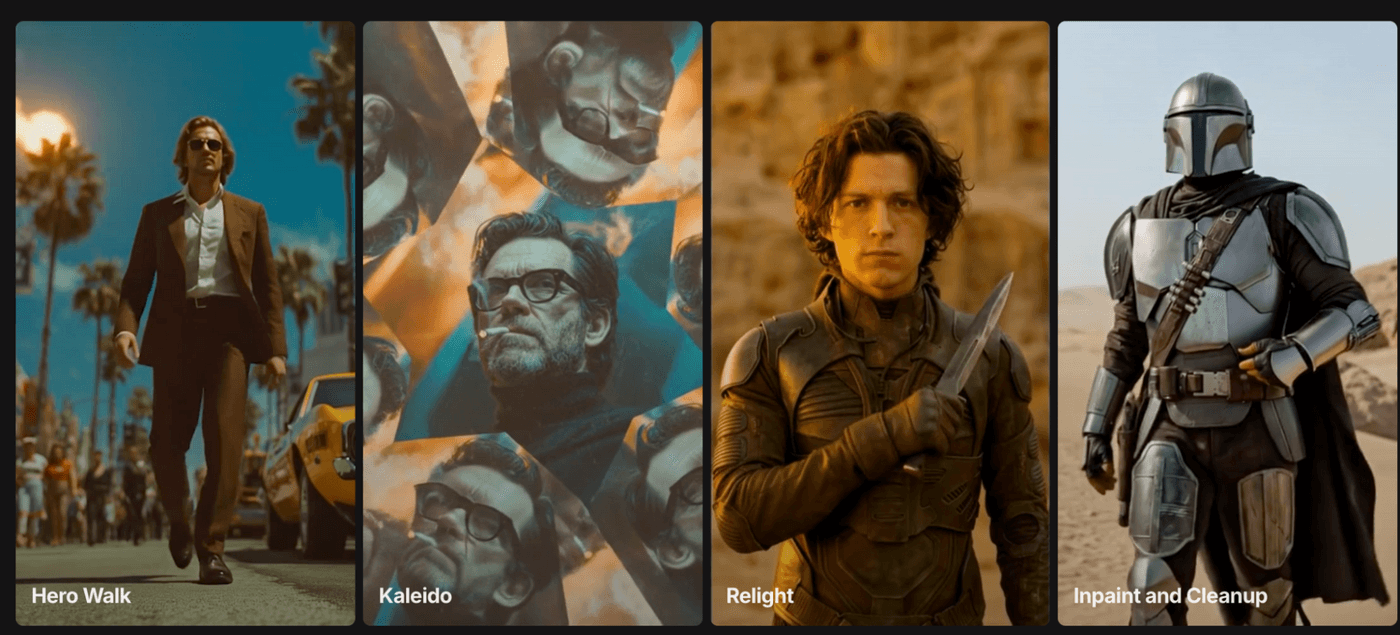
- Text-only generation works for concept testing when you're exploring ideas.
- Reference image plus text ensures character consistency across shots. You can start by creating AI-generated images, upload your model or product once, then generate multiple angles.
- Reference video plus modification prompt transfers motion or swaps backgrounds while keeping your subject intact.
- Multi-element assembly combines character, prop, and environment images for complex scenes.
Step 2: Write Reference-First Prompts
Structure your prompts with five key components for the best results.
Entrepreneur [@environment ref], confident posture. Camera: wide shot from doorway perspective. 5 seconds. Modern office, afternoon light.
- Define your subject clearly, such as who or what appears in the frame, using reference images when possible.
- Specify the action with concrete motion or gestures.
- Describe the camera angle, movement, and focal length feel. Include timing with duration and pacing guidance.
- Set the environment with specific settings and lighting quality.
Step 3: Lock Consistency Across Shots
Keep the look the same from shot to shot. Sometimes that means the background stays identical; other times it means the person or product looks exactly the same each time. Rebuilding that visual setup repeatedly is exhausting, so lock the elements you want consistent and carry them through your sequence. For multi-shot sequences, reference your previous outputs explicitly to maintain visual coherence.
Prompt 1 (Establishing Shot):
Entrepreneur at a standing desk typing on a laptop, confident posture. Camera: wide shot from doorway perspective. 5 seconds. Modern office, afternoon light.
Prompt 2 (Action Closeup):
Same character and wardrobe as in the previous shot. Hands typing on keyboard, cut to closeup of laptop screen showing dashboard. Camera: overhead angle on hands, then screen closeup. 6 seconds. Same lighting as Shot 1.
Prompt 3 (Emotional Beat):
Same character and wardrobe. Leans back in chair, satisfied smile, arms crossed. Camera: medium shot from the front. 3 seconds. Maintain the office environment and lighting from previous shots.
This three-shot sequence tells a complete story while maintaining perfect visual consistency, crucial for brand videos and testimonials.
Step 4: Set Pacing for Platform
Match your video duration to your content goal and platform requirements.
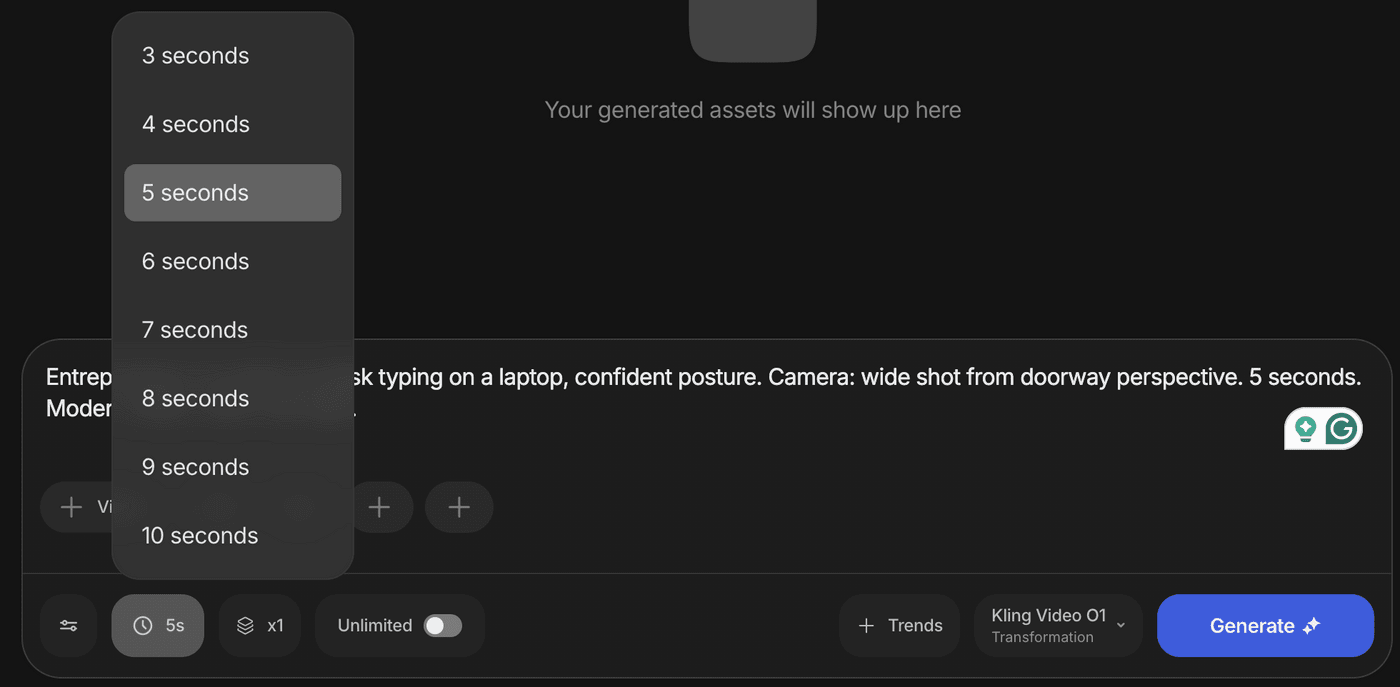
- Use 3–4 seconds for fast reveals, product hero shots, and quick transformations that grab attention immediately.
- Choose 5–6 seconds for standard action sequences, before-and-after comparisons, and feature demonstrations.
- Reserve 7–10 seconds for narrative arcs with multiple actions, or emotional setups with satisfying payoffs.
Pro Tip: Platform optimization matters: Instagram Reels and TikTok favor shorter, punchier content. YouTube Shorts can support slightly longer storytelling.
Step 5: Test and Refine
Generate 2–3 variations with slight prompt adjustments to find your strongest creative.
- A/B test camera angles and pacing to identify what drives higher completion rates.
- Check consistency frame-by-frame before scaling production, as visual inconsistencies that slip through can hurt your brand perception.
Here’s an example of what you can achieve using Kling O1.
Get Noticed Every Season with Kling O1
Q1 New Year: Transformation Narratives That Inspire
Fitness Transformation Journey
This format uses the same character across different stages of a fitness journey, demonstrating real progression. Kling O1 ensures your character stays visually consistent while showing meaningful change.
Prompt: Person stands in home gym looking determined but uncertain. Transitions to the same person performing a workout with improved form and confidence. Final shot shows the same person checking progress in the mirror with a satisfied smile. Camera: static medium shot for continuity. 10 seconds total. Same gym location, morning natural light throughout.
The strategy: use character consistency to show authenticity before-and-after journeys that build credibility.
Q2 Spring-Summer: Outdoor Authenticity and Seasonal Energy
Outdoor Product Demo with Natural Lighting
This format showcases products in authentic outdoor settings, perfect for lifestyle, fitness, and beauty brands. The challenge: maintaining consistent character appearance across changing natural light conditions.
Prompt: Presenter walks through a sunny park carrying a product, stops at a bench to demonstrate key features with genuine enthusiasm. Natural gestures and movements. Camera: tracking shot following the presenter, then medium shot at the bench. 8 seconds. Park or beach setting, golden hour lighting.
The strategy: leverage outdoor environments and bright lighting while maintaining character consistency across location changes.
Q3 Back-to-School and Fall: Educational Consistency and Warm Aesthetics
Educational Content with Presenter Consistency
This format positions your brand as a trusted educational resource by maintaining the same presenter across tutorial sequences.
Prompt: Instructor at a clean desk with organized supplies, explains concept while making direct eye contact with the camera. Uses hand gestures to emphasize key points. Maintains the same professional appearance across multiple tutorial segments. Camera: straight-on medium shot, stationary for a professional feel. 9 seconds per segment. Office or classroom with warm lighting, books and supplies visible.
The strategy: use presenter consistency to build trust in educational content, while warm color tones create seasonal relevance.
Q4 Holiday: Gift Guide Consistency at Scale
Seasonal Environment Swap Launch Teaser
Perfect for product launches during the holiday season. Show the same product in different festive contexts to demonstrate versatility while maintaining consistent product presentation.
Prompt: Product displayed on surface, environment transforms around it from cozy fireplace scene to elegant dinner party to snowy outdoor setting. Product remains center frame with consistent lighting throughout transitions. Camera: slow rotating orbit around the product. 9 seconds total (3 seconds per environment). Seamless transitions between holiday settings.
The strategy: maintain visual consistency across multiple product showcases to build trust and brand recognition while producing content at scale.
Create Professional Video Content Today
Kling O1 brings VFX-studio motion control and character consistency to invideo's platform, eliminating technical barriers that once required expensive production teams. The integrated workflow means no additional tools or subscriptions. Your complete creative toolkit lives right inside invideo, ready to transform your ideas into scroll-stopping content.
Kling O1 is available now on invideo. Start creating with the prompts above, or explore the full feature set with your own reference images and brand assets, entirely FREE and UNLIMITED for the next 7 days! Your next high-performing ad is just a prompt away.
Also check out these related articles:
-
Kling O1 on invideo: The All New VFX Studio for Video Editors
- How Can You Create Scroll-Stopping Ads from Simple Product Pages with Kling on invideo?
-
Kling on invideo: How It Became the Filmmaker’s Favorite AI Video Engine
FAQs
-
1.
Does Kling O1 require special prompting skills?
No. Standard descriptive prompts work well. Reference images improve consistency but aren't required for basic generation.
-
2.
Can I use Kling O1 outputs commercially?
Yes, through invideo's platform. Check invideo's commercial license terms for specific usage rights and attribution requirements.
-
3.
How does Kling O1 handle brand-specific colors or logos?
Upload reference images with your branding. Kling O1's color control features let you modify specific elements while keeping others locked, ensuring brand consistency.
-
4.
What's the difference between 3s and 10s outputs?
Longer durations support multi-step actions and narrative arcs. Shorter clips work for quick reveals and punchy hooks that grab attention.
-
5.
Can I chain multiple Kling O1-generated clips into one ad?
Yes. Use reference images and explicit prompt callbacks to maintain consistency across clips, then edit together in sequence.
-
6.
Is Kling O1 better for all use cases than previous models?
Kling O1 excels at motion control and multi-shot consistency. For simple static scenes, standard models may render faster with similar quality.
