Kling AI
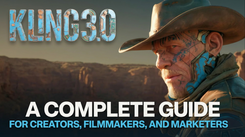
Access every Kling AI model, from Kling 2.1 to Kling 3.0, to generate videos with multi-shot scenes, effects, and camera angles using image or video references.
Kling AI Features
Most Advanced Model by Kling AI
Create up to 15-second cinematic videos with Kling 3.0 built-in audio, voice integration, consistent multi‑shot sequences, and AI-powered directing.
Most Advanced Model by Kling AI
Create up to 15-second cinematic videos with Kling 3.0 built-in audio, voice integration, consistent multi‑shot sequences, and AI-powered directing.
Consistent Cast Across by Kling AI
Drop in a short reference video, and Kling AI locks your character's face, wardrobe, and voice across every scene. Build a reusable cast of characters, props, and environments with Omni Elements.
Consistent Cast Across by Kling AI
Drop in a short reference video, and Kling AI locks your character's face, wardrobe, and voice across every scene. Build a reusable cast of characters, props, and environments with Omni Elements.
Precise Motion Control by Kling AI
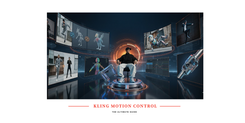
From full-body choreography & fight scenes to fingertip gestures & eye-line shifts. Drop in a reference video, drop in a character, and Kling AI handles the rest.
Precise Motion Control by Kling AI
From full-body choreography & fight scenes to fingertip gestures & eye-line shifts. Drop in a reference video, drop in a character, and Kling AI handles the rest.
Create Videos with Kling AI
Multi-Step Prompts
Kling AI understands detailed multi-step prompts. Create character interactions, scene transitions, and stories with facial expressions, emotions, and background activity.
Start & End Frame
Set how your video should start and end by uploading the first and last images. Kling AI fills in the motion between them to make animation feels smooth, and clear.
Camera Controls
Simulates cinematic camera movements including tracking shots, aerial views, and POV angles. Generate IMAX-style wide shots or extreme close-ups with professional camera controls.
Style Consistency
Kling AI preserves your reference image style across all frames in 1080p, ensuring consistent colors, lighting, and textures even during fast-paced action and dynamic effects.
Realistic Motions
Experience Kling AI’s realistic motion, with true-to-life physics, natural momentum, and smooth transitions for everything from fast chases to slow-motion shots.
How to use Kling AI on invideo
1. Select Models by Kling AI
Login and click on 'Agents & Models', then choose from 12+ Kling AI models on invideo.
2. AI Agents
Describe your vision to Agent One. It writes the script, picks the visuals, and keeps iterating until the video feels exactly like you imagined.