Pacing and rhythm
Give your video the quick cuts, lingering shots or gradual buildup of a reference. The agent studies the timing and sequence of its cuts, then trims and arranges your footage to create a similar pace.
Try now
Bring the editing styles, transitions and effects you like into your own videos without recreating every detail yourself. The AI agent inside the invideo editor studies your reference and builds anything from a single effect to a complete edit using your footage.
















Give your video the quick cuts, lingering shots or gradual buildup of a reference. The agent studies the timing and sequence of its cuts, then trims and arranges your footage to create a similar pace.
Point to a transition, effect or animation in the reference video using a timestamp, and the agent will analyze how it works and recreate a similar treatment at the moment of your choosing in the edit.
Build a similar soundscape for your video by having the agent study how music, ambience and sound effects work together in the reference, then layer and time audio around the moments in your own edit.
Bring the text treatment of a reference into your video by having the agent study its typography, motion and timing, then recreate a similar treatment on your timeline.
Bring the clips, images, audio and other material you want to use onto the timeline.
Upload a video or paste a YouTube link, then tell the agent what you want to recreate in your project. You can reference the overall edit or point to a specific transition, effect or sequence using timestamps.
Review how the agent has cut your footage, and recreated the elements you chose from the reference. Keep the edit as it is, ask for changes or adjust those elements yourself on the timeline.
Shape every detail of your video, on a multitrack, frame-accurate timeline that gives you complete control over your edit with familiar tools and shortcuts.
Get your very own editing agent that helps you go from raw footage to a finished edit with less grunt work. Direct the agent to assemble cuts, generate B-roll, build effects or match a reference, with the results ready to review on your timeline.
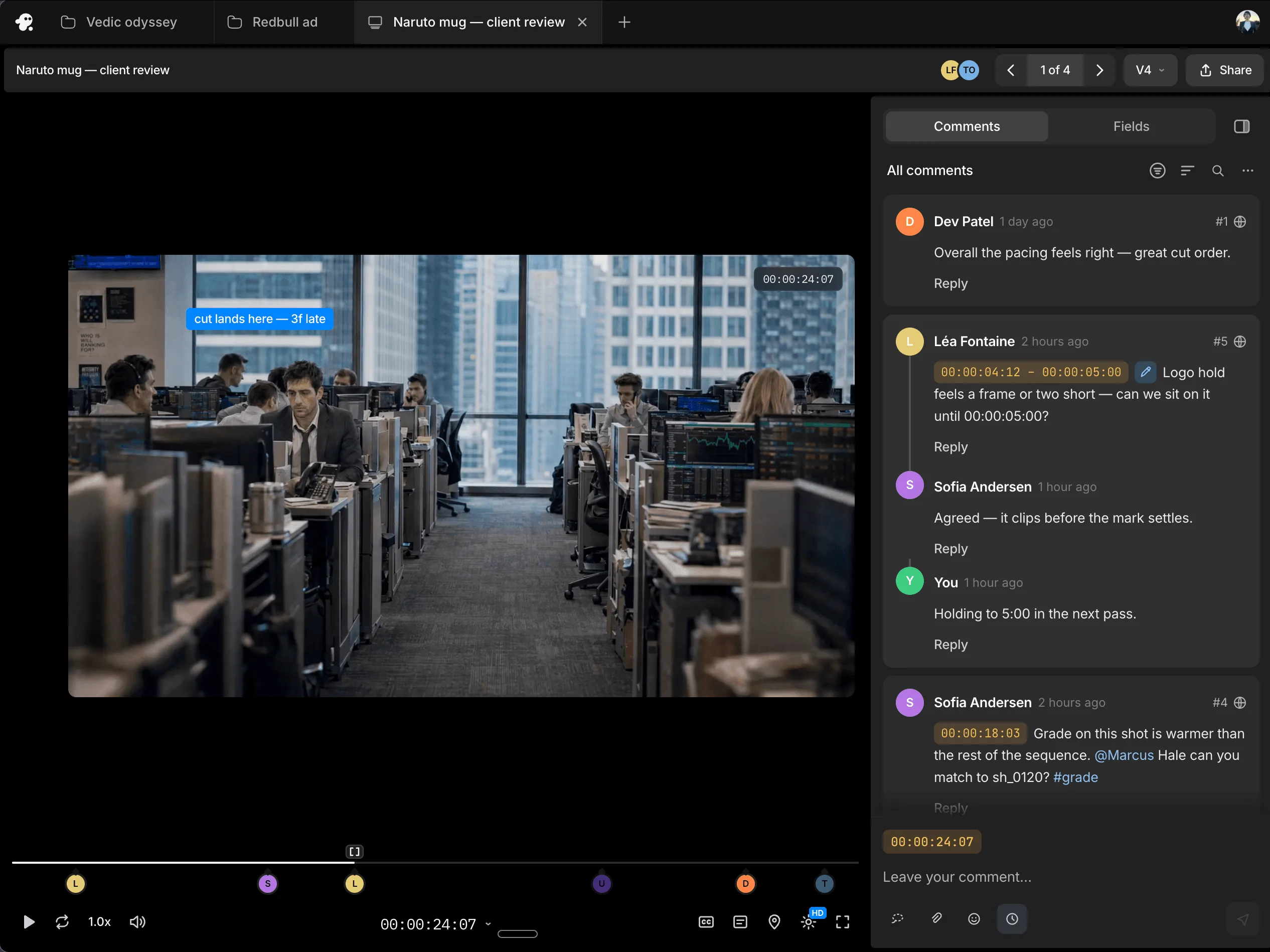
Work with teammates on the same timeline and share session replays for handoffs with context. Gather timestamped comments through review links, so you know what needs to change and where.
You can upload a reference video directly or paste a YouTube link that the editor can access. Private videos and access-restricted links, including closed Google Drive links, cannot be used.
Yes. Include timestamps to show the agent the exact transition, effect, sequence or editing treatment you want it to study.
Yes. You can ask the agent to use the reference as direction for the whole edit or apply it only to a specific moment or sequence.
It can interpret shot order, pacing, transitions, effects, typography, animation and sound design. Tell it which elements matter most to your edit.
Yes. Point to the relevant timestamp and tell the agent where you want a similar transition or effect to appear in your project.
The reference acts as creative direction. The agent recreates the relevant editing choices using your footage, instructions and available project material, so the result follows a similar style while fitting your video.
Yes. Tell the agent what should be closer to the reference or what you want handled differently, and it can revise the edit based on your feedback.
Yes. The result arrives on the timeline, where you can inspect and adjust the clips, cuts, timing, text, animation, effects and audio.