Trim and cut video
Cut out mistakes, awkward pauses, or anything you don't need. Drag to trim a clip, or tell the invideo agent what to cut.
Try now
Online video editor by invideo that opens in your browser, on any computer or phone. Cut clips, add music and captions, fix shaky video and bad sound, or type what you want changed and watch it happen.
















Cut out mistakes, awkward pauses, or anything you don't need. Drag to trim a clip, or tell the invideo agent what to cut.
Make your video vertical for TikTok, square for Instagram, or fit any other aspect ratio. Keep the important part of the shot in frame as you resize.
Add captions automatically and keep them synced to what's being said. Choose a style, edit the text, and your captions update as you keep cutting.
Add a song, record your own voice, or use an AI voiceover. Adjust the mix so the music gets quieter when someone speaks.
Speed through the boring parts or slow down the moments you want to emphasize. Create smooth slow motion without choppy playback.
Replace the background without needing a green screen. Add a new image, video, or scene behind your subject and keep it in place as they move.
Put videos, photos, music, and other media into one edit. Drag them into order, trim them down, and layer them on the timeline.
Smooth out handheld or shaky footage to make your shots steadier and easier to watch.
Every word in your footage is typed out for you. Delete a sentence and that part of the video is gone, umms and pauses included. Search the words to find any moment.
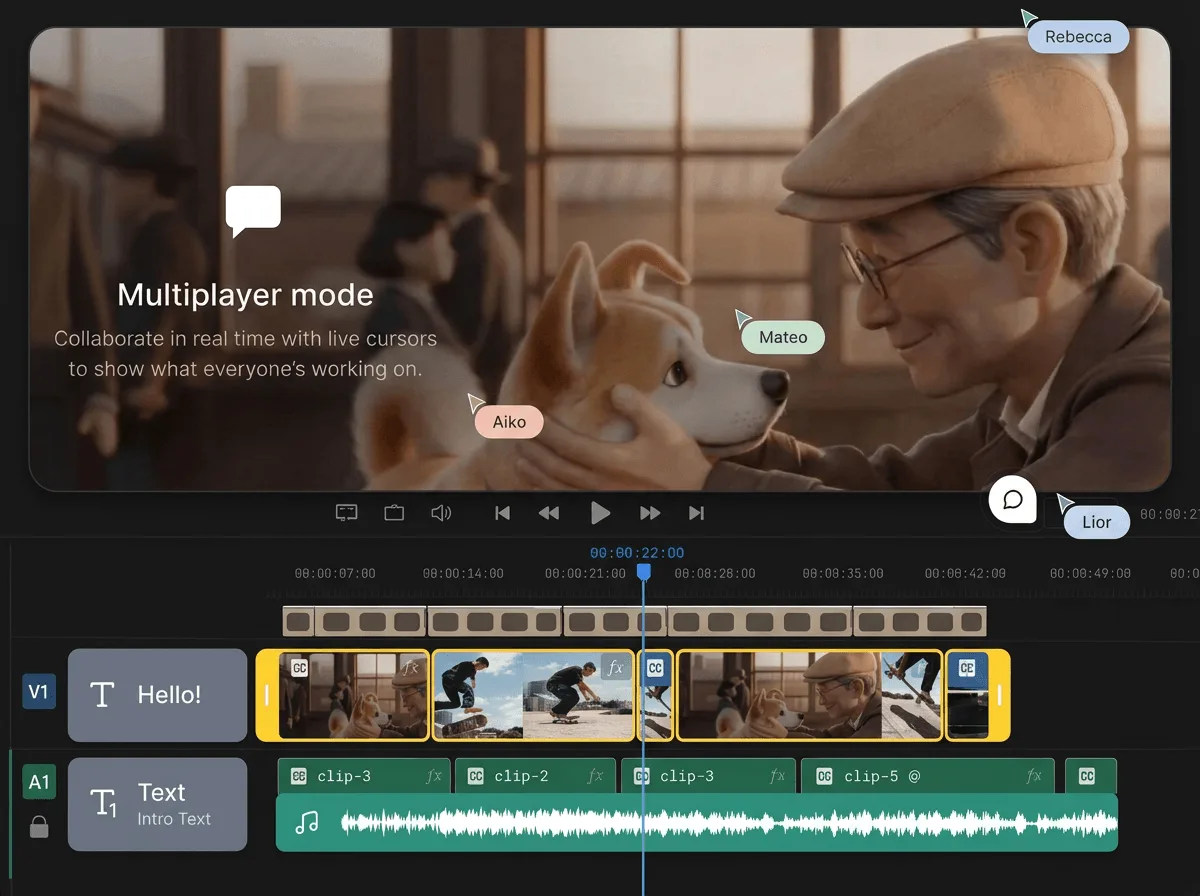
The timeline is multiplayer, like a Google Doc. Send a link, edit the same video at the same time, and drop comments on the exact moment you mean.
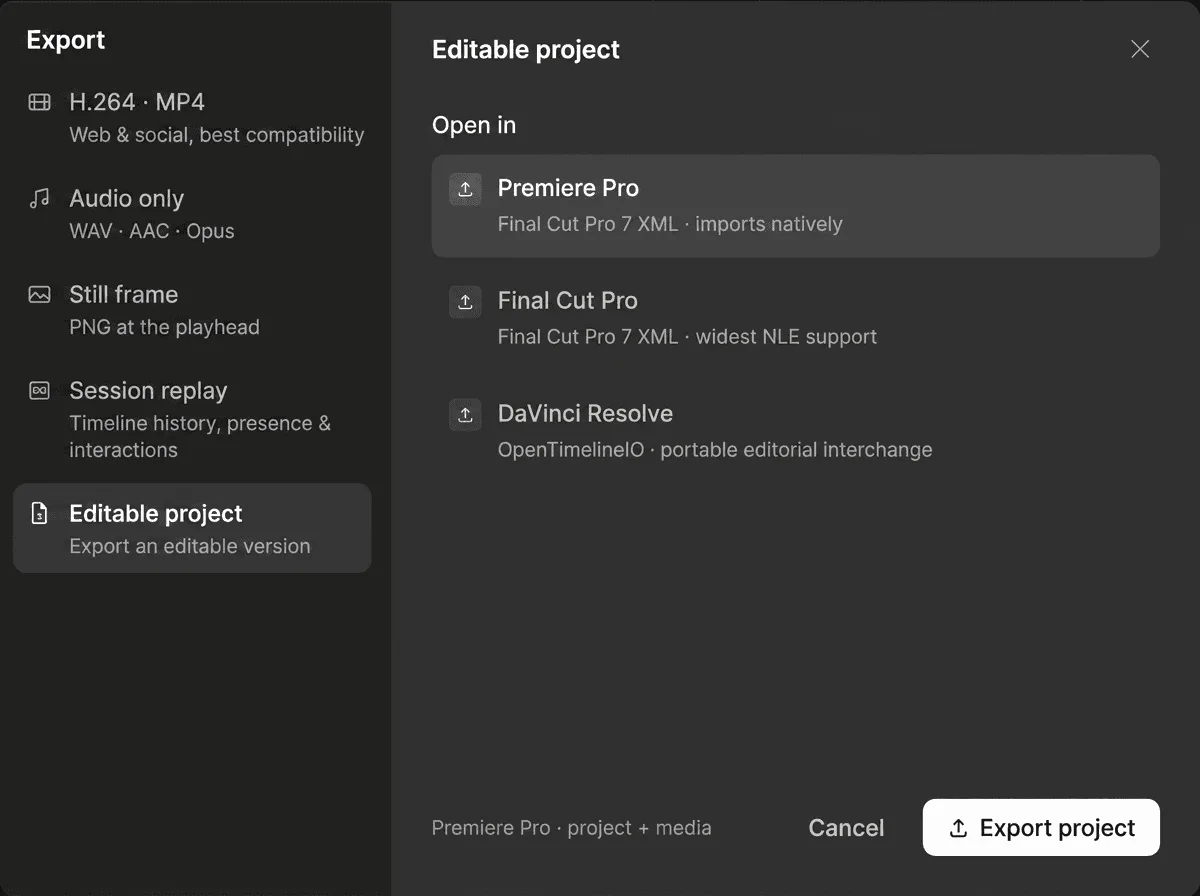
Export an editable project for Premiere Pro, Final Cut Pro, or DaVinci Resolve. Your whole timeline goes with you, media included.
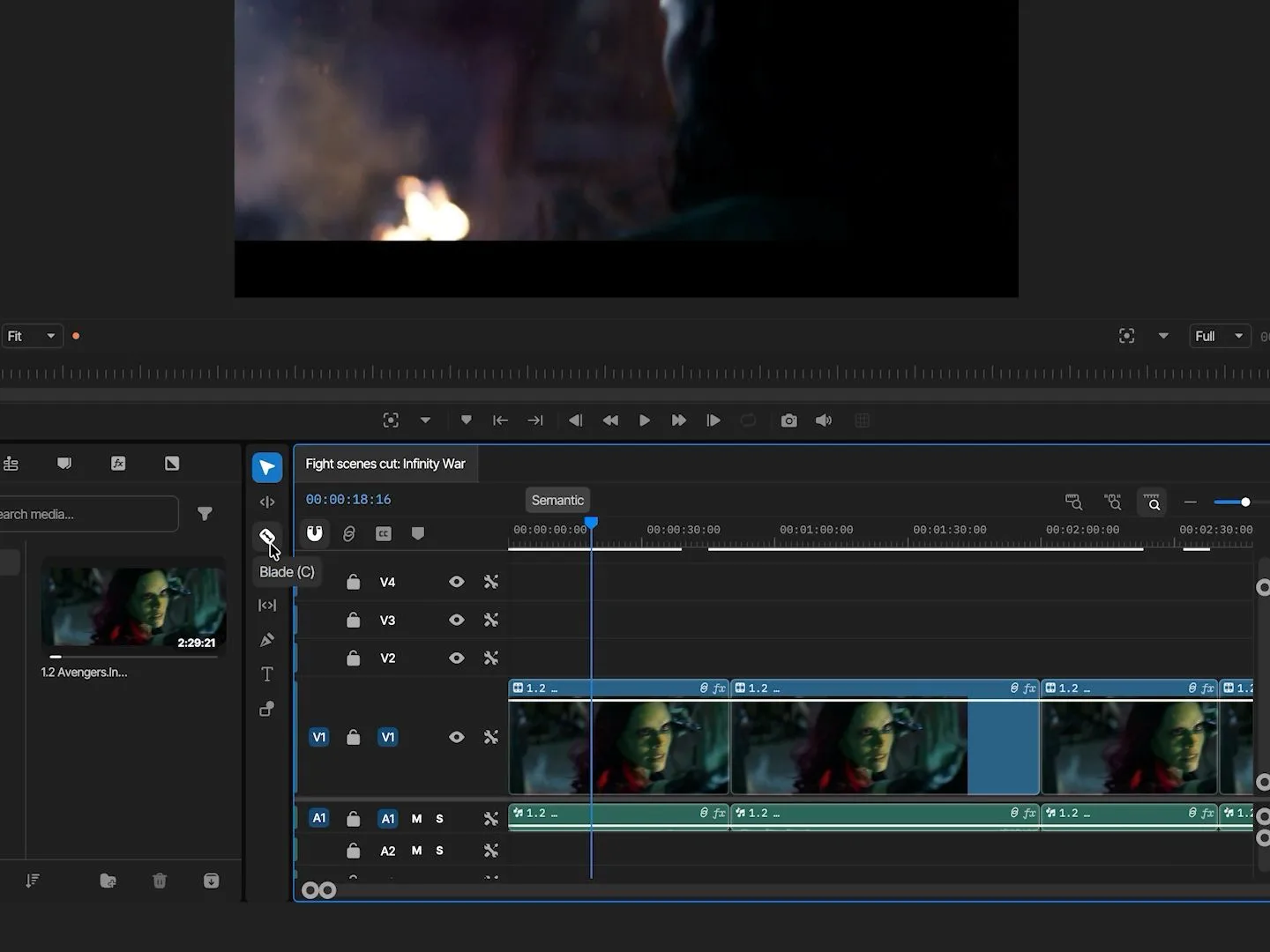
Frame-by-frame trims, keyframes, speed ramps, and multicam. If you've edited on desktop before, your muscle memory works here.
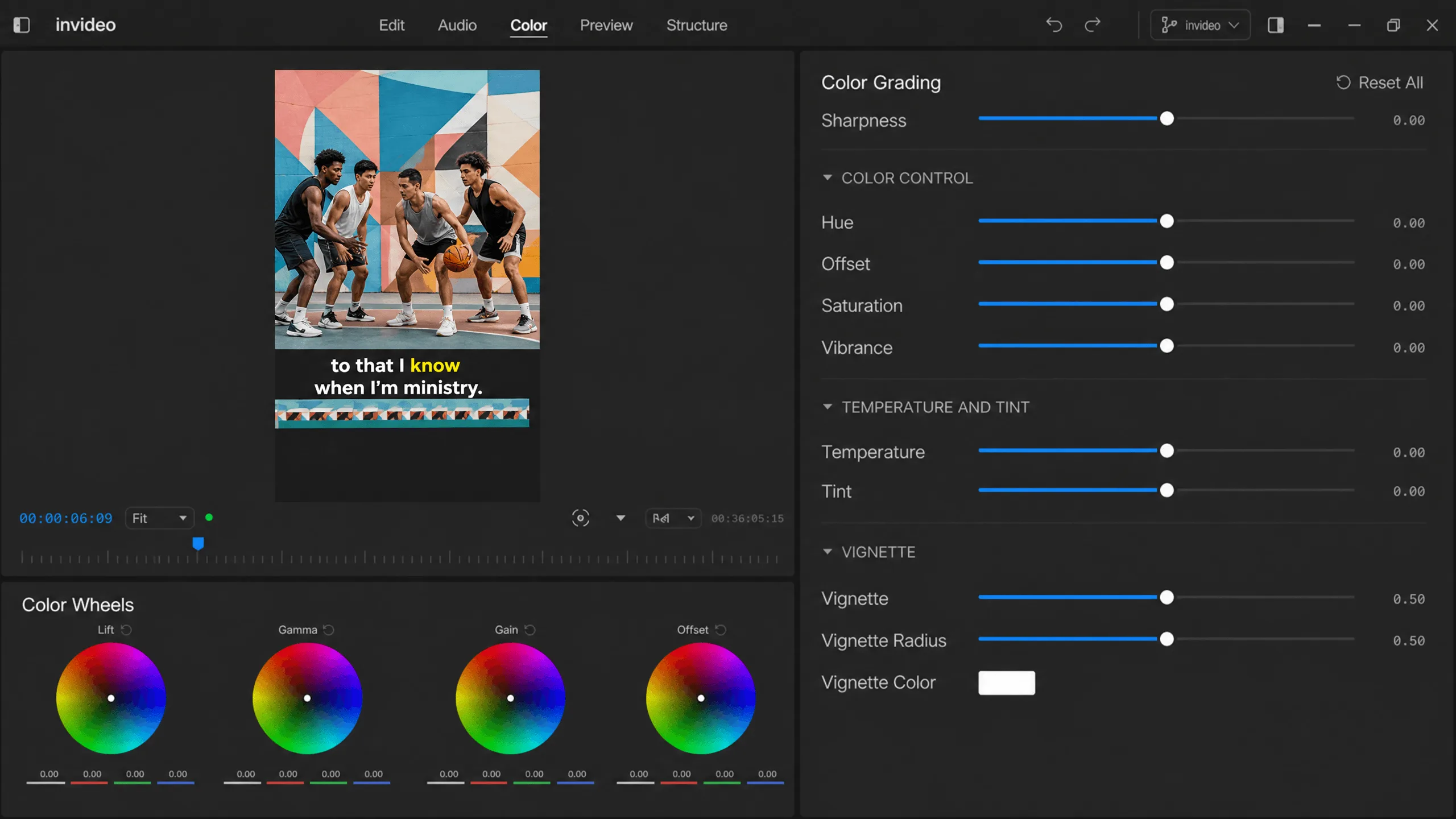
Color wheels, curves, and LUTs, plus shot match to keep every scene consistent. No second app, no export in between.
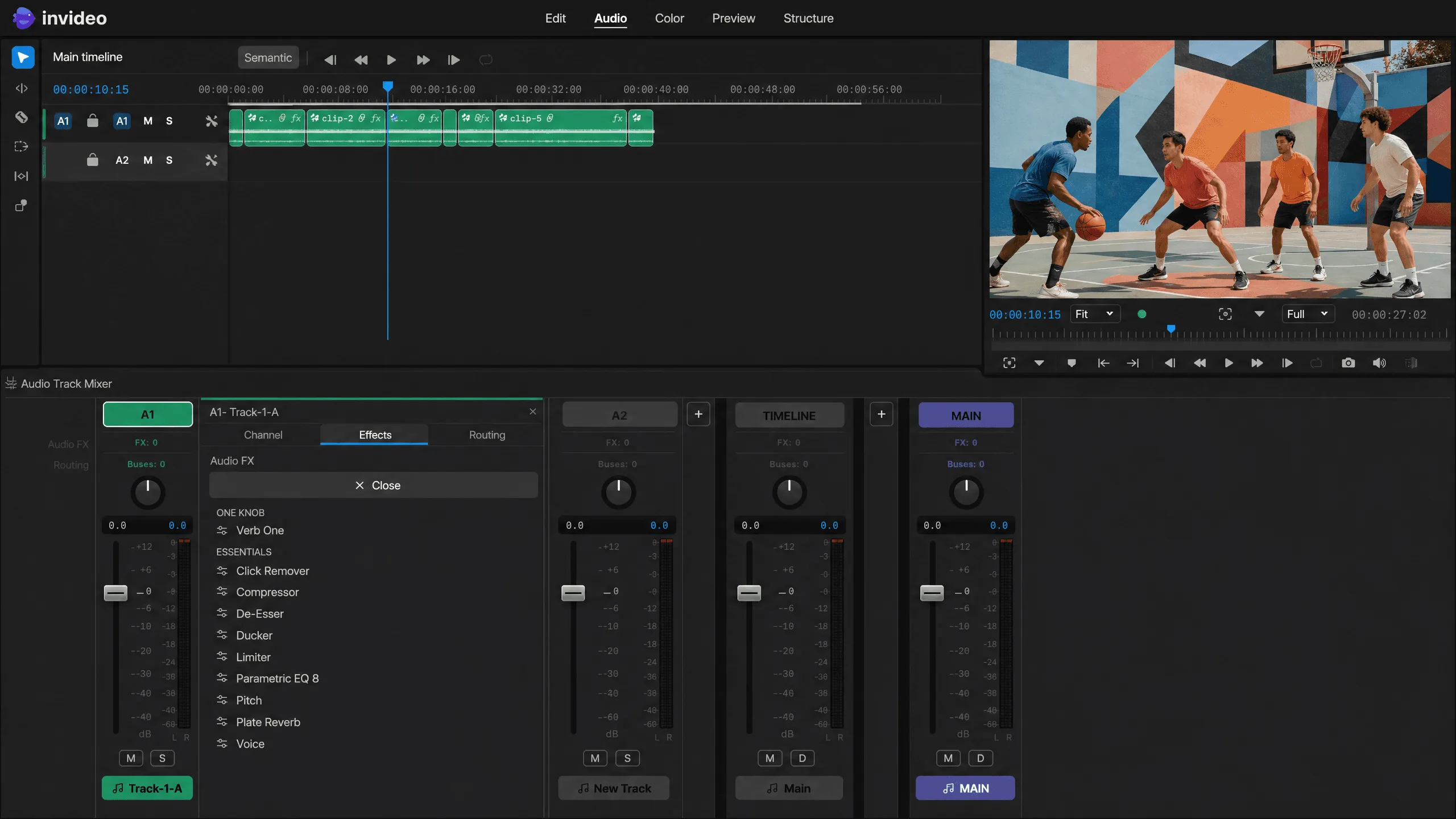
A real multitrack mixer. Voice isolation, de-noise, auto-leveling, and music that ducks under every line of speech.
Cut a long video down without it feeling choppy. Add chapters, and export in 4K so it stays sharp on a TV.
Your video turns vertical on its own, with captions for everyone watching on mute.
Fast cuts, text that pops on the beat, speed changes for drama. Vertical from the start.
The camera switches to whoever is talking. The best moments get picked out for you, ready to post as clips.
Loading pricing…
From the clips on your phone to a finished video, in five steps. Nothing to install.
Drag in clips from your phone or computer.
Trim clips by hand, or type what you want cut. Silences and umms come out all at once.
Add captions, fix the colors, clean up the sound, or swap a background.
Invite anyone with a link. Edit the same video together, live, and comments land on the exact moment they're about.
Download in up to 4K, sized for every platform in one go, ready to post wherever you like.
invideo's online video editor is a timeline editor that runs in your browser. Cut by hand or tell the invideo agent what to change. Your whole team can work in the same project at once.
Yes. Every tool you use by hand is free: the timeline, cutting, trimming, arranging clips, text, and sharing a project. Anything that uses AI, like creating a new shot or asking the invideo agent to make an edit, uses credits. Edit by hand for free, and spend credits only when you want AI to do the work.
A real editor. Nothing here is a fill-in-the-blanks template. Every clip, caption, and sound sits on a timeline you can rearrange however you want. You get full control when you want it, and you don't need an editing course to start. Have a video you love the style of? Upload it as a reference and ask the invideo agent to make one like it.
One that doesn't make you learn editing before you can edit. In invideo, you can cut a video by hand, or tell the invideo agent what you want changed. And because it's a real editor underneath, you'll never outgrow it.
Yes. The timeline is multiplayer, so your whole team works in the same project at once. Anyone can cut, color, design sound, or create new shots, and edits show up live. Comments pin to the exact frame they're about, and checkpoints keep every earlier cut. No more v14_FINAL_final.mp4.
Yes. Edit once, and the editor makes vertical, square, and widescreen versions for you, keeping people in the frame each time. Download them all at once instead of re-editing for each app.
invideo's AI video generator creates new clips from a description you type, using 200+ AI models. The editor turns clips into a finished video, with cutting, sound, color, and captions. They share one project, so if you're missing a shot, you can create it without leaving your edit.
Yes. Save a checkpoint at any point and jump back to it whenever you like. Or start a branch to try something new without losing the first version.