




Key Takeaways
-
Seedance 2.0 is ByteDance’s flagship AI video model, built for creators who need more control over consistency, motion, and audio.
-
Its biggest advantage is multimodal generation, letting creators combine text, image, video, and audio references in a single workflow.
-
Key Seedance 2.0 features include role-based asset tagging, stronger character consistency, reference-guided motion, native audio generation, and beat-aware sync.
-
Compared with other leading models, Seedance 2.0 stands out most when reference control and audio-visual alignment matter more than maximum resolution.
-
Inside invideo, creators can use Seedance 2.0 in a practical workflow that moves from generation to editing and export in one place.
AI video tools have become much better at generating short, visually impressive clips.
What still separates the useful ones from the forgettable ones is control. Creators do not just need a model that can make a scene look cinematic. They need one that can follow references, hold character consistency, respond to motion cues, and fit into a real production workflow.
That is why Seedance 2.0 stands out. Let’s break down what it is, which features matter most, how it compares with other leading AI video models, and how creators can use it inside invideo.
What Is Seedance 2.0?
AI video generation is no longer a game of chance. With the release of Seedance 2.0 on February 10th, 2026, ByteDance’s Seed research team introduced a model designed for true directorial control over AI-generated clips.
Built on a unified multimodal audio-video generation system, Seedance 2.0 can take text, images, audio, and video as inputs, enabling advanced reference handling and editing workflows.
Seedance 2.0 can generate clips from 4 to 15 seconds, supports up to 1080p, and works across multiple aspect ratios including 16:9, 9:16, 4:3, 3:4, 21:9, and 1:1.
While these are useful capabilities, the fundamental shift with Seedance 2.0 is how the model handles input.
Instead of describing everything in words and hoping the model interprets the brief correctly, creators can feed it visual direction, movement cues, and sound references directly. That makes Seedance 2.0 less of a one-shot prompt machine and more of a controllable creative system.
Seedance 2.0 Features That Matter Most for Creators
1. Prompting Seedance 2.0 is like talking to a crew
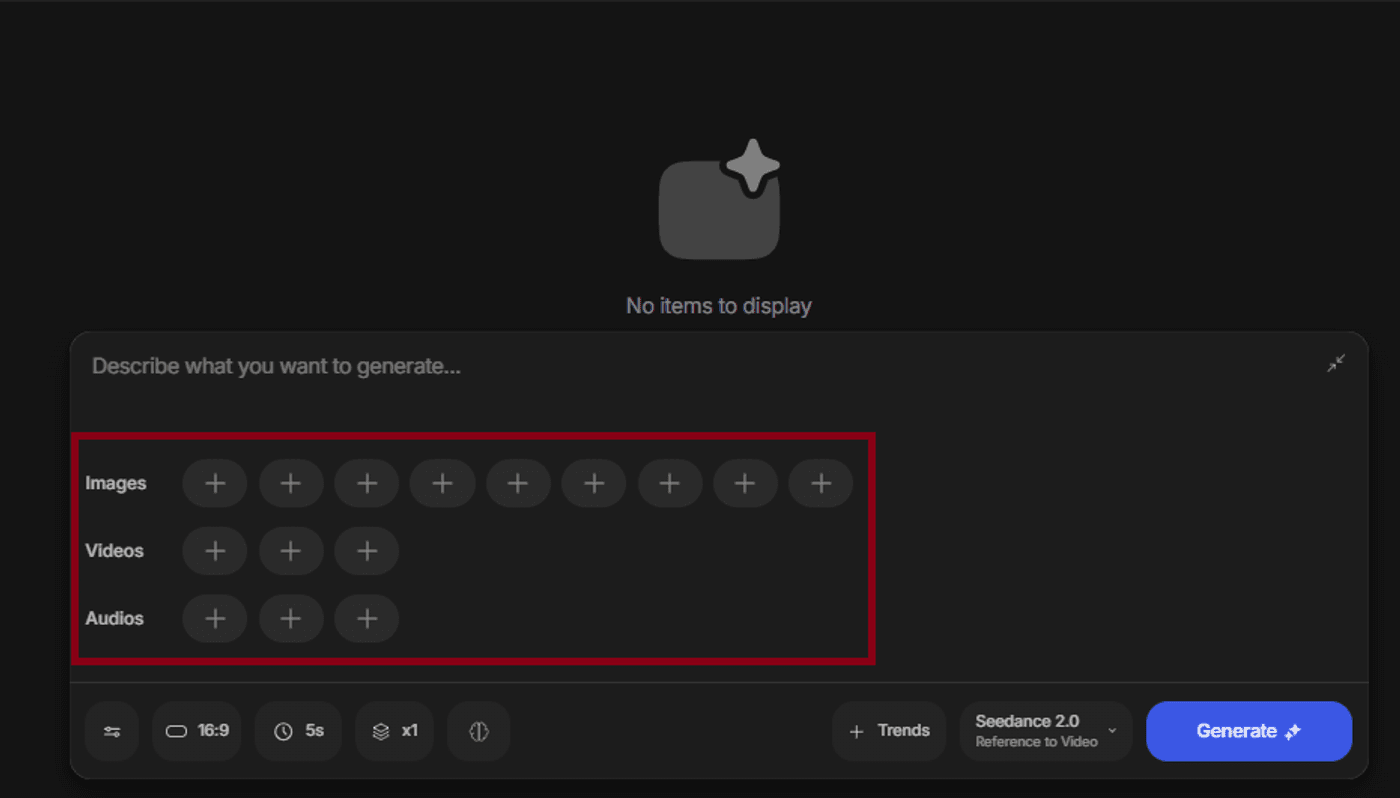
The core feature behind most of Seedance 2.0’s advantage is its multimodal input system, which lets creators use text, images, video, and audio together in a single generation workflow.
Seedance 2.0 can accept up to:
- 9 image references
- 3 video references
- 3 audio references
More importantly, those references are not just uploaded as loose inspiration. They can be assigned roles inside the prompt, helping the model understand what each asset is meant to control.
For creators, this is a major improvement over generic prompting.
- A product image can define the subject
- A motion clip can guide camera behavior
- An audio file can shape pacing or rhythm
The result is a generation process that feels closer to directing than guessing.
This makes Seedance 2.0 particularly useful for creators making AI films, brand videos, promos or any workflow where consistency matters as much as style.
2. Stronger character consistency
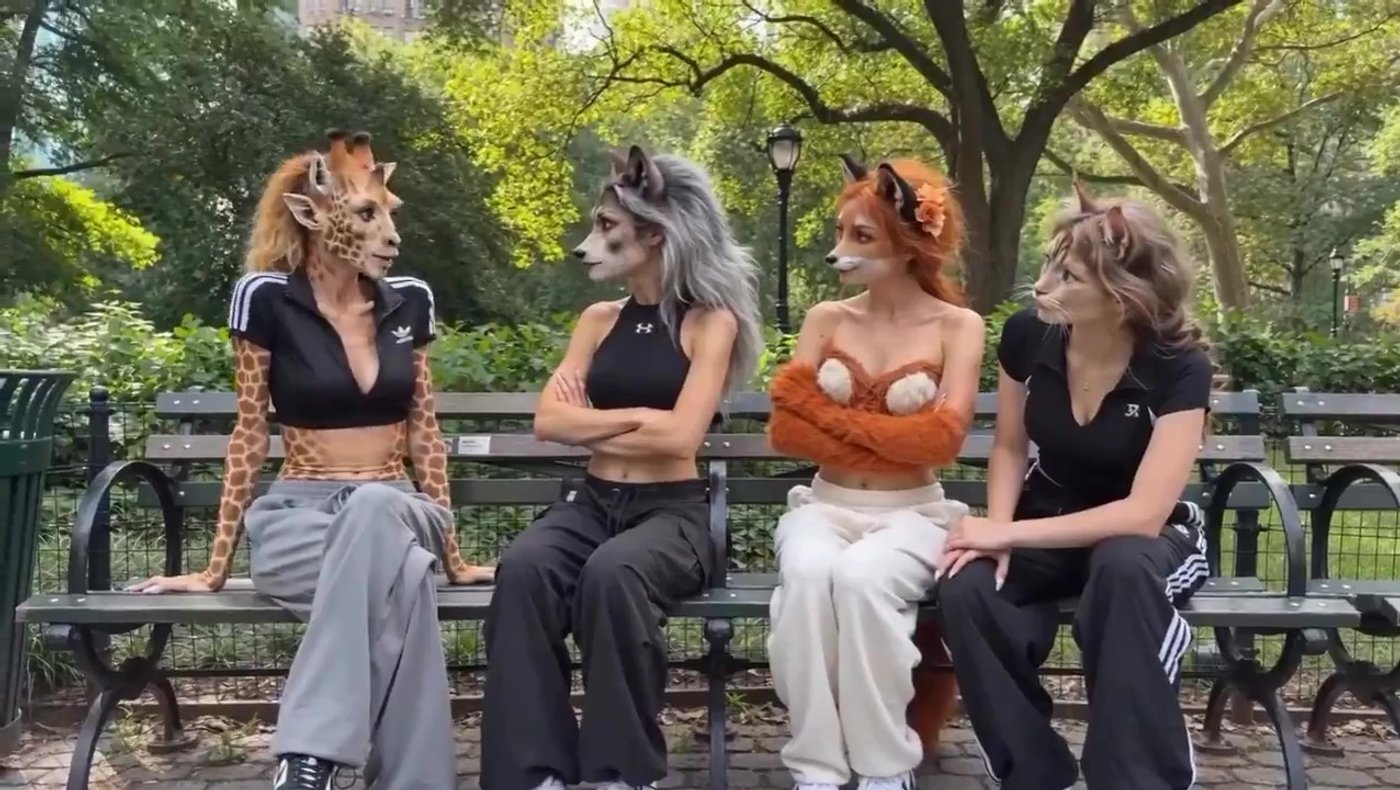
Character consistency remains one of the hardest parts of AI video generation. It is easy to create one strong frame. It is much harder to preserve identity across movement, angle changes, and scene transitions.
Seedance 2.0 is built to hold faces, clothing, accessories, and small subject details more consistently across the duration of a clip. That makes it more useful for creators making story-led scenes, branded character content, multi-shot concepts, or repeatable creative formats where the same subject needs to remain recognizable.
This is one of the most practical Seedance 2.0 features because continuity problems are often what stop AI video from becoming usable beyond a single experimental clip.
3. Motion replication from reference video
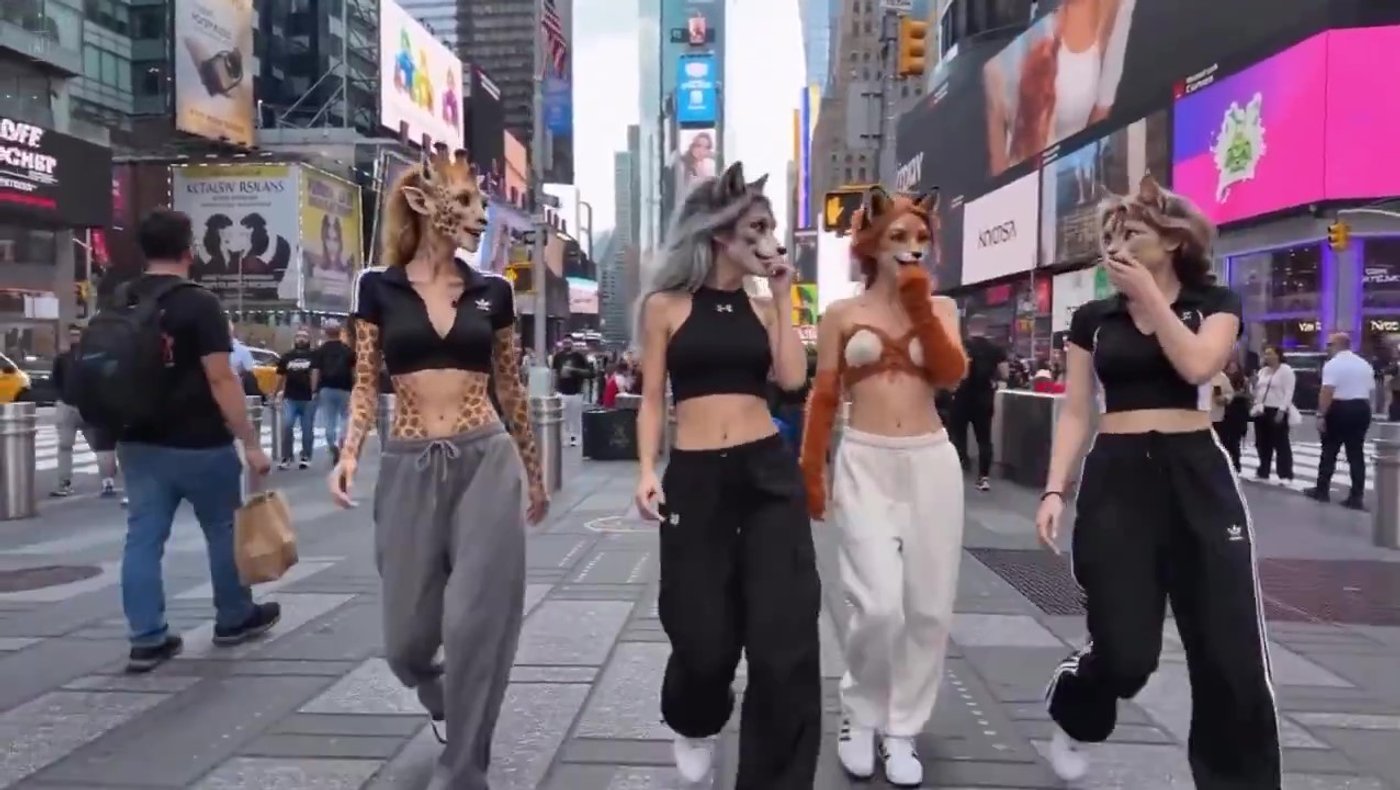
Creators can upload a clip with the camera path or movement style they want, then use that as a guiding reference for a new generation.
This is especially valuable for action-driven scenes, showcase reels, orbit shots, and cinematic sequences where movement is part of the idea, not just decoration. It gives creators more control over how the scene feels, not just how it looks.
4. Native audio generation and beat sync
One of the more important workflow improvements in Seedance 2.0 is that audio and video can be generated together.
Instead of treating sound as something to patch in later, the model can align visual output with dialogue, sound effects, and rhythm from the generation stage. For creators working on music-driven edits, promos, trailers, or short-form branded content, this can save real time.
Beat-aware synchronization is especially useful. If a music reference is part of the input, Seedance 2.0 can align visual pacing more closely with the structure of the audio. That means fewer manual fixes later in editing, and a stronger first output for performance-oriented content.
5. In-video editing and extension workflows
Seedance 2.0 also supports workflows that go beyond one-pass generation.
Creators can edit existing clips more selectively instead of fully regenerating them, and they can extend shorter clips into longer ones while preserving more of the style and visual identity.
This is really important because most creators are not trying to generate a perfect video in one attempt. All of us are trying to iterate.
That makes Seedance 2.0 more practical for real creative use. It fits a revision-based workflow better than models that force a full restart every time one detail goes wrong.
Why Seedance 2.0 Feels Different From Earlier AI Video Models
The easiest way to understand Seedance 2.0 is to look at the gap it is trying to close.
Earlier AI video models often produced clips that looked good in isolation but broke down when creators needed continuity, direction, or repeatability.
- A generated person might look different after a camera shift
- A product shot might lose fidelity in motion
- A music-driven scene might still require manual syncing after export
Seedance 2.0 pushes toward a more production-aware model.
It is designed to work with references, preserve visual identity more reliably, and connect audio and motion more closely to the generation process itself. That does not mean every output is perfect, but it does mean creators get more structure and more controllable inputs than they usually do in text-only workflows.
For creators, that is the real value. Better AI video is not just about prettier output. It is about reducing the number of things that break between idea and final asset.
Seedance 2.0 vs Kling 3.0 vs VEO 3.1
A useful way to evaluate Seedance 2.0 is to compare it with other leading AI video models. Each one solves a slightly different problem.
Seedance 2.0 is strongest when creators need deeper multimodal control, more explicit use of references, motion guidance from real clips, and tighter audio-visual alignment. It is built for creators who want to direct the output more precisely.
Kling 3.0 is often the stronger option when high-resolution output matters most, especially for teams prioritizing 4K delivery or more advanced recurring character systems across separate projects.
VEO 3.1 is particularly interesting for scene extension and building longer sequences from short clips, which can make it appealing for creators who care more about long-form clip development than multimodal input depth.
Here is a side-by-side comparison:
| Capability | Seedance 2.0 | Kling 3.0 | VEO 3.1 |
|---|---|---|---|
| Max clip duration | 15 seconds | 15 seconds | 8 seconds, extendable |
| Max resolution | 1080p | Up to 4K | Up to 4K |
| Native audio | Yes, same render pass | Yes, workflow dependent | Standard model only |
| Reference inputs | Up to 9 images, 3 videos, 3 audio files, plus text | Images and video references, plus text | Up to 3 images, plus text |
| Asset control | @ mentions with role assignment | Elements for character locking | Ingredients-based reference |
| Motion replication | Yes, extracts and applies motion signatures | More limited | Start and end frame control |
| Beat sync | Yes, native | No | No |
| Multi-shot generation | Yes, multi-scene in one output | Yes, up to 6 cuts per clip | Via scene extension |
| Element swapping | Yes, non-destructive | Yes, with editing tools | Limited |
| Aspect ratios | 16:9, 9:16, 4:3, 3:4, 21:9, 1:1 | Multiple including 16:9 and 9:16 | 16:9, 9:16 |
In short, Seedance 2.0 is not necessarily the highest-resolution option, but it might be the more practical one for creators who value control, reference fidelity, and synchronization.
How Creators Can Use Seedance 2.0 on Invideo
For many creators, the practical question is not just what Seedance 2.0 can do. It is where they can actually use it in a workflow that leads to a finished asset.
Inside invideo, Seedance 2.0 is available alongside other major AI video models. That means creators can access the model in the same workspace where they generate, refine, edit, and export content.
To start using it:
Open your invideo workspace → go to the Agents & Models section → Select the Video category.
From there, choose Seedance 2.0 or Seedance 2.0 Fast, depending on whether you are exploring ideas or rendering a stronger final result.
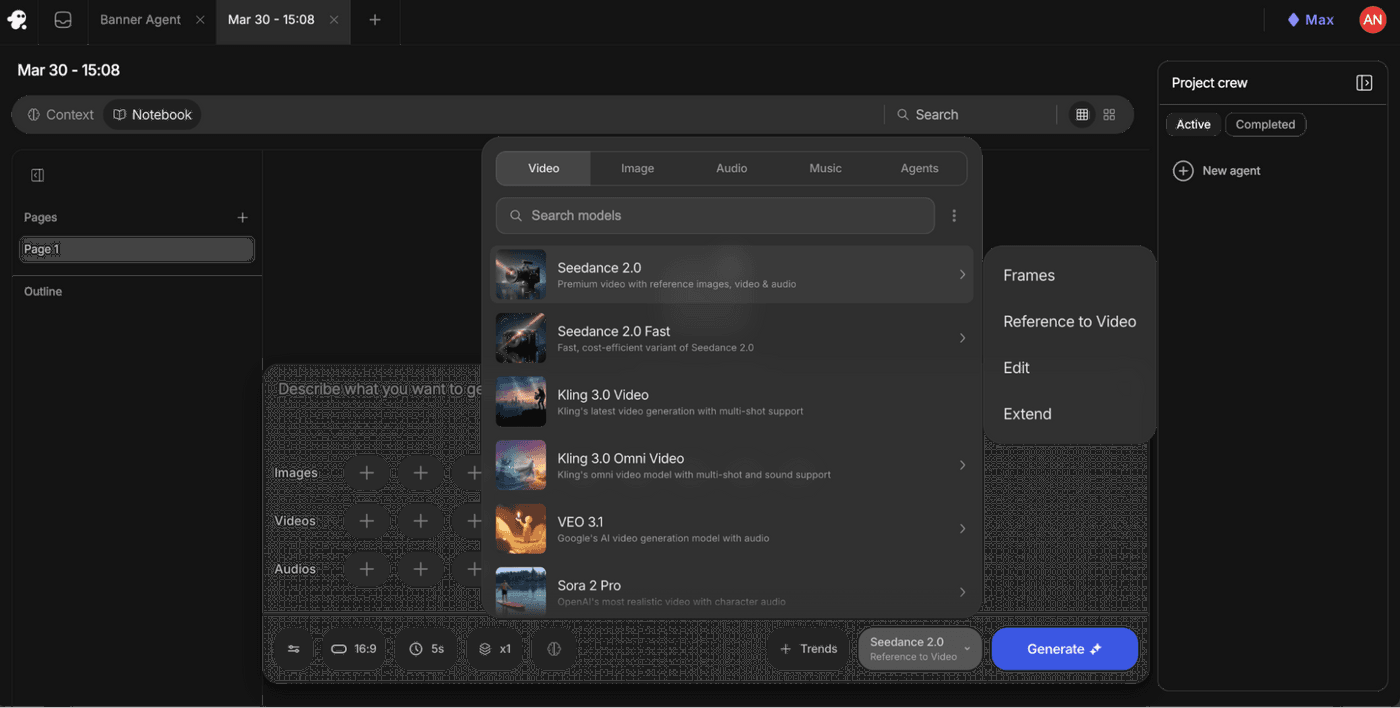
After selecting the model, choose the workflow that matches your task. Use:
- Frames when you want control over specific visual moments
- Reference to Video when you want a more complete multimodal generation flow
- Edit when you want to refine an existing clip
- Extend when you want to continue a strong short generation into a longer one
This matters because the model alone is only one part of the workflow. On invideo, creators can generate the clip, then continue into trimming, formatting, captioning, layering, and exporting without shifting to another tool. That makes Seedance 2.0 more useful in practice, especially for creators producing ad creatives, social assets, explainers, and campaign videos on tighter timelines.
Seedance 2.0 vs Seedance 2.0 Fast
Creators will also notice two versions inside invideo: Seedance 2.0 and Seedance 2.0 Fast.
The full Seedance 2.0 model is the better option when quality matters most and you are ready to generate a final asset. Seedance 2.0 Fast is designed for ideation, testing, and prompt exploration at a lower credit cost.
A practical workflow is to use the Fast version while experimenting with references, motion ideas, and prompt structure, then move to the full model once the creative direction is locked. That approach keeps iteration lighter without giving up a stronger final output.
Use Seedance 2.0 in a Real Creator Workflow
Seedance 2.0 is interesting because it pushes AI video closer to something creators can actually direct. Instead of relying only on prompt writing, it gives you a way to work with visual references, motion cues, and audio structure in a more deliberate way.
When used inside invideo, it becomes even more practical.
You can move from generation to editing to export in one place, which makes it easier to turn experiments into finished content.
If you want to explore a more controllable AI video workflow, try Seedance 2.0 on invideo.
FAQs
-
1.
What is Seedance 2.0?
Seedance 2.0 is ByteDance’s latest AI video generation model. It is designed for creators who need more control over references, character consistency, motion, and audio in short-form AI video workflows.
-
2.
What are the most important Seedance 2.0 features?
The most important Seedance 2.0 features include multimodal input support, role-based asset tagging, character consistency, motion replication from reference video, native audio generation, beat sync, editing, and clip extension.
-
3.
How is Seedance 2.0 different from other AI video generators?
Seedance 2.0 stands out because it gives creators deeper multimodal control. Instead of relying mostly on text prompts, it allows text, image, video, and audio references to work together in the same generation flow.
-
4.
Is Seedance 2.0 better than Kling 3.0?
It depends on the project. Seedance 2.0 is stronger for reference-based control, motion guidance, and beat-aware workflows. Kling 3.0 is often stronger when higher-resolution output is the priority.
-
5.
Can Seedance 2.0 generate audio and video together?
Yes. Seedance 2.0 can generate audio and video together, which helps creators reduce post-production syncing work and build more music-aware or dialogue-aware clips from the start.
-
6.
How do creators use Seedance 2.0 on invideo?
Creators can access Seedance 2.0 in invideo through the Agents & Models section under the Video category. From there, they can choose the model, upload references, select a workflow type, and generate directly inside the same workspace they use for editing and export.
