Share your edit with a link
Send teammates or clients a review link so they can watch your video and comment without creating an account, making it easy to bring everyone into the review.
Try now
Share a review link, give and get video timestamped feedback on the exact frame, resolve comments and finish projects faster.
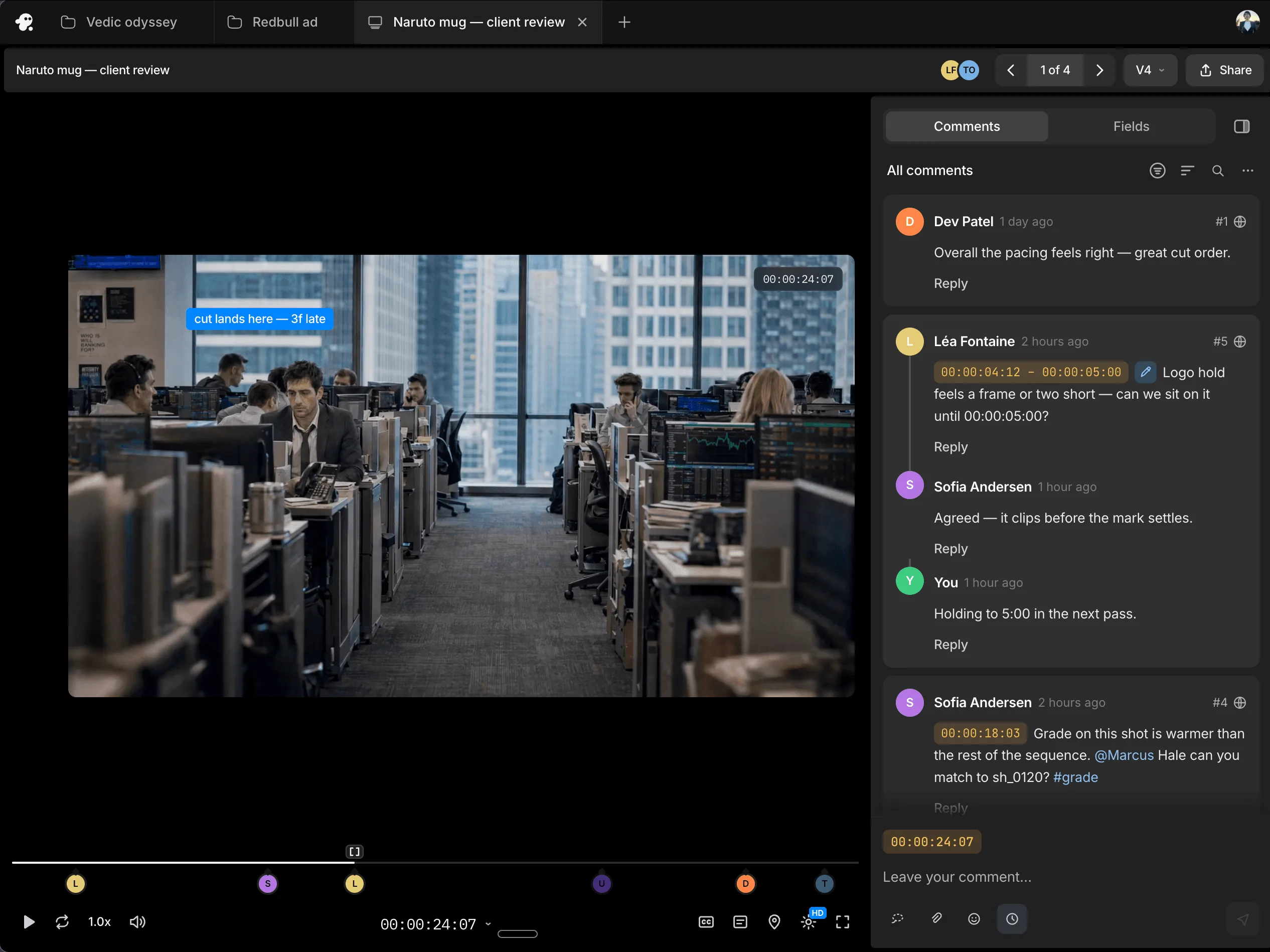
















Send teammates or clients a review link so they can watch your video and comment without creating an account, making it easy to bring everyone into the review.
Timestamped comments connect each note to a specific point in the video, so you can see where a change is needed without matching messages to moments yourself.
Reply to comments to clarify a request, ask a question or agree on a change. Keep the discussion alongside the feedback so everyone can follow what was decided.
Mark comments as resolved once you have addressed them, helping your team see which feedback still needs attention.
Shape every detail of your video, on a multitrack, frame-accurate timeline that gives you complete control over your edit with familiar tools and shortcuts.
Try itGet your very own editing agent that helps you go from raw footage to a finished edit with less grunt work. Direct the agent to assemble cuts, generate B-roll, build effects or match a reference, with the results ready to review on your timeline.
Try nowWork with teammates on the same timeline and share session replays for handoffs with context. Gather timestamped comments through review links, so you know what needs to change and where.
Try nowNo. Teammates and clients can open the review link and leave comments without creating an account.
Yes. Reviewers can leave timestamped comments linked to a particular point in the video.
Yes. You can reply to comments to discuss the feedback and clarify what needs to change.
Yes. Resolve comments after addressing them to keep track of what still needs attention.
No. Review comments collect feedback for you to assess. You decide which changes to make and carry them out yourself or give the agent separate instructions.