Logging the footage
The agents watch every take so you don't scrub hours of footage. Each line, moment, and angle is logged and the best deliveries picked.
The most powerful agentic video editor, with AI agents that do real editing work on your direction. They watch the footage, work the timeline, and hand back a cut that stays yours.
















invideo Editor's agents do the logging, the first assembly, the beat sync, and the reference matching on your direction, so your hours go to the story.
The agents watch every take so you don't scrub hours of footage. Each line, moment, and angle is logged and the best deliveries picked.
Filler, silences, and flubbed takes come out, and a first draft builds from the best takes on your multitrack timeline. Days of watching and assembling, done before you sit down.
Landing every cut on the music is hours of frame-by-frame nudging. Mark the first few beats and the agents carry the pattern through the track, your shots on it.
Recreating an edit you admire means studying it cut by cut. Point the agents at the reference, and its pacing, structure, and style land on your footage.
The agents watched the footage, not just the transcript.
Take selection, filler cuts, base cuts
Audio-anchored sync, speaker switching
People, actions, objects, camera angles
Silences, filler words, chapter markers
Reorder scenes, change pace, cut to length
Correction, matching, look treatments
Dialogue cleanup, ducking, the mix
Cutdowns, dubs, platform formats

Build and refine an edit, from briefing the first cut to reviewing the final export.

Turn raw footage into an editable first draft, then review and refine the cut.

Clean up retakes and pauses while keeping the material you want to preserve.
Cut on a multitrack, frame-accurate timeline with the shortcuts your hands already know. Linked selection, snapping, markers, captions, trim, reorder, retime.
Open the editor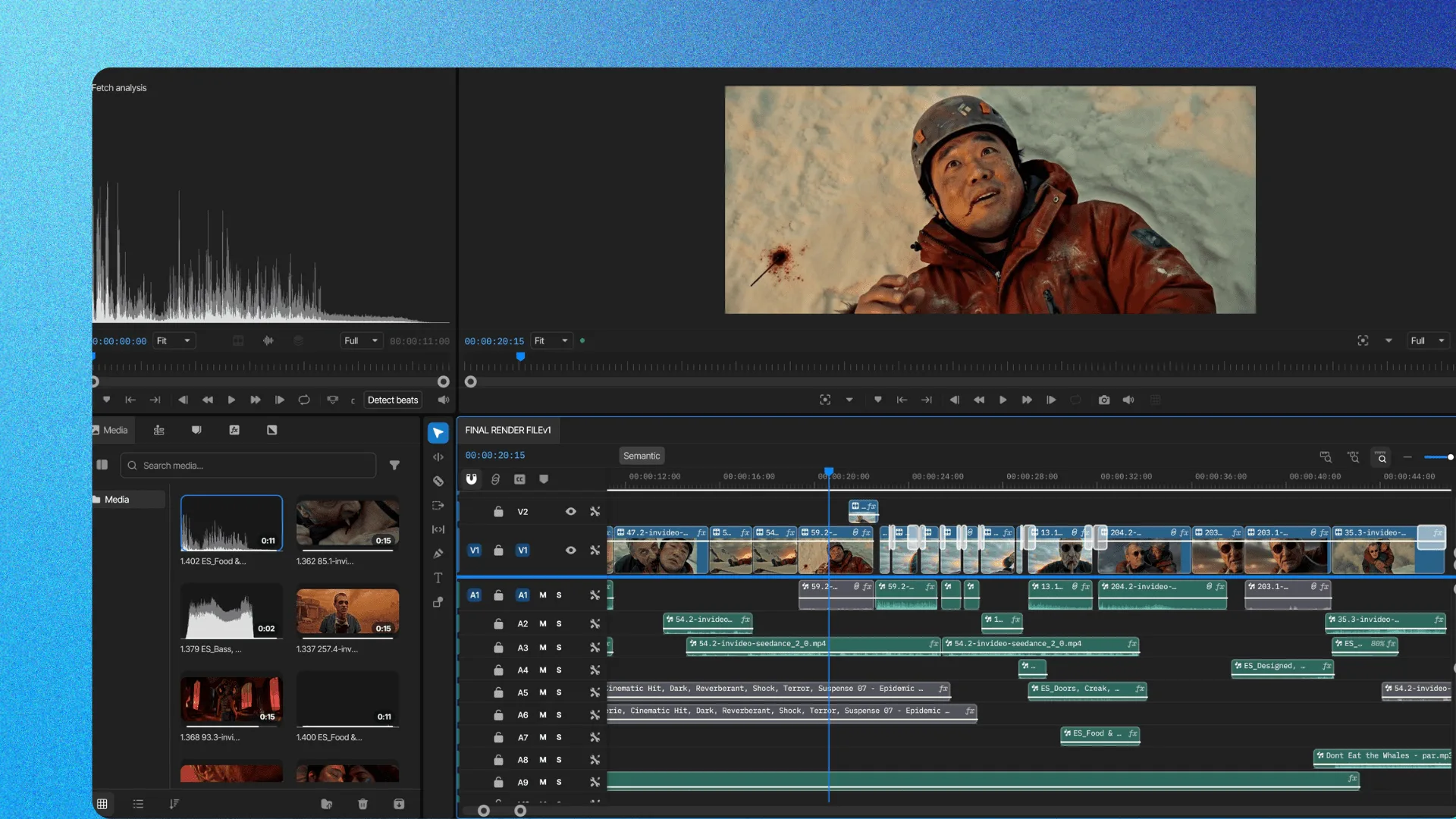
Animate anything on any clip, frame by frame. Transform, zoom, position, rotation, crop, opacity, effect parameters.
Open the editor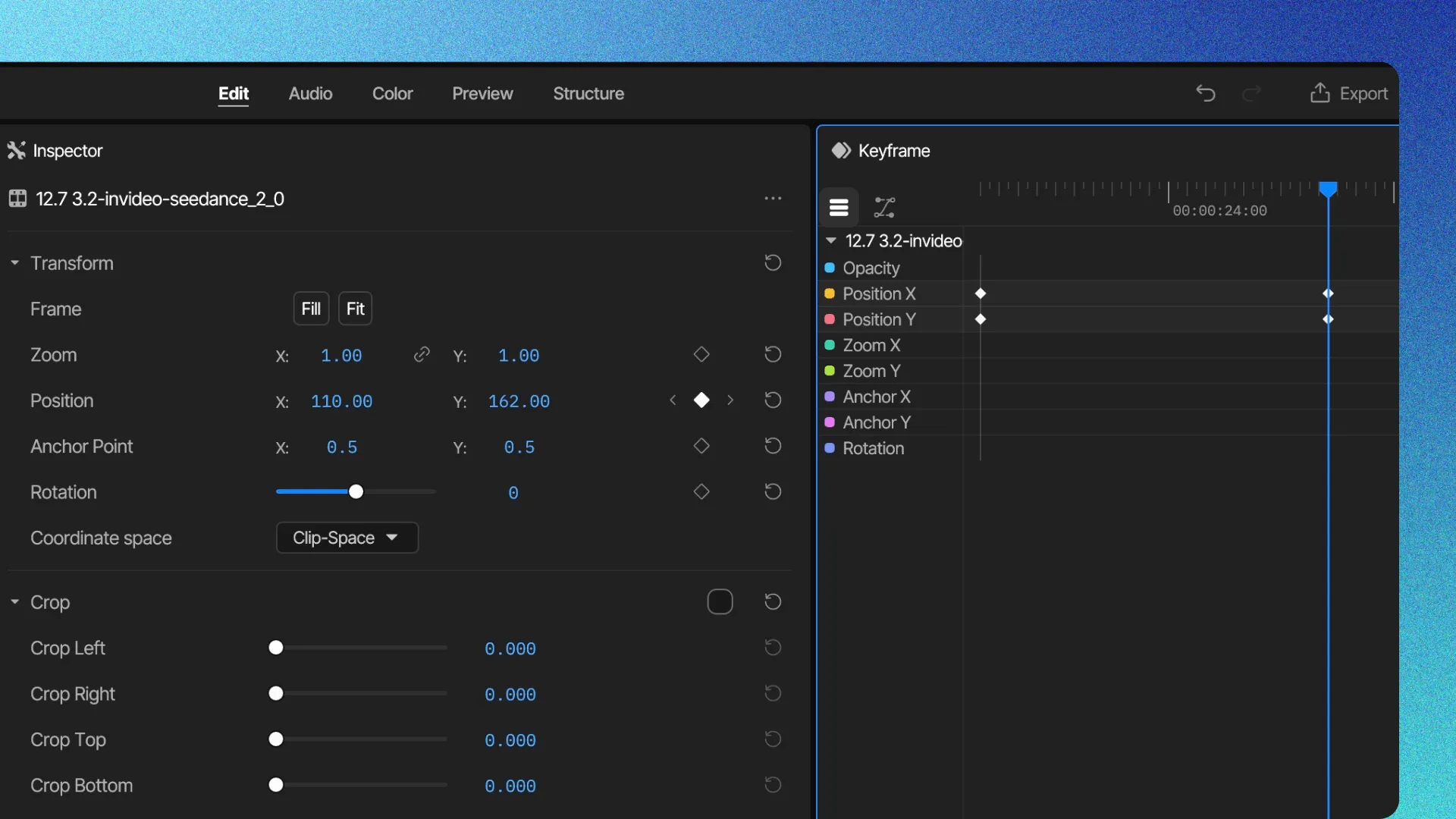
Shape how every move accelerates and settles with custom Bezier curves. Easing control no other online editor gives you.
Open the editor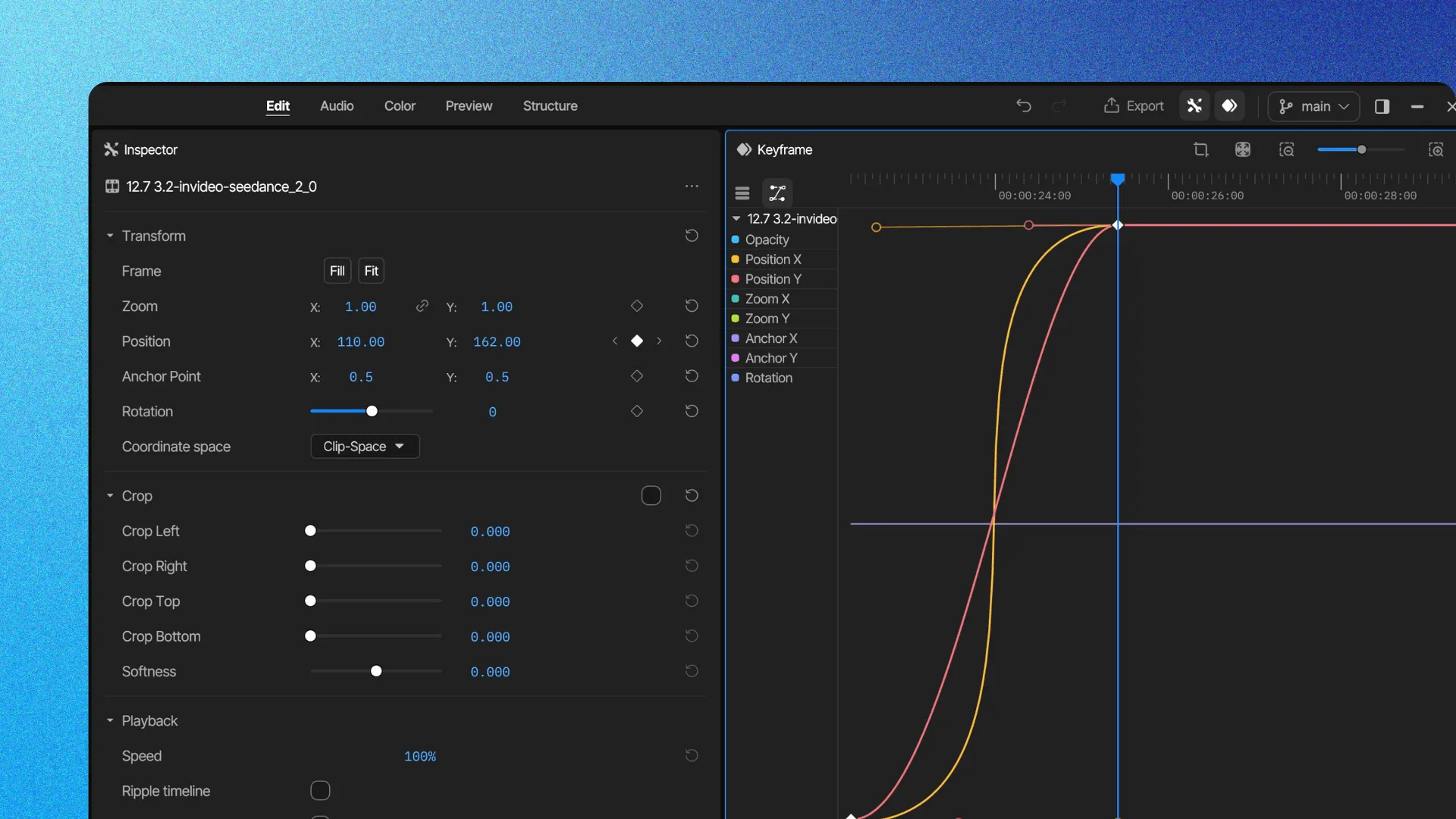
Build titles, transitions, and effects on the same timeline, animated with the same keyframes. Full effects and transitions libraries, text, dynamic captions.
Open the editor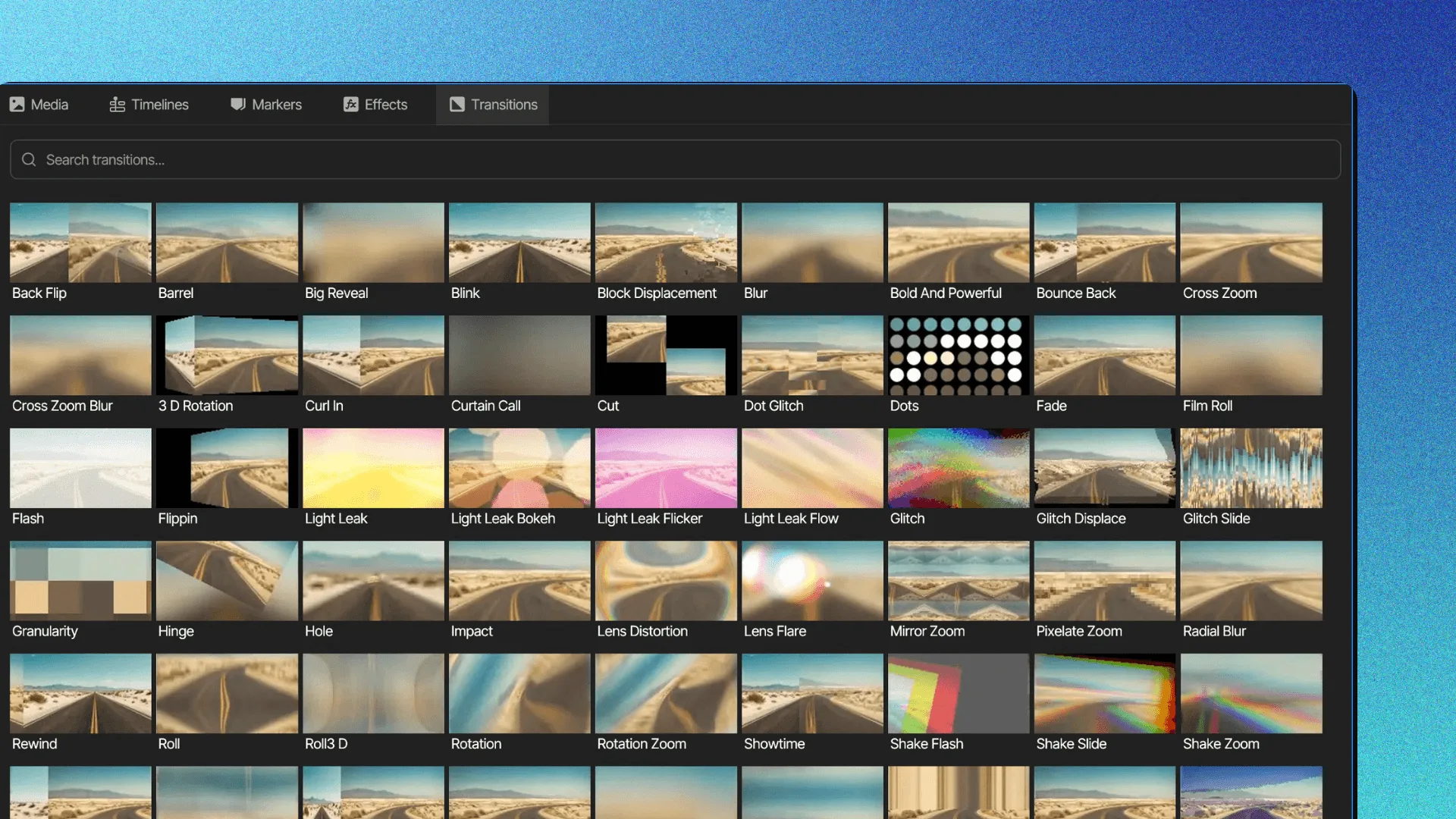
Grade the way a colourist does, beside the cut. Wheels, tone curves, hue and sat curves, qualifiers, LUTs, waveform scope.
Open the editor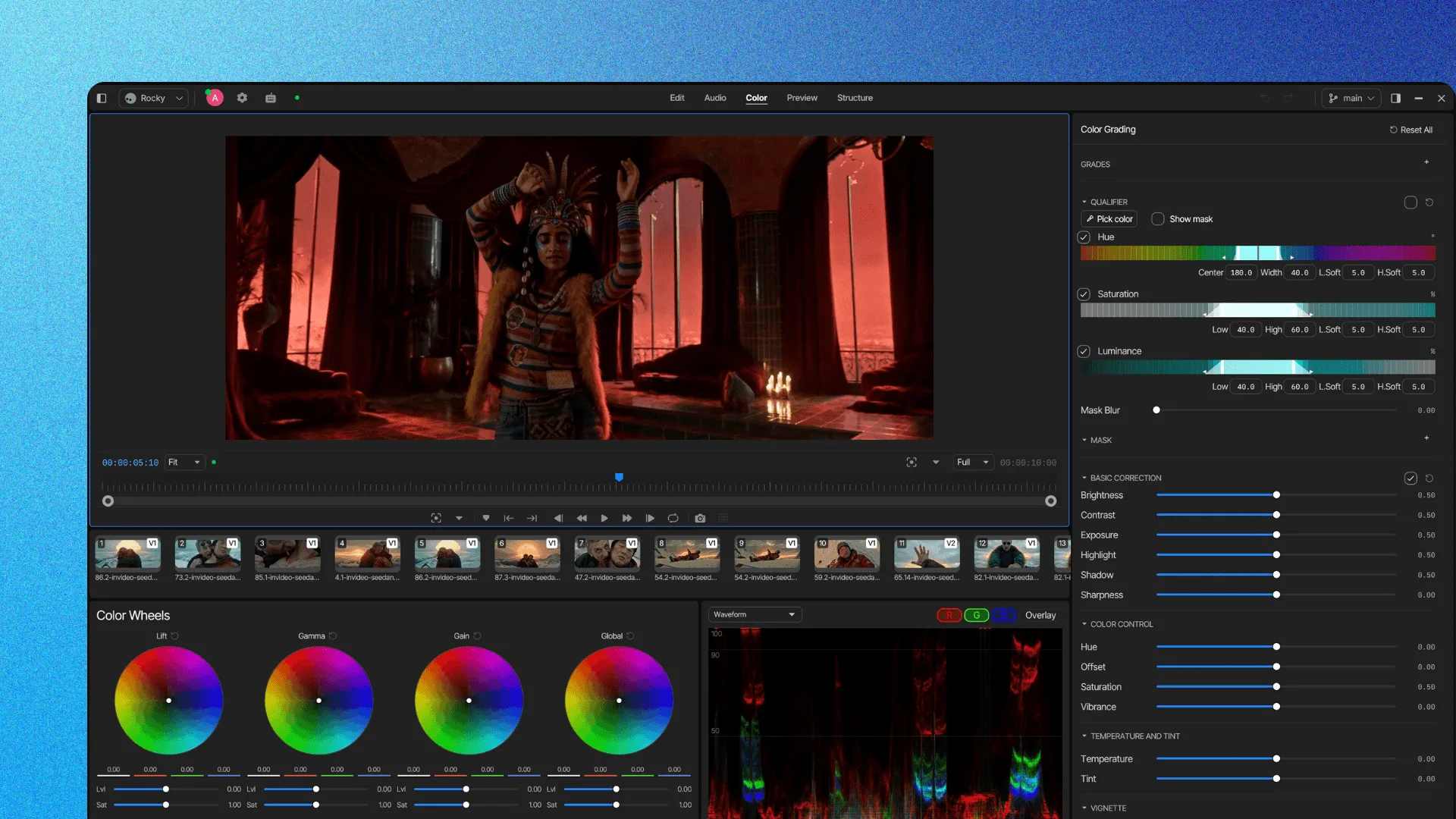
Mix and master without leaving the project. Voice, music, and effects on their own tracks, buses, dB faders, loudness metering.
Open the editor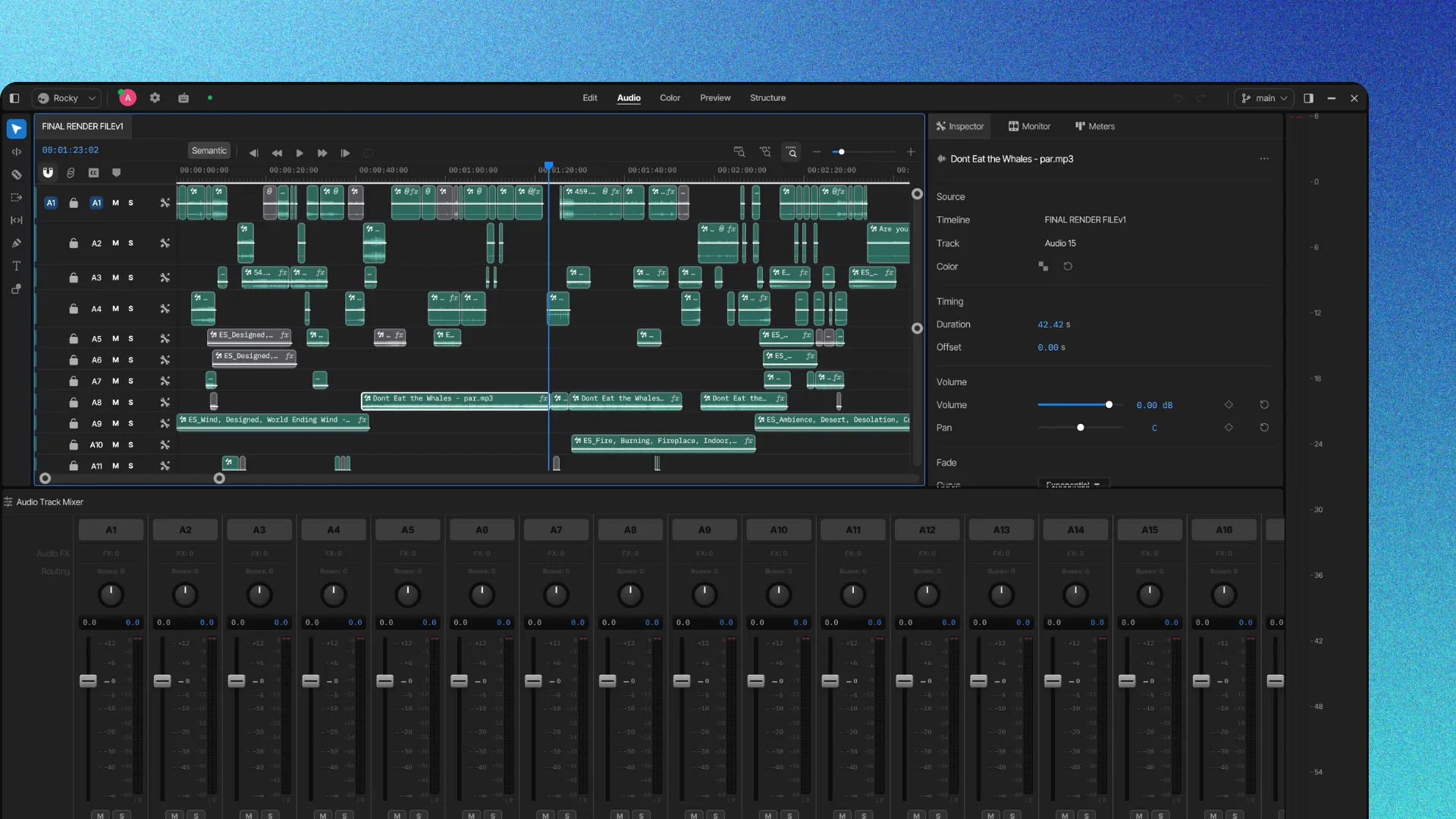
Try a different cut without touching the main one, and roll back anything. Branches, tags, version history.
Open the editor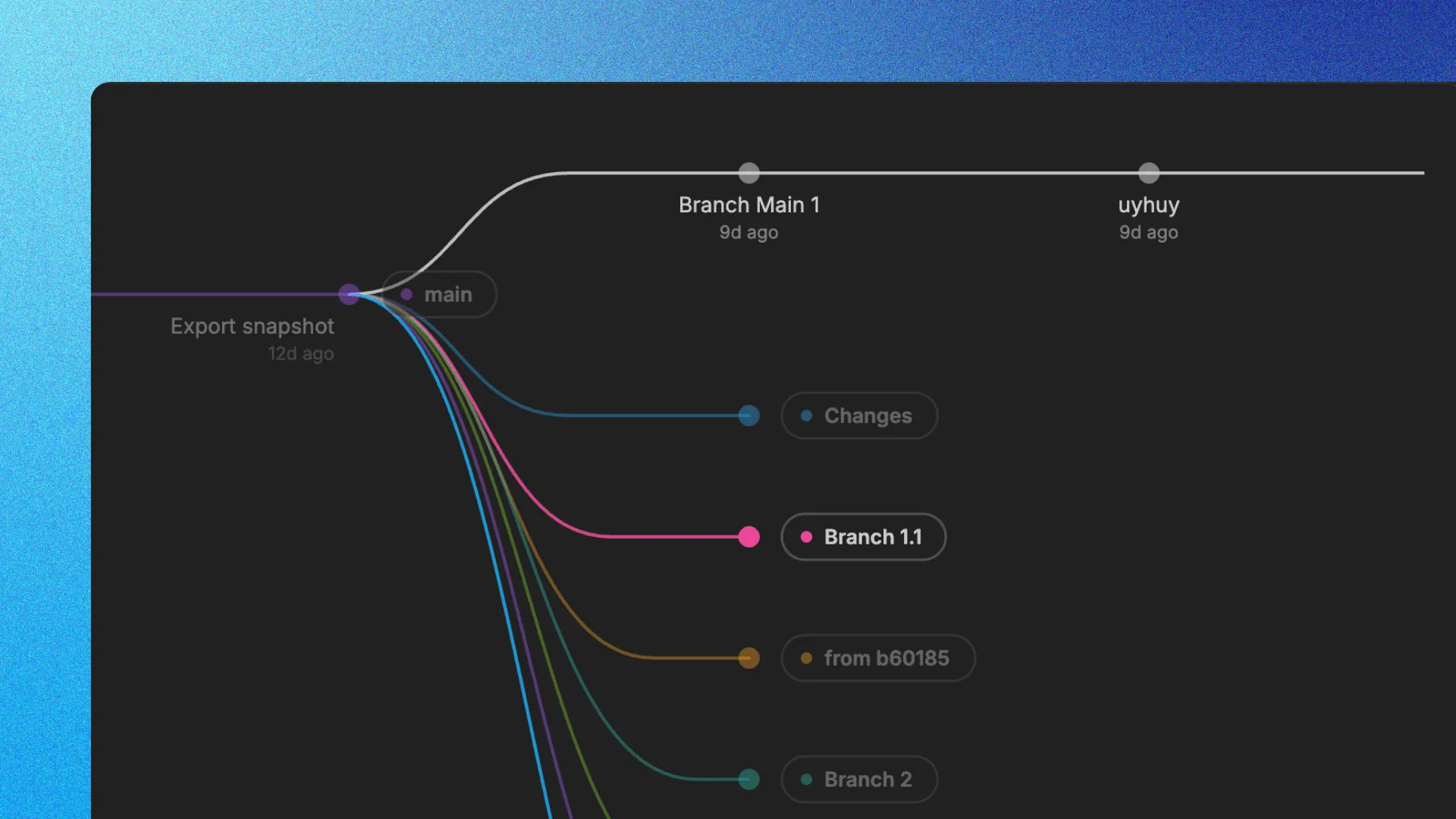
Bring your whole creative process inside invideo, with the best image, video, audio, editing and language models on tap.
Finish on the timeline, or take the project to your own editor.
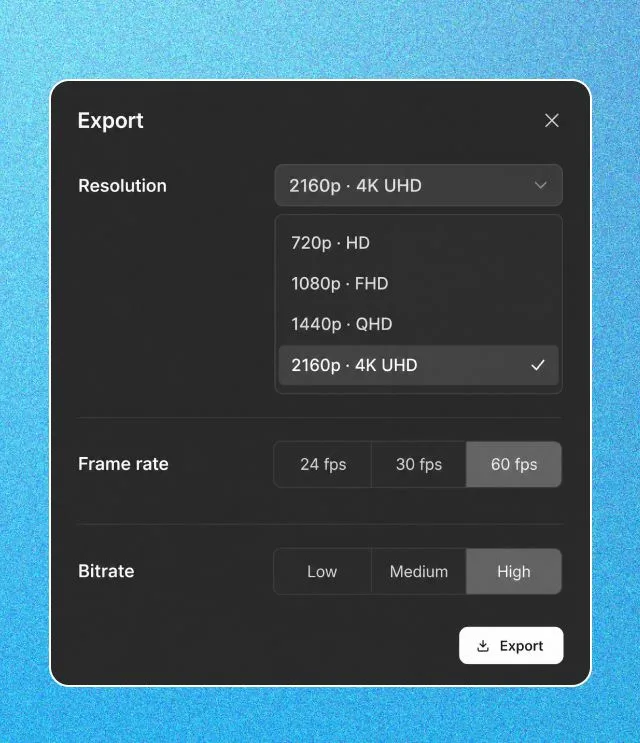
H.264 MP4, straight from the browser.
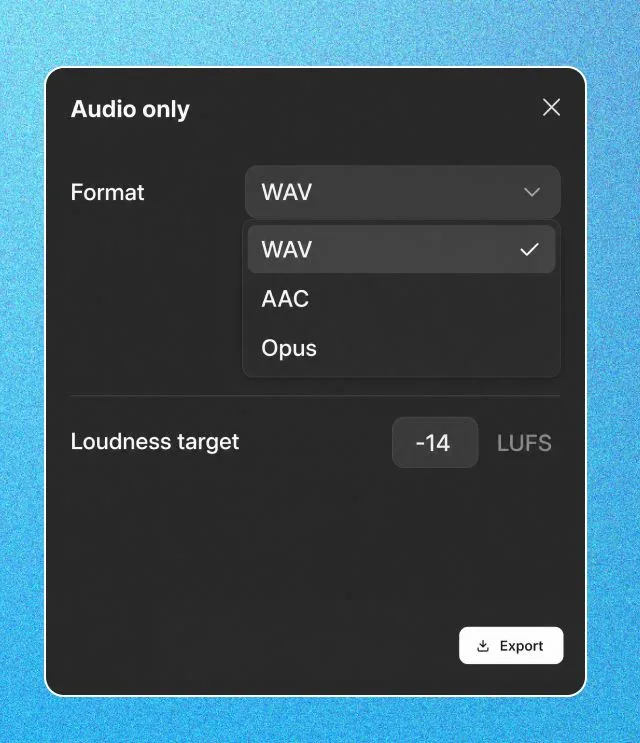
WAV, AAC, or Opus when the mix is the deliverable.
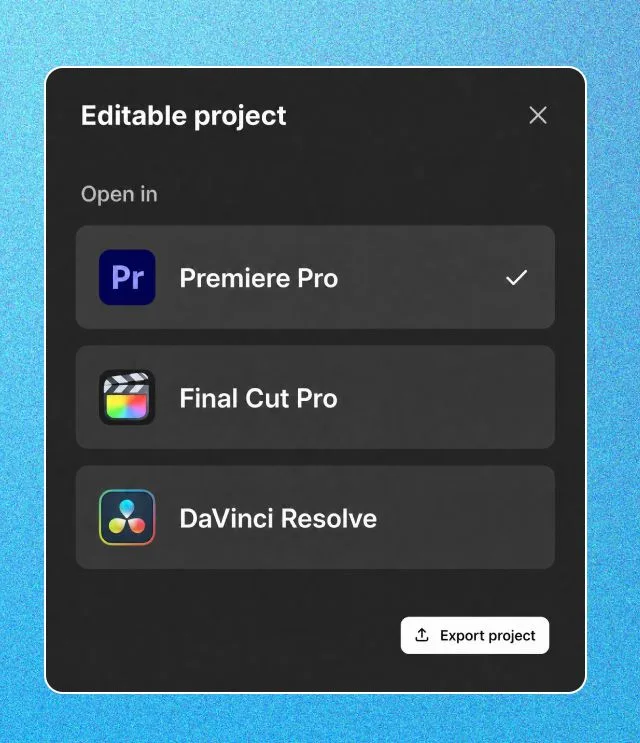
Premiere Pro, Final Cut Pro, or DaVinci Resolve. Cuts and layers intact.
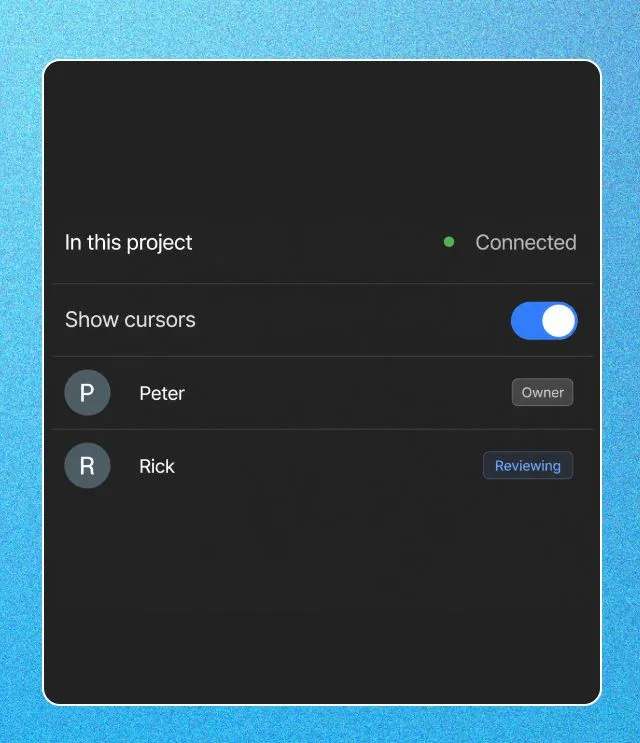
Anyone can scrub the finished cut in the browser and leave frame-accurate comments. The agents can pick the notes up from there.
No installs, no license seats, no project stranded on one machine. Open it from a desktop, laptop, tablet, or phone and pick up exactly where you left off, while assigned jobs keep running in the cloud.
Bring your team into the project and see who's in it while you cut. When it's ready to show, send a review link.
The manual editor is free. Cut, grade, mix, and export without paying; credits only when agents take a job. Your footage stays yours.
Backed by the firms behind Stripe, Spotify, Flipkart, and ByteDance.
Loading pricing…
An agentic video editor is a video editor whose AI agents can be assigned real editing work in plain language. The agents understand the footage and the project, carry out multi-step editing jobs, and place the result on a professional timeline the editor fully controls. invideo Editor is an agentic video editor: a browser-based NLE where you brief the work and agents execute it.
invideo Editor is a free professional video editor in your browser, built with AI agents you can assign editing work to. Upload footage, say what you want in your own words, and they build and change the edit on a multitrack timeline that stays fully editable by hand.
The manual editor is free. Upload footage, cut on the timeline, grade, mix, and export without paying. Agents use credits when you assign them work, and you choose when to bring them in.
Reviewing footage and selecting the best takes, building first drafts with or without a script, matching the pacing and structure of a reference video, syncing and switching multicam, cutting to music, removing silences and filler words, finding moments by people, actions, objects or ideas, adding chapter markers, restructuring and retiming the cut, generating or sourcing b-roll, transitions and visual treatments, colour work, dialogue cleanup and the mix, dubbing, and cutdowns for every platform.
Yes. Point the agents at a reference video and they apply its pacing, structure, and style to your footage on the timeline. Change any of it by hand afterwards.
Yes. Everything an agent does lands on the same timeline you control. Reorder, retrim, retime, swap takes, and undo or redo any change. Branches, tags, and version history keep every state of the edit.
Yes. Keyframe transform, zoom, position, rotation, crop, opacity, and effect parameters on any clip, and shape the easing between keyframes with custom Bezier curves. That level of animation control is standard in desktop editors and rare in the browser.
Yes. Full effects and transitions libraries, text and titles, and dynamic captions, applied per clip and animated with the same keyframes.
A full grading suite in its own room: lift, gamma, gain, and global wheels, basic correction, tone curves, hue and saturation curves, qualifiers, vignettes, and LUTs with strength control, with a waveform scope and RGB overlay to check the grade.
Yes. invideo Editor has a built-in digital audio workstation: voice, music, and effects on separate tracks routed through buses to the main, per-track effects, pan, faders on a dB scale, solo and mute, and metering in L, R, and loudness units.
Yes. invideo Editor has 200+ video, image, and audio models available in the project. Ask for the shot, the plate, the voiceover, or the music and it lands on your timeline as an editable clip, alongside the footage you shot.
Yes. Ask the agents to dub the cut into another language and the new dialogue lands on the timeline, lips in sync. Voiceover, music, and sound effects models are available in the same project.
Yes. Stock clips, images, and music from iStock, Shutterstock, Storyblocks, and more are available in the project, cleared for commercial use. The agents can pull what a cut needs themselves rather than making you search a library.
Yes. Give the agents your tracks and describe the music edit you want. Mark the first few beats and they carry the pattern through the track, then lay your shots on the beats. It suits montages, trailers, promos, and highlights.
An H.264 MP4, audio only as WAV, AAC or Opus, a review link, or an editable project. The editable project opens in Premiere Pro or Final Cut Pro, and exports to DaVinci Resolve through OpenTimelineIO, with your cuts and layers intact.
Yes. Export the edit as an editable project and open it in Premiere Pro, Final Cut Pro, or DaVinci Resolve, with your cuts and layers intact. Or render the finished video straight from invideo Editor.
Yes. Send a review link: anyone can scrub the finished cut in the browser and leave frame-accurate comments without opening the editor. The agents can pick those notes up and make the changes on the timeline.
No. With a script, the agents cut against it line by line and flag anything the footage is missing. Without one, they understand the footage itself and build the cut from your description.
There's no restriction on the amount of footage a project can take. Bring in everything the shoot produced and the agents will work through it.
Yes. Upload each camera to its own folder, tell the agents which camera has the best audio, and ask them to sync. Every angle lands as a frame-matched layer, and you can ask for angle switching based on who's speaking.
Yes. invideo Editor is built for working together. Teammates open the same project, you can see who else is in it, and one person can edit while another reviews. Team accounts add settings for managing this across your workspace.
No. invideo Editor runs in your browser on a desktop, laptop, tablet, or phone. Your project, footage, versions, and agent work stay together in the cloud, and assigned jobs keep running when you close the tab.
Most AI editing tools read a transcript, handle one isolated task, or return a finished video you can barely change. invideo Editor's agents have watched the footage and work inside a full NLE with keyframes, Bezier curves, a colour suite, and a digital audio workstation, with 200+ generative models and stock media in the same project, and an editable export to Premiere Pro, Final Cut Pro, or DaVinci Resolve.