






When generating videos, most people start by typing into a prompt box. While the crowd arm-wrestles text prompts, the pros quietly drop in references and watch footage fall into formation. This is one of the hidden secrets of Kling AI; its real power shows up when you guide it visually, not just verbally.
Using Kling on invideo here can pack cinematic identity, motion, and continuity with an almost editor-level instinct. But when handling fast-paced content workflows and high-volume automation channels, it's best to avoid prompting from scratch.
For nearly unfair precision and consistent, cinematic footage, you need a set of reference-first templates ready to plug and play.
What is Reference-First Prompting with Kling on invideo?
While its text-to-video does stun, the real magic of using Kling on invideo is how it uses assets (a.k.a your references) to breathe life into the final video. That input shapes depth, silhouette, lighting, texture, proportions, and even how motion unfolds. Kling can even use references to understand what stays stable and what can be stylized or animated.
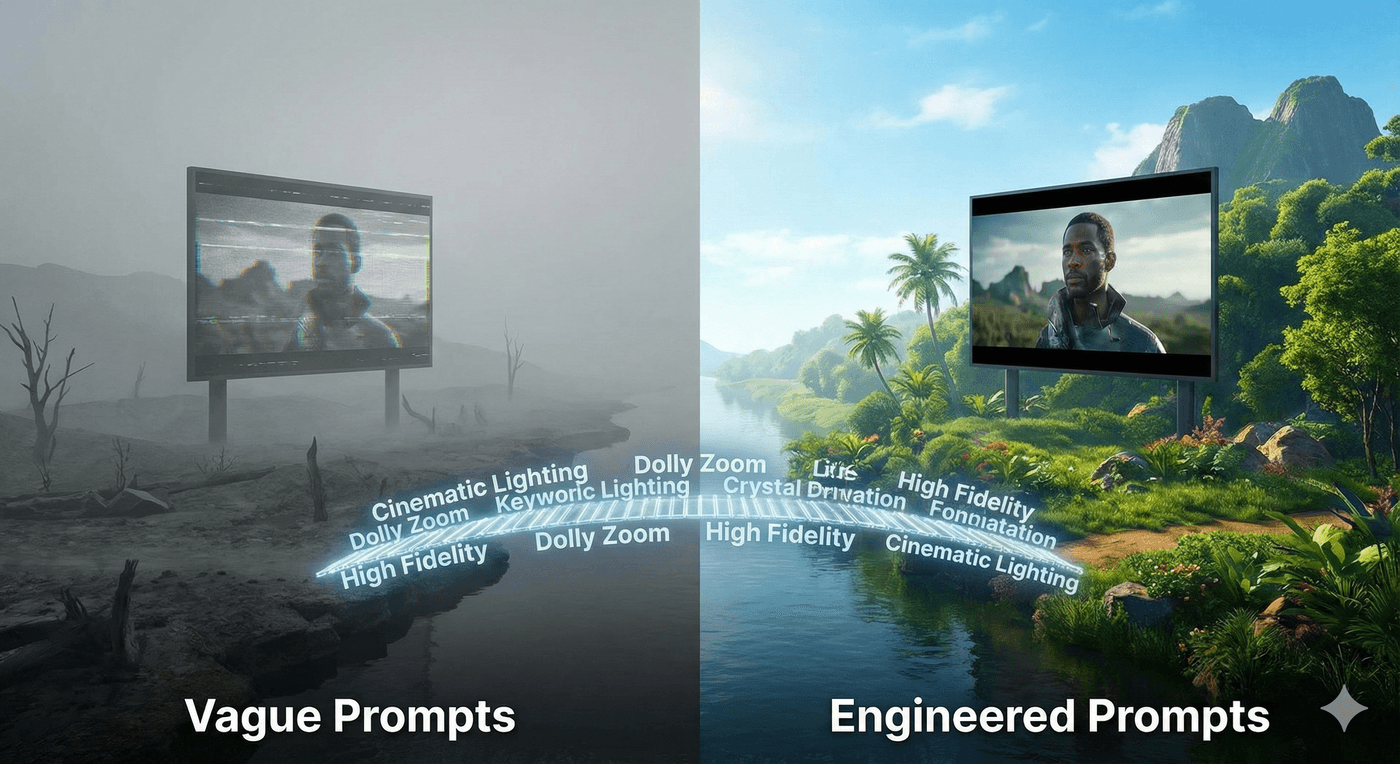
Given the gravitas, here are the key roles and guiding cues powering reference-first prompting:
-
Aesthetic: When you specify aspects like “clean daylight” or “cinematic contrast,” you’re telling Kling what emotional temperature to hold across the entire clip. A strong aesthetic reference gives Kling a visual anchor, so the lighting, texture strength, and overall atmosphere don’t drift scene to scene. Without it, the output often feels inconsistent or unintentionally stylized.
-
Structure: Think of this as the blueprint for how your video should flow. Whether it’s listicle-style beats, hero product moments, or parallax reveals, structure tells Kling the rhythm you intend, not just the visuals you want. It keeps the pacing deliberate and matches the viewing experience to your design. Without cues like “three-beat reveal” or “hook → product → payoff,” Kling may invent transitions or timing that drift away from your format.
-
Motion Cues: Guide camera behaviour gives your clips a more immersive feel. Terms like "slow pan" or "micro parallax" signal the style and intensity of movement you want. This prevents Kling from adding motion that feels too chaotic, too static, or simply off-brand. Motion references ensure the final output feels directed rather than algorithmically guessed.
-
Continuity Notes: Details like product labels, character silhouettes, or the proportions of an object must not warp between frames. Continuity notes like “preserve shape,” “keep colors consistent,” or “maintain scale” help Kling preserve shape or keep colors consistent and protect the integrity of the references you provide. It prevents flickering, morphing, and other AI-generated instability that breaks believability.
10 Plug-and-Play Templates to Power Your Kling Prompt Playbook
Before you get started!
Kling generates beautiful, stylized, self-contained clips of up to 10 seconds. To turn these into a full video, you'll need to stitch multiple clips together inside invideo.
With the latest Kling models driving stunning character consistency, assembling each shot like scenes in a timeline becomes seamless.
1. Cinematic Countdown Through A Listicle Video
When viewers want quick clarity, listicles become their compass. Unlike narrative-heavy formats that take time to build context, even short listicle videos get straight to key details and essential takeaways.
This template gives creators a structured, easy-to-follow way to turn simple asset sets into clean, high-impact videos. It also delivers insights into rhythmic beats, helping pointers land fast and stay memorable. Kling strengthens that flow with precise parallax and zero drift, turning a couple of stills into smooth, cinematic motion.
Best Model: Kling 2.6 and Kling O1
Prompt Template:
Create a [DURATION] fast-paced explainer video about [GIRL NAME OR DESCRIPTION]
explaining [NUMBER] must-have [CATEGORY: foods/places/items] when you are in
[LOCATION: France, Italy, Japan]. Show the girl explaining it through the street
views of [LOCATION], and then show cinematic montages of each highlight one after
another using the given images of [REFERENCE IMAGES 2-6].
Settings:
Make it hyper-realistic and detail-oriented.
Use jump cuts for the transitions.
Output:
2. Quick UGC Videos
Viewers trust explanations that feel casual and human, the way a friend might show them a great find. A UGC video with a focused message and a clear breakdown of the product becomes a staple for channels that rely on honest, everyday storytelling.
Having a UGC template in the bank gets you a simple, intuitive format for turning basic assets into clips that feel spontaneous and personal. Kling amplifies that credibility with natural handheld motion and steady, realistic clarity.
Best Model: Kling O1
Prompt Template:
Create a [DURATION] UGC-style ad promoting [PRODUCT NAME + VARIANT].
The target audience is people who [TARGET TRAIT: love comfort/style/sustainability/everyday wear] for [USE CASE: daily wear, casual outings, errands, etc.].
Keep the casual and authentic tone.
Open with a scroll-stopping hook that addresses common [PRODUCT CATEGORY] issues,
like [PAIN POINT: discomfort, bad fit, poor durability, etc.]. Filmed in a
[SETTING: bright airy home/cozy living room/outdoor patio] with [LIGHTING STYLE: natural sunlight/soft daylight]
streaming through windows.
Could show visuals like:
Close-ups of [TEXTURE/CRAFTSMANSHIP/MATERIAL DETAIL]
walking shots showing [COMFORT/FLEXIBILITY/SUPPORT]
styling the [PRODUCT] with different casual outfits ([OUTFIT TYPES]), confident walking.
Highlight features like:
[FEATURE 1: material and benefit]
[FEATURE 2: fit and comfort]
[FEATURE 3: versatility, durability, or color match]
Use a [MUSIC STYLE: soft acoustic, feel-good, or minimal] background track to match
the relaxed, effortless lifestyle vibe.
End with a simple, standard CTA: [CTA LINE].
Output:
3. Animated Explainer Videos
When you have blog content or concept diagrams, an animated explainer video becomes the fastest way to turn knowledge into conversions. It translates dense ideas into visuals that feel clear and friendly, and it keeps faceless videos engaging without needing on-camera performance.
The wide range of animated styles video out there makes this plug-and-play template a prompt-playbook essential. Reference images anchor the visuals, while Kling handles card stacks, motion highlights, and smooth morphs to make complex topics digestible in seconds.
Best Model: Kling 2.6 or Kling O1
Prompt Template:
Create a [DURATION] long-form animated explainer video about [TOPIC] using reference stills of [REFERENCE IMAGES: diagrams, icons, conceptual visuals, thematic scenes] to anchor each explanation clearly. Guide the viewer through [KEY POINTS OR TECHNIQUES] with calming, visually coherent sequences built from [STYLE: watercolor, Greek sculpture style, minimal line art, clay-motion, etc.].
Use [VOICE STYLE] narration to walk through each idea gently and clearly, while the visuals unfold across [ABSTRACT ELEMENTS: flowing shapes, atmospheric transitions, symbolic environments] that match the message. Maintain slow, gentle transitions between concepts to support comprehension and emotional ease.
Animate each reference image with subtle motion, soft parallax, drifting camera, depth-based reveals, so the explainer feels immersive and modern while staying clean and educational. Ensure the visual style remains consistent throughout, keeping it detailed, thoughtful, and anchored in the core references.
The entire piece should feel like a guided learning experience: soothing, structured, and beautifully paced.
Output:
4. Educational Documentaries
When viewers hear “this is a true story,” they’re almost always instantly hooked. That’s why mini-documentaries are a great choice for delivering facts with emotional weight. Think of a quick origin story, a surprising statistic, or a forgotten moment of history.
Having a go-to mini-doc template helps you turn a few strong reference images and researched text into a high-performing 30-60 second clip on any platform. Kling gives static pictures cinematic camera movement, lighting shifts, and emotional depth that feels like trailer-grade storytelling.
Best Model: Kling O1
Prompt Template:
Create a [DURATION] educational documentary using the script provided at [SCRIPT LINK OR FULL TEXT].
Use the reference images of [REFERENCE IMAGES: historical photos, diagrams, subject-related visuals] to anchor each major section of the narration.
Build the entire video around a [THEME: dark, atmospheric, inspiring, investigative] tone.
Use [VOICE STYLE: clear British male voice/warm female voice/neutral narrator] for the narration, ensuring pacing matches the seriousness and depth of the topic.
Guide the visuals with slow cinematic movements like [CAMERA MOTION: parallax, slow push-ins, drifting pans] to create emotional weight and continuity.
Apply [COLOR PALETTE OR LIGHTING STYLE: dark & scary, cool documentary tones, archival sepia, etc.] consistently across all scenes.
Keep transitions subtle and immersive. Prioritize clarity, tension-building, and strong visual anchoring to support the educational script.
Output:
5. Character Voice-overs and Stories
These videos center on an immersive narrative moment, whether it’s a product journey, an experience, or a quick lesson-based story with a narrator. Character voice-overs give you polished storytelling without filming, making it an easy way to turn ideas and references into tight mini-narratives.
High-performing faceless niches like educational video, finance, history, and story channels rely on steady narrative drops, which makes this template a dependable content engine. Reference images keep each beat grounded, while Kling on invideo adds clean micro-motions, seamless transitions, and steady pacing that keeps viewers watching.
Best Model: Kling 2.6 or Kling O1
Prompt Template:
Create a [DURATION] character-narrated product demo video for [PRODUCT NAME] using reference images of [PRODUCT STILLS], [LIFESTYLE IMAGES], and [CHARACTER IMAGE] to anchor the visuals and tone. The video should follow a cinematic, cozy, and family-friendly aesthetic with smooth lighting transitions and premium product moments suitable for [PLATFORM: Facebook Ads, Amazon Showcase, YouTube Pre-Roll].
Use a [VOICE STYLE: warm female voice, clear male voice, friendly parent voice] for the narration and pair it with [MUSIC STYLE: upbeat yet soothing/soft cinematic/modern ambient] for emotional engagement.
Write the script using the Problem → Agitation → Solution → Features → Desire → Outcome → Call-to-Action structure, with short, punchy lines optimized for [AD PLATFORM: Facebook Ads]. Keep the pacing curiosity-driven and thumb-stopping in the first three seconds.
Incorporate reference visuals of [SCENE REFERENCES: cozy bedrooms, family moments, product in use, nighttime ambiance] to show the product's emotional transformation and practical benefits.
Ensure the storytelling feels native to the feed, warm, relatable, solution-oriented, and structured for conversions rather than trend energy.
Output:
6. Aesthetic Video Loops
Aesthetic loops are short, seamless visual moments designed to create a mood rather than deliver information. They’re the quiet, atmospheric clips viewers leave running for ambiance, often pairing calming visuals with gentle audio. Because they instantly establish a sense of place and vibe, they’ve become a staple for lifestyle brands, travel channels, and mood-driven reels.
Paired with reference location photos and clear styling cues, Kling turns simple inputs into endlessly looping visuals that feel artfully crafted. Having one ready to go is ideal for creators building an immersive, relaxing world that their viewers can sink into.
Best Model: Kling O1
Prompt Template:
Create a [DURATION] aesthetic looping video using the reference images of [REFERENCE IMAGES: locations, environments, mood shots] to guide the visual style, composition, and atmosphere.
Maintain a consistent [ART STYLE: watercolor, oil-painting, cinematic, minimalist] throughout the sequence.
Use a [VOICE STYLE: soothing female voice, calm male voice, soft whisper narration] to guide the meditation or mood of the video, timed gently across the full duration.
Pair the visuals with [MUSIC STYLE: calm instrumental, soft ambient, light piano] while keeping the sound design minimal and free of SFX.
Animate each reference scene with subtle, seamless motions such as [MOTION CUES: drifting camera, soft parallax, gentle loop] to create a continuous atmospheric world.
Ensure each transition feels fluid so the viewer experiences the whole piece as one uninterrupted meditative loop.
Output:
7. Transferring Trending Movements to Your Product Promos
Transferring those trend motions like camera movement, cut timing, and beat alignment is a great way to stay current. Revealing or advertising your products within these trends also creates high engagement and relatability with social media users.
Since trends start and end as quickly as they appear, having a plug-and-play prompt helps cut down a lot of time. This template lets you replicate a trend’s pace, rhythm, and visual language. With Kling on invideo, you can recreate movements of any reference clip onto your images with precision.
Best Model: Kling O1
Prompt Template:
Create a [DURATION] trend-remix product reveal using the motion style from the reference trend video: [TREND VIDEO REFERENCE]. Transfer the full motion pattern of [MOTION STYLE: zoom-ins, snap cuts, whip-pans, beat hits, reveal pops] onto this product image: [PRODUCT IMAGE REFERENCE].

Keep the product geometry perfectly stable while matching the exact timing, pacing, and transitions from the trend. Maintain a [AESTHETIC STYLE: bold, playful, minimal, premium] look so the output feels native to [PLATFORM: TikTok/Reels/Shorts]. Add on-screen text synced to the beat that says [HOOK OR TAGLINE].
Use only AI-generated video. The final video should feel like a seamless brand version of the original trend, with all movement accurately transferred onto the product still.
Output:
8. Promo Ads
Promo ads on any platform are a constant battle for attention. However, presenting your product’s best features in a polished, high-impact way is bound to pique intrigue.
Having a go-to template for this lets you produce consistent, brand-aligned promos with the right layouts, messaging, and CTAs every time. Kling adds glossy parallax, sharp hero shots, and smooth motion accents, delivering commercial-quality ads in a single click.
Best Model: Kling O1
Prompt Template:
Create a [DURATION] cinematic promo for [BRAND/PRODUCT] using reference stills and images of [PRODUCT STILLS/LOCATION/LIFESTYLE REFERENCES] to anchor every shot. Begin with [OPENING VISUAL: aerial shot/dramatic close-up/atmospheric environment/cityscape], camera moving into [PRIMARY CONTEXT OR LOCATION]. Glide inside or forward to reveal [ENVIRONMENT/SETTING]: [INTERIOR OR CONTEXT DETAILS: décor, colors, layout, materials, product displays, tools, or atmospheric elements]. Include close-ups of [PEOPLE OR USERS] engaging naturally, creating a warm, inviting feel.
Cut to an over-the-shoulder moment where [USER OR CUSTOMER] expresses [PROBLEM, NEED, OR DESIRE RELATED TO THE PRODUCT]. Transition into a detailed demonstration sequence: show [PRODUCT OR SERVICE] in action with slow-motion moments, macro close-ups, texture shots, and visually rich transformation details. If relevant, add a secondary user experience showing [ANOTHER USER TYPE OR USE CASE] with precision-focused visuals, orbiting camera movement, and expressive micro-motions.
Shift into [SUPPORTING EXPERIENCE: washing, prepping, assembling, applying, mixing, relaxing moment, etc.] using soothing lighting, tactile visuals, or atmospheric motion. Intercut B-roll of [TOOLS, MATERIALS, INGREDIENTS, TECHNIQUES, PRODUCT APPLICATION, TEXTURE FORMATION] under premium lighting for added cinematic richness.
Move into a lifestyle finale with [DIVERSE USERS OR CUSTOMERS] enjoying the final outcome, confident, relaxed, smiling, or transformed depending on the product. Conclude with a [CLOSING CAMERA MOVE: crane-up, slow pullback, rising shot, dramatic reveal] of [KEY LOCATION OR PRODUCT HERO MOMENT] accompanied by text overlay: "[TAGLINE]". Maintain premium cinematic lighting, a luxury visual tone, and stylish camera movements that highlight both the environment and the artistry of [PRODUCT/SERVICE].
Output:
9. Before-After Transformation Videos
Showing real impact boosts positioning, engagement, and trust. Before-and-after stories like renovations, makeovers, product upgrades, or fitness journeys, become powerful community touchpoints and steady content drivers.
Kling O1 can even generate a believable “before” from your current images plus a short description, so you’re never blocked by missing assets. This template, along with invideo's Continuity Engine, sends your transformation stories in real-time and at scale.
Best Model: Kling O1
Prompt Template:
Create a [DURATION] transformation montage showing [OBJECT/SUBJECT] evolving from its [BEFORE STATE] to a significantly improved or fully transformed [AFTER STATE], using reference stills of [REFERENCE IMAGES: before condition, mid-process moments, tools or methods involved, textures, progress shots, final outcome] to anchor each stage of the journey.
Build the visuals with hyper-realistic detail and expressive micro-motions that capture texture, progress, and meaningful change. Begin by revealing [INITIAL STATE through close-up reference shots that highlight imperfections, challenges, or starting conditions like whether that's a worn product, an unrenovated space, an early-stage project, or the first day of a fitness journey.]
Let the montage unfold through step-by-step progressions guided by your reference images, showing [ACTIONS such as repairing, training, renovating, assembling, refining, or improving], with each phase visually communicating momentum and growth.
Bring the final reveal to life with dramatic lighting, crisp clarity, and cinematic camera movement that celebrates the completed transformation in full. Maintain a detailed, hyper-realistic aesthetic throughout. Keep the pacing tight, visually engaging, and deeply satisfying.
Output:
10. Music Video for Product Showcases
Music-driven product videos turn simple images into rhythmic, beat-synced edits that feel energetic and instantly memorable. They deliver strong brand recall and emotional impact without the need to film or choreograph anything, and they’re becoming more accessible now that high-cost production isn’t a barrier.
With Kling’s reference-first prompting driving this template, you get the feel of a full-fledged shoot without cameras, lighting setups, or recording studios. Kling on invideo reads the track and handles the sync work for you, adding micro-movements, zoom pops, and color shifts that land perfectly on the beat. In short, it is a fast, reliable way to create high-energy visuals without any of the usual production overhead.
Best Model: Kling 2.6 or Kling O1
Prompt Template:
Create a [DURATION] cinematic music-driven product showcase for [BRAND NAME] using the reference image of [PRODUCT IMAGE].
The lyrics of the song will be [LYRICS OR THEME], repeated at [FREQUENCY OR STYLE: throughout, in chorus, in intervals], set to [MUSIC GENRE: heavy metal, synthwave, chillhop, etc.].
Ensure the vocals are [VOCAL STYLE: clear, gritty, soft, heavily processed, etc.] and mixed to complement the track.
The visuals should be cinematic and feature [DESCRIPTION OF PEOPLE or SCENES: everyday people, diverse professions, specific moods, etc.] engaging with [PRODUCT NAME].
Include dynamic, music-synced motion such as [VISUAL BEATS: zoom pops, beat cuts, color pulses, micro-movements] to match the rhythm and energy of the song.
Maintain a polished, brand-appropriate tone throughout the video.
Output:
Quick Tips to Make the Most of Your Kling Prompts
Kling gives you huge creative flexibility, but it becomes predictable when your prompts are structured with intention. The clearer your reference and continuity cues, the more stable your motion becomes.
Use these practical tips to keep every output consistent, clean, and repeatable:
-
Use clean, centred references: Kling reads depth and structure best when the subject is clear and uncluttered. Prep your stills by cropping, brightening, or simplifying backgrounds before uploading them.
-
Add explicit continuity cues: If you tell Kling on invideo what not to change, it does a fab job staying consistent. Include phrases like “preserve silhouette” or “maintain label text” in every prompt variation.
-
Adjust one lever at a time: Small, isolated changes help you track what actually improves your output. Choose aspects like zoom intensity, lighting style, or motion speed, and tweak one per iteration.
-
Build modular prompt templates: Kling rewards structured prompts that repeat the same logic. Keep your aesthetic/structure/motion/continuity roles identical and swap only references or minor levers.
-
Keep your brand palette consistent: Kling O1, has an AI Colorist to edit and follow your colour continuity if you anchor it clearly. Reference brand colours in both your image and your prompt to create cohesive campaigns.
Aside from these tips, it’s also important to match the Kling model on invideo to the use case.
Which Kling Models Should You Use and When?
Get the Creative Momentum Rolling With Kling on invideo
Kling on invideo is all about complete production control and fluid, cinematic footage. The key to tapping into lies in the reference-first prompting, powered by the right levers, continuity cues, and clean inputs.
Keeping a prompt playbook on your frequent use cases amps up its potential. With templates that are quick to copy-paste, your content generation instantly gets faster, more scalable, and reliably consistent. Plus, invideo lets you tap into all the latest Kling models. The tools are ready, and now your workflow is too.
Also check out these related articles:
FAQs
-
1.
Which Kling model should I use for animations or stylized videos?
Choose Kling 2.5 when you want fast, clean animation with stable characters and smooth motion. Pick Kling 2.6 if you need the same stylized look but with built-in audio, better physics, and more realism. Use Kling O1 for grounded UGC, hands-on demos, or product-focused clips.
-
2.
What kind of reference images work best with Kling?
Use clean, well-lit images with a clear subject, simple edges, and minimal background clutter. If you generate AI images for references, follow the same principle to keep the subject clear and structured. Kling relies on the anchor frame, so the cleaner the reference, the better the depth, motion, and continuity. Avoid busy backgrounds, reflections, and heavy text where possible.
-
3.
How many frames or reference shots do I need?
One strong reference image usually suffices because Kling extracts depth, silhouette, and layout from a single frame. Use multi-frame references only for complex motions, character loops, or when you need consistent camera angles across multiple beats or cutaways.
-
4.
Can Kling handle product-focused UGC ads without distortion?
Yes. Kling handles product shots well when you include clear continuity cues. Add instructions like “preserve product shape,” “maintain label text,” or “keep proportions.” These guardrails prevent stretching or morphing and keep the product geometry intact during motion.
-
5.
How do I fix exaggerated motion or warping?
Tone down aggressive verbs and switch to softer motions like “subtle,” “slow,” or “micro.” Add proportion locks such as “keep silhouette identical” or “maintain scale.” Kling responds quickly to restrained directions, producing smoother, more controlled movement without distortion.
