Reference extraction
Upload your reference, or name it and invideo agent researches and finds it. Tell it what you want from the reference, and it extracts it and builds your shots with it.
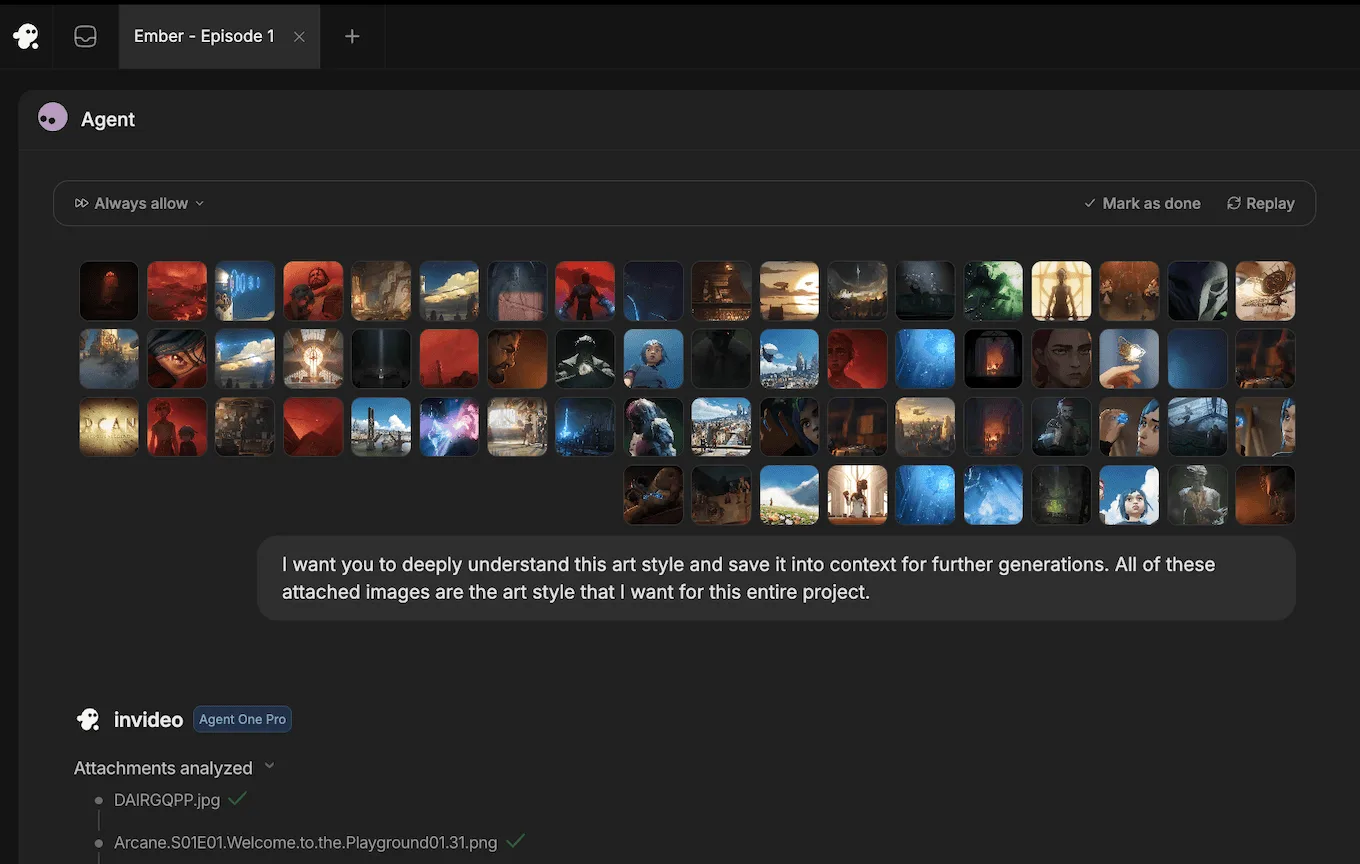
















Upload your reference, or ask it to research one
Have the file? Upload it. Only have it in your head? Name the film, the series, the brand, the campaign, or the shot, and invideo agent researches the internet and brings it back.
Then tell it what you want from the reference: the lighting, the framing, the palette, the pacing, the hook. The agent extracts exactly that and saves it to your project's context.
It extracts what you ask for
A reference carries many things at once: how it is lit, how it is framed, how the colour is graded, how the camera moves, how the cut is paced, why the hook lands. You rarely want all of it.
So you say what you want, and that is what the agent takes. The lighting from a shot, without its framing. The structure of a competitor's ad, without its brand. The extraction is on your terms, and what it extracts becomes a rule in Context for your project.
It implements it in your shots
Extracting is half the job. The agent also puts it to work. When it generates, it writes the prompt that carries what it extracted into your shot, so the lighting you asked for is the lighting you get, and the insight from that winning ad shapes your ad, built around your product.
You never re-attach the reference or re-explain what you wanted from it. It is in Context, and the agent applies it on every generation after.
Bring a reference for any job
Chasing a look
Colour, lighting, grade, texture. The work you keep going back to becomes the standard yours is built to.
Chasing a move
The push-in you could never describe. Point at it and the move you meant is the move you get.
Chasing a feel
Framing habits, pacing, cut rhythm. Hand over a trailer or a title sequence and your edit is built to its rhythm.
Working off an ad that already works
Show invideo agent a winning ad and it extracts why it lands, then rebuilds it around your product and your brand, so you leave with your own ad rather than a copy of theirs.
Building to a brand
Name the brand and invideo agent researches its visual world, campaigns, palettes, framing habits, and works to it.
Your references, put to work for you
Sourcing the reference, extracting what matters from it, and carrying it into every shot: all of that is the agent's job now. You point, you say what you want, and it is done.
That means every reference you can name or upload makes your work better, without adding to your workload. You direct more, and the agent does the rest.
Helping creatives stay creative

Multiplayer mode
Collaborate in real time with live cursors to show what everyone's working on.
Storyboarding
Turn any script or idea into a shot-by-shot plan, then tweak as needed before generating.

Script writing
Write your script inside invideo, and ask an AI co-writer for help if you'd like.
Timeline editor
Picture Premiere Pro with full AI.
Build your own agents
Create custom agents to fill specific roles like cinematographer, music designer, and more.
From solo creatives to creative enterprises
World-class investors stand behind invideo.
Backed by the firms behind Stripe, Spotify, Flipkart, and ByteDance.
Loading pricing…
Reference extraction, answered
How does invideo agent use a reference?
You point at a reference and tell it what you want from it. The agent extracts that, saves it to your project's Context, and builds every shot after with it.
What if I do not have the file?
Name the film, series, brand, campaign, or shot. Invideo agent researches the internet and brings it back.
Can I control what it takes from the reference?
Yes. Tell it what you want: the lighting but not the framing, the ad's structure but not its brand. It extracts exactly that.
Can it work from a video?
Yes. It extracts motion, camera moves, and cut rhythm from video, not just stills.
Do references stay in my project?
Yes. What the agent extracts lives in Context alongside your characters, your world, and your rules, and holds across the whole production.
Can I still upload my own?
Yes. An uploaded reference works exactly like a researched one.