AI Subtitle Generator
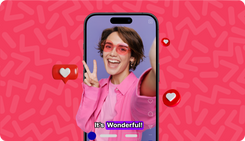
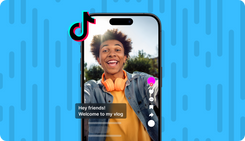
Upload a video and add subtitles in one click, or create a video from scratch and choose your subtitle style through Magic Box. 50+ languages, trendy animated styles, and full customization on invideo.
Subtitles for every video type
YouTube Videos
1
TikTok Videos
2
Instagram Reels
3
Explainer Videos
4
Short-Form Content
5
Global Content
6
Many subtitle styles, one workflow
Karaoke
Words highlighted one at a time in sync with your voiceover, built for retention on short-form content.
Hormozi
All-caps, high-contrast subtitle text built for talking-head and motivational short-form videos.
Word by Word
Individual words revealed in sequence, driving viewer focus and controlling pacing across your video.
Bold Pop
Bold subtitle text with a popping animation that emphasizes each spoken line as it appears.
Clean Outline
Crisp, outlined subtitle text for high readability across any background or video style.
Clean Minimal
Flat subtitle text without outline for a distraction-free viewing experience on any platform.
Comics
A comics-inspired subtitle style for playful, entertainment, and creator-forward video content.
Comics Shake
Comics-style font with a shake effect that adds energy and motion to every subtitle line.
How to generate subtitles?
1. Go to Trends
Go to trends, pick a style and upload your video. Invideo auto-transcribes your audio and syncs subtitles to every word in your video.
2. Generate & Add Subtitles
Generate a full video from text prompts on dashboard, then select a subtitle style from Magic Box once the video is generated.
3. Customize and Export
Adjust text size, animations, colors, and positioning and then export the video in up to 4K resolution.