Introducing Semantic Editor v1.0
The world's first semantic editor
A full non-linear editor that understands your footage, in the browser. Cut, mix, and color grade in one place, with your whole team in the timeline and an agent that edits with you.
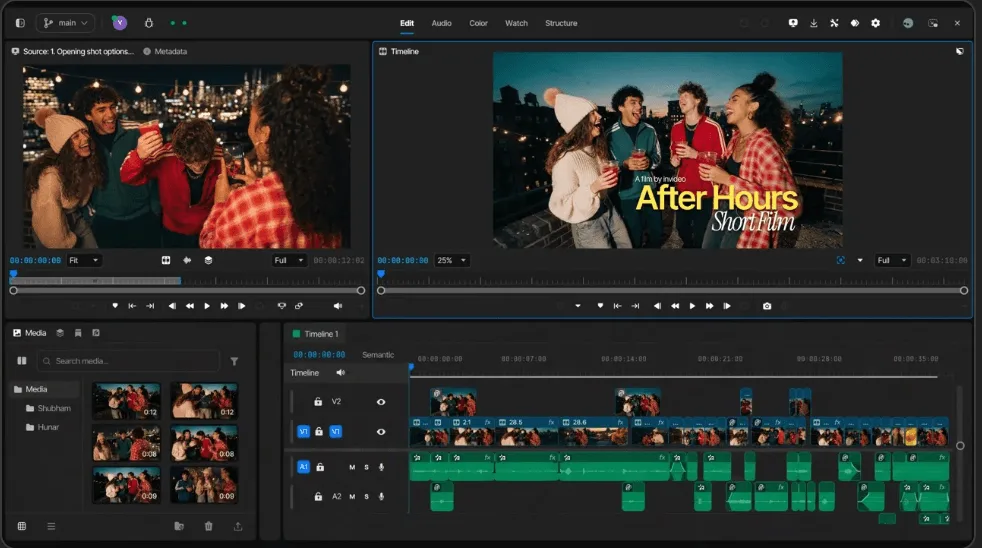
A pro editor that opens like a link.
Cut the way your hands remember
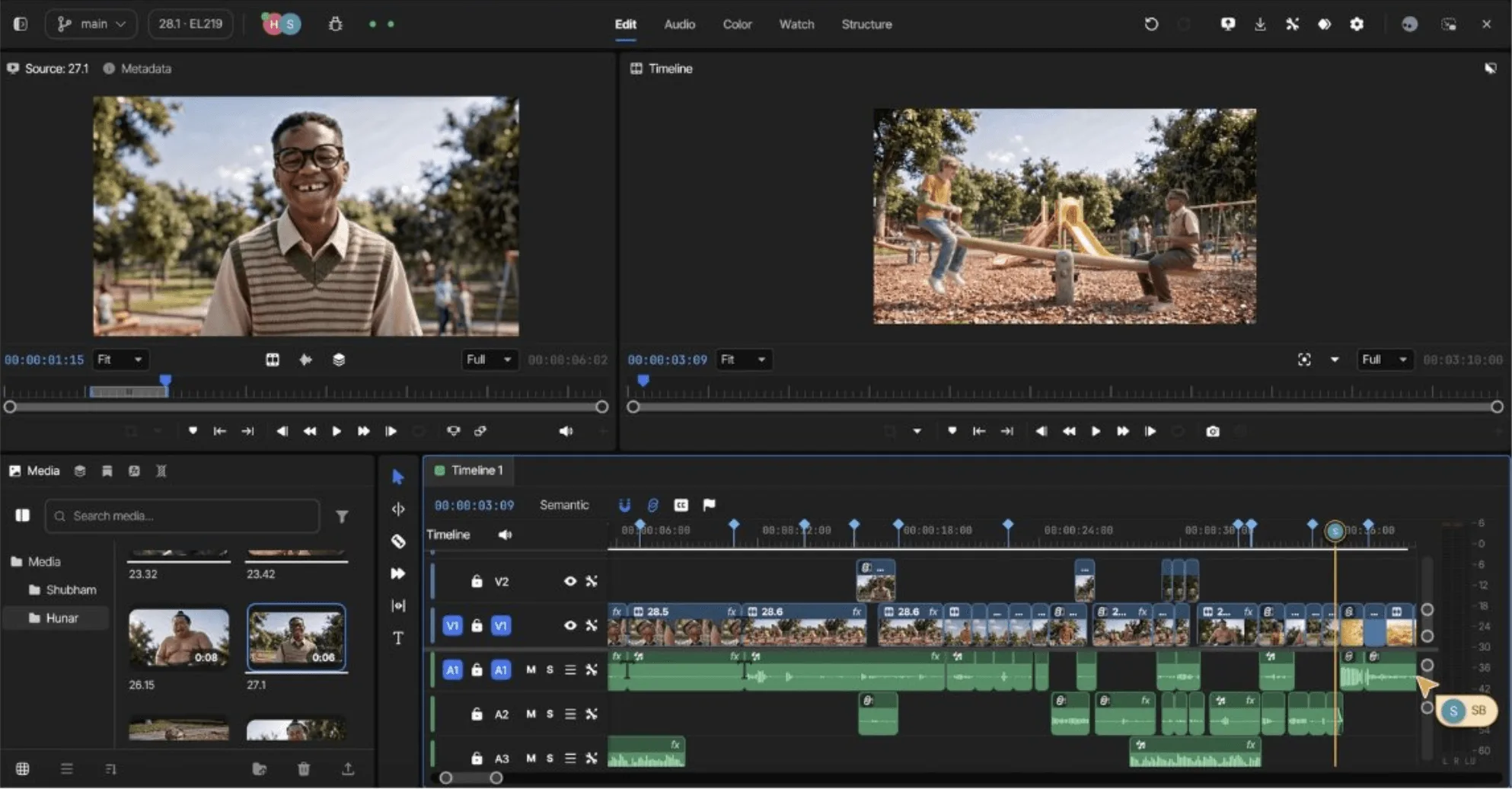
Frame-accurate editing with every move you brought with you.
- Every trim Ripple, roll, slip, slide, extend, and trim to playhead.
- Three- and four-point editing Insert, overwrite, replace, and fit-to-fill.
- Multicam Sync by waveform, switch angles live.
- Speed Ramps and time remap with editable curves.
- Muscle memory JKL, frame-step, blade all tracks, match frame. Keyboard presets match the editor you came from.
- Real time Full-quality playback with no pre-render. The cloud does the heavy lifting.
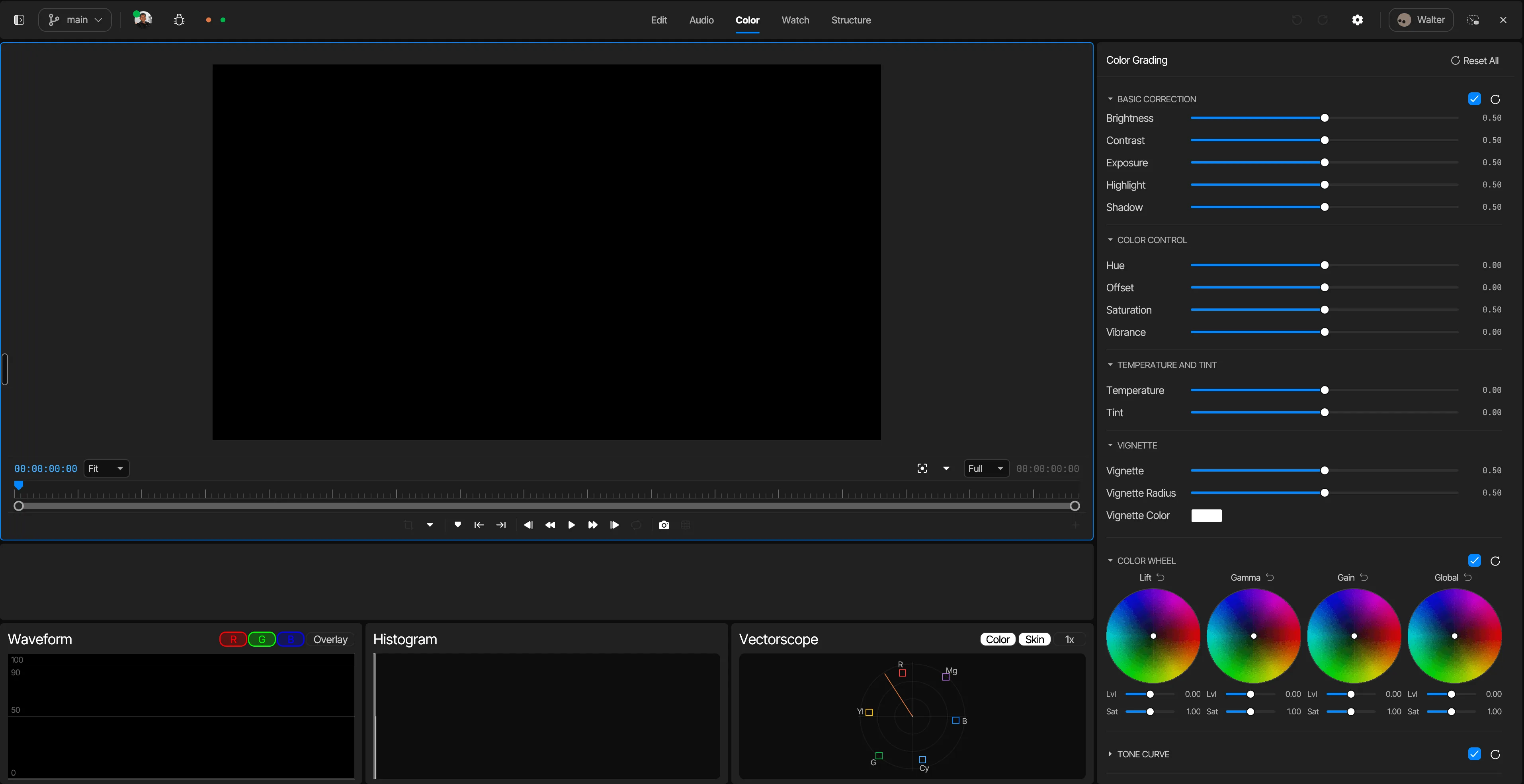
Grade where you cut
A full color suite in the same timeline, not a round-trip.
- Primaries Wheels, offset, contrast and pivot, temperature and tint.
- Curves RGB, luma, and hue-sat curves with soft control points.
- Secondaries HSL qualifiers and power windows that track the shot.
- Pipeline 1D and 3D LUTs, ASC CDL in and out.
- Shot match Match a scene to a reference in one click.
- Scopes Waveform, RGB parade, vectorscope, histogram.
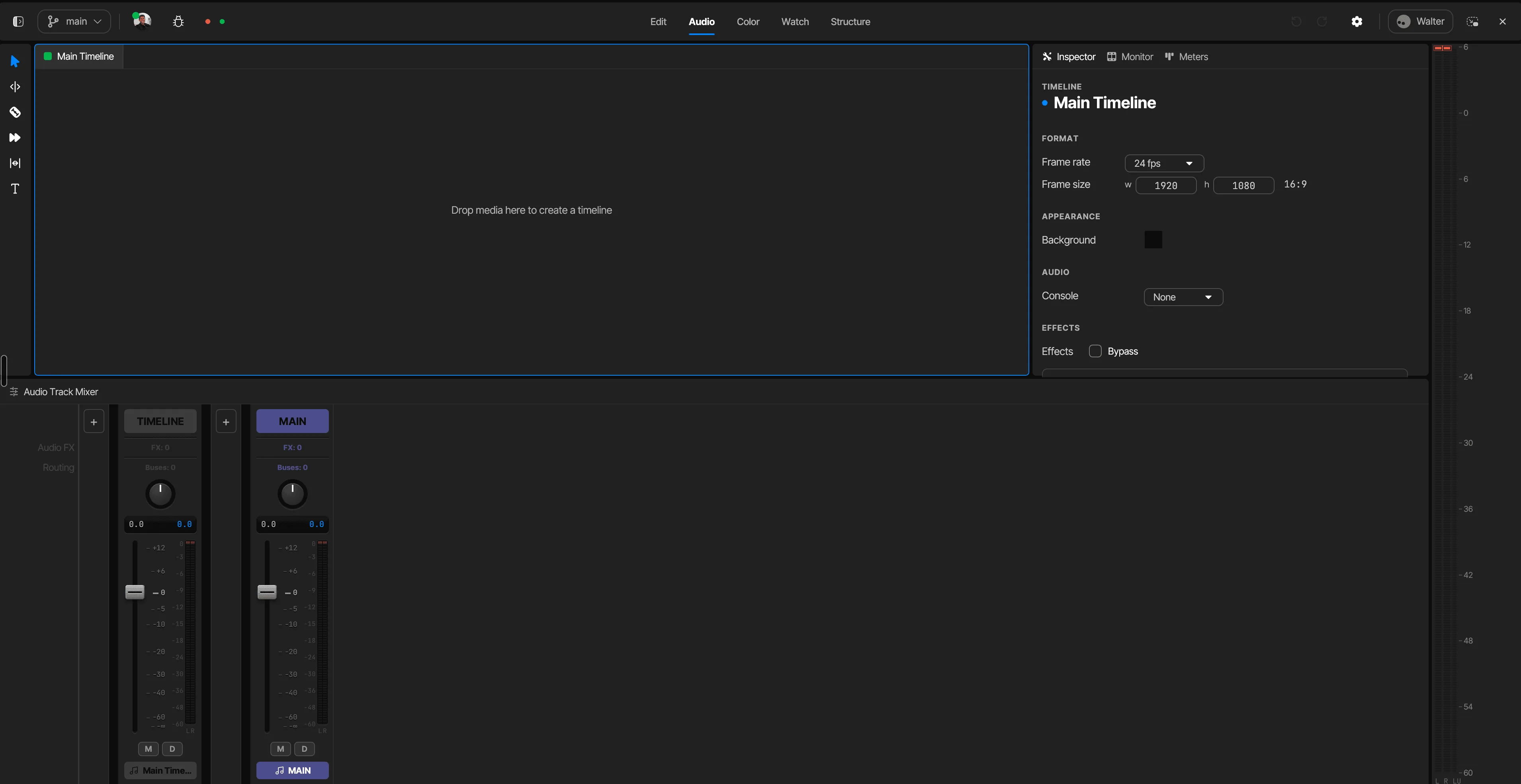
Mix without leaving the timeline
Dialogue-first sound tools, built in.
- Mixer Multitrack with buses, faders, and automation.
- Processing EQ, compressor, limiter, and de-esser on any clip or track.
- Cleanup Voice isolation, de-noise, de-hum, de-reverb.
- Balance Dialogue leveler and music that auto-ducks under speech.
- Delivery Loudness normalization to every platform's LUFS target.
- Voice-over Record straight to the timeline, punch in where you missed.
VFX without the export
The compositing moves that usually mean another app.
- Keyframes Animate any parameter, with velocity curves.
- Keying Chroma and luma keys with spill suppression.
- Masking Masks and roto that track. AI masking when there's no green screen.
- Repair Stabilization and rolling-shutter fix.
- Titles Animated titles, lower thirds, text on a path.
- Transitions The full set, including morph cut for healed jump cuts.
One timeline, everyone in it
Editor, colorist, sound, client: same sequence, live. Notes pin to the frame they're about. Versions keep themselves. Roles keep the client out of your keyframes.
Branches and checkpoints keep every cut safe. Restore any version, any time.
An assistant editor that assists
Say it: "cut the ums, tighten the pauses, duck the music under the VO." The edits land as normal cuts, visible, selectable, undoable. Busywork off your plate. The blade stays in your hand.
The agent lives inside the editor, and you can build a crew of them, named and briefed by you.
It understands the footage
Every clip lands transcribed, speaker-labelled, scene-split. Delete a sentence and the cut ripples closed. Search nine hours of dailies by what was said. Multicam follows the speaker.
Fix it in post, for real
The take that ends too soon? Extend it. The boom in frame? Paint it out. Soft footage? 4K. 200+ models sit inline, and their output arrives as clips on the timeline, not downloads.
For the videos due Thursday
Not every edit is a film. Most are this:
- The podcast Cut the episode, pull the clips, caption them for every platform.
- The explainer Script to narration to cut, one project start to finish.
- The client ad Three lengths, four ratios, one timeline. Notes land on frames, not in email.
- The course lesson Record, tighten the pauses, drop in slides, publish.
- The event recap An hour of footage to ninety seconds, before the buzz dies.
- The weekly upload Same rhythm every week. The busywork is the same too. Hand it off.
Browser first, never browser only
Offline apps for Mac, Windows, Linux, iPhone, and Android. One project, synced when you reconnect.
Free to start. Nothing to install.
Switching questions
Before you commit
Can I import my existing projects?
Yes. FCPXML, AAF, and EDL come across with your cuts intact. Bring the project, keep the timeline.
Do my shortcuts carry over?
Set your keyboard to presets that match the editor you came from, then remap anything you like.
What happens when I'm offline?
Keep cutting in the Mac, Windows, or Linux app, or on iPhone and Android. Your project syncs the moment you're back.
Is the free plan actually usable?
Full timeline, transcript editing, and collaboration, no credit card. Paid plans add AI credits, storage, and export volume.
So, Figma for video editing?
That's the shape of it: multiplayer, browser-based, craft intact. Plus one thing design tools never needed: an editor that understands footage.