Wan 2.7
Create cinematic 1080p clips and 4K campaign stills from a single model. Just talk to invideo’s agent and let it do the prompting for you.
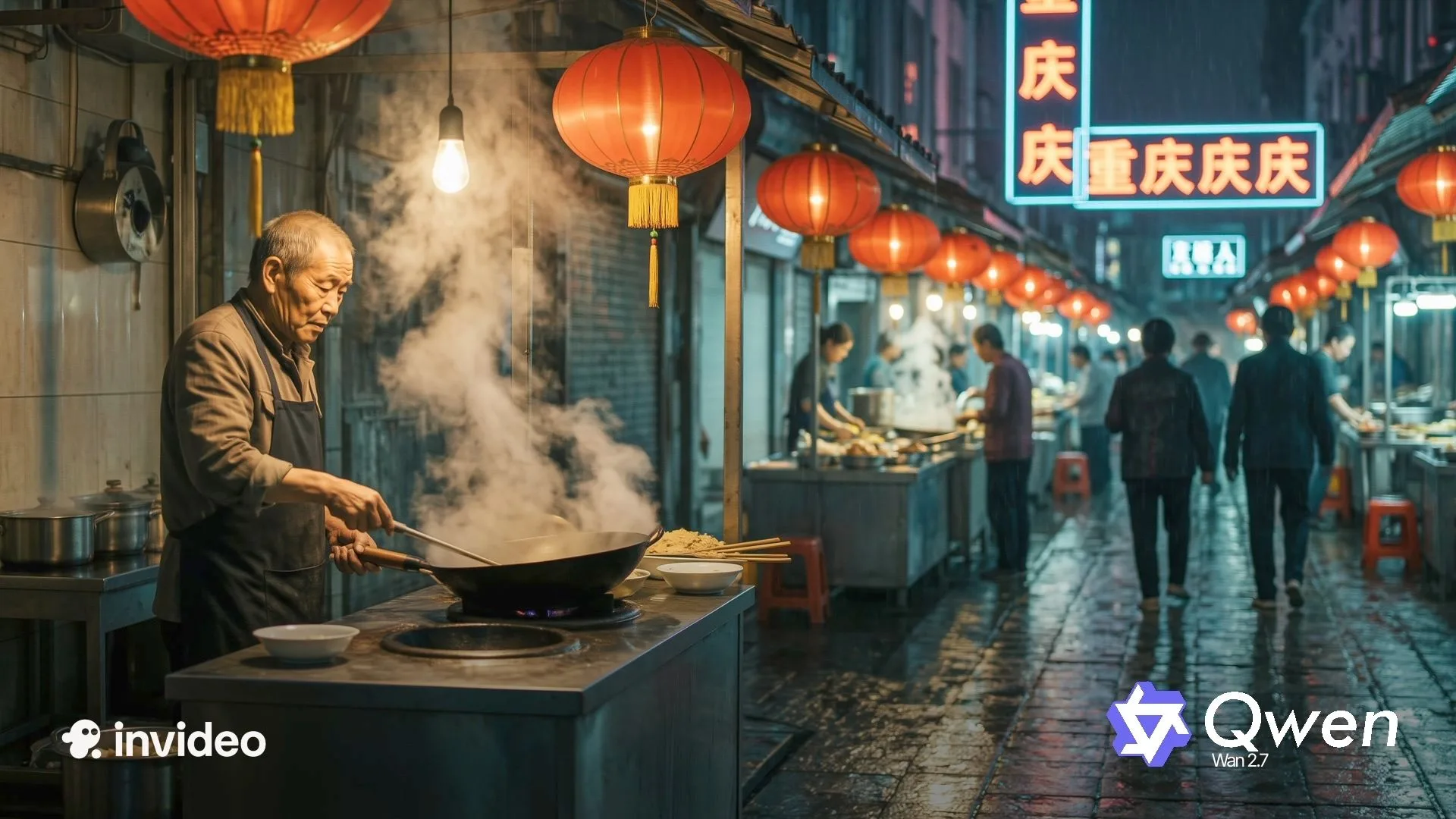
















Why serious creatives choose Wan 2.7
For video
Cleaner 1080p that holds under motion
Clips run 2 to 15 seconds at full 1080p, with less flicker on skin, fabric, and moving objects than earlier versions. The detail that usually breaks the moment something moves stays put.
Seamless editing by describing the change
Tell Wan 2.7 what to fix in plain English: swap a background, warm the lighting, recolor an object, rework a character’s action or a line of dialogue. The clip gets modified instead of regenerated, so what was already working stays.
More control with first and last frame generation
Define exactly where a shot starts and where it ends, and Wan 2.7 generates coherent motion between your two anchor frames. The beat lands on the frame you chose, not near it.
Lip sync that follows your audio
Your audio track drives the performance: Wan 2.7 syncs lip movement and body motion to it during generation, not in a post pass. Change the script and the mouth follows, with the character’s vocal identity intact.
Consistent characters from up to five references
Lock a face, a body, and a voice across clips using up to five reference inputs at once: images, video, and audio together. The character who opens the project is the character who closes it.
For images
Smarter composition with Thinking Mode
Wan 2.7 Image reads the prompt, plans the composition, places the subject, sets the lighting, and checks the layout before it generates. The thinking happens first, so the output arrives coherent instead of arriving fast and wrong.
Studio quality at 4K
Stills generate at up to 4K from a text prompt, clean enough for print, web, and large format. Magazine-cover resolution without a shoot.
Exact brand colors with palette control
Enter HEX codes and the proportion each color should occupy in the frame, or pull a palette straight off a reference image. Brand colors land as specified, not as the model’s interpretation of them.
Unique faces with Thousand-Face Realism
Direct bone structure, eye shape, face shape, brow arch, nose bridge, and jawline through the prompt. Every face comes out its own face, which is how the AI same-face problem stops being yours.
Legible text across 12 languages
Wan 2.7 renders a full page of legible text in one image: signage, labels, tables, formulas, dense layouts. The words in the frame are actually words.
Style consistency from nine reference images
Feed up to nine references into one generation or edit, and Wan 2.7 Image reads them together for context-aware output. Storyboards, campaign sets, and product ranges come out looking related.
Wan 2.7 vs Wan 2.6
Feature | Wan 2.7 | Wan 2.6 |
|---|---|---|
First & Last Frame Control | Yes | No |
Prompt-Based Video Editing | Yes | No |
9-grid image-to-video | Yes | No |
Subject and voice cloning | Yes | No |
Native audio sync | Yes | No |
Text-to-image | Yes | No |
Max image resolution | Upto 4K | Upto 2K |
Thinking mode | Yes | No |
Text rendering | 3,000+ tokens in 12 languages | Basic |
How Wan 2.7 works with invideo agents
On invideo, Wan 2.7 runs inside an agentic workflow. The agent routes work to it, writes the prompts, keeps your references on every generation, and edits clips instead of regenerating them, all for you to approve. Here is what that looks like in practice.
The agent picks the right model intelligently.
Wan 2.7 sits on a roster of 200+ models, and the agent routes work to it where it wins: high-volume production, shots with text that has to be legible, stills that have to hit brand colors exactly, and any project where the clips and the images should come from the same place. You never choose a model unless you want to, and if you have routing rules of your own, they hold for the whole project.
You direct, the agent writes the prompts.
Wan 2.7 plans before it generates, so what you give it to plan against decides the output. You describe the shot in plain language and the agent writes it with the structure and detail Thinking Mode builds on, instead of the thin prompt most people hand it.
Your production rides along on every generation.
Approve your character references, your voice, and your brand palette as HEX values once, and the agent saves them as the project’s memory. Every Wan call then leaves with the right faces, the right voice, and the right colors already attached, across stills and clips both, so nobody re-uploads anything at scene forty.
Continuity holds across clips.
When a scene runs past Wan’s 15-second cap, the agent sets the last frame of the finished clip as the first frame of the next one and picks the frame the new shot should land on. Wan fills the motion between them, so the cut you never wanted is a cut that never happens.
Your notes become edits, not regenerations.
Say a take is close but the lighting is cold, and the agent knows to send that to Wan’s editing path rather than spend a new generation on it. The take you approved survives the note, and the round trip costs a sentence.
You always stay in control.
You set how much the agent does on its own: let it generate everything, ask before videos, or see every prompt before it generates. That setting is yours to make, and yours to change.
Who is Wan 2.7 for?
Wan 2.7 supports controllable video and image generation across filmmaking, advertising, and design workflows. With invideo agents underneath it, each team gets the model without learning the machinery.
Filmmakers
Create anchored shots, transitions, dialogue scenes, and 1080p sequences with the cast holding across every take. Wan 2.7 helps a scene land on the exact frame it was designed for.
Microdrama producers
Build vertical episodes in native 9:16 with faces, bodies, and voices held across scenes, and dialogue edits that keep lip sync intact. Useful when a script changes late and the season still has to look and sound continuous.
Performance Ads and UGC teams
Create hooks, product moments, and creator-led variations at volume, with the same face and voice across every cut. Useful for testing cycles where the cost per iteration decides how much gets tested.
Brand and product marketers
Generate product films and 4K campaign stills with exact HEX brand colors and legible on-frame text across 12 languages. Useful for launches, packaging visuals, and localized campaigns where the color and the copy have to be right.
Professional designers and animators
Produce storyboards, campaign sets, and layouts from up to nine reference images at once, with typography, tables, and formulas rendering cleanly inside the image. Useful when the deliverable is design work, not just a picture.
Helping creatives stay creative

Multiplayer mode
Collaborate in real time with live cursors to show what everyone's working on.
Storyboarding
Turn any script or idea into a shot-by-shot plan, then tweak as needed before generating.

Script writing
Write your script inside invideo, and ask an AI co-writer for help if you'd like.
Timeline editor
Picture Premiere Pro with full AI.
Build your own agents
Create custom agents to fill specific roles like cinematographer, music designer, and more.
From solo creatives to creative enterprises
World-class investors stand behind invideo.
Backed by the firms behind Stripe, Spotify, Flipkart, and ByteDance.
Loading pricing…
Wan 2.7 FAQs
What is Wan 2.7 and what can it do?
Wan 2.7 is Alibaba’s Wan model, covering video and images in one system. It generates 1080p video from text, images, or references with first and last frame control and plain-English editing, and 4K images with Thinking Mode, exact color control, and long-form text rendering. On invideo, it runs inside the agent’s roster: you direct in plain language and the agent writes the instructions.
How do I use Wan 2.7 on invideo?
Open invideo, go to Agents & Models, and select Wan 2.7 from the Video tab for clips or the Image tab for stills. Describe what you want, upload any video, image, or voice references, and the agent handles the model-facing prompt.
What is first and last frame control in Wan 2.7?
You supply the frame the shot opens on and the frame it closes on, and Wan 2.7 generates the motion connecting them. It is the difference between describing where a shot should end and deciding it.
What is 9-grid image-to-video in Wan 2.7?
You feed a 3x3 grid of your subject shot from nine angles, and Wan 2.7 reads all nine to build a full understanding of that subject before generating. The identity holds because the model has seen every side of it, not just one.
Can Wan 2.7 clone voices and faces for video?
Yes. Wan 2.7 accepts up to five reference inputs across images, video, and audio, locking a face, a body, and a voice across every clip in a project.
How does Wan 2.7 compare to Wan 2.6?
Wan 2.7 adds first and last frame control, prompt-based video editing, 9-grid image-to-video, subject and voice cloning, native audio sync, text to image, and Thinking Mode, none of which 2.6 had. Image resolution goes from 2K to 4K, and text rendering goes from basic to 3,000-plus tokens across 12 languages.
What resolution and duration does Wan 2.7 support?
Video runs 2 to 15 seconds at 720p or 1080p, in 16:9, 9:16, 1:1, 4:3, or 3:4. Images generate at up to 4K.
What is Thousand-Face Realism in Wan 2.7?
It is prompt-level control over facial structure: bone structure, eye shape, face shape, brow arch, nose bridge, jawline. You describe the face you need and get that face, instead of the generic one every AI model defaults to.
Can Wan 2.7 generate images with exact brand colors?
Yes. Enter HEX codes and the proportion each should occupy in the frame, or extract a palette from a reference image, and Wan 2.7 renders to those values rather than approximating them.
Is Wan 2.7 free on invideo?
Wan 2.7 is priced at its original API rate like all generative models on invideo. To keep using it regularly, you'll need an active plan with credits (starting at invideo's Plus tier), since credits don't roll over and unused ones reset each month.
Do I need to learn Wan 2.7’s prompting to use it on invideo?
No. The agent writes to Wan 2.7 in the structure it rewards, references and edit instructions included. You describe the shot or the still the way you would to a person, and the agent handles the model’s language.