






Key Takeaways
-
Kling 3.0 wins when you need structured intros, trailers, or ad hooks that will actually sit inside the final video.
-
Grok Imagine wins when speed and experimentation matter more.
-
Kling AI is focused on improving realism and physics making videos more realistic. It generates 3–15 seconds, multi‑shot sequences with planned camera moves, character consistency, and native audio.
-
Grok Imagine is the better fit when your bottleneck is ideas and trend‑reactive content and create whimsical style content.
Creators, marketers, and filmmakers are now publishing with AI every day:
-
Short hooks for TikTok
-
Ad concepts for clients
-
Pre-visualised scenes for YouTube
And much more.
In that context, ‘Can this model generate something impressive?’ is no longer the right question. A better one is: ‘Which model fits the way I actually work?’
Grok Imagine and Kling 3.0 both generate short AI video clips, similar to what modern AI video generators can produce for creators and marketers. One behaves like an idea accelerator for social‑ready clips; the other acts more like a short‑form director that plans multi‑shot sequences. Understanding that difference is what can save you from being stuck in a loop of endless testing.
Let’s break down how each model works, when to use one over the other, and how to use both from the same invideo tool.
Grok Imagine vs Kling 3.0: Key Differences at a Glance
At a distance, both tools generate short AI videos. Up close, they fill very different roles in a production stack.
Here’s how they compare on the things that matter most in real workflows:
The takeaway: Grok Imagine optimises for idea volume; Kling 3.0 optimises for usable cinematic sequences.
Which one you should reach for depends on where your bottleneck is today.
What is Grok Imagine?
Grok Imagine is xAI’s text‑to‑image and text/image‑to‑video generator built into the Grok and X ecosystem. You type a short prompt (or upload an image), similar to how a text-to-video generator converts prompts into short videos, and it turns that into a brief, social‑ready video clip.
Grok Imagine is optimised for speed and immediacy. It typically generates clips in the 6 to 15 second range, often with synced audio, and it keeps the interface simple. There’s no heavy timeline or complex motion graphs. The idea is the focus here, not the knobs.
Where many AI video tools aim for deep cinematic control, Grok Imagine deliberately sits at the ideation stage of your workflow. It helps you answer questions like:
-
“Does this hook deserve its own campaign?”
-
“Does this visual metaphor actually make sense on screen?”
-
“What if we push this idea in a much weirder direction?”
Once you have that answer, you can rebuild the winning idea in a more structured environment.
Grok Imagine Strengths
For creators and marketers, Grok Imagine’s strengths cluster around three things:
-
Speed
-
Spontaneity
-
A very social-native style
This is because the clips are short and rendering is fast, you can generate multiple variations of an idea in minutes. That makes it ideal for:
-
Trend-reactive content, where being early matters more than being perfect
-
Bold, high-energy videos that feel at home on TikTok, Reels, and Shorts
-
Playful experimentation, including “Spicy” modes and more daring concepts that would take too long to test with traditional tools
You don’t have to think like a director to get value. Simple, outcome‑focused prompts are enough to go from text to something you can show your team or audience.
Grok Imagine Limitations
The same design choices that make Grok Imagine fast also limit it.
Clips are usually short, single‑beat videos rather than fully structured sequences. Fine‑grained control over camera paths, continuity across multiple shots, and detailed choreography is limited compared to more scene‑aware models.
That makes Grok Imagine less suited to:
-
Long-form storytelling or multi-scene explainers
-
Training content or structured brand videos where message clarity and pacing matter
-
Complex UGC-style talking-head pieces where the same persona needs to appear across many clips
On its own, Grok Imagine is best seen as a creative idea engine, not a one‑stop production solution.
Best Use Cases for Grok Imagine
In practice, Grok Imagine shines whenever you need motion fast, not perfection. Some of the most common patterns include:
-
Whimsical-style and trend-driven videos for X, TikTok, or Reels created with tools like an Instagram Reels maker.
-
Early ad concepts, where you want to test three different hooks visually rather than argue over scripts.
-
Visual mood boards, helping teams align on what “bold,” “futuristic,” or “premium” should actually look like.
-
Teaser clips for launches and announcements, before you invest in a full explainer.
From there, the natural next step is to take whichever clip lands best and rebuild or extend it in a full editor
What Is Kling 3.0?
Kling 3.0 is a short‑form, scene‑aware AI video model that functions more like a virtual director. It can generate 3–15 second clips made of multiple planned shots, complete with camera moves, character continuity, and audio.
You don’t just tell Kling 3.0 “what” you want; you can also tell it how the sequence should unfold. Its prompting style encourages you to think in shots:
-
Shot 1: A wide establishing frame.
-
Shot 2: A close-up on the product.
-
Shot 3: A reaction or payoff.
Under the hood, Kling 3.0 integrates video, audio, and text so that motion, sound, and on‑frame text all work together rather than feeling stitched on afterwards. That makes it far more usable for intros, hooks, and short commercial ads than models that only think in single, isolated moments.
Kling 3.0 Strengths
Where Grok Imagine accelerates raw ideation, Kling 3.0 accelerates short‑form structure.
Kling 3.0’s headline strengths are:
-
Multi-shot, scene-based generation: from a single structured prompt, you can get a clip that already feels like a rough cut rather than a one-off shot
-
Character and prop consistency within a clip, so your protagonist, mascot, or product remains recognisable across shots
-
Native audio and improved on-frame text, allowing you to generate clips where dialogue, sound, and titles can plausibly ship in the final edit
-
Tight integration with editing environments like invideo, where Kling outputs become raw footage you can trim, brand, and combine with other assets
For filmmakers, YouTubers, and performance marketers, that combination unlocks much faster pre‑visualisation and hook testing without booking a crew.
Kling 3.0 Limitations
Kling 3.0 is not a magic “feature‑length” engine though. It’s still tuned for short, structured clips, not entire episodes.
To get the best results, you also need to be more deliberate with your prompts. Instead of describing a vibe, you’ll get better outcomes by thinking like a proper director:
-
Label shots or scenes
-
Specify framing (wide, medium, close-up)
-
Describe camera motion (static, pan, track, dolly)
-
Anchor key characters and props up front
That extra planning is still faster than a traditional shoot, but it does mean Kling 3.0 is better suited to teams willing to put thought into structure rather than casual one‑line prompts.
Best Use Cases for Kling 3.0
Kling 3.0 is built for short‑form, structured content where continuity and pacing is the focus. Common scenarios include:
-
YouTube and social intros that need a clear hook, reveal, and payoff
-
Short ads and trailers, where you want a planned sequence, not just a cool visual moment
-
Pre-visualisation for filmmakers and editors, sketching scenes before committing to live shoots
-
Recurring series formats, where you reuse a familiar intro or sequence template and just swap out the content
Once generated, these sequences slot neatly into an editor, making it much easier to move from an idea to actual publishable assets.
Grok Imagine vs Kling 3.0: When to Use Which AI Video Model?
Once you understand their roles, the choice becomes practical: which model fits the project in front of you?
When Grok Imagine Is the Better Starting Point
Grok Imagine is the right first move whenever you care more about discovering the idea than perfecting the execution.
Typical scenarios:
You’re reacting to a trend and need something on the feed quickly. Instead of storyboarding, you fire off a few focused prompts, generate multiple short clips, and see which one lands best.
You want five radically different visual takes on a new hook for TikTok or Shorts. Rather than over‑planning, you let Grok Imagine explore extremes: surreal metaphors, unexpected environments, different emotional tones.
You’re brainstorming visual metaphors for a product launch or feature announcement. Short, stylised loops help your team see and debate directions instead of arguing over adjectives in a deck.
In each case, the goal is not a finished asset. The goal is a fast validation loop: use Grok Imagine to find the angle that resonates, then rebuild and polish that angle elsewhere. Once a concept wins, you can bring the chosen clip or idea into invideo to add captions, voiceover, and brand assets.
This is something that you can expect out of Grok Imagine:
When Kling 3.0 Outperforms Grok Imagine
Kling 3.0 comes into its own when you want to focus more structure, pacing, and continuity rather than raw ideation.
Typical scenarios:
You need a short intro or hook that already feels storyboarded. A 3–10 second sequence with a clear beginning, middle, and end will always be easier to drop into an edit than a single abstract loop.
You’re building social ads with hook, reveal, and payoff. Kling 3.0 lets you encode that structure directly into the prompt, so the generated clip already respects the rhythm you want.
You’re pre‑visualising a scene for a YouTube video, short film, or high‑stakes brand campaign. Instead of static frames, you get a moving sequence you can react to and improve.
You rely on a recurring format on Kling 3.0. It can be a signature intro, a recurring character, or a recognisable motion pattern. You can then make it feel consistent across multiple pieces of content.
Because Kling 3.0 clips behave more like client‑ready rough cuts, they naturally become the backbone of your edit. Inside invideo, you can tighten timing, stack multiple Kling sequences, layer text and graphics on top, and finish the video without having to jump between tools.
Since Kling 3.0 comes with more nuance, here’s something that you can expect out of it:
Using Grok Imagine and Kling 3.0 Together Inside Invideo
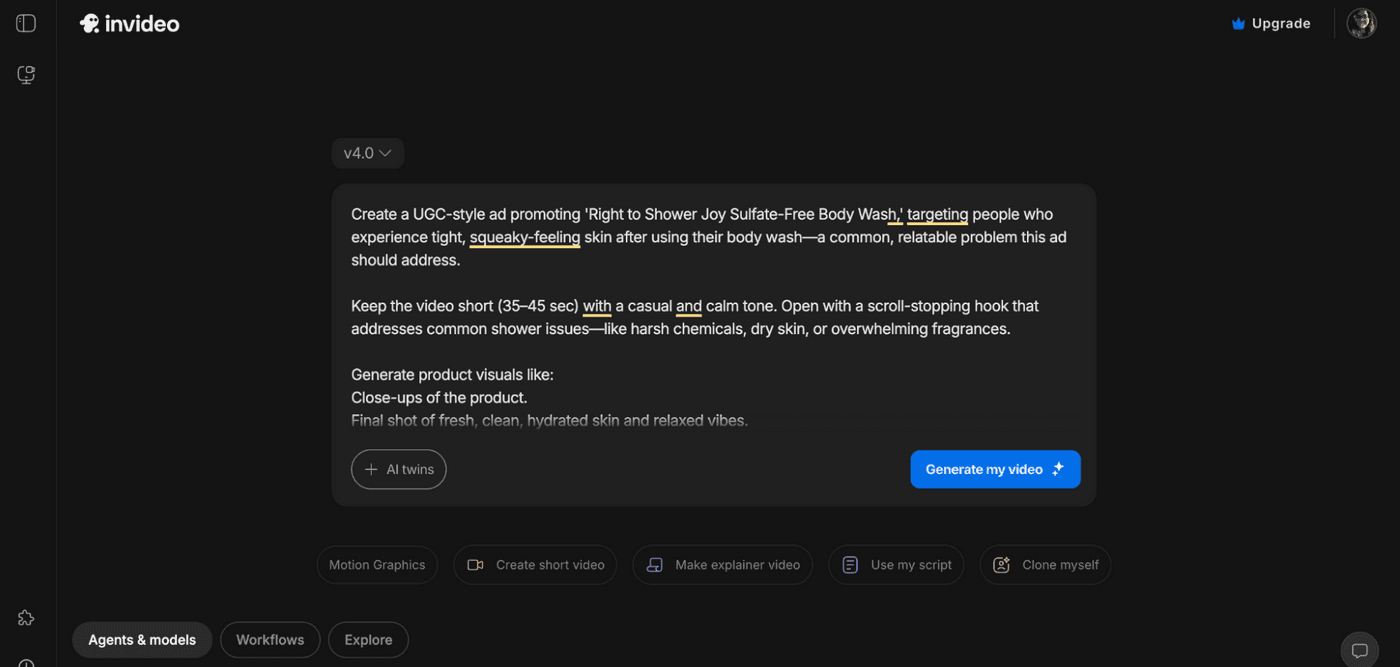
You don’t need to sign up or export separately to combine these models. Both Grok Imagine and Kling 3.0 are readily available directly inside the invideo workspace.
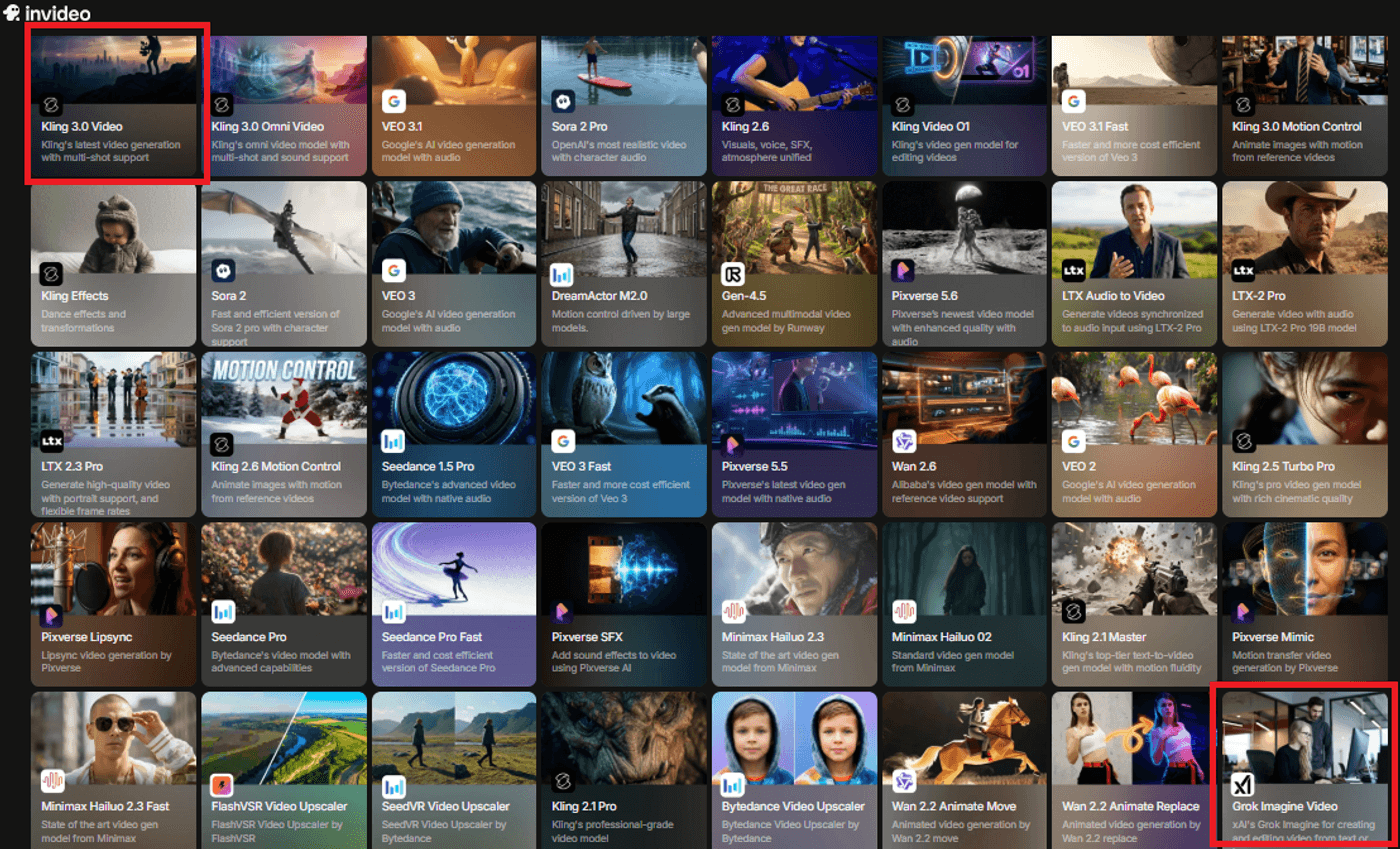
Invideo allows you to use these two (or more) very different AI models together. You can:
-
Use Grok Imagine to rapidly explore ideas and visual hooks.
-
Use Kling 3.0 to turn the winning direction into a structured, multi-shot sequence.
-
Refine everything inside invideo, adding captions, music, voiceover, extra footage, and brand elements without ever leaving the editor.
The result is a unified workflow: ideas, sequences, and final edits all in one place.
How to Decide Between Grok Imagine and Kling 3.0
There’s no absolute winner in a “Grok Imagine vs Kling 3.0” debate. Each model is optimized for a different moment in the creative process.
You should:
-
Choose Grok Imagine if your main problem is finding ideas that stick. You care about volume and speed, especially for social-first content and trend-driven experiments.
-
Choose Kling 3.0 if your main problem is getting usable sequences you can actually drop into an edit. You care about pacing, continuity, and how the clip feels as a mini-story.
-
Use both together inside invideo if you want a full pipeline: Grok Imagine for fast discovery, Kling 3.0 for structured execution, and invideo as the editor where everything comes together.
Once you see them as complementary tools rather than rivals, you too can design a workflow that plays to each model’s strengths instead of fighting their limits.
FAQs
1. Can I realistically replace a full shoot with Grok Imagine or Kling 3.0?
For short‑form content, ad hooks, and pre‑visualisation, you can absolutely replace a lot of what would have required a small shoot: intros, mood clips, product‑led visuals, and concept tests. For longer stories, complex dialogue, or brand‑critical live action, these models work best as accelerators and companions to traditional production rather than one‑for‑one replacements.
2. Grok Imagine vs Kling 3, which model is better for TikTok/Reels and YouTube intros?
Grok Imagine is usually better for TikTok and Reels when you’re chasing trends, memes, and bold visual experiments that need to ship fast. Kling 3.0 is stronger for YouTube intros and more durable hooks, where you want a structured 3–15 second sequence with clear pacing that can sit at the front of many videos.
3. Do I need to learn complex prompting to get good results from Kling 3.0?
You don’t need to master anything overly technical, but Kling 3.0 rewards thinking in simple shot lists instead of vague ideas. If you can describe 2–4 shots with framing (“wide,” “close‑up”), action, and basic camera movement in plain language, you can already unlock most of what makes Kling 3.0 feel like a virtual director.
4. How do I move from Grok Imagine or Kling 3.0 clips to a full video?
Inside invideo, Grok Imagine and Kling 3.0 clips behave like regular footage: you drop them on the timeline, trim them, add text, music, voiceover, and extra scenes, then export a finished video from the same workspace. If you’re working outside invideo, you can export the clips and bring them into your editor of choice, but you lose the convenience of having generation and editing in one place.
5. Are there content or length limits I should plan around for Grok Imagine and Kling 3.0?
Both models are tuned for short‑form: Grok Imagine typically produces 6–15 second clips focused on a single creative beat, while Kling 3.0 generates 3–15 second multi‑shot sequences. In practice, that means you get the best results by designing scripts and prompts as short, self‑contained beats, then stitching multiple clips together in an editor instead of forcing one long, continuous generation.
