






Key Takeaways
-
25 proven Instagram Story ideas businesses can replicate across industries.
-
Clear rules to sell, educate, and engage without overwhelming viewers.
-
How to use invideo templates and AI to create Stories in minutes.
-
Practical tips to keep Stories clean, consistent, and conversion-focused.
Instagram is one of the most powerful platforms for businesses to showcase their identity and connect with their audience. But if you’re only relying on feed posts and Reels, you’re leaving a lot of traffic and attention on the table.
Most businesses treat Instagram Stories like an afterthought. Something quick to post if there is time. But in reality, Stories deliver rock-solid engagement that feed posts often can't match.
Data shows 62% of viewers spark interest in a brand or product right after a Story glimpse. Even better, one in two clicks through to the brand's site and makes a purchase. That is exactly why Instagram Story marketing deserves a real strategy, not last-minute uploads.
In this guide, we break down 25 proven Instagram Story ideas you can easily replicate for your business, along with ready-to-use invideo templates that help you turn each idea into a polished Story in minutes.
About Engaging Brand Instagram Story: 5 Rules To Success
We’ve done the dissection: from Nike to Airbnb, some of the top-performing Instagram Stories for brands indeed have a few elements in common. Here are five that you can (and should) easily incorporate into your Story to make it perform well:
1. Sell Without Looking Salesy
You don’t need loud discounts or pushy CTAs to sell on Instagram Stories. What works better is showing value in context. Share social proof, highlight what’s included in a bundle, or show a quick before-and-after. A simple limited-time note or a DM keyword like “DETAILS” also works incredibly.
2. Include Clever Engagement Loops
Stories are made for quick interactions, so lean into formats that are easy to tap through. Polls, this-or-that choices, add-yours stickers, Q&A boxes, quizzes, or even a casual “caption this” Story can keep people engaging daily.
3. Build Authority Within 15 Seconds
Use Stories to share one quick tip, call out a common mistake, or break a myth with a simple fact. A mini “how it works” clip, a checklist, or one strong metric can go a long way. Think short, useful, and straight to the point.
4. Have all Key Business Details
70% of users check Instagram Stories daily. Make the most of it by using them to share everyday updates like hours changes, open booking slots, new menu items, staff spotlights, event promos, or directions to your location.
5. Follow the Controlled Text Formula
Stick to one clear idea per frame and keep on-screen text to six words or fewer. Use a single font family with no more than two weights, and pair one accent color with a neutral background. Also, always leave tap space at the top and bottom so text never fights with UI elements. When Stories feel clean and readable, people stay watching instead of tapping away.
Luckily, invideo has a bunch of free, ready-to-use Instagram Story templates to help you get started. Check them out here!
25 Slick Instagram Story Ideas for Your Business (With Templates!)
End the vicious cycle of “what to post on Instagram Story,” once and for all. Check out these 25 Instagram Story ideas for businesses that are tried, tested, and loved:
1. New Product Teaser
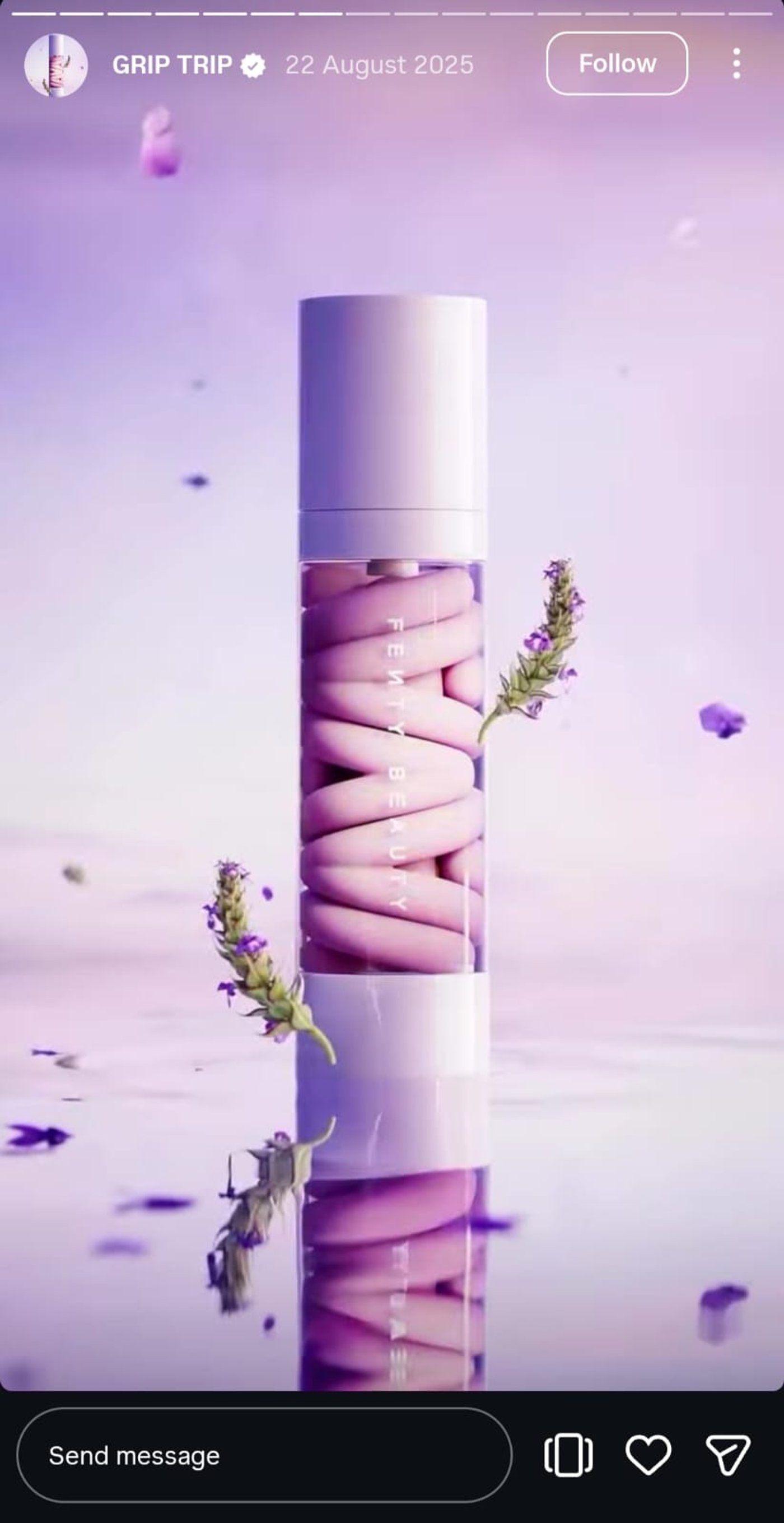
Source: @fentybeauty
A product launch is your chance to show your brand personality. Fenty Beauty’s Story nails it with crisp cuts, precise pans, and striking monochromatic hues that feel bold and unapologetic.
With invideo, you can swap product photos, auto-animate texts, and add music of your choice to recreate this style. You can also layer motion graphics or adjust transitions to make the story more dynamic. Perfect for ecommerce launches, new menu items, or limited-time offers.
2. Before & After Reveal
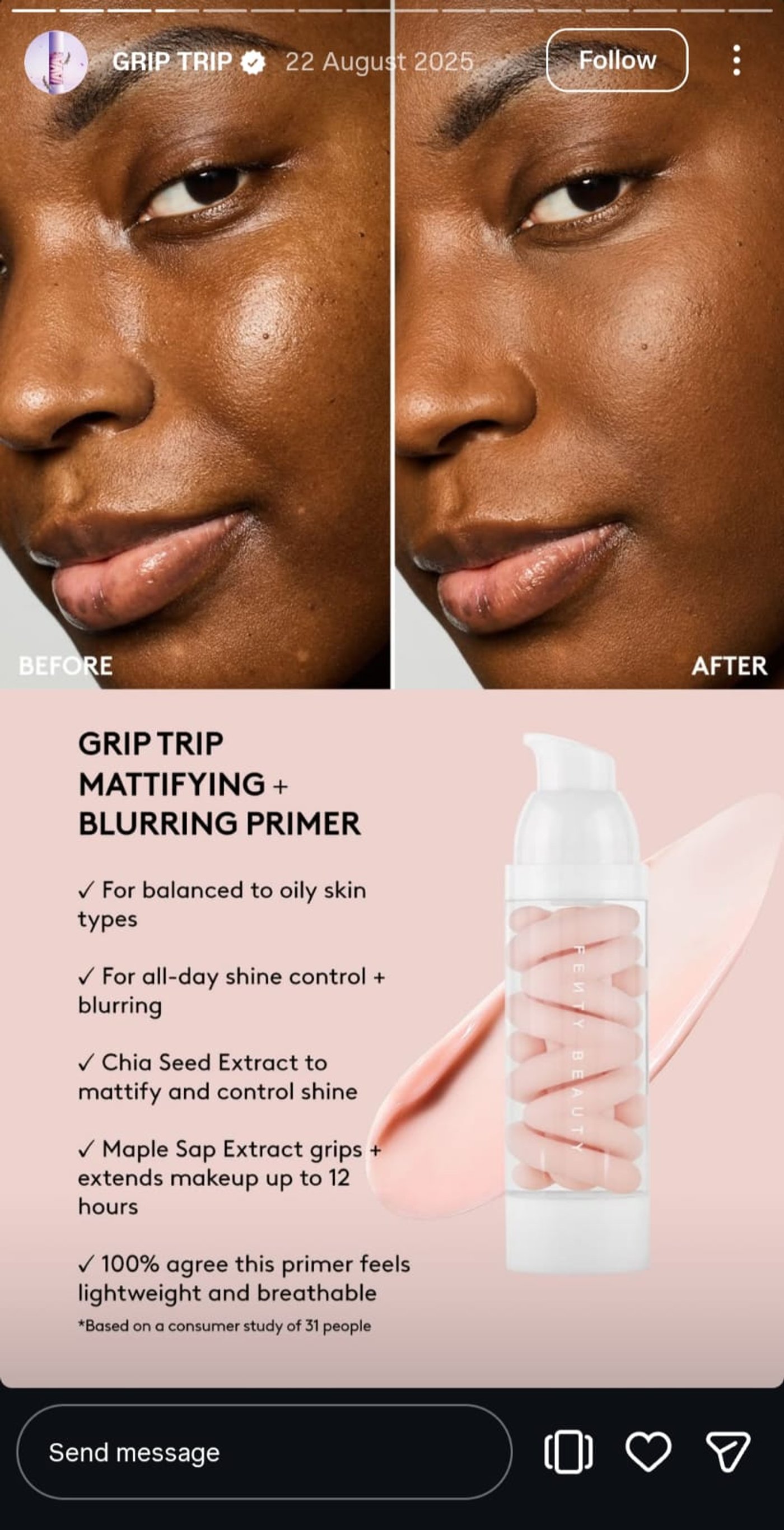
Source: @fentybeauty
Fenty’s before-and-after Story is a masterclass in selling. They show the results alongside the product details, so viewers instantly see the value, turning a simple comparison into an action-driving story.
With invideo, you can also highlight every transformation with split-screen layouts and punch-in zooms, adding text or annotations to showcase specs and benefits. Whether you’re launching a new service, revealing a software update, or showing a client success, this style makes every change pop.
3. This or That Poll
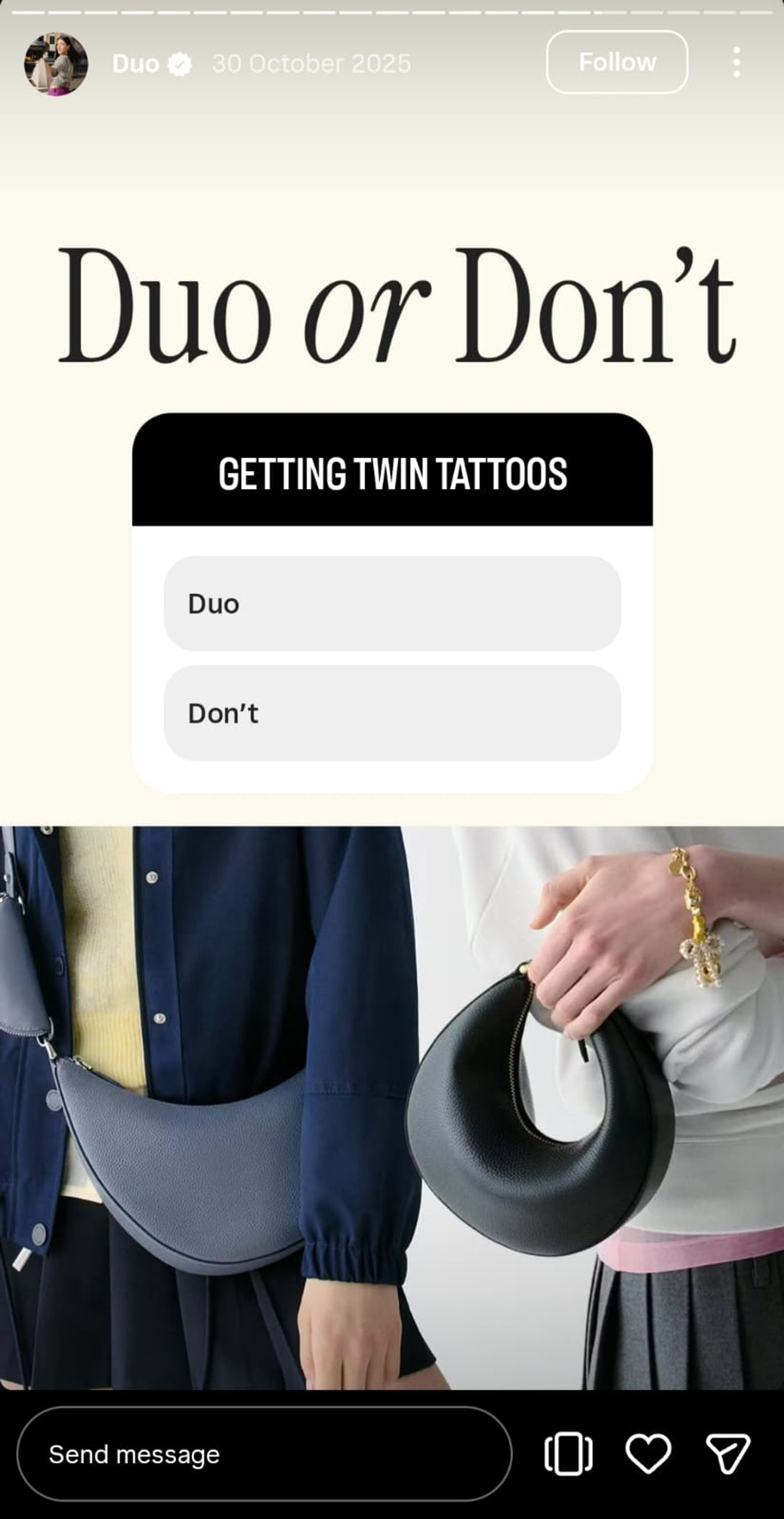
Source: @katespadeny
This-or-that polls are engagement magnets, and Kate Spade shows how to make them irresistible. This Story walks the fine line between plain and polished, with a clean, posh look that is hard to skip without tapping.
If you want to do something similar, use invideo to bring it together. Drop in your brand visuals and typography, add animated buttons, and tap prompts to turn simple polls into interactions that drive real feedback and decisions.
4. Client Win Spotlight
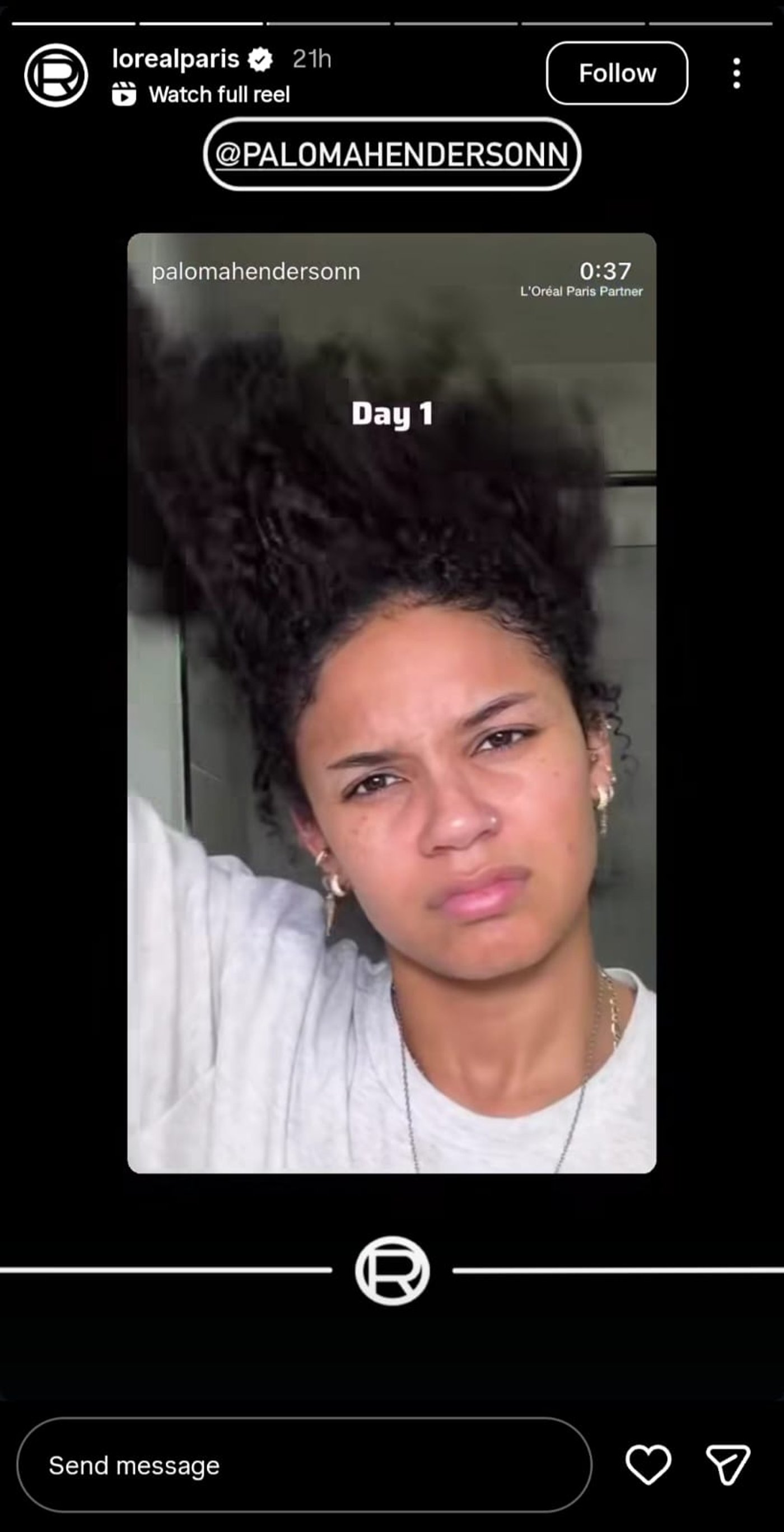
Source: @lorealparis
No marketing beats a real customer telling their own story. L’Oréal Paris leans into this with a raw UGC-style review. It feels honest, relatable, and instantly builds trust without trying too hard. With invideo, you can keep that authenticity intact while shaping the story, letting the person stay front and center while distractions fade with auto background blur. Floating review cards help highlight key moments and reactions without pulling attention away from the speaker.
5. Step Process Demo
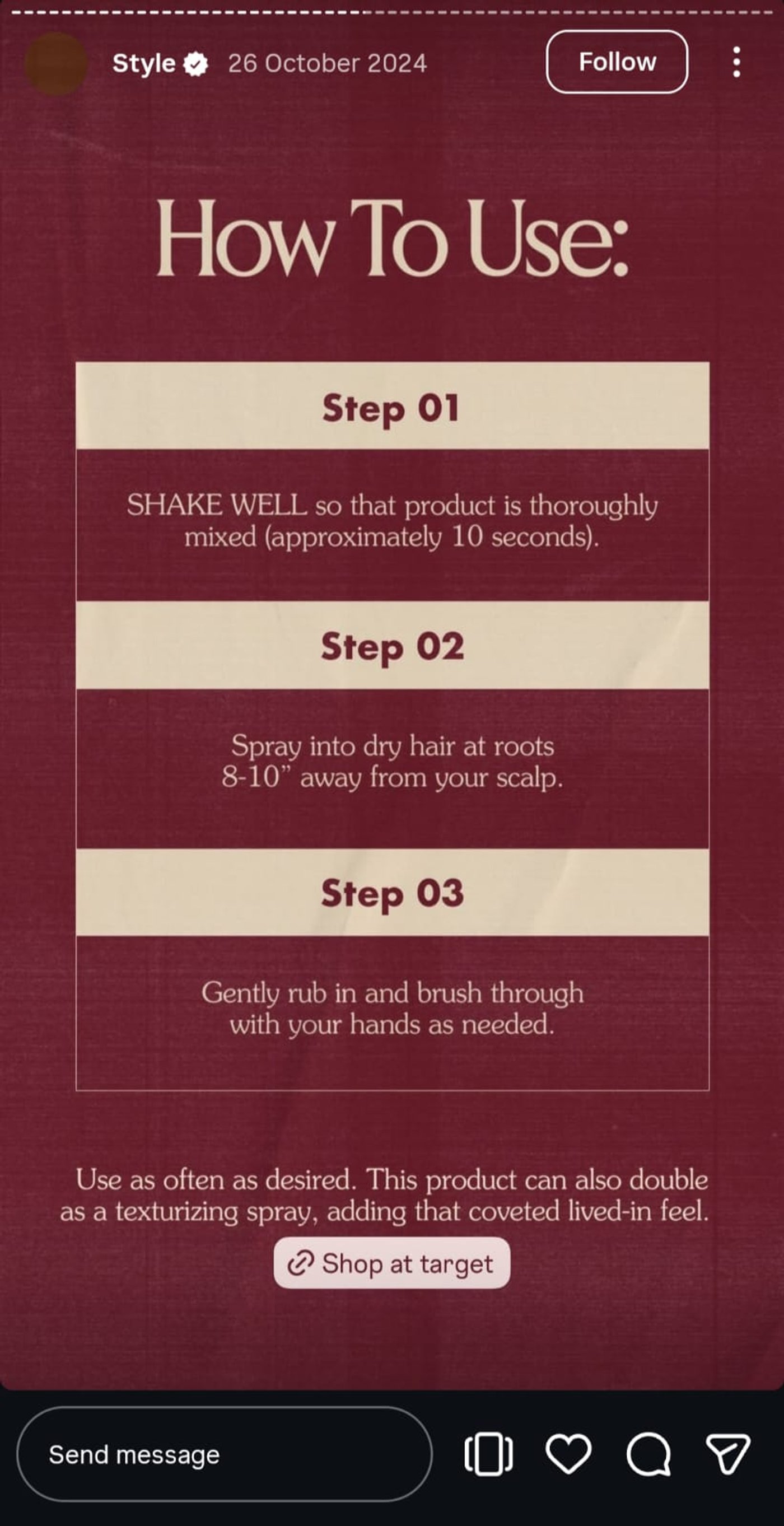
Source: @blakebrownbeauty
Instagram Stories reward clarity, not clutter. Blake Brown Beauty gets this right by breaking the routine into three clean, easy-to-follow steps. The consistent brand typography reinforcing the brand is a cherry on top.
Similarly, you can also walk viewers through a process without losing them. Invideo lets you repeat scenes effortlessly, update each step, and maintain a steady visual rhythm. It is ideal when you’re explaining bookings, onboarding flows, or first-time use in a way that feels clear, branded, and easy to follow.
6. Price Anchor Flash
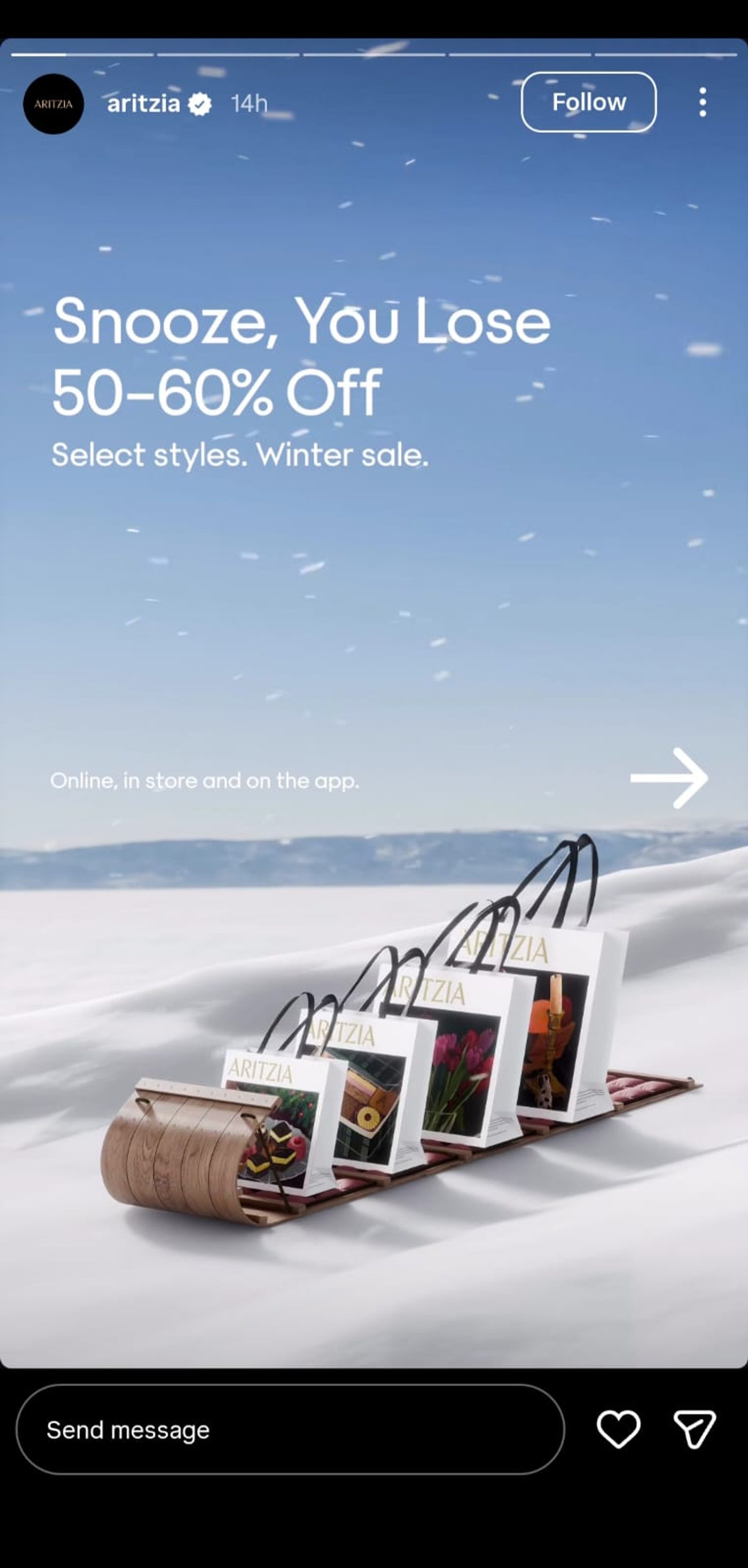
Source: @aritzia
Aritzia turns a price anchor flash into a branding moment. The snowy backdrop and moving shopping bags instantly signal what the brand is about, while the offer creates urgency without feeling salesy.
If you want to create something similar, invideo empowers you to reveal prices with kinetic text, highlight key elements, and add CTA stickers, all while keeping your brand front and center. It’s perfect for limited-time packages or booking-focused promotions.
7. FAQ Sticker Hook
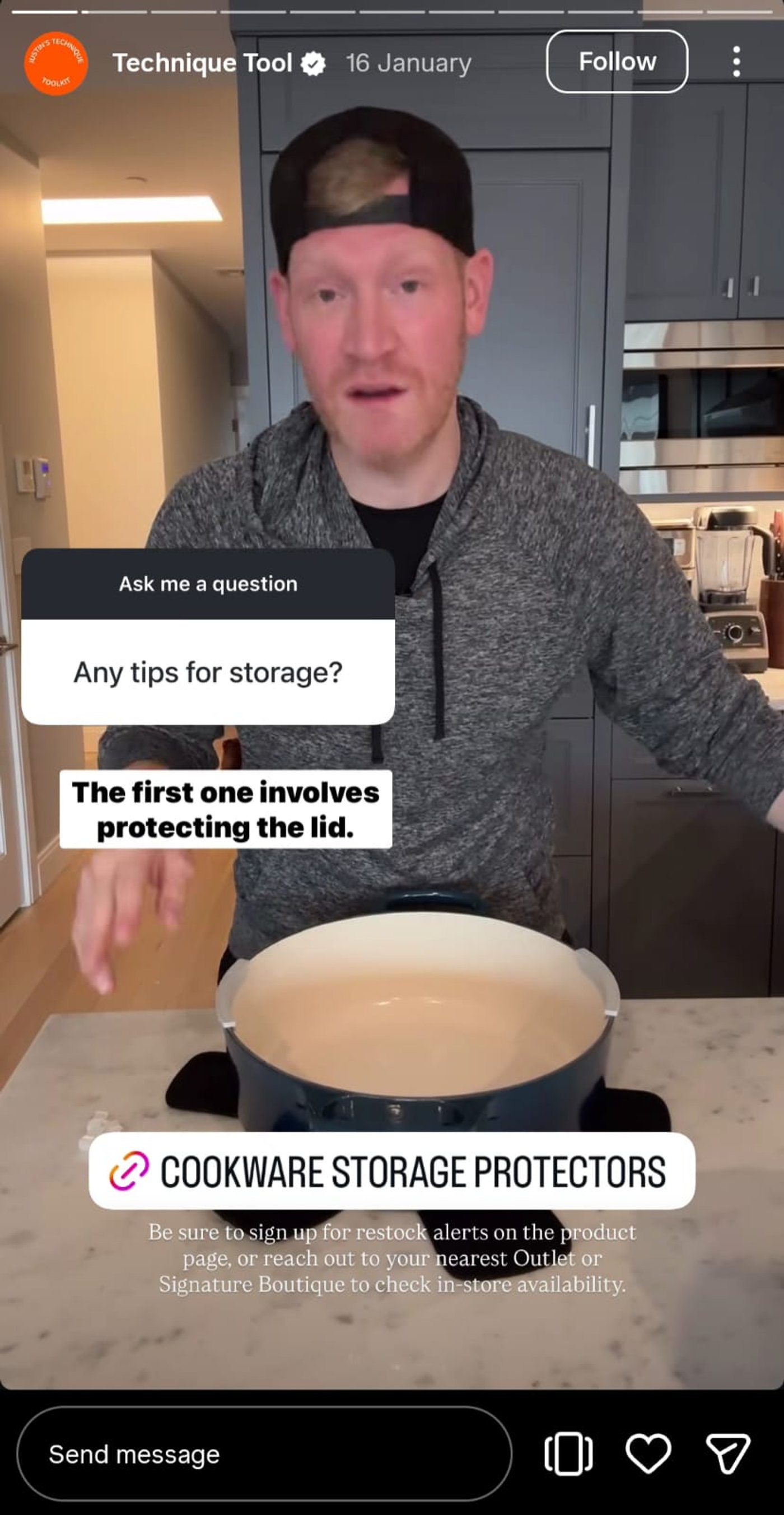
Source: @lecreuset
Tips land better when they come from a subject matter expert, but presentation matters just as much. If it looks messy or salesy, trust drops fast. Le Creuset’s FAQ stickers get this right. They are clean and simple with consistent motion that keeps attention without hard-selling anything.
You can recreate this easily with invideo by layering your brand background, customizing a question box, and adding prompts that guide responses. This approach helps answer objections or prep prospects before discovery calls.
8. BTS Prep Action
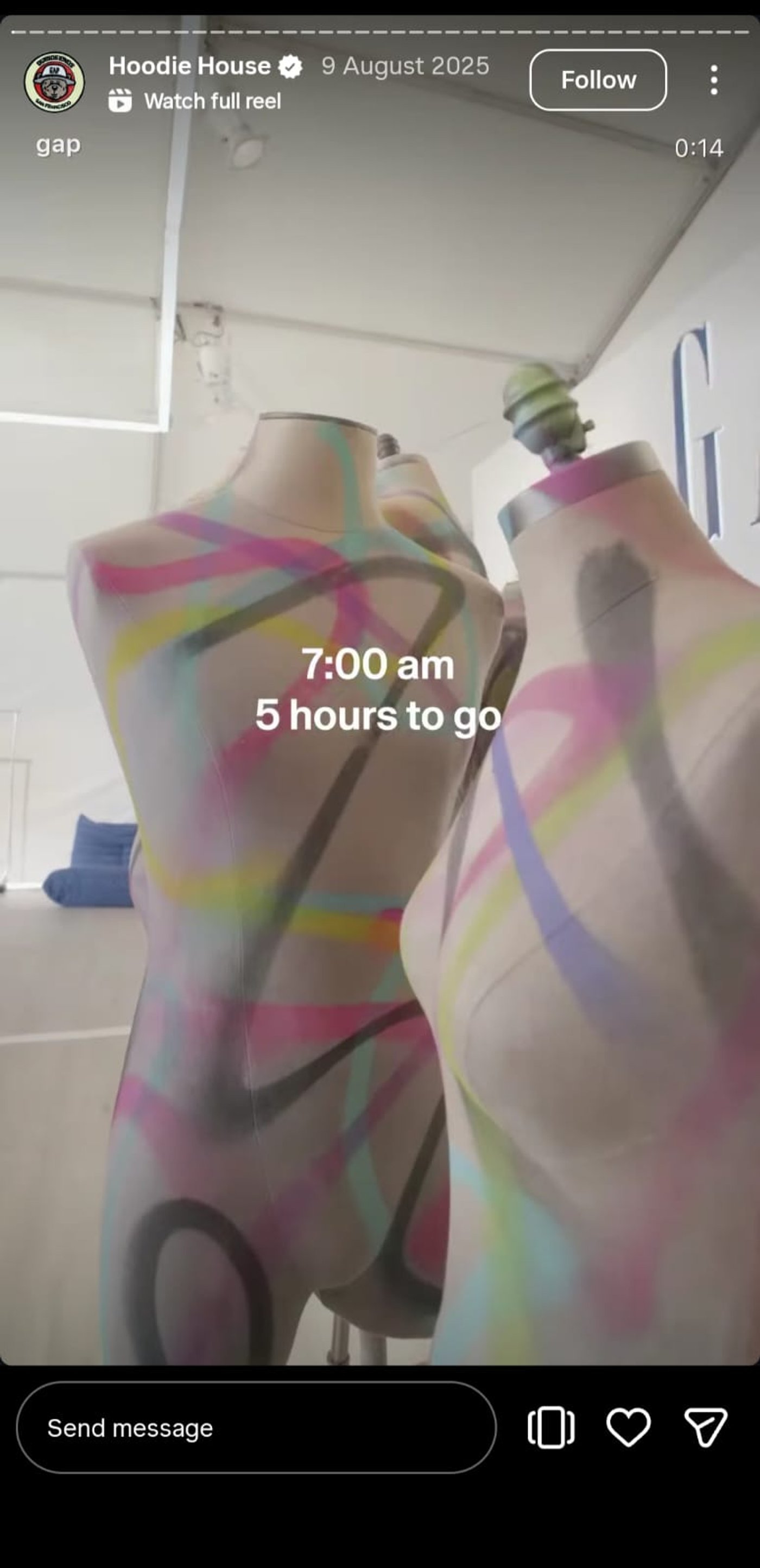
Source: @gap
Gap’s BTS prep action puts you right backstage, making every cut and timestamp feel immediate and alive. In seconds, the entire scene unfolds, pulling you straight into the moment.
Bring this immersive feel to your stories with invideo by trimming scenes precisely, adding captions for clarity, and layering subtle grain for texture. Perfect for DTC brands, handmade products, or restaurants looking to showcase process and authenticity.
9. Countdown Offer Timer
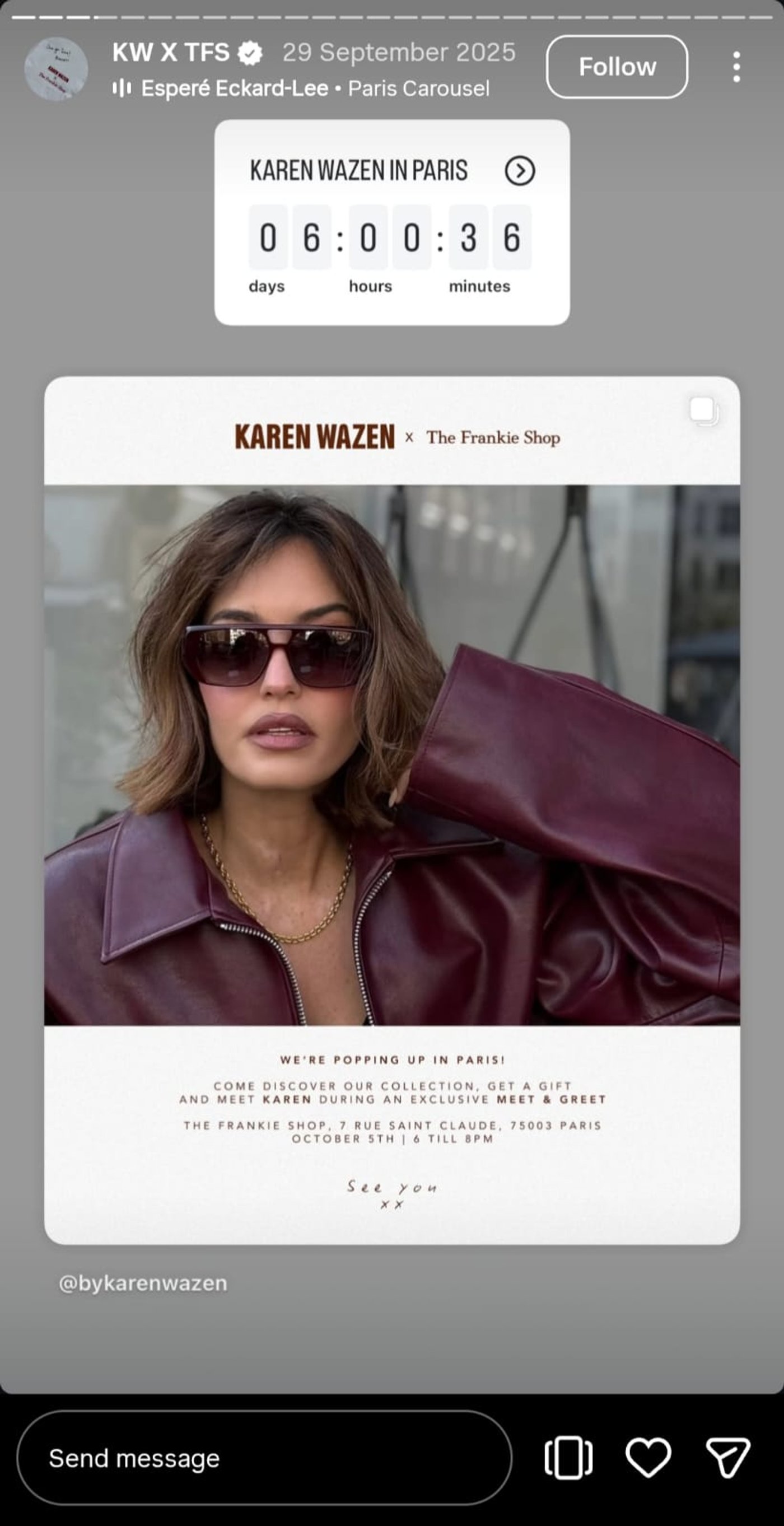
Source: @thefrankieshop
The Frankie Shop’s Countdown timer is clean, clear, and visually appealing, showing exactly how limited-time offers should feel. The simplicity keeps viewers focused while building a sense of urgency.
You can craft the same effect with invideo by using a sleek countdown design, pairing it with subtle motion backgrounds, and highlighting key details. This works brilliantly for promos, webinars, or flash sales.
10. UGC Customer Feature
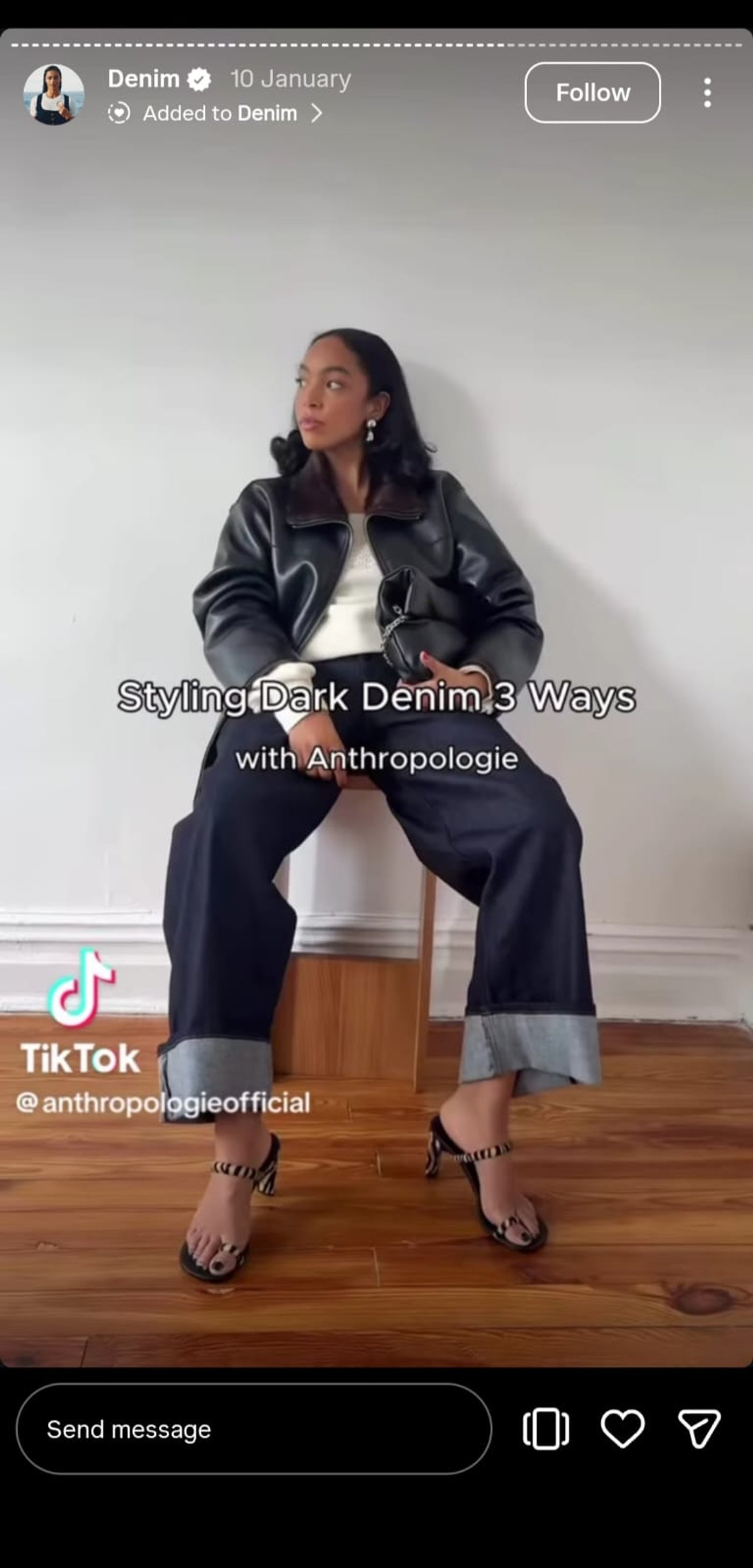
Source: @anthropologie
The most convincing UGC features show real experiences, not just scripted lines. Anthropologie nails this by keeping the visuals clean and authentic, letting the product shine naturally.
Bring this to your brand with invideo by importing UGC clips, adding lower-third tags for context, and keeping the focus on genuine moments. This approach works especially well for apparel, beauty, or community-driven brands.
11. Tap to Reveal Surprise
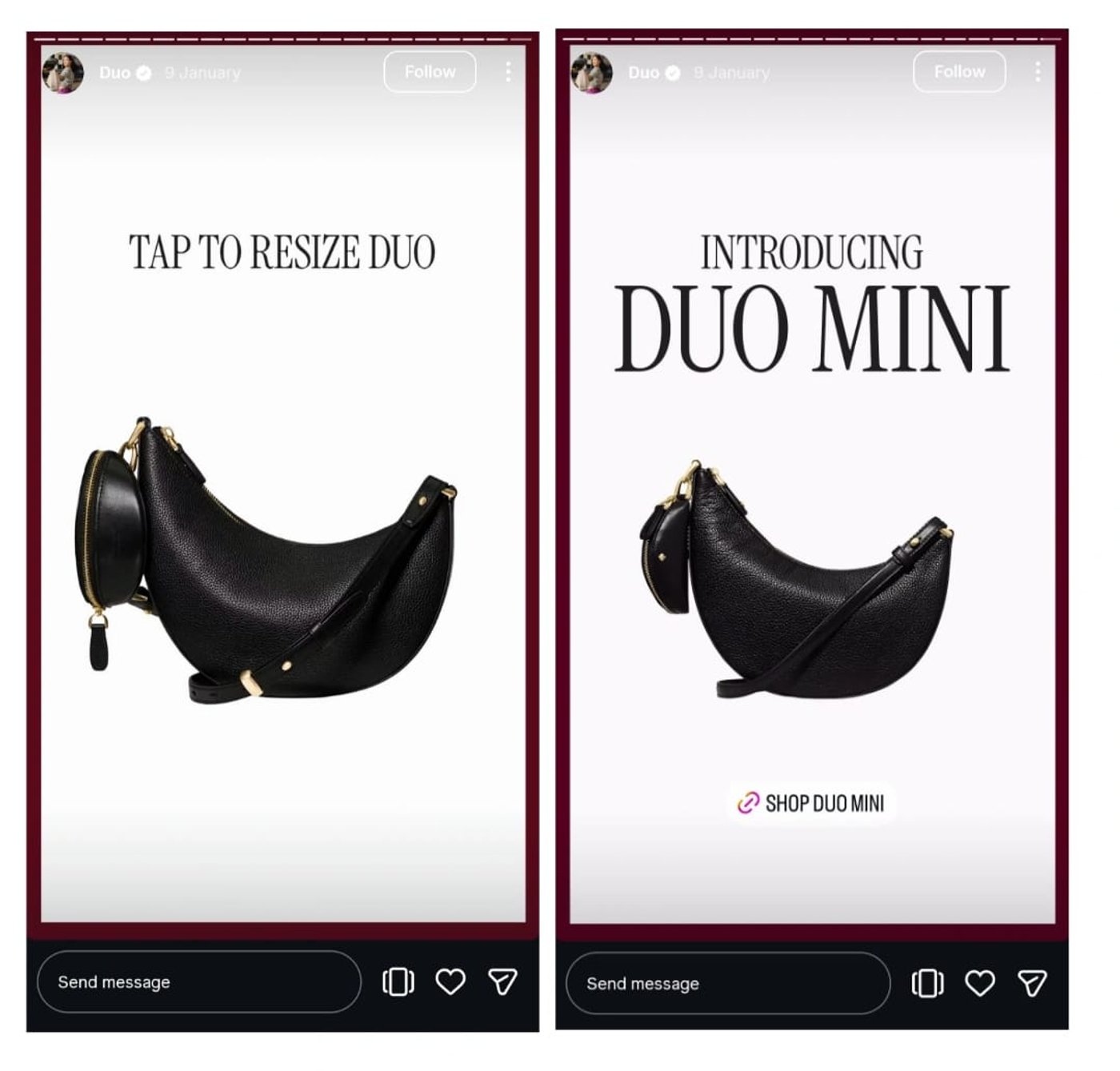
Source: @katespadeny
If you think tap-to-reveal stories need to be flashy, Kate Spade proves otherwise. Simple visuals, consistent branded typography, and clean motion make the reveal satisfying and elegant.
With invideo, bring this effect to your brand by selectively blurring keyframes, layering subtle snap transition sounds, and emphasizing the surprise element with motion cues. You can even highlight your product subtly as it’s revealed, keeping your story clean yet irresistible.
12. Quick Tip Drop
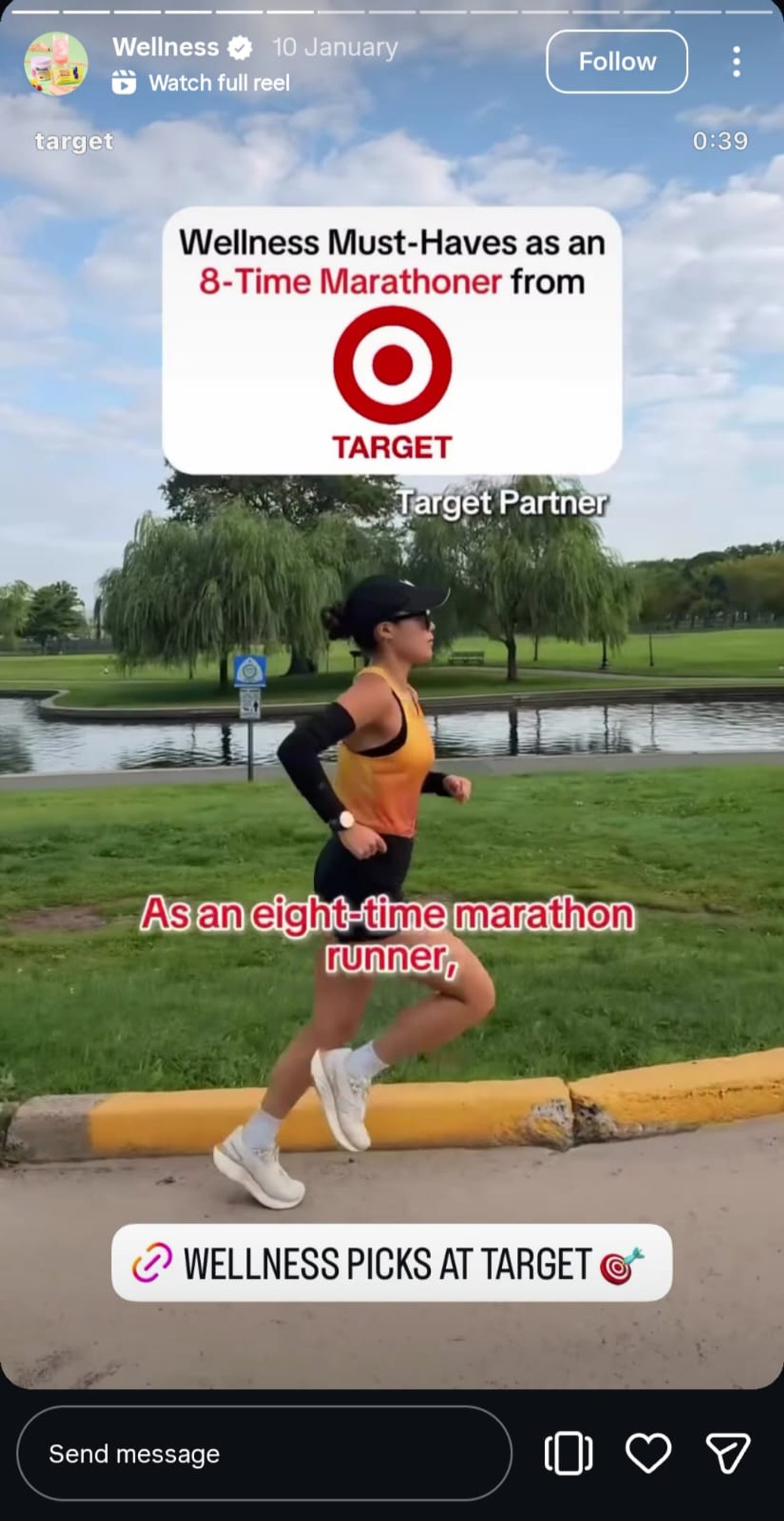
Source: @target
Fast, digestible tips grab attention immediately. Target features a creator sharing practical fitness tips and showing how she uses them in her daily routine, making the advice feel relatable, useful, and easy to apply.
In invideo, you can pace each tip with animated highlights, stagger the text entry for a lively rhythm, and adjust font styling to match your brand identity. This lets viewers absorb every tip while keeping your story visually cohesive and memorable.
13. Common Mistakes Warning
Source: @sephora
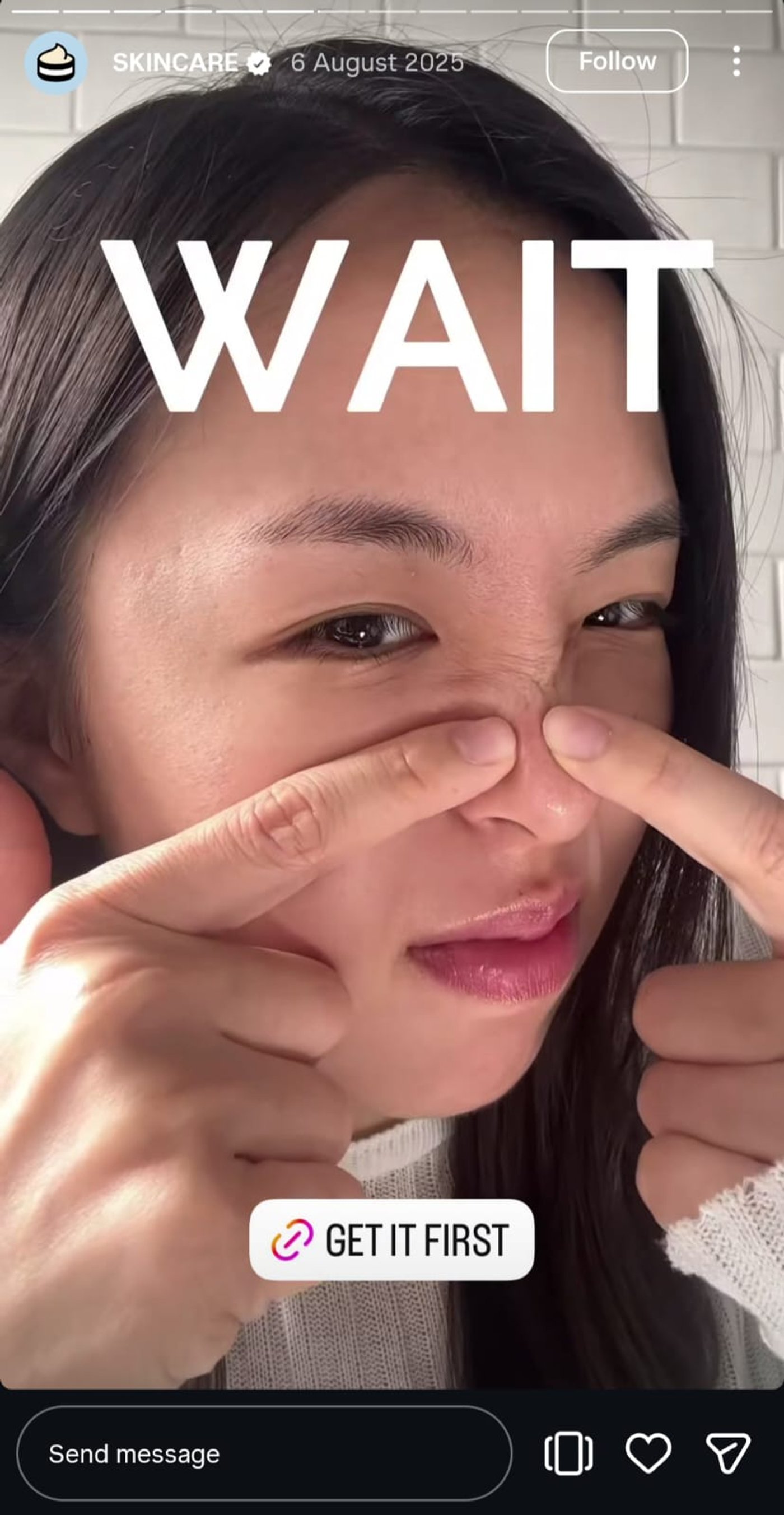
Warnings hit harder when real people share authentic experiences. Sephora’s Story uses zooms, quick cuts, and dramatic hovering text to add urgency without losing credibility, making viewers pay attention to every point.
You can recreate this in invideo by combining contrast typography, subtle warning icon animations, and strategic cuts that add tension without overwhelming. Layering your brand colors keeps the story consistent while drawing focus to each mistake highlighted.
14. Choose Your Path Quiz
Source: @anthropologie
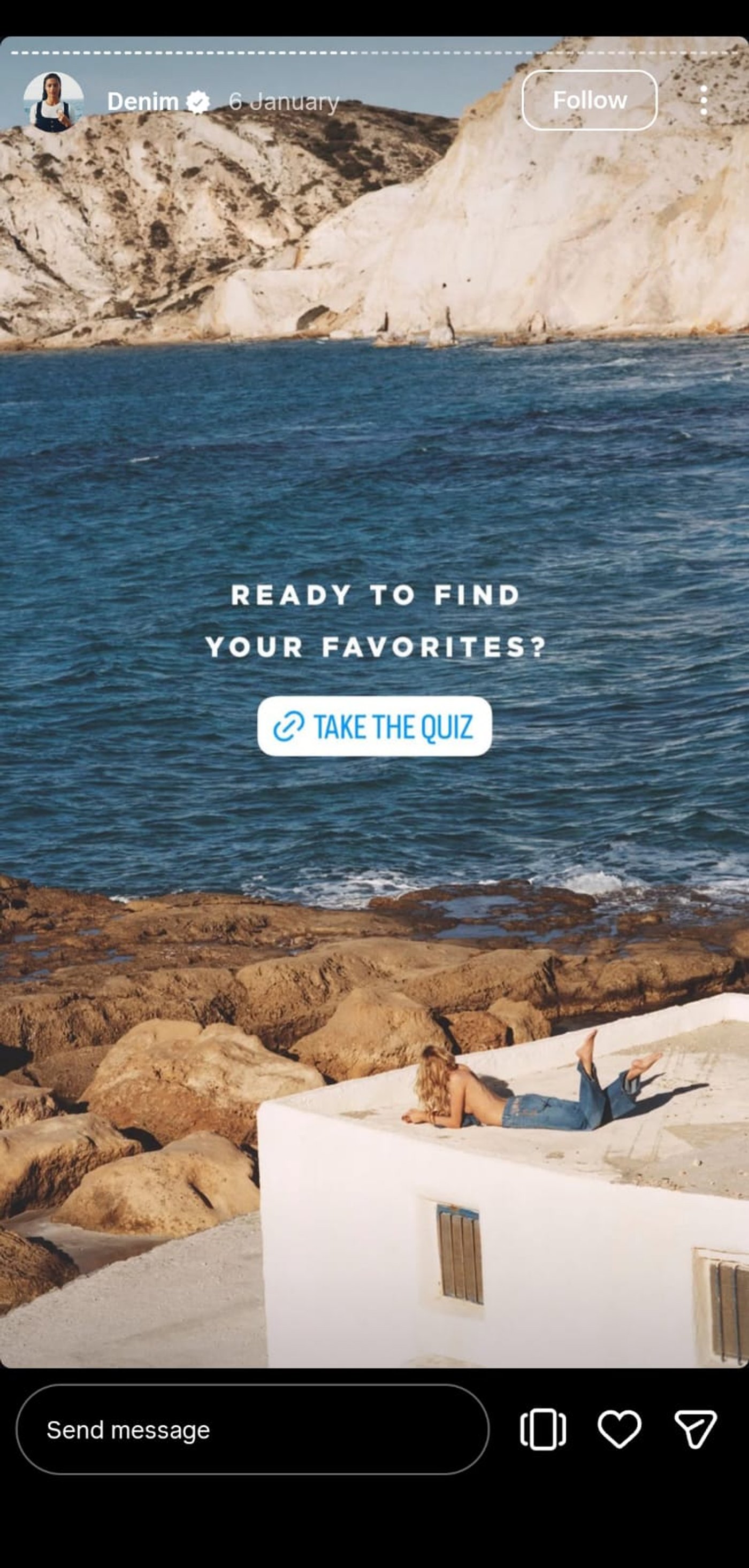
Anthropologie’s quiz stories create a serene, mysterious atmosphere that draws viewers in, encouraging them to interact with each choice.
With invideo, guide your audience through the story by designing CTA-forward layouts, reserving space for link stickers, and subtly animating each choice. You can control pacing and transitions so each step feels deliberate, keeping the quiz immersive and engaging.
15. Behind the Price Story
Source: @blakebrownbeauty
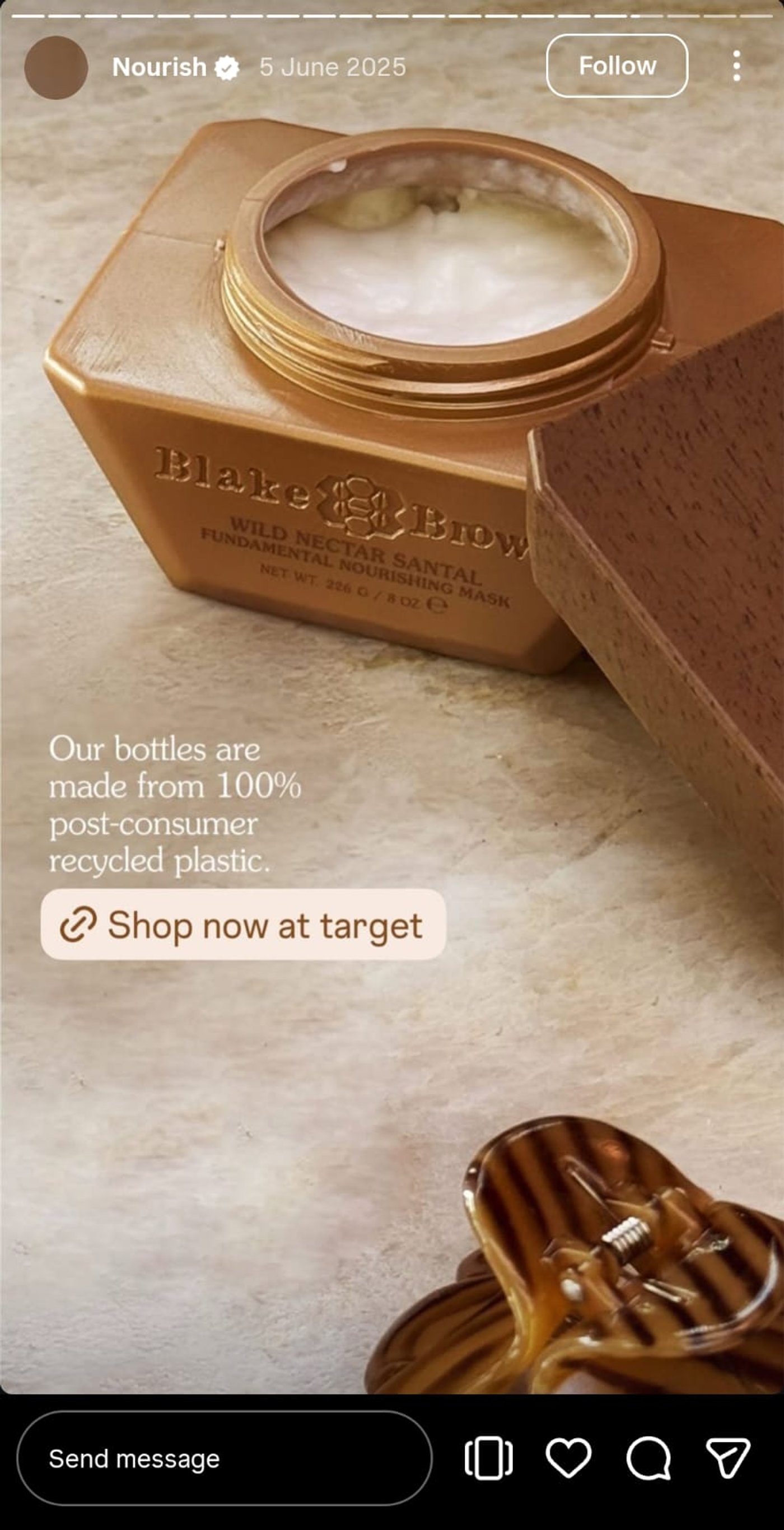
Justifying a price doesn’t need to overwhelm your audience. Blake Brown Beauty communicates value concisely while covering all the essential points.
In invideo, you can showcase product benefits with icon rows, break down key points into ultra-short bullets, and sequence the story so each frame builds understanding naturally. This keeps viewers informed without feeling overloaded and strengthens perceived value.
16. Event Promo Blast
Source: @fentybeauty
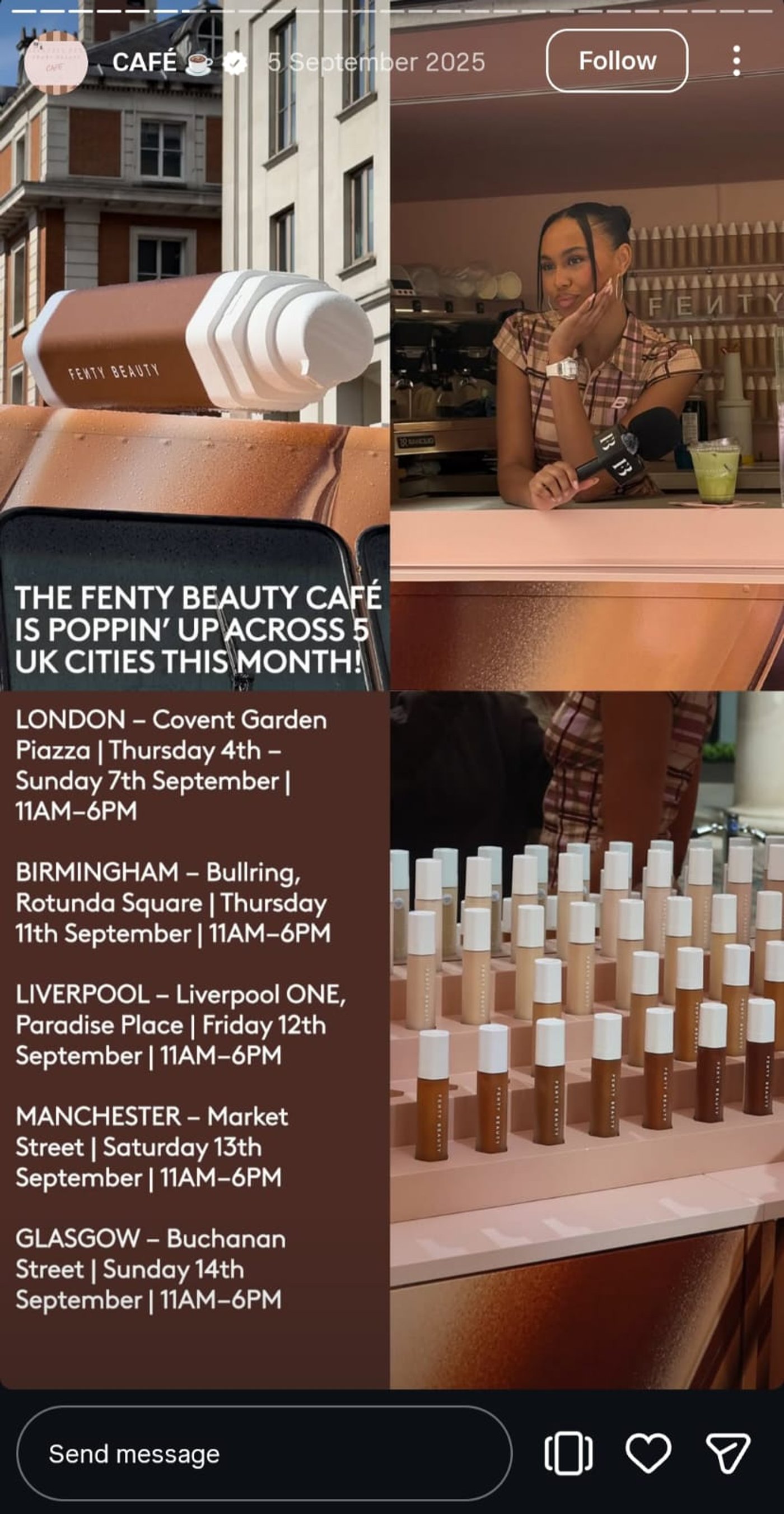
Instagram Stories are perfect for hyping up events and building anticipation. Fenty Beauty’s Story focuses on clear, location-based updates, showing exactly where the pop-up shops will be across the city and making it easy for viewers to plan a visit.
Use invideo to bring this to life: start with an event poster template, animate the timing highlights, and layer subtle motion for extra impact. Add countdown stickers or text overlays to drive RSVPs, making it ideal for webinars, IG Lives, or workshops.
17. Booking Slots Open
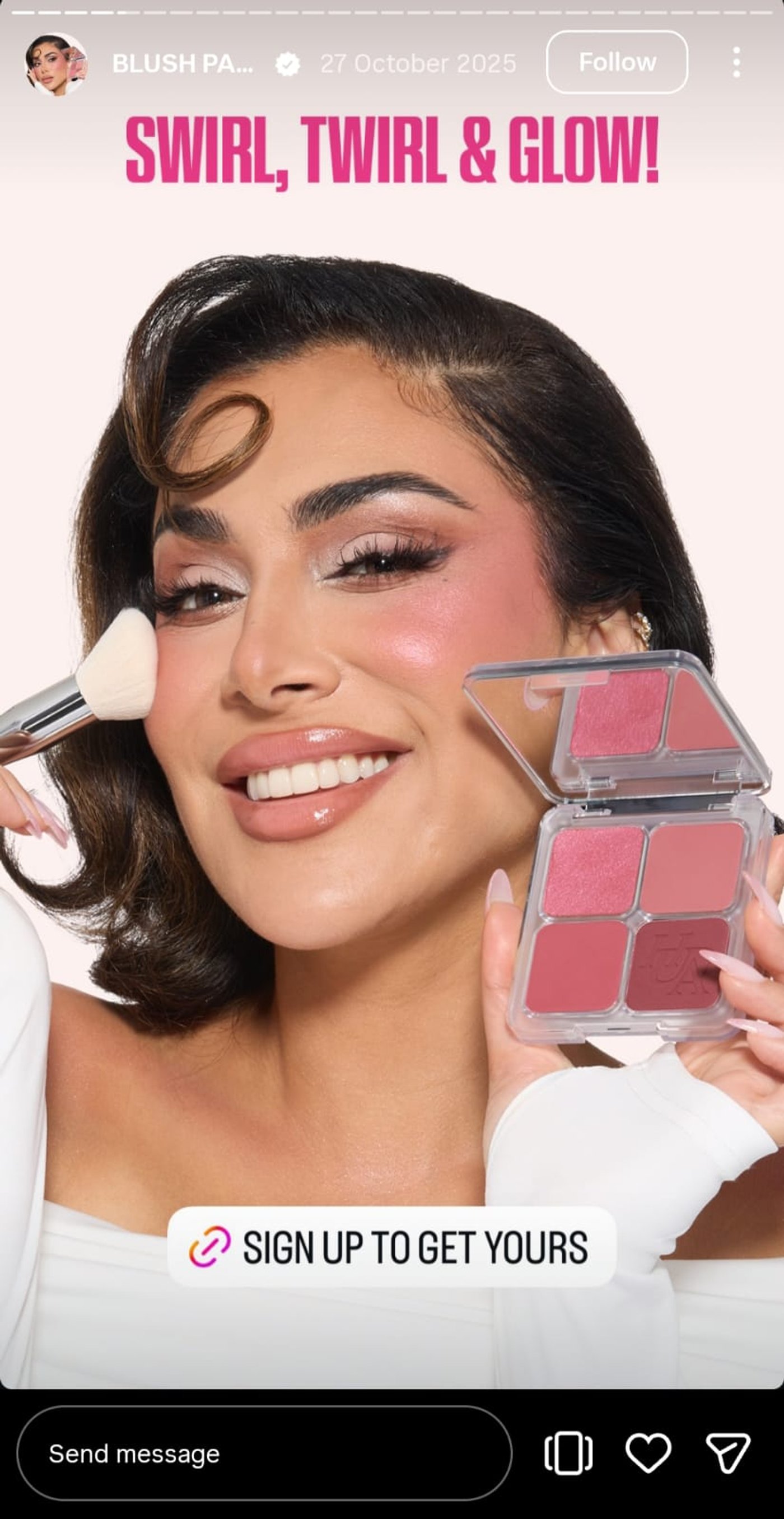
Source: @hudabeauty
Huda Beauty keeps it simple but effective. By featuring the product alongside herself, the Story gives just enough context for beauty enthusiasts to notice and act, driving signups without overwhelming viewers.
For a business without a face, the focus shifts to clarity. Salons, clinics, and freelancers can use invideo to spotlight appointment slots, service details, and limited availability using clean calendar tiles, subtle urgency badges, and clear calls to action, making the decision easy without needing a brand ambassador.
18. New Content Swipe

Source: @natgeotravel
Building curiosity around new content isn’t easy unless you’re Nat Geo. Stunning visuals and a clean Instagram Story design pull viewers in, encouraging them to explore more without feeling pushed.
Invideo helps you do the same: quickly convert blog posts or articles into story highlights, add auto-animated text, and layer subtle transitions to guide attention. Perfect for content marketing campaigns that need to captivate and inform.
19. Q&A Customer Reply
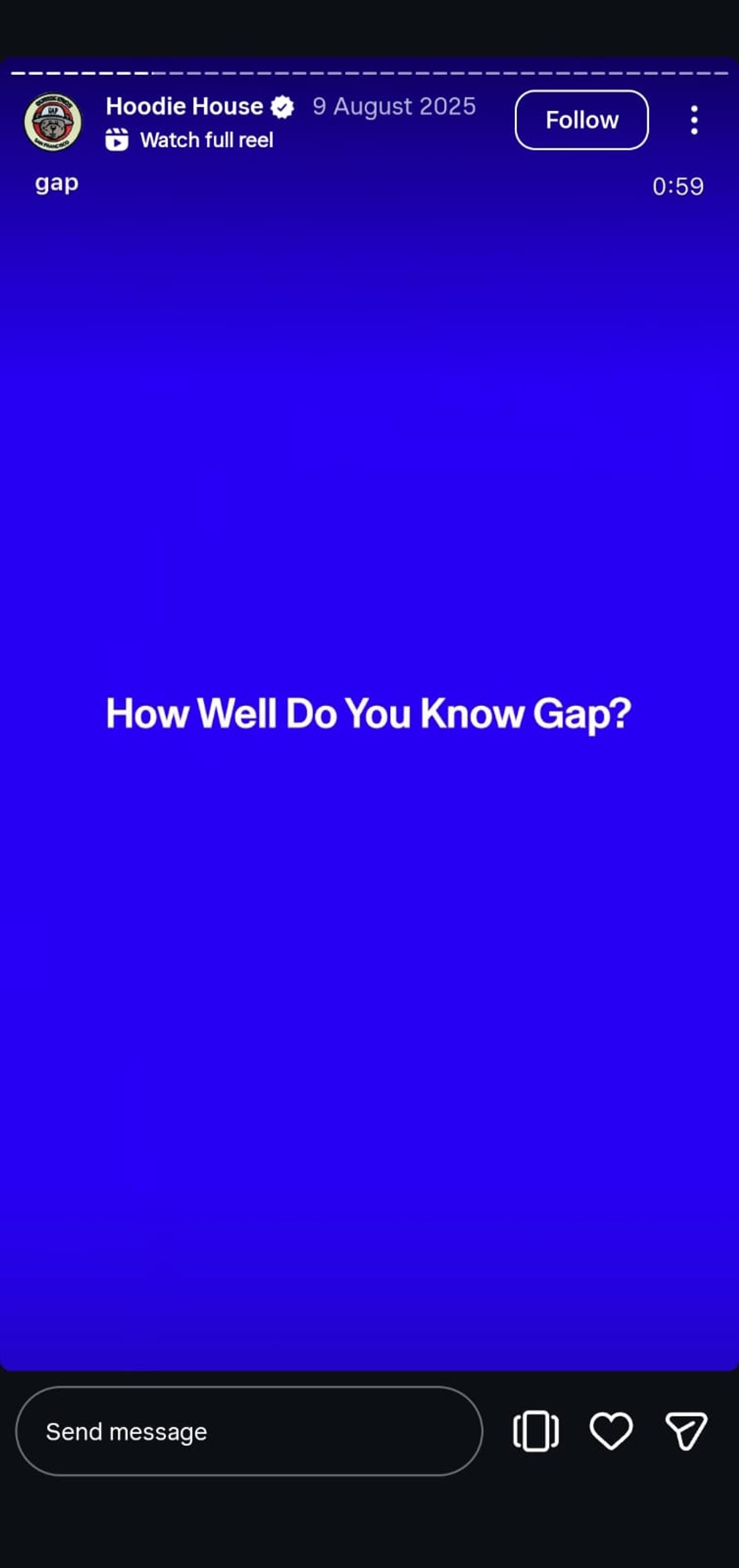
Source: @gap
Q&As are simple yet powerful when you have a thriving community. Gap shows how quick clips of customers answering brand questions can boost engagement and spread knowledge effectively.
You can replicate this impact in invideo by using a DM-style layout, adding your brand background, and surfacing answers with animated captions. This makes community engagement and support content visually appealing and actionable.
20. Founder Story Meet
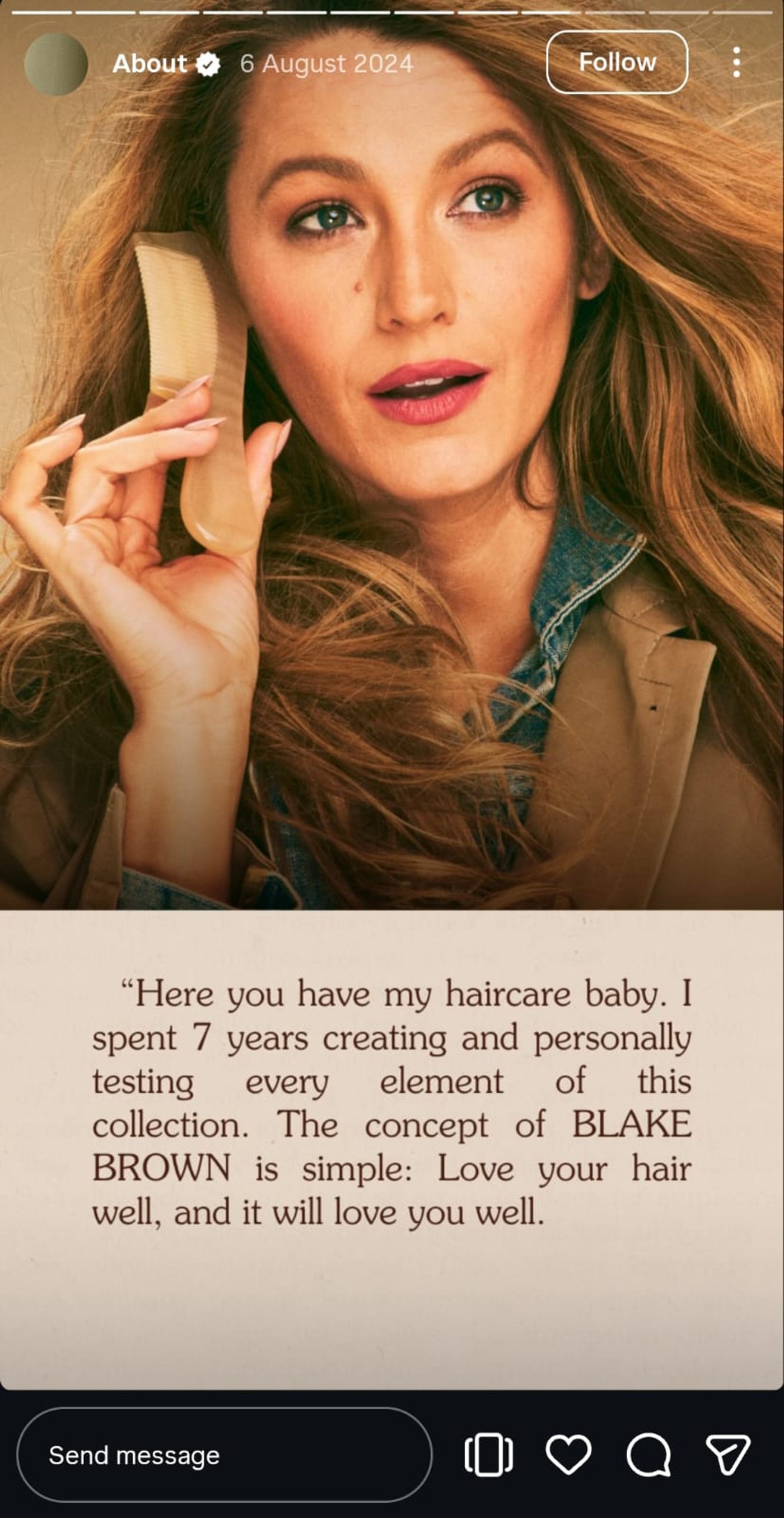
Source: @blakebrownbeauty
Founder stories work best when they feel authentic. Blake Brown Beauty’s story shares the founder’s personal journey with minimal, brand-aligned visuals, building trust and connection instantly.
With invideo, you can level it up. Highlight portraits, add subtle motion, and layer captions that emphasize key milestones. This approach makes your story approachable and memorable, ideal for creating an emotional connection with your audience.
21. Numbers That Prove It
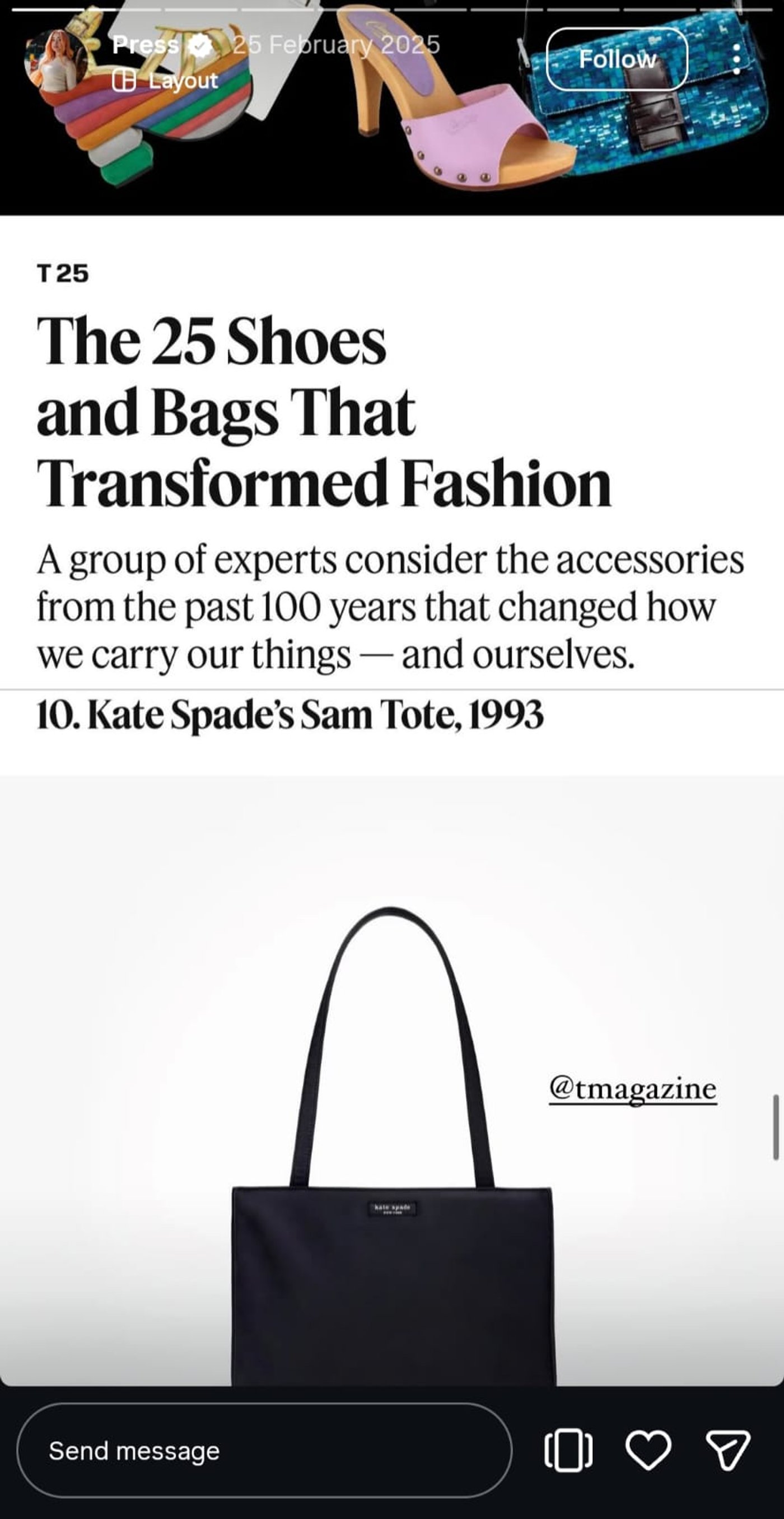
Source: @katespadeny
Kate Spade transformed a detailed article into a snackable Instagram Story that even non-readers can enjoy. Bold visuals and clear, animated numbers make the value instantly obvious and engaging.
With invideo, you can also add dynamic number counters, emphasize key stats, and pair them with auto-animated text to make metrics visually striking. Perfect for agencies, SaaS, or consulting brands sharing results.
22. Brand Moodboard
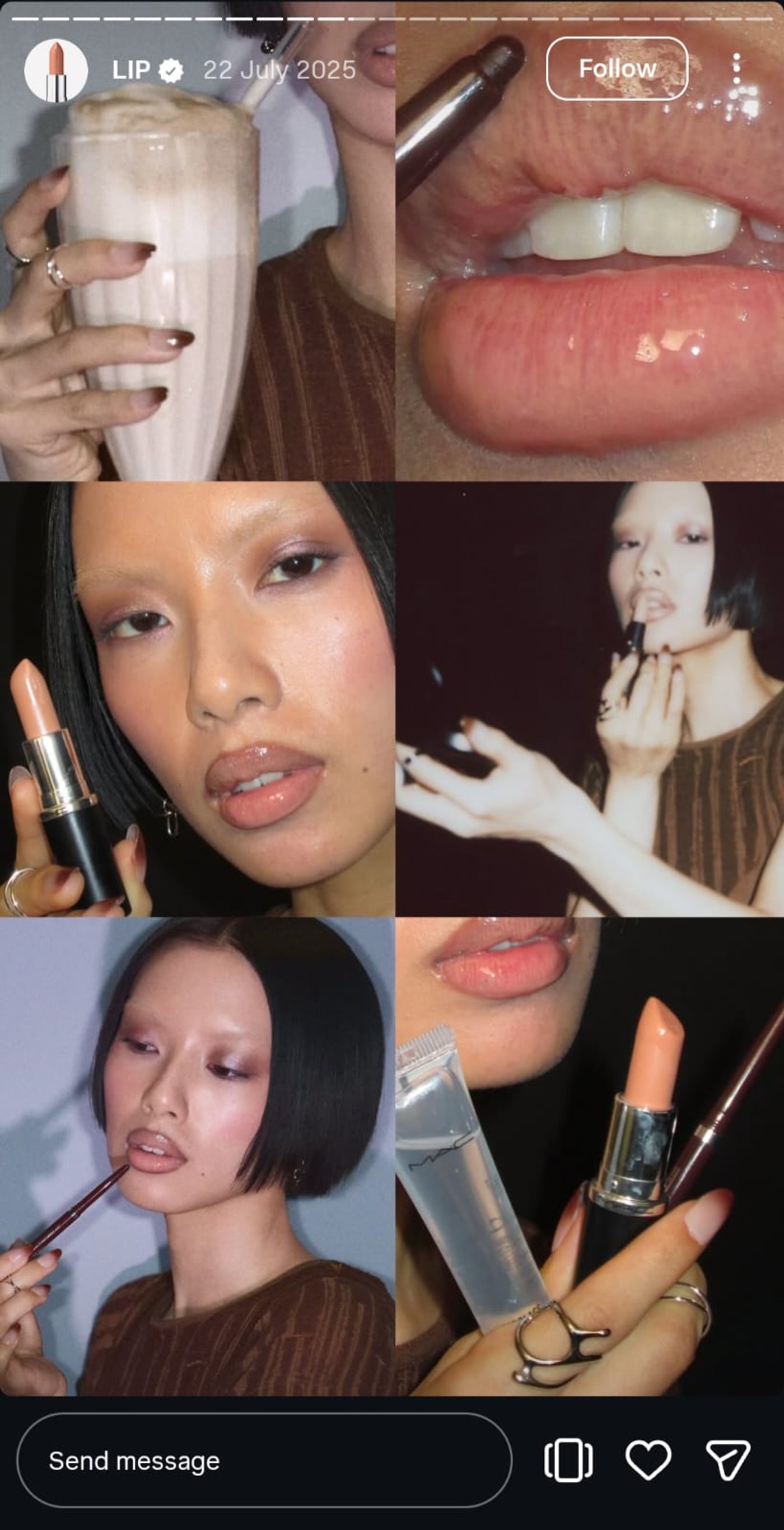
Source: @maccosmetics
Moodboards are an evergreen trend that dominate Instagram Stories, but setting up the aesthetics can feel tricky. This MAC Cosmetics Story shows how a clean layout, consistent colors, and minimal movement can create a polished visual narrative.
Use invideo to assemble collage templates, add subtle grain, and pan slowly across visuals to bring your moodboard to life. For custom visuals, you can also use an AI image generator to create unique images that match your brand aesthetic.
23. Product Bundle Stack
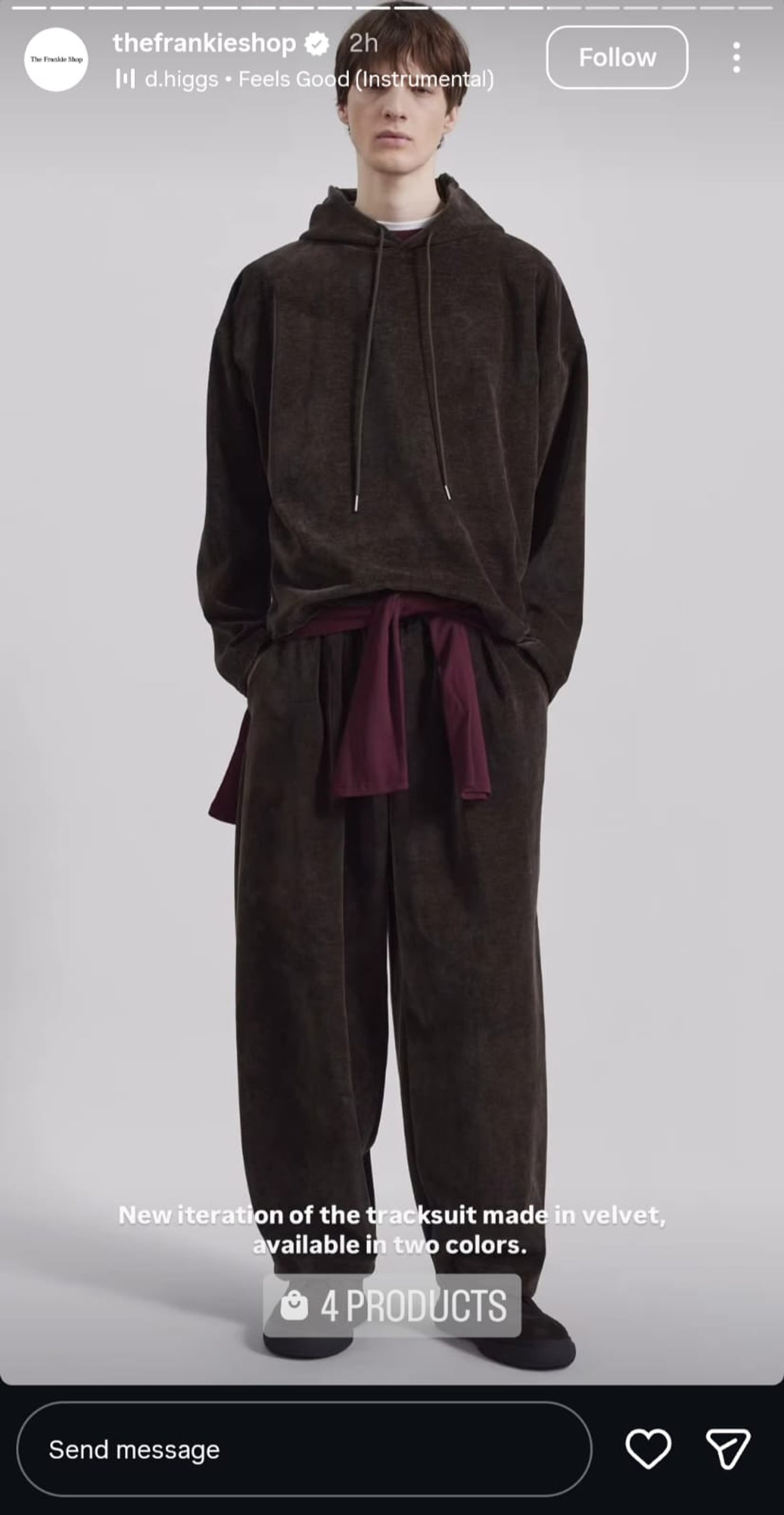
Source: @thefrankieshop
The Frankie Shop’s product stack Story nails class and clarity. Quick cuts with each product shown at different angles make it visually engaging while giving viewers enough details to understand the quality.
Invideo is built for creating such content. Use it to arrange products in a clean grid, highlight prices with badges, and animate each item subtly for a polished, high-end feel. This approach is perfect for boosting average order value and showcasing multiple products efficiently.
24. User Prompt Challenge
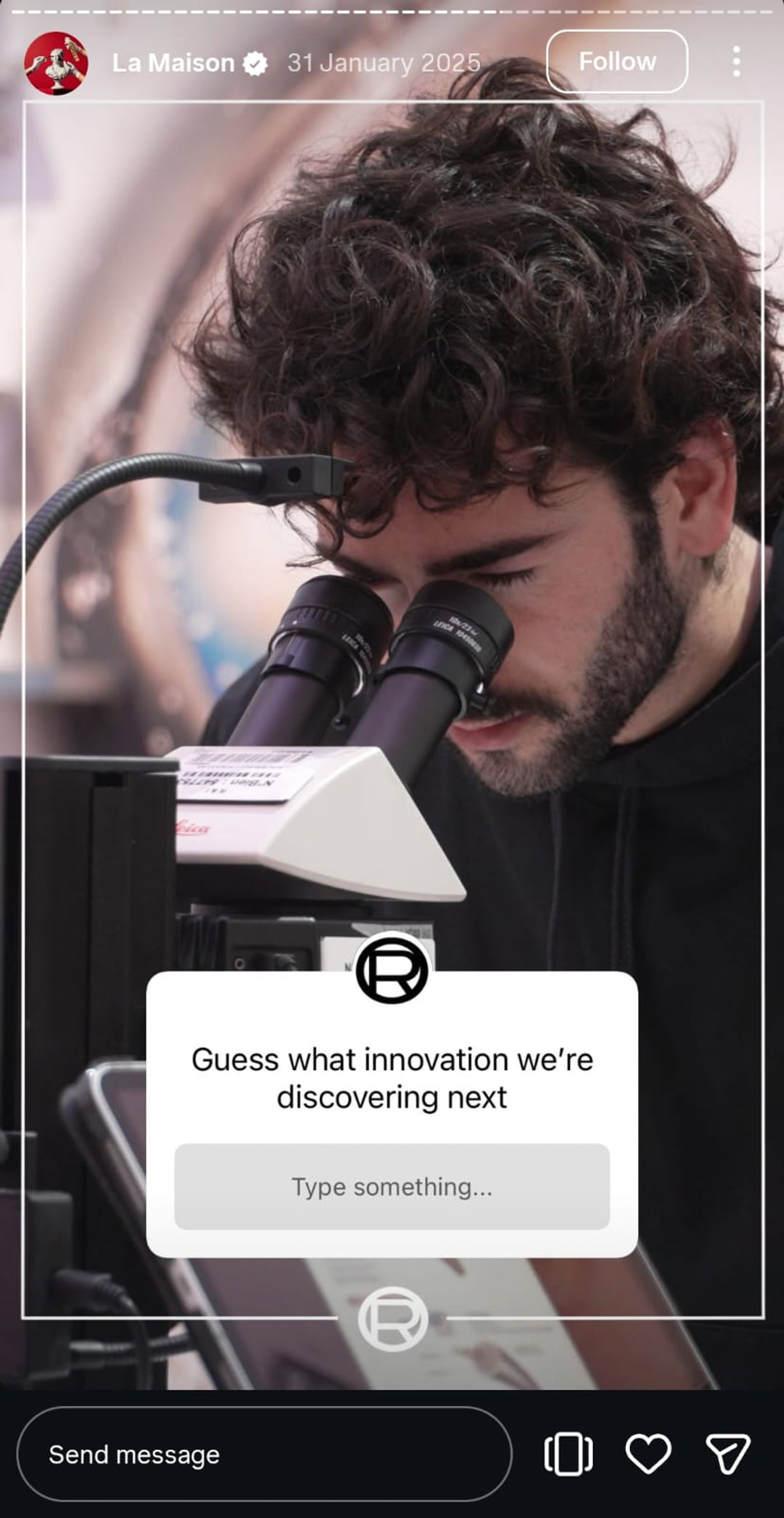
Source: @lorealparis
L'Oréal Paris turns simple prompts into interactive engagement loops. A bold, branded background with a compelling question encourages users to interact, guess, and participate instantly. The Story feels immersive but not cluttered.
With invideo, you can layer branded backgrounds, add prompt text that pops, and integrate subtle motion to guide attention while keeping the focus on your CTA. This works especially well when you want to spark curiosity and audience interaction.
25. Weekly Series Kickoff
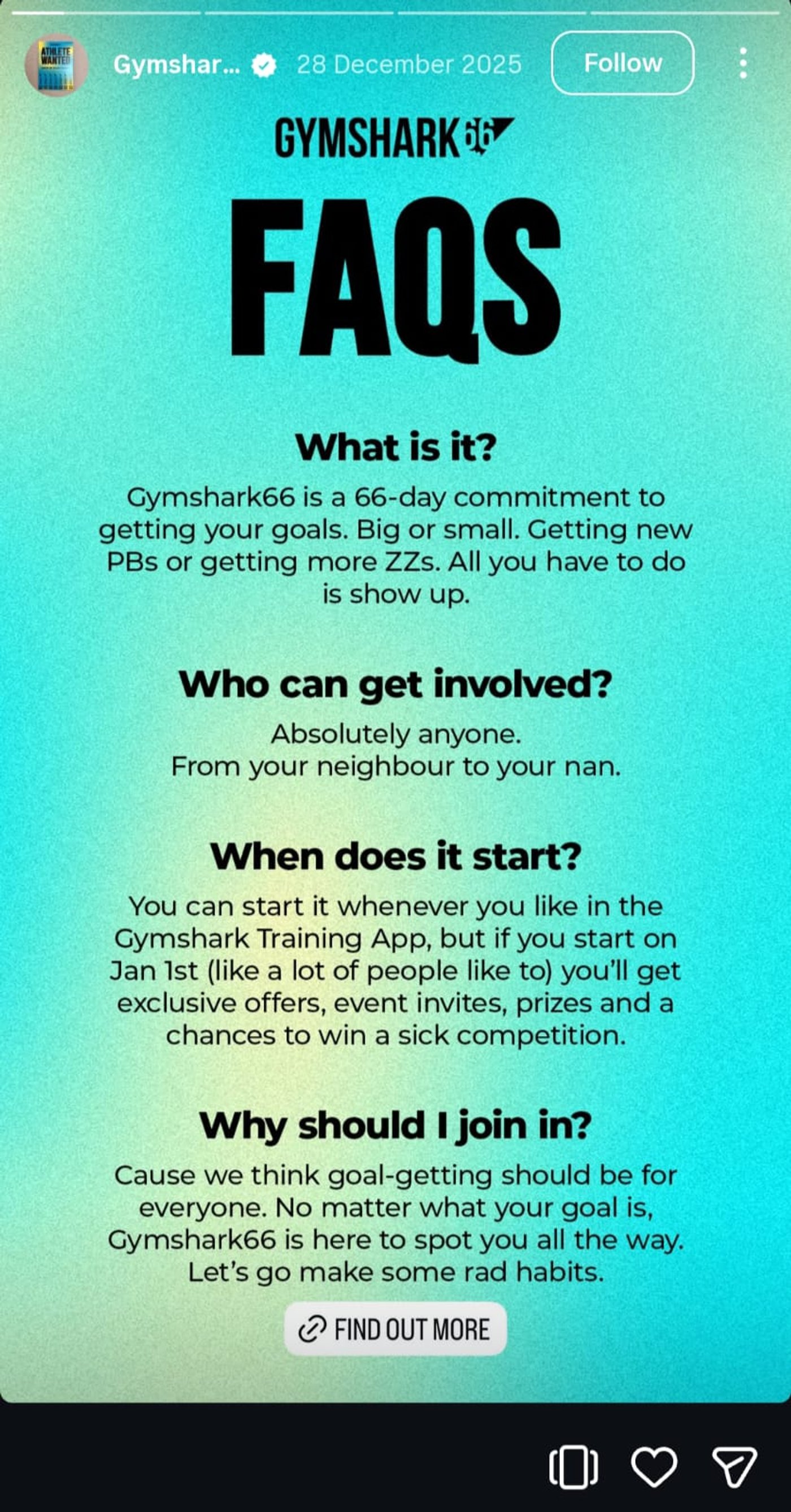
Source: @gymshark
Gymshark’s Gymshark66 campaign shows how to start a Story series with clarity and consistency. Each Story breaks information into quick FAQs, making it easy to absorb and keeping viewers engaged without overwhelming them.
With invideo, you can duplicate matching templates, maintain consistent typography, and structure each episode for fast consumption. Perfect for brands aiming to create a regular, recognizable series that audiences immediately recognize.
How invideo Helps Your Business Create Instagram Stories?
If you want to create Instagram Stories that look polished and still feel unique to your brand, invideo helps you skip the blank-canvas problem. Instead of designing everything from scratch, you get two flexible ways to create Stories that stay consistent with your brand and messaging:
1. Create Stories with Simple Text Prompts using invideo AI
Not just Reels and product videos, invideo also lets you create Instagram Stories from text prompts. Here’s how:
-
Log in or sign up to invideo.
-
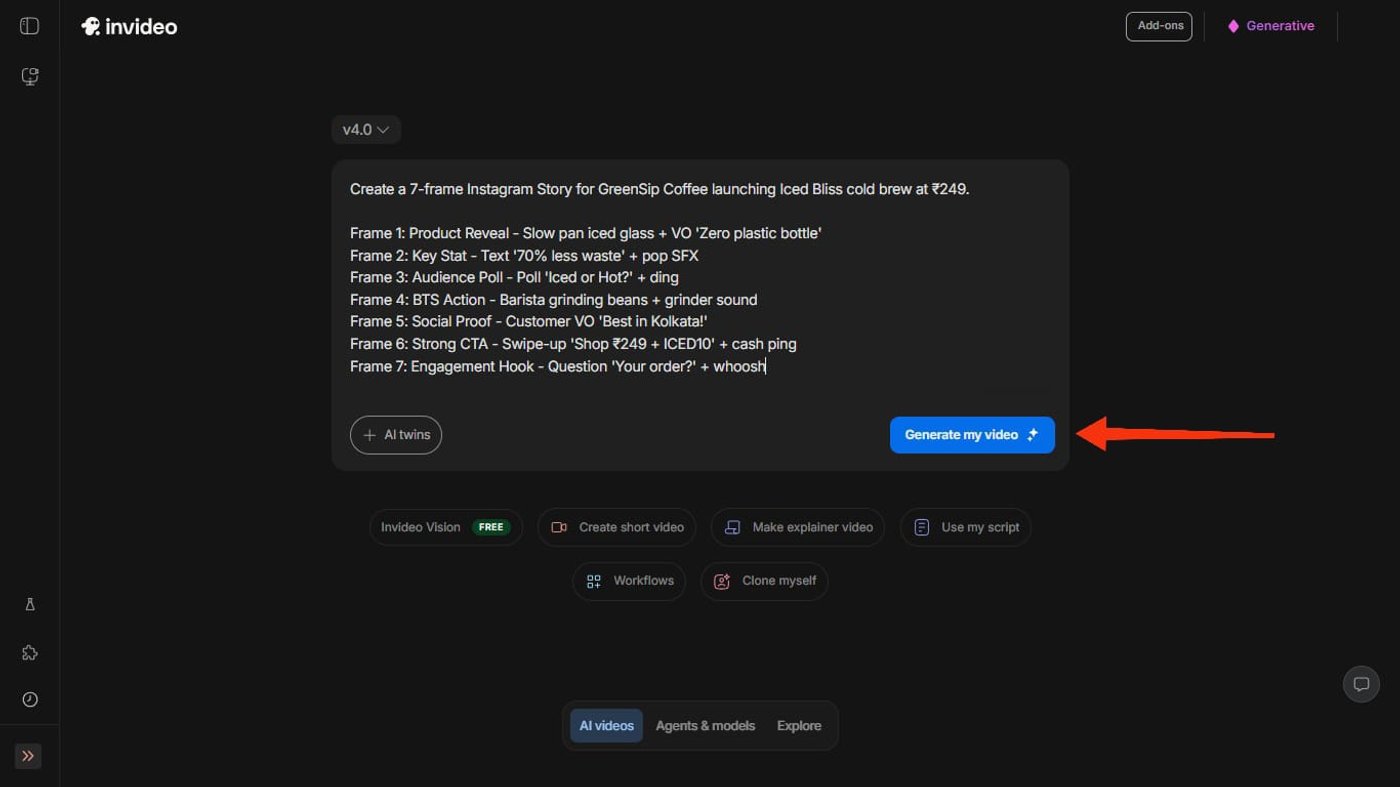
Enter a prompt that describes your Story content. Include details like the offer, key message, tone, visuals you want featured, and the call to action. Once done, tap on “Generate my video.”
-
After that, invideo will ask for additional specifics like clip duration, logo placement, and style preferences. Once everything looks good, hit “Generate.”
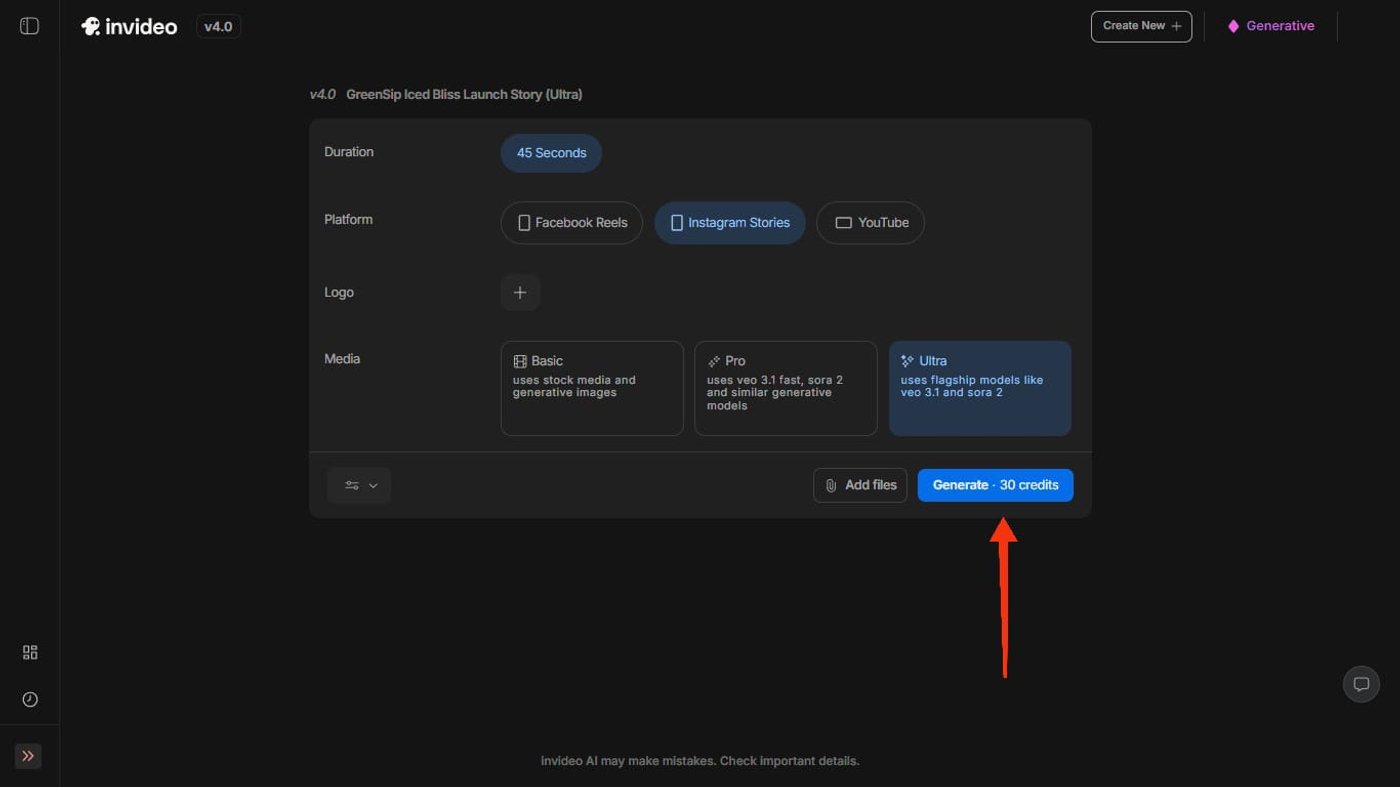
That’s all. In just a matter of minutes, invideo AI will generate a multi-frame Instagram Story draft with text placement, visuals, and motion already set up.
A. Include Every Brand Cue Effortlessly
This is where the output starts feeling truly yours.
Once the Story draft is generated, invideo lets you fine-tune it to match your brand closely. Just click on “Edit and Download.”
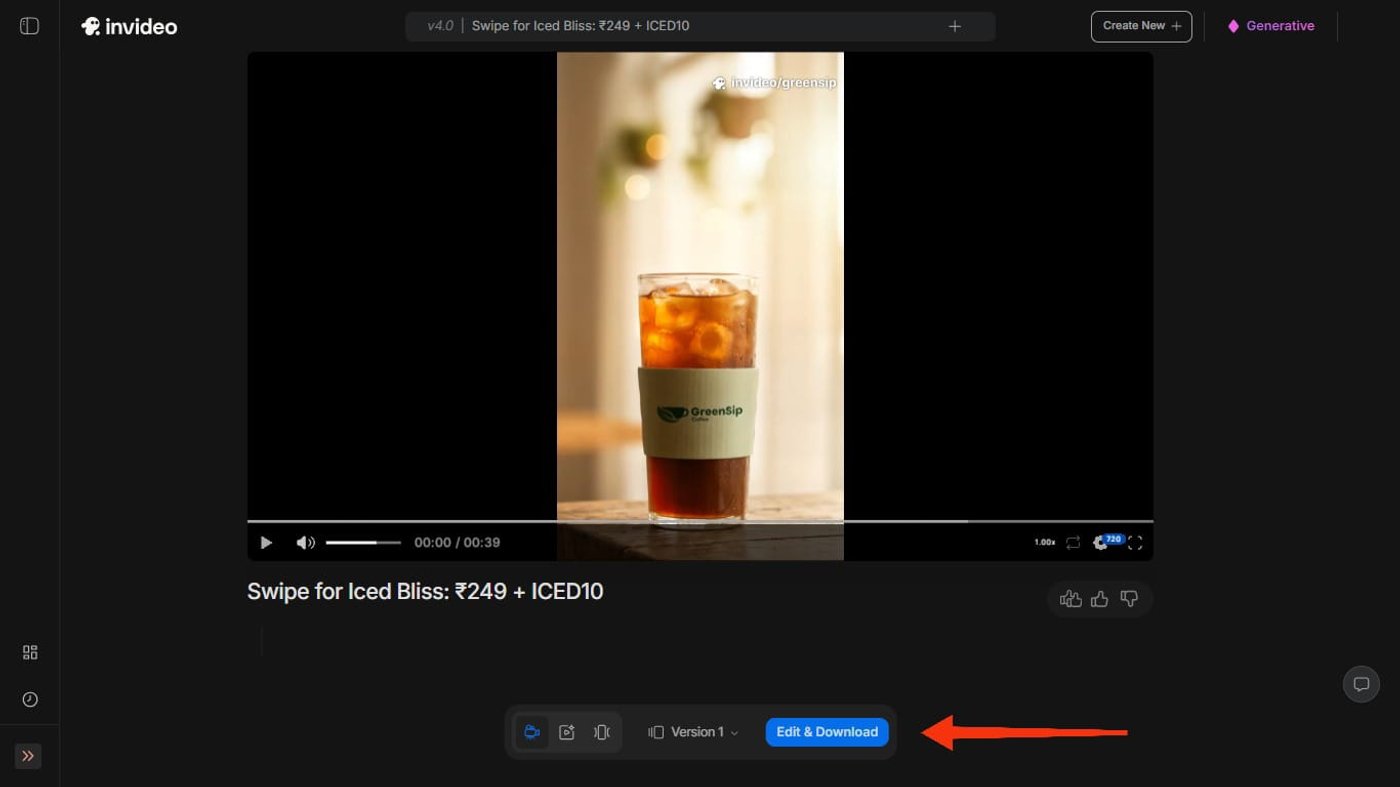
Now, you can:
-
Replace placeholder images with your product visuals
-
Add or swap your logo
-
Update brand colors
-
Edit on-screen text and messaging
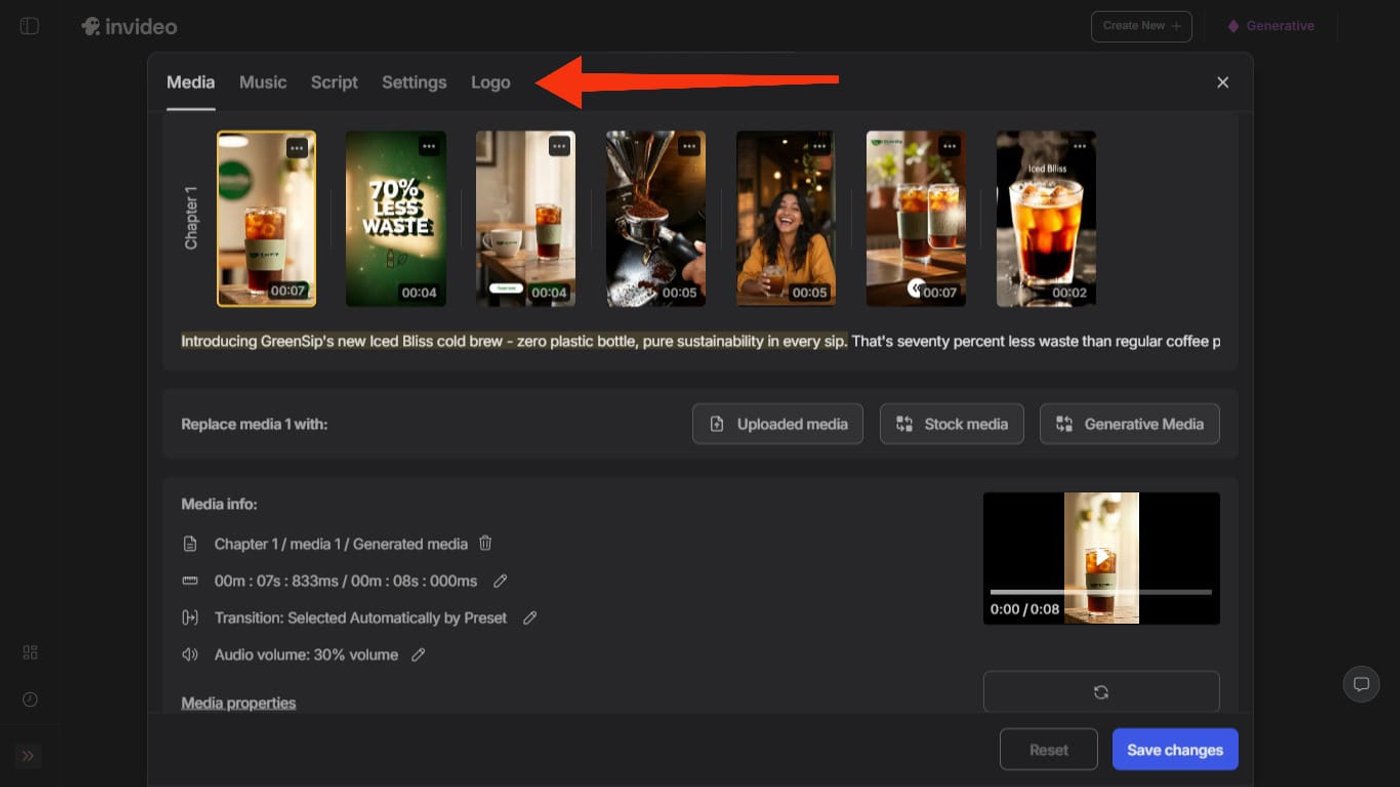
Best part? You can do all of this without redesigning the layout. The structure stays intact while your brand cues are layered in, which keeps things fast and consistent across Stories.
B. Add Professional Motions in an Instant
To finish the Story, you can enhance it with motion and sound directly inside the editor. Invideo lets you apply and adjust animations, captions, transitions, and background music in just a few clicks.
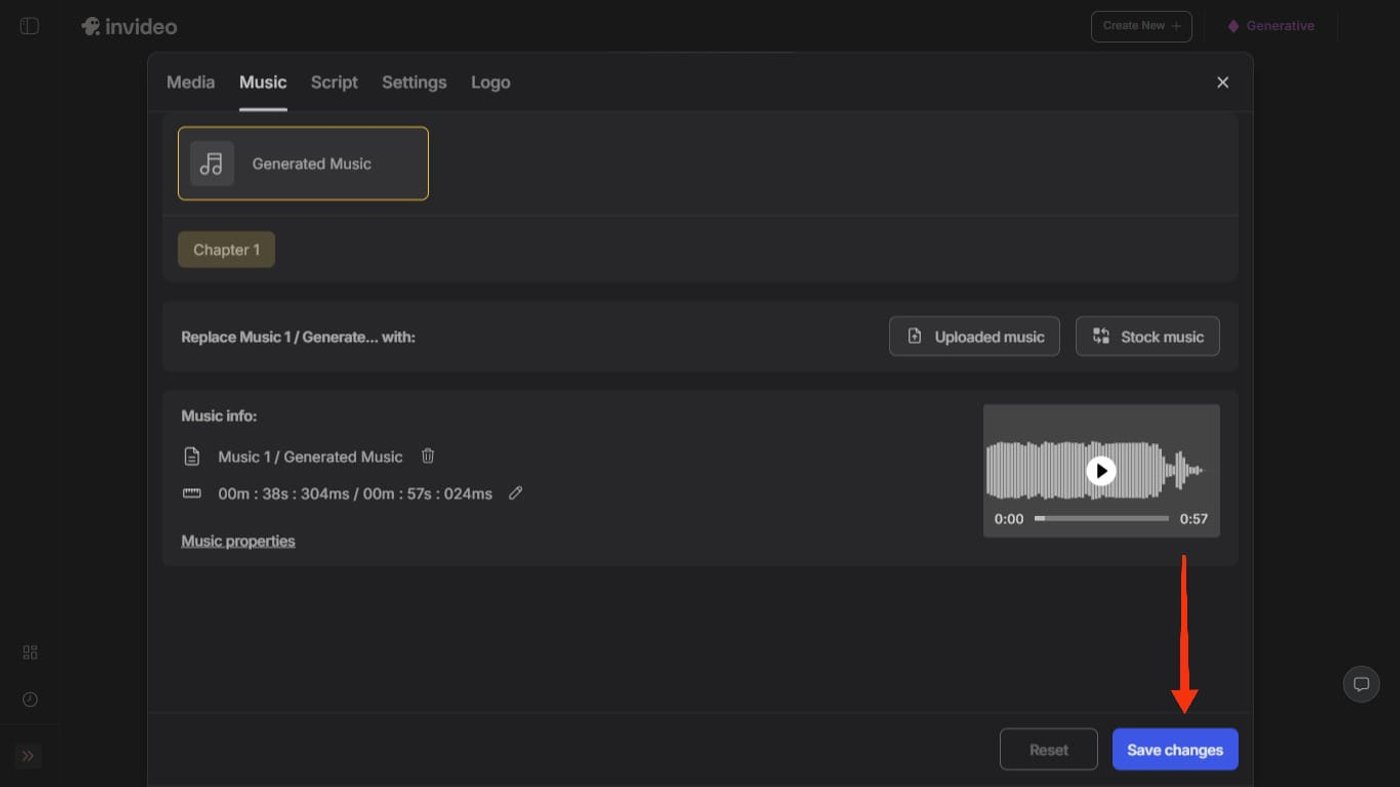
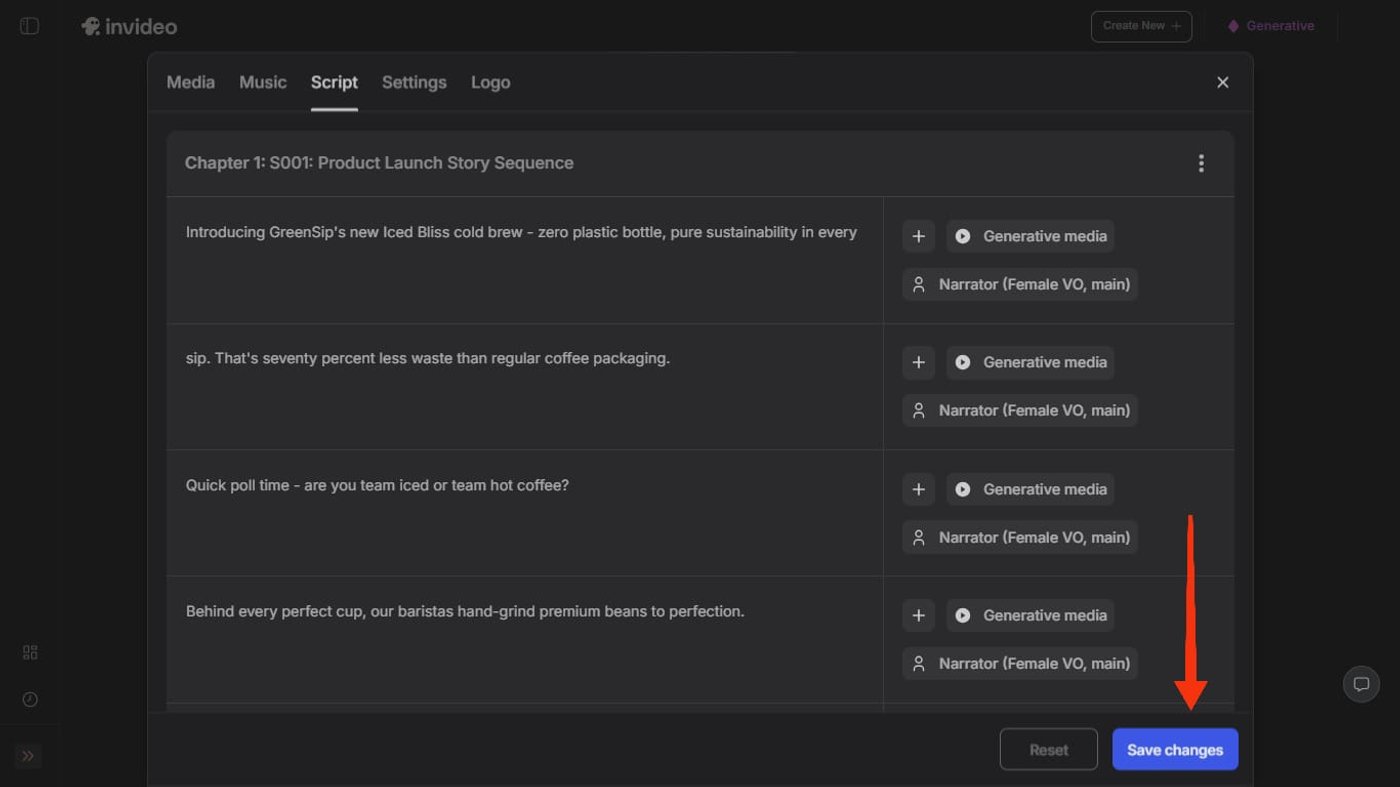
This helps your Stories feel dynamic and intentional without needing motion design skills. You control the pacing, adjust timings, and keep everything clean and readable for Instagram’s short-form format.
Once everything is done, click on “Save changes.”
Want to see the magic up close? Take a look at this Instagram Story we created with just a prompt on invideo:
Prompt: Create a 7-frame Instagram Story for GreenSip Coffee launching Iced Bliss cold brew at ₹249.

Frame 1: Product Reveal - Slow pan iced glass + VO 'Zero plastic bottle'
Frame 2: Key Stat - Text '70% less waste' + pop SFX
Frame 3: Audience Poll - Poll 'Iced or Hot?' + ding
Frame 4: BTS Action - Barista grinding beans + grinder sound
Frame 5: Social Proof - Customer VO 'Best in Kolkata!'
Frame 6: Strong CTA - Swipe-up 'Shop ₹249 + ICED10' + cash ping
Frame 7: Engagement Hook - Question 'Your order?' + whoosh

Style: Clean green aesthetic, chill lo-fi music, warm Indian VO. Fast cuts.
2. Choose from a Range of Ready-to-Use Templates
Not good at prompting? Don’t worry. Invideo also gives you access to over 1000 ready-to-use Instagram Story templates.
Each template is designed with proven layouts, spacing, and motion already in place, so you can focus on the message rather than the design. You can browse templates by use case, format, or style, then quickly swap in your own text, images, brand colors, and logo. This makes it easy to publish consistent, polished Stories without spending time building layouts from scratch.
3 Tips to Elevate Your Brand’s Instagram Stories in 2026
Never created an Instagram Story before? Here are three tips brands and seasoned social media marketers swear by for creating a tap-worthy Instagram Story in 2026:
1. Bake in a Relevant Trend
In 2026, brands lean into all things casual: scrapbook collages, film grain, soft shadows, minimal gradients, sticker layers, and kinetic typographies. The idea is to feel raw and human rather than overly perfect.
2. Use Clean Motions
Look at brands whose Stories actually create buzz. You will notice how restrained the motion feels. Most frames rely on just one or two movements, like a simple pan or fade. This keeps the Story easy to follow and prevents visual fatigue. Loopable endings show up often, too, making the Story feel smooth and surprisingly rewatchable.
3. Use Your Brand Colors
Ever wonder why strong brands always look recognizable? That comes from repeating the same type scale, highlight color, corner radius, and logo placement across Stories. When these cues stay consistent, every Story feels like it belongs to your brand, even when the content changes.
Let Your Instagram Stories Speak Your Brand’s Story with invideo
Instagram Stories are a powerful way to showcase your brand and engage your audience. From behind-the-scenes glimpses to tutorials, promotions, and interactive polls, the 25 ideas we discussed show how versatile and creative your content can be.
With invideo, bringing these ideas to life is easy, helping your stories stand out and connect meaningfully. Sign up today and start telling your brand’s story like never before.
Frequently Asked Questions (FAQs):
1. What should businesses post on Instagram Stories daily?
Businesses can post a wide range of content on Instagram Stories daily, including short behind-the-scenes videos, Q&A stickers, polls, testimonials, and UGC clips. On special occasions such as public holidays or product reveals, Stories should closely align with the event.
2. How many Instagram Stories should a business post per day?
Ideally, a business should aim to post around 3 to 7 Instagram Stories per day to stay visible and maintain engagement without overwhelming their audience. During product launches, promotions, or special events, posting more frequently makes sense to capture attention while interest is high.
3. What size are Instagram Stories?
Instagram Stories are 1080 × 1920 pixels with a 9:16 aspect ratio. This is the standard resolution most brands and creators use to ensure Stories look sharp on modern smartphones and don’t get cropped or blurred.
To get the best results, always design your Story canvas in a 9:16 format (for example, 720 × 1280 or 1080 × 1920), keep key text and logos away from the very top and bottom edges so they don’t clash with Instagram’s UI, and export in high quality (MP4 for video, JPG/PNG for images).
4. How do Instagram Stories drive sales without links?
Stories drive sales through strong CTAs, product demos, social proof, urgency, and repeated exposure. Even without links, they push users to DM, visit your profile, or remember your brand when they are ready to buy.
5. How do I make Instagram Stories look consistent?
To maintain consistency across all your Instagram Stories, use a brand kit. This includes fixed brand colors, fonts, logo placement, and a consistent visual style. Using the same templates and tone helps your Stories look cohesive and instantly recognizable, even when posted daily.
