AI Poster Maker
Create infinite original posters in your signature style. One context, every AI image model and a tool that remembers your aesthetics across projects.
Four Ways To Design A Poster
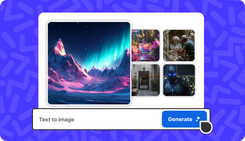
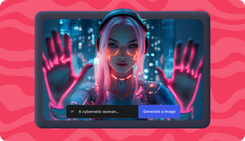
Text to Poster
Describe the poster you need - event, sale, film, album, gig - and invideo generates a complete design with typography, layout, and imagery in one pass. No blank canvas, no template to fill.
Image to Poster
Upload a photo, product shot, or artwork. Invideo builds composition, typography, and effects around it, turning raw visuals into layout-ready posters.
Style Reference
Upload a reference image and Invideo locks the aesthetic - color palette, texture, mood, typography style - then generates new posters that stay visually consistent with your signature.
Edit Existing Poster
Drop in a poster you've already made. Describe what to change - headline, colors, layout, mood, and Invideo repaints the targeted elements while keeping the rest intact. No regenerating from scratch.
Create Iconic Posters Online
Drive Success
Promote your event, sale, or launch with posters that drive action, not just impressions. Describe what you need and generate print-ready, social-ready posters in minutes. No templates, no designer, no learning curve.
Pro Quality
Briefs in, posters out. Generate concepts across Ideogram, Flux, and Nano Banana that hit brand guidelines, and survive scrutiny. Editable, brand-aligned, client-ready, from one conversation.
Signature Style
AI that accelerates your craft. Use your hand illustrations, reference prints, or mood boards to lock your aesthetic. Generate film teasers, concert posters, album covers, and tour visuals in your signature style.
Create & Edit Posters Online
Every Format, Every Platform
1
Print-Ready Output
2
Precise Dimensions
3
Vector Exports
4
Home for Bold Ideas

How to Create Posters on invideo
1. Using Models
Pick any AI model - Recraft v4, Ideogram, Flux, Nano Banana, or Seedream. Write a prompt, generate your poster, edit specific elements, and export in any format or size.
2. Using AI Agents
Chat once to set your brand context - style, colors, tone, audience. From then on, just describe what you need. The agent picks the best model, writes the prompt, generates the poster, and remembers your aesthetic for next time.