Open editor
Start a new project in invideo's editor. Free, no download required.
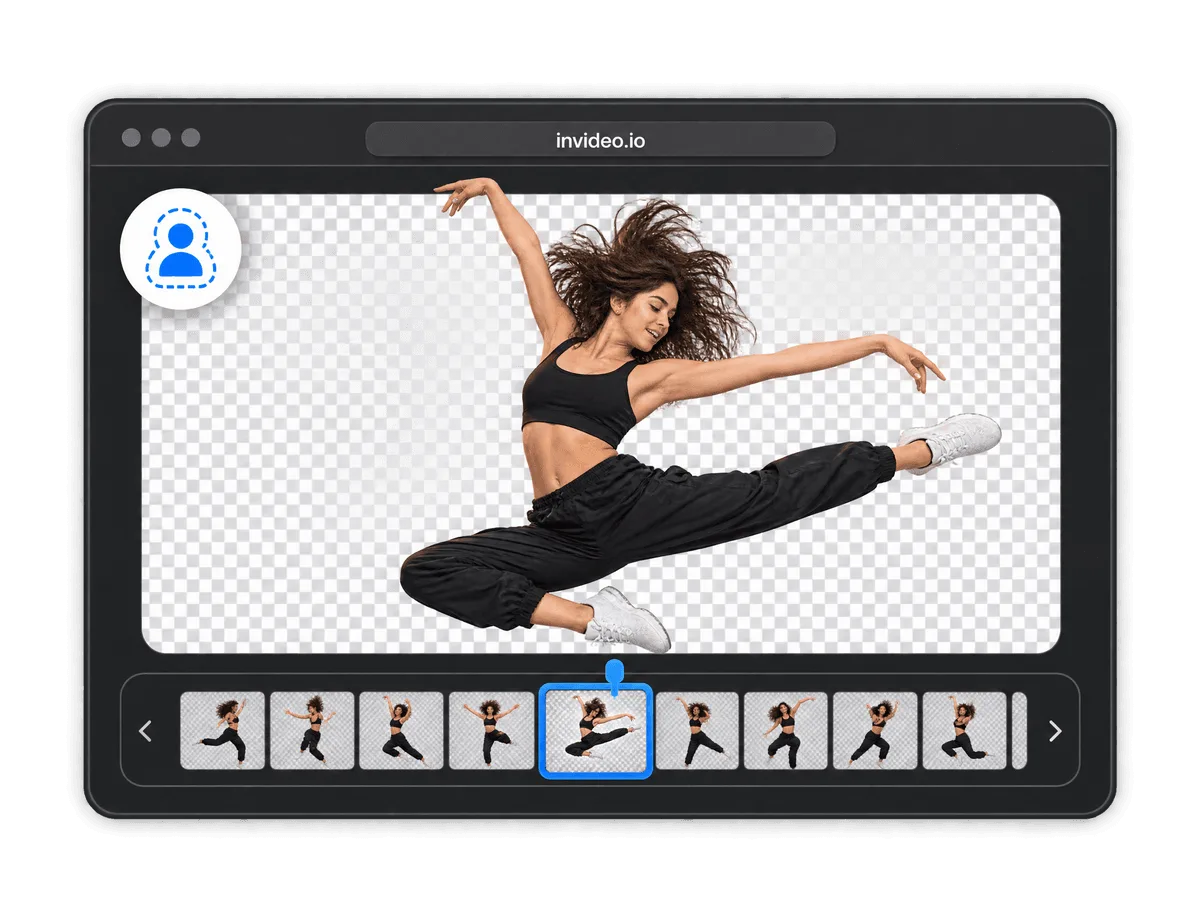
Instantly erase the background of your video and set a new one with the Online Video Background remover tool on the invideo editor.
Start a new project in invideo's editor. Free, no download required.
Add your video file, or an entire folder, straight into the timeline.

invideo's AI detects your subject and removes the background automatically, no green screen needed.

Export your video in full resolution, watermark-free.
Try invideo's free video trimmer tool.
Try invideo's free video cropper tool.
Try invideo's free video resizer tool.
Try invideo's free merge videos tool.
Try invideo's free change video speed tool.
Try invideo's free video stabilizer tool.
Try invideo's free video cutter tool.
Try invideo's free video looper tool.
Upload your video, let the AI remove the background, and export. invideo's editor runs in your browser, so there's nothing to install and no watermark on what you get back.
You can work with MP4, MOV, WebM, AVI, and every common video format, and export in the same range of formats.
The online editor is built for desktop browsers. On iPhone or Android, use the invideo companion app to edit on the go.
No. The editor is built for beginners and pros alike, with drag-and-drop, keyboard shortcuts, and mouse controls for the same actions.