The New Creator Stack: Combining AI Avatars, Trending Audio, and Scripts to Scale Faceless Reels
March 16, 2026
Key takeaways:
Faceless Instagram reels and YouTube shorts work because the algorithm optimizes for completion rate, clarity, and pacing, not whether your face is on camera.
The new creator stack behind most high-performing faceless reels combines three parts: an AI avatar or visual layer for delivery, a short script for retention, and trending audio for distribution.
Trying to manage scripts, AI avatars for reels, editing, captions, and audio across separate tools makes it hard to scale beyond a few clips a month.
Invideo acts as the production hub: you start from a script to video draft, layer in avatars or b-roll, add captions, and export 9:16 faceless reels ready for Reels, TikTok, and YouTube shorts.
Once you've built one strong template in invideo, you can duplicate it, swap scripts and sounds, and scale faceless reels as a repeatable system instead of a one-off experiment.
Instagram faceless reels and shorts are no longer a growth hack for a few anonymous channels. They are the default format for entire accounts in business, finance, productivity, tech, and even personal brands that simply don’t want to live on camera.
If you scroll your feed today, you’ll see it everywhere:
Caption-heavy faceless reels with a voiceover
Reddit stories with a moody b-roll
AI avatars explaining frameworks
UI walkthroughs where the only face you ever see is a logo.
At first, it may seem like creators are moving away from face‑cam just because of camera shyness. But that’s not it.
They are moving because faceless workflows are faster, more private, and easier to scale. There are no lights to set up. No reshoots when you stumble on a line. No “I don’t feel like filming today” blocking the upload schedule.
The algorithm doesn’t care whether your face is on‑screen. It cares about whether people stop, watch, and finish:
Completion rate
Clarity
Pacing
This is what matters.
The creators winning in 2026 are running a simple, repeatable creator stack that lets them scale faceless reels across Instagram, TikTok, and YouTube shorts.
Let's break down the new creator stack and see how to build it directly inside invideo so you can go from one‑off faceless clips to a system you can scale.
The New Creator Stack for Faceless Reels: Avatar, Audio, Script
Underneath most high‑performing faceless reels, you’ll find three pillars working together:
An AI avatar or visual layer that ‘delivers’ the message
Trending or well-chosen audio that gives the reel momentum in the feed
A short script that carries the hook, structure, and payoff
Each piece solves a different problem.
The avatar or visual layer replaces your on‑camera presence. The script is what keeps people watching to the end. The audio is what helps the algorithm understand where your faceless Instagram reels fit and who might enjoy them.
You can absolutely stitch these together across different tools. But the stack becomes much more powerful when everything happens in one environment:
Idea → script → avatar →captions → export
All in a single faceless content workflow. And invideo helps you do just that.
Also Read: How to Make Faceless Instagram Reels with AIPart 1: AI Avatars: Video content without a model and a camera
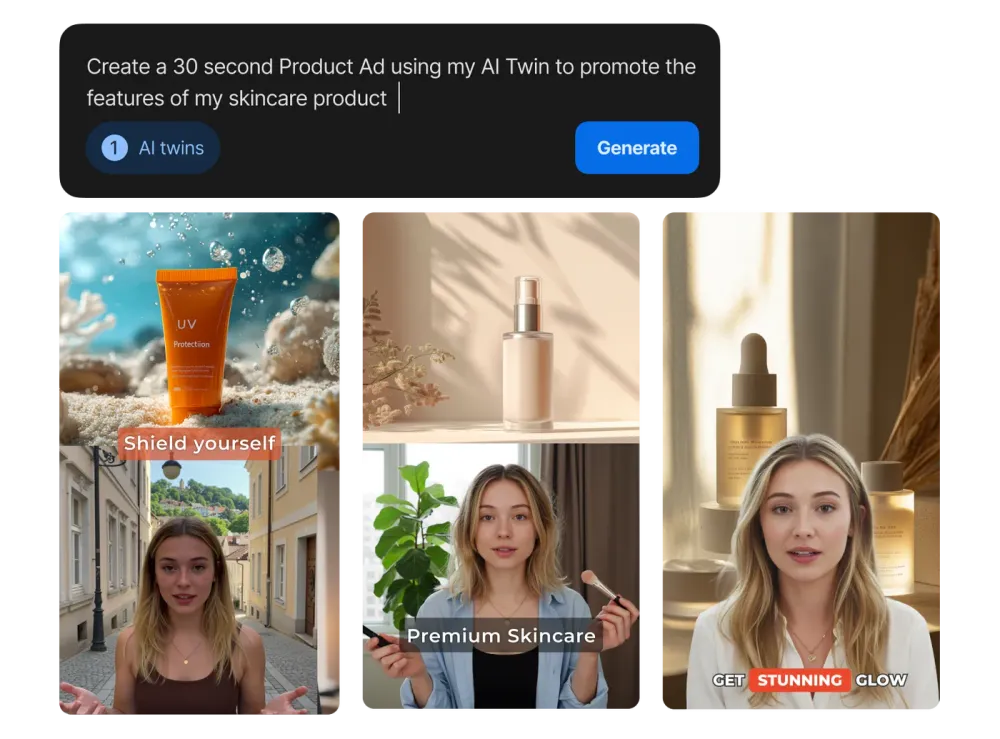
The big promise of AI avatars for reels is simple: show up consistently without ever filming yourself.
They remove lighting, backgrounds, and ‘camera energy’ from the checklist.
You write the lines, and the avatar delivers them in a consistent, on‑brand way. For faceless reels, that can be enough to build a sense of continuity and trust.
What matters more than raw realism, though, is how your avatar behaves inside the reel.
The timing of each line, the subtle head and eye movements, and the clarity of the voiceover are what keep viewers locked in. An avatar that looks photorealistic but speaks in long, unbroken paragraphs will still lose people. An avatar that hits short, sharp lines in sync with captions and cuts will feel natural.
This is where many creators hit a roadblock when they only use standalone avatar tools. They can generate a nice‑looking talking head, but:
The script wasn’t written for short-form pacing.
They have to manually cut and re-cut clips in a separate editor.
Adding captions, b-roll, and hooks means rebuilding everything from scratch.
You can start from a script to video flow, generate a scene draft, drop in an avatar where it actually helps, and then immediately layer captions, motion, and b‑roll around it.
Part 2: Using Trending Audio for Reach
Trending audio is the tailwind behind many successful faceless reels.
When you attach an audio clip that thousands of people are already engaging with, your reels get shown to the same kind of viewers.
You don’t need to invent a trend from scratch, you just ride the already existing wave.
In practice, the audio that show up in faceless content tends to fall into a few categories:
Dramatic stings for reveals and hot takes
soft lo-fi beats for tutorials and breakdowns
Cash register and “cha-ching” sounds for money content
Bass drops or risers that line up with text hits on screen
The trap is to think that audio alone will save a weak reel. It rarely does.
What works is the combination: a tight script, visuals that change every few seconds, and audio that is clearly chosen for the moment where something happens.
In your workflow, that means two things.
First, you want your edit to be structured so keywords and visuals land on strong beats in the audio.
Second, you want to avoid manually rebuilding the reel in different apps just to test different sounds.
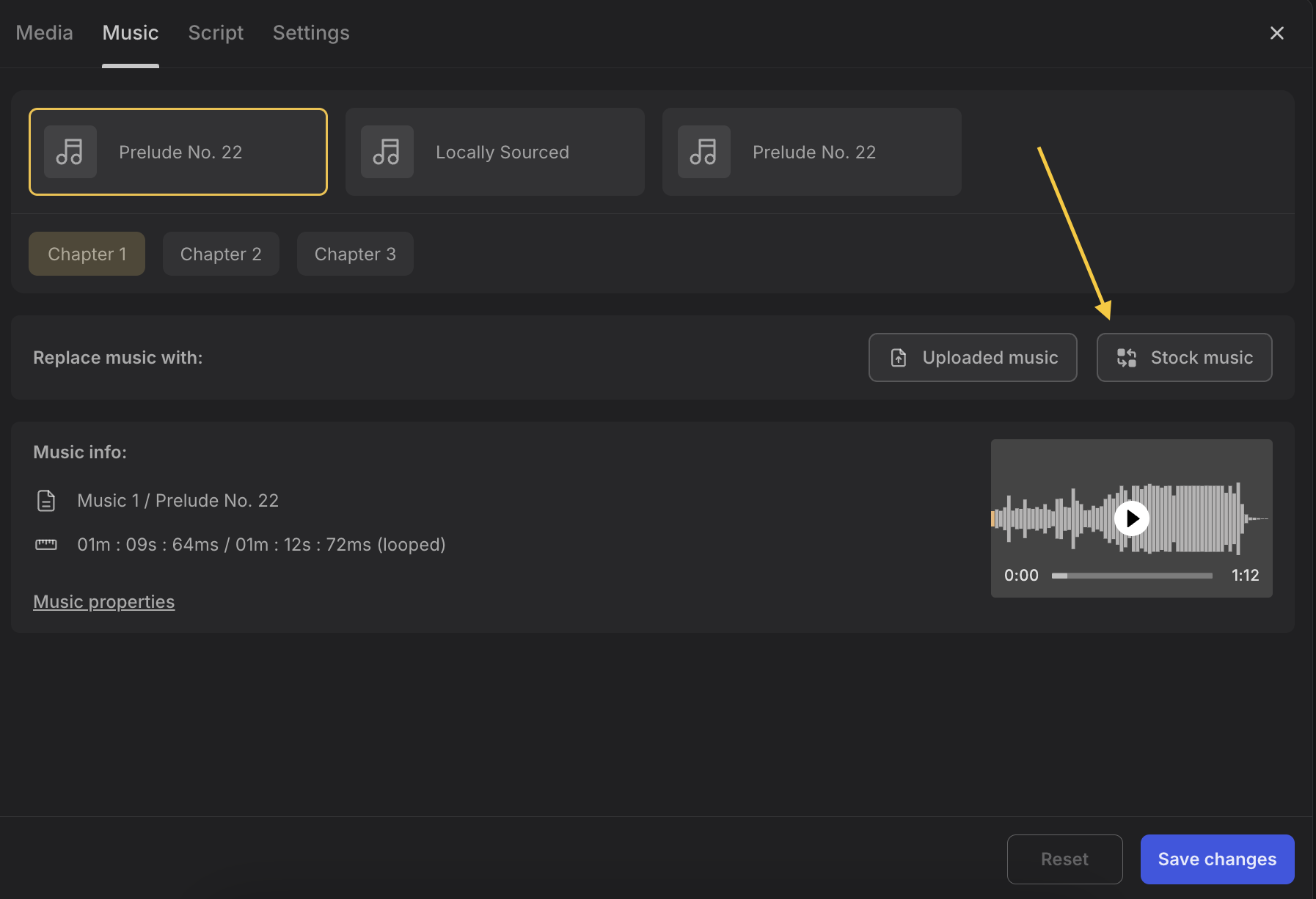
With invideo, you can handle the edit and structure first: script, scenes, avatars, captions. You can then either add music and sound effects directly from invideo’s library, or leave the final mix clean and attach the exact trending sound inside Instagram, TikTok, or YouTube shorts during upload.
Part 3: The 60–90 Second Script Formula for Scaling Faceless Reels
Underneath the avatars and audio, the script does the heavy lifting.
Most faceless reels that hold attention in business, finance, or tutorials follow a similar 60–90 second pattern:
The first three seconds hook with a clear promise or question
The next ten to fifteen seconds spell out a problem that relates to the viewer
The middle thirty seconds walk through a simple, numbered path or framework
The final seconds close with a payoff or next step
This structure works because it respects how people swipe.
They get a reason to stop, proof that the video understands their situation, a path forward, and then one clear thing to do. Whether that’s saving the reel, trying the workflow, or following for more.
Here’s a rough example of a faceless reel script in that format, aimed at creators:
Hook (0–3s):
“You don’t need a studio to post daily, you just need this three‑part faceless stack.”
Problem (4–15s):
“Most creators can make one good reel, then disappear for a week. Their ideas pile up in notes, editing takes hours, and every new trend feels like starting from zero.”
Solution steps (16–45s):
“Instead, treat your faceless reels like a system. First, write a 60‑second script that follows a simple pattern: hook, problem, three steps, CTA.
Second, decide who’s delivering it. Is it an AI avatar, b‑roll, or pure captions?
Third, drop the whole thing into invideo, sync it with a trending sound, and save the project as a template.”
CTA (46–60s):
“Do this once, and you can duplicate the project, change only the script and sound, and publish three reels in the time it used to take to make one.”
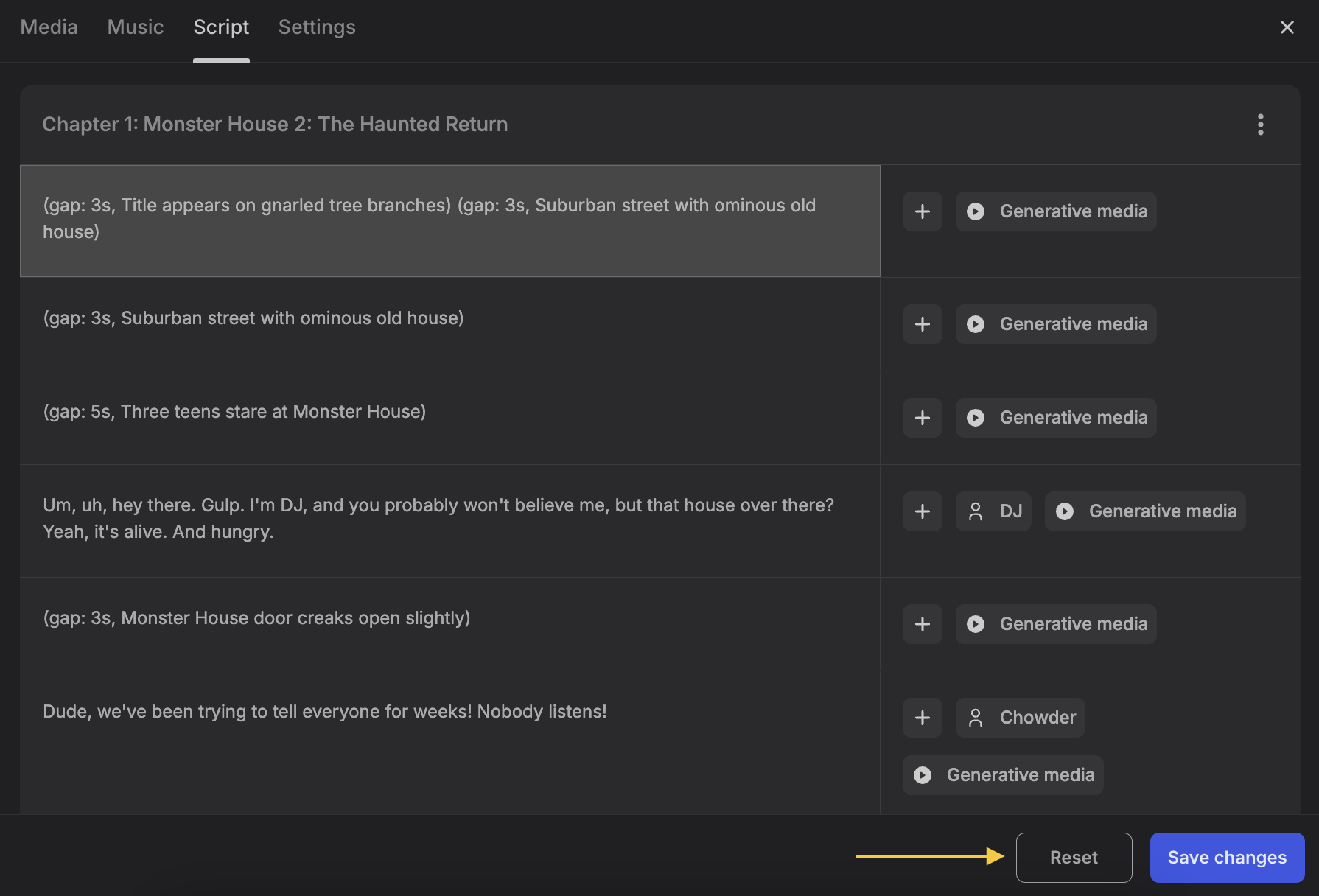
Inside invideo, you don’t have to build this structure manually each time. You can start from a script to video flow, let invideo break it into scenes, and then adjust the beats using natural language prompts or the timeline until it matches the 60–90 second arc you want.
Generating Faceless Reels Inside Invideo
The real leverage comes when scripts, avatars, audio, and exports all live in the same place. Here’s what that looks like as a concrete workflow to scale faceless reels.
Start with one idea, not ten. Inside invideo, you begin by entering a short prompt or pasting your script. You then get a structured draft with scenes, suggested text, and pacing.
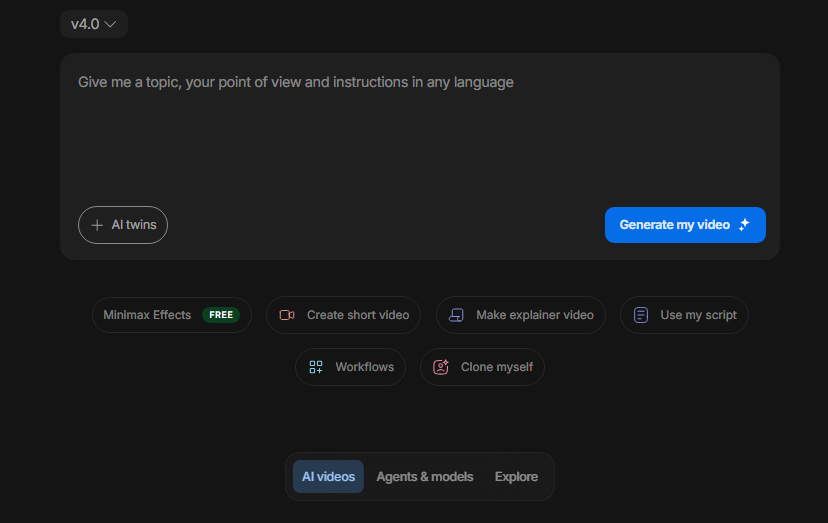
You start by picking the style of the reel. If you want an on‑screen “host,” you choose an AI avatar and give it the key lines from your script. If you want to stay completely faceless, you skip the avatar and use b‑roll, product shots, screen recordings, and bold captions to carry the message instead.
Once the base scenes are in place, you refine timing and emphasis with Magic Box or manual tweaks. Shorten a line that drags. Split a dense section into two faster cuts. Add a quick zoom or motion effect when an important phrase appears on screen. Throughout, auto‑captions ensure that the reel works even with the sound off.
Audio comes next. You can browse invideo’s library to add music and strings that fit the mood, or you can keep the export clean and plan to attach a trending sound natively inside Instagram or TikTok. Either way, your visual timing is already locked in, so dropping in a beat or popular sound doesn’t require re‑editing the entire reel.
When you are happy with the flow, you export at 9:16 for Reels, shorts, and TikTok. The result is a finished faceless reel with a tight script, coherent visuals, and either built‑in or ready‑for‑upload audio.
The advantage shows up on the second and third iteration.
Because the project already encodes your stack, including the avatar choice, caption style, pacing, and layout, you can duplicate it inside invideo. Just swap the script for a new topic, change the hook text, and attach a different sound or adjust the music.
The skeleton stays the same. Only the story changes.
That is how creators move from a handful of faceless reels to a steady publishing routine. They batch scripts in one sitting, then spend focused sessions with invideo turning each script into a variant of the same proven format.
The Complete Creator Stack
Faceless content scales because it is modular. Script, delivery, and audio can all be swapped, repeated, and remixed without putting your face on camera or rebuilding your workflow from scratch.
The tool you choose matters, but the creator stack matters more. AI avatars, trending audio, and short scripts only become a reliable way to grow when they live inside one repeatable system.
Invideo is built to be that system. It combines script to video generation, avatar support, editing, captions, and exports in one place, so you can design a faceless‑reels stack once and reuse it across dozens of ideas.
If you want to test this stack today, start inside invideo. Take one idea in your niche, write a 60‑second script, choose an avatar or visual style, align it with a sound you like, and publish your first faceless reel. Once that template exists, scaling becomes a matter of duplication, not reinvention.
FAQs:
1. How do I make faceless Instagram reels without showing my face?
You combine three elements: a short, structured script, a visual layer (AI avatar, b‑roll, screen recordings, or text‑only layouts), and audio. Inside invideo, you can start from a script, generate a scene draft, choose an avatar or pure visual style, add captions, and export vertical videos ready for Reels and shorts.
2. Can I create faceless reels using AI avatars for reels only?
Yes, some channels rely entirely on AI avatars for delivery. However, many strong faceless reels mix avatars with captions, cutaways, or product and UI shots. In invideo, you can place an avatar in some scenes and switch to b‑roll or screen content in others without leaving the same project.
3. How does invideo help me scale faceless reels, not just make one?
Invideo lets you save your script structure, avatar choice, caption style, and layout as a reusable project. To scale, you duplicate that project, drop in a new script, tweak the hook, and adjust audio. This turns your stack into a template you can use for dozens of ideas instead of rebuilding every reel from scratch.
4. Can I still use trending in‑app audio if I edit faceless reels in invideo?
Yes. A common workflow is to structure your reel in invideo, export it with minimal background music (or none), and then attach a specific trending sound inside Instagram, TikTok, or YouTube shorts during upload. Because your timing is already tight, the reel will still line up naturally with the audio.