Finds chapter breaks from your content
Ask the agent to identify the main topics and section changes in your video, and it uses the content to work out where each chapter should begin.
Try now
Turn long edits into clearly named chapters with invideo editor. Ask the editing agent to identify section changes and add named markers to your timeline, then generate a timestamp file for your YouTube description after export.

















Ask the agent to identify the main topics and section changes in your video, and it uses the content to work out where each chapter should begin.
The agent places chapter markers on the edit timeline and names them around the content, making it easier to locate sections while you work.
After exporting your video, ask the agent for a text file containing the chapter names and timestamps, ready to use when preparing your YouTube description.
Shape every detail of your video, on a multitrack, frame-accurate timeline that gives you complete control over your edit with familiar tools and shortcuts.
Learn moreGet your very own editing agent that helps you go from raw footage to a finished edit with less grunt work. Direct the agent to assemble cuts, generate B-roll, build effects or match a reference, with the results ready to review on your timeline.
Learn moreWork with teammates on the same timeline and share session replays for handoffs with context. Gather timestamped comments through review links, so you know what needs to change and where.
Learn more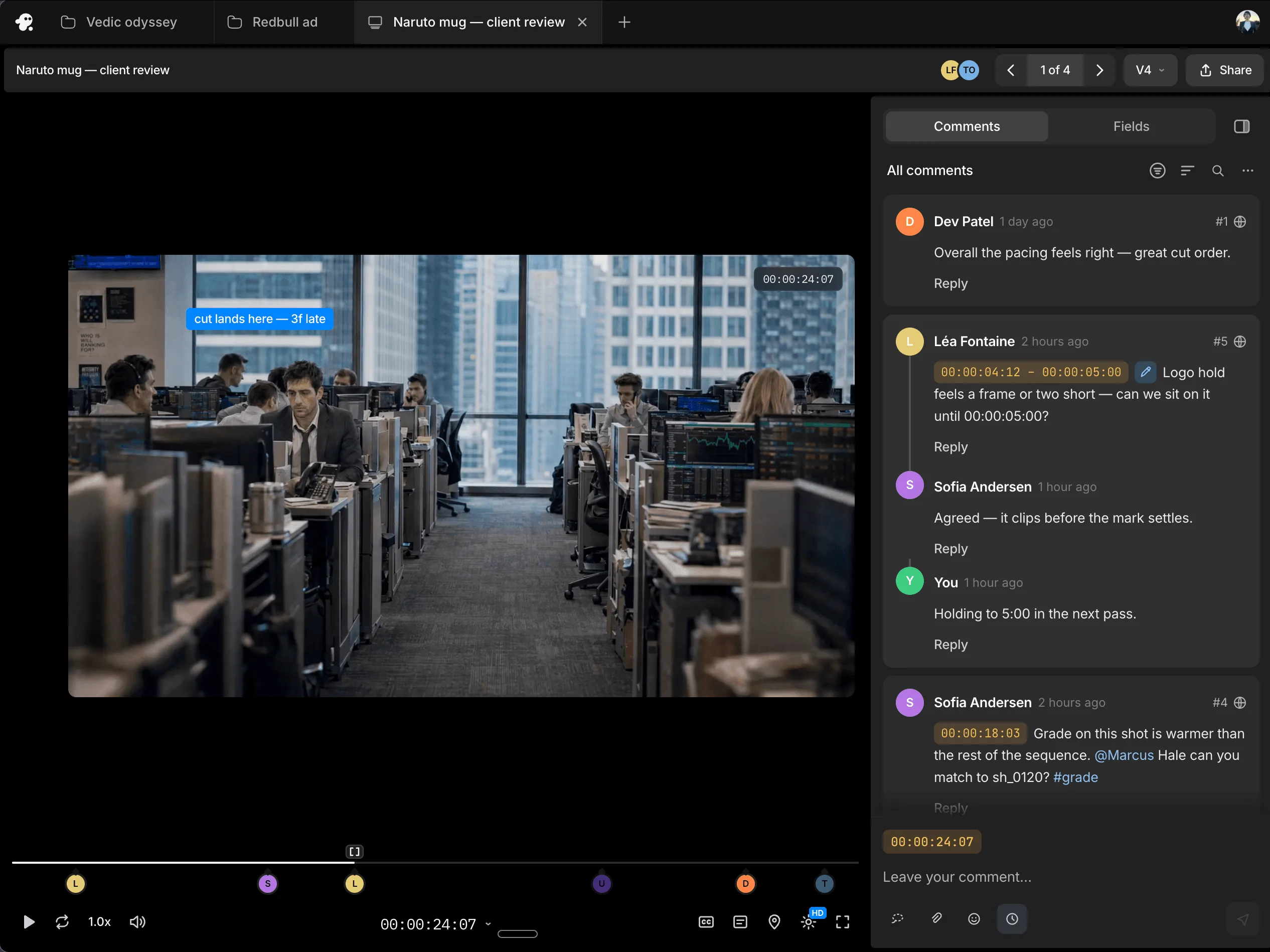
Yes. Ask it to analyse your video and identify chapter breaks based on the content.
They are added as named markers on your edit timeline.
No. The agent can identify the sections and add named markers from the content of your video.
Yes. After exporting, ask the agent for a chapter timestamp text file that you can use in your YouTube video description.
You use the chapter names and timestamps from the text file in your YouTube description. The timeline markers help organise the edit inside invideo editor.