Choose by production stage, not by a single 'best' workflow. Exploring treatments: shot-breakdown-to-video (9/10 speed, 4/10 accuracy, ~10 minutes per comparison). Boards locked: storyboard-to-images-to-video is the sweet spot (8/10 speed, 8.5/10 accuracy, $175–200/min). Near-final VFX sequences: arrow-directed grids (9.5/10 accuracy) at roughly 10x the cost — $1,500–$2,000/min.
Rate your project on three variables before picking anything: the speed you need, the accuracy you need, and the stage you're at — five documented AI previs workflows map cleanly onto that scale, ranked least to most accurate. All five run through the invideo agent, an agentic video creation tool that ingests your shot breakdowns, reference images, and storyboards, then routes generation to models like Seedance 2.0 and GPT-Image-2. For context on the stakes: traditional previz costs tens of thousands of dollars and takes weeks — teams have spent $50,000–$100,000 on previs for a single complex sequence.
Workflow | Speed | Accuracy | Cost/min | Iterations |
|---|---|---|---|---|
1. Shot breakdown → video | 9/10 | 4/10 | ~$150 | ~4 per treatment |
2. Locked reference frame → video | 7.5/10 | 6/10 | $150–175 | 7–8 for a specific angle |
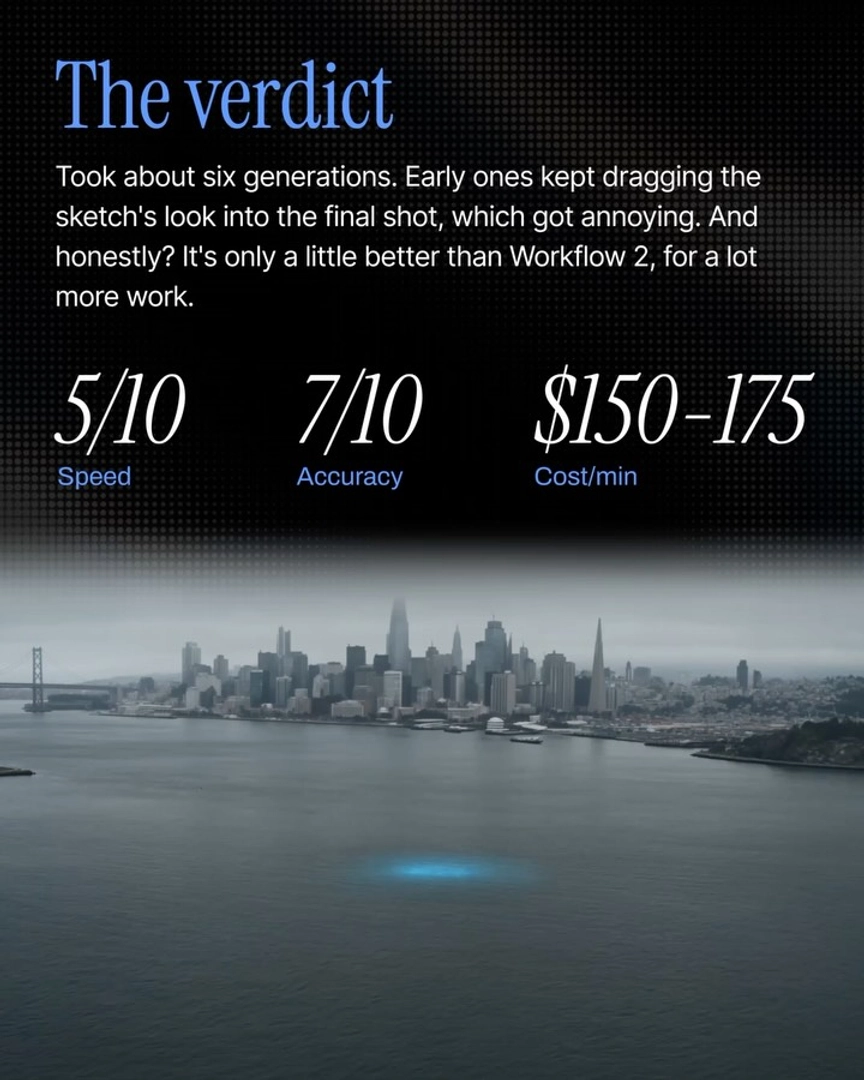
3. Storyboard sketch → video | 5/10 | 7/10 | $150–175 | ~6 |
4. Storyboard → image grids → video | 8/10 | 8.5/10 | $175–200 | 5–6 |
5. Arrow-annotated grids → video | 6/10 | 9.5/10 | $1,500–2,000 | highest control |
Speed end — pick Workflow 1 when the treatment isn't decided. Feed a rough shot breakdown to the invideo agent and generate competing camera treatments: one documented comparison produced a dolly version and a handheld version in about 10 minutes, four generations each, so the director chose between two watchable options instead of committing blind. The 4/10 accuracy is appropriate here — this stage is for workshopping the treatment, not locking shots.
The zero-dollar accuracy upgrade — Workflows 2 and 3 cost the same as Workflow 1. All three sit in the $150–$175/min bracket, so moving up buys accuracy with time, not money. Locking a single reference frame — character, location, palette, and angle defined — lifts accuracy from roughly 3.5/10 to 6/10 over shot-breakdown-only input, though nailing a specific camera angle still took 7–8 iterations in testing. Adding hand-drawn storyboard sketches as a grid input pushes accuracy to 7/10 but drops speed to 5/10, and the sketch art style bleeds into early generations — the assessment on record: "It's only a little better than Workflow 2, for a lot more work." The storyboard-at-the-bottom, video-on-top workflow circulating on social media was rated "partially or mostly" misleading about its accuracy for the same reason.
The sweet spot — Workflow 4 for most directors and agencies. Convert your storyboard into photorealistic frames first: have the invideo agent generate candidate 3×3 grids with GPT-Image-2, hand-pick the frames you like, compile them into a locked grid, then animate with Seedance 2.0 — the frames come back looking close to first frames of the actual film. It scores 8/10 speed and 8.5/10 accuracy at $175–200/min, reaching final stitched output in 5–6 generations. Two rules improve it: don't animate before the grid is locked, and split the 9 shots into three sets of three before feeding Seedance 2.0 — that prevents plasticky footage and gives you control over edit pacing.
The accuracy ceiling — Workflow 5 only when the sequence must be exact. Draw movement arrows directly on your storyboard grid — left to right, upward, whatever the shot needs — and the invideo agent translates them into Seedance 2.0 prompts for precise camera motion. It hits 9.5/10 accuracy and the output reads like the finished film, but at $1,500–$2,000/min it's a ~10x cost jump over Workflow 4. The documented guidance matches it to role: a VFX team previewing an action sequence where the previs edit becomes the final edit needs it; a team of ADs working with a director doesn't need to spend $2,000 per minute.
Know when to stop at an animatic. If the goal is alignment — something to put in front of your DOP, creative team, or client — you may not need moving previz at all: line your storyboard frames up on Slate inside the invideo agent, add narration and a sound-design track, and you have a full animatic in half a day for under $50, versus a week and $500–$2,000 with a traditional storyboard artist (boardomatics historically ran 2–3 weeks and $5,000–$10,000).
Whichever tier you choose, accuracy starts before the first generation: upload your locked documents — character sheet, location sheet, shot breakdown, look-and-feel document — to the invideo agent first, so every generation carries that context. Unstructured prompting without it produces inconsistent looks and wrong angles regardless of workflow tier; with context pre-loaded, the nine-panel moodboard approach alone reached 80–85% accuracy to the director's vision.
Watch some of these to see what works for you:
You're going to be burning far far more credits. You're going to be spending more time, but you will gain that specific control to each shot.
— invideo's creative team