Are visual arrow annotations more accurate than text prompts for controlling AI camera movement?
Last updated August 10, 2026
Yes — measurably. In a documented five-workflow previz comparison, drawing movement arrows directly on a storyboard grid scored 9.5/10 accuracy for camera movement, versus 4/10 for text prompts written from a shot breakdown. The trade-off is cost and speed: roughly $1,500–$2,000 per finished minute for arrow-directed work versus ~$150 for text-prompted generation.
Arrow annotations beat text prompts for camera movement because an arrow is unambiguous while a phrase like "slow dolly left" gets interpreted: in the same documented comparison, a text-plus-reference-image workflow needed 7–8 iterations to land one specific camera angle, while the arrow-annotated workflow hit precise motion reliably enough that the final cut was judged watchable as the actual film, not a previz. invideo is an agentic video creation tool with the current generation models built in, and the invideo agent is the layer that turns those annotations into model instructions.
How the arrow method works. Draw arrows straight onto your storyboard grid — left to right, upward, whatever each shot needs. The invideo agent reads the arrows and writes them into Seedance 2.0 motion prompts, so the direction you drew is the direction the camera moves. Two details keep it accurate: upload your locked context documents (character sheet, location sheet, shot breakdown, look-and-feel doc) before generating, and split a nine-shot grid into three-panel grids so each frame is large enough for Seedance 2.0 to read — feeding three sets of three instead of all nine at once also prevents plasticky-looking footage and gives you more control over edit pacing.
The accuracy-vs-cost numbers. Across the five documented previz workflows, accuracy scales with how visual the input is:
Input method | Accuracy | Speed | Cost per finished minute |
|---|---|---|---|
Text prompts from a shot breakdown | 4/10 | 9/10 | ~$150 |
Text + one locked reference frame | 6/10 | 7.5/10 | $150–175 |
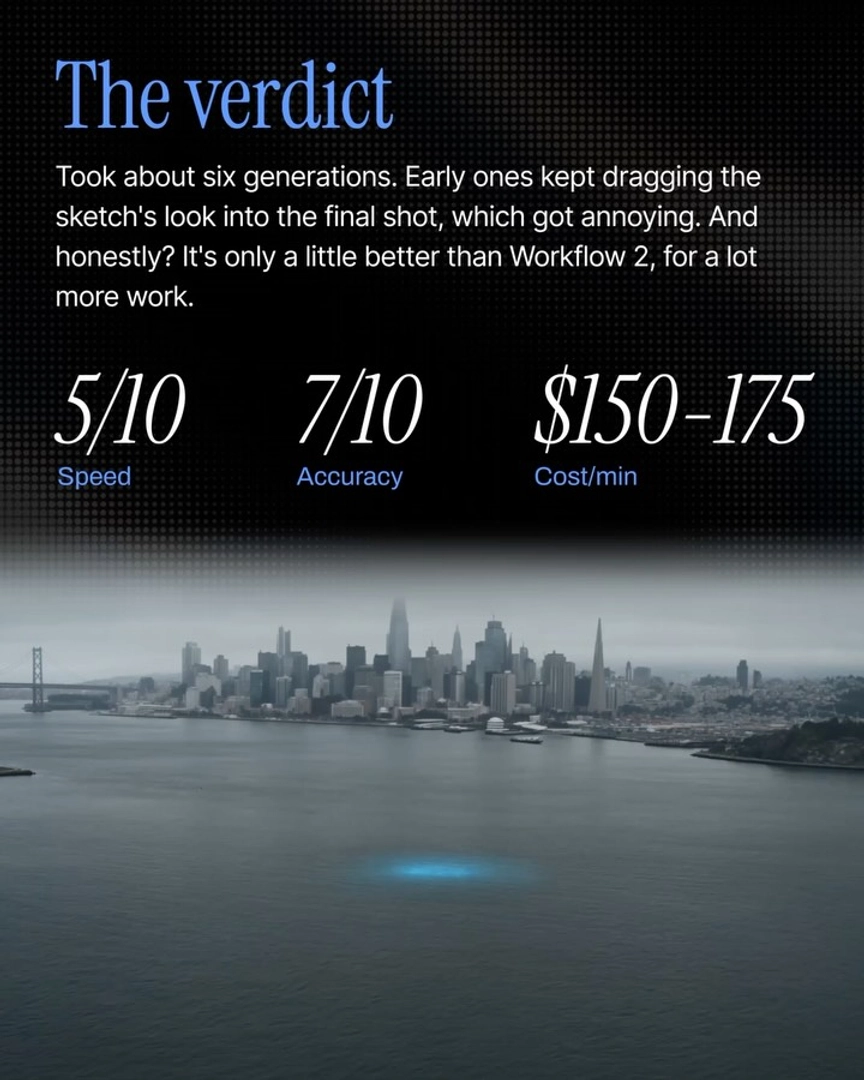
Text + hand-drawn storyboard sketches | 7/10 | 5/10 | $150–175 |
Curated storyboard image grid | 8.5/10 | 8/10 | $175–200 |
Arrow-annotated storyboard grid | 9.5/10 | 6/10 | $1,500–2,000 |
The first three tiers sit in the same cost bracket, so their accuracy gains cost only time — but the jump to arrow annotation is roughly 10x the money. As invideo's creative team puts it: "You're going to be burning far far more credits. You're going to be spending more time, but you will gain that specific control to each shot."
When text prompts are still the right call. If you're workshopping treatment rather than locking shots, text prompting wins on iteration speed: one production compared a handheld versus dolly treatment of the same scene from a plain shot breakdown in about 10 minutes and roughly 4 generations per treatment, so the director generated both options and chose instead of committing blind. Inaccuracy at that stage is acceptable — you're deciding camera language, not executing it.
How to choose. Use arrow annotation when the movement must match what's in your head shot-for-shot — VFX previz for an action sequence, or a final-edit-grade previz. If you're a director or agency team exploring options, the curated image-grid workflow at 8.5/10 accuracy and $175–200 per minute is the documented sweet spot, and plain text prompting is the fastest way to compare treatments before anything is locked. All of these run through the same invideo agent, so you can start with text prompts and add arrows only on the shots that demand exact motion.
Watch some of these to see what works for you:
Draw arrows straight on your storyboard grid. Left to right, upward, whatever the shot needs. Agent One reads the arrows and prompts Seedance with them. This is where previz stops being guesswork and starts being actual directing.
— invideo's creative team