How does context drift affect long AI video projects — and how do you prevent it?
Last updated July 27, 2026
Context drift is when your AI filmmaker quietly forgets — character details, lighting rules, lens grammar, scene-to-scene logic — as a project grows past what the model can hold in memory. You prevent it by anchoring context once in a producer agent, locking visual assets before generation, and working act-by-act so each batch reloads from a fixed source of truth.
What drift actually looks like in a long video project. As scenes accumulate, models weight recent prompts more heavily and effectively forget early instructions — which shows up as four specific failures: character appearance drift (the same character renders slightly different five scenes later), style/tone drift across acts (palette and lens grammar slip), narrative continuity loss (props, costumes, and spatial logic stop matching), and prompt amnesia between scene batches (you re-explain the same world every session). The invideo agent is built around this problem — it's an agentic video creation tool that holds project context across every shot — but the agent only holds what you give it, so the prevention work is on you.
Anchor the context in a creative producer agent first. Before any generation, initialize a creative producer agent and load it with the full script, shot breakdown, and character details — this is the central vision-holder every other agent inherits from. Hridaye, invideo's creative director, describes the setup directly: "To really set up the context for the agent, I normally start off with the creative producer agent. That's where I'll give the script, or the shot breakdown, along with the characters. That's the main agent that sort of holds the understanding and the vision of the entire film." Specialist sub-agents you spin up next (storyboard, DOP, costume, production design) all reference back to it instead of you re-briefing each one. One documented production ran 6–8 such agents in parallel without losing coherence because the producer agent was the shared spine.
Lock visual assets before you generate a single video clip. Drift starts when characters and environments aren't pinned, so generate 4 variation options per asset (character sheets, costumes, world plates), pick one, and lock it as the canonical reference for the rest of the film. One 70-second short film maintained two characters consistently across every scene with no LoRA fine-tuning — just locked character sheets in the agent's context. Include close-up panels in those sheets, not just wide shots, so small details (scars, accessories, props in hand) stay stable across models. Once locked, every downstream prompt attaches the same reference — that's what stops appearance drift at scene 30.
Work act-by-act, not across the whole film at once. Long single-thread sessions are where context windows fill and early instructions get crowded out. Divide the film into acts and complete storyboarding, generation, and editing for one act before opening the next. "I'm not overworking the AI where it kind of loses context down the line. I like to lock in on something and then move forward. Like do 25%, 25%, and then move on" — same source. Each act effectively re-anchors from the locked assets and style block, so drift can't compound across the whole runtime. A 5-day production used this 25%-increment rhythm to stay oriented across a multi-character film.
Re-attach the style block to every prompt — make it discipline, not memory. Even with a producer agent, the surest insurance against style drift is appending your locked style directives to every generation prompt. One animated episode kept a hand-painted look consistent across 164 generated clips because, as the team put it, "every prompt after this started with it." The same applies to negative constraints: explicitly forbid live-action and photorealistic outputs in the style block so the model can't drift toward its default.
Fix drift surgically when it appears — don't re-roll. When a continuity error shows up (wrong earring, missing scar, off-palette shadow), ask the invideo agent to inspect the character sheet or style doc for the source error rather than regenerating the shot. It identifies the exact panel, corrects it, stores the updated sheet in context, and every subsequent shot inherits the fix automatically. One session caught shadows leaning blue-green instead of neutral gray mid-scene because the agent was cross-checking generations against the locked Stage A rule from the treatment — drift caught before it propagated.
Use the agent as a maker-checker at the rough-cut stage. After assembly, send the cut back to the invideo agent with an open-ended "what's working, what's not" prompt against the locked reference doc. It catches emotional-stage register mismatches, pacing errors, and continuity slips a human editor misses — including, in one documented case, an entity reveal running at the wrong stage register that the director never noticed. This closes the loop: drift that escaped the per-scene checks gets caught before final.
On model choice — context-carrying differs by model. Seedance 2.0 reference-to-video accepts character and location references together, which preserves context across continuous segments better than start-frame/end-frame methods. Kling carries multi-shot context natively. The invideo agent has all the current video and image models available and routes each shot to the right one — you don't pick a platform per model, the agent picks the model per shot while the producer agent holds the project context above it.
These are the levers that matter — what works depends on how long and how visually complex your project is.
Watch some of these to see what works for you:
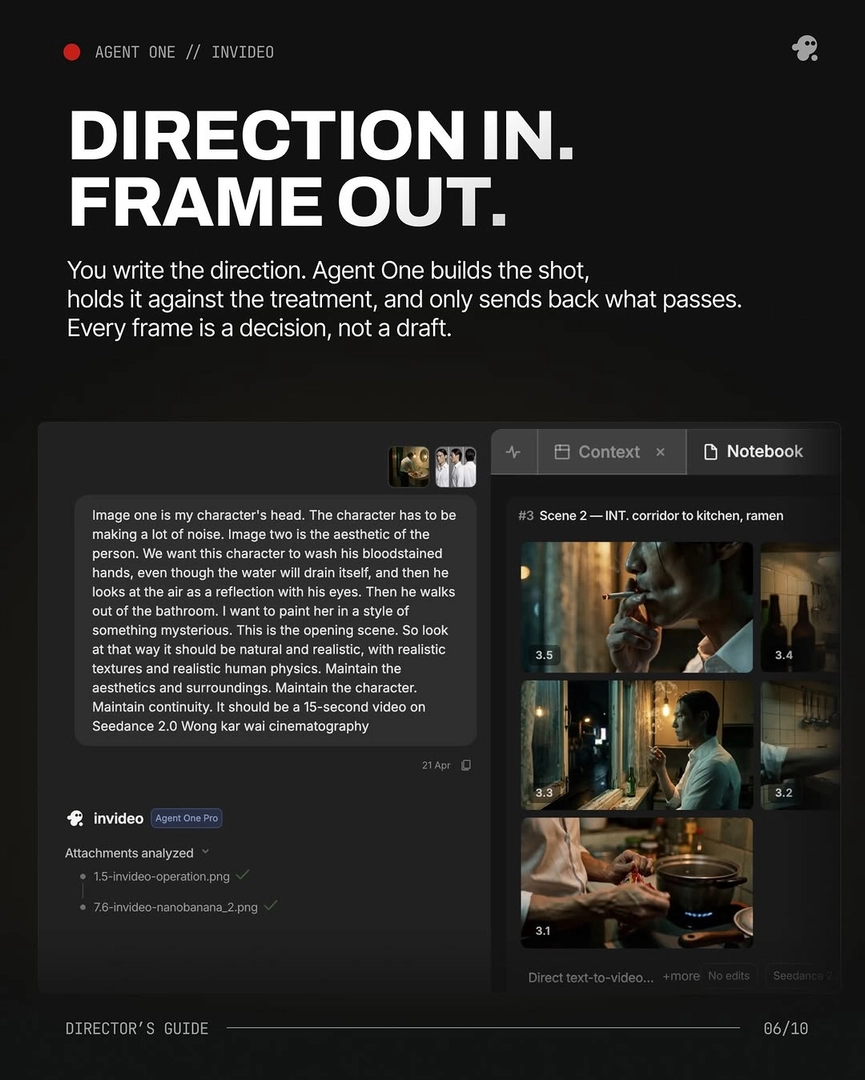
To really set up the context for the agent, I normally start off with the creative producer agent. That's where I'll give the script, or the shot breakdown, along with the characters. That's the main agent that sort of holds the understanding and the vision of the entire film.
— Hridaye, invideo's creative director