Should I edit an AI video shot that's almost right — or fully regenerate it?
Last updated July 27, 2026
Edit when the flaw has a traceable source; fully regenerate only when the action, composition, or blocking is fundamentally wrong. In documented productions most fixes were surgical: 17 of 41 final-cut shots were stitched from multiple generations, and continuity errors were corrected at the character-sheet source instead of re-rolling the shot.
Default to the surgical fix — trace the error to its source, salvage the usable seconds, or correct one variable — and reserve full regeneration for shots where the core action or framing failed. invideo is an agentic video creation tool, so these fixes happen in the same chat where you generated the shot, not in a separate editor.
Trace the error source before re-rolling. If a character detail is wrong, don't regenerate the shot — ask the invideo agent to inspect the character sheet for the mistake. In one documented production it identified the exact panel in the character grid containing the error, fixed it there, stored the corrected sheet in context, and regenerated only what was affected, so every subsequent shot inherited the fix automatically. If the output is wrong in a stranger way, check your inputs first: in one project a clock continuity problem was caused by a stray reference attachment, and removing the attachment — not regenerating — fixed it.
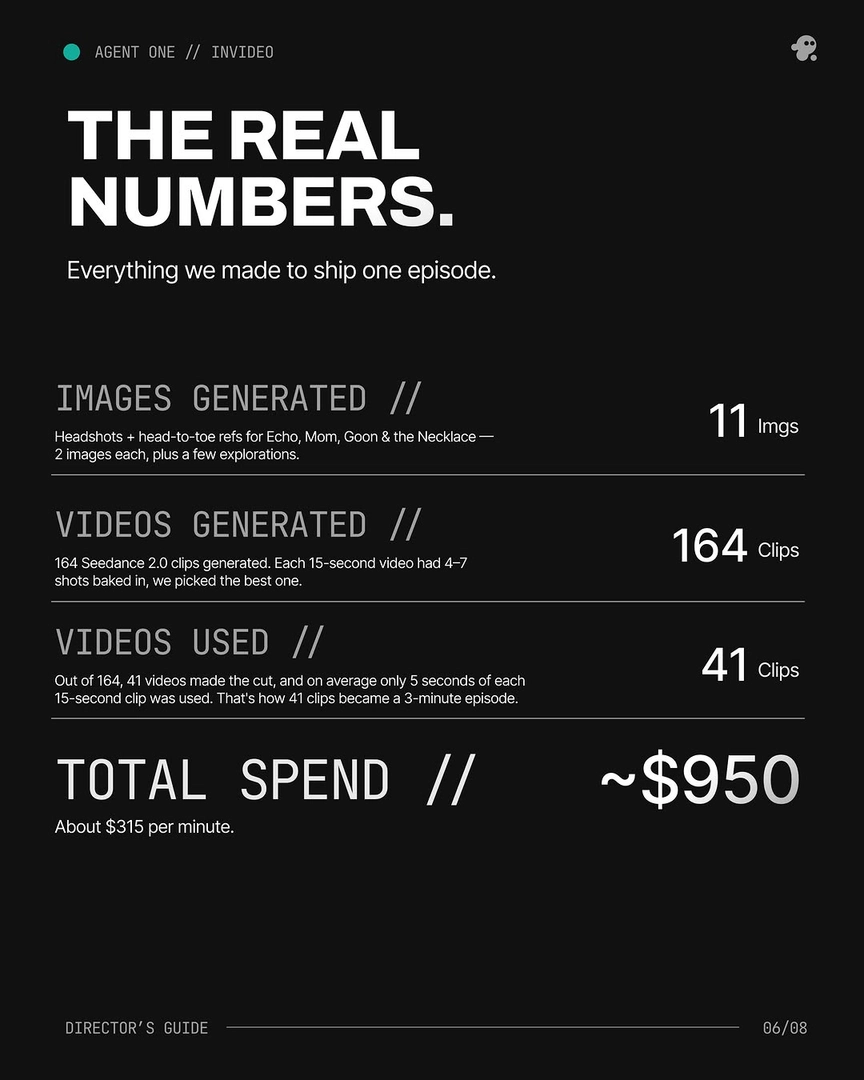
Salvage before you regenerate. Each 15-second generation typically contains 4–7 usable shot candidates, so an "almost right" clip often already holds the seconds you need. The Frankenstein shot — stitching the strongest segments from two or more generations of the same prompt into one composite — produced more than 40% of one finished episode: 17 of the 41 final-cut shots were composites, with an average of only 5 seconds used per clip. Cutting around the flaw is often cheaper than chasing a flawless single take.
Correct one variable with a specific note. When only the lighting, grade, or a detail is off, give the invideo agent a correction anchored to your references — "warm yellow from the lamps only, like all the refs" outperforms a generic "warmer lighting" note. For minor variations like a close-up crop of an existing wide, taking manual control of the image prompter is faster than delegating — just log the result back to the invideo agent so its shot breakdown stays accurate. And if the shot is right but ends too early, use extend: the invideo agent can extend a shot past the moment while keeping the consistency and feeling of the film intact.
When full regeneration is the right call. If there's no traceable source error — the blocking, camera move, or performance itself failed — regenerate, and budget for it: documented productions averaged 3 generations per usable shot, and on one episode only 25% of generated clips made the final cut, which the team treated as a deliberate budget line rather than waste. For abstract or ambiguous sequences, regenerate as exploration — one production had the invideo agent produce 5 distinct interpretations of a hallucination sequence before locking one as the scene reference. To control credit spend on re-rolls, run the invideo agent in Always Ask mode so you approve each prompt and its attached references before any credits are spent.
The working rule: a re-roll with the same inputs reproduces the same problem, so fix the input or harvest the output first — and regenerate only when the shot concept itself needs another take.
Watch some of these to see what works for you:
Surgical edits. Not slot-machine re-rolls.
— invideo's creative team