Should I fix AI video continuity errors with targeted edits or by regenerating the full shot?
Last updated July 27, 2026
Go targeted when the error is isolated and the rest of the shot is usable — a wrong accessory, a costume color drift, a single-panel mistake on the character sheet. Regenerate the full shot when identity has drifted, composition is wrong, or the error compounds across the frame. The default move is surgical: fix the source in the character sheet, not the shot.
Use this decision rule before you touch anything: if the surrounding seconds are clean and the error is one attribute (an accessory, a color, a small feature), it's a targeted fix; if the character no longer reads as the same person, the blocking is wrong, or multiple things are off, it's a full regenerate. Re-rolling a shot that only has a single-attribute error is the expensive mistake — you reset accumulated luck on framing, motion, and lighting just to fix one detail, and you can introduce a new drift in the process.
Targeted fix — trace the error to the character sheet, not the shot. The invideo agent is an agentic video tool that holds your character sheets, world references, and shot breakdown in context, which is what makes surgical edits possible. Ask it to inspect the character sheet for the mistake instead of re-rolling: in one production a stray accessory was in the final shot, and the agent identified the exact panel in the character grid that contained the error, corrected it, stored the updated sheet in context, and only the affected shot was regenerated — the rest of the film stayed intact. As the team put it: "It traces the source in your character sheet, fixes it there, leaves the rest of the film intact." If the slip is even smaller — a close-up crop of an existing wide shot, a tiny prop tweak — take manual control of the image prompter, make the edit directly, then log the corrected image back to the agent so its shot breakdown stays accurate.
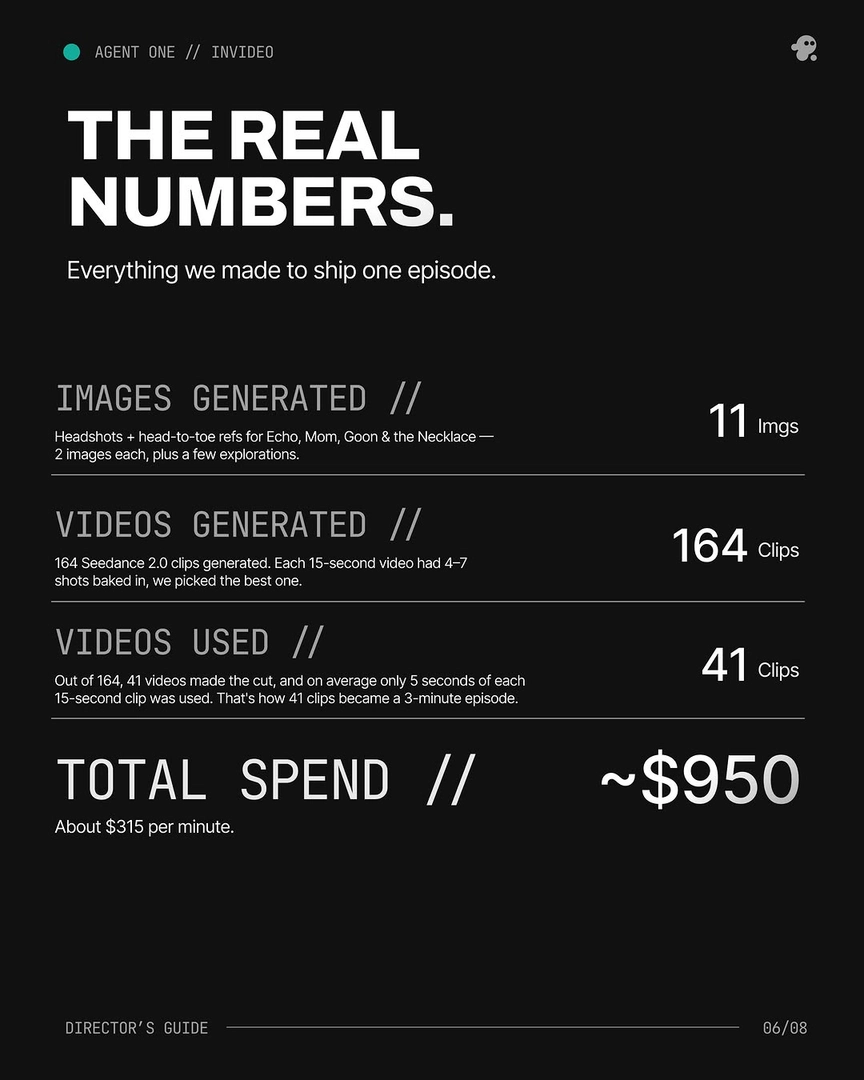
Full regenerate — but tighten the reference pack first, don't just re-roll. Brute-force re-rolling on the same prompt is a slot machine. When you do need a new generation, give the agent a tighter pack: the corrected character sheet, the last clean frame from the surrounding shot, and the locked world references — then route to the model best suited to the shot. Seedance 2.0 reference-to-video carries character and location context across clips, so it's the cleanest path for a regenerate that has to match a neighbor; Kling holds multi-shot sequences natively; Veo and Runway are options the invideo agent will route to when the shot calls for them. invideo has all these models, so the agent picks per shot rather than you switching platforms. Real numbers from documented productions: average 3 generations per usable shot, ~25% of clips made the final cut (41 of 164), and 17 of the final shots in one 3-minute episode were stitched from 2+ generations — so plan for overgeneration, but plan for it on the regenerates that actually need it, not on every error.
The hybrid: stitch the keepers (Frankenstein Shot Assembly). When one generation has the right first half and another has the right second half, combine them. As one director described the reality: "MOST SHOTS AREN'T ONE SHOT. Prompt → 8 tries → Frankenstein the keepers." This sits between targeted and full regenerate — you're not fixing one frame and you're not committing to a clean new shot; you're taking the strongest seconds across attempts and assembling one usable shot. In one 3-minute episode, more than 40% of final shots were Frankenstein composites.
Rule of thumb for budget and time. Targeted fixes via the character sheet are dramatically faster and consume the fewest credits — they touch one asset and propagate. Full regenerates burn ~3 attempts per usable shot at current yield rates. If the error is isolated, fix the source. If identity or composition is gone, regenerate with a tighter pack. If two generations together contain the shot, stitch them. As Hridaye, invideo's creative director, framed the philosophy: "Surgical edits. Not slot-machine re-rolls."
Watch some of these to see what works for you:
Surgical edits. Not slot-machine re-rolls.
— Hridaye, invideo's creative director