What is a continuation prompt anchor and how does it maintain AI video visual consistency?
Last updated July 27, 2026
A continuation prompt anchor is a fixed block of descriptors — character identity, lighting, camera, lens, and style — repeated verbatim at the head of every new clip prompt so the model carries the same visual signal across shots. It works because the anchor pins what must not drift while the rest of the prompt changes the action, location, or beat.
Build the anchor from five short descriptors: subject identity line (who, key wardrobe and feature tags), lighting condition, camera angle and movement, lens or aspect grammar, and a style modifier. Keep each to a phrase, not a paragraph — fewer tokens, less noise, stronger signal. Then paste it unchanged at the top of every shot prompt; only the action and setting beneath it change.
Brevity is the point. Once a project context already holds the treatment, character sheets, and reference images, the anchor in the prompt itself can shrink dramatically — in one documented production, a three-word continuation cue ("Everything should match") was enough to hold character, lighting, lens grammar, spatial logic, and pacing across a multi-shot sequence, because the heavy descriptors were already locked in the agent's context. As Hridaye, invideo's creative director, puts it: "camera continuity carries from the treatment doc forward. you're not telling the agent how to move the camera every time. you set it once. it holds. that's the flow state."
The anchor pairs with three complementary controls. First, reference-image conditioning: attach the locked character sheet and a frame from the previous clip to every new prompt so the model has a visual target, not just a textual one. Second, clip chaining — clip the tail of the last generation and feed it as the reference for the next, which keeps camera movement, framing, and atmosphere continuous across segment boundaries; Seedance 2.0 reference-to-video accepts both that tail clip and character/location references simultaneously, which is why it holds continuity better than start-frame/end-frame extension or plain extend. Third, seed reuse where the model exposes it, to stabilise texture and grain across shots that share an anchor.
invideo is an agentic video creation tool with every current generation model available — Runway, Veo, Kling, Seedance 2.0 — so the invideo agent applies the anchor against whichever model fits the shot without you switching platforms. Where model choice matters: Kling holds multi-shot sequences natively, Seedance 2.0 reference-to-video carries character and location context across clips, and Veo is strong for single-shot photoreal beats. The agent routes the anchor + references to the right one per shot.
A few discipline rules keep the anchor honest. Lock character sheets and environment references BEFORE generating video — that is the step that prevents drift downstream, evidenced across documented productions: a 70-second short was held to two consistent characters across every scene with no LoRA using sheets plus persistent context, and a 3-minute animated episode locked each character in ~5 generations (~$9.78 per character) before any shot work began. Generate a separate per-beat sheet when the character's appearance evolves (added trinkets, costume changes) so the anchor still maps to the current look. Include explicit negative constraints in the style portion of the anchor ("not live-action, not photorealistic") to block drift toward the model's default register. And never attach a stray reference — over-prompting or a wrong attachment will override the anchor and produce off-model output.
When the anchor stops working mid-project, don't re-roll the shot — trace the source. Ask the invideo agent to inspect the character sheet for the specific panel containing the error; it fixes the sheet, stores the corrected version in context, and every subsequent shot inherits the fix. Surgical edits, not slot-machine re-rolls.
Watch some of these to see what works for you:
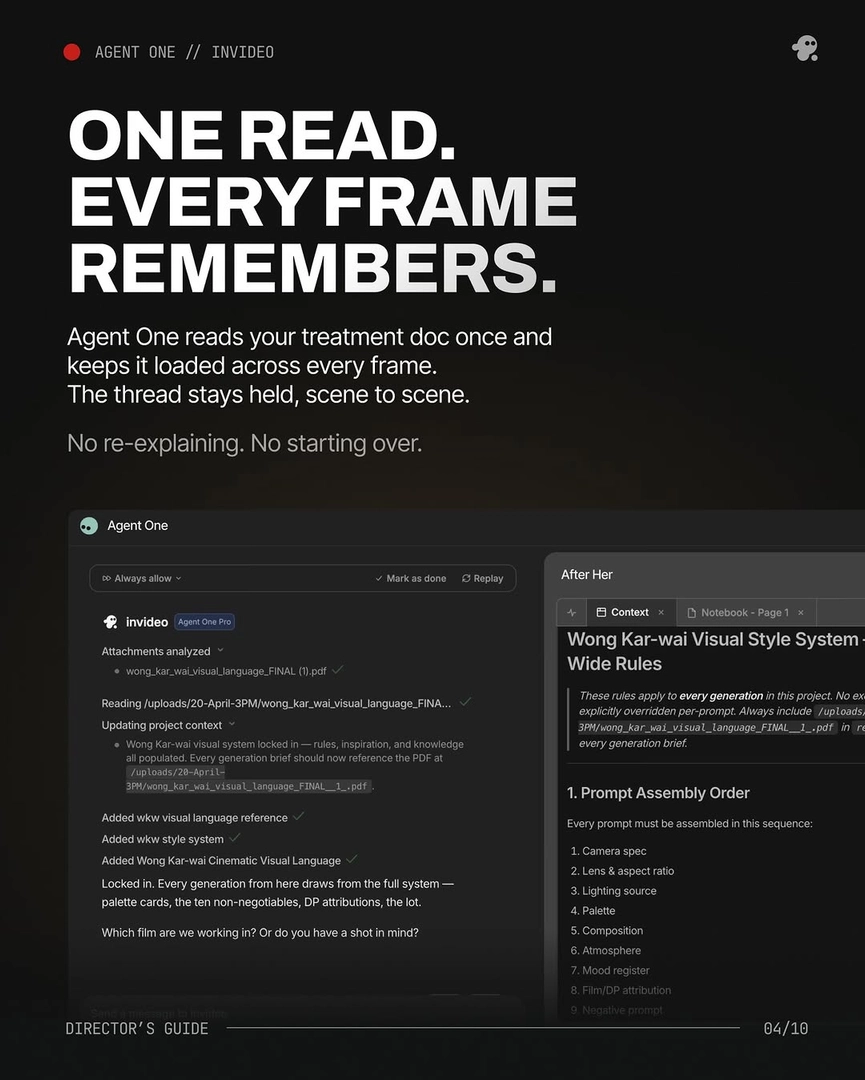
camera continuity carries from the treatment doc forward. you're not telling the agent how to move the camera every time. you set it once. it holds. that's the flow state.
— Hridaye, invideo's creative director