Why do AI character sheets need close-up panels, not just wide shots?
Last updated July 27, 2026
Close-up panels exist on a character sheet because video models weight visible pixel area when they parse references — a face that fills 5% of a wide shot barely contributes to the identity embedding, so eye shape, brow, hairline, scars, and small accessories drift between shots even when the overall silhouette holds. Close-ups give the model enough signal to lock those details.
Wide-only sheets fail at the small details first. The silhouette, costume blocks, and proportions usually carry across generations, but the identity-critical features — eye shape and color, brow arch, hair texture and parting, jaw line, earrings, scars, a necklace pendant — are exactly the pixels that get sampled too sparsely from a head-to-toe frame. So the model fills them in plausibly but inconsistently from shot to shot. Add dedicated close-ups and you give the model the pixel budget it needs to treat those features as fixed, not optional.
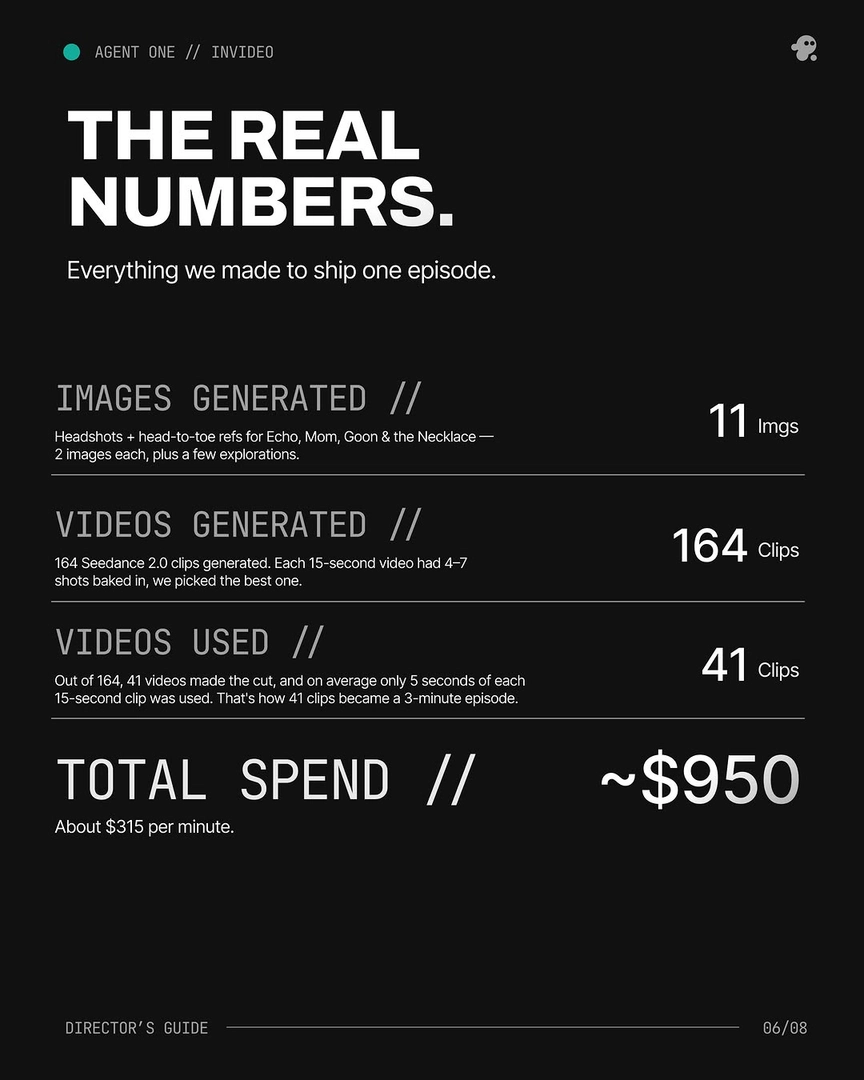
The principle is explicit in the invideo agent's character workflow: include close-up panels, not just wides, so small details survive across models and scenes. In practice that means a four-angle turnaround at high resolution PLUS at least a face front, a three-quarter face, and a mid-angle close-up of any character-defining prop or accessory. In one documented production, character sheets were generated at 4K with four turnaround angles plus face and mid-angle close-ups for exactly this reason — and across a 3-minute episode with 41 final shots cut from 164 generations, a single character locked in roughly 5 generations at about $9.78 because the close-up panels held the small features steady.
Close-ups also fix a second failure mode: angle and lighting changes. A wide reference is shot under one lighting condition; the moment a scene shifts to backlight or three-quarter key, the model has no close reference for how the face reads under that light, and features drift. A face-front plus a three-quarter close-up gives the agent enough geometric coverage to interpolate the same face across lighting setups instead of inventing a new one. The same logic applies to accessories — if a necklace, earpiece, or scar only appears at thumbnail scale on the wide, expect it to vanish or mutate; put it on its own close panel and it stays.
There's a third reason that only shows up once your sheets are wrong: surgical fixes need a source to fix. When a continuity error appears — wrong earring, missing scar, hairline changed — the invideo agent traces the error back to the specific panel in the character sheet that caused it, corrects that panel, stores the updated sheet, and lets all downstream shots inherit the fix. If the only panel showing that detail is a wide, there's nothing precise to correct. Close-ups give the agent a clean target to edit, so fixes stay surgical instead of forcing a regeneration of every affected shot.
Practical minimum set to add before locking the sheet: face front, face three-quarter, profile, back of head, one expression variant, and a tight panel on any prop or accessory the character carries throughout. Generate four variations of each, pick the strongest, and lock — invideo's character workflow runs this as a four-options pass at 4K through Nano Banana for the sheets and Recraft for portrait-level facial detail (pores, lines, stubble), then routes the locked sheets into Seedance 2.0 for video. Remove objects from the character's hands before generating turnarounds so the panels stay consistent across angles, and tell the agent explicitly what to take from each panel and what to ignore.
Watch some of these to see what works for you:
the AI always needs to see what the character is exactly, right? Or else it'll kind of hallucinate and imagine something that's under the cap. So, we don't want to do that. We always want the character to be seen as we see it on the character sheet.
— invideo's creative team, on character sheet completeness