Trim and cut video
Cut mistakes, awkward pauses, or anything you don’t need. Trim clips by dragging, or delete a sentence from the transcript to cut it from the video.
Try now
An Instagram Reels editor that gives you complete manual control and agentic assistance in one place. Trim or stitch clips, add captions, and sound design your Reel on a multiplayer timeline on any device.
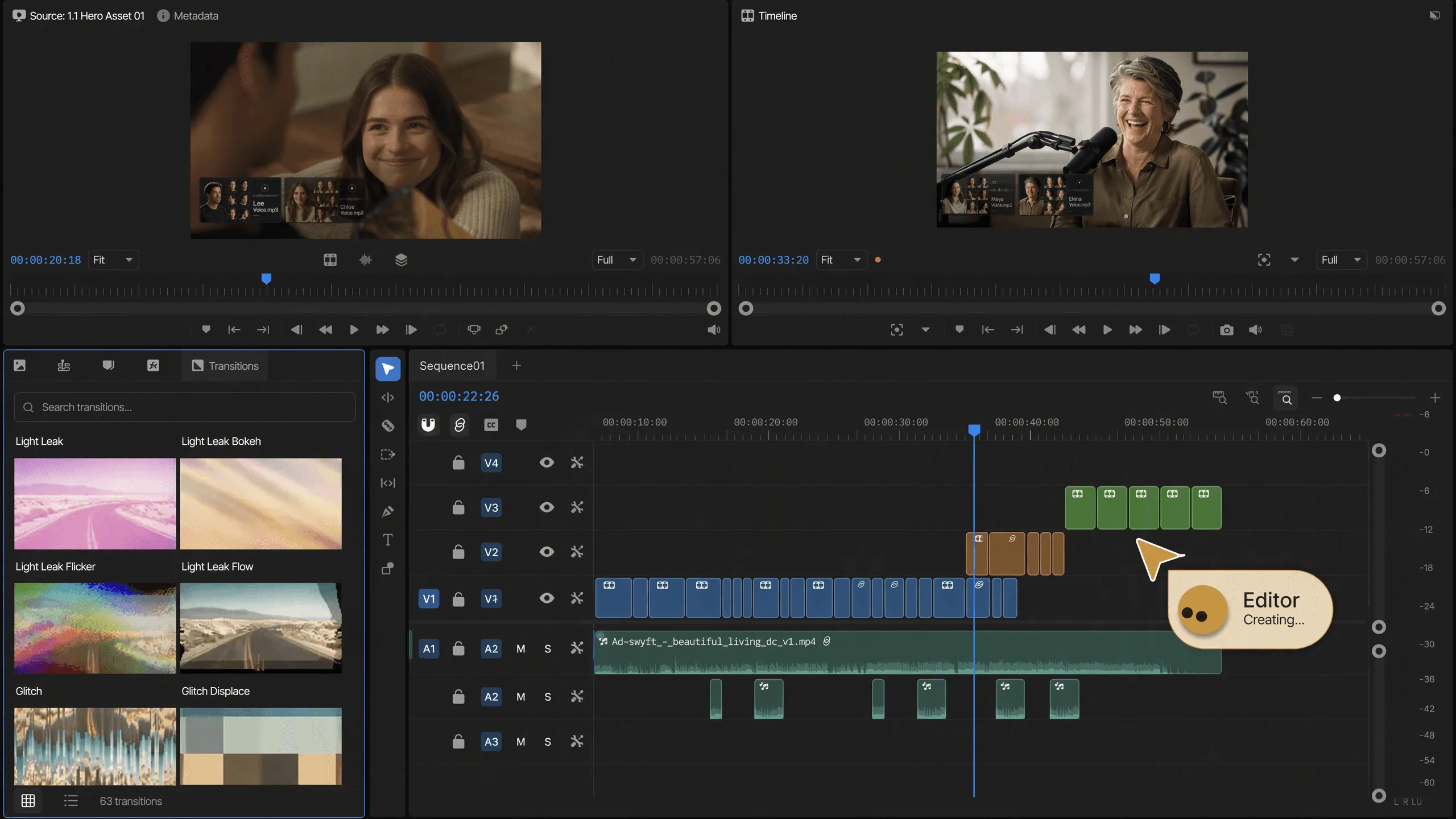
















Cut mistakes, awkward pauses, or anything you don’t need. Trim clips by dragging, or delete a sentence from the transcript to cut it from the video.
Resize your video vertical for TikTok, square for Instagram, or fit any other aspect ratio using safe zone presets.
Speed up dull moments or slow down key ones with smooth playback.
Add captions automatically and keep them synced as you edit. Choose a preset style, edit the text, or use your own fonts.
Add music, record your voice, or use an AI voiceover.
Change the image, video, or scene behind your subject. Use AI to replace backgrounds without a green screen.
Bring videos, photos, music, and other media into one edit. Arrange, trim, and layer them on the timeline, or ask AI to do it for you.
Stabilize shaky footage for smoother, steadier shots.
Every word in your footage is typed out for you. Delete a sentence and that part of the video is gone, umms and pauses included. Search the words to find any moment.
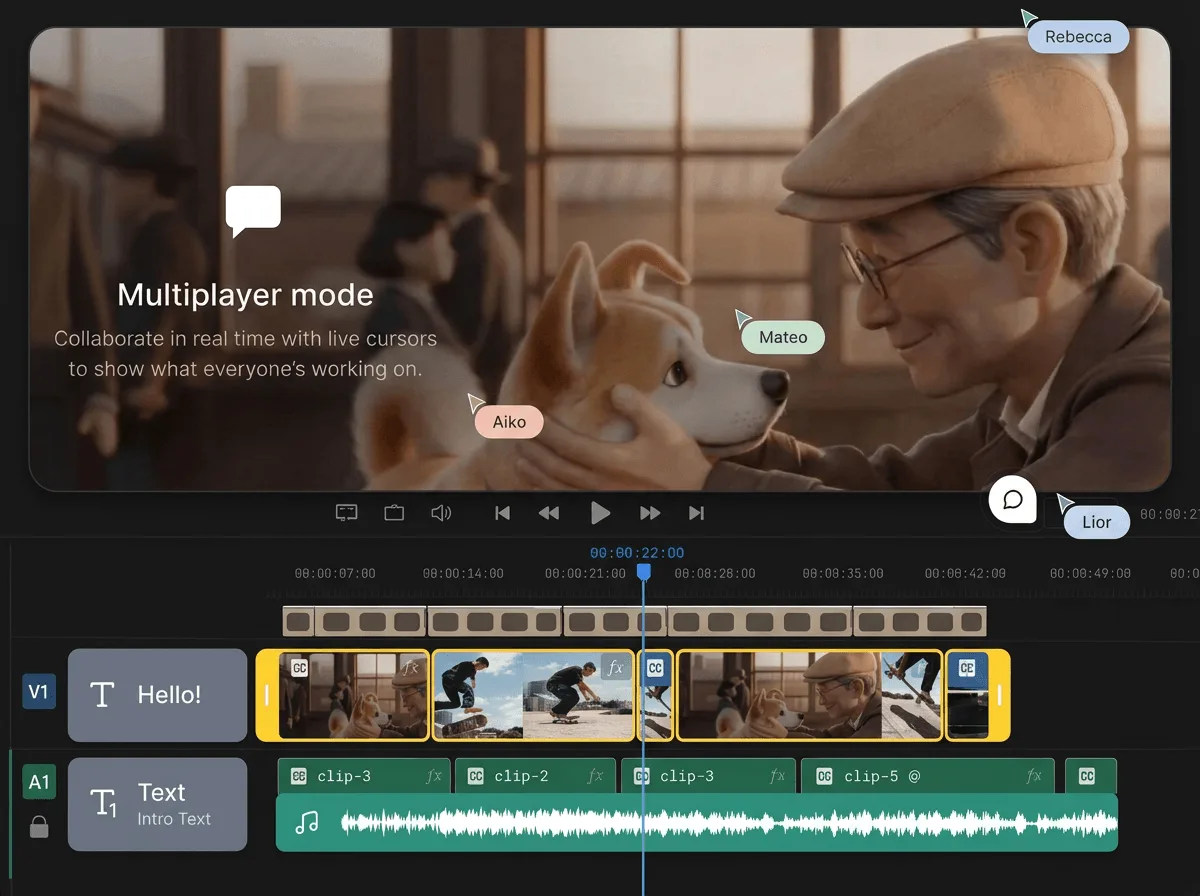
Edit together on the same timeline, like a Google Doc. Share a link, make changes in real time, and leave comments at exact moments, without sending files back and forth.
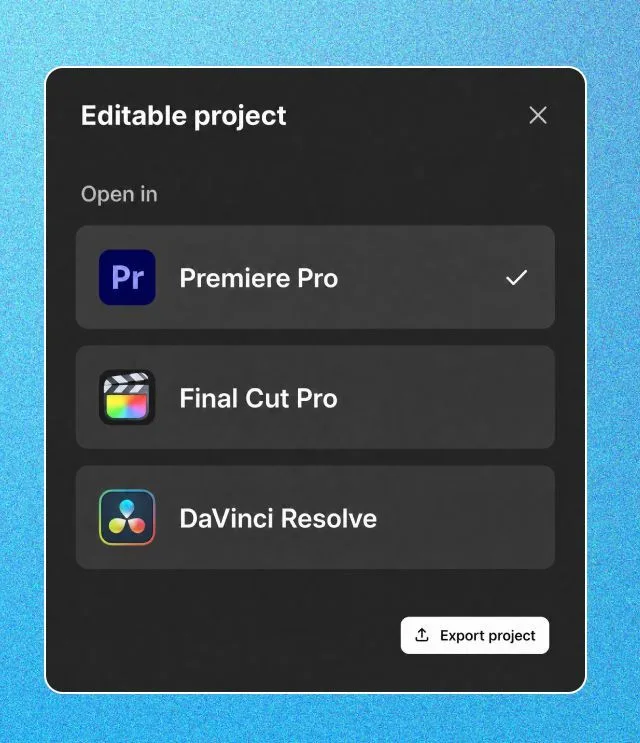
Export an editable project for Premiere Pro, Final Cut Pro, or DaVinci Resolve. Your whole timeline goes with you, media included.
AI agents analyze and log every take by dialogue, actor, prop, and camera angle, so you can find any moment without scrubbing through hours of footage.
Filler, silences, and flubbed takes are removed as AI assembles the best takes into a first cut on your multitrack timeline.
Mark the first few beats, and AI carries the pattern through the track, cutting your shots to the music.
Share an edit you admire, and AI applies its pacing, structure, and style to your footage.
Bring in your long-form YouTube video, raw clips, screen recordings or audio files. The editor accepts everything you would drop into a desktop suite.
Let the AI agent pull the best moments from an existing video, or start with raw footage and build a Short from scratch. Both paths land on the same multi-track timeline.
The editor reframes horizontal footage to 9:16 vertical. Trim, split, add B-roll, transitions and text. Adjust the reframe on any shot where the auto-crop missed.
Correct your colors, balance your audio, and burn in styled captions for muted autoplay. Add a CTA end card or subscribe animation. This is where a clip starts looking like a finished Short.
Export in up to 4K and publish to YouTube from the editor. Or download the file and post it wherever vertical video plays: Instagram Reels, TikTok, Facebook Reels.
Bring your whole creative process inside invideo, with the best image, video, audio, editing and language models on tap.
Backed by the firms behind Stripe, Spotify, Flipkart, and ByteDance.
Loading pricing…
An Instagram reels editor is a tool for creating and editing vertical videos sized for Instagram's formats, including Reels, Stories, and feed posts. invideo's Instagram video editor handles aspect ratios, text overlays, music, and export settings so the output is ready to post without resizing or reformatting in a separate app.
Use an AI reels maker like invideo AI. Describe what you want (a product teaser, a talking-head clip, a trending format) and it puts together a complete Reel with footage, captions, music, and transitions. You adjust the result with follow-up prompts instead of learning a timeline, which makes it usable as an Instagram reel maker even on your first try.
That depends on your workflow. If you're producing Reels regularly for a brand or creator account, the best AI video editor for Instagram Reels is one that handles scripting, footage selection, and captioning in a single pass. invideo AI does this: you feed it a brief and get a draft Reel back, then refine from there. Traditional editors give you more frame-level control but take longer per video.
Yes. An AI reels generator like invideo AI turns a text prompt into a finished Reel: it picks clips, adds subtitles, syncs music to the pacing, and exports at the right resolution. You steer the output by giving directions in plain language rather than manually cutting and arranging footage.
A reels editor gives you a workspace to cut clips, layer text, and arrange audio yourself. A reels maker (especially an AI-powered one) assembles the video for you from a prompt or script. invideo AI works as both. It generates a first draft automatically, then opens it for you to swap scenes, change pacing, or edit captions directly.
invideo has a free Instagram reels editor with AI video generation, templates, and a stock media library. Free exports include a watermark; paid plans remove it and add more stock footage and longer export options.
Lead with a hook in the first second, keep clips short (two to four seconds each), and always add captions since most people scroll with sound off. An AI Instagram reel maker like invideo AI builds those patterns in by default: auto-captioning, tight scene cuts, and vertical formatting are handled before you touch anything. Posting three to five times a week matters more than spending an hour per Reel, so use a tool that keeps your turnaround fast.