Best Video Editors for Claude, ChatGPT and AI Agents
October 29, 2026

invideo Editor is the best overall choice for editing recorded footage with Claude, ChatGPT or another AI agent. It combines direct timeline editing, detailed manual finishing and free ordinary MCP editing and exports. Your assistant’s allowance applies separately; built-in-agent work and generated media use invideo credits. Eddie suits searchable interview material, ChatCut suits desktop agents, Descript suits transcript-led edits, and Resolve Studio suits established desktop finishing.
AI has raised expectations for how quickly a video moves from an idea to a finished piece. Creators and teams need to deliver new versions, respond to feedback and keep publishing without every revision becoming another long editing session. A video editor that works with ChatGPT, Claude or the AI agent you already use brings those editing decisions into the same conversation as the brief.
The right editor lets your assistant help find useful footage, build the cut and refine picture and sound, while keeping the project editable for further changes. We compare five editors for that work: invideo Editor, Eddie AI, ChatCut, Descript and DaVinci Resolve Studio. Each section also explains the supported assistant workflow, access and costs.
Video editors for Claude, ChatGPT and AI agents: capabilities and limits
Tool | What your assistant can do | Main restrictions |
|---|---|---|
invideo Editor | ChatGPT, Claude or any supported agent can perform the same timeline-editing actions available manually in invideo. They can import and analyze footage, assemble or revise sequences, build custom effects and recreate an edit from a video reference. The project remains available for direct manual refinement and finished-video or editable-project export. |
|
Eddie AI | Claude, ChatGPT and compatible agents can search Eddie’s transcripts and visual logs, select soundbites and build a story from recorded material. They can reshape individual segments, change multicam angles and develop the cut with B-roll, captions, titles, motion, color and sound. The result remains available for manual transcript and timeline refinement, MP4 delivery or an editable handoff to another editor. |
|
ChatCut | Supported desktop agents can import media into ChatCut, work from transcript passages or selected clips, and build or revise an editable timeline. The assistant can add captions and motion graphics, generate supporting media and request exports. You can inspect those changes beside the conversation and continue with manual timeline or transcript edits; compatible local video exports are free. |
|
Descript | ChatGPT, Claude or a compatible coding agent can import recordings, find existing projects and ask Underlord to make the edit. Requests can tighten dialogue, remove fillers, add captions or B-roll, reframe footage and create shorter versions. The result stays editable through Descript’s transcript, scene and timeline controls. MCP can then produce a share link with a download URL, or export a transcript or supported timeline. |
|
DaVinci Resolve Studio | Installed assistants such as Claude Desktop, Claude Code and Codex can work inside an existing Resolve Studio project. The native integration supports inspecting timelines, organizing media, building highlight edits, applying color looks, reframing and preparing renders. You can continue in Resolve’s editing, Fusion, Color and Fairlight workspaces, keeping detailed manual finishing, video export and native-project handoff in the same application. |
|
Capabilities, access and US-dollar prices checked on 29 October 2026. Billing periods are specified where prices are quoted.
1. invideo Editor: Best overall for assistant-directed editing and manual finishing

invideo Editor gives ChatGPT, Claude or any supported agent the same timeline-editing capabilities available manually. Through invideo’s MCP connection, the assistant can import and analyze recordings, build or revise the sequence, and handle animation, effects, color, sound and export. The built-in agent and hands-on controls are available in the same project.
Connected assistants can build custom effects from a description or reference and apply them to existing footage. A transition, light-trail treatment or graphic animation can be constructed for the edit, with relevant controls for its appearance and timing. The treatment remains adjustable through those controls or further assistant requests.
Reference-led recreation can cover a complete edit or a selected passage. ChatGPT and Claude can study a reference’s pacing, shot order, transitions, typography, motion and sound, then recreate the chosen treatment using your footage. The result is an editable sequence whose timing, layers, effects and sound can continue to be refined in the same project.
Manual decisions and assistant changes share the same timeline. The assistant reads the current edit and can continue from changes made by hand, keeping approved work available through later revisions. The client-feedback workflow and editing-prompts guide develop this approach to precise changes within a continuing project.
Manual editing, ordinary ChatGPT or Claude MCP editing, watermark-free video exports and editable-project exports with media are free. Ordinary MCP work includes footage analysis, transcription, subtitles and audio cleanup. The external assistant’s subscription and usage allowance apply separately. The built-in invideo agent and generation of new images, video or audio use invideo credits.
Invideo is the strongest overall choice because it combines full assistant control with custom effect creation, reference-led recreation and detailed manual finishing in one editable project. Free ordinary MCP editing and finished-video or editable-project exports support taking that work through revisions and delivery.
2. Eddie AI: For directing story edits from searchable footage logs
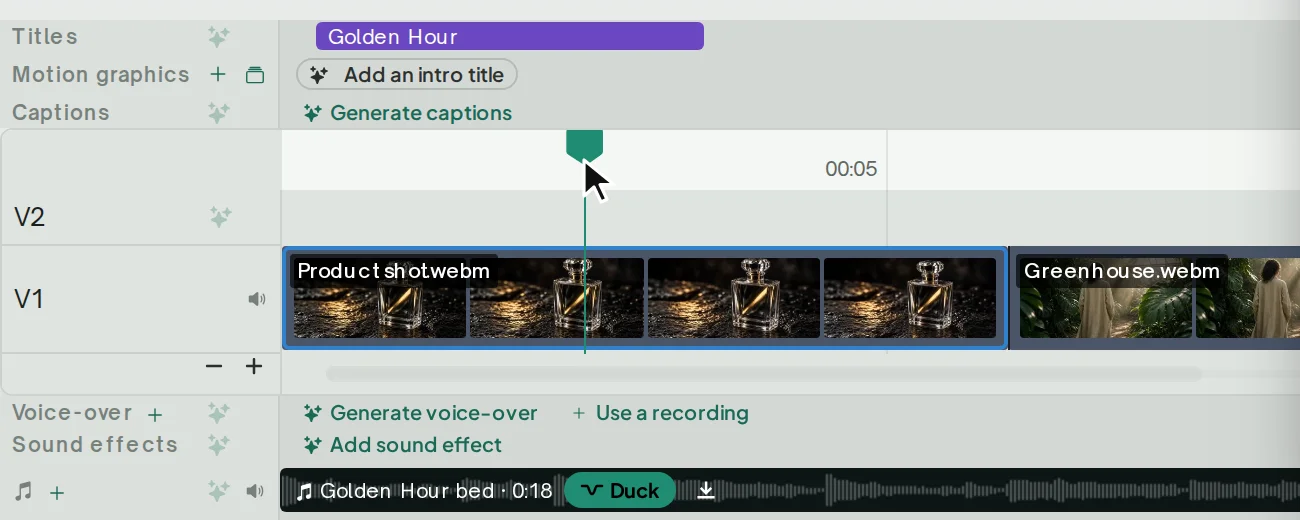
Eddie lets Claude, ChatGPT and compatible agents shape a story from a collection of recordings. Through its MCP connection, the assistant can search transcripts and visual logs, select soundbites and supporting shots, and assemble material from several recordings into an editable sequence. The same logs remain available for later cuts, helping the assistant draw on the original footage as the story develops.
Within that sequence, the assistant can trim or reorder passages, change multicam angles and place B-roll around the selected speech. Titles, captions, motion, color grading and sound controls support further refinement. Eddie’s manual transcript and timeline controls let you adjust the same cut directly, alongside the assistant’s changes.
That workflow starts after the source material is in Eddie. Recordings must be uploaded in Eddie’s web app; ChatGPT and Claude cannot add them through MCP. Bringing another interview or cutaway into the edit therefore means returning to Eddie for the upload before the assistant can use it.
Eddie can deliver a finished MP4 or an editable project, but a Premiere or Resolve handoff introduces a choice about what carries across. Native projects preserve multicam angles but omit Eddie’s color grades, leaving those corrections to recreate in the receiving editor. Resolve FCPXML carries color and more motion and audio settings, but drops multicam angles. Keeping more of the finishing therefore comes at the expense of the multicam structure.
Voice polish has a separate delivery limit: it applies only to cloud MP4 renders, cannot be previewed in the player and does not carry into NLE exports. You cannot assess that treatment while reviewing the cut in Eddie’s player, and an editable handoff leaves the voice treatment to repeat in the receiving editor.
Eddie’s pay-as-you-go credits cover source intake as well as assistant work and delivery. There are 500 starter credits, and a US$10 pack adds 1,000 credits; importing costs about 250 credits per source hour. Requested AI work, timeline exports and renders also draw on the balance, with an additional charge for voice-polished renders. Longer recordings and repeated rounds of assistant-led revision can therefore use credits well before the final video is ready.
Eddie suits interview editing and other source-based stories where an assistant can reuse logged recordings across several cuts. It is a useful fit for productions that value source search and story assembly and already plan to finish in Premiere or Resolve.
3. ChatCut: For free ordinary editing through desktop agents
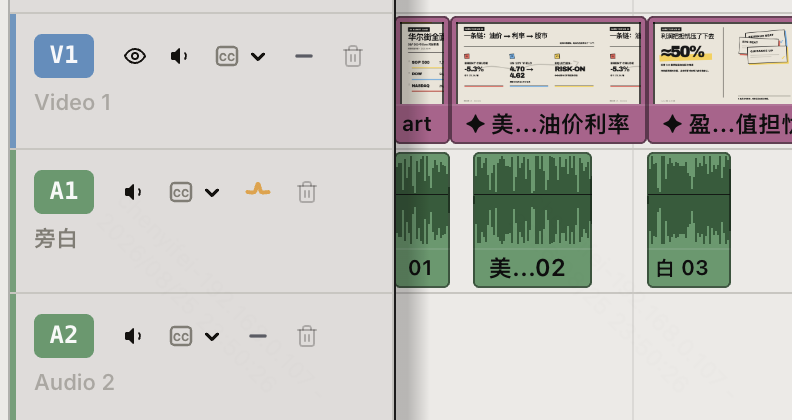
ChatCut gives Codex, Claude Code and other supported desktop agents an editable project to work in through its external-agent plugin. The assistant can import and organize recordings, select material from transcripts and assemble a sequence, then develop it with captions, motion graphics or generated assets. Those changes appear in the project beside the conversation, where you can inspect the cut as it develops.
The sequence stays open to manual transcript and timeline editing, so an assistant’s first pass can be refined directly in the same project. Manual trims and later agent requests can continue to shape the existing clips, text and graphics. Compatible local video exports provide a free way to deliver the finished cut.
ChatCut’s plugin requires a supported desktop agent and does not work in ordinary ChatGPT or Claude web chats. If your brief and discussion are already in a web chat, the editing work has to move to a host such as Codex or Claude Code. Hosted ChatCut projects and local Desktop projects also use separate connections, so the agent must be connected to the version of ChatCut containing your project.
There is also a difference between requesting a graphic change and making it directly. Direct graphic-element selection requires ChatCut Desktop 0.3.13 or later. On other surfaces, structural, animation and element-level changes go through the agent, so even a small correction to a graphic can require another request rather than a direct selection.
Moving the edit to another application can leave more work behind. XML handoffs can omit captions, effects, transitions and graphics, which then need rebuilding in the destination editor. Pro can render motion graphics as transparent files to carry their appearance across, but those renders do not preserve the original editable graphic elements. The receiving project therefore lacks those original controls for later graphic revisions.
Manual editing, ordinary external-agent editing and compatible local video exports are free. Free cloud rendering has a cumulative 60-minute account quota; continuing cloud delivery after that allowance is used requires a paid plan. Hosted media generation uses credits, and the built-in agent has separate usage charges. The entry plan includes 100 monthly credits at US$25 with monthly billing, or US$21 a month billed annually.
ChatCut suits editors who already use a desktop agent and want to move between conversational changes and direct timeline or transcript editing. Local delivery makes it useful for ordinary editing without an editing-credit charge; projects that need cloud rendering or an editable handoff require closer attention to the allowances and retained elements, as covered in the free-editing comparison.
4. Descript: For assistant-led edits that continue through the transcript
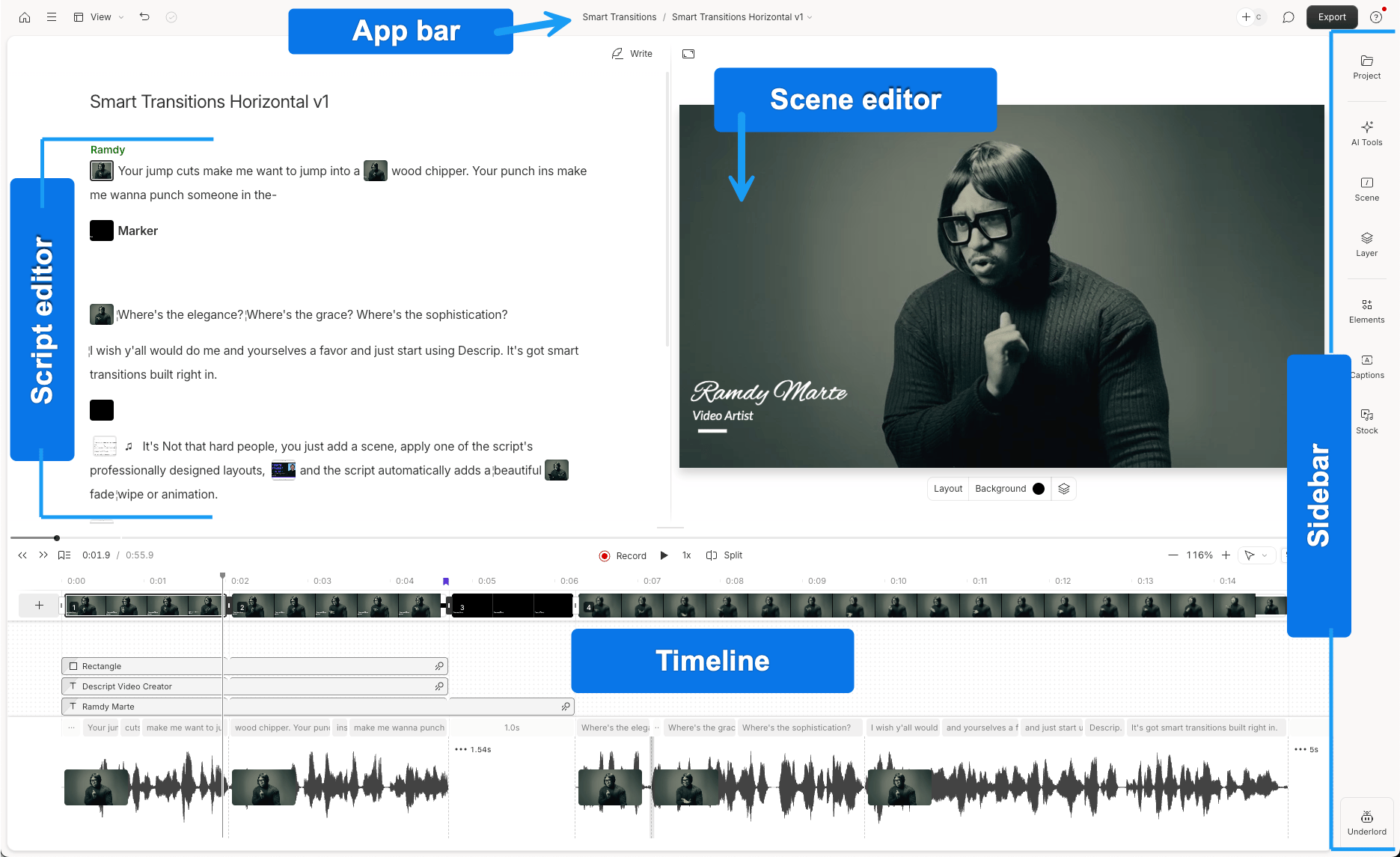
ChatGPT, Claude and compatible agents can work with Descript through its ChatGPT app, Claude directory connector or MCP server. They can import recordings, find existing projects and send editing requests to Underlord, Descript’s built-in editing agent. The changes land in a Descript composition, where you can review the result and continue refining it.
For spoken recordings, that assistant workflow can remove fillers, tighten passages, add captions or stock B-roll, reframe footage and create shorter versions. Those changes sit alongside Descript’s transcript editing: cutting or moving words adjusts the corresponding audio and video, while scene and timeline controls refine layouts, layers and timing. You can therefore direct a broader pass through the assistant and make more specific adjustments in Descript.
The integration hands ChatGPT and Claude’s editing requests to Underlord rather than giving them direct control of the timeline. Underlord makes the actual changes, so the available edits still depend on its capabilities and its work still uses Descript AI credits. Your external-assistant subscription does not cover that Descript usage.
Source length affects the allowance too. Imported recordings consume media minutes for the full source, including footage the assistant leaves out, so a short final cut can still use a substantial media allowance. The directory-based Claude connector also excludes generative image and video tools; using those capabilities requires Descript’s custom MCP connection instead of the directory connector.
Through MCP, the assistant can share the finished composition with a download link, with separate transcript and timeline exports also available. Watermark-free video requires paid access; Hobbyist costs US$24 per person monthly or US$16 a month billed annually. Timeline export requires Creator or above, so an editable NLE handoff needs a higher tier than watermark-free delivery alone.
Descript suits speech-led videos where editing the transcript is the main way to shape the cut. It offers a way to request changes from ChatGPT or Claude and refine the result in Descript, provided Underlord’s capabilities and the media and AI allowances fit the work.
5. DaVinci Resolve Studio: For assistants working inside a desktop finishing suite
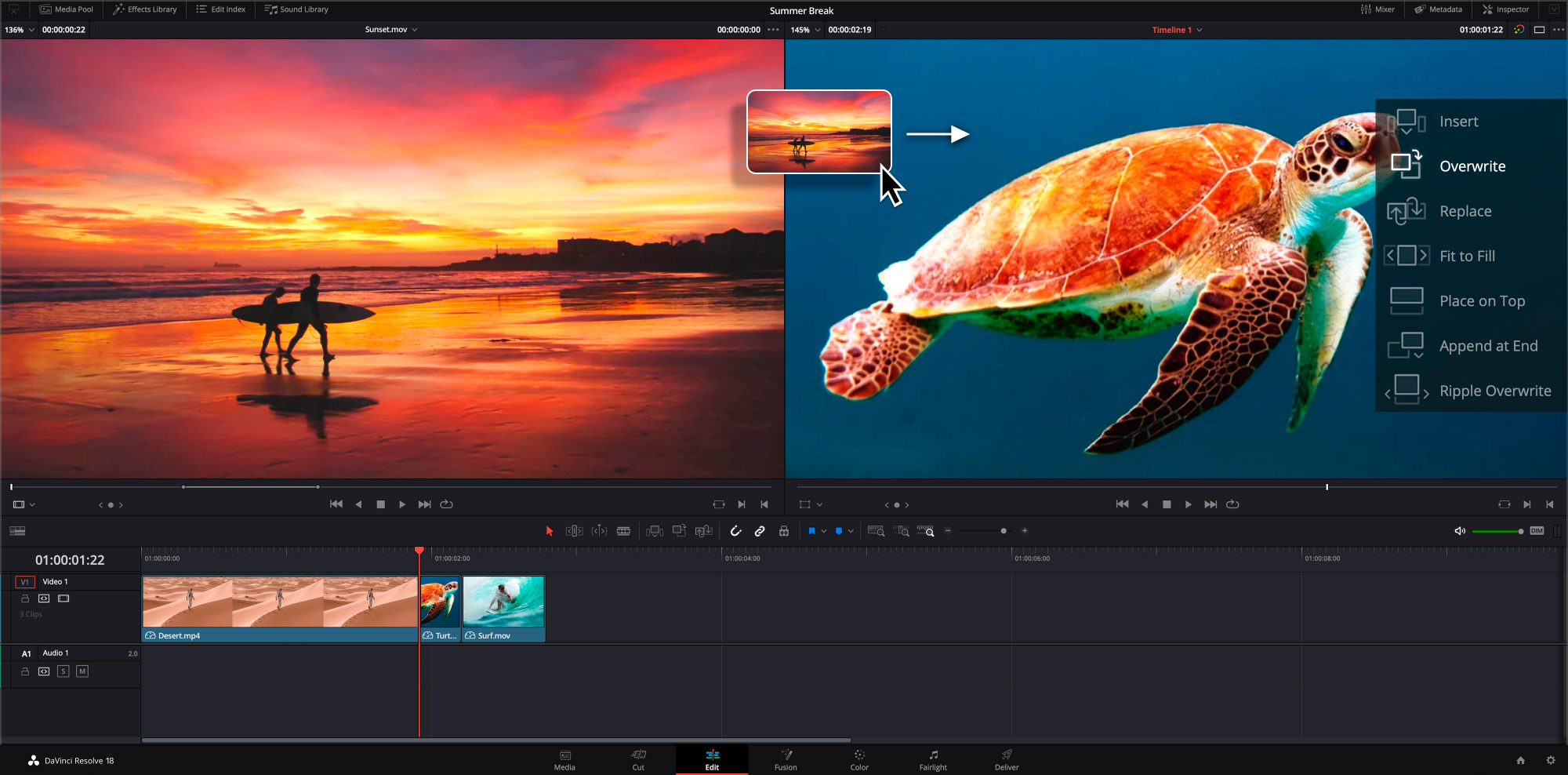
DaVinci Resolve Studio 21.1 brings compatible assistants into a desktop editing and finishing workflow. Its native MCP integration supports installed clients such as Claude Desktop, Claude Code and Codex, with access to project and timeline inspection, media organization, supported editing changes and render preparation.
Highlight assembly, reframing, applying color looks and preparing multiple delivery formats can remain part of the native project. Resolve’s trimming, multicam, Fusion compositing, node-based grading and Fairlight audio tools then provide detailed manual finishing in the same application. This is particularly useful when the sequence already belongs in an established Resolve workflow. Finished-video delivery and native-project handoff also stay within that application.
Bringing an assistant into that workflow requires Studio. Free Resolve retains substantial manual editing and export, including Auto Color, Shot Matching and Dialogue Leveler, but does not include native AI Assistants. The native connection also needs a compatible installed assistant; an ordinary ChatGPT web conversation does not provide that access, so web-chat users need to move to a supported client.
The Studio upgrade is a paid purchase without a mandatory subscription. The US promotional price is US$236, reduced from the regular US$295. External-assistant subscription or API usage applies separately.
Resolve Studio suits established Resolve editors who want assistant-supported preparation and revisions within the same native finishing workflow. The free-version comparison separates its included manual tools from Studio’s broader assistant and AI access.
Frequently asked questions
Can I use an ordinary ChatGPT or Claude web conversation?
Yes, with a compatible hosted connection and an eligible assistant account. Invideo, Eddie and Descript document hosted routes for those assistants. ChatCut’s documented plugin installation uses desktop agents such as Codex and Claude Code. Resolve’s native setup configures installed clients. Check the exact app you intend to use, including workspace permissions, rather than choosing from an MCP badge alone.
Does a free MCP connection include the assistant subscription?
No. Your assistant’s subscription, model access and usage allowance are separate from the editor. Invideo’s ordinary MCP editing and ChatCut’s ordinary external-agent editing avoid an additional editing-credit charge from those products, but generating media can still cost credits. Descript and Eddie retain their own relevant usage charges.
Can an assistant continue an existing edit?
Yes, when its integration can read and change the project you are using. Identify the project and timeline, ask it to inspect the current state, then name the change and approved choices to preserve. If you are moving between editing applications, check the supported import or interchange format and include the source media; a rendered MP4 does not restore the original layers and source handles.
Can I switch from Claude to ChatGPT partway through an invideo project?
Yes. Both can work on the same authorized invideo project. The next conversation can read the timeline, but the previous conversation does not automatically transfer. Bring a handover with the project link, timeline name, brief, approved decisions and next task so the new assistant understands why those choices were made.
Will an editable export preserve every effect and setting?
Do not assume that it will. Supported project and interchange formats carry different combinations of cuts, media references, multicam, graphics, color and audio treatments. Open the result in the destination editor and check those details before committing to the handoff. Keep the original project available for further revisions.