Gemini Omni Flash review: Research based findings from real experimentation
June 4, 2026

Google just shipped Omni Flash, the light version of its next-generation video model, and it arrives with a set of capabilities. We tested it across 30+ outputs to give you a comprehensive analysis.
So, does that put Gemini Omni Flash on the map for primetime cinema work? Let’s find out!
Quick Rundown
The main unlock is the avatars with an authentic voice resemblance
VFX capabilities are at par with other models inpainting, cleanup, pinning text to a moving subject, backgrounds that swap and relight themselves.
Lip sync holds steady for 6-7 seconds, before drifting.
Physics is strong, but not better than Seedance 2.0.
Inherent 4k capabilities is a moat bringing Omni Flash (the lite version) close to prime-time cinema.
Gemini Omni Flash: What it gets exactly right and where it falls short?
Gemini Omni Flash stands out with five creator-focused unlocks: avatar generation (visual and voice replicas from a brief setup), smooth in-frame text tracking on moving subjects, VFX tools for seamlessly inserting, removing, or swapping elements in footage, Gemini-powered motion graphics with strong keyframe and text consistency, and native 4K output, making it one of the few models with serious potential in professional production pipelines.
What follows is a segment-by-segment breakdown of where the model shines, where it stumbles, and the one unlock that could eventually put it on the map for serious cinema work.
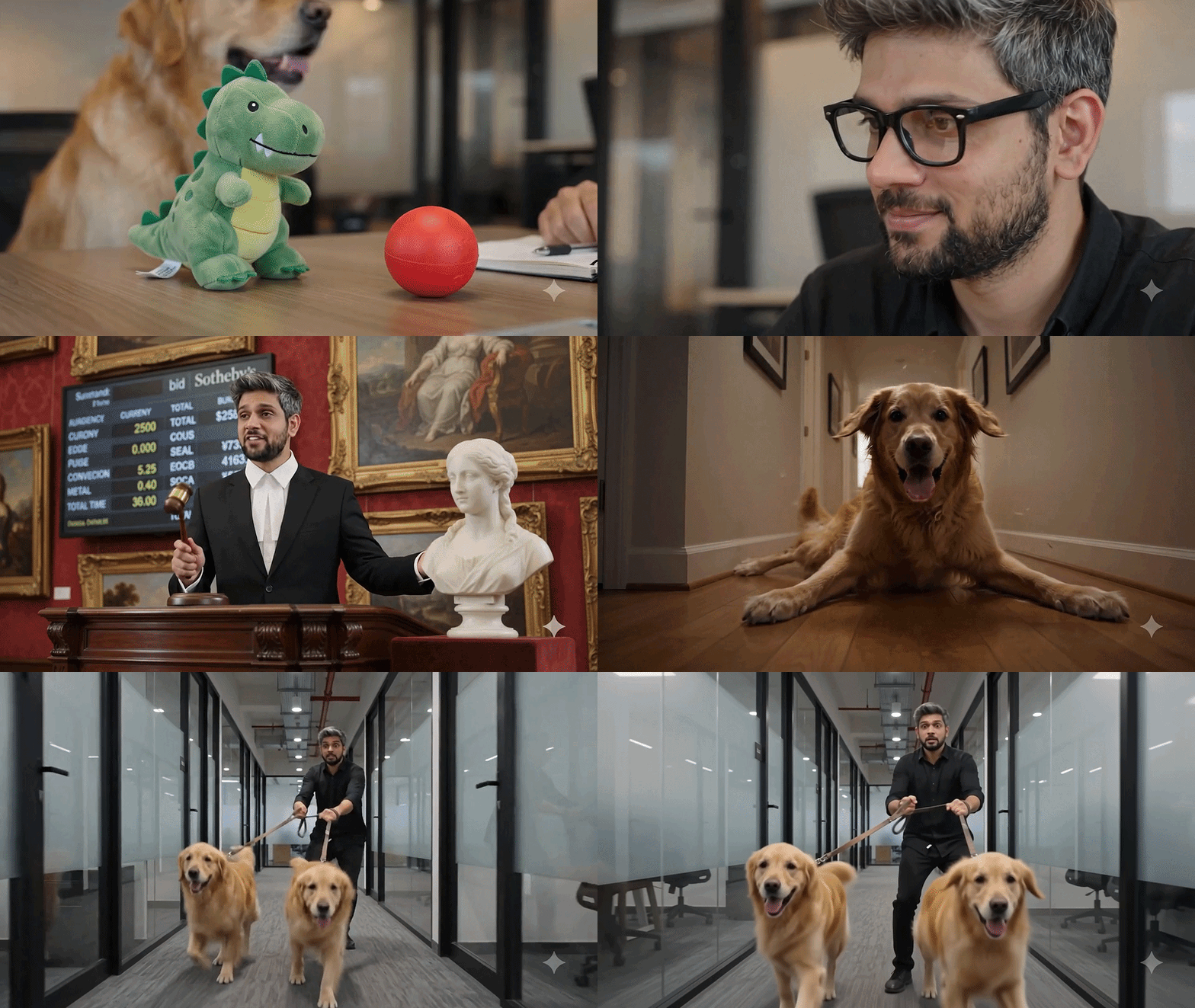
Six things we liked and four things we disliked about Gemini Omni Flash.
Where Omni Flash Shines | Where Omni Flash falls short |
|---|---|
AI avatars: Reads your face & voice to regenerate your digital twin with accurate facial structure and a voice that captures realistic pauses, intonation, and syllables. | Consistency: Physics and camera-angle prompts land about 50/50, sometimes even altering the geography of the shot. |
Multishot capabilities: Gets very specific time stamp control on multiple shots of the same scene. | Frame-rate wobble: Motion occasionally drops from fluid animation into a choppy 8 to 12 fps look. |
VFX capabilities: Accurately swaps environments, outfits, and objects, tracks text alongside moving subjects, and offers effective in-paint and removal tools for inserting or erasing anything in a frame. | Contact physics: It dampens any violent or fast paced person-to-person contact, which can be a drawback for action scenes |
Strong environmental physics: Impressive physics adherence, when it comes to object-on object and reaction between things in a scene. | Lip-sync ceiling: Single-speaker sync degrades after 6 to 7 seconds and it tends to mix up dialogues in multi-person scenes where two people are interacting. |
Knowledge-driven generation: Taps the model's intelligence to build scientifically accurate visual breakdowns. |
|
Intelligence layer (Gemini): Generates accurate science explainers and motion graphics with consistent on-screen text. |
|
What are the core features of Gemini Omni Flash?
Feature #1 - AI Avatars: The standout feature
The headline feature of Gemini Omni Flash is avatars, and it's possibly the best unlock this model has to offer. Based on simple inputs like a face ID and speaking some numbers, it creates a decent replica of your face with an incredible replica of your voice.
It interprets & regenerates your pauses, intonation, and syllables to build a remarkably strong avatar with a realistic voice. As it stands, Gemini Omni is the only model offering integrated avatars.
Feature #2 - Animation style remixing
Gemini Omni Flash is adept at generating videos in different animation styles. You can take existing assets and remix them as Pixar-style, 3D animated movies, modern 3D graphics, futuristic/sci-fi, Claymation, handcrafted clay animation and more.
It handles this decently in most cases, though some drift can occur depending on the art style chosen.

Feature #3 - Multi-shot capabilities with time code control
A clear improvement in Gemini Omni Flash is time code adherence. When you prompt for specific sequences, Omni hits those marks sharply, reducing the post generation fixes in a scene.
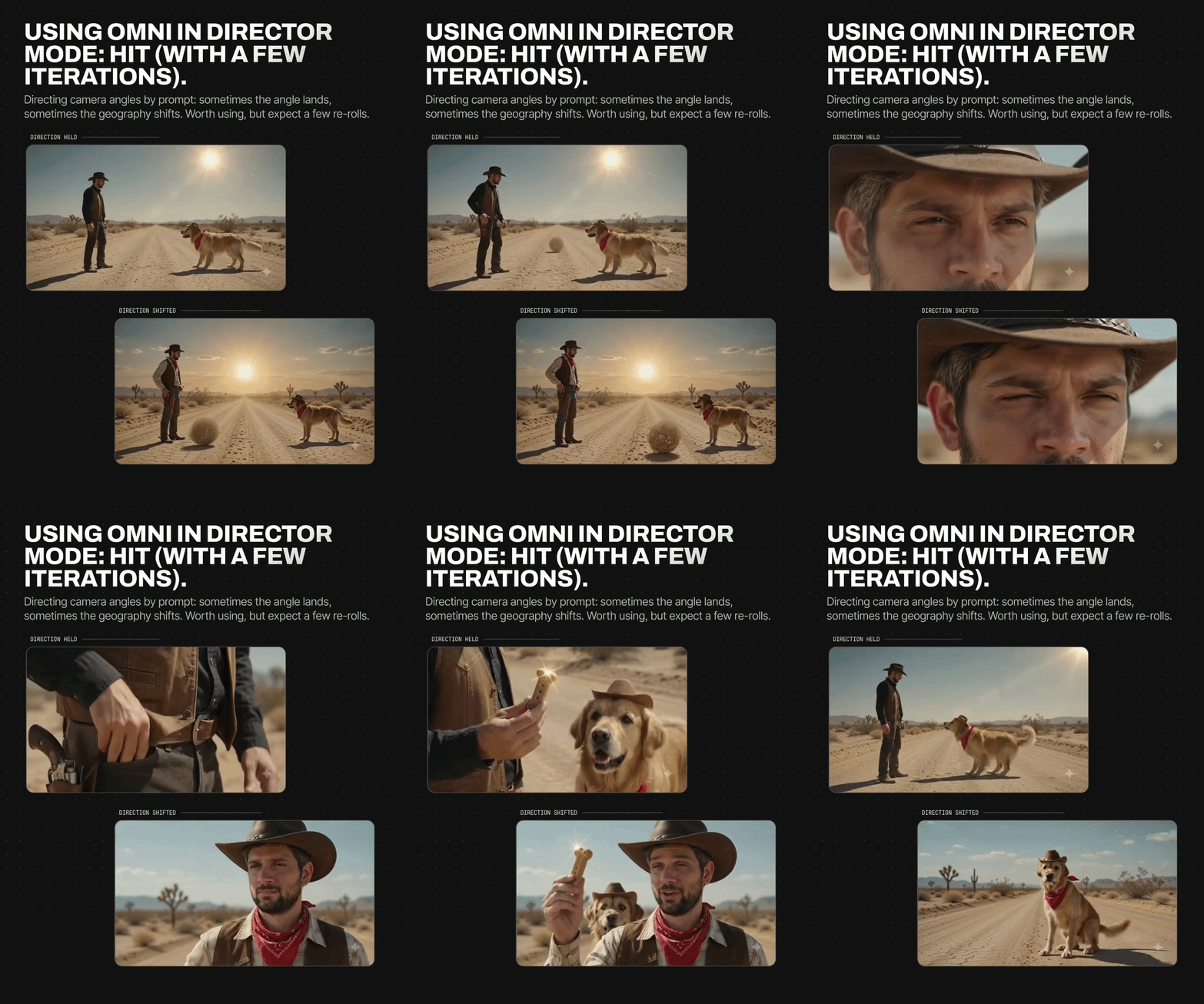
Feature #4 - Physics, tested via contact-based actions
To test the physics capabilities of the model, we ran a shot from the movie Wanted. As expected from the restrictions above, Omni steers clear of the real contact, particularly person-on-person.
The model continues to avoid real contact-based actions or anything resembling violence, it simply won't let you build a fight scene. This isn't new behavior; it's been a constant through previous Google models as well.
But step outside that boundary and the physics adherence is genuinely incredible. On more complicated object-on-object prompts, success is roughly 50/50.
The bottom line is, it gets things right sometimes and wrong sometimes, but it never messes up what it got right in the first place.
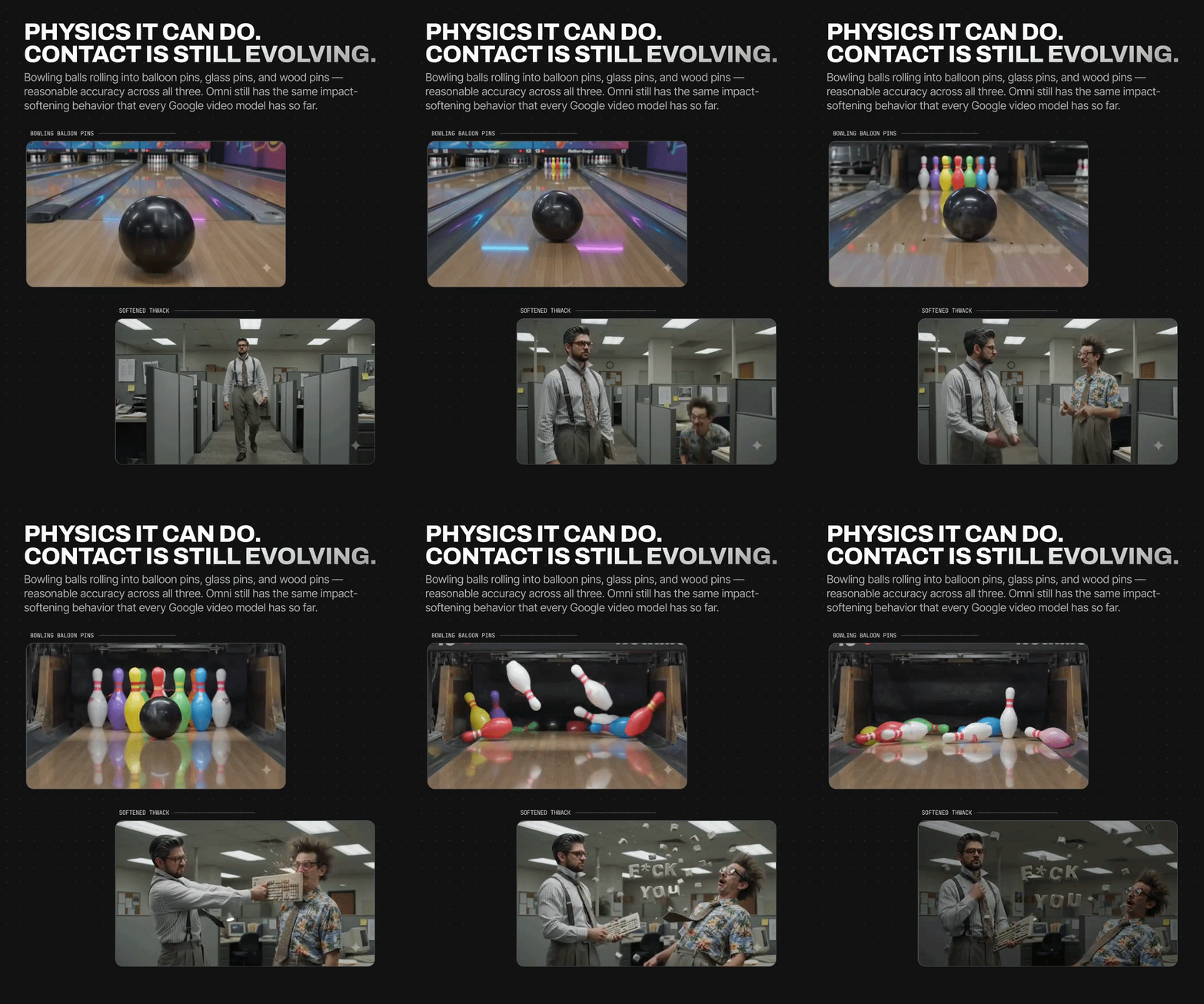
Feature #5 - Stop motion Animation
Stop-motion animation clips revealed a tendency to switch back and forth between fluid motion and a lower 8-to-12 fps look. Even so, the overall animation score is high; Google's model has consistently handled animation well.
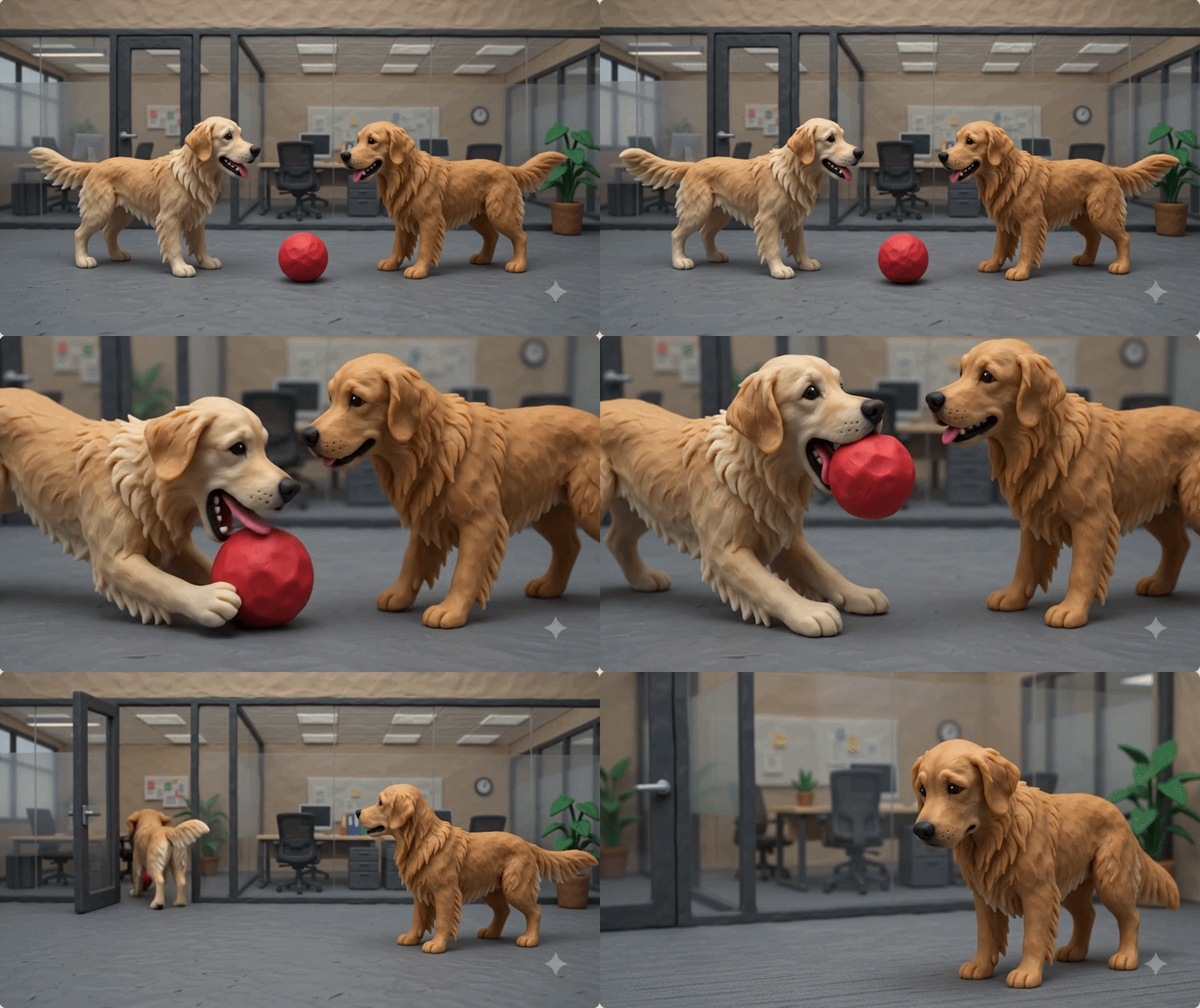
Feature #6 - Dialogues: Lip sync, single & multi-person
For a single person talking, the lip sync holds up until about 6 to 7 seconds before it begins to drop off.
You might occasionally land a clean 10-second clip, but when we put Gemini Omni Flash through the test the last few seconds often had broken lip sync in a single person shot.
Multiple people talking in the same frame remains a major weakness across current AI models.
Feature #7 - VFX capabilities
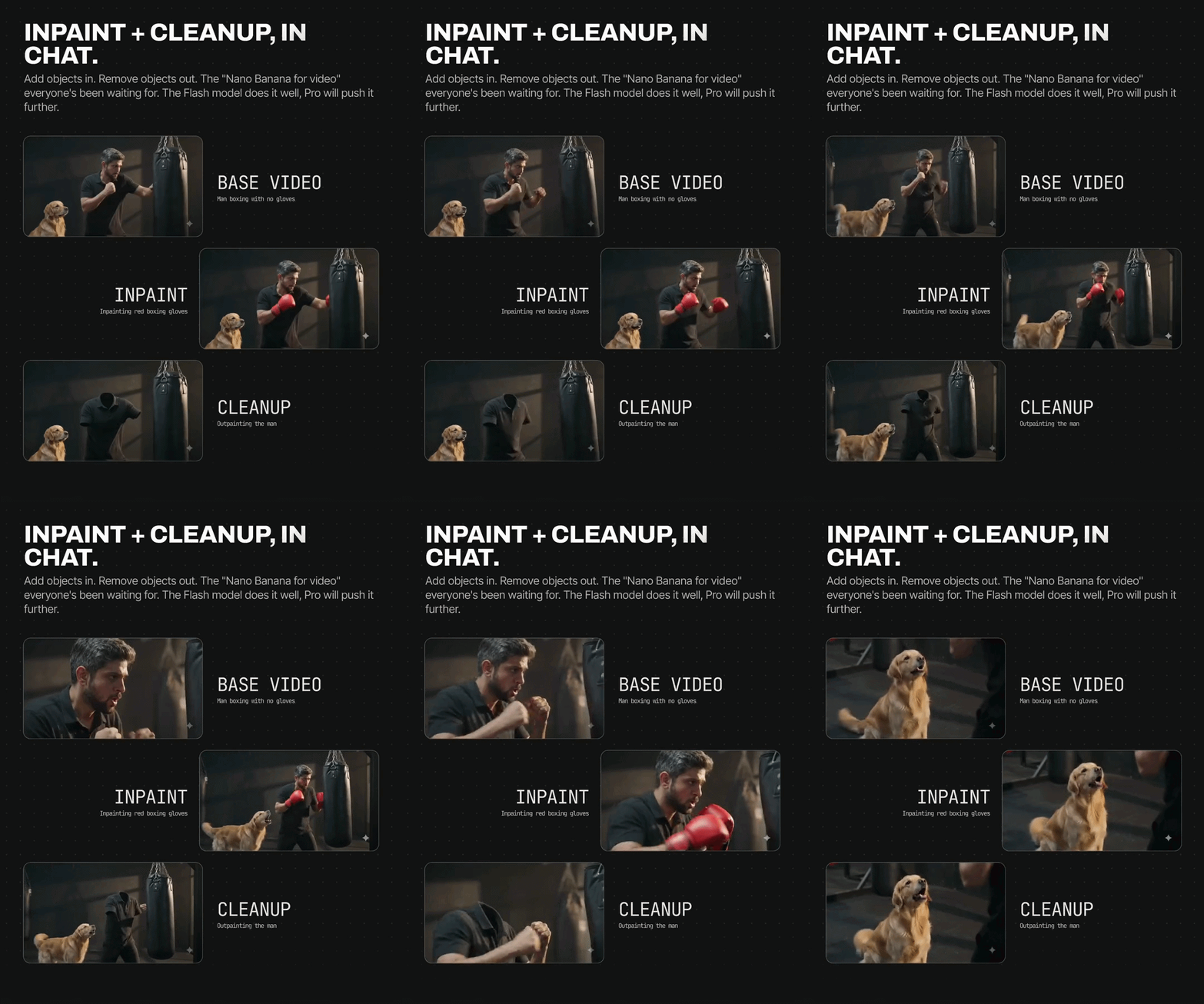
Inpaint and Cleanup
The video runs it as a clean three-step demo. It starts with a base video of a man boxing bare-handed. Ask for gloves, and Omni inpaints red boxing gloves onto him cleanly.
Ask it to remove the subject, and cleanup outpaints the man from the frame, already remarkably smooth.
As the slide puts it, the Flash model does this well and Pro will push it further. That it's already usable on Flash is what matters for teams shipping work in the same week.
Background Swaps and Relighting
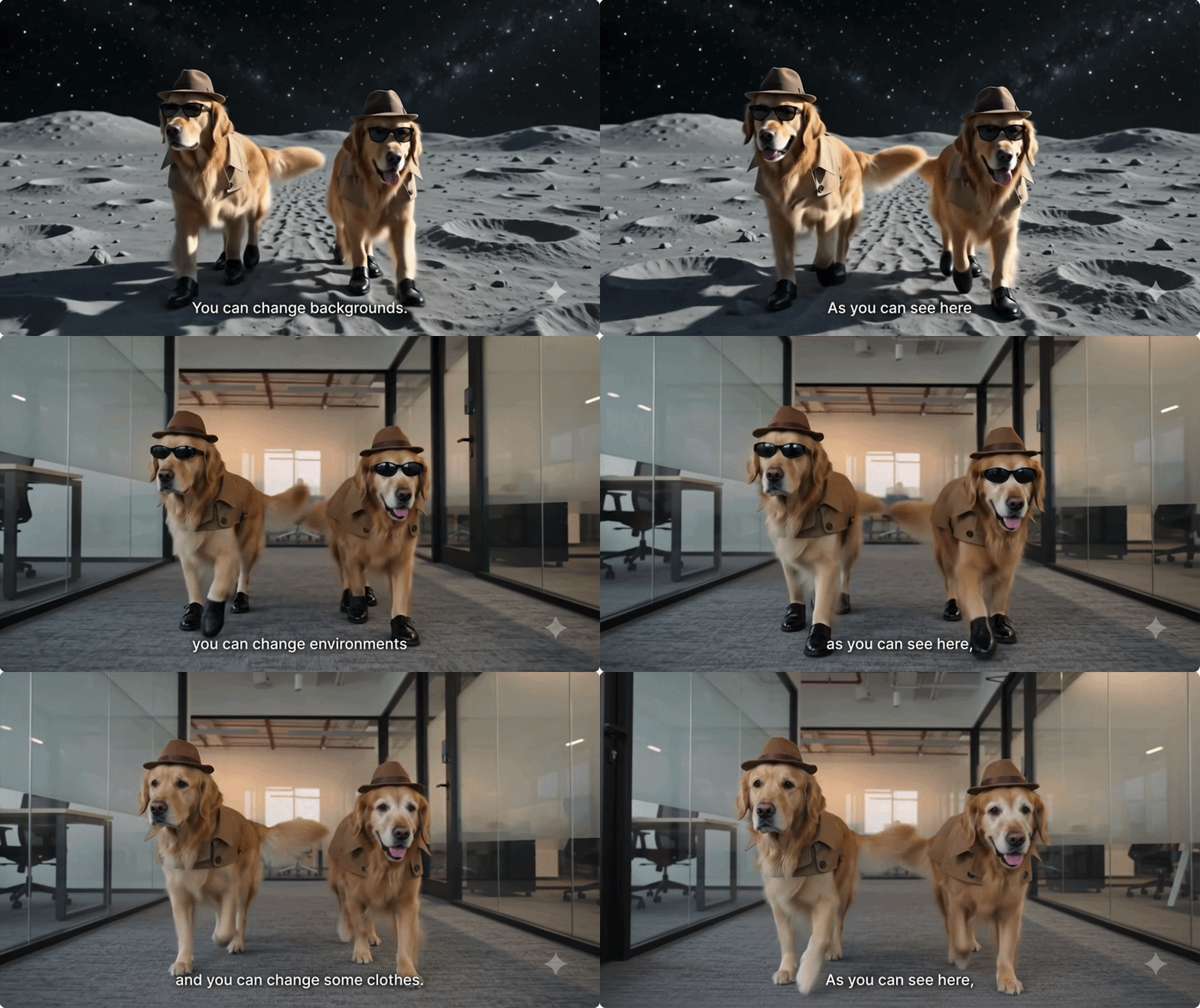
Swapping a background with lighting that reacts accordingly is a strong feature, and not having to worry about it breaking at random is what makes it a real selling point.
We took base footage of Dexter and Blaze in trench coats and sunglasses, then replaced the room with the surface of the moon. Omni kept the subject locked in place and re-rendered the light to match the new setting, so the subject looks relit exactly for the environment.
In-Frame Text Tracking
A more pleasant surprise was in-frame tracking. We asked Omni to keyframe text next to moving subjects like Dexter and Blaze, and it held coherent and smooth, the overlay tracking its mark perfectly as the frame moved through the clip.
It turns a callout into something you place once instead of babysitting frame by frame.
Feature #8 - Explainers, tutorial come with Gemini's embedded intelligence layer
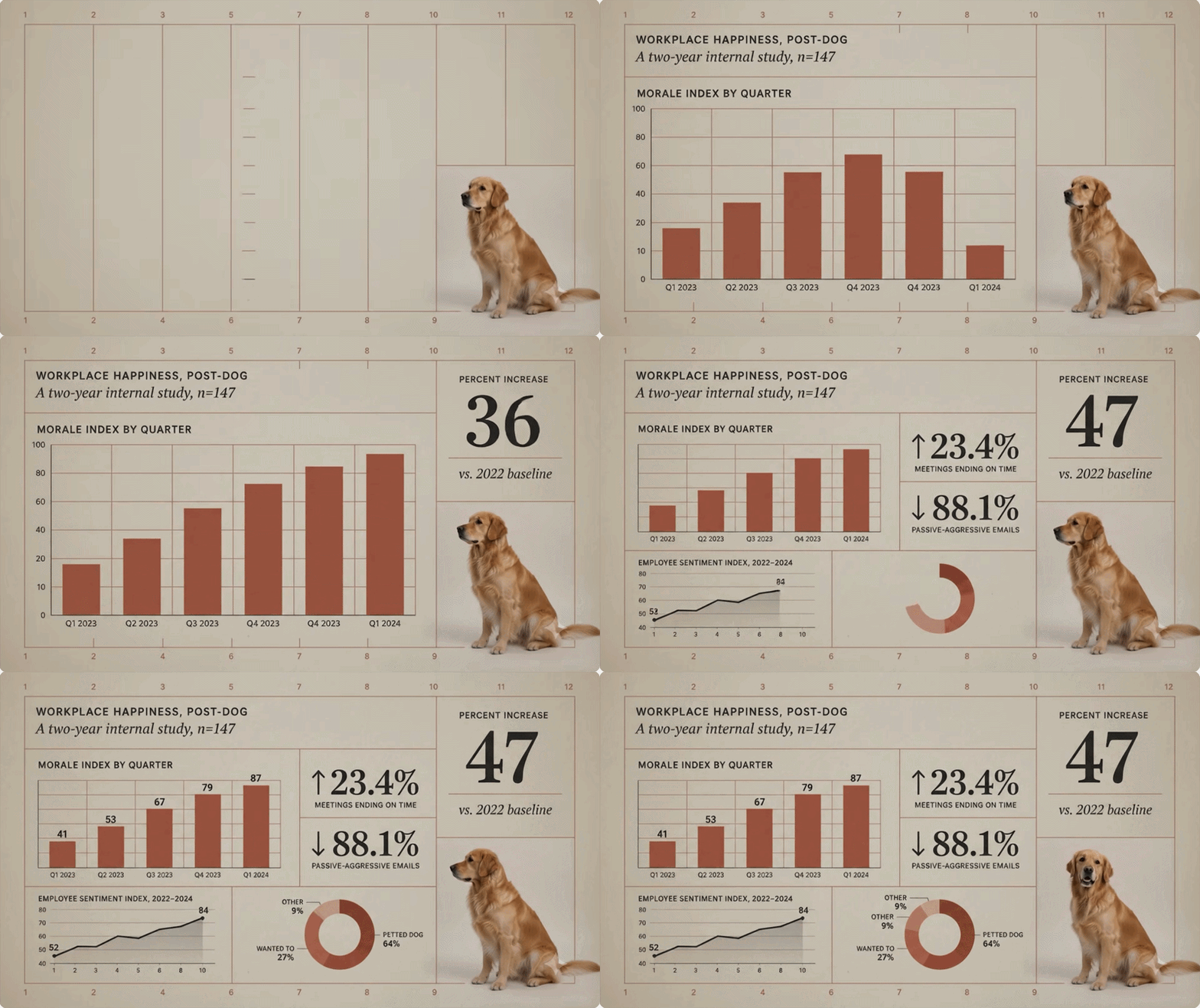
Scene extension was discussed at the IO event but is currently only available for clips generated in Veo 3.1, with rollout to Omni expected soon. Because Omni carries the intelligence layer of Gemini, it can also handle scientific explainers, such as an accurate breakdown of a dog's muscular-skeleton relationship.
It performs well with motion graphics too, showing strong key-frame animation and text consistency.
Technical specifications
On the hygiene side, Omni currently offers 16x9 and 9x16 outputs at 720p. You can upscale to 1080p at no cost, but reaching 4K costs the equivalent of an entire generation. Clip durations are limited to 4, 6, 8, and 10 seconds.

Conclusion: Is Gemini Omni Flash ready for primetime cinema?
Not yet but it's closer than before. Remember, this is only the Flash model; Pro isn't out, and features are still rolling out.
The standout feature is the avatar: a few double-digit numbers give you a decent likeness and an incredible voice replica, opening the door to talking-head channels and creators casting themselves without a camera.
But cinema-readiness comes down to the picture, and Omni's is still not ready for a big-screen close-up.
The limits are clear too: lip sync holds for six to seven seconds, multi-person dialogue drifts, contact and violence are off the table, and complex physics only land about half the time.
For now, Omni Flash is the signal, not the arrival.
Check out the full Gemini Omni Flash Review here:
FAQs
1.
How does Gemini Omni work?
Omni is the video-native model in Google’s Gemini family. It is built on top of Veo with a Gemini intelligence layer that interprets the logic of a scene, not only its surface. You prompt it for video, avatars, edits, or VFX, and that semantic layer decides how to render the request.
2.
How is Gemini Omni different from Veo?
The clearest Gemini Omni vs Veo difference is identity. Omni adds the avatar and voice-cloning system that Veo does not have, and its multi-shot timing is sharper. Its visual textures are inherited from Veo 3.1, so the raw footage still looks closely related. Scene Extension also remains Veo-only for now.
3.
Does Gemini Omni Flash do 4K video?
Yes. Omni generates natively at 720p with a free upscale to 1080p, 4k is a different story. The catch is cost. A single 4K upscale uses roughly a full generation’s worth of compute, so it is worth reserving for shots that need it.
4.
Can Gemini Omni clone your voice?
Yes, and it is the standout feature. You read a series of double-digit numbers to your camera, with no sentences required, and Omni captures your prosody and cadence well enough to rebuild your voice convincingly. The visual avatar is strong too, though less uncanny than the audio.
5.
How long can a Gemini Omni clip be, and can it handle two people talking?
Clips come in 4, 6, 8, and 10-second lengths. Lip-sync stays reliable to about six or seven seconds before it drifts. Two speakers in one frame remain a weak spot, since Omni often drops sync or misattributes dialogue, so single-speaker shots are the safe bet today.