AI Lip Sync
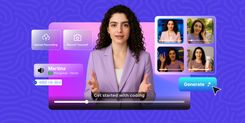
Bring any photo or video to life. AI Lip Sync matches mouth movements to any voice or audio, creating realistic and expressive videos instantly. Perfect for content, storytelling, and animation.
Create with AI Lip Sync
One Video, Every Language
1
Flubbed a line? Fix it
2
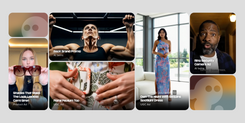
Animate Still Photos
3
Script in, presenter out
4
One clip, 50 ad variants
5
Reach every learner
6
Features of AI Lip Sync
Photo-to-Video
Upload a single still image and an audio clip, and invideo generates a full video with natural head motion, blinking, and accurate lip sync, not just mouth movement. The result looks like a real person talking.
Multi-Lingual
Works with 50+ languages out of the box. Combine with invideo's voice cloning or AI voiceover tools to dub and lip sync in one seamless workflow, no third-party tools required.
Identity Preservation
The speaker's face stays consistent across the entire clip. No warping, no drift, no identity shifts, even on longer audio tracks. What goes in is exactly what comes out, just animated.
Accurate Mouth Mapping
Handles complex phonemes, fast speech, and whispers. Jaw, lips, and teeth move independently for realistic articulation across languages. Every syllable is mapped to the correct mouth shape.
Expression & Emotion Transfer
Invideo reads the tone of the audio, emphasis, pauses, emotion, and reflects it in facial expressions. Eyebrows, cheeks, and eyes respond naturally alongside the mouth for truly lifelike delivery.
Works with Any Face Input
Accepts front-facing portraits, webcam recordings, AI-generated faces, and existing video clips. No special formatting or resolution requirements, upload and go.
Home for Bold Ideas

How to Create a Lip Sync Video?
Agents & Models
Go to Agents & Models, select Pixverse Lipsync if you have a video & audio or select Kling 3.0 Video, if you have a photo and audio.
Upload Media
Upload a photo or video with a visible face. Then upload your audio file, or use AI voice cloning to generate speech in your own voice.
Generate & Export
Invideo syncs the lip movements to your audio and renders the video. Preview the result, edit if needed, and export in up to 4K resolution.