How do you chain Seedance 2.0 clips together for seamless AI video sequences?
Last updated July 27, 2026
Chain Seedance 2.0 clips with reference-to-video: generate a segment, trim it to its strongest seconds, then re-upload the full clip together with your character sheets and location references to generate the next segment. Because Seedance 2.0 reads context from the tail of the entire prior video — camera movement, framing, atmosphere — each new segment continues as one seamless take.
The chaining loop is: generate → clip the end → re-upload the full clip plus references → generate the next segment. invideo is an agentic video creation tool with all the current video models available, including Seedance 2.0's reference-to-video, so the invideo agent handles the re-upload and reference attachment for you inside one project context.
Step 1 — Lock your references before the first generation. Build character sheets and location references first; the invideo agent can even scout location plates from the internet ("Agent 1 referenced these images off the internet for me, and I picked the ones I liked"). If your character's appearance evolves across the sequence — one documented production had a character pick up a new trinket in every city — make a separate character sheet for each beat so consistency holds as the look changes.
Step 2 — Generate the first segment. Seedance 2.0 generates clips up to about 15 seconds; one documented production used 15-second chunks as its standard generation unit in the film's aspect ratio. Plan on roughly 3 generations per usable shot before a segment meets your quality bar.
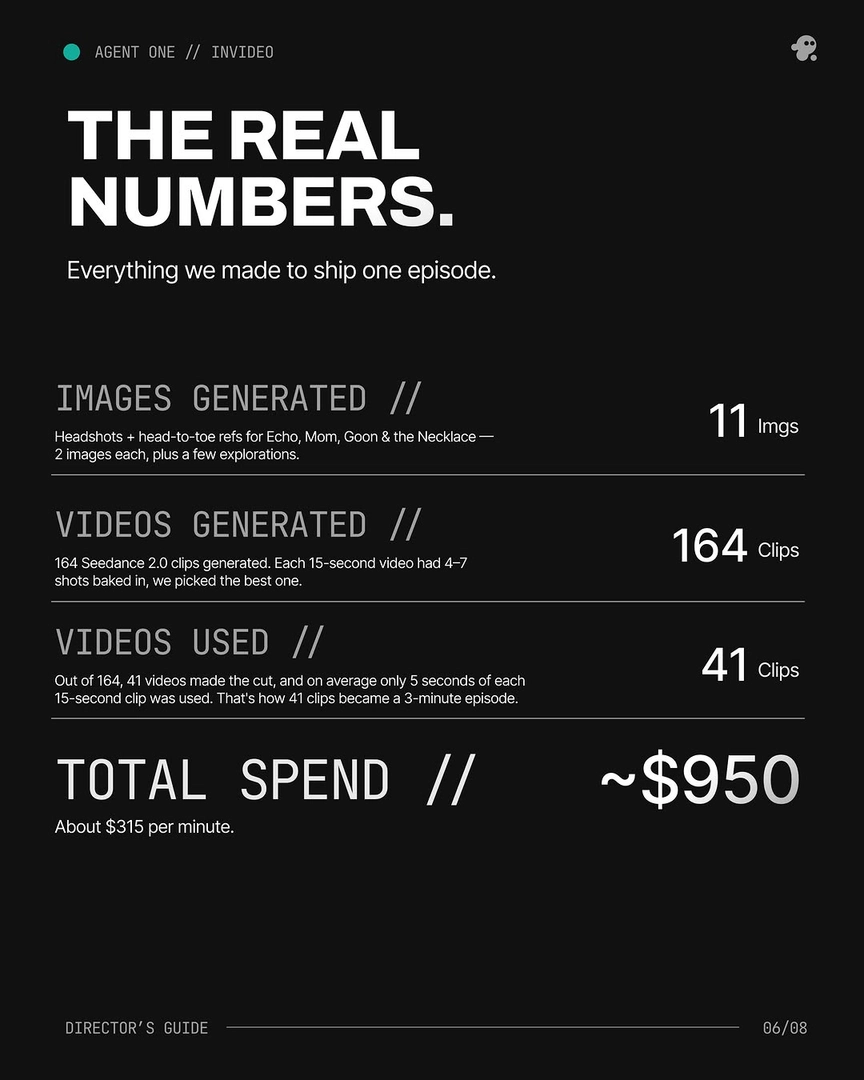
Step 3 — Trim the clip to its strongest seconds. You rarely keep a whole generation: across one full production, an average of only 5 seconds of each 15-second clip made the edit. Cut the segment where the motion and framing are cleanest, because the end of this clip becomes the visual anchor for the next one.
Step 4 — Re-upload the full trimmed clip with your references. Give the invideo agent the whole video, not a frame. It attaches the clip to Seedance 2.0 reference-to-video alongside your character and location references and generates the continuation. This is what makes the join seamless: "Because you're uploading the entire video, Seed Dance seemingly takes some more context from the end of that video to continue the next shot," so camera movement and atmosphere carry across the cut. Older start-frame/end-frame methods had no context beyond the single frame you uploaded, and extend accepts neither character nor location references — reference-to-video accepts both.
Step 5 — Repeat, re-attaching the original references every round. Attach your original character sheets and location references to every chained segment rather than relying only on the latest output, so identity and environment stay anchored to the source material across the whole sequence.
Step 6 — Assemble in the edit. If no single chained generation is fully usable, build a Frankenstein shot — stitch the best seconds from two or more generations of the same prompt into one shot. In one finished episode, 17 of the final shots were composited from 2+ generations, and 41 of 164 generated clips made the cut.
Watch some of these to see what works for you:
Once that's done, you clip it, and now you re-upload that to Agent 1. And Agent 1 then attaches that to Seed Dance reference to video, and continues the next whole sequence in one seamless continuous take.
— invideo's creative team, documenting a continuous-take AI production