AI Character Consistency: How to Keep Characters the Same Across Every Shot Without LoRA
July 15, 2026
Keep AI characters identical across shots without LoRA by locking a 4K multi-angle character sheet (front, 3/4, profile, back, plus face) in the invideo agent's context, which attaches it to every shot. Cast faces in Recraft V4 and build turnarounds in Nano Banana Pro; one documented 70-second short held two characters consistent for $750.
You keep AI characters identical across every shot without LoRA by locking a multi-angle character reference sheet — front, three-quarter, profile, back, plus face close-ups — at 4K in the invideo agent's context, where it attaches to every generation automatically. Cast faces in Recraft V4, build turnarounds in Nano Banana Pro, and lock the sheets before generating any video. One documented 70-second short held two characters consistent across every scene this way.
That workflow is what makes an AI video generator with character consistency actually deliver on the phrase: the consistency doesn't come from the video model, it comes from a locked reference that travels with every prompt. invideo is an agentic video creation tool with all the current image and video models available, so the same sheet follows your character whether a shot routes to Veo, Kling, or Seedance 2.0.
What a character reference sheet is
A character reference sheet is a multi-angle turnaround of one character — typically front, three-quarter, profile, and back views, plus face and mid-angle close-ups — generated at 4K and used as the canonical visual reference for every shot that character appears in. If you want the full breakdown of what is a character sheet and why video models need one, we cover it separately; the short version is that video models have no memory of your character between generations, so the sheet acts as that memory.
The sheet doesn't have to come from an image model. One production used 3D model reference renders — front, side, profile, and back poses — as its character sheets, which works equally well because the agent only needs consistent geometry from multiple angles, not a particular source.
The asset count is small. One documented animated episode generated 11 reference images total — headshots and head-to-toe references covering 4 characters and 1 prop — and that was enough to hold character identity across 164 video generations. Props get sheets too: anything that recurs on screen needs a canonical reference, not just people.
Build the character sheet: which models to use
Building a sheet is a two-stage job — cast the face first, then turn the approved face into a turnaround — and each stage has a best model:
Recraft V4 for the casting portrait. It generates faces with skin-level imperfections — pores, lines, stubble — which is what keeps an AI face from reading as synthetic once it's in motion.
Nano Banana Pro for the turnaround sheet. It generates 360-degree character sheets at 4K with four angles plus face and mid-angle close-ups, and it outperforms Nano Banana 2 for character fidelity.
GPT-Image-2 for general image work around the character — environment plates, props, and supporting frames that don't need the turnaround treatment.
You don't have to pick one model blind. Run the same character prompt on two image models in parallel through a casting agent inside invideo, then pick the aesthetic you prefer before developing the sheet — one production locked its entire cast this way. We walk through the full process step by step in how to create a multi-angle turnaround sheet.
Three build rules from documented productions: remove objects from the character's hands before generating the turnaround, because held props create inconsistency across angles; include close-up panels, not just wide views, so small details like scars and accessories survive across models; and generate around four options per character, select the best, and lock it before any video generation begins.
The budget for this stage is measurable. One production needed 5 generations to lock one character at $9.78 per character — meaning a full cast of four locks for under $40 before you spend a single video credit. Once a sheet is approved, tell the invideo agent to save it to context; from that point it attaches the sheet to every shot prompt automatically, with no re-uploading and no re-describing.
When prompting fails, hand-sketch the configuration
Some character configurations can't be reached by text prompting at all — specifically shots where two characters are in physical contact. Multi-character contact — ropes, props, bodies touching, one character carrying another — breaks AI models faster than almost any other scenario, which is also why AI videos glitch when two characters touch.
The fix is to sketch the arrangement by hand. Draw the exact physical configuration you want — how character A holds character B, where limbs and props sit — and upload the drawing to the invideo agent, which feeds it to Nano Banana as a visual reference and prompts its way to a fused character sheet for that configuration. One sprint production used this when text prompts failed to produce a vampire carrying a juice-box character; the resulting fused sheet held up well enough that the carry shot appears in 75% of the finished film. The sketch quality doesn't matter — the model needs spatial information, not draftsmanship.
Once the fused sheet exists, treat it like any other character sheet: lock it in context and every subsequent contact shot inherits it.
Lock the world too: scene-level reference anchors
Character consistency fails in practice when the character is stable but the world shifts around them, so apply the same lock to environments. Lock one element of a scene — a room, a vehicle, a key set piece — and the invideo agent autonomously generates every camera angle of it: wide, close, side, without you requesting each one. Those angles become the spatial reference the character is placed into, shot after shot.
For broader world-building, work in grids rather than single images. Generate multiple image grids per round, iterate on the grids you prefer, then extract the best individual panels — and here's the key move: the extracted panels replace your original reference images. From that point, every scene generates from panels that already exist inside your film's visual world, not from outside references, which is what keeps character, lighting, and environment coherent simultaneously.
Fix continuity errors without re-rolling every shot
When a character drifts in a generated shot — wrong scar, missing accessory, shifted costume detail — trace the error to its source instead of regenerating the shot. Ask the invideo agent to inspect the character sheet for mistakes: it identifies the exact panel containing the error, corrects it, stores the updated sheet in context, and regenerates only what's needed. The rest of the film stays intact, and because the corrected sheet lives in context, every subsequent shot inherits the fix automatically. The full method is in how to fix character consistency without re-rendering.
This also explains the one rule that surprises people: a costume or prop change requires a new reference sheet. The sheet is canonical, so if your character changes jackets in act two or picks up a new trinket mid-sequence, generate a distinct sheet for that beat. One production created a separate character sheet for each costume-change moment in a continuous take — the sheet count goes up slightly, but drift disappears.
Why no LoRA is required
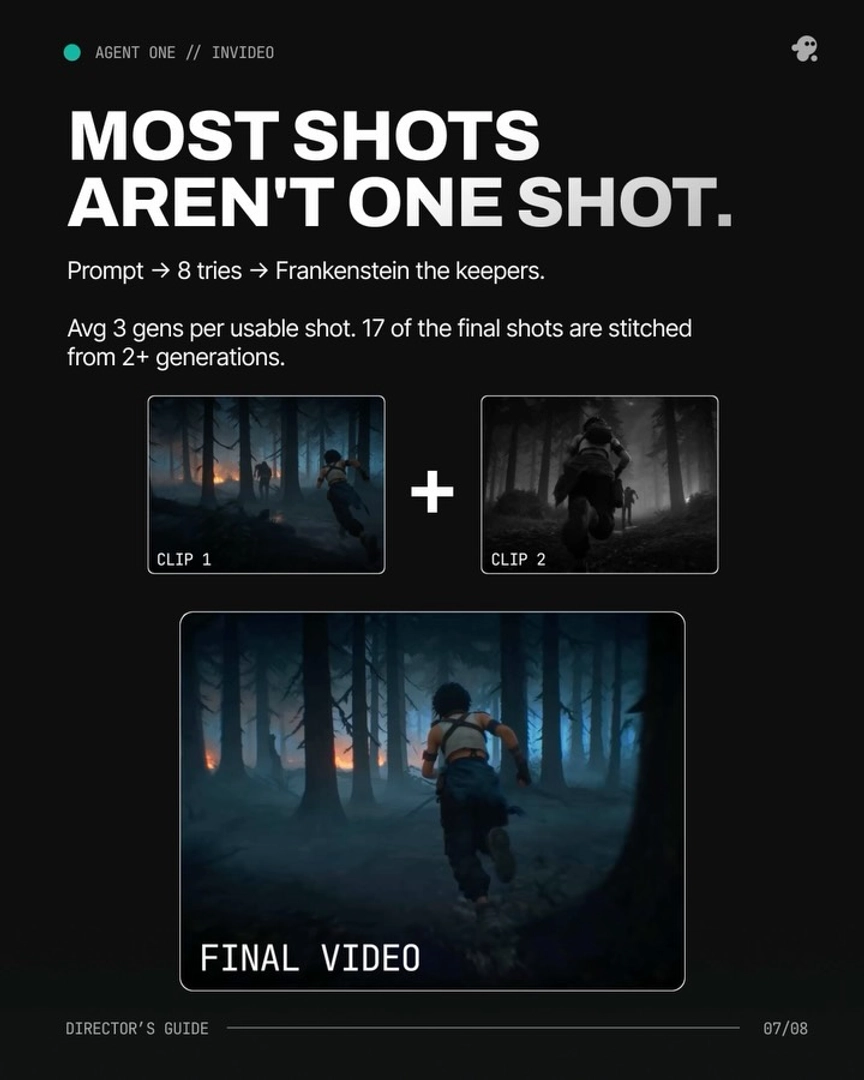
LoRA fine-tuning solves character identity by training the model; character sheets solve it by giving the model a persistent reference at generation time — and at the short-film scale, the second approach is sufficient on its own. The proof: a documented 70-second short film held 2 characters visually consistent across every scene with character sheets and the invideo agent's context system, no LoRA required, produced in 2 days for $750. As invideo's creative team put it: "Seventy seconds. Two characters. The same person across every scene. No LoRA needed."
The mechanism is the pairing, not the sheet alone. A sheet on your desktop does nothing; a sheet locked in the invideo agent's context gets attached to every prompt the agent assembles, for every shot, regardless of which video model the shot routes to. That persistence is exactly what fine-tuning would have bought you — minus the dataset assembly, training time, and per-model retraining, since a LoRA is bound to one model while a reference sheet works across all of them. We break down the head-to-head trade-offs in LoRA vs character sheets, and the full Q&A on character consistency without LoRA covers the edge cases.
If you want to run this workflow end to end — cast in Recraft V4, build turnarounds in Nano Banana Pro, lock everything in agent context — you can do it with character consistency on invideo, where every model in the pipeline is already available and the invideo agent handles the routing.
FAQ
How do you keep AI characters consistent without LoRA?
Lock a multi-angle character reference sheet — front, three-quarter, profile, back, plus face close-ups at 4K — in the invideo agent's context, and the agent attaches it to every shot prompt automatically. A documented 70-second short held two characters consistent across every scene this way with no fine-tuning.
What is a character reference sheet?
A character reference sheet is a multi-angle turnaround of one character used as the canonical visual reference for every shot that character appears in. It typically contains four angles plus face and mid-angle close-ups, generated at 4K; 3D model renders of the same views work equally well.
Do you need LoRA for AI character consistency?
No — at short-film scale, character sheets plus persistent agent context replace fine-tuning entirely. A LoRA also binds you to one model, while a reference sheet travels with the character across Veo, Kling, and Seedance 2.0 through the invideo agent.
How do you fix a character drift error without re-rendering?
Ask the invideo agent to inspect the character sheet rather than re-rolling the shot. It identifies the exact panel containing the error, corrects it, stores the updated sheet in context, and regenerates only what's needed — every subsequent shot inherits the fix automatically.
What's the best AI model for character sheets?
Use Recraft V4 for the casting portrait — it renders skin imperfections like pores, lines, and stubble — and Nano Banana Pro for the 4K four-angle turnaround sheet, where it outperforms Nano Banana 2 on character fidelity. GPT-Image-2 covers general supporting image work; all three run inside invideo, so you can compare them in parallel before locking a cast.