AI Previsualization: The Complete Guide to Planning Shots Before You Generate
July 15, 2026
AI previsualization collapses planning and production into one loop: the approved storyboard frame becomes the literal first frame a model animates. Traditional previs runs $5,000 to $50,000+ over 2 to 6 weeks, but documented AI productions finish end-to-end in 2 to 5 days at roughly $315 to $750 per finished minute via Seedance 2.0, Kling, or Veo.
AI previsualization collapses planning and production into one loop: the approved storyboard frame becomes the literal first frame a video model animates. Traditional previsualization runs $5,000 to $50,000+ over 2 to 6 weeks before a single production dollar is spent; documented AI productions finish previs and production end-to-end in 2 to 5 days, feeding approved frames into Seedance 2.0, Kling, or Veo through the invideo agent.
What is previsualization in film?
Previsualization (previs) is the practice of visualizing shots before they are produced — testing framing, blocking, camera movement, lighting, and edit order through storyboards, animatics, or rough 3D scenes so that the expensive part of production begins with decisions already made. On a traditional production, previs is a dedicated phase: a previs team builds rough versions of key sequences, the director iterates on them, and the approved plan is handed to the crew. A studio previs engagement typically costs $5,000 to $50,000+ and takes 2 to 6 weeks, depending on sequence complexity.
The defining property of traditional previs is that its output is disposable. The animatic never appears in the film. The boards are reference material for the people who will execute the real shots. Previs exists to de-risk a shoot — it is planning, separated from production by design.
That separation is exactly what changes in AI filmmaking.
Why previs is different in AI filmmaking
In AI filmmaking, previs artifacts are not references for a crew — they are direct inputs to the generation pipeline. The storyboard frame you approve becomes the start frame a video model animates. The character sheet you lock becomes the reference image attached to every shot that character appears in. The shot list you build becomes the generation queue. Previs and production collapse into one continuous loop: plan a frame, approve it, animate it, plan the next.
Three practical consequences follow:
Frame quality is footage quality. Because the approved frame is animated directly, the standard you hold your boards to is the standard your final footage inherits. Frames-first, then video, is the correct production order.
Previs decisions become machine-readable. A treatment document, a character sheet, and a shot breakdown are no longer documents a crew interprets — they are context an agent holds and applies to every generation without re-prompting.
Previs is continuous, not a locked phase. Iterating a frame costs cents, so you keep planning all the way through production instead of freezing a board weeks before the shoot.
The payoff is measurable. In one documented 5-day production sprint, three people and one agent locked the entire pre-production package — cast, costumes, look and feel, and world images — in a single day, and had 45 seconds of finished film on the timeline by the end of day 2.
The AI previs pipeline: boards and shot plans become generation inputs
invideo is an agentic video creation tool with all the current video and image models available, so the full pipeline below — script ingestion, board generation, shot planning, reference locking, and video generation — runs in one place with one persistent context. The pipeline has five stages, in order.
1. Script and treatment first
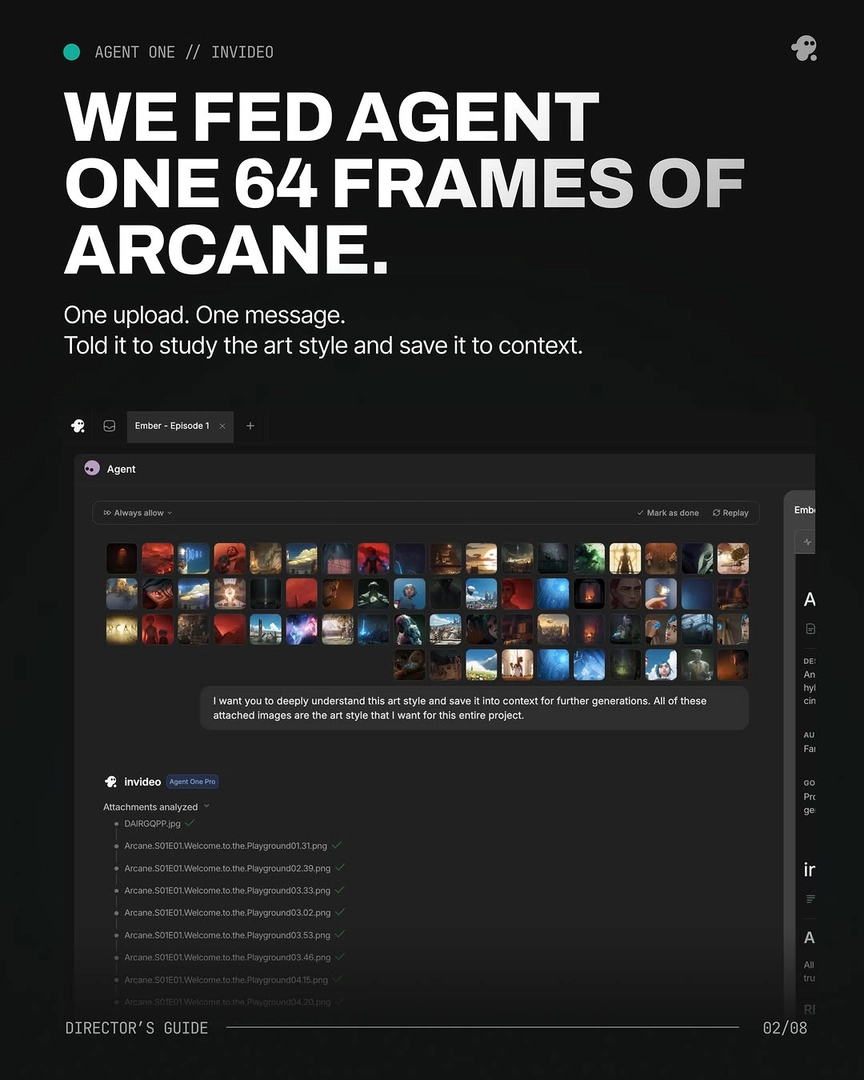
Upload the complete screenplay to the invideo agent before any visual work begins. Full script context — characters, arcs, themes, motifs — grounds every downstream previs decision, from board composition to shot order. If you have a defined visual direction, load it as a treatment document at the same time: one documented production used a 25-page visual-language document as the agent's permanent instruction set, and every frame was checked against it. As one invideo production framed it: "One agent that reads your treatment once and holds every directive across every shot, every scene. No re-prompting. No drift."
Before generating anything, have the invideo agent ask its foundational questions and answer them: character description, antagonist or entity reference, key prop specification, and deliverable format. These are the four inputs that change every frame — settling them first is the cheapest previs work you will ever do.
2. Storyboard frames as the first frames
Run a storyboard agent before any directorial instruction goes to production agents — a visual brief makes every subsequent direction more precise. Direct static frames to approved quality before initiating any video generation; motion only begins once the frame is right.
Generate grids rather than single images: request three grid options per round, iterate on the grids you prefer, then extract the best individual panels. Those extracted panels replace your original references and become continuity anchors for every subsequent scene — image generation costs little, so optionality at this stage is the correct use of budget. Every real director wants options; grids are how you get them. If you haven't committed to a look yet, run the same script frames in two candidate styles side by side and decide from the comparison, not from a hunch.
3. Shot planning and shot order
With boards approved, build the shot breakdown before generating a single clip. Assign a director's assistant agent to sequence shots — the invideo agent should know which shot follows which, and how the edit flows, before video execution begins. For rigor, instruct the invideo agent to output a structured plan per shot: one documented production required 12 parameters for every scene request — film reference, shot design, length, style interpretation, emotional register, lens, lighting plan, color script, atmosphere layers, blocking, plus the final prompt and negative prompt.
Plan coverage at this stage, not in the edit. After approving a hero frame, immediately request the compositionally opposite angle in the same session to build a matched pair for cutting. For reverse shots, instruct the invideo agent to apply art-director logic rather than mirroring: it will surface undecided production-design questions — what does the reverse wall actually look like? — and present narrative-loaded options before generating.
Shot planning is also where the invideo agent earns its credits back. In one production, the script's densest scene called for 18 cuts in 15 seconds; the invideo agent flagged the model limitation at the planning stage and recommended splitting the scene in two — before any generation spend, and the split produced a sharper result than the original script.
4. Reference frames and character locks
Lock every recurring visual element before video generation starts — this single step prevents consistency problems through the rest of the film. The documented workflow: generate four reference options per asset (character sheets, environment references), select the best, and lock it. Character locking is cheap and fast: about $9.78 per character.
Build character sheets as multi-angle turnarounds — front, side, back, plus face close-ups — because close-up panels are what keep small details like scars and accessories consistent across models. Remove objects from characters' hands before generating turnarounds to avoid cross-angle inconsistency. For environments, lock one element of the world and the invideo agent will extract every camera angle — wide, close, side — without being asked per angle.
For look development, pull sequence-specific references rather than one general mood board, and batch references by theme — spatial logic in one batch, color theory in another — with explicit instructions on what to adopt and what to ignore from each. Telling the model what to leave out is as important as telling it what to take.
5. The mock-shot for what prompting can't plan
Some shots resist planning on paper: complex POV moves and multi-character physical-contact setups are the documented breaking points of current video models. The fix is physical previs. Act the shot out yourself, film it on your phone, and upload the footage as a reference video — the model uses it as a visual anchor for camera path and blocking that no text prompt encodes. For complex physical arrangements between characters, hand-sketch the configuration and upload the drawing; one production solved a two-character carry setup that appears in 75% of the film exactly this way. As Hridaye, invideo's creative director, put it: "When the models get stuck you draw, you shoot, you bring your hands in and you get it done." A phone clip and a pencil sketch are previs artifacts too — the most literal ones in the pipeline.
Blocking, camera, and lighting: planning the things models can't infer
Video models do not infer blocking, light sources, or lens behavior — anything you do not specify, the model decides for you. Encode these in previs as explicit, repeatable language.
Use a fixed prompt assembly order. One documented production held a 9-element sequence across every frame: camera spec, lens and aspect ratio, lighting source, palette, composition, atmosphere, mood register, film/DP attribution, negative prompt. A fixed order is what makes consistency auditable across a hundred shots.
Specify the light source, not the adjective. "Warm yellow from the lamps only, like all the refs" produces accurate results; generic "warm lighting" does not. Where a director's grammar includes ratios, encode them numerically — one horror production locked an 85:15 dark-to-light ratio as standing prompt language.
Challenge the invideo agent's technical claims before locking direction. In one documented session the agent's analysis listed an anamorphic lens; when questioned, it corrected to spherical — a meaningful distinction, since spherical glass produces circular bokeh and no horizontal flares, and the same session corrected the format to a 2.40:1 hard matte. Catch these errors at previs, before they propagate across the whole asset pipeline.
Plan blocking per shot, in your film's aspect ratio and delivery format, as one of the structured parameters in the shot breakdown — not as something to fix in regeneration.
How much AI previs-to-production actually costs
Traditional previs alone costs $5,000 to $50,000 before production begins. Documented AI productions completed previsualization and full production at roughly $315 to $750 per finished minute — variance is natural and depends on team, style, and iteration appetite. Budget iteration deliberately: overgeneration is a planned budget line in this medium, not waste — and a stronger previs lock is what pulls that spend down.
Speed and scale: where AI previs diverges from the traditional version
Documented AI productions run 2 to 5 days end-to-end — against the 2 to 6 weeks traditional previs takes before production even starts. The clearest comparison comes from a 2-minute brand promo: 3 days through AI agents, versus an estimated 1 week of manual prompting or roughly 2 months of traditional production — a ~20x time reduction, delivered by a director with 15 years of ad-film experience.
The speed comes from parallelism, not haste. Documented productions ran 6 to 8 specialist agents simultaneously across separate project pages — creative producer, casting, storyboard, multiple DOP agents — replicating a real crew structure where world-building and casting develop in parallel rather than in sequence. Geography stops mattering: one 3-person team collaborated across two-plus cities through the same agent interface, and agents continued generation work autonomously overnight. Traditional previs cannot scale this way because every artifact has to pass through human hands; AI previs scales with how many agents you brief.
How many frames do you actually need to previs?
Fewer than first-frame/last-frame workflows ever required. Current multi-shot models generate 15-second sequences from a single storyboard frame, and each 15-second clip typically contains 4 to 7 usable shot candidates — so you board per beat, not per cut. Fewer boards means direct credit savings on top of the time saved.
The documented floor is low: a 90-second horror short used just 30 image generations against 400 video generations. The practical rule: one approved frame per distinct beat, one locked sheet per recurring character or environment, and grids for everything still being explored. On long-form work, board act-by-act — completing previs and generation for one act before starting the next — to keep the invideo agent's context intact across 20+ scenes; one 7-minute animated short ran the whole project in 25% increments for exactly this reason.
Do you even need previs in AI filmmaking?
For client work, yes, formally: a traditional storyboard lock is still necessary when agencies or external stakeholders need to approve before spend. For internal productions, the documented evidence spans two poles. One team produced a 3-minute animated episode with no pre-production at all — and paid for it in iteration, keeping only 25% of generated clips. The 5-day sprint at the other pole spent its entire first day on previs locks — cast, costumes, look, world — and ran cleaner from day 2 onward.
The honest answer: you always previs in AI filmmaking; the choice is whether you do it before generation or pay for it during generation. Since locking references costs a day of grid iteration, front-loading the locks is almost always the cheaper path — with the mock-shot and hand-sketch escape hatches reserved for the shots that planning can't reach.
Which models the previs frames feed into
Model choice determines how your previs frames are consumed, and the right model varies per shot. Seedance 2.0 generates 15-second cinematic clips and its reference-to-video mode accepts character sheets, location references, and the prior clip simultaneously — carrying camera, framing, and atmosphere across segment boundaries, which makes it the route for continuous takes (it holds more context than start/end-frame methods, and accepts references that extend cannot). Kling generates multi-shot sequences natively, which is why a single boarded frame can yield several cuts. Veo is the alternative route for single-shot generations from an approved start frame.
On the image side — where previs frames are actually made — Recraft generates photorealistic character portraits with skin-level imperfections (pores, lines, stubble) for casting; Nano Banana builds multi-angle character sheets at 4K, with Nano Banana Pro outperforming Nano Banana 2 for character fidelity; GPT-Image-2 covers board frames and environment exploration. You don't pick a platform per model: every one of these runs inside invideo, and the invideo agent routes each shot to the model the shot needs — including self-redirecting to an alternative model when one fails on a specific shot type.
The agent that holds previs and production together
Persistent context is what lets previs survive into production. Re-prompting scene-by-scene is the documented anti-pattern; the working pattern is an agent that holds the script, treatment, character sheets, and shot breakdown in one continuous context — so that once everything is loaded, a three-word continuation prompt ("Everything should match") maintains character, lighting, lens grammar, and spatial logic across an entire multi-shot sequence.
Structure it as a crew. Initialize a creative producer agent first, loaded with the full script, shot breakdown, and character details — it holds the vision that grounds every other agent. Run a storyboard agent for the visual brief, then assign a DOP agent per scene rather than one for the whole film, because each scene calls for a different visual sensibility; for a demanding scene, assign two DOP agents in parallel. Keep generation under approval control with Always Ask mode, so you review each prompt and its attached references before any credits are spent — and the invideo agent quality-gates output against the loaded treatment, returning only frames that pass. Every frame is a decision, not a draft: that is previsualization, running continuously, all the way to the final cut.
FAQ
What does previsualization mean in filmmaking?
Previsualization is the process of visualizing shots before producing them — through storyboards, animatics, or rough 3D — to test framing, blocking, camera movement, and edit order before committing budget. In AI filmmaking, the same artifacts double as generation inputs: the approved frame becomes the first frame the video model animates.
How much does AI previsualization cost compared to traditional previs?
Traditional previs runs $5,000 to $50,000+ over 2 to 6 weeks, and that buys planning only. Documented AI productions completed previs and full production in 2 to 5 days.
Do AI films still need storyboards?
Yes, but fewer frames than older first-frame/last-frame workflows required: multi-shot models generate 15-second sequences from a single boarded frame, each containing 4–7 usable shot candidates. Board per beat, lock a reference sheet per recurring character and environment, and use grids for exploration.
What happens if you skip previs in AI filmmaking?
You pay for it in iteration. Locking character sheets and environment references first is the step that prevents consistency problems across the rest of the film.
Which AI models accept storyboard frames as inputs?
Seedance 2.0 animates approved frames and its reference-to-video mode carries character and location references across segments; Kling generates multi-shot sequences from a single frame; Veo handles single-shot generations from a start frame. All of these run inside invideo, with the invideo agent routing each shot to the right model.
Sources
Previsualization — Wikipedia — background on the traditional previs process and its role in production planning.
Storyboard — Wikipedia — history and function of storyboards as pre-production planning artifacts.
Watch these to see the techniques in action: