Best AI Video Editors to Use When You’re Working with Raw Footage
October 25, 2026

Invideo Editor is the best overall choice for turning unorganized recordings into an editable cut and developing it through picture, graphics and sound. Its manual editing, ordinary MCP editing with Claude or ChatGPT and exports are free; built-in agent work and media generation use credits. Eddie suits interview-led stories and reusable logs, ChatCut combines selection-based requests with direct editing, Descript puts the transcript first, and Gling focuses on spoken-footage cleanup. Premiere and Wideframe’s Premiere route fit existing Adobe workflows, with different beta, hardware and subscription requirements.
A folder of recordings can contain everything you need for a good video and still leave you a long way from a first cut. The same explanation appears in several takes. A useful reaction sits between false starts. The close-up that makes a demonstration clear is in another file, and a second camera needs lining up with the main recording.
The best AI video editor for this work should help you find the material, choose and arrange it, then keep the resulting cut open to revision. Removing silence is useful, but so is preserving a complete answer, finding the right supporting shot and adjusting a cut by a few frames.
We compared seven options for turning raw footage into a complete edit: invideo Editor, Eddie AI, ChatCut, Descript, Gling, Adobe Premiere and Wideframe with Premiere. We looked at how each helps you find useful takes, assemble a first cut, refine picture and sound, and deliver a finished video or editable project.
Best AI editors for raw footage at a glance
Tool | Finding and selecting material | Assembling the first cut | Refining picture, pacing and sound | Delivering or handing off |
invideo Editor | The agent searches recordings by people, actions, objects or ideas, then selects material around the story brief. This is free when you connect your ChatGPT or Claude agent. | Take selection, retake cleanup and multicam assembly come together in an editable first cut that can be revised manually or through further instructions. | Agent requests and manual timeline control work together, from retiming a cut and layering graphics to matching color and shaping sound. | Finished videos can be exported without a watermark, or the editable project and media can move into another editor. Both routes are free. |
Eddie AI | Searchable interview and B-roll logs make recorded material reusable across edits. Importing uses credits, so footage volume affects the budget from the start. | Story prompts turn soundbites and B-roll into an editable assembly. Requested rebuilds use credits, making repeated structural passes part of the cost. | Transcript edits, manual trims, titles, color and music support refining the cut, but native Premiere and Resolve project exports omit Eddie’s color adjustments, so that work needs redoing. | Native Premiere and Resolve projects keep the cut editable. However, timeline exports use credits, so sending revised versions to another editor adds to the cost. |
ChatCut | An agent request can point to an asset, transcript passage, clip or time range, keeping material selection focused on the part being edited. | Take selection and cleanup produce a timeline you can edit directly, but requests to the built-in agent use credits, so asking it for repeated changes to the first cut adds to the cost. | You can add B-roll, graphics and sound as you develop the cut, but directly adjusting graphic elements requires Desktop, leaving editors on other surfaces to request those changes through the agent. | Compatible local video exports are free, although XML handoffs can leave out captions, effects, transitions or graphics, leaving those parts of the edit to be rebuilt in the destination editor. |
Descript | The transcript helps find dialogue and the AI assistant finds visual moments. But the full imported recording counts toward your media allowance, even if you keep only a few takes. | Editing the transcript cuts and rearranges the video. Retake removal and automatic camera switching help build the first cut, but AI assistant requests use credits, so repeated revisions add to the cost. | Visual layers, timing controls and speech enhancement help refine the cut. Running the automatic multicam pass again replaces existing scenes, so layouts and scene adjustments already made may need rebuilding. | Descript exports videos and editable timelines, but watermark-free videos and timeline exports require paid access. XML omits animation and audio effects, leaving those treatments to rebuild. |
Gling | Bad-take, silence and filler detection prepare spoken footage for a first cut. The free plan caps AI-edited source footage, so larger batches may need paid access to finish cleanup. | Cleanup choices produce a first pass with removed speech still available to inspect and restore, keeping the recorded explanation open to selective revision. | Transcript cuts and timeline trims give direct timing control, while reframing, speech enhancement, multicam and B-roll help develop the cleaned recording. | Gling can export a cleaned video, though free output carries a watermark. An editable handoff also requires Desktop and an eligible plan, making that route a paid step beyond free browser cleanup. |
Adobe Premiere | Visual, speech and metadata search help locate shots, although visual queries are English-only and the analysis can miss small details or fast action, so precise visual selections still need checking. | Transcript editing builds sequences and the AI assistant can create rough assemblies, but Adobe advises against using the assistant beta for client work, leaving that prompted workflow to experiments on duplicate projects. | The same project carries into detailed timeline, multicam, graphics, Lumetri color and audio work, letting an established Premiere workflow continue through finishing. | Finished files and native Premiere projects remain in the Adobe workflow. Desktop access requires a subscription after the trial, so continuing the edit and delivering later versions carries an ongoing software cost. |
Wideframe + Premiere | Search, labels and speaker identification help organize footage. However, Wideframe requires an Apple Silicon Mac, so Windows and Intel Mac editors cannot use this workflow on their existing workstation. | The first pass arrives as a native Premiere project with interview stringouts and multicam preparation, ready for an editor to continue developing the sequence there. | The prepared sequence opens in Premiere for creative finishing, making this a two-app workflow: picture, graphics and sound still have to be refined in Premiere after the footage has been prepared. | Wideframe produces an editable Premiere project, but its subscription does not include Premiere access, so the full cost of finishing and delivering the video spans both products. |
1. invideo Editor: Best overall for assembling and finishing raw footage

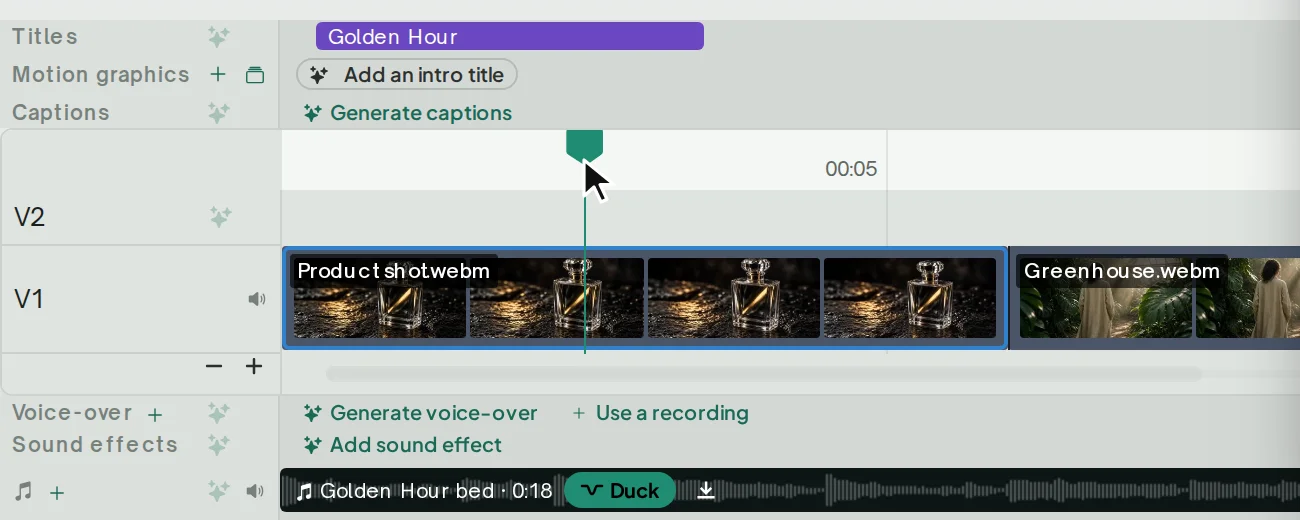
Supplied invideo Editor interface: a media pool beside separate video and audio tracks.
in invideo you can review your recordings, find relevant moments and build a first cut around the video you want to make through Invideo Editor’s editing agent or by connecting ChatGPT or Claude via MCP for free. A script can guide the order, or you can describe the intended story: introduce the problem, show the demonstration and finish with the result. The agent can select takes, remove restarts and long pauses, and place the assembly on a fully editable multitrack timeline.
That matters when the recordings contain more than speech. You can ask for a particular action, object or camera angle, bring the matching close-up into the sequence and keep the presenter’s explanation underneath. Multicam synchronization and switching also support jobs with more than one recording angle. The raw-footage-to-rough-cut guide explains how to give the assembly a useful direction.
For an example of the resulting workspace, Luca Epifani’s walkthrough at 03:08 shows a segmented talking-head timeline with additional video inserts above it.
You can develop that first pass through further instructions and full manual control. Swap a take, change a cut point or hold a reaction longer. Add supporting footage, captions and layered graphics, then refine their placement and keyframe timing. Color wheels, curves and scopes help match recordings, while separate dialogue, music and effects tracks let you shape the soundtrack alongside the picture.
Revisions can stay specific: shorten the opening, preserve the demonstration and retime its supporting shots. The editing-prompts guide shows how to identify the target, intended change and material to preserve.
Manual editing, watermark-free video exports and editable-project exports are free. The built-in agent is available through paid plans and uses credits. Connecting to ChatGPT or Claude through MCP for ordinary editing is completely free with your assistant’s own allowance applying separately. Generating new images, video or audio uses invideo credits.
Invideo is our strongest overall choice because the initial selection and assembly, creative revisions and detailed finishing all belong to the same editable workflow. You can deliver from that suite or export the timeline with its media to continue in Premiere Pro, Final Cut Pro or DaVinci Resolve.
2. Eddie AI: For shaping interview stories from searchable footage logs
Official Eddie interface: source clips on V1 with a separate title and music lane.
Eddie AI is a useful choice when the story lives across recorded answers. It logs interviews, makes the spoken material searchable and helps assemble soundbites around your direction. Its B-roll logging also describes visual footage, so silent supporting shots can become part of the search and assembly process.
You can request a particular topic, more of one interviewee or a different sequence, then develop the cut with transcript edits and frame-level trims. Eddie also supports multicam, B-roll placement, captions, motion graphics, color work, music and MP4 delivery. It can carry a straightforward recorded story further than a selects document or a logging tool alone.
Its native Premiere and Resolve projects are especially useful for teams continuing in those editors. The format choice needs attention, though: color grades do not transfer through Eddie’s native Premiere or Resolve project routes. Resolve FCPXML carries color, crop, motion and audio levels, but not multicam angles. A route that preserves one part of the edit may therefore leave another part to finish again.
Eddie uses pay-as-you-go credits rather than requiring a conventional feature-tier subscription. New accounts receive 500 credits, and a 1,000-credit pack costs US$10. Imports, requested edits and timeline exports draw on that balance, so repeated assemblies and handoffs belong in the project budget. The invideo versus Eddie comparison explores the finishing and editing-cost differences in more detail.
Choose Eddie for organizing interview material into story-led cuts, especially when reusable logs and a planned NLE handoff fit your production process.
3. ChatCut: For directing edits through selections and transcripts
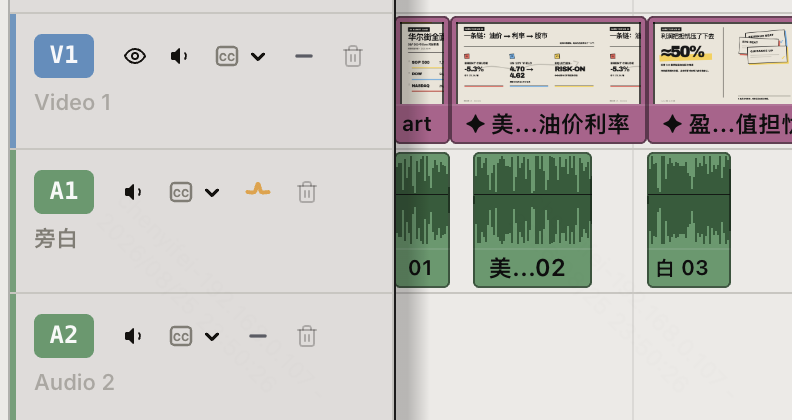
Official ChatCut timeline detail: video and separate audio tracks with visibility, sound and lock controls.
ChatCut combines an editing agent with a timeline and transcript that you can change yourself. For spoken raw footage, it can select takes, remove repeated ideas and fillers, shorten pauses and add supporting material. Its selection references let you point a request at a clip, passage or time range, which is useful when a revision should affect only one part of the first cut.
It also offers multicam synchronization, B-roll, music, captions and custom motion graphics. Manual transcript changes remove or rearrange the corresponding footage, while the timeline gives you direct control over clip boundaries and tracks. These are meaningful alternatives to handing every revision back to an agent.
The surface you use affects graphics refinement. Direct element selection in its Motion Graphics Editor requires ChatCut Desktop 0.3.13 or later. On other surfaces, structural, animation and element-level changes go through the agent. If you want to move a label yourself while reviewing the shot, Desktop is the relevant route.
Delivery also affects how far to finish before handing off. ChatCut’s XML export can omit captions, effects, transitions and unrendered graphics. Pro can include motion graphics as rendered transparent files, but those files do not give the destination editor the original editable graphic elements.
Manual editing and compatible browser or Desktop local video exports are free. The 60-minute cumulative allowance applies to cloud rendering, rather than every local export. Built-in-agent requests use credits, and Pro gates features including video generation and transparent graphics export. The free-editing comparison with ChatCut separates those access routes.
ChatCut fits editors who want to alternate between focused agent requests and direct transcript or timeline work, with Desktop available for hands-on graphic changes.
4. Descript: For shaping the story by editing the transcript
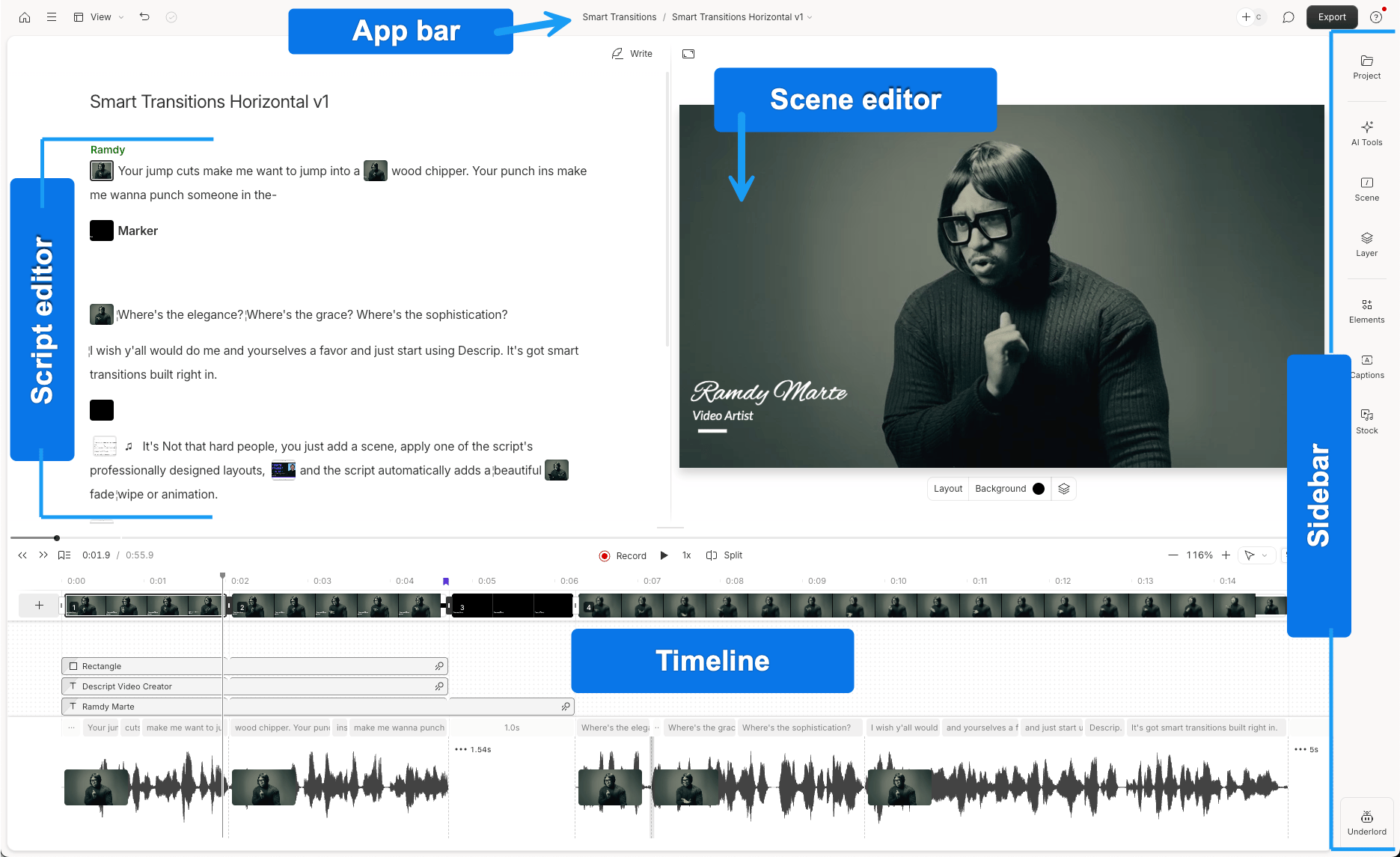
Official annotated Descript interface, showing the script, scene editor, timeline and sidebar.
Descript is particularly useful when the main editorial decision is which spoken ideas to keep. You can search the transcript, remove a passage or move an answer, and the corresponding audio and video follow the text. Retake and filler removal help with cleanup, while Underlord (Descript’s AI assistant), can find moments by what happens on screen and carry out broader requested edits.
It also offers a visual editor and multitrack timeline. You can add B-roll and captions, adjust layers and timing, animate visuals and use Studio Sound for speech enhancement. Automatic Multicam can switch to the active speaker, add cutaways and build speaker layouts, so Descript is a serious option for multi-camera spoken footage as well as a single presenter.
The main workflow caution comes when you rerun that automatic camera pass. Automatic Multicam replaces existing scenes. If you have already refined layouts or scene details, another full pass can leave those adjustments to redo; individual revisions are better handled within the existing cut.
Handoffs have their own boundaries. Timeline export requires Creator or above, and XML leaves out treatments including animation, audio effects and audio keyframes. Descript’s beta native Premiere export supports eligible multicam sequences, but availability varies by account and visual transforms such as position, scale and crop do not transfer. Plan the handoff before investing in those finishing details.
The full imported or recorded sources also count toward your media allowance, even if you keep only a few takes and requests to Descript’s AI assistant use AI credits. The Free plan includes one media hour per month and a one-time AI-credit allowance; but watermark-free video delivery requires a paid plan. The Descript comparison explains the camera, sound and delivery decisions further.
Choose Descript when reading and restructuring the transcript is your preferred way to shape the story, with visual refinement and delivery planned around its scene and export behavior.
5. Gling: For removing retakes, pauses and filler words

Official Gling help screenshot: transcript selection, presenter preview and timeline controls.
Gling gives you a direct starting point for recordings with repeated attempts and gaps. Import the footage and choose whether to cut bad takes, silences and filler words. The resulting edit stays open to review: Show cuts reveals removed material, and Uncut restores speech you want to retain.
You can then use transcript selections for whole passages and timeline splits or edge trims for closer timing adjustments. That is useful when the first task is cleaning a presenter recording while keeping its existing explanation and order recognizable. Captions, reframing and speech enhancement support the next pass. Gling also offers multicam editing and AI B-roll, extending it beyond a silence-removal utility.
The practical constraint is how you intend to deliver. Its Free plan includes one hour of AI-edited media per month, with a watermark on video exports. Continuing in Premiere Pro, Final Cut Pro or DaVinci Resolve requires the desktop app and an eligible plan, so a free browser cleanup is not the same access route as an editable NLE handoff.
Gling is a good fit when the recording already has a usable structure and take cleanup is the main obstacle. It offers a focused way to prepare that spoken material, provided its source allowance and delivery route cover your project.
6. Adobe Premiere: For preparation and finishing in existing Premiere workflows

Official Adobe Premiere beta screenshot: the Assistant panel beside a program monitor and timeline.
Premiere is a strong option if you already finish your work there. Media Intelligence searches imported footage using visual descriptions, spoken words and metadata. Text-Based Editing lets you work with spoken material through its transcript, while the familiar timeline remains available for detailed selection, trimming and rearrangement.
Its AI Assistant beta adds another preparation route. Adobe documents organizing bins, renaming and labeling clips, generating transcripts and markers, and creating stringouts and rough assemblies through prompts. That gives Premiere a relevant role at the beginning of the raw-footage workflow, alongside its established multicam, graphics, Lumetri color and audio finishing tools.
The distinction is between the shipped editor and that early Assistant beta. Adobe explicitly advises against using the Assistant for client work yet and recommends duplicate projects or fresh media when trying it. For a committed delivery, you can use the established editing tools and test the Assistant separately without making the client project depend on beta behavior.
Premiere’s visual search also currently only accepts English queries, and Adobe notes that its still-image analysis can miss small details or fast action. The search results are useful candidates to review before choosing a shot. Desktop access requires a subscription after the seven-day trial; prices depend on region and billing term.
Choose Premiere when the project, finishing requirements and collaborators already revolve around Adobe, and use its Assistant with the beta status in mind.
7. Wideframe + Premiere: For delegating footage preparation in Premiere handoffs
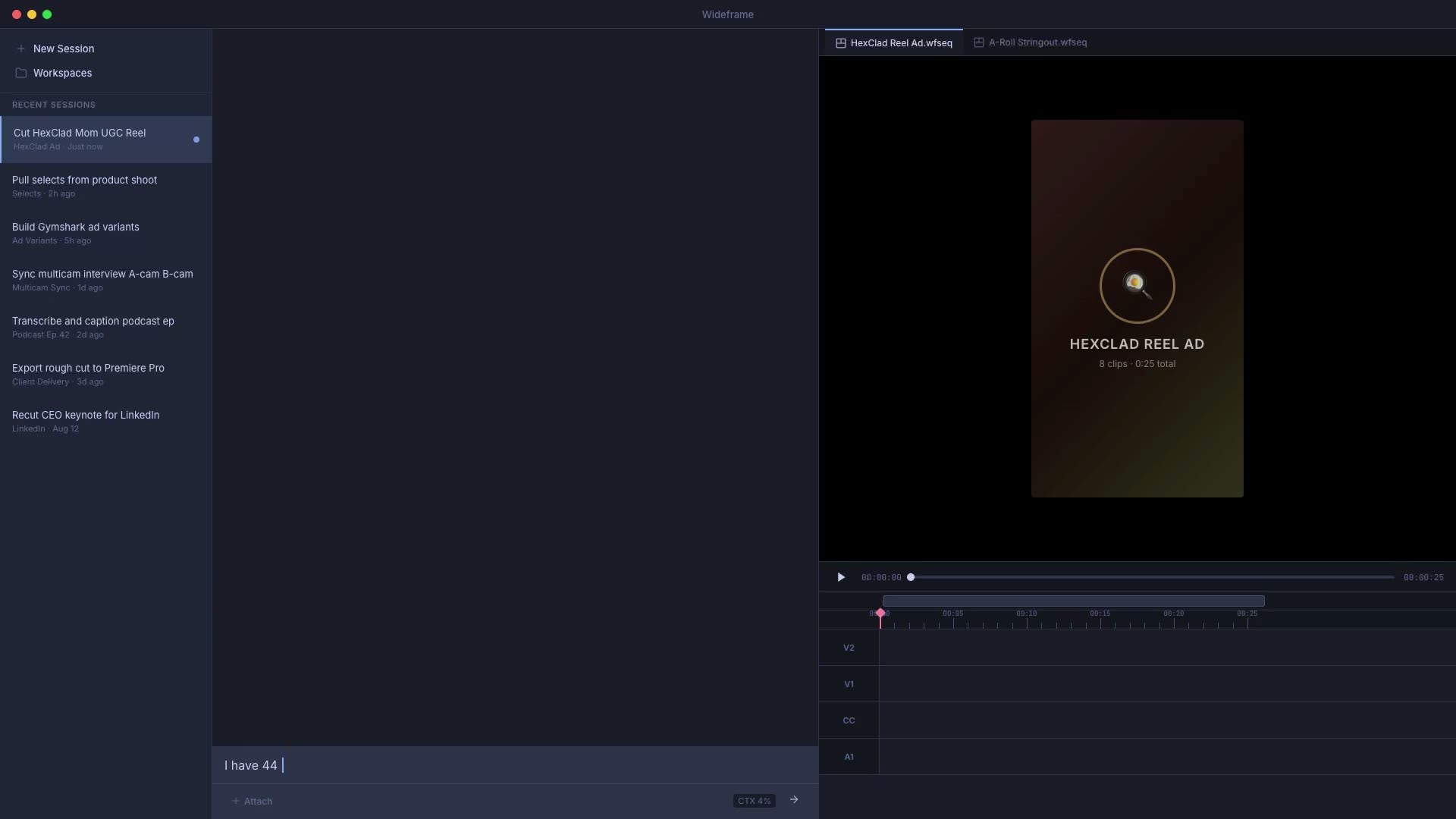
Official Wideframe demo workspace: session navigation, chat, preview and timeline area.
Wideframe takes the assistant-editor role in a Premiere workflow. Point it at local or cloud footage, then request selects, interview stringouts, speaker labels or multicam preparation. Its search and organization tools work across the recorded material, and the output is a native .prproj file that you open in Premiere.
That route is useful when the footage needs organizing and sequencing before an editor takes over. Wideframe also reads and edits Premiere project files, so its role extends beyond returning a transcript or a list of suggested moments.
The complete job still spans two applications. Wideframe’s stated workflow finishes in Premiere, where you make creative adjustments and export. You therefore need access to Premiere as well as Wideframe, and an Apple Silicon Mac with an M1 chip or newer. It is not a route for a Windows or Intel Mac workstation.
The individual plan is US$100 per month after a seven-day trial, with no separate credit packs in the advertised plan. Starting the trial requires a card, and it becomes paid unless canceled. Premiere access is an additional requirement in the overall budget.
Choose Wideframe when delegating footage preparation into native Premiere projects is the priority and its Mac requirements and two-app cost fit your workflow.
Frequently asked questions
Can I edit and export without buying an editing subscription?
Yes. Invideo’s manual editing, ordinary MCP editing, watermark-free videos and editable-project exports are free. Your external assistant’s allowance is separate, and built-in-agent work or new media generation uses invideo credits. ChatCut also offers free manual editing and compatible local video exports. Gling’s free videos carry a watermark, and Descript requires a paid plan for watermark-free delivery.
Do I need to leave Premiere to get an AI-assisted first cut?
No. Premiere includes Media Intelligence and Text-Based Editing, and its Assistant beta can create rough assemblies. Eddie and Wideframe provide additional routes into Premiere projects. Invideo also lets you assemble and refine the cut before exporting an editable project with media for continued work in Premiere.
Can I direct the edit from ChatGPT or Claude?
Invideo supports ChatGPT and Claude through its MCP connection, including their supported web conversation routes. Eddie also supports both assistants, with Eddie’s credit charges still applying. Descript’s MCP route invokes its own tools and allowances. ChatCut’s plugin supports desktop agents such as Codex and Claude Code; it is not installed through ChatGPT or Claude’s websites. Check the client route you intend to use before choosing.
Will these editors accept every camera RAW format?
The term raw footage here describes recordings you have not edited. Camera RAW is a separate format question. Check the exact codec, container, resolution and frame rate against the chosen editor’s current import guidance. For an NLE handoff, also check how the exported project references original media or proxies, and keep the originals available for relinking.