How do you avoid plastic-looking skin and generic AI faces in AI fashion videos?
Last updated August 1, 2026
Fix both failure modes at the input layer, not by re-prompting. Cast faces with a portrait-grade image model and lock them by version before any video runs; write skin-texture micro-tokens (visible pores, vellus hair, subsurface scattering, melanin variation) into your project context; add explicit Standing Don'ts banning plastic-rendered humans and generic AI faces; and light with a hard, raked key so skin reads as flesh, not plastic.
Start by separating face creation from costume and motion — generate character portraits first with a portrait-grade image model, iterate until skin reads as real, then lock those exact versions by their version number so every subsequent shot inherits the same face. invideo is an agentic video tool where the invideo agent routes each step to the right model, so you can compare Recraft, GPT-Image-2, and Nano Banana on the same face in one chat and pick the one with the best skin texture — Recraft tends to render better skin texture than Nano Banana for casting, while Nano Banana Pro leads on lighting realism.
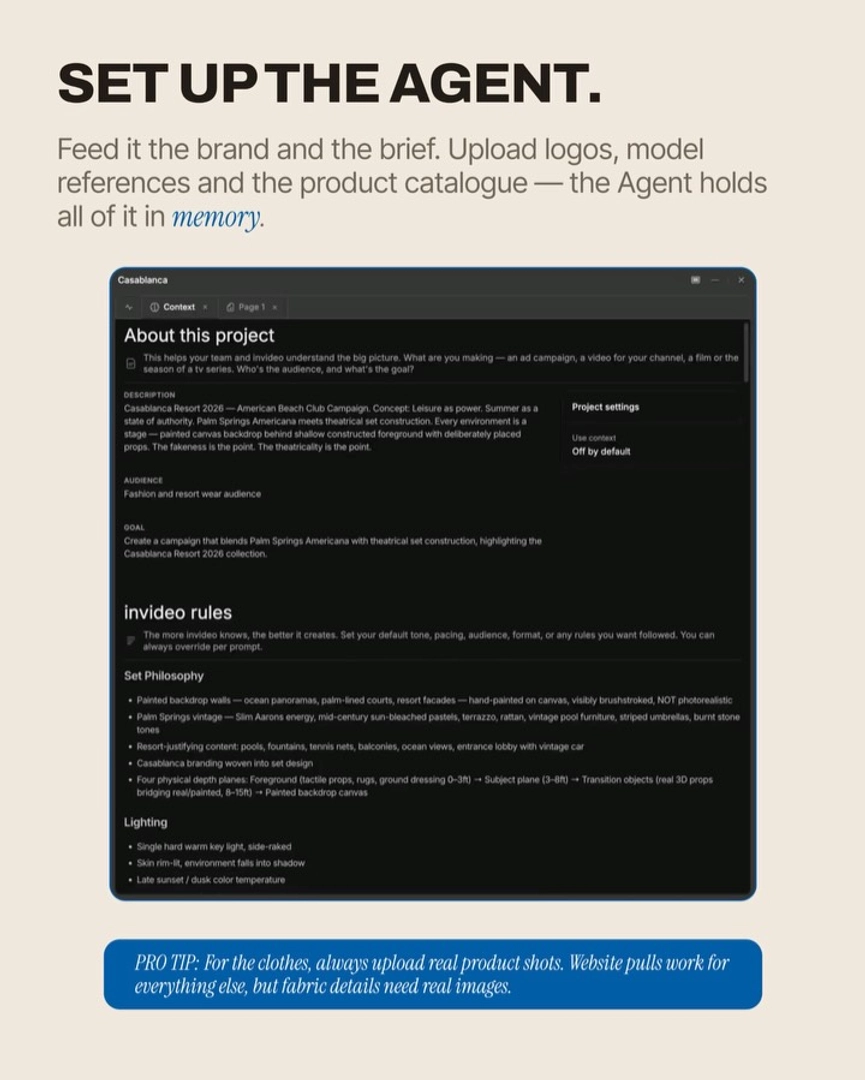
Write skin micro-detail into the project context, once. Load a context block that the invideo agent carries across every generation — don't re-prompt it per shot. Include explicit skin tokens: "visible pores, fine vellus hair, subsurface scattering, melanin variation across cheeks and nose, micro-asymmetry in features, soft specular highlights on skin, natural blemishes." Persistent context means the agent applies this language to every image and every keyframe without you typing it again, which is the only way it stays consistent across a multi-shot fashion film.
Add Standing Don'ts to your treatment note. Inside the project's treatment note, list the visual outputs the invideo agent must never produce — verbatim: "no plastic AI-rendered humans, no generic AI faces, no airbrushed CGI skin, no symmetrical doll features, no waxy highlights, no uncanny smoothness." Hridaye, invideo's creative director, calls this section the most important of the briefing documents because guardrails prevent the most common AI failure modes more reliably than positive prompting alone.
Light the face like a DOP would. Specify lighting in plain craft language in the keyframe prompt: a single hard warm key light, side-raked, skin rim-lit, environment falling into shadow. Directional and side/back light reveals pore structure and subsurface depth; flat front light is what makes AI skin read as plastic. Avoid "harsh sunlight" — write "sunny day, slightly backlit" instead. This single change does more for realism than any prompt token.
Use a probe shot before you batch. Generate one full-frame shot — character, garment, set, skin, pose all in it — and inspect the skin at 100%. If pores, vellus hair, and asymmetry are present and the skin doesn't have that even sheen, the system holds and you can scale. If it doesn't, fix it at the keyframe stage — never at the video stage, where regenerating costs real credits.
Direct pose and gesture at the micro level. Generic AI faces partly come from generic AI bodies — frozen, symmetric, neutral. Specify weight distribution, hand position, jaw tension, gaze angle in degrees, and at least one micro-gesture (a slow head turn, a breath). Overly literal stillness instructions freeze the model and amplify the doll look; one slow gesture, not zero.
Route the right model per shot. For casting portraits, lean on Recraft or GPT-Image-2 (better skin texture and reference fidelity). For hero style frames where light is doing the work, Nano Banana Pro. For motion, Seedance 2.0 reference-to-video carries the locked face cleanly into video — fashion-grade fabric and skin generally hold better through Seedance 2.0 than through Kling on the same shot. invideo has all of these available, so the invideo agent picks per task instead of you switching tools.
Feed clean, high-resolution references. If you're seeding from real photos, upload sharp images with natural directional light, not phone snapshots under overhead office light. Garbage in, plastic out. For each character, give the agent close-up, front, side, and three-quarter angles so it has real anatomy to anchor to rather than averaging toward a generic face.
These moves stack — context tokens + Standing Don'ts + raked light + locked portraits + probe shot — and each removes a different cause of the plastic look. Skip any one and the failure mode it was guarding usually creeps back in.
Watch some of these to see what works for you:
No plastic AI-rendered humans... generic AI faces.
— Hridaye, invideo's creative director