Why does breaking a dense scene into smaller parts improve AI-generated video quality?
Last updated July 27, 2026
Splitting a dense scene improves AI-generated video because three constraints ease at once: each sub-scene fits inside the model's effective context so detail stops degrading, you can route each piece to the model best suited to its action, and you get per-segment review loops where you fix one beat without re-rolling the whole scene.
Three mechanisms are doing the work, and they compound.
1. Context relief — each sub-scene fits what the model can actually hold. Video models generate in fixed chunks (typically 15-second clips), and the more action, character changes, and camera moves you cram into one prompt, the more the model drops or blurs detail toward the tail. Splitting a dense beat — say a chase that breaks into a confrontation — lets each segment occupy the model's full attention budget. In one documented production, an 18-cut, 15-second bathroom sequence hit exactly this ceiling: the invideo agent flagged the density against the model's limits and recommended splitting the scene before a single credit was spent, and the split version cut sharper than the original script intended.
2. Model specialisation — different beats want different models. invideo is an agentic video tool that routes shots across the current model roster (Runway, Veo, Kling, Seedance 2.0) from inside one project, so you don't pick a platform per shot — you pick a model per sub-scene. A motion-heavy pursuit segment routes to a model that handles camera movement and multi-shot sequences natively; a quieter dialogue beat with tight character continuity routes to Seedance 2.0 reference-to-video, which carries character and location context across clips. Splitting the scene is what makes that routing possible — a monolithic prompt forces one model to do every job.
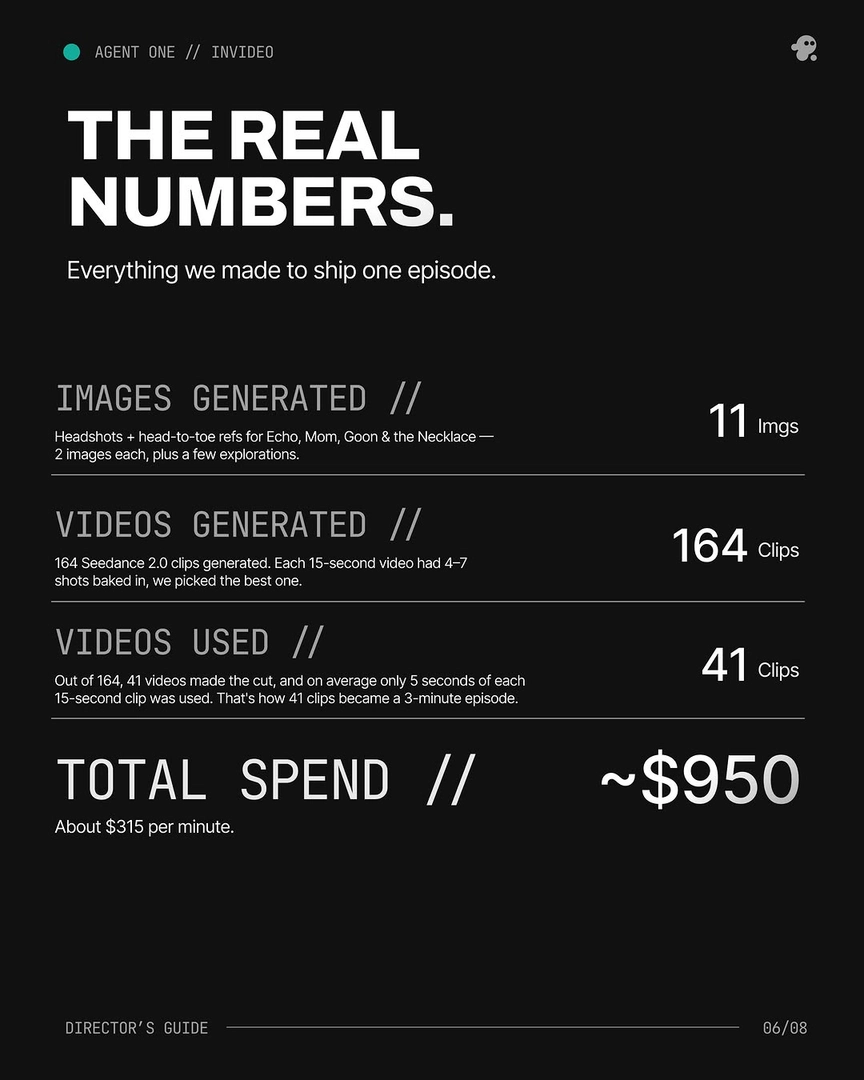
3. Per-segment iteration — you fix one beat without burning the rest. Decomposed segments give you reviewable units. Across documented productions, the average is roughly 3 generations per usable shot and only ~25% of generated clips make the final cut (41 of 164 in one 3-minute episode), with about 5 seconds of each 15-second clip actually used. Those numbers are only survivable because each segment is its own loop: you re-roll the one beat that misses, keep everything else locked, and your character sheets and style references stay attached to each prompt. A single huge generation gives you all-or-nothing; split segments give you surgical control.
Applied to the workflow: write the scene, ask the invideo agent for a shot breakdown, let it flag any sub-scene that exceeds a model's coherence budget, route each sub-scene to the right model, and run each as its own approval loop. As Hridaye, invideo's creative director, puts it: "It doesn't assume. It asks. Every gap gets filled before the frame gets built." That gap-filling is exactly what decomposition unlocks — the agent can only ask precise questions about a beat small enough to reason about.
Watch some of these to see what works for you:
It doesn't assume. It asks. Every gap gets filled before the frame gets built.
— Hridaye, invideo's creative director