Image-First Iteration: Why Generate a Still Before the Video
July 15, 2026
Image-first iteration generates a still image of a shot, iterates on framing and composition cheaply, then spends video credits only once the still is locked. It's the primary lever that keeps AI UGC ads at ~$125 each and AI product swaps at ~$30, because video credits never get burned on framing exploration.
Image-first iteration generates a still image of a shot, iterates on framing and composition cheaply, then spends video credits only once the still is locked. It's the primary lever that keeps AI UGC ads at ~$125 each and AI product swaps at ~$30, because video credits never get burned on framing exploration.
What image-first AI video iteration actually is
Image-first iteration is a credit-saving habit baked into the agentic workflow: for any shot where framing, composition, character placement, or lighting is still uncertain, you generate a still image first, iterate on that still until the frame is locked, and only then spend video credits to animate it. The principle is simple — images cost a fraction of video, and almost every shot decision (camera height, subject placement, lens feel, palette, light direction) can be made on a still. Video credits get reserved for one job: turning a locked frame into motion.
Hridaye, invideo's creative director, sums up the discipline in one line: "I only spent video credits on locked frames." That sentence is the entire workflow.
How to run image-first iteration end to end
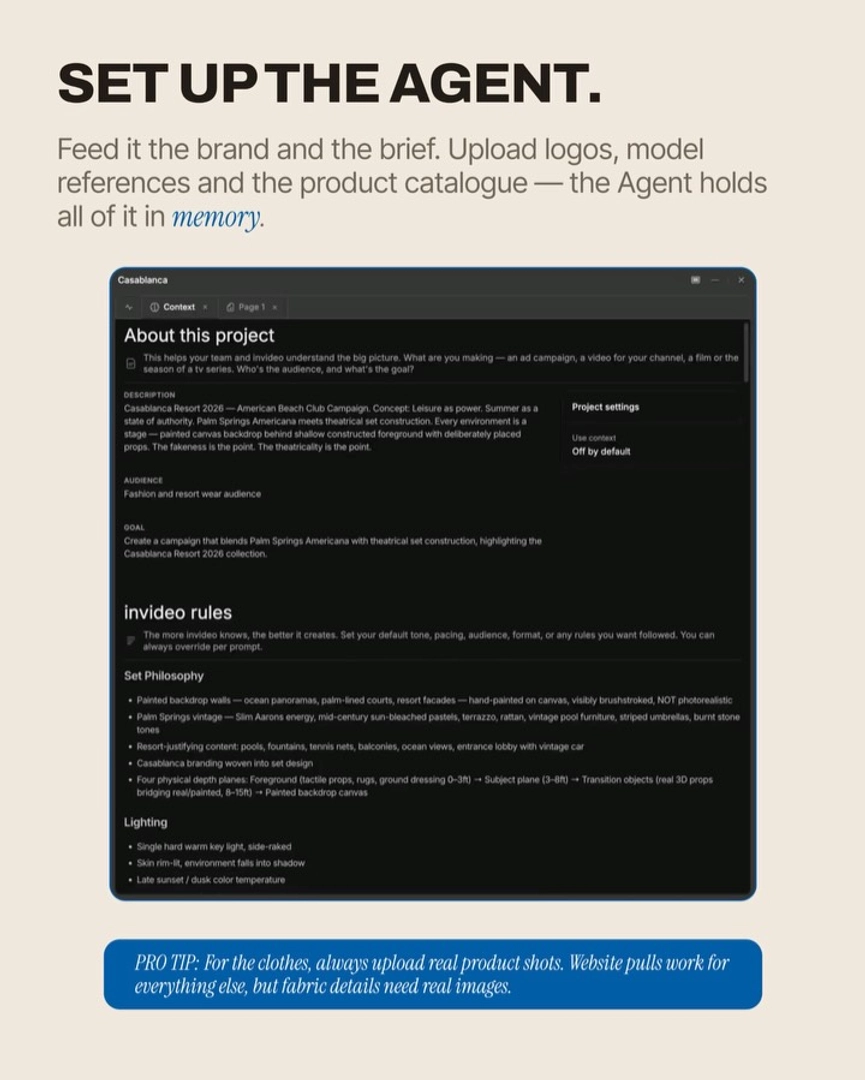
The invideo agent has every current image and video model on tap and routes each generation to the right one, so you stay in one chat for the whole loop. Run it in this order:
1. Generate the still for the shot. Ask the invideo agent for the frame you want — subject, environment, lens feel, light direction, mood — and let it pick the image model that fits (Nano Banana for lighting-heavy frames, GPT-Image-2 for any frame carrying text, product UI, or graphic detail, Recraft for character casting portraits). You're producing a keyframe, not a video yet.
2. Iterate cheaply on the still. Adjust framing, palette, pose, and composition in plain language until the image is exactly the frame you'd want the video to open on. Multiple image iterations cost a tiny fraction of one video generation, so this is where exploration belongs.
3. Lock the frame. Once the still holds, treat it as the anchor for that shot. If the shot is part of a setup with multiple angles, lock the first frame fully — subsequent shots in the same setup inherit its look.
4. Animate the locked frame. Now spend the video credits: pass the locked still into Seedance 2.0 (or Kling 3.0 where multi-shot continuity matters, Veo where the shot calls for it) as the keyframe, with your camera-movement and duration instructions. Because framing is already resolved, the video generation is solving for motion only — not composition.
5. Generate in small batches and lock-and-stitch. Run 3–5 variations of the animated shot, pick the best, lock it, move on. This is the image-first iteration method most agentic producers actually run day to day.
The economics are why this matters. Across documented productions, locking frames before animating is what holds UGC ad cost mechanics at ~$125 per ad (≈500 credits) and product-swap ads at ~$30 each (115 credits). A localized ad with new characters and voiceover lands at ~$145 (570 credits) on the same discipline. The shared mechanism in every one of those numbers: video credits were only spent on frames that had already passed image review — so an ~85% clip rejection rate during animation still produces ads at performance-marketing unit economics, because the rejected work was always cheap motion variants of an already-correct frame, not exploratory video.
When to skip image-first and go straight to video
Skip image-first when the shot's value is in continuity across cuts — a single multi-shot sequence where audio, character motion, and pacing must flow without a seam. For those, generate the whole sequence in one pass with Seedance 2.0's single-pass multi-shot mode, which preserves visual and audio continuity across cuts that stitching individual clips can't match. You trade the image-first credit savings for sequence integrity, and that trade is worth it when the cut itself is the creative idea (a match-cut hook, a continuous oner, a synced audio beat across two locations).
The risk is real: if one shot inside the single pass fails, you regenerate the entire sequence. So reserve single-pass for sequences where continuity is non-negotiable, and run image-first for everything else — which in practice is most shots in most ads.
FAQ
Why generate an image first in AI video?
Because an image costs a fraction of a video generation, and almost every shot decision — framing, composition, lighting, character placement, palette — can be made on a still. Iterating on stills until the frame is locked, then animating only the locked frame, keeps video credits reserved for motion work instead of burning them on framing exploration. Full breakdown in our Q&A on image-first iteration.
How much does image-first iteration save?
It's the primary mechanism holding documented per-ad costs at ~$125 for UGC ads, ~$30 for product swaps, and ~$145 for full character + language localizations — even with ~85% of animated clips rejected during iteration. Without image-first, that same rejection rate would burn video credits on framing problems and push per-ad cost several times higher.
When should I skip image-first?
Skip it when the shot's value is sequence continuity — a multi-shot sequence where audio, motion, or pacing must flow without a seam. Run those as a single-pass multi-shot generation with Seedance 2.0 so cuts stay continuous. For everything else, image-first is the default.
Which model should generate the still?
Let the invideo agent route it: Nano Banana for lighting-led frames, GPT-Image-2 for frames carrying any text, UI, or graphic detail, Recraft for character casting portraits. You don't pick the model — you describe the frame, and the agent routes.
Sources
Reddit r/aivideo — Cost and workflow discussions for AI video production — community discussion of credit economics and iteration habits in agentic AI video workflows.
Google — Information Gain patent (US11769017B1) — supports the principle that locking decisions cheaply before committing expensive generations is a structural cost lever.
a16z — How Generative AI Is Changing Creative Work — frames the iteration-vs-final-output cost asymmetry that image-first exploits.