How do you create an AI video series with consistent characters and world-building across episodes?
Last updated August 1, 2026
Consistent AI series come from locking a series bible — characters, locations, lore, and visual rules — into a persistent-context agent before generating, building per-character and per-state reference sheets, then uploading each finished episode as the visual reference for the next. A solo creator shipped 25 minutes of series content this way, episode one in under 10 days.
Start by writing a series bible and loading it into the invideo agent once: every character description, location, world rule, and visual directive. invideo is an agentic video creation tool with all the current models available, and the invideo agent holds that bible as persistent project context, so you never re-describe your world between scenes or episodes. Save characters under named context keys — one creator saved his lead as SAMURAI_HERO so every future generation pulled from that reference automatically, with no drift.
Next, lock character references before generating any video. Build a full-body turnaround sheet plus a separate face sheet for each character — face sheets carry the small details (scars, accessories) that wide panels lose. Create a distinct sheet for every character in a scene, including antagonists, or the model blends identities. Expect roughly 5 generations to lock one character, about $9.78 each in one documented production. Then treat sheets as state-based, not permanent: any appearance change — a bruise, a costume swap, a new trinket — needs its own sheet. The fastest method mid-series is to screenshot the frame showing the new state and ask the invideo agent to regenerate a proper sheet from it. Using one static sheet across a whole series is the most common cause of character drift.
Lock the world the same way. Generate location and environment reference sheets, and lock the strongest ones — once a world element is locked, the invideo agent extracts every angle (wide, close, side) without you requesting each, and those locked images become the generation seeds for all subsequent shots. Set a single-model rule for the series — one image model, one video model — so you're not recalibrating color and style per episode. Where model choice matters: Seedance 2.0 reference-to-video accepts character and location references simultaneously, carrying identity across clips, while Kling 3.0 generates multi-shot sequences natively; all of these run inside invideo, and the invideo agent routes each shot to the right one.
Generate the episode with that context held, and make changes globally instead of per-shot. Because the context is shared, one instruction cascades: a single hair-color prompt updated a character across an entire storyboard, and one outfit note updated 6 images across 3 sequences automatically. For bigger episodes, run parallel sub-agents that share the same project context — one series creator deployed 20–25 agents for episode one, including 5 on a single fight sequence, and carried several forward into episode two.
Before locking each cut, upload it back to the invideo agent for a continuity audit. It cross-checks the footage and flags prop changes and color-grade inconsistencies between shots — errors that otherwise require frame-by-frame manual review at the end of production.
Then carry the world into the next episode by uploading the finished episode itself as reference. The invideo agent extracts the camera angles, movement style, and overall feel and applies that visual language to the new episode's planning — even with different cast and locations — which beats re-explaining your style in text. Keep voices consistent the same way: use persistent voice profiles resynced in the edit each episode, and generate dialogue with a face reference, since anchoring a voice to a recognized face produces a more consistent vocal signature across generations.
The approach is proven at series scale: character consistency held across a 70-second two-character short with no LoRA, and documented episodic productions ranged from a 3-minute animated episode ($950, 2 people, 2 days) to a 10-minute solo episode (26,162 credits, $6,540, under 10 days) — natural variance by team and runtime, same consistency system underneath.
Watch some of these to see what works for you:
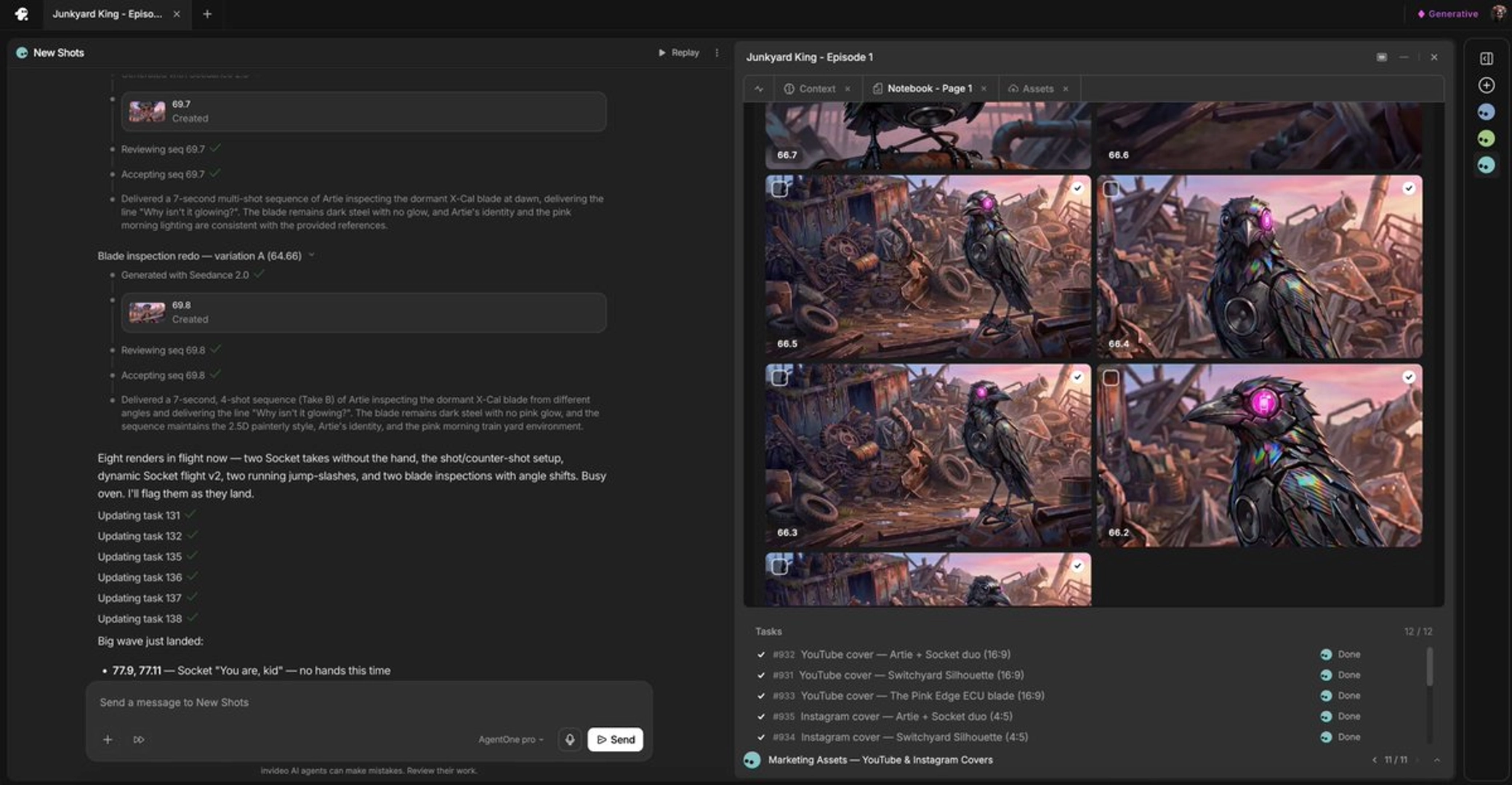
So instead of re-explaining all of that in text, the team just uploaded episode number one. The agent picked up the visual language on its own and it carried it forward to episode number two.
— invideo's creative team, on cross-episode visual language transfer