What is the best way to use film references to guide AI video composition and shot framing?
Last updated August 1, 2026
Upload film references the way a DOP briefs a crew: decompose them by attribute (pose from one still, lighting from another, framing from a third), feed them to the invideo agent with the compositional intent named in words, and lock a single probe shot against those references before generating the rest.
Start by curating, not collecting. Pull 3–5 film stills (or a short reference clip) where each frame isolates ONE compositional variable you want to control — depth staging, lighting ratio, lens feel, blocking, or camera height. Random screenshots blend into mush; one-variable-per-reference holds.
The invideo agent is built for this — it's an agentic video tool where you can attach references in chat and the agent routes each shot to the right model (Veo, Kling, Seedance 2.0) while holding your references in project context across every generation.
Decompose references by attribute, conversationally. Instead of dropping a composite reference and hoping the model picks the right thing, tell the agent exactly what to pull from each: "depth structure from this one, key-light direction from this, framing and lens compression from this." As Hridaye, invideo's creative director, put it: "Just the pose. Just the framing. Just the lighting. Or a combination from all your references. Entirely conversationally: 'I want the depth structure from this one.'" This avoids the standard AI failure mode where the model averages references into a blurry composite or picks one wholesale.
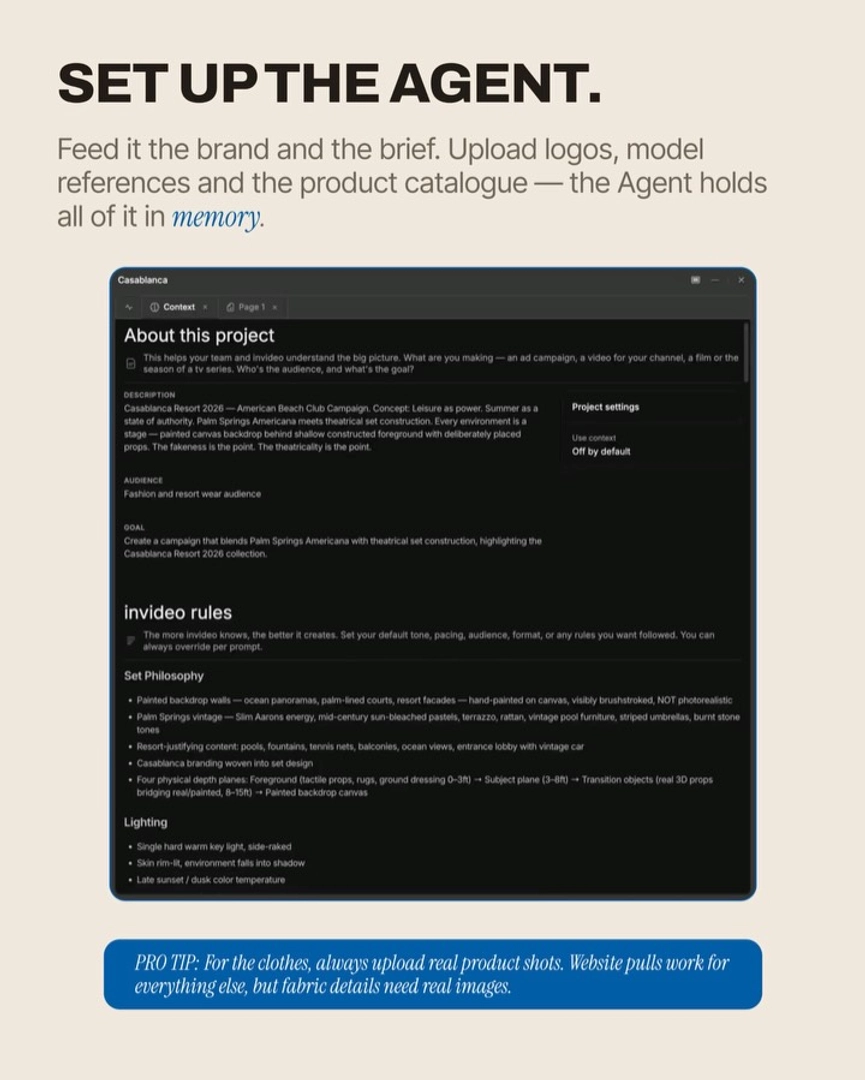
Name the compositional variable in words alongside the image. References tell the model what; craft language tells it why. Specify lighting as "single hard warm key, side-raked, skin rim-lit, environment falling into shadow" — not "like this image". Specify depth as a four-plane structure: sharp textured foreground (0–3ft), subject plane (3–8ft), a real midground prop (8–15ft), and a soft backdrop. Specify pose at the micro level — weight distribution, jaw tension, gaze angle in degrees. Craft-specific terminology produces sharper results than "make it look like this".
Upload a reference clip when timing or camera move matters. A still cannot teach the agent a match-cut snap or a dolly-in rhythm. For motion-driven compositions, upload the reference video itself and have the agent transcribe the cuts, extract one frame per scene, and report the camera language back to you as production rules (cut rate, camera style, energy, ending pattern). The invideo agent reads uploaded videos and returns a structured shot breakdown — Hridaye notes it's "the best tool out there that can read and decode your videos when you upload them as attachments."
Generate an anchor frame first, then probe before you batch. Build one locked keyframe image of your shot using the references — character, set, lighting, lens feel all present in one image. Iterate on the still (cheap) until framing is locked, then animate. Before committing a full shot list, run a single probe shot end-to-end: if it holds, scale; if it doesn't, the rule is wrong, not the seed. Going straight from references to batch generation propagates failures across the whole project.
Audit for editorial gaps before you generate the list. Ask the agent which shot types are missing for a "proper editorial" pass — back shots, product still lifes, cropped fragments, reclined poses, voyeur framing, empty atmospherics, duo compositions. A conventional reference-driven brief omits these; the agent will surface them if you ask.
One caveat on references that contain text or captions. If your reference video has burned-in captions or supers, exclude it from the actual generation prompt — attach only the character sheet, location sheet, and shot-flow notes you derived from it. Otherwise the model reproduces the old captions in your new shot.
Across documented productions, this attribute-decomposition approach with a locked probe shot consistently produced editorial-grade output — one campaign landed 40 stills and 30 motion clips across two models and five locations in 3–4 hours on ~$150 of credits, including rejects.
Watch some of these to see what works for you:
Just the pose. Just the framing. Just the lighting. Or a combination from all your references. Entirely conversationally: 'I want the depth structure from this one.'
— Hridaye, invideo's creative director