Daisy-chain vs storyboard-first: which AI video shot generation method should you use?
Last updated August 10, 2026
Use daisy-chain for standard sequential narrative scenes: it's faster and preserves spatial continuity shot-to-shot while leaving room for unexpected shots the model generates freely. Use storyboard-first for high-stakes or complex scenes: laying out key frames before animating costs fewer credits and gives you approval control before any video generation is spent.
Route the choice by what the scene needs: continuity and speed → daisy-chain; control and approval-gating → storyboard-first. invideo is an agentic video creation tool with all the current models available — the invideo agent routes each shot to Seedance 2.0, Veo, or Kling as the shot demands, so the method choice never forces a platform choice.
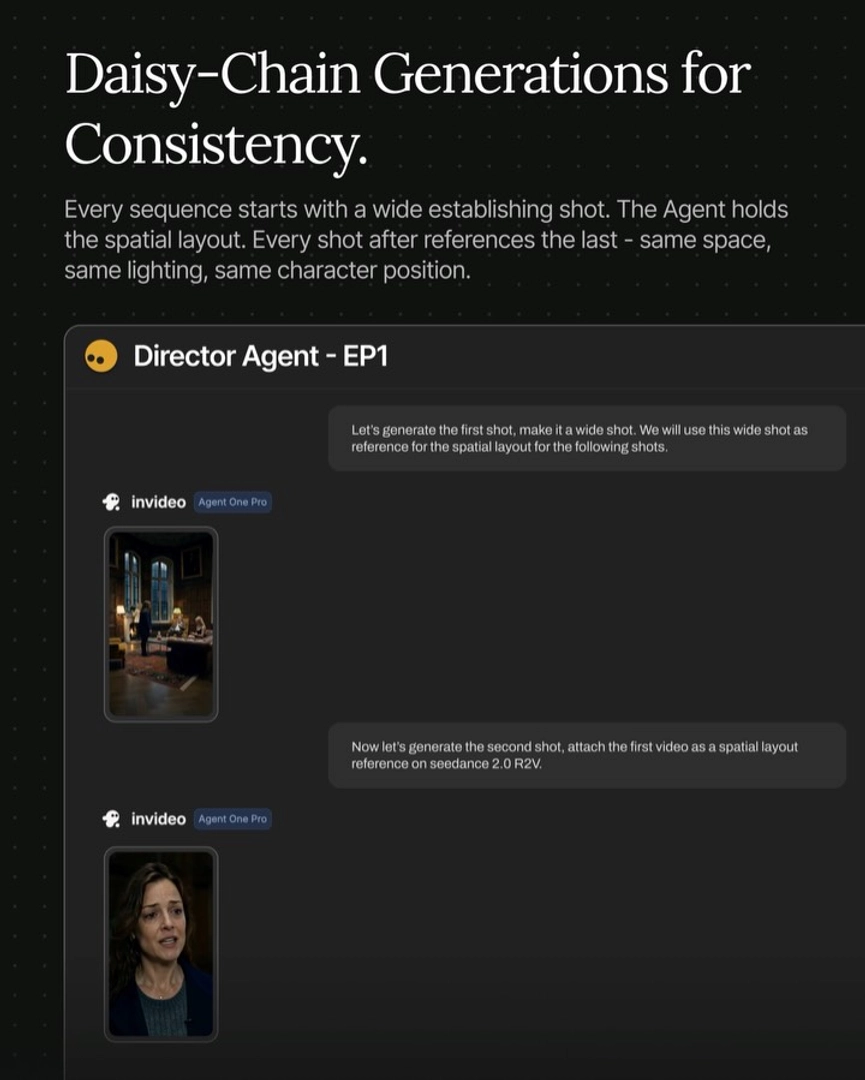
Daisy-chain: for sequential narrative scenes. Start every scene with a wide establishing shot, then generate each subsequent shot using the previous video as a spatial layout reference via Seedance 2.0 reference-to-video. The invideo agent holds the spatial layout, so every shot inherits the same space, lighting, and character position from the one before it. The upside beyond continuity is emergent value: because the model generates freely within that locked space, you get unplanned shots that often make the cut — a creative bonus the storyboard route deliberately trades away.
Storyboard-first: for high-stakes or complex scenes. Lay out the scene's key frames as a single vertical composite image — GPT-Image-2 handles storyboard frame generation well — and have the invideo agent attach that composite to Seedance 2.0 to animate from it. This route spends fewer credits because you only animate approved frames, and it moves the approval gate upstream: your creative director can sign off on every frame before a single video credit is spent. The trade-off is that you sacrifice the happy-coincidence shots daisy-chaining produces, so reserve it for scenes where the framing must land exactly as planned.
A third route for inserts and montage: skip both methods. For insert shots and passing montage sequences, skip location image generation entirely and prompt the model directly from the script description — the overhead of either method isn't worth it for a two-second cutaway.
Practices that apply to both methods: lock your character and location reference sheets before generating any frames, not after, and generate 3–4 options per shot so your editor has coverage. Avoid cramming heavy dialogue into a single 15-second generation — it breaks pacing and reduces editor control regardless of which method produced the shot. One documented production ran both methods side by side — daisy-chain for standard scenes, storyboard-first for high-stakes ones — and a 3-person crew shipped a 10-episode microdrama series in 3 days at roughly $1,000 per episode.
Watch some of these to see what works for you:
For high-stakes scenes - Storyboard first. Lay out the key frames as one vertical image. The Agent attaches it to Seedance and animates from it. Lower credits spent, higher control.
— invideo's creative team