AI Art Generator
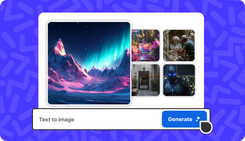
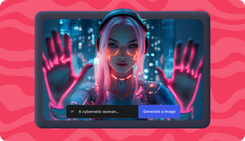
Create AI art with AI art generator on invideo. Write a short description of your vision with image style, and get AI generated art in seconds. Create art, painting, illustrations, cliparts, sketches, sci-fi, anime, and more styles.
AI Art generator for Everyone
Artists & Content Creators
1
Businesses & Startups
2
Social Media Managers
3
Designers & Illustrators
4
AI Generated Art on Invideo
Pet Shop Labor Day Promo
The Perfect Jacket
Retro Compact Car Ad
Mini Tote
Real Estate Promo
Korean Skincare
Pet Shop Labor Day Promo
The Perfect Jacket
Retro Compact Car Ad
Mini Tote
Real Estate Promo
Korean Skincare
AI Art Generator Features
Text to Art
Turn any short description into artwork in seconds. Invideo understands your idea and creates a complete visual instantly.
Multiple Styles
Create art in sketch, anime, watercolor, digital painting, abstract, cartoon, and other styles with one prompt.
Image to Art
Upload a photo and convert it into an artistic version. Change the style, add elements, or make variations easily.
Textures
Get natural art details like brush strokes, pencil shading, grain, and soft paint textures for expressive art.
Art Generator for Art & Design
AI Artwork
1
AI Painting
2
AI Design Generator
3
AI Illustration Generator
4
AI Sketch Generator
5
AI Clipart
6
30+ Art Generator Models
Nano Banana
Use Nano Banana Pro, Google's nex gen image model with high-quality image and art generation model.
Flux Kontext
Flux Kontext to create artistic or stylized images with lighting, textures, and detail control for artistic visuals.
Kling Image O1
Try Kling Image O1 for fast, flexible image generation for quick concepts, drafts, and creative experiments.
30+ Models
Access all 30+ AI image art generation models for various styles, from illustrations to photorealism.
Happy Users of AI Art Generator

How to Use AI Art Generator
1. Text to Image
Log in, go to the top-left menu, choose “Text to Image”, write your description with your preferred art style and hit enter for AI generated art.
2. Agents & Models
You can also select your preferred AI model from 'Agents & Models' and create free AI art using Nano Banana Pro, GPT image, and 30+ models.
3. Add Reference Image
(Optional) Upload a reference image to help AI generator better understand your vision and improve the image's accuracy and detail.