Image to Image AI
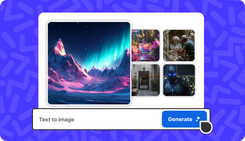
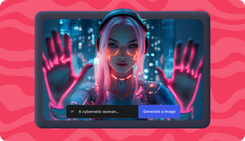
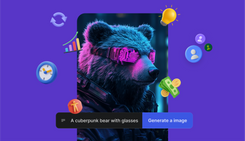
Recreate or edit images with AI image generator from image. Just upload an image, write a prompt with the changes you want and get a high-quality AI image in seconds.
Image to Image tool for all
Digital Artists
Turning sketches, outlines, or basic wireframes into fully rendered, stylized image with detail.
Designers
Quickly iterating on visual concepts and applying uniform artistic styles across different assets.
Video Editors
Creating custom, styled assets (thumbnails, B-roll) that maintain visual consistency with their videos.
Photographers
Upscaling lower-resolution pictures and restoring old or damaged photos with AI enhancement.
Content Creators
Create concept art, character designs, environments, and image assets for videos and animations.
Marketers & Agencies
Quickly generate customized, targeted ad creatives by modifying images, backgrounds, or product images.
E-commerce Sellers
Generating dozens of product lifestyle images and background variations from a single studio shot.
Hobbyists & Explorers
Experiment with visual ideas, make viral images, or try what an abstract prompt can create with your image.
AI Image Generator from Image
Pet Shop Labor Day Promo
The Perfect Jacket
Retro Compact Car Ad
Mini Tote
Real Estate Promo
Korean Skincare
Pet Shop Labor Day Promo
The Perfect Jacket
Retro Compact Car Ad
Mini Tote
Real Estate Promo
Korean Skincare
Features of Image to Image Tool
Edit Image to AI Image
Virtual Try-Ons
1
Background Swaps
2
Virtual Product Shots
3
A/B Testing Ad Variations
4
Home for Bold Ideas

30+ Image to Image Models
Nano Banana
Use Nano Banana Pro, Google's image-to-image model with precise edits, advanced scene manipulation an more.
Midjourney V7
Try Midjourney V7 to enhance image-to-image with powerful features like, style references, omni reference and more.
Seedream 4.5
Try Seedream 4.5. It accurately identifies the main subjects, enhances the typography in your input image.
30+ Image Models
Access all 30+ AI image to AI models for editing or modifying your images while maintaining key visual elements.
How to Use Image to Image AI
1. Upload Image
Log in, go to 'Agents & Models', select your preferred AI Image model and upload the image you want to edit with AI.
2. Write a Prompt
Write a short text prompt describing the changes you want to make in your input image.
3. Hit Generate
Hit Generate and AI follows your text description to generate a new image while keeping the original’s core content intact.